TL;DR
- The best onboarding email examples share three things: one job per email, behavior-triggered timing (not pure drip), and a single primary CTA tied to the next activation step.
- Across 200+ onboarding emails in the DigiStorms library, the canonical sequence is 5–8 emails over 10–21 days: welcome → setup prompt → feature education → first-milestone celebration → trial-ending warning → upgrade CTA → post-trial nudge.
- The 12 examples below — from Loom, Calendly, Pipedrive, Asana, Stripe, Zapier, Slack, Monday, Hunter, Grammarly, Figma, and Miro — show the pattern at every stage. Steal subject lines, copy structure, and trigger logic verbatim.
You just signed someone up. You have about 14 days before they either activate, convert, or quietly disappear.
The onboarding email sequence is the single biggest lever between “signup” and “paying customer” for most SaaS products. Get it right and your free-to-paid conversion rate doubles. Get it wrong, or skip it entirely, and you leak every paid ad dollar straight back out.
This guide breaks down the 7-email SaaS onboarding sequence that consistently works: the purpose of each email, when to send it, what goes inside it, and how top SaaS brands like Loom, Calendly, and Pipedrive actually execute the playbook. Every example is a real production email pulled from the DigiStorms email library, which holds 1,000+ lifecycle emails from 38 top B2B SaaS brands.
If you want to skip the how-to and just steal the patterns, jump to the Loom deep-dive.
How long should a SaaS onboarding email sequence be?
Short answer: 5 to 8 emails, spread across 10–21 days, with email cadence front-loaded (denser in the first week, sparser after).
Most of the 38 B2B SaaS brands in the DigiStorms library run a 6–7 email onboarding sequence over 14 days. Some stretch it to 21 days for higher-ACV products where evaluation cycles are longer (Monday, SemRush, Pipedrive). Some compress it to 5 emails over 7 days for freemium tools where users activate fast (Calendly, Loom’s free tier).
Two hard rules from the data:
-
Never send more than 2 onboarding emails in the first 48 hours. You can send 1 welcome + 1 setup prompt. More than that and you train users to mute the sender, which kills every subsequent email in the sequence.
-
The last email in the sequence is always tied to a product event, not a date. Trial-ending, upgrade CTA, “we haven’t seen you in X days”: all behavior-triggered, not drip-scheduled. This is where behavior-based beats time-based email, and it’s why you can’t just bolt a 7-email autoresponder onto ConvertKit and call it done.
The 7-email SaaS onboarding sequence
Here’s the anatomy of the sequence. Treat this as a skeleton. Every product will tune the timing and the exact mix, but the 7 stages below show up in almost every high-performing onboarding flow I’ve analyzed.
Email 1: Welcome (day 0, within 5 minutes of signup)
Job: Confirm the account works, set expectations for the next 14 days, reduce the friction of the first logical action.
The welcome email is a handshake, not a pitch. It should load fast, be scannable in 10 seconds, and have exactly one primary CTA. Almost every top SaaS brand gets this right and almost every early-stage SaaS team overthinks it.
Full teardown: 28 SaaS welcome email examples that activate users.
Email 2: Setup prompt (day 1–2)
Job: Push the user to complete whatever setup step unlocks first-use value. Install the Chrome extension. Invite a teammate. Import data. Connect the calendar.
The setup prompt is the highest-ROI email in the sequence because most non-activated signups never come back after day 2. If you only build ONE behavior-triggered email, build this one, and make it fire when setup isn’t complete 24 hours after signup.
Email 3: Product education / feature discovery (day 3–5)
Job: Show the user a specific capability they haven’t yet used that solves a real problem. Not a feature tour. Not a “here’s everything” email. One feature, one outcome, one demo link.
This is where most SaaS onboarding sequences go wrong: they dump a feature list instead of picking the one feature that matters most for the user’s stage. Notion sends different emails to users who’ve created one page vs. users who’ve created ten. You should too.
Email 4: First-milestone celebration (day 5–10, behavior-triggered)
Job: Catch the user at their “aha moment” and reinforce the habit.
This email fires when the user hits their first meaningful product event: recorded their first video, booked their first meeting, shipped their first commit, sent their first email. The subject line almost always starts with “Congrats” or “You just…”. It reads like a coworker noticing.
Loom’s “Congrats, you recorded your first video on Loom 🥳” is the template. The psychology: you’re now committed, the product works, keep going.
Email 5: Progress check / social proof (day 7–14)
Job: Show the user what they’ve done so far, or what other users like them have done. Builds commitment and reduces churn anxiety.
Usage summary emails (Loom’s year-in-review, Calendly’s weekly booking recap) or customer case studies targeted to the user’s segment both work here. The common thread: external validation that they’re on the right path.
Email 6: Trial-ending warning (day 10–14, behavior-triggered)
Job: Give the user enough time to decide before the trial expires, without pressure.
Two sub-emails usually: the “X days left” warning at day 10–12, and the “ends tomorrow” at day 13. Both should preview what the user will lose access to, not just “your trial is ending.” Loss aversion beats feature-list recitation every time.
Email 7: Upgrade CTA or post-trial nudge (day 14+)
Job: Convert warm users who haven’t upgraded. Save cold ones from disappearing.
For users who’ve activated but haven’t upgraded: a direct but personalized upgrade email, ideally referencing a specific thing they’ve done in the product (“You’ve recorded 12 videos. Unlock Looms without the time limit”). For users who’ve let their trial lapse: a reactivation email, often with a discount or extension offer.
Tip: Pipedrive sends a trial-extension email (“Have another week on us!”) to trial-expired users who engaged meaningfully during the trial. This recovers ~15% of would-be churned leads in most SaaS funnels.
Deep dive: Loom’s 7-email onboarding sequence
Loom is the canonical B2B SaaS onboarding sequence to study. It’s tight, behavior-triggered, relentlessly focused on first-value, and it doesn’t pad. Here’s the full arc, pulled from Loom’s library collection.
Loom Email 1: Welcome to trial
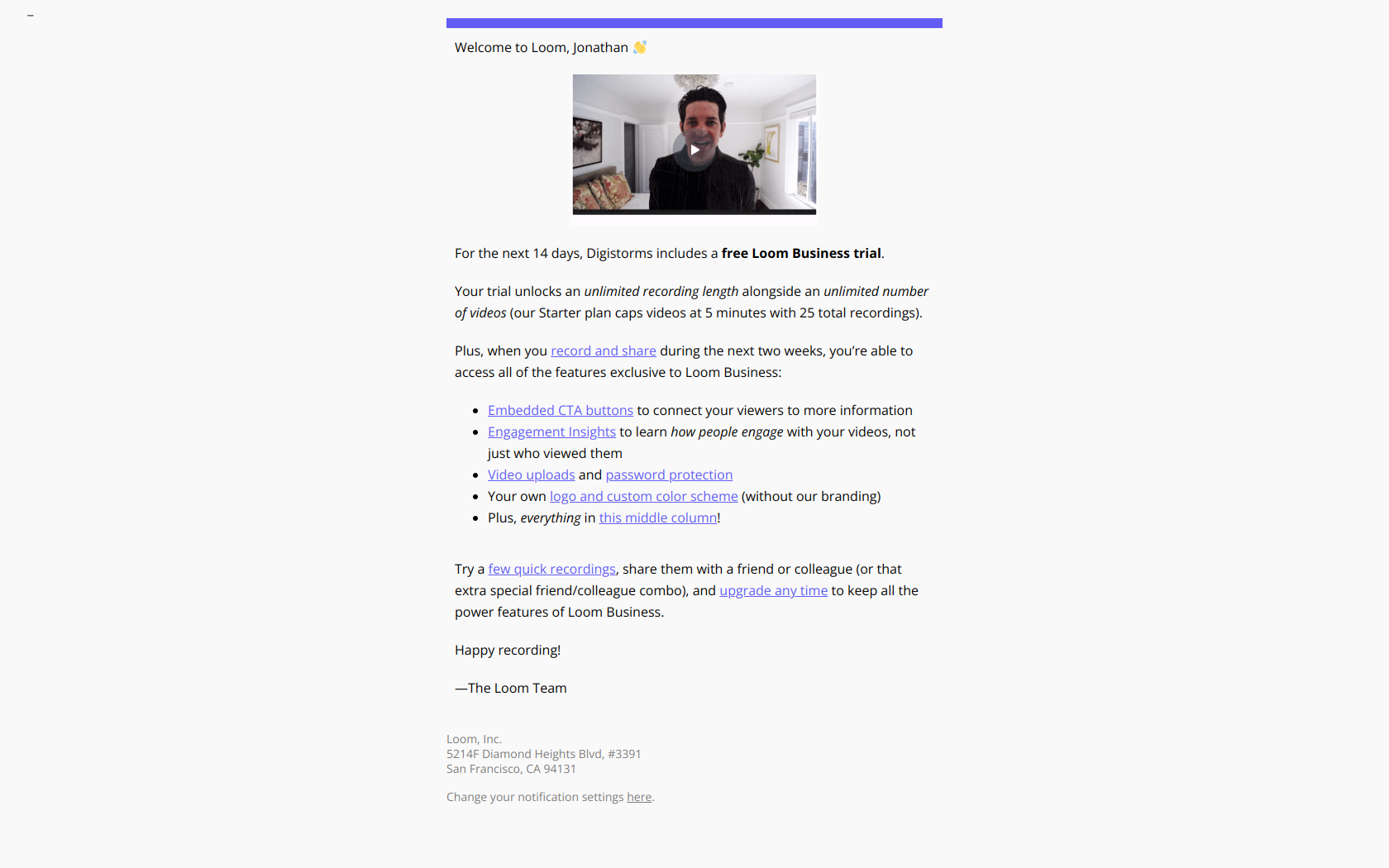
Subject line: “Loom Business! Welcome to your trial 🔮”
Opens with a clear statement of what the trial unlocks (Business features), sets expectations (“14 days”), and gives one primary CTA: “Start recording.” Zero feature-list-padding. Read the full email on Loom’s welcome page.
Loom Email 2: Feature education
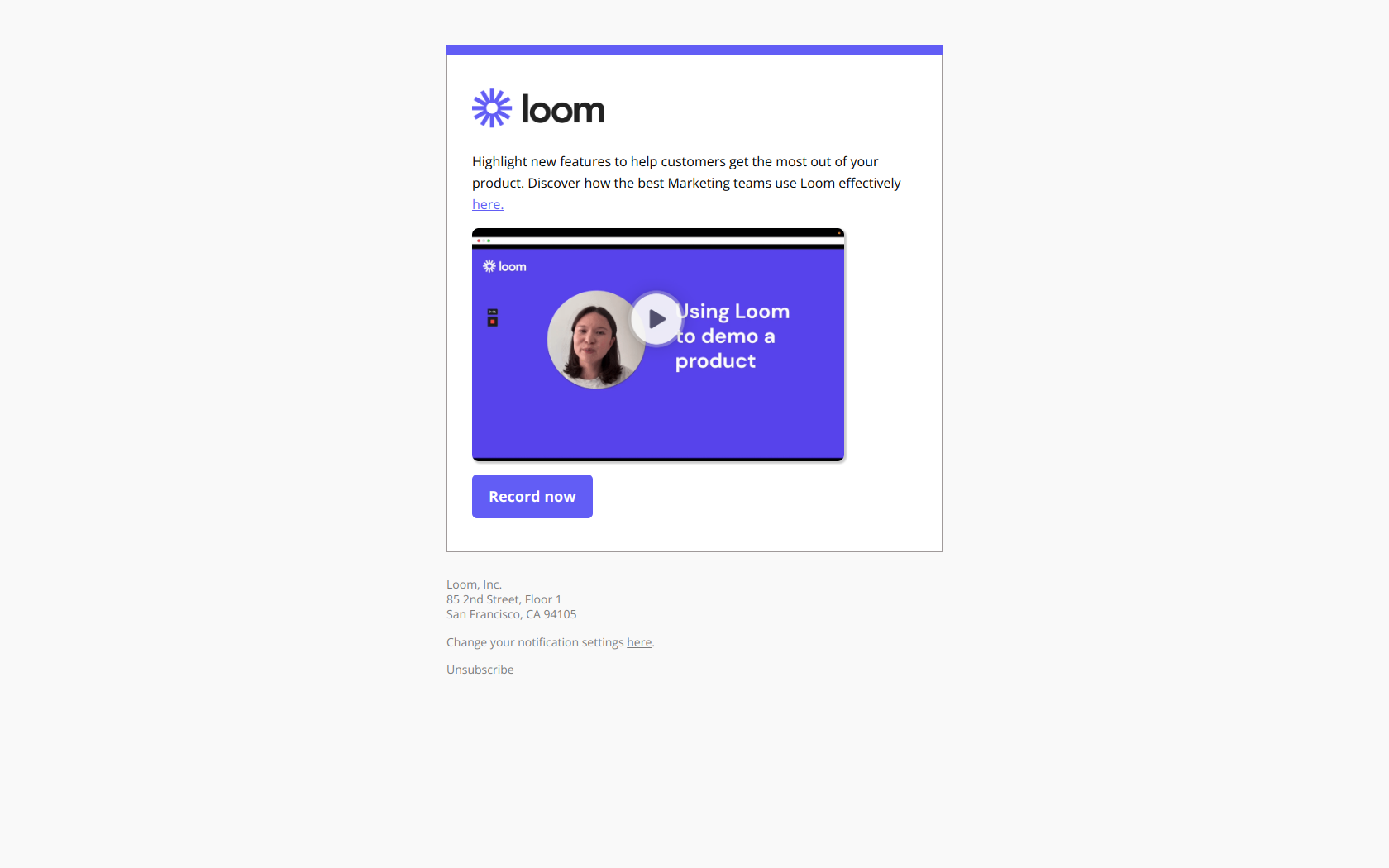
Subject line: “Highlight new product features with Loom”
Day 2, one specific feature (highlights), one specific use case (announcements). No other CTAs. This is the “education” email done right. It doesn’t tour the product, it teaches ONE thing the user likely doesn’t know about yet. Full email: Highlight new product features with Loom.
Loom Email 3: First-milestone celebration
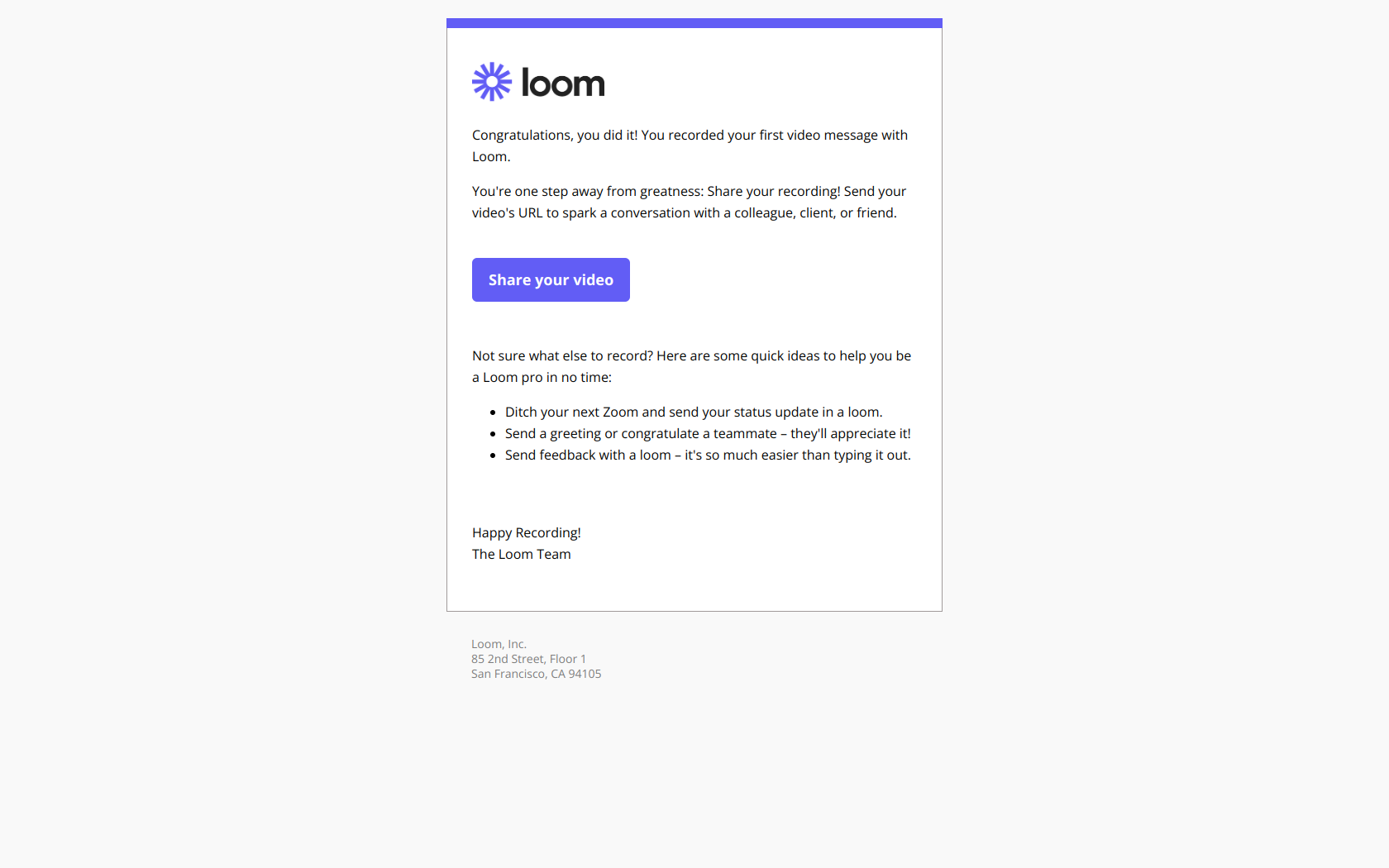
Subject line: “Congrats, you recorded your first video on Loom 🥳”
This is THE email that separates behavior-based onboarding from time-based. It fires the moment the user records their first video, not on day 3, not at a scheduled time. The timing is what makes it feel human. See the full email: Congrats, you recorded your first video on Loom.
More examples of this pattern in our 12 SaaS milestone email examples that drive retention guide.
Loom Email 4: Trial-ending warning
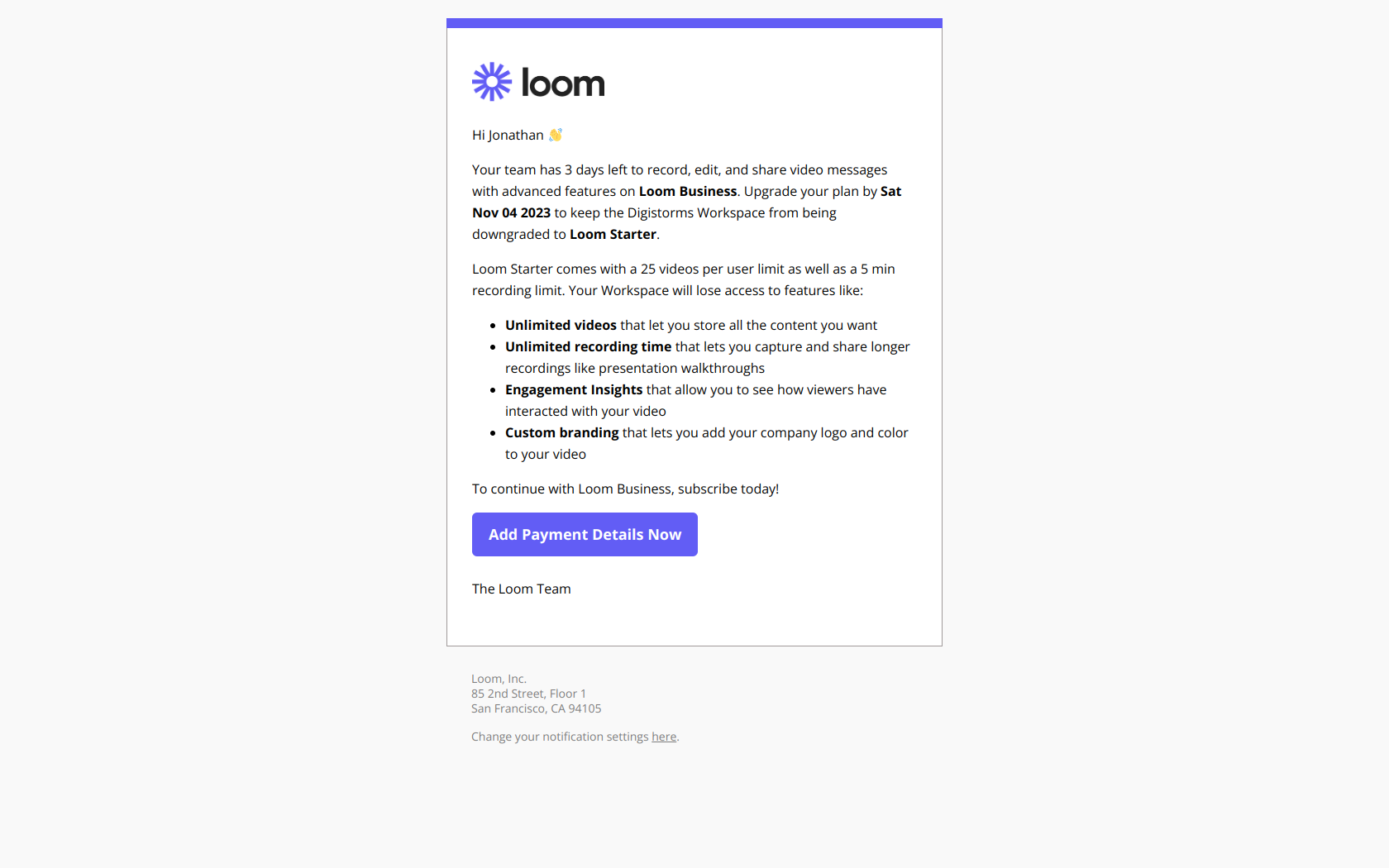
Subject line: “Only 3 days left on your free trial of Loom Business”
Direct subject, specific number of days, preview of what’s about to disappear. The body leads with what the user will lose (unlimited recording, transcripts, AI features) rather than what they can buy. Loss aversion. Full email: Only 3 days left on your free trial.
Loom Email 5: Upgrade CTA
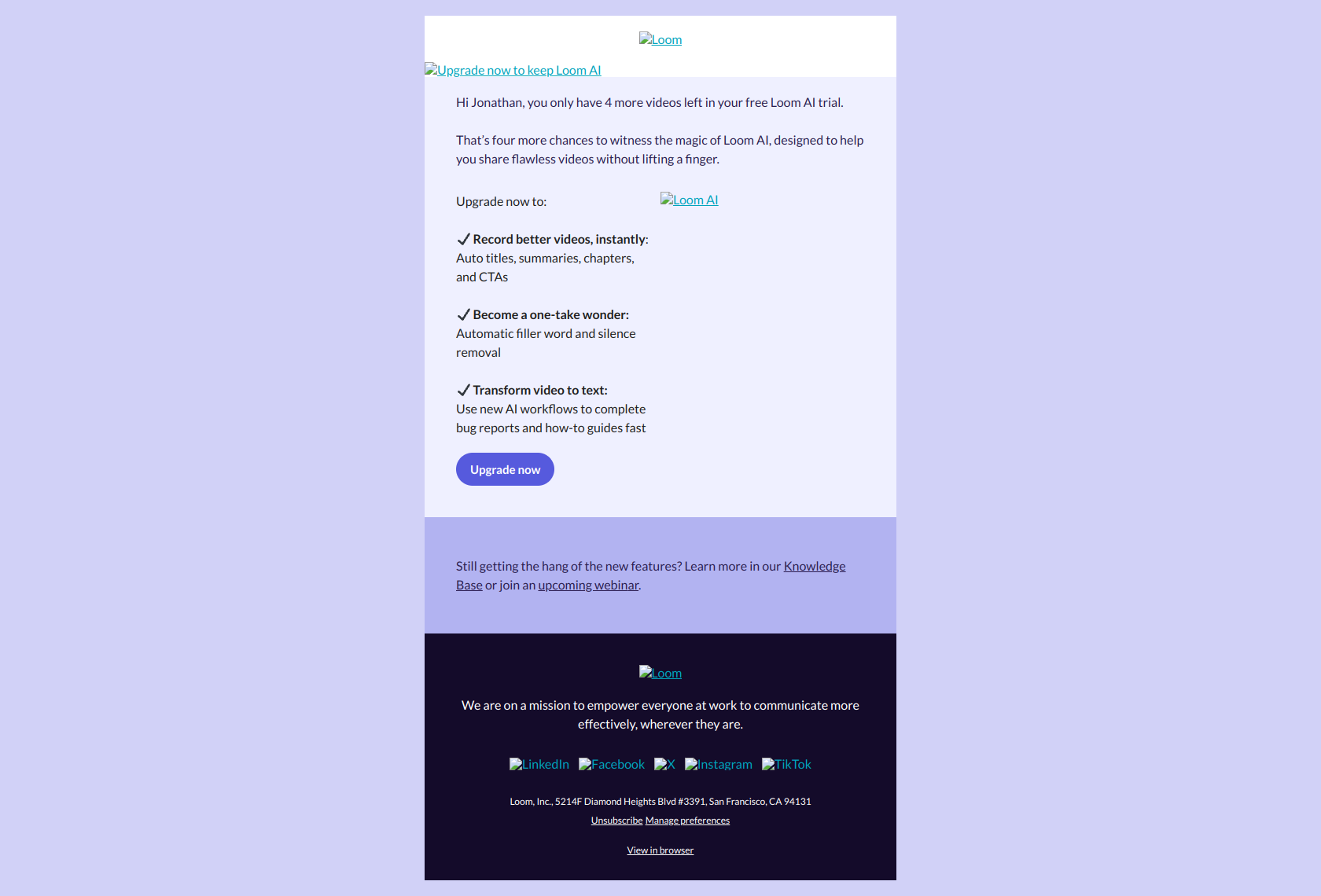
Subject line: “Jonathan, did you notice the magic of Loom AI in your last video? ✨”
Personalized reference (“your last video”) plus a specific feature hook (Loom AI transcription). This is the upgrade email done at 10/10: the user is inside the product, using it, and the email makes a case based on what they’ve already done, not generic marketing copy. Full teardown: Loom upgrade CTA.
More upgrade-email patterns in 13 upgrade email examples that convert free users.
Loom Email 6: Post-trial downgrade notice
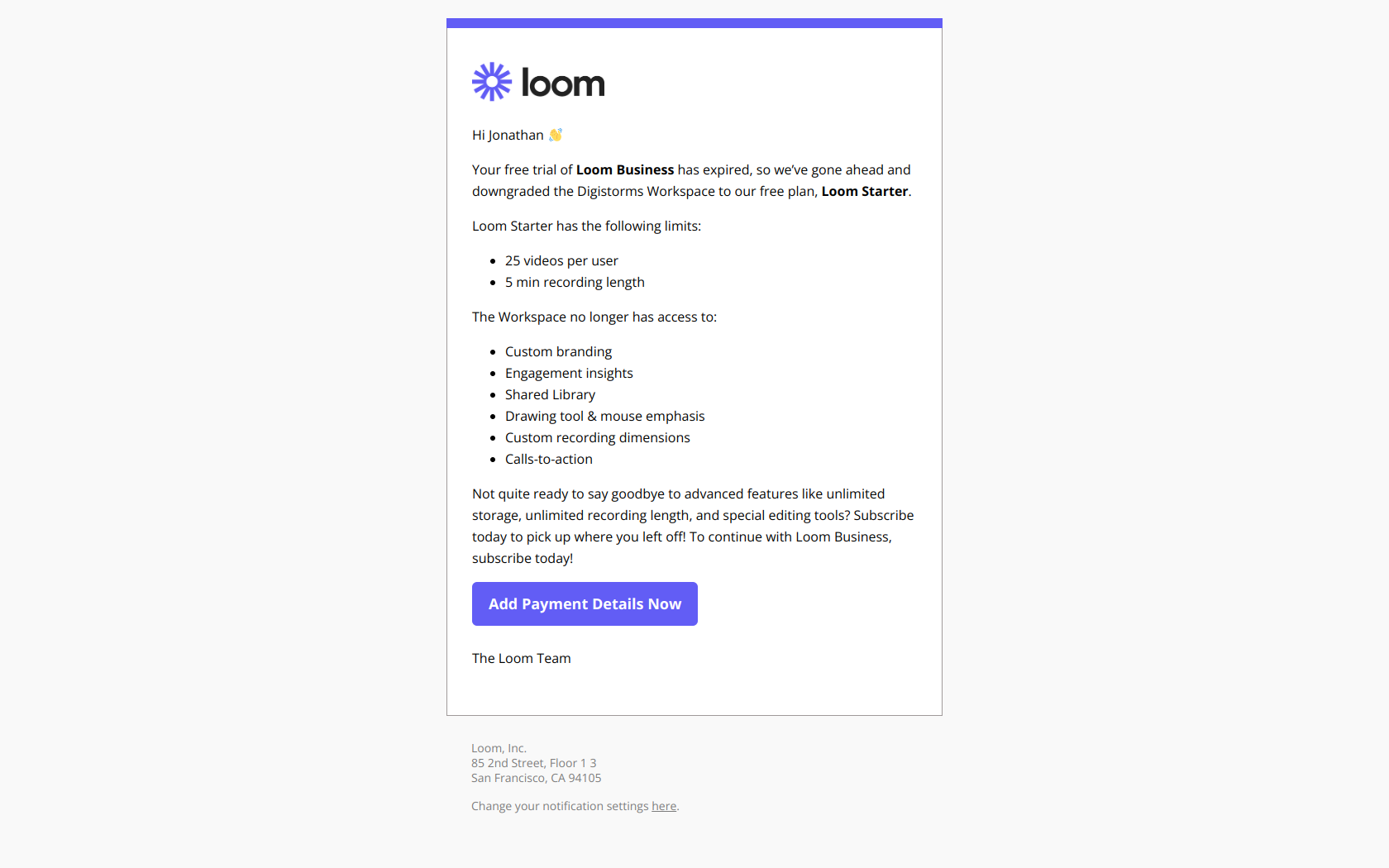
Subject line: “Digistorms has been downgraded to Loom Starter”
Note the subject line: it personalizes with the workspace name and uses “downgraded” rather than “expired” for a softer product-driven tone. Loss aversion again: “you had these features, here’s what you just lost, here’s how to get them back.” Full email: Loom post-trial upgrade.
Deep dive: Calendly’s compressed 5-email sequence
Calendly runs a tighter sequence because its time-to-value is about 90 seconds. You sign up, connect your calendar, share a booking link. First meeting booked within a day. The onboarding doesn’t need to work as hard, but it still has to work.
Calendly Email 1: Welcome
Subject line: “Welcome to Calendly”
Clean, warm, single CTA (“connect your calendar”). See it: Welcome to Calendly.
Calendly Email 2: Setup (day 1)
Subject line: “Book meetings with multiple people”
Teaches one specific feature (Teams scheduling) that unlocks higher value, but only if the user has progressed past solo scheduling. Calendly segments users by plan here, with different setup emails for solo vs. Teams trials. See it: Book meetings with multiple people.
Calendly Email 3: First-milestone celebration
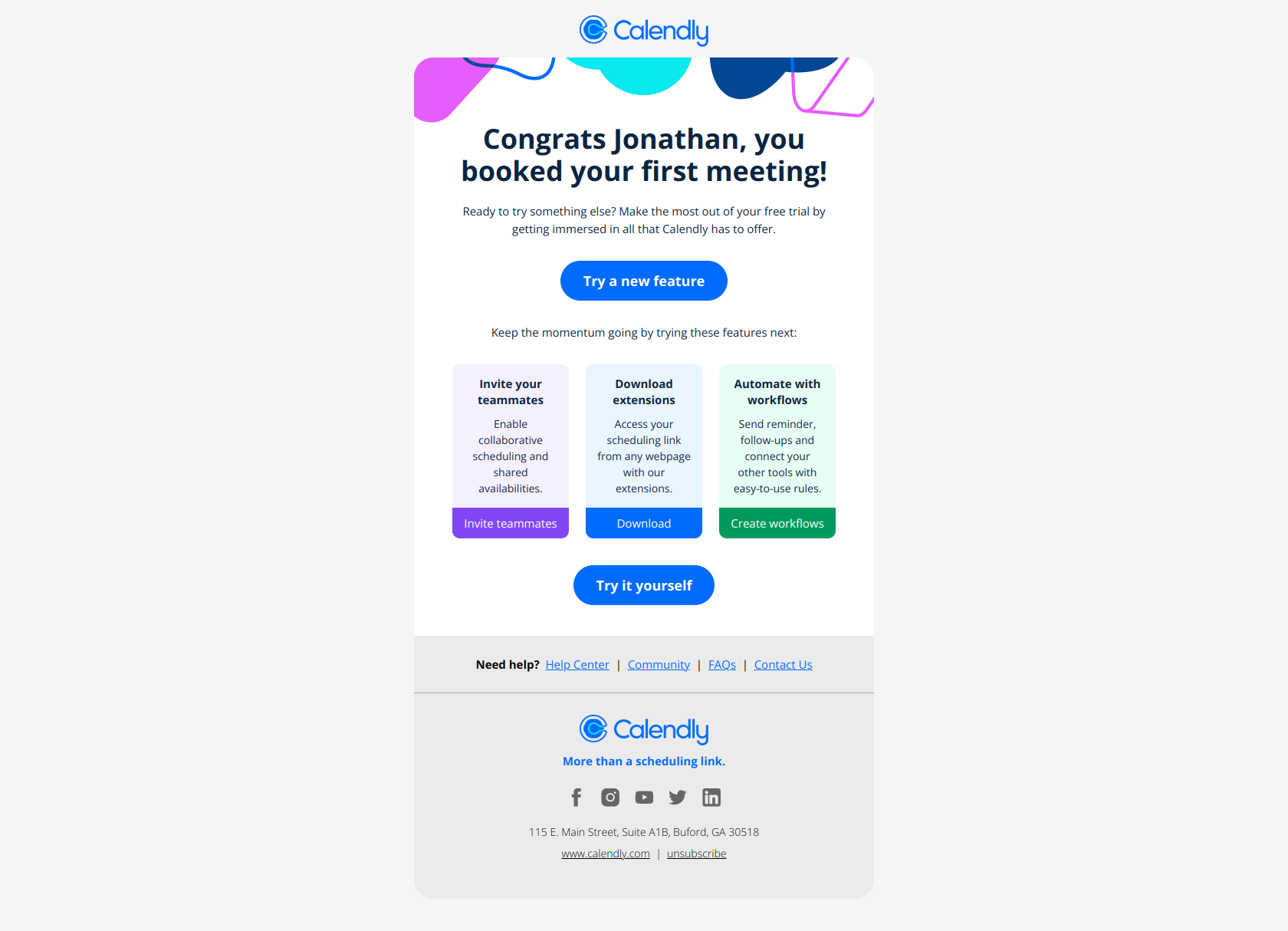
Subject line: “Jonathan, you booked your first meeting 🙌”
Same pattern as Loom’s milestone email: personalization, “first”, emoji, behavior-triggered. Pattern-match across brands: this is the universal “you activated” subject line formula.
Calendly Email 4: Trial-ending warning
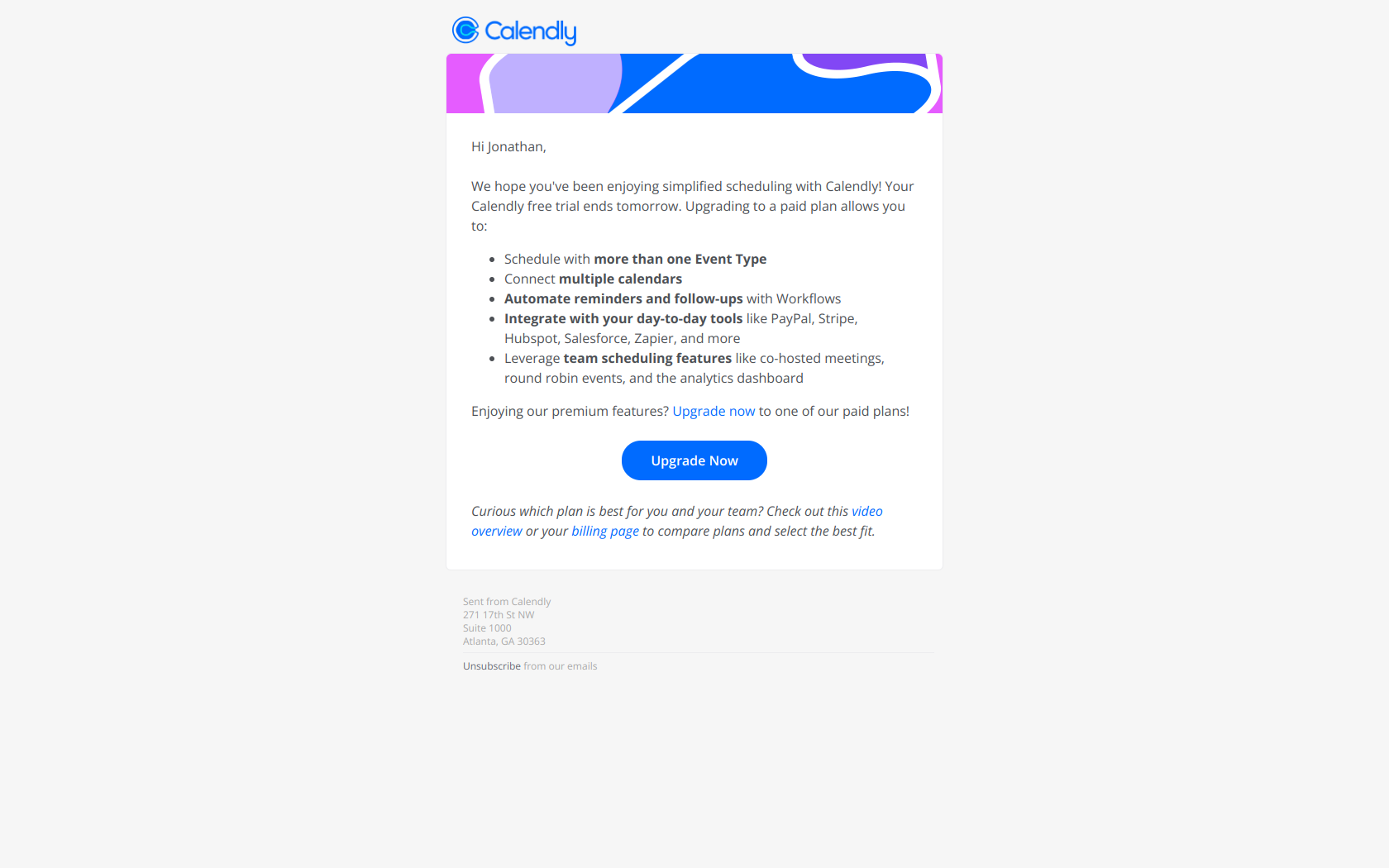
Subject line: “Jonathan, your Calendly Teams Trial ends tomorrow!”
One-day warning with a specific date. Calendly only sends ONE trial-ending email (not two) because its trials are short and most users have already converted by day 13. Worth noting: they personalize with first name, which their data presumably shows lifts open rates.
Browse Calendly’s full sequence: Calendly library collection.
Deep dive: Pipedrive’s sales-led onboarding
Pipedrive is interesting because it sits between PLG and sales-led. Its onboarding sequence explicitly treats setup completion as a blocker. If the user hasn’t imported contacts by day 4, Pipedrive pauses the trial clock and sends a “setup not complete” email.
Pipedrive Email 1: Welcome
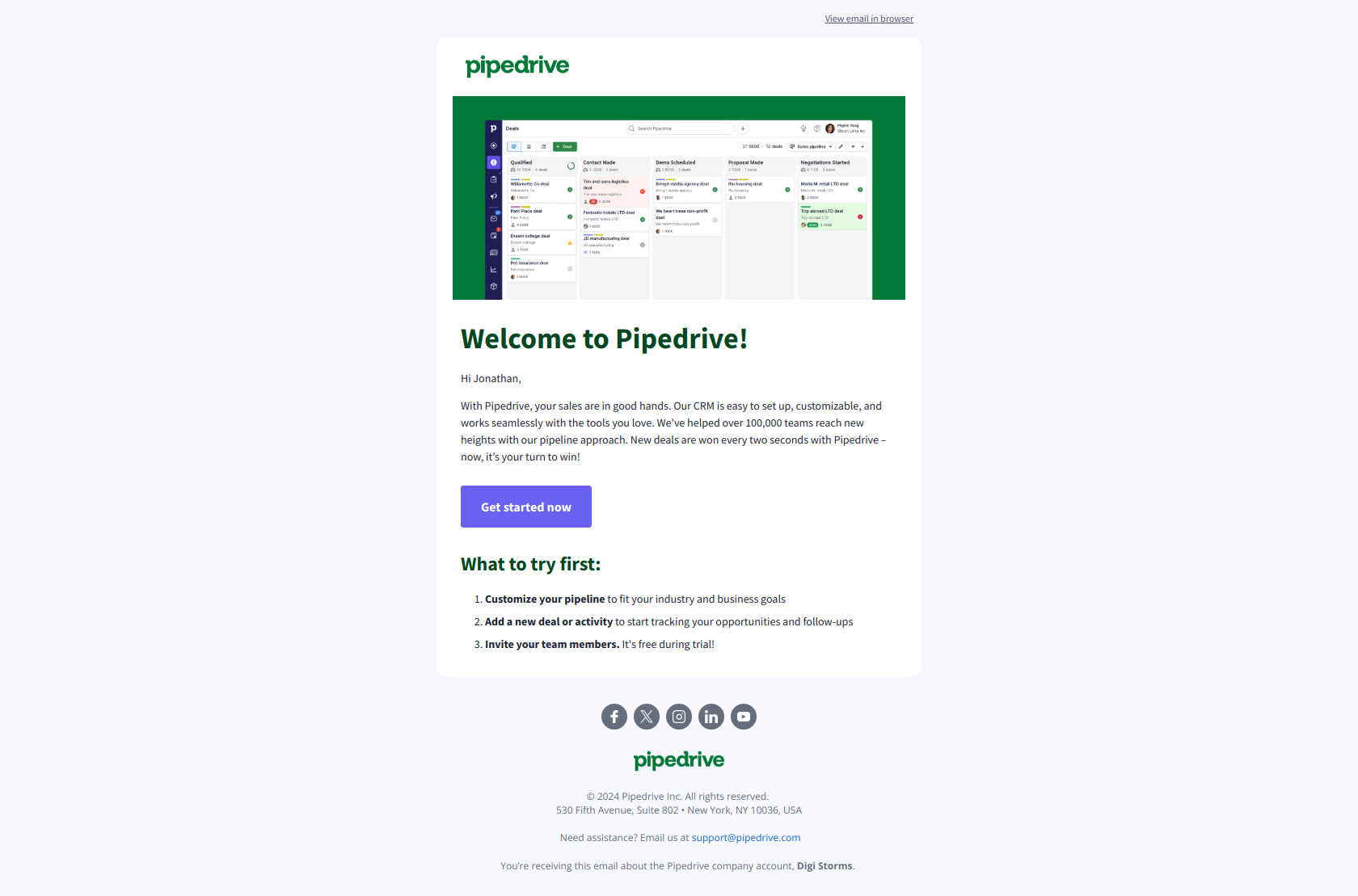
Subject line: “Welcome to Pipedrive Jonathan!”
Personalized, warm, with a Getting Started checklist inline. The checklist is key: Pipedrive uses the welcome email itself as the first setup prompt, not a separate email. Fewer emails to manage, same effect.
Pipedrive Email 2: Setup urgency
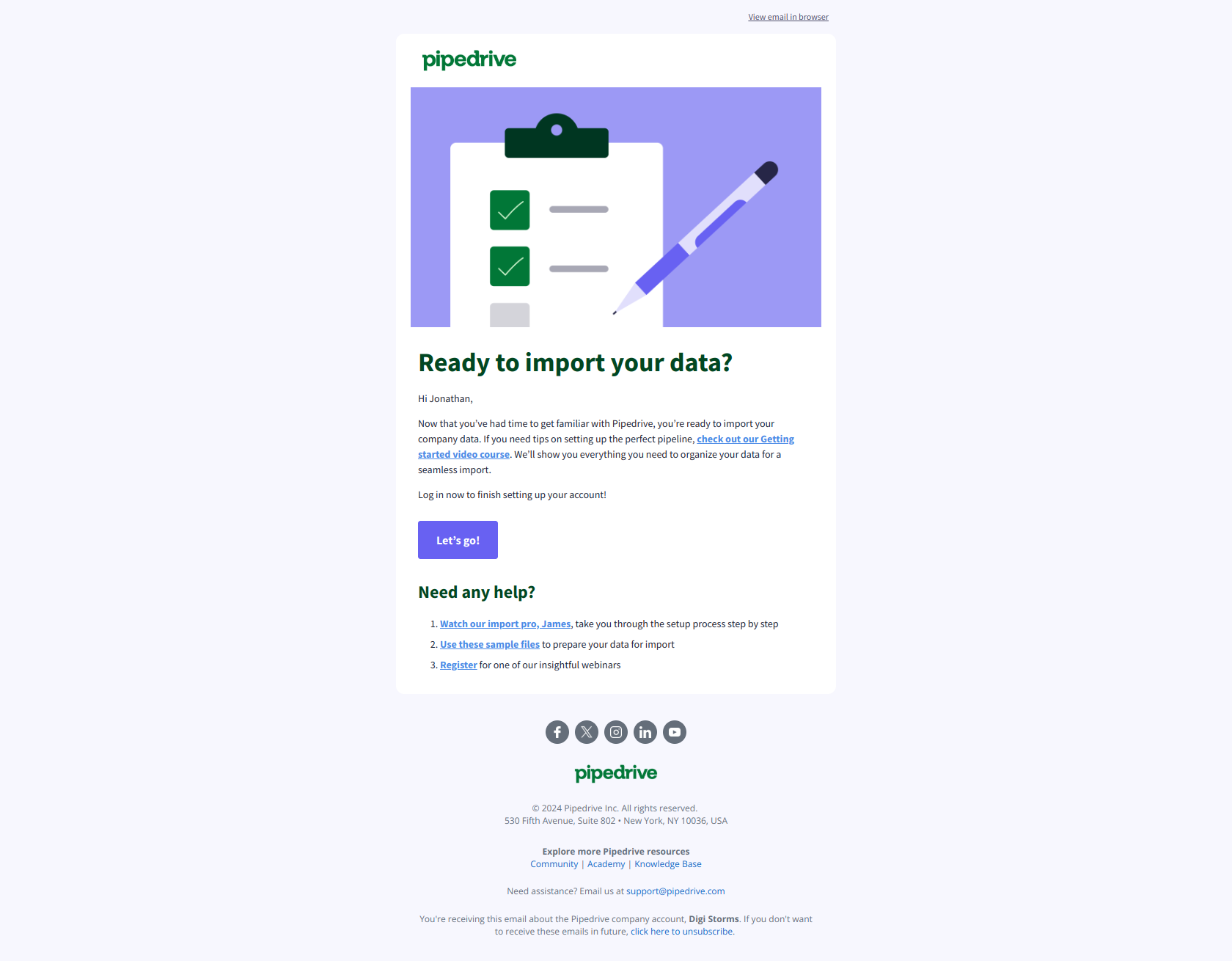
Subject line: “Important: Your setup is not complete”
Strong language (“Important”, “not complete”). Deliberate friction for users who haven’t taken the setup action. You see this pattern from sales-led-ish tools: the onboarding flow ASSUMES the user wants to progress and treats non-progress as a problem to solve.
Pipedrive Email 3: New AI feature
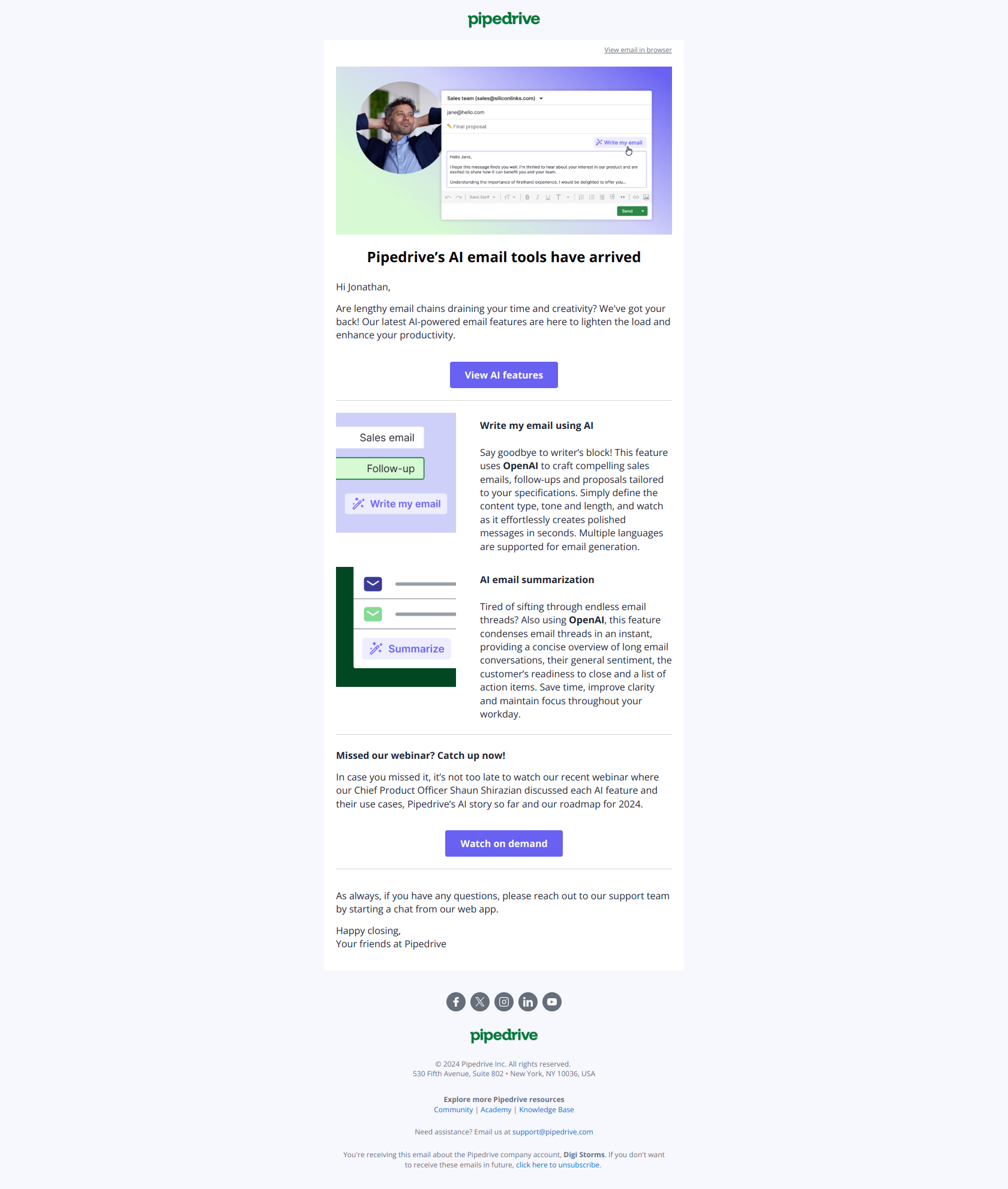
Subject line: “Let our new AI feature write your emails”
Pipedrive layers product-update nudges into the onboarding sequence so even active trial users get exposed to new capabilities. Smart: it keeps the sequence feeling fresh after 2 weeks of drip emails. Pattern is worth stealing.
Browse the rest: Pipedrive library collection.
Behavior-based vs time-based triggers: the real distinction
The whole sequence above has been described as “day 0, day 1, day 3…” but that’s a simplification. The top SaaS brands fire emails based on what the user did, not how many days have passed. Here’s the difference:
Time-based (easy but inferior):
- Day 0: Welcome
- Day 1: Setup prompt
- Day 3: Feature education
- Day 5: Milestone email (fires whether they’ve hit the milestone or not, so it’s just another feature pitch)
- Day 10: Trial ending
Behavior-based (harder to set up, 2–3x the conversion rate):
- Signup event → Welcome
- “Setup incomplete” after 24h → Setup prompt
- “Setup complete” → Education email
- “First meaningful action” event → Milestone celebration (fires when they actually did the thing)
- “Trial < 4 days remaining AND user has activated” → Upgrade-focused trial-ending email
- “Trial < 4 days remaining AND user has NOT activated” → Re-onboarding trial-ending email
The second set requires you to emit product events (via API, webhook, or tagging) and listen for them in your email tool. Every serious ESP supports this (Customer.io, Encharge, Loops, Intercom, Braze, Hubspot). Most SaaS teams don’t set it up because it’s finicky.
That’s what DigiStorms automates end-to-end: generates the 7-email sequence, wires the behavior triggers from your product URL, and fires emails based on real events, with no manual setup and no email-ops engineer required.
Subject line patterns across the sequence
Across 200+ onboarding emails in the library, the subject-line patterns are remarkably consistent by stage:
- Welcome: Product name + “Welcome” or emoji. 3–5 words. “Welcome to Calendly”, “Loom Business! Welcome to your trial 🔮”
- Setup prompt: Urgency or benefit. “Important: Your setup is not complete”, “Book meetings with multiple people”
- Education: Outcome-focused verb. “Highlight new product features with Loom”, “Let our new AI feature write your emails”
- Milestone: “Congrats,” or “You just…” + first-person product event. Emoji optional but common. “Congrats, you recorded your first video on Loom 🥳”
- Trial ending: Specific day count + product name. “Only 3 days left on your free trial of Loom Business”, “Your Calendly Teams Trial ends tomorrow!”
- Upgrade: Reference specific user behavior or product benefit. “Jonathan, did you notice the magic of Loom AI in your last video? ✨”
- Post-trial: Soft language, workspace/feature name. “Digistorms has been downgraded to Loom Starter”
More subject-line deep-dives in our 25 webinar follow up subject lines and 30 product launch email subject lines guides.
12 onboarding email examples (quick-hit gallery)
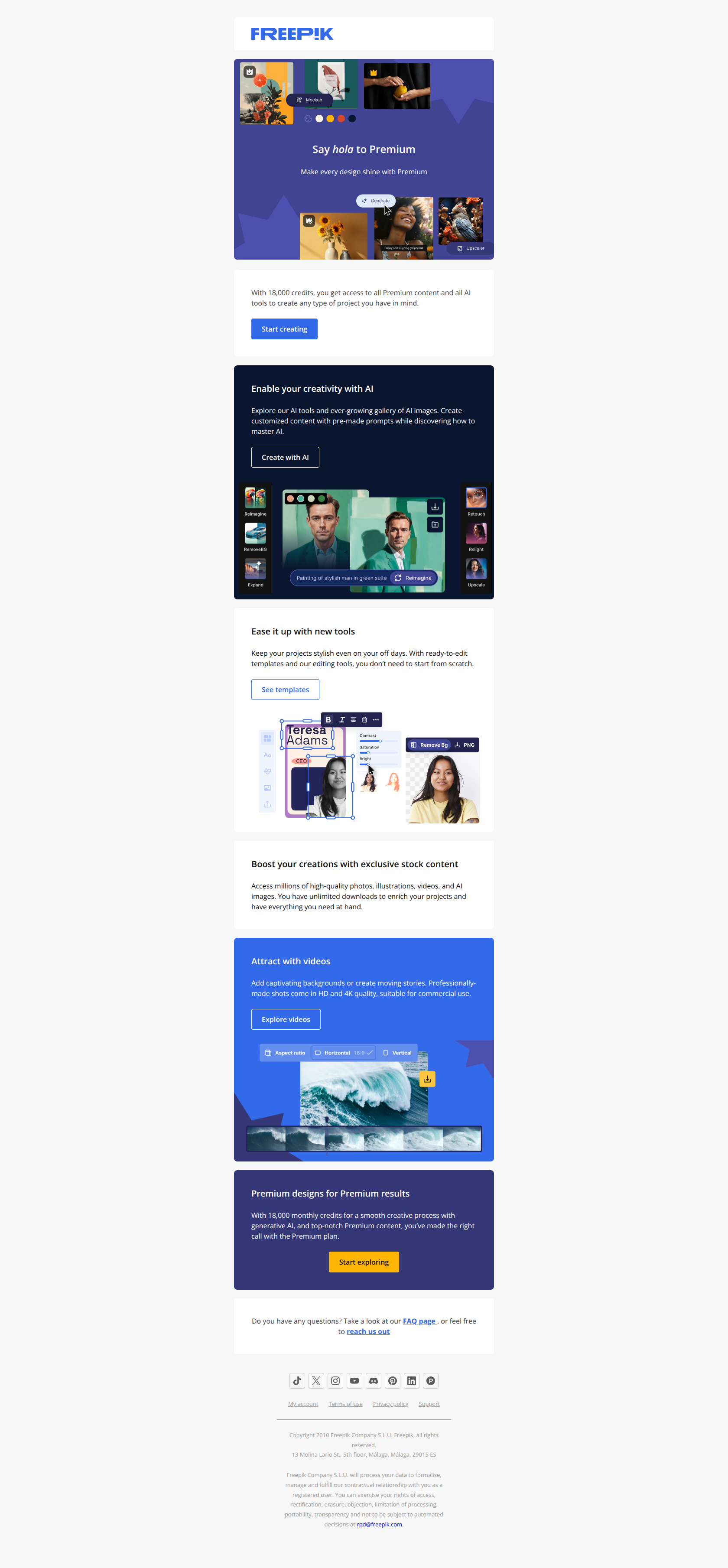
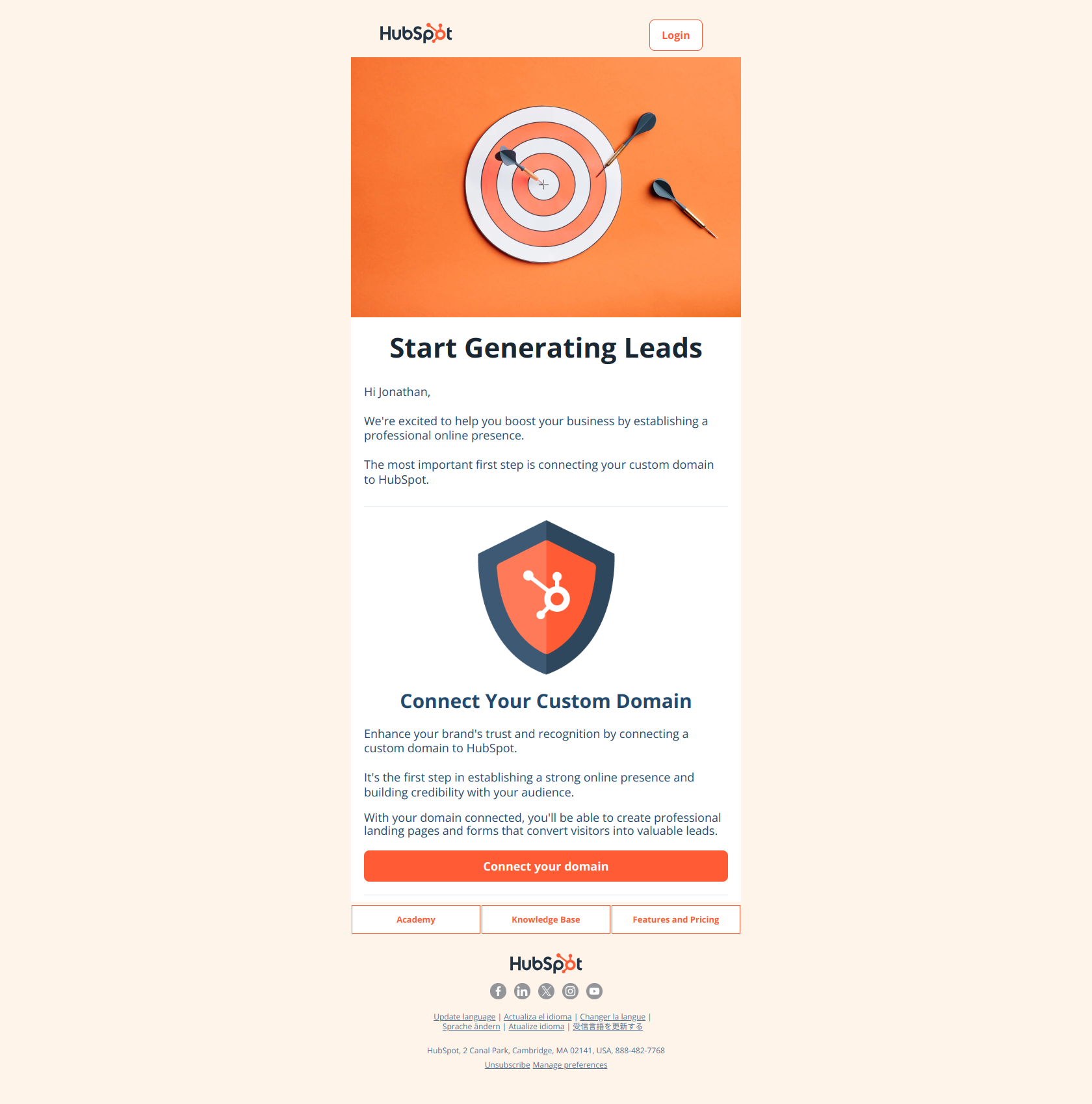
The Loom, Calendly, and Pipedrive deep-dives above show how a full sequence reads end-to-end. This section pulls 12 standout onboarding emails from across the library — different brands, different stages of the sequence, different jobs. Use these as a swipe file when you’re writing your own.
1. Calendly — Welcome (day 0)
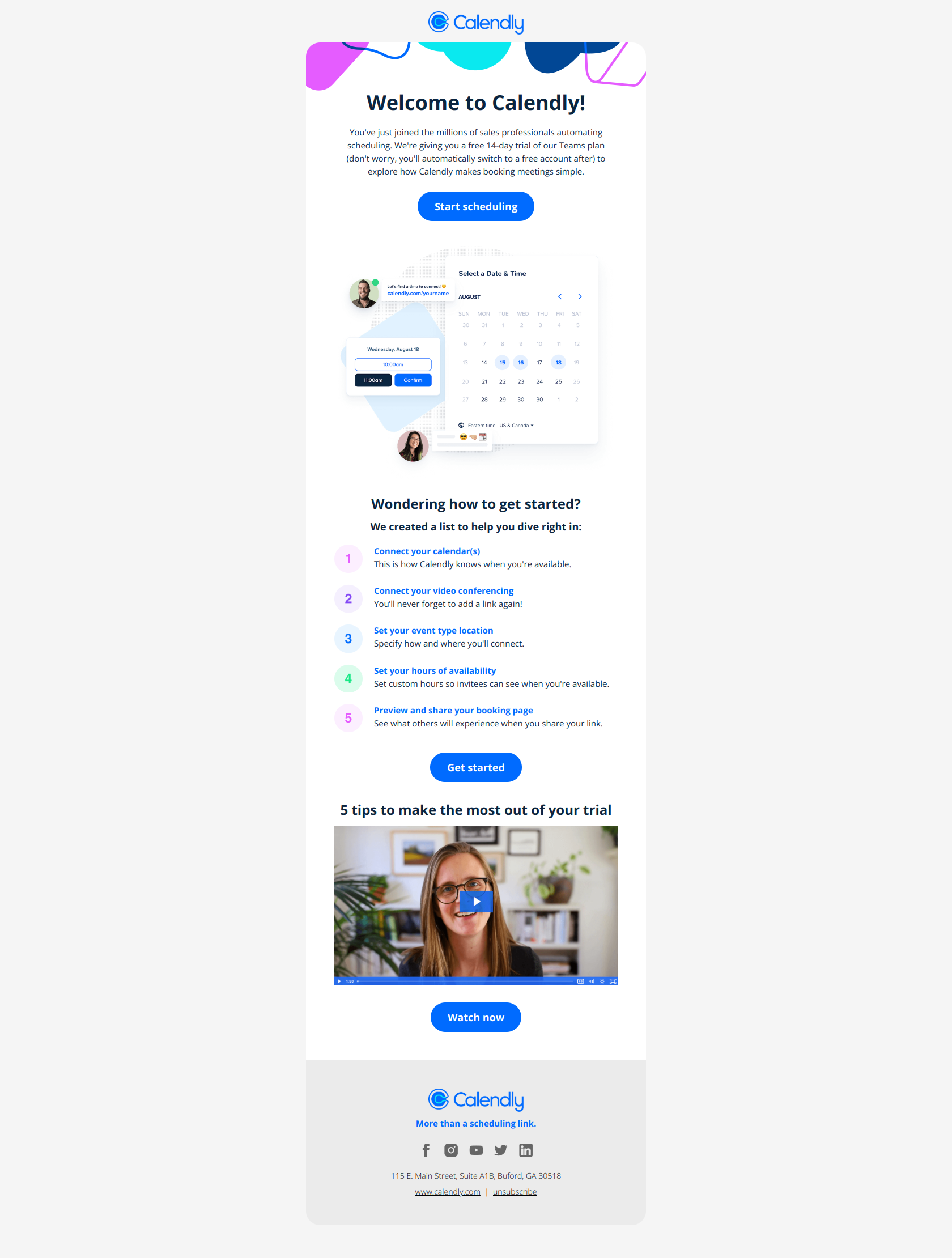
Subject line: Welcome to Calendly
Three lines of copy, one CTA (“Set up Calendly”), no feature list. Calendly knows the first action is connecting a calendar — everything else can wait. The pattern: cut the welcome email’s word count in half, then in half again.
2. Loom — Welcome to trial (day 0)
Subject line: Loom Business! Welcome to your trial 🔮
Names the plan explicitly (“Loom Business”), sets the 14-day expectation, single CTA (“Start recording”). The pattern: tell the user what they got, when it ends, and the one thing to do next — in that order.
3. Monday — Welcome with team-invite nudge (day 0)
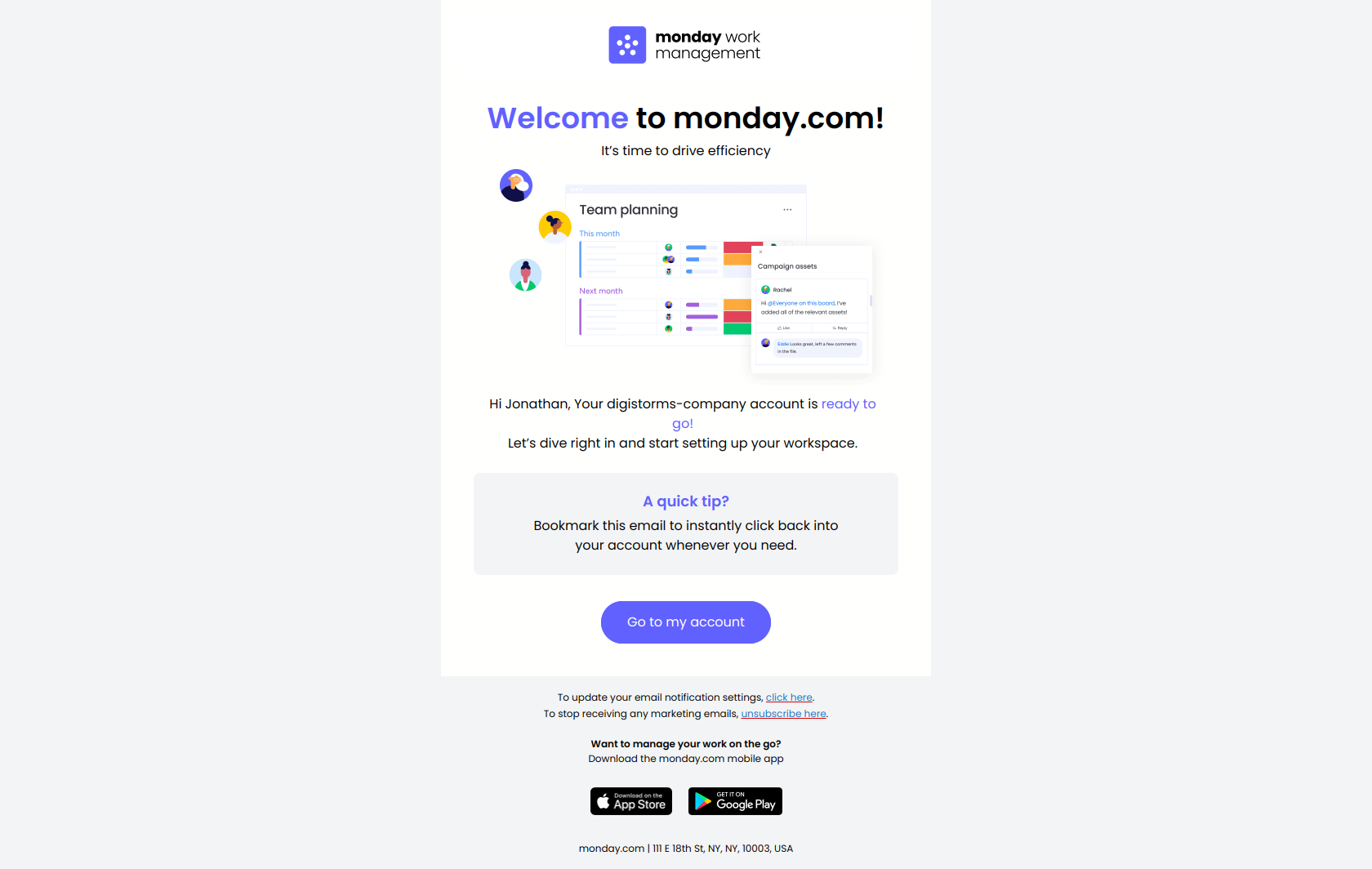
Subject line: Welcome to monday.com 🎉
Monday folds team-invite into the welcome email instead of saving it for email #2. For collaboration tools, the “invite a teammate” action IS the activation event — pulling it forward shortens time-to-value. The pattern: identify the action that turns “user” into “active workspace” and trigger it in email 1.
4. Asana — Trial-starts-today welcome (day 0)
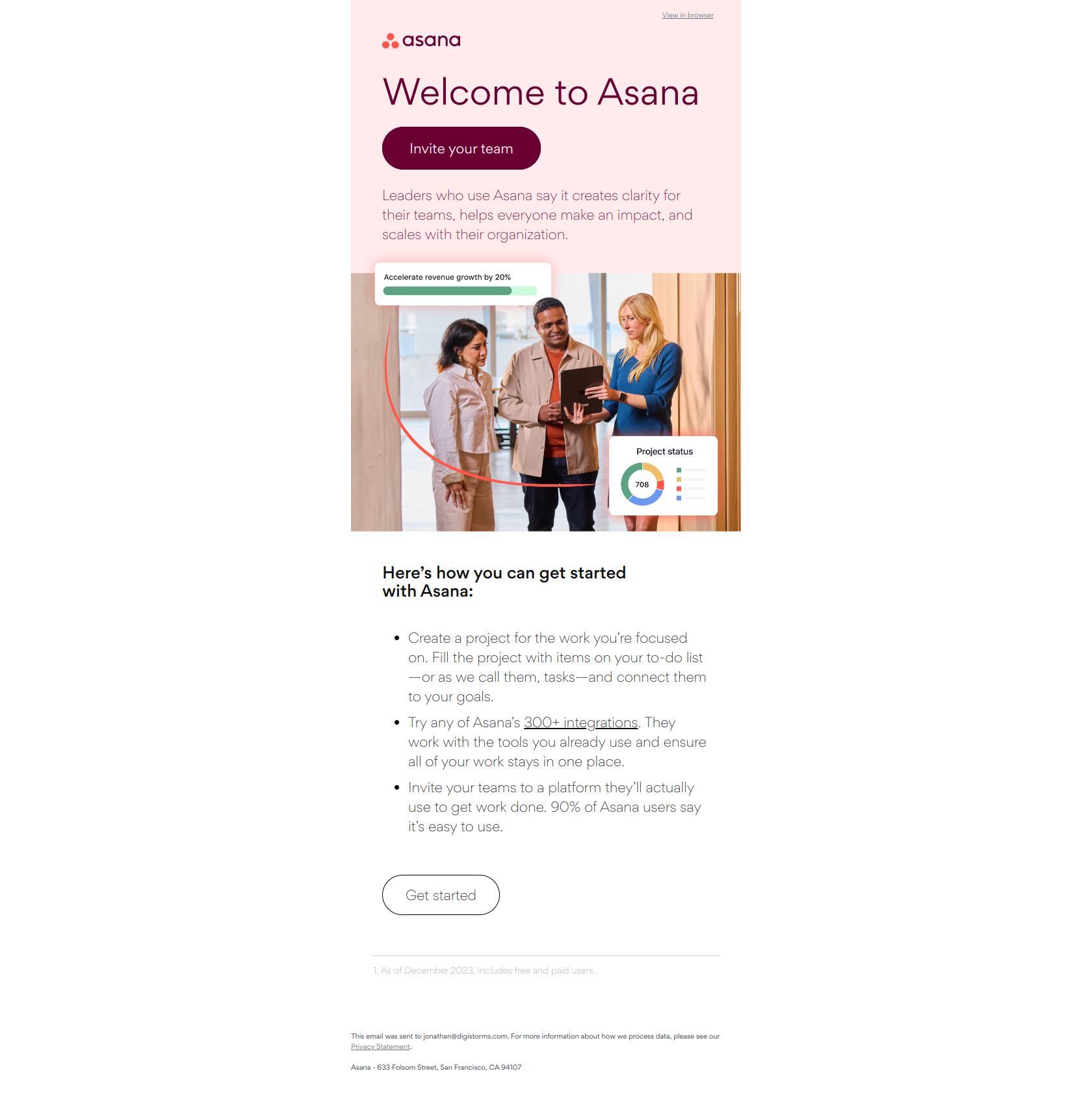
Subject line: Your Asana trial starts today
Asana opens with the trial countdown rather than a generic “welcome.” Framing the trial as a clock that’s already running creates mild urgency without being aggressive. The pattern: anchor the welcome on what the user just unlocked (a clock, a credit, an upgraded plan), not on the act of signing up.
5. Figma — “Let’s get you set up” welcome (day 0)
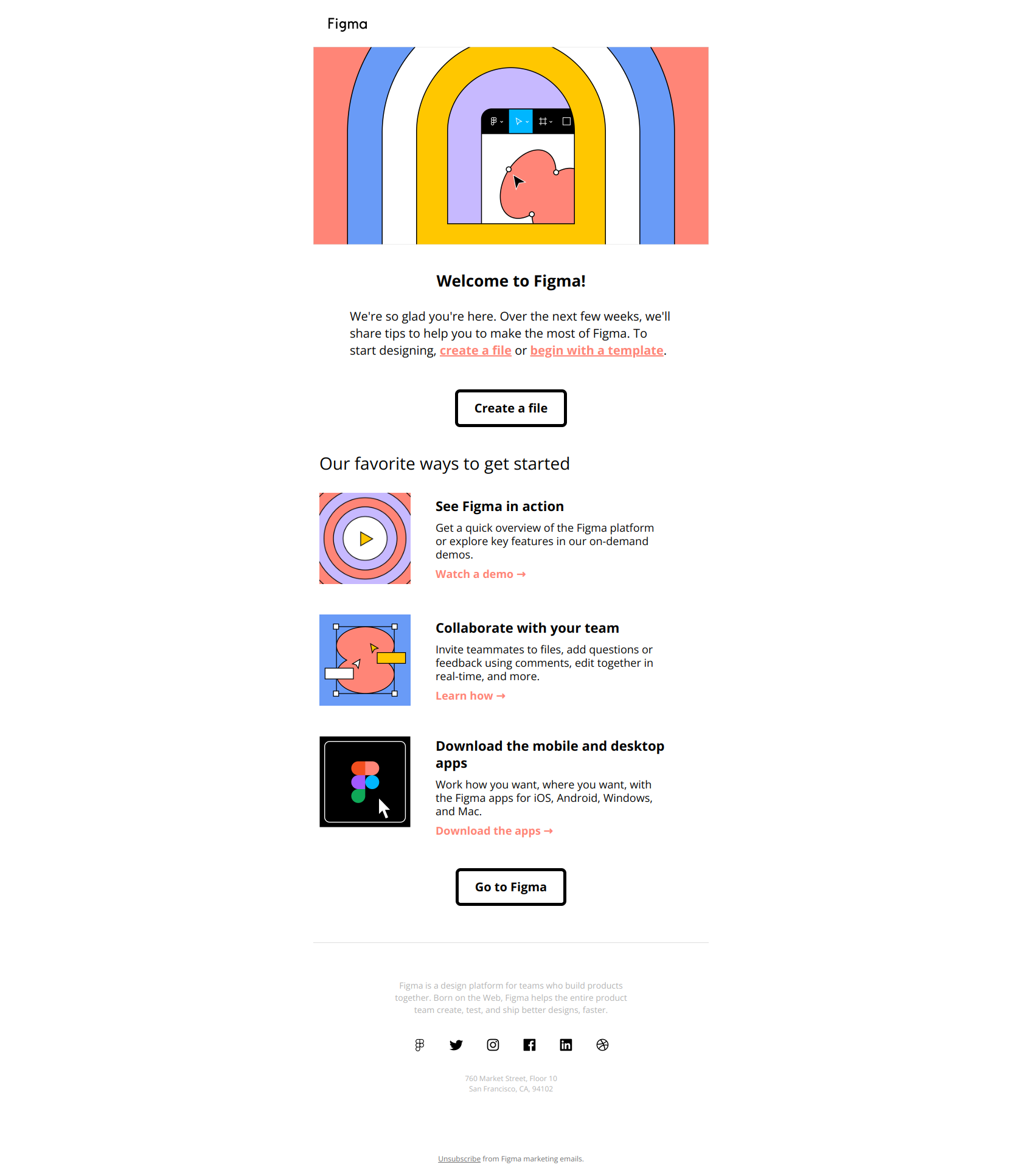
Subject line: Welcome to Figma! Let’s get you set up.
The subject line itself is the CTA: “let’s get you set up.” Body copy doesn’t oversell — it just lists the first three things to try, ranked. Figma trusts that designers will pick their own entry point if you give them options. The pattern: when your audience is technical, replace one CTA with a ranked checklist.
6. Hunter.io — Personalized welcome (day 0)
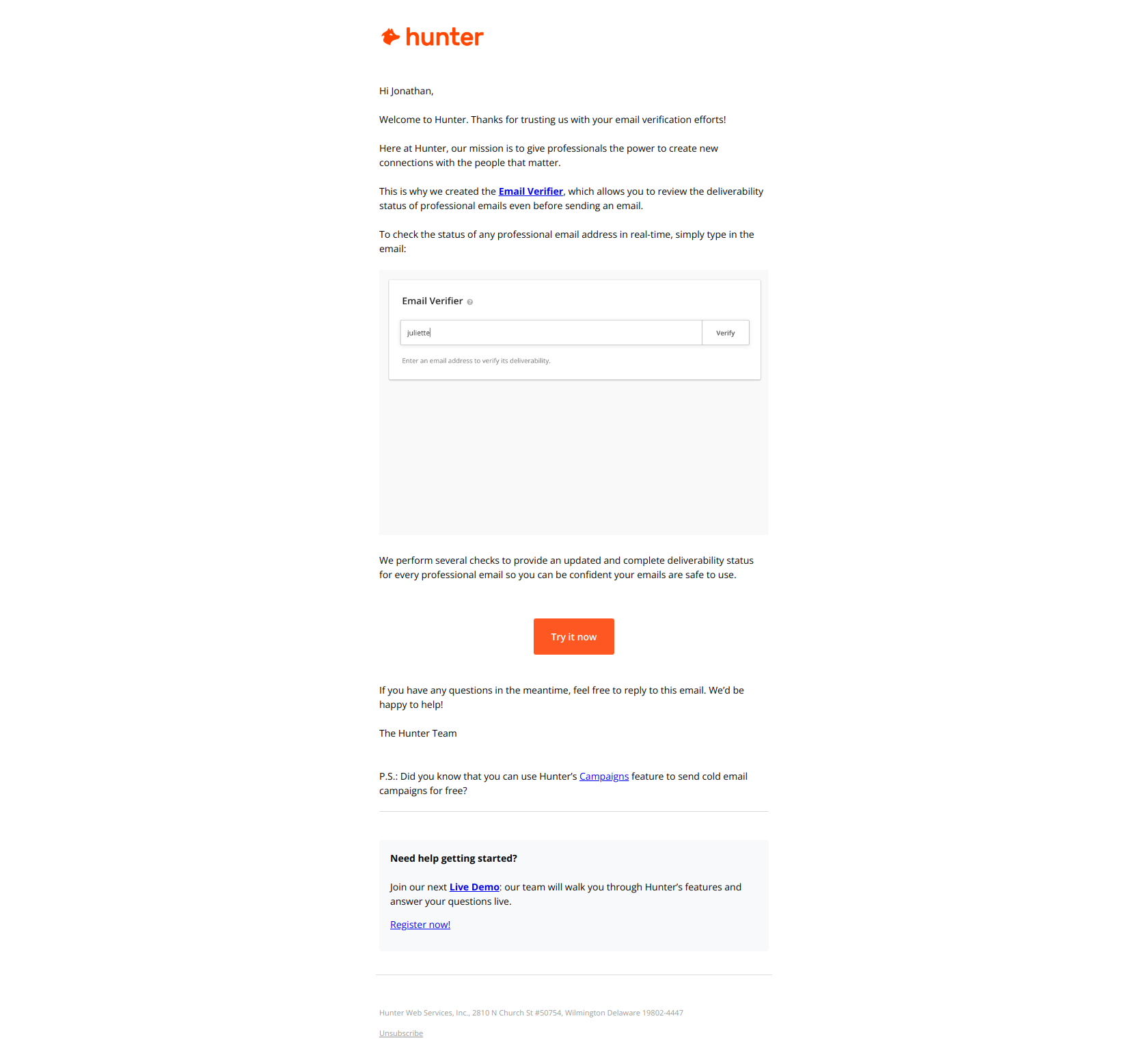
Subject line: Hey Jonathan, let’s get started with Hunter
First-name personalization in the subject line plus a casual greeting (“Hey Jonathan”) sets a 1:1 tone that doesn’t read as marketing. For a tool like Hunter (sales prospecting), that founder-to-user voice matters more than polish. The pattern: match welcome-email tone to the job-to-be-done of the product — sales tools should sound like a salesperson, not a brand.
7. Miro — Onboarding with a checklist (day 0)
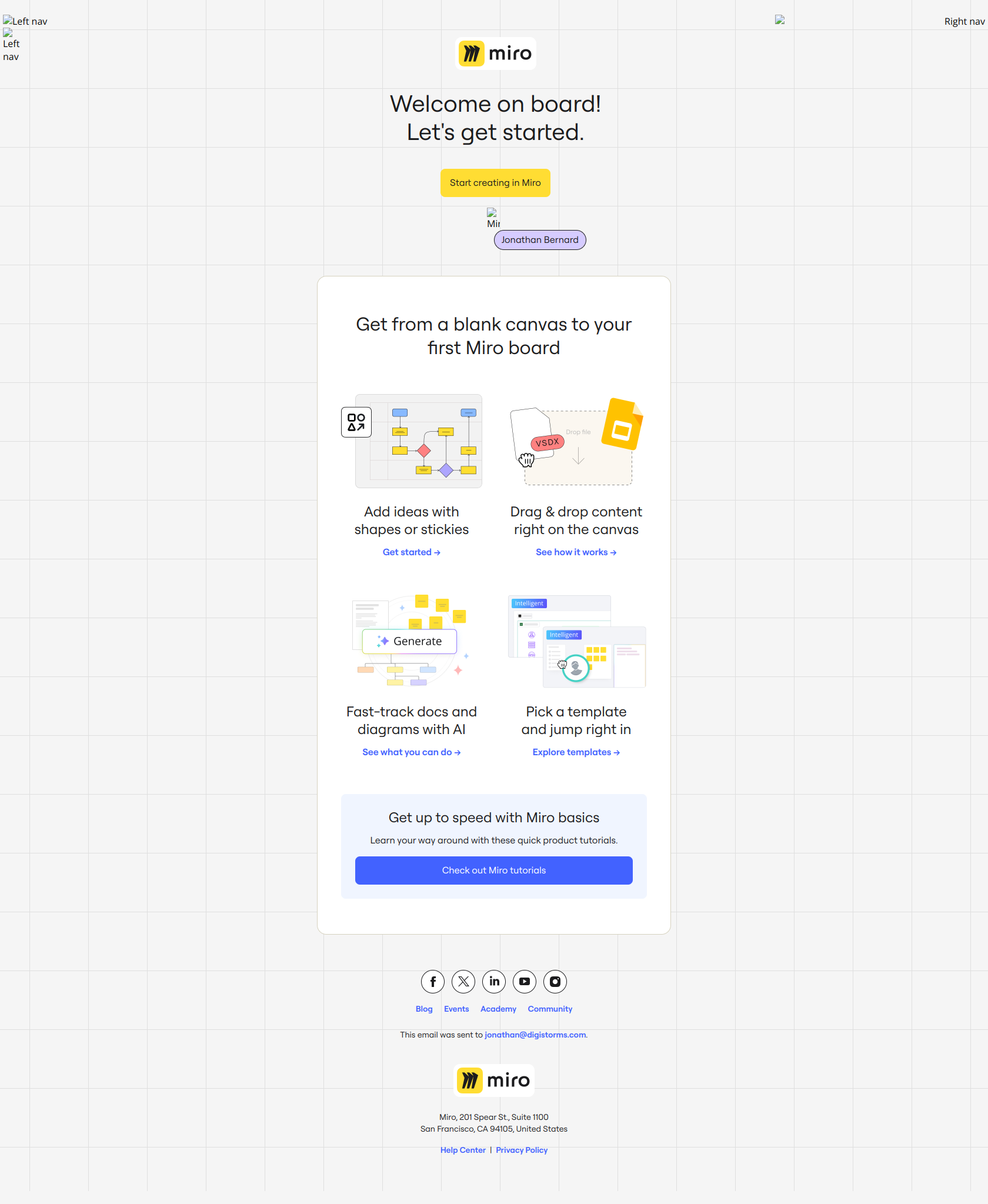
Subject line: 👋 Welcome to Miro!
Miro embeds a 3-step interactive checklist directly in the email body — “create your first board,” “invite teammates,” “explore templates.” Each step links into a deep route in the product. The pattern: when activation has multiple paths, give the user a literal checklist instead of forcing a single funnel.
8. Stripe — Setup quickstarts (day 1–3)
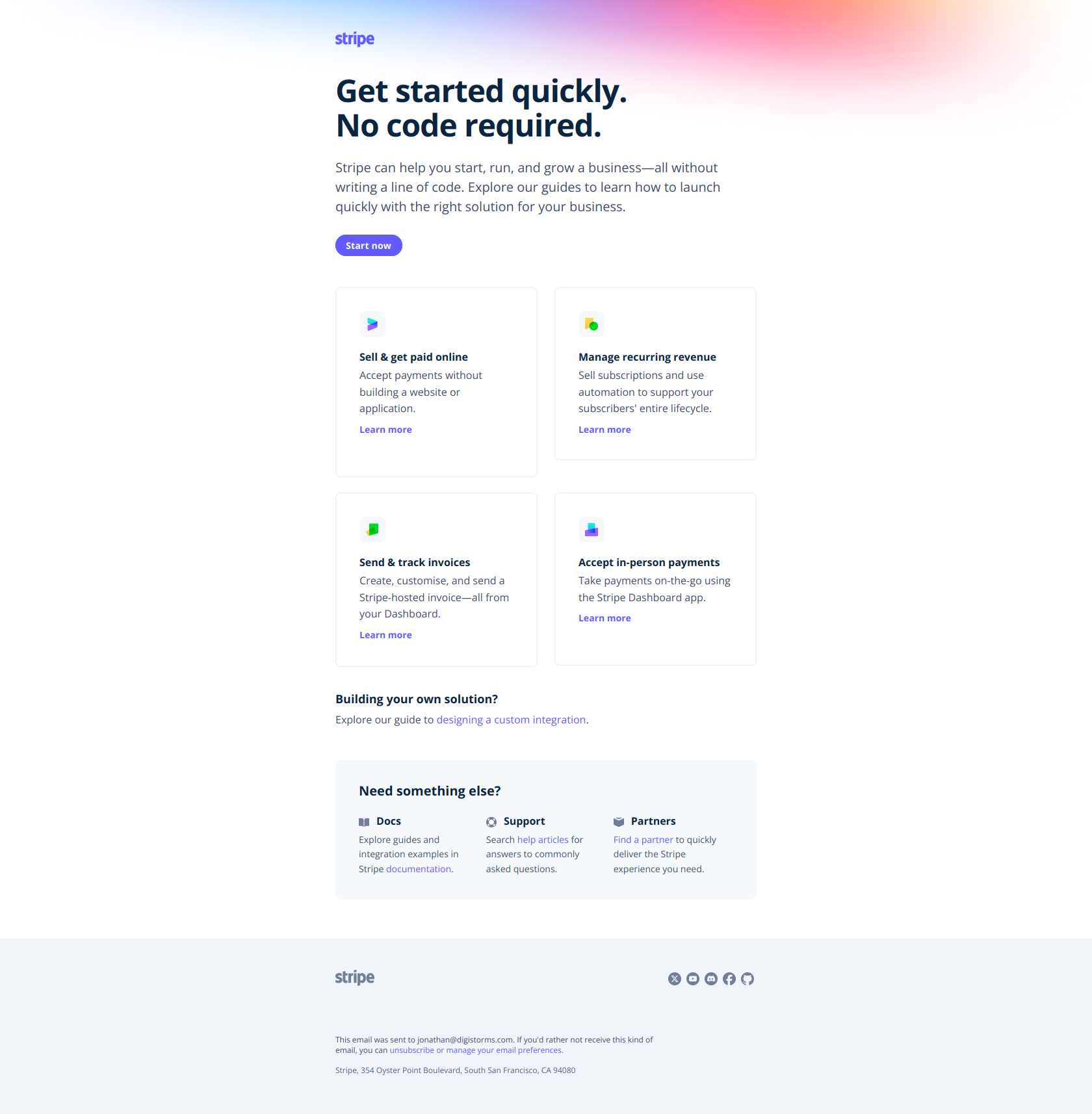
Subject line: Quickstart guides to get you up and running
Stripe segments by integration intent and sends a setup email with quickstarts matched to what the user said they’re building (Payments, Connect, Billing, etc.). The pattern: ask one segmentation question at signup, then use it to route a tailored setup email — not a one-size-fits-all “here’s how to use Stripe.”
9. Zapier — Welcome + first-Zap nudge (day 0–1)
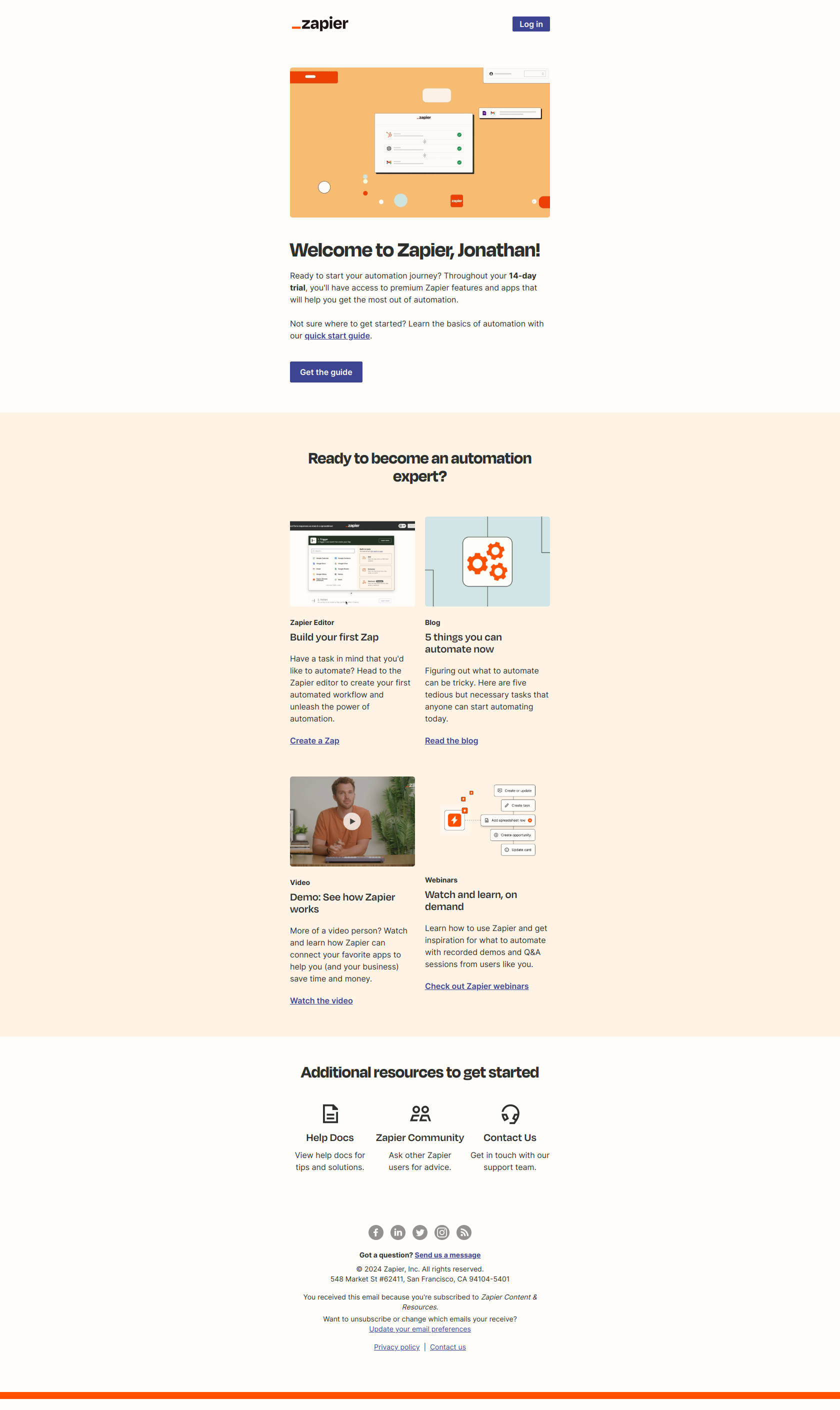
Subject line: Welcome to Zapier ⚡
Zapier’s welcome email puts a “Make your first Zap” CTA above the fold and pairs it with three popular Zap templates the user can click straight into. The pattern: instead of teaching the abstraction (what a Zap is), let the user copy a working one — learning happens by doing.
10. Make — Templates-driven feature usage nudge (day 2–4)
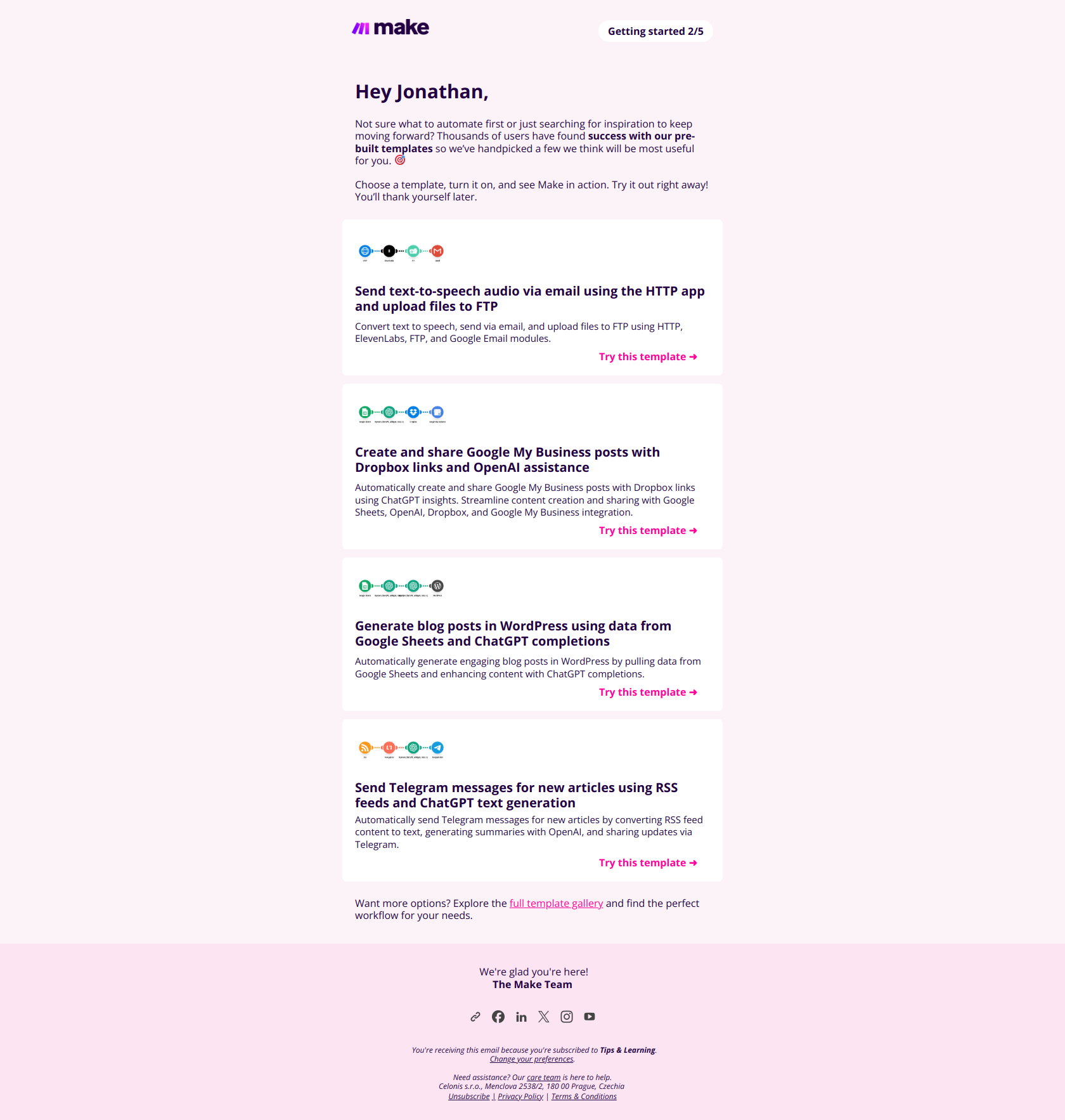
Subject line: 🟣 Automate Gmail and more: Pre-built templates inside
Make sends a “templates for popular integrations” email 2–3 days post-signup, pointing to copy-paste workflows for Gmail, Slack, and Notion. The subject line leads with the popular tool, not the product. The pattern: feature-education emails should headline the user’s existing tool, not your product’s feature name.
11. Slack — Account-ready welcome (day 0)
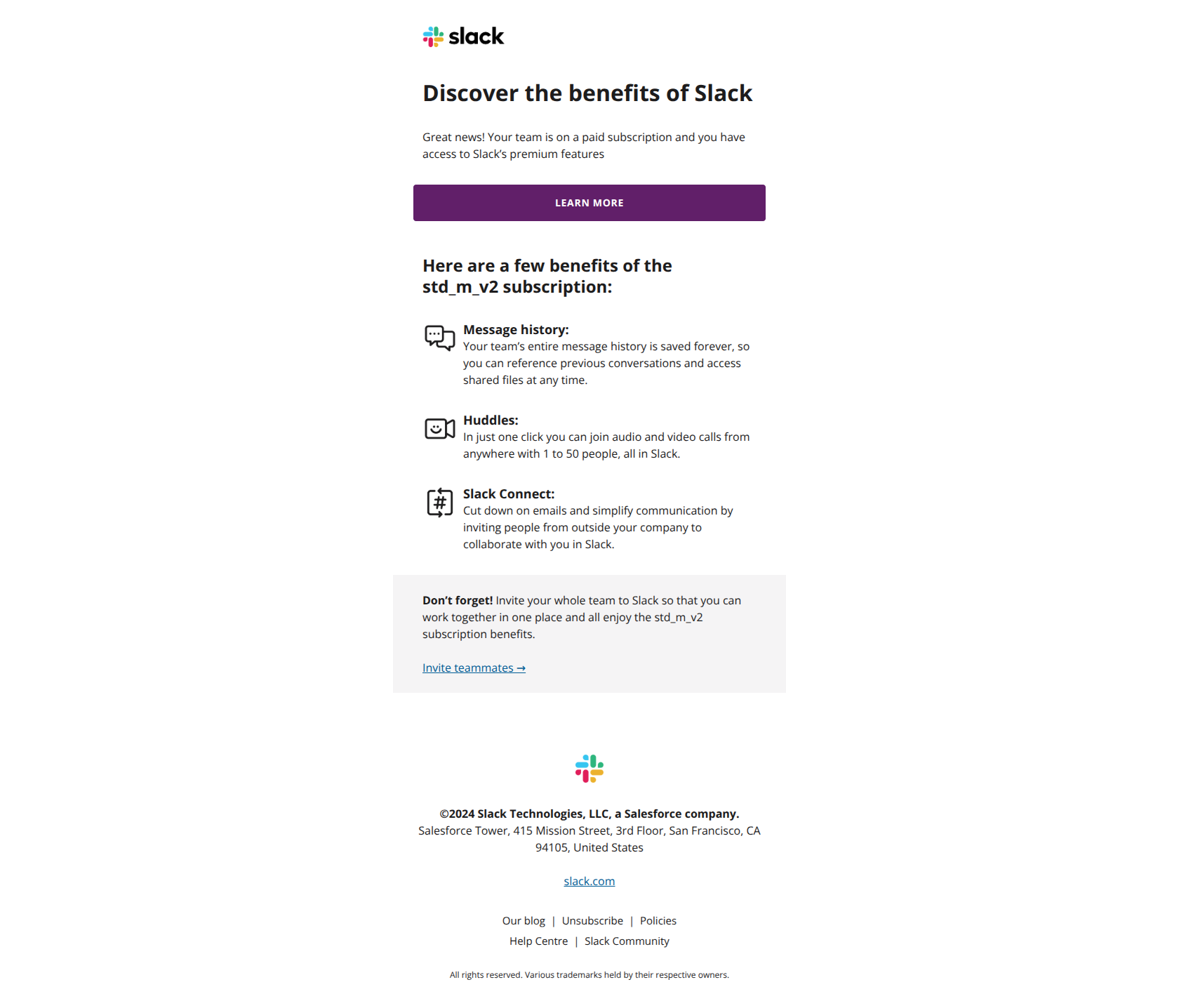
Subject line: Jonathan started with Slack
Slack frames the welcome as a notification (“Jonathan started with Slack”) rather than a marketing email. The visual treatment matches a workspace activity notification, so it slips past the “this is marketing” filter most users have on day 0. The pattern: in workspaces with multiple seats, make welcome emails look like product notifications, not campaigns.
12. Grammarly — First-step milestone celebration (day 3–7, behavior-triggered)
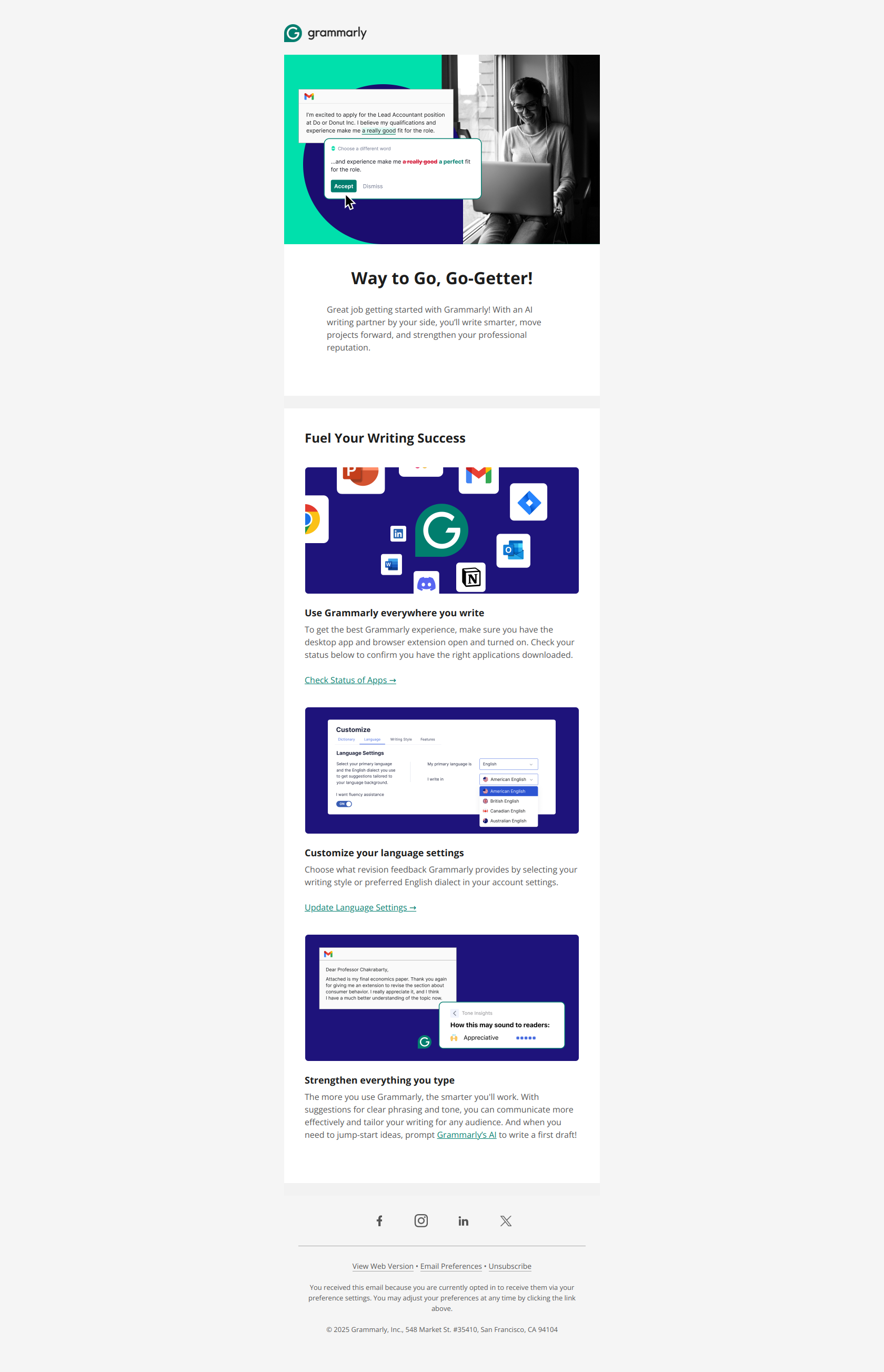
Subject line: Congrats on taking the first step toward effective communication
Grammarly fires this email the moment the user installs the browser extension AND writes their first sentence with it active. The “Congrats” framing reinforces a habit that’s still fragile. The pattern: behavior-triggered milestone emails work best on the smallest meaningful action — not “you’ve been a user for a week,” but “you just did the thing.”
How to set up your own onboarding email sequence
-
Map your product’s 2–3 activation milestones. What’s the moment a user goes from “I signed up” to “this product works for me”? For Loom it’s recording the first video. For Calendly it’s booking the first meeting. Write down yours before writing a single email.
-
Pick your cadence. 7 emails over 14 days is the default. Compress to 5 over 7 days if your time-to-value is <24 hours. Stretch to 8 over 21 days if you’re selling a complex evaluation.
-
Draft email 1 (welcome) and email 4 (first-milestone) first. These are the two emails every other email in the sequence references. Get them tight, then fill in the middle.
-
Wire the behavior triggers. You need AT MINIMUM three events emitted from your product:
user.signed_up,user.completed_setup, anduser.reached_milestone_1. The rest of the sequence keys off these. -
Write the trial-ending email last. It should reference what the user has already done (“you recorded 12 videos”), not what you want them to do (“upgrade to Pro”). Loss aversion > feature lists.
-
Send to yourself first. Literally go through the trial signup flow on a test email. Note every email you receive, every subject line, every CTA. Then fix the ones that feel generic.
Skip the setup: let DigiStorms build it for you
Building a behavior-based 7-email onboarding sequence from scratch typically takes a lifecycle marketer 2–3 weeks: map milestones, write copy, wire triggers, QA the flow, set up the ESP integrations.
DigiStorms does all of it in about 5 minutes. Paste your product URL, the AI agent analyzes your product, detects your activation milestones, generates the 7-email sequence in your brand voice, and fires emails via behavior-based triggers. No manual setup required. Free for your first 100 onboarded users.
See more of the source material
The 200+ onboarding emails this guide is based on are all browsable in the library:
- Welcome emails for free users (77 examples)
- Setup prompts (35 examples)
- Milestone celebrations (16 examples)
- Trial expiration warnings (21 examples)
- Upgrade CTAs (64 examples)
- Full Loom sequence · Full Calendly sequence · Full Pipedrive sequence
And if you want the tactical writeups for specific sub-types of the sequence, the deep-dives are here:
- 28 SaaS welcome email examples that activate users: the day-0 email, expanded
- 12 SaaS milestone email examples that drive retention: the day-5/10 email, expanded
- 13 upgrade email examples that convert free users: the day-14 email, expanded
- SaaS email benchmarks: what 1,051 lifecycle emails reveal: the original research behind this guide