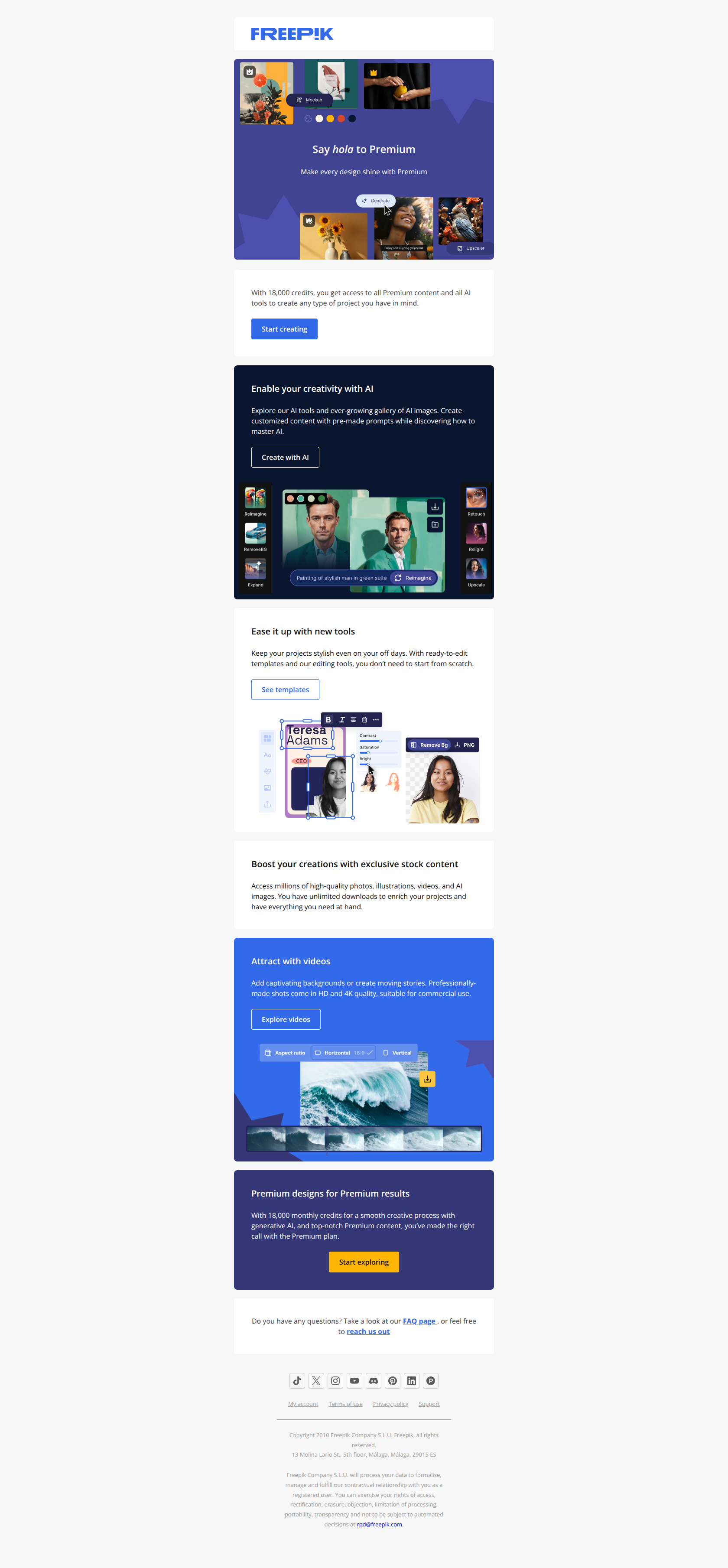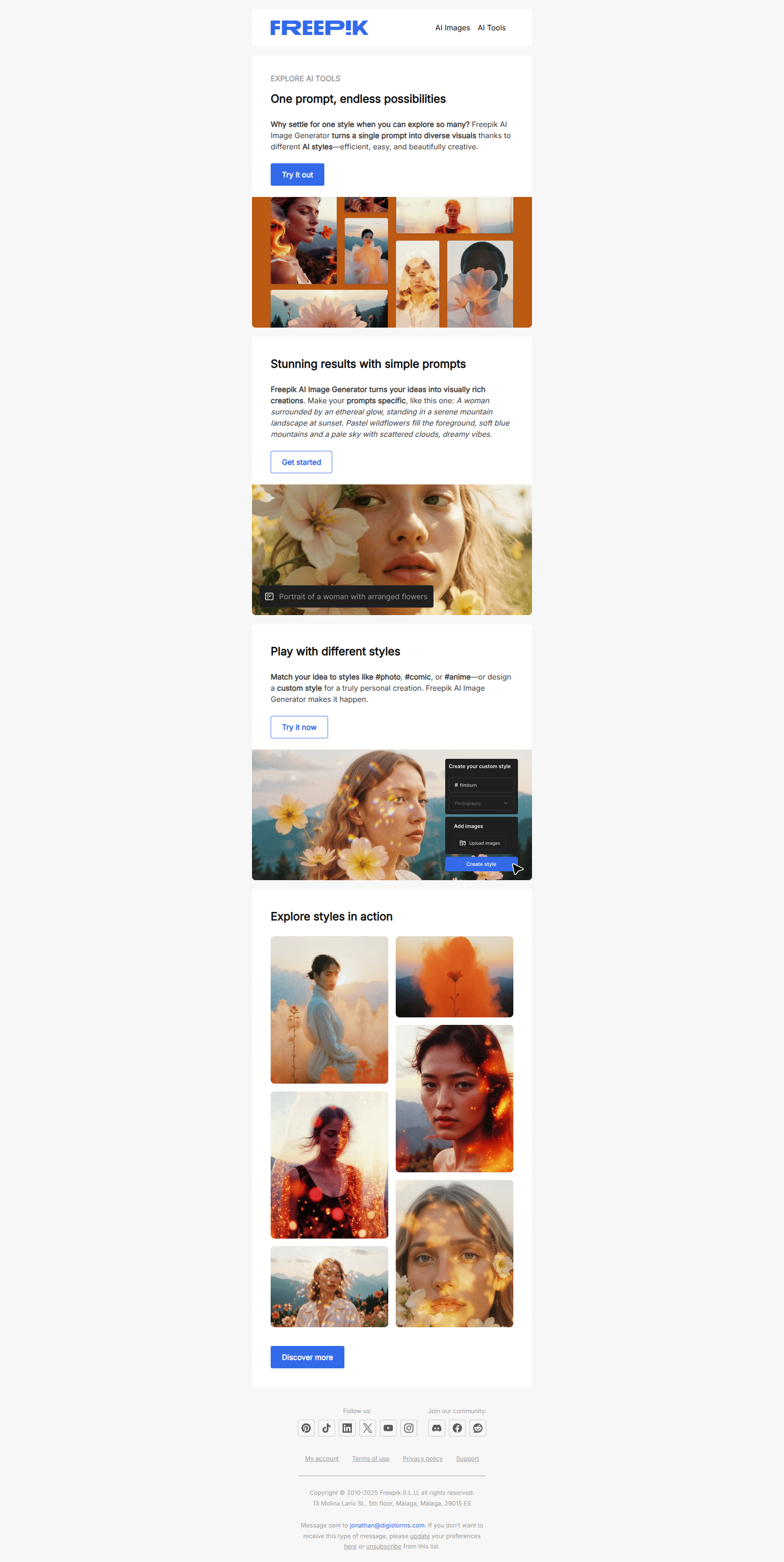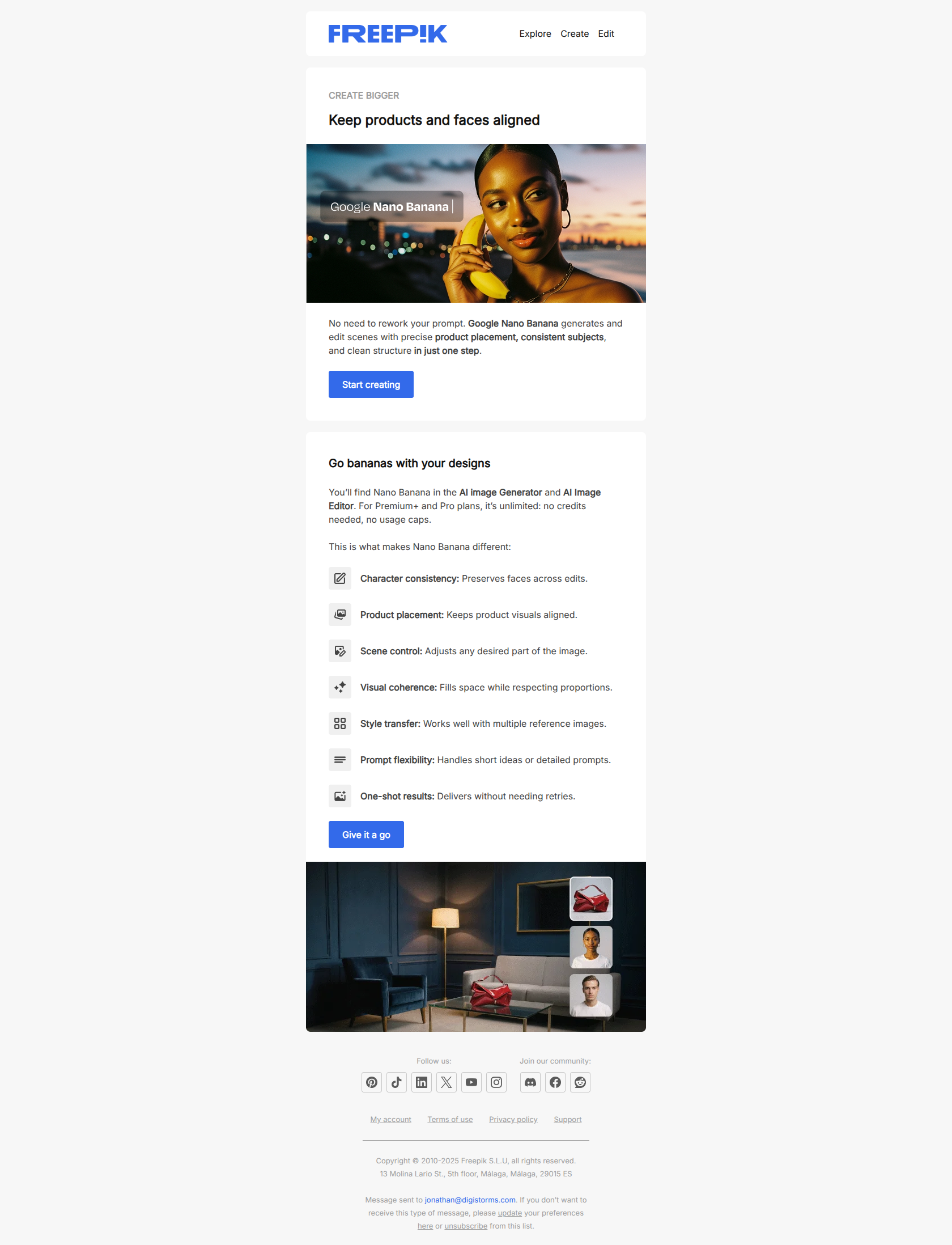
A product launch email is the message you send to announce something new — a product, a feature, a redesign, a version — to the people who can use it. It’s the email that turns “we built it” into “they’re using it,” and it’s the single highest-leverage message most SaaS teams write all quarter, because it’s the one moment your entire list is willing to hear about what you shipped.
Most launch emails waste that moment by listing features. The ones that work do three things instead: they name the problem the release solves, they show the thing working, and they ask for one specific action.
This article covers what a product launch email is and how the format differs from a release, an update and a feature announcement; 28 real examples from Slack, Loom, Figma, Miro, ClickUp, Asana, Webflow, Pipedrive and more; copy-paste templates for each stage of a rollout; and the short-form launch message copy you can lift for in-app and social.
TL;DR — what makes a product launch email work
- Lead with the change, not the feature name. The emails that convert open with what’s now possible (“go from idea to impact, faster”) rather than the internal name of the release. Users don’t know your feature names yet; they do know their own problems.
- One launch, one action. The strongest examples below ask for exactly one thing — try it, watch it, join the webinar. Emails that stack three CTAs split attention and convert on none of them. Save the secondary asks for the follow-up.
- A launch is a sequence, not an email. Tease → launch day → follow-up for the people who didn’t act. Pipedrive and Notion both run three-email arcs below; the follow-up is where most of the adoption actually comes from, and it’s the email teams most often skip.
What is a product launch email?
A product launch email is an announcement email sent to existing users, prospects, or both, marking the availability of something new in your product. Its job is adoption, not awareness alone: a launch email that gets opened and admired but produces no logins has failed.
Four terms get used interchangeably for this email, and they aren’t quite the same thing:
| Email type | What it announces | Audience | Goal |
|---|---|---|---|
| Product launch email | Something new to the world — a new product, a rebrand, a flagship capability | Users + prospects | Awareness → first use |
| Product release email | A scheduled rollout, often versioned (“Notion 2.48”) | Mostly existing users | Adoption of the new capability |
| Product update email | An incremental improvement to something users already have | Existing users | Re-engagement, depth of use |
| Feature announcement email | One specific new feature, usually scoped to who’d benefit | A segment of existing users | Activation of that feature |
The practical difference is the opening line. A launch email has to explain why the thing exists; an update email can assume the reader already knows the product and skip straight to what changed.
Just need the subject lines? Jump to our deep-dive on 30 product launch email subject lines — every example below paired with the line that earned its open.
For the wider lifecycle context, the launch email typically lands in your existing users’ inboxes between the welcome series and the milestone email — same audience, different job.
Product launch vs product release vs product update — in practice
A product launch email announces something new to the world for the first time — a brand new product, a major rebrand, or a flagship feature that fundamentally changes what the product does. The audience is broad (existing users + prospects) and the goal is awareness.
A product release email announces a scheduled rollout — typically a versioned update like “Notion 2.48” or a feature drop like “Slack’s free plan now includes security features.” The audience is mostly existing users, and the goal is adoption of the new capability.
A product update email is the most informal — often a recurring “what’s new” digest summarizing recent changes. The audience is engaged users, and the goal is reinforcement: keeping the product top-of-mind for people already paying.
In practice, most SaaS teams use one template and tune the framing to the moment. The examples below cover all three patterns — so whether you’re launching, releasing, or updating, you’ll find a template that fits.
The different types of product launch
Soft vs hard product launch: what’s the difference?
A soft launch is like testing the waters—it’s lower risk, lower pressure, and often used to gather feedback or validate assumptions. You might send a teaser email, open early access to a few subscribers, or promote quietly on your blog.
A hard launch is a bigger play: it usually involves coordinated marketing messages, a defined launch date, and a product launch email sequence to current and potential customers. Both can be effective—it just depends on your goals.
Are you still iterating? Go soft. Are you ready to scale and grab attention? Time to go hard and bring out your launch email template.
When to go feature-first vs product-first in launch messaging
A product-first launch email puts the spotlight on the whole product—great for big rollouts, new product lines, or complete redesigns. You’re pitching the big picture. A feature-first approach zooms in on a specific update or improvement.
It’s ideal when you’re building on an existing product and want to encourage engagement or highlight a new capability. If your audience already uses the product, lead with the feature. If you’re introducing something brand new, go product-first.
Either way, your email subject line and email body should clearly state the value—don’t just describe what’s new, explain why your reader should care.
28 product launch and release email examples from top SaaS brands
Pipedrive
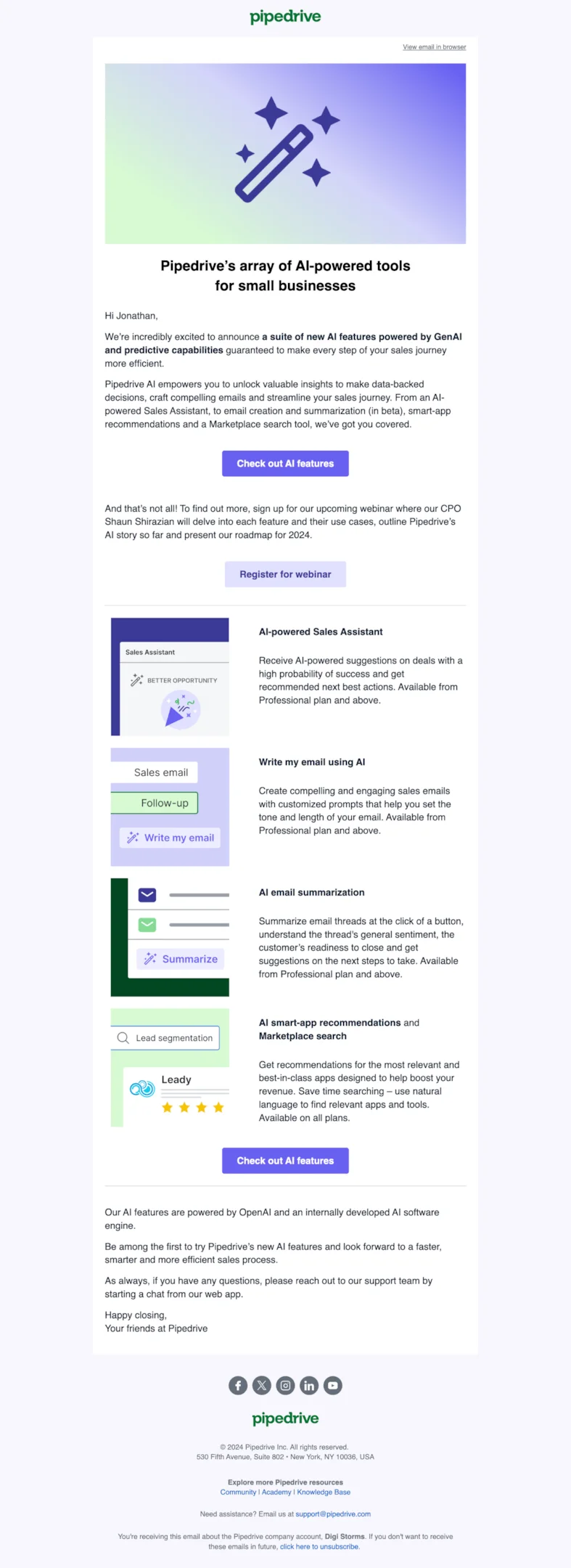
Subject line: Pipedrive AI is here!
Pipedrive’s AI rollout followed a strategic product launch email sequence. The first email teased new AI tools for sales productivity.
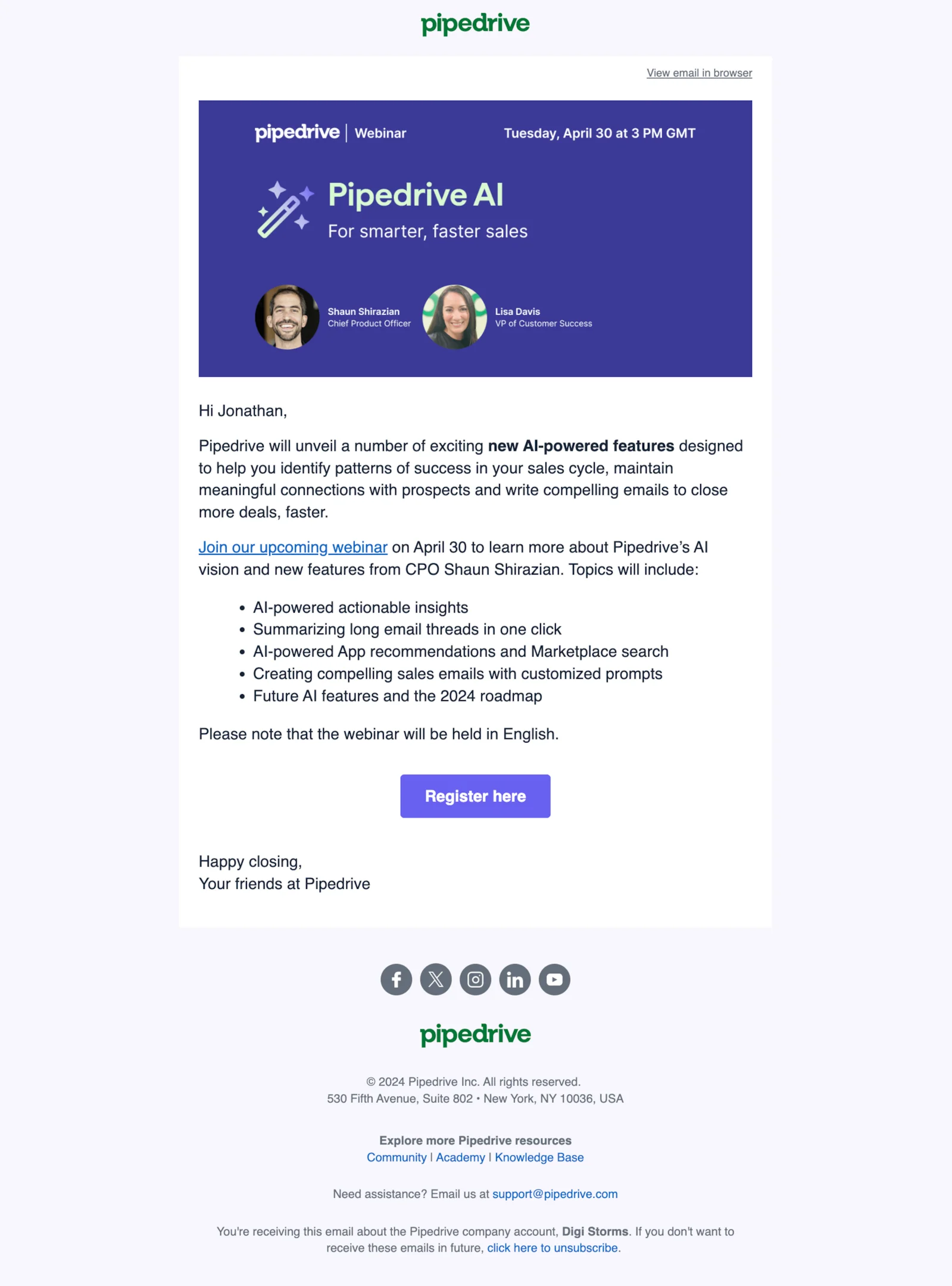
Subject line: Webinar: Pipedrive AI for smarter, faster sales
Next, a webinar invite offered a deeper dive — a smart move to explain how these brand new features work and why they matter.
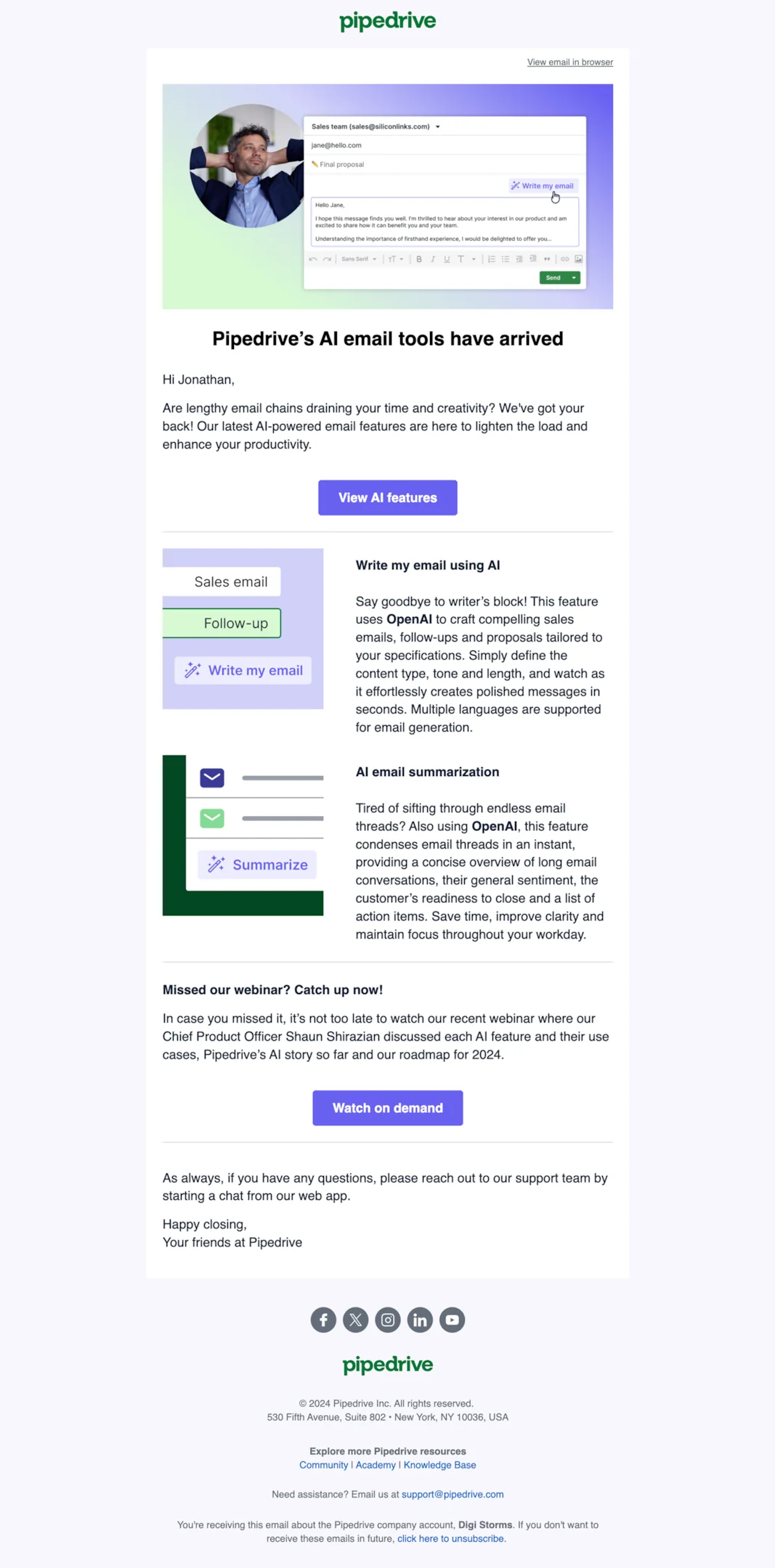
Subject line: Let our new AI feature write your emails
Finally, a more concise announcement email launched the tools with a clear and compelling call to try them, helping current and potential customers understand the value and take action confidently.
Loom
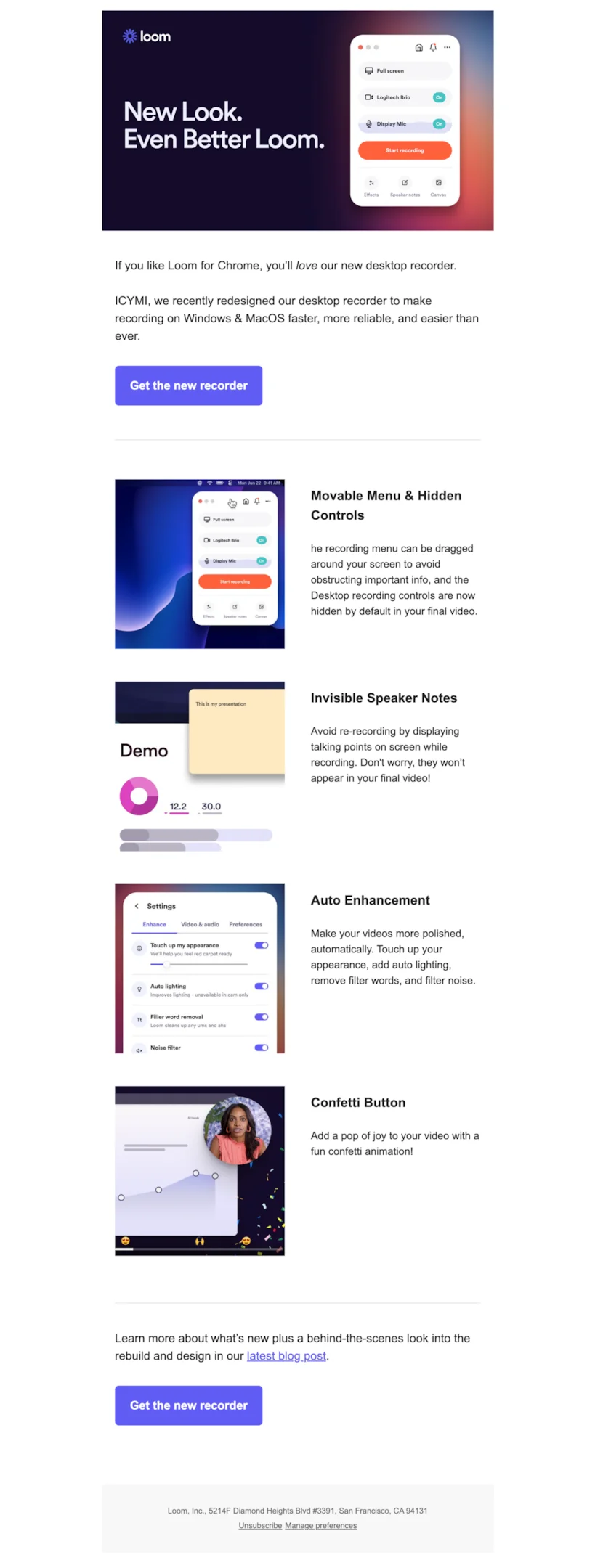
Subject line: Redesigned Loom desktop recorder: faster, more reliable, and easier to use
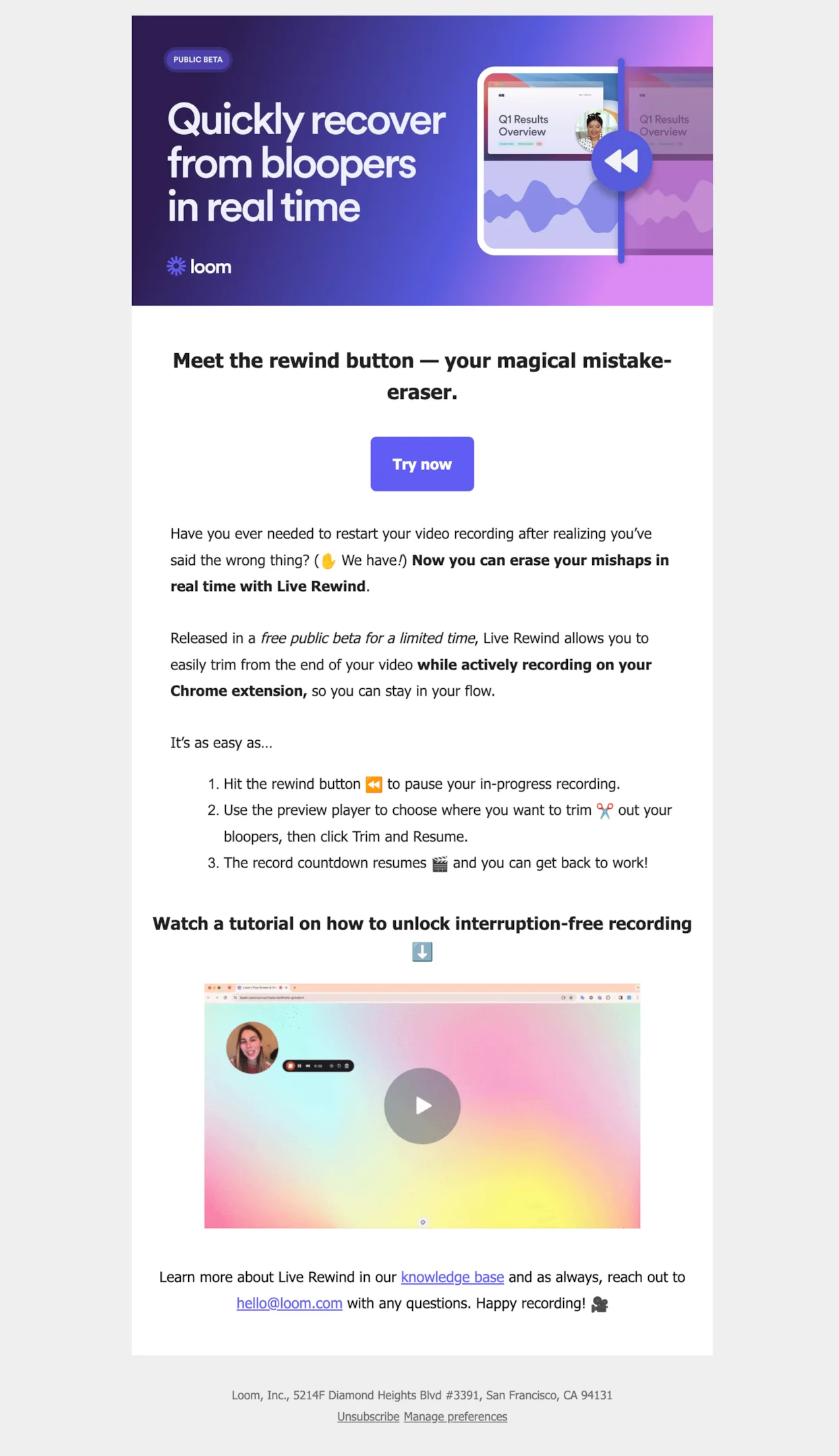
Subject line: Introducing Live Rewind: recover from recording mistakes in real-time, for free!
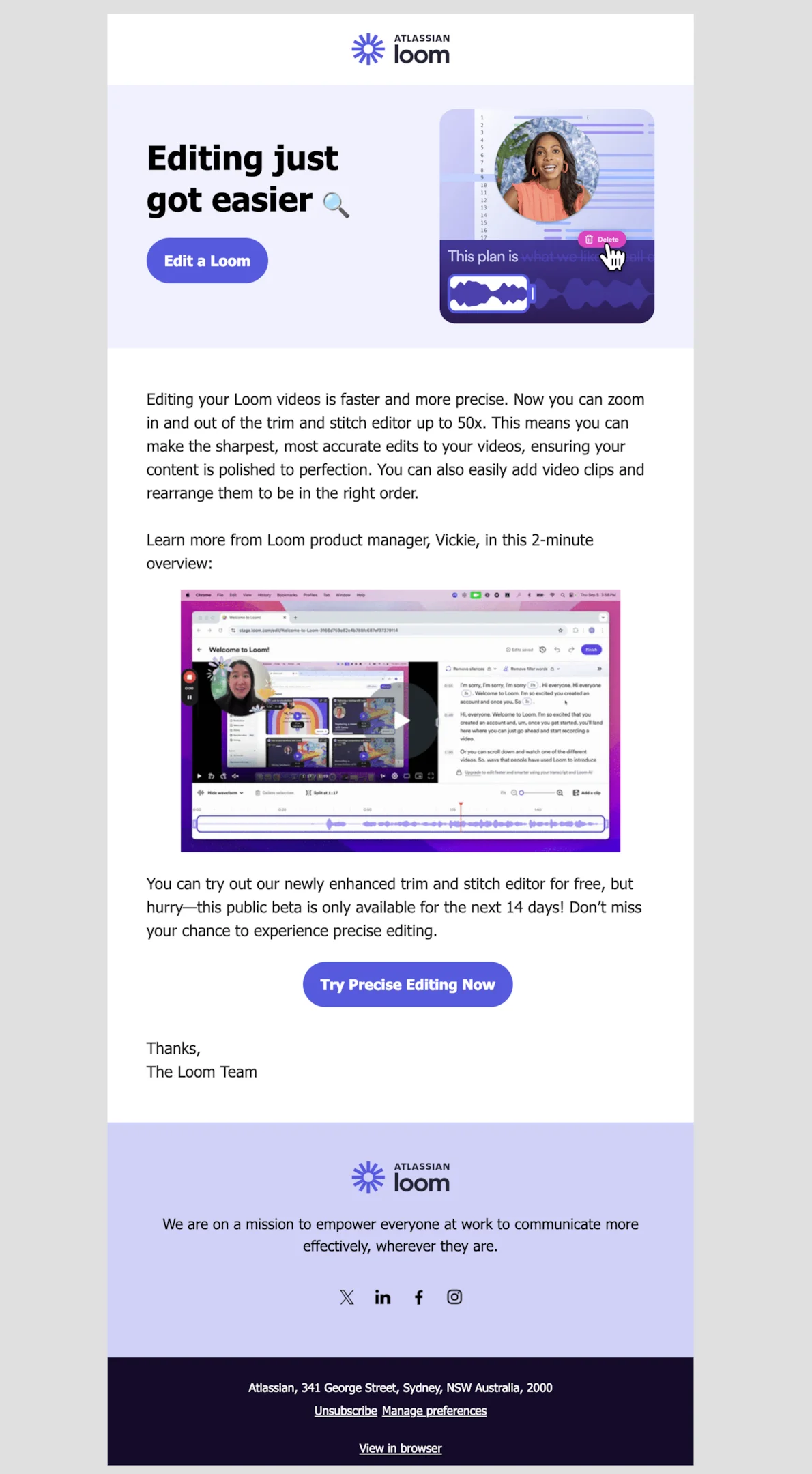
Subject line: Editing just got easier
Loom’s product launch emails spotlight new features with flair. One email introduces a redesigned desktop recorder with a teaser email tone and a link to a detailed blog post. Another promotes Live Rewind, a beta test launch email with a hands-on tutorial. A third showcases precise editing tools in a feature announcement style.
Each email uses a compelling subject line, vivid visuals, and a clear call to action to engage both current and potential customers.
Customer.io
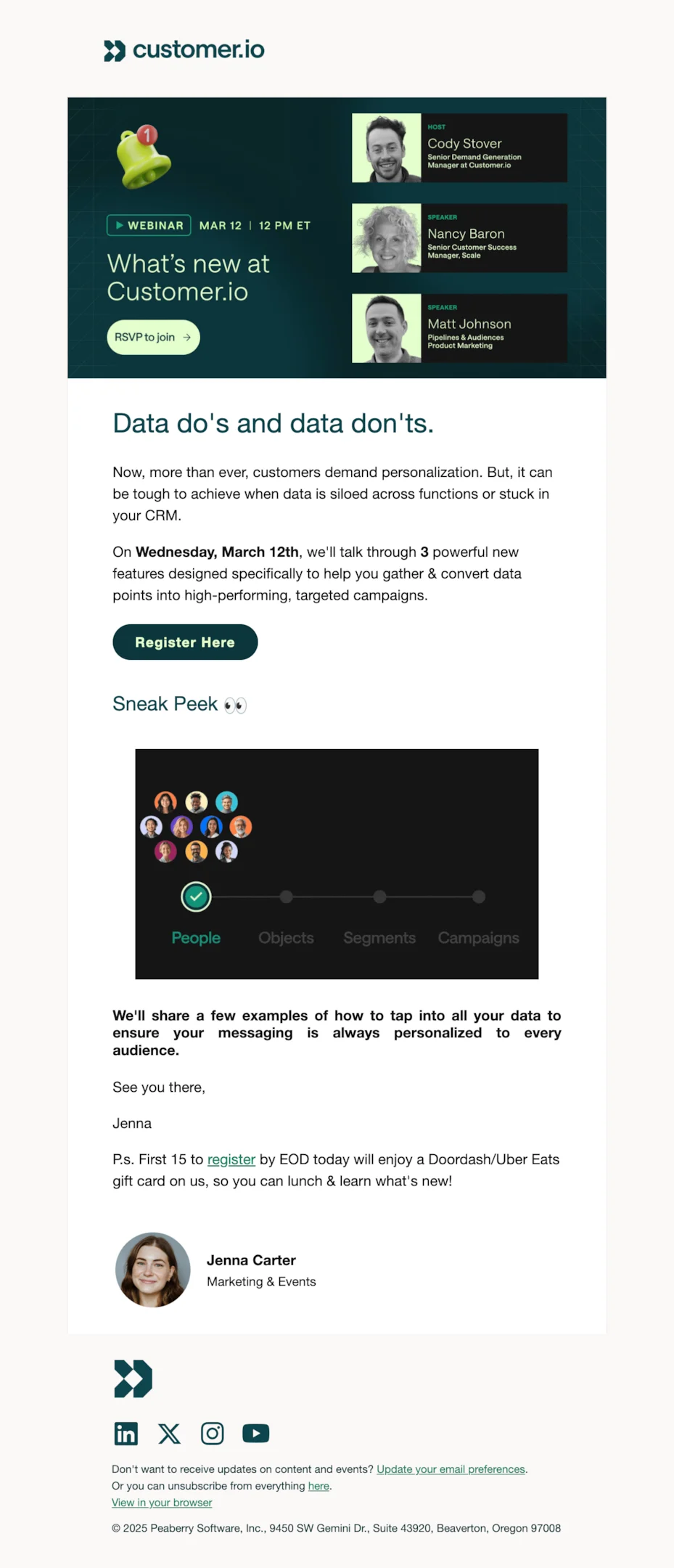
Subject line: Dive into the data.
Customer.io’s product launch email promotes a smartly timed webinar to drive engagement with recently released features. Instead of just listing key features, they’re inviting their target audience — from existing customers to curious leads — to learn how to use them effectively.
With a clear and compelling call and a light dose of FOMO (free lunch!), it’s a clever email marketing strategy to increase adoption, spark targeted communication, and boost usage post-launch.
Calendly
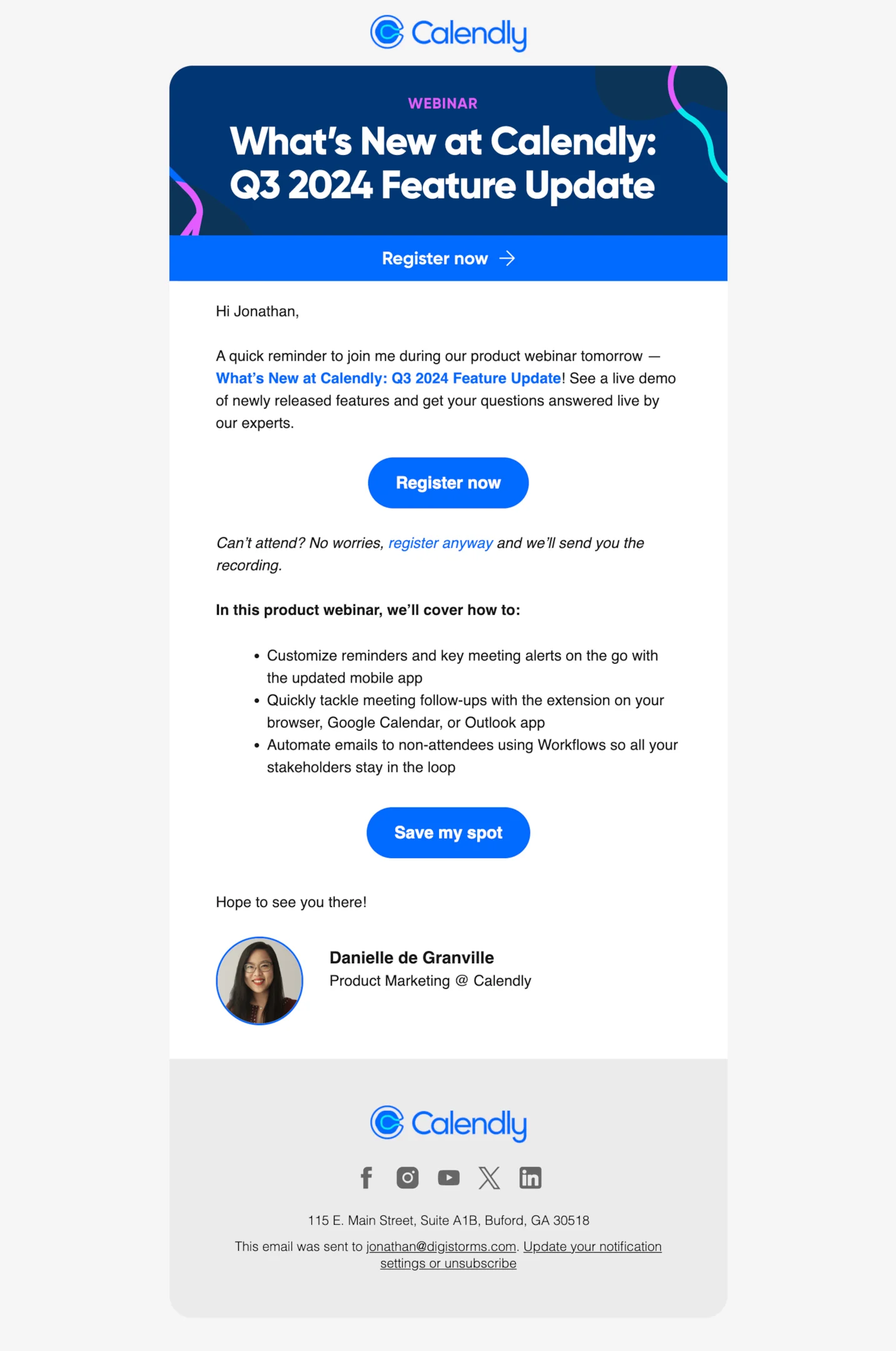
Subject line: Last Chance: New Calendly features demo + Q&A
Calendly’s product launch email invites users to a live webinar covering their Q3 2024 updates — a smart way to boost adoption of a brand new feature set. By offering a product demo and live Q&A, this email speaks to both existing customers and potential customers.
The friendly tone, actionable CTA, and clear list of key features make it a great announcement email to keep their target audience engaged post-launch.
Beehiiv
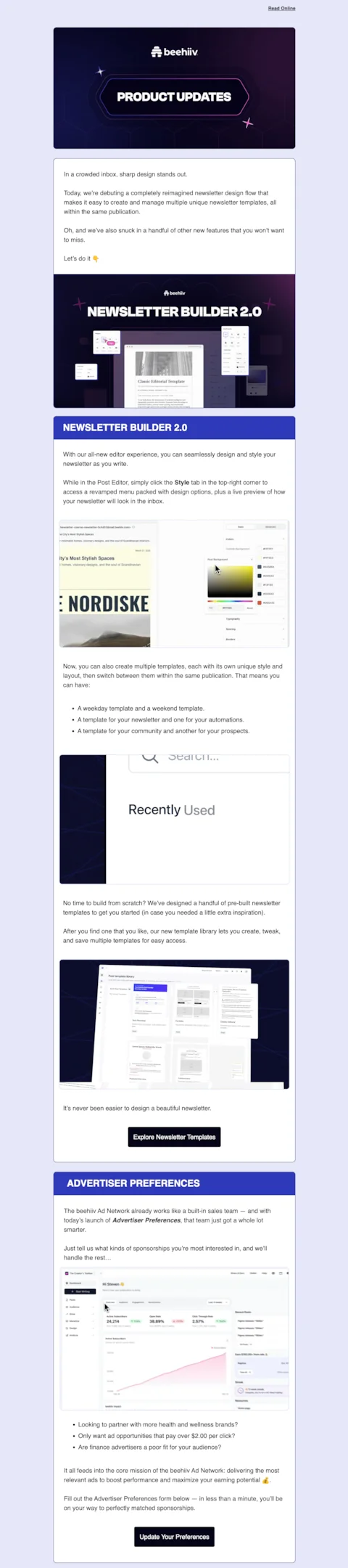
Subject line: great design starts here
Beehiiv dropped a packed product launch email announcing their reimagined Newsletter Builder 2.0 and new Advertiser Preferences dashboard. From customizable templates to better sponsor matching, it’s a solid update for both creators and monetizers.
The email itself was extremely long—arguably two emails’ worth of content—so I’ve trimmed it down here to highlight the key features and keep things digestible. Still, a great example of how to showcase a brand new feature while keeping your subscribers in the loop.
Buffer
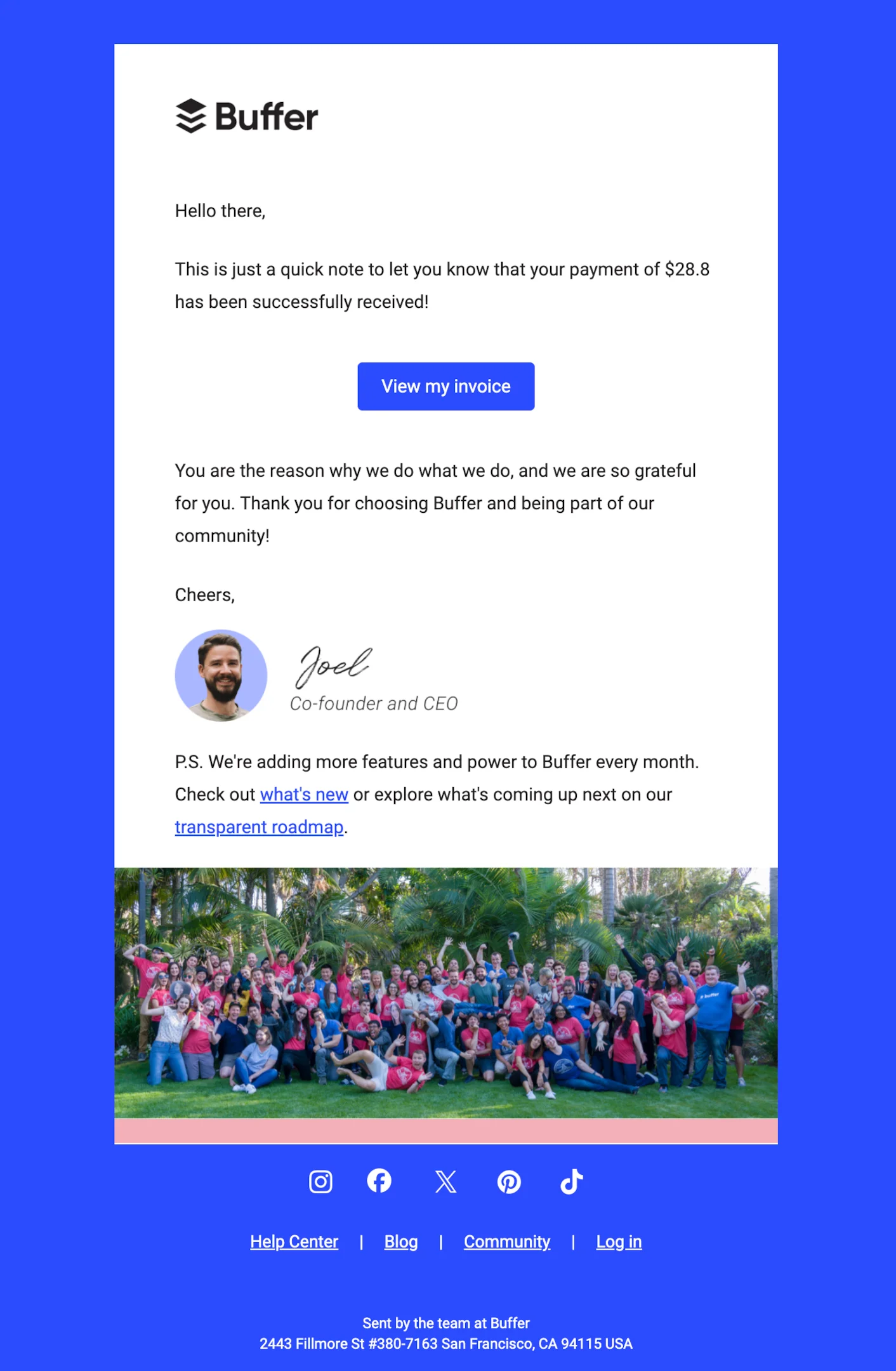
Subject line: Thank you for your payment and support!
This isn’t technically a product launch email, but I couldn’t resist including it—it’s just that good. Buffer turns a simple payment receipt into a moment of brand warmth. With a heartfelt thank-you, a human touch from the CEO, and a subtle link to new feature updates, it’s a mini masterclass in email marketing.
Even without a launch date or key selling points, it grabs the reader’s attention and reminds us how email campaigns can connect, even when they’re just transactional.
Figma
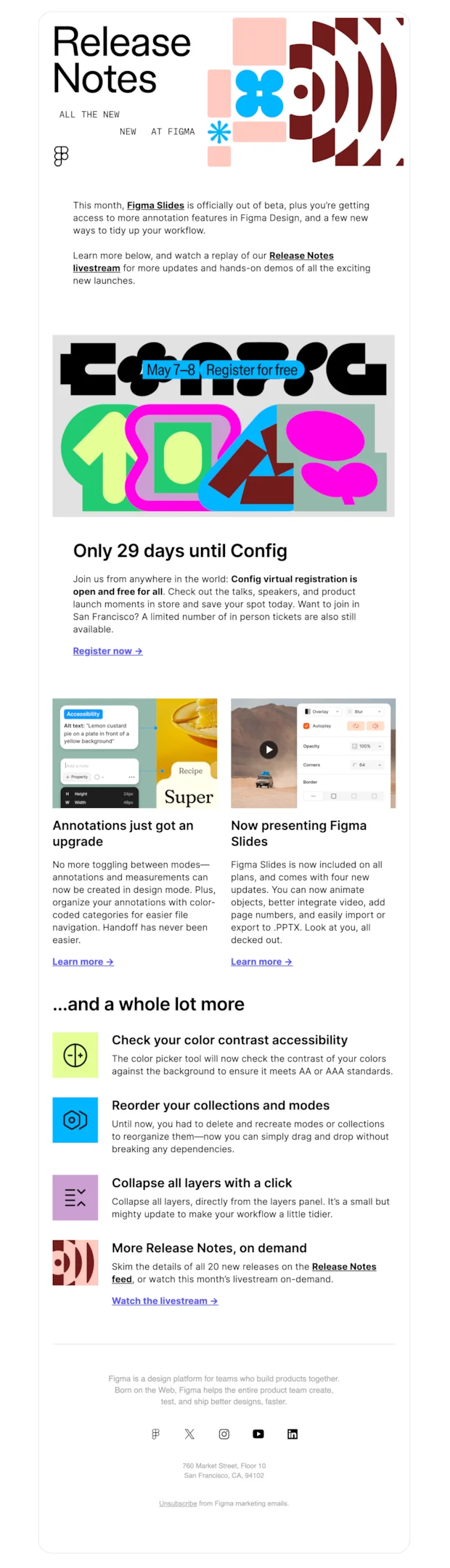
Subject line: New Figma feature drops, just for you
Yes, this one from Figma leans more toward a product newsletter than a traditional product launch email. But it still works beautifully for showcasing multiple new features at once.
The tone is energetic, the visuals are bold, and there’s a clear focus on what’s new, from Figma Slides coming out of beta to annotation upgrades. This kind of newsletter is ideal for keeping both current and potential customers in the loop—packed with key features, links, and clear next steps, without needing a full-blown launch email sequence.
Miro
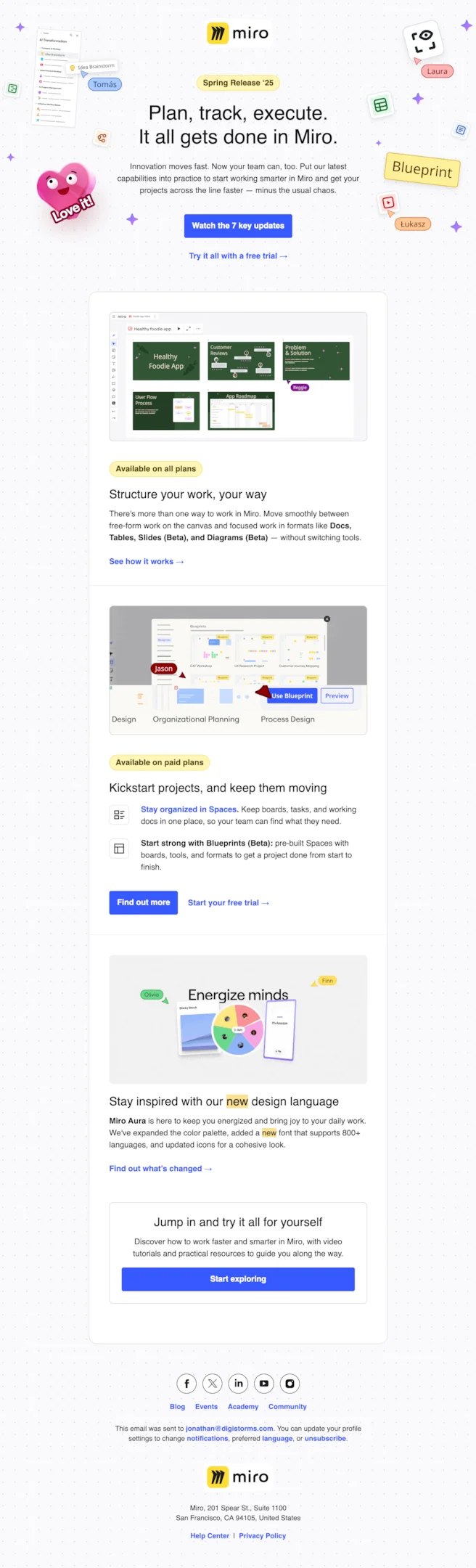
Subject line: Go from idea to impact, faster than ever
This Spring Release ‘25 from Miro is a masterclass in visual storytelling and clarity. It’s not just a product launch email—it’s a full experience. Bright colors, playful design, and strategic callouts walk you through seven key updates, from beta features like Blueprints to a refreshed design system.
It’s built for current and potential customers alike, packed with value, a compelling subject line feel, and multiple entry points. Honestly? A 10/10 product launch email example that nails clarity, energy, and flow.
MailChimp
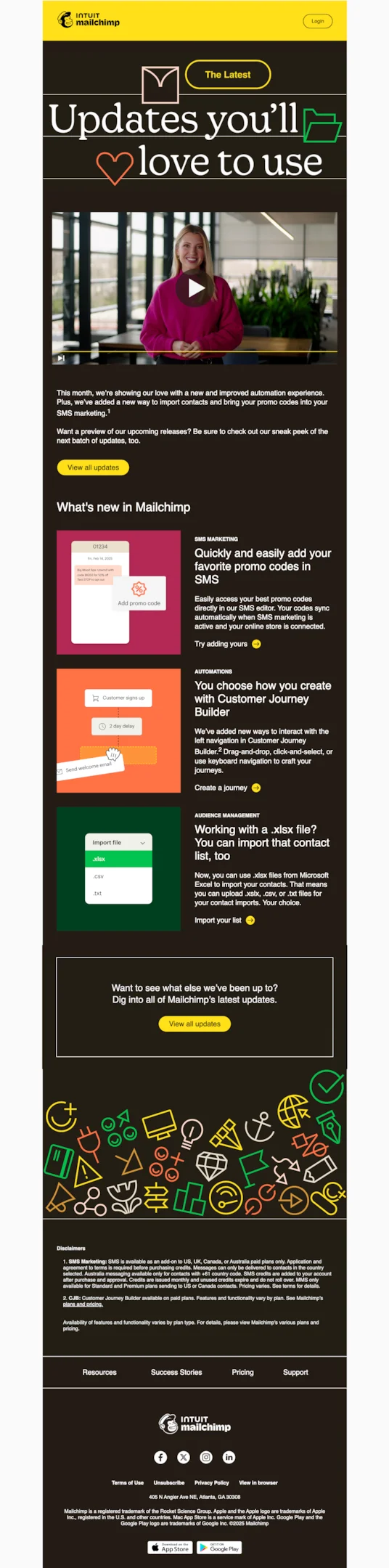
Subject line: THE LATEST: Feel the love with these updates
Mailchimp nails the visual energy here with an email that feels joyful, vibrant, and action-oriented. While technically more of a feature update newsletter than a classic product launch email, it ticks all the right boxes: a quick video, punchy visuals, and smart feature highlights like promo code support for SMS and flexible import options.
It’s clearly made for both existing customers and new users exploring the email marketing software—a great reminder that even a non-launch email can still build anticipation for what’s next.
Braze
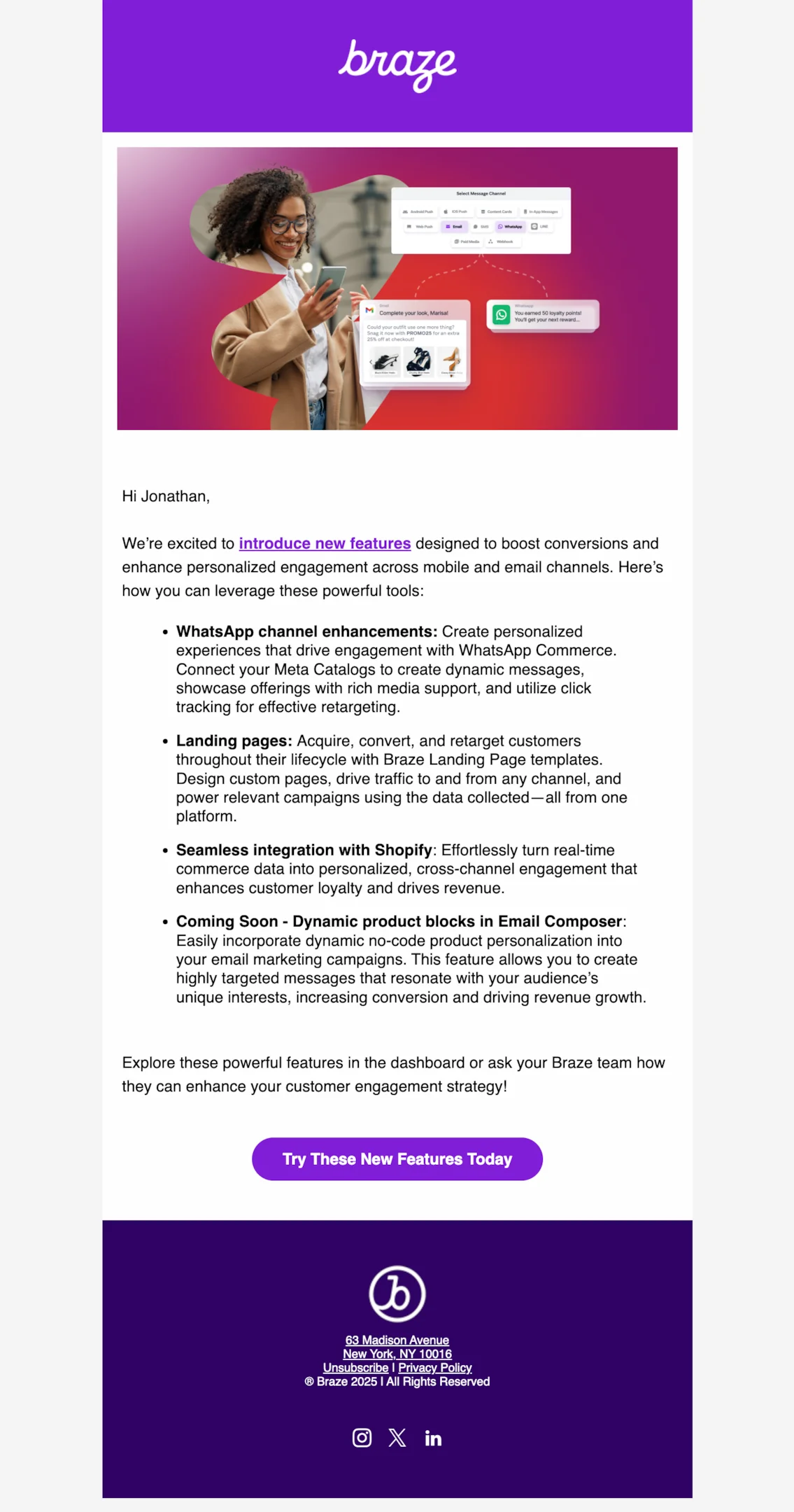
Subject line: Every Touchpoint is an Opportunity
Braze’s product launch email does a great job outlining new features like WhatsApp enhancements and Shopify integration, with clear benefits and a solid call to action. But design-wise, it falls a bit short. The layout feels dense, with minimal spacing and weak visual hierarchy, making it harder to scan.
A more dynamic structure, bolder visuals, and better formatting would help guide the reader’s attention and make this product launch announcement feel more exciting and engaging.
Google Workspace
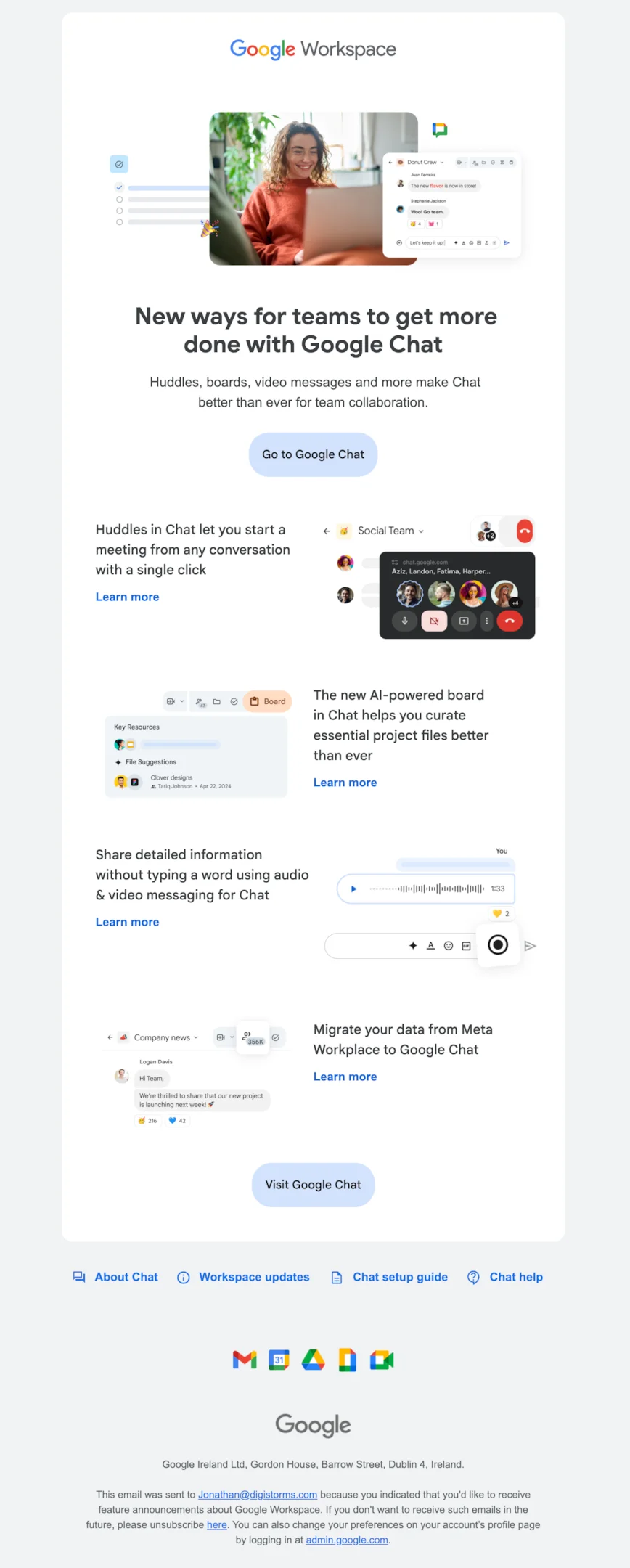
Subject line: New Chat features unlock powerful team collaboration!
Google Workspace nails this product launch email with clean design, friendly visuals, and a clear message. It introduces new Google Chat features—like AI-powered boards and huddles—with just the right balance of clarity and white space.
Every section is scannable, each CTA is well-placed, and the visual hierarchy is textbook. This is a compelling product launch email example that shows how to generate buzz and make both current and potential customers genuinely excited.
Right Message
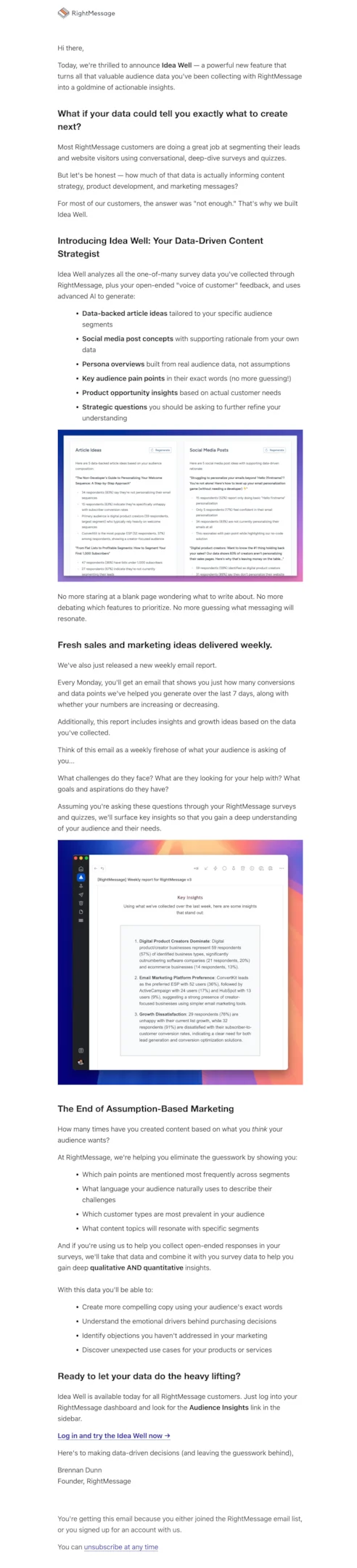
Subject line: Stop Guessing, Start Knowing: Introducing the “Idea Well”
RightMessage tackles the “what should we create next?” problem with the launch of Idea Well—a compelling product launch email packed with value. It showcases key features, explains use cases, and highlights benefits for current and potential customers.
That said, this email tries to do a bit too much. Splitting it into two—one focused on the new feature, the other on the weekly report—would make it more digestible and effective at keeping the reader’s attention.
Cal
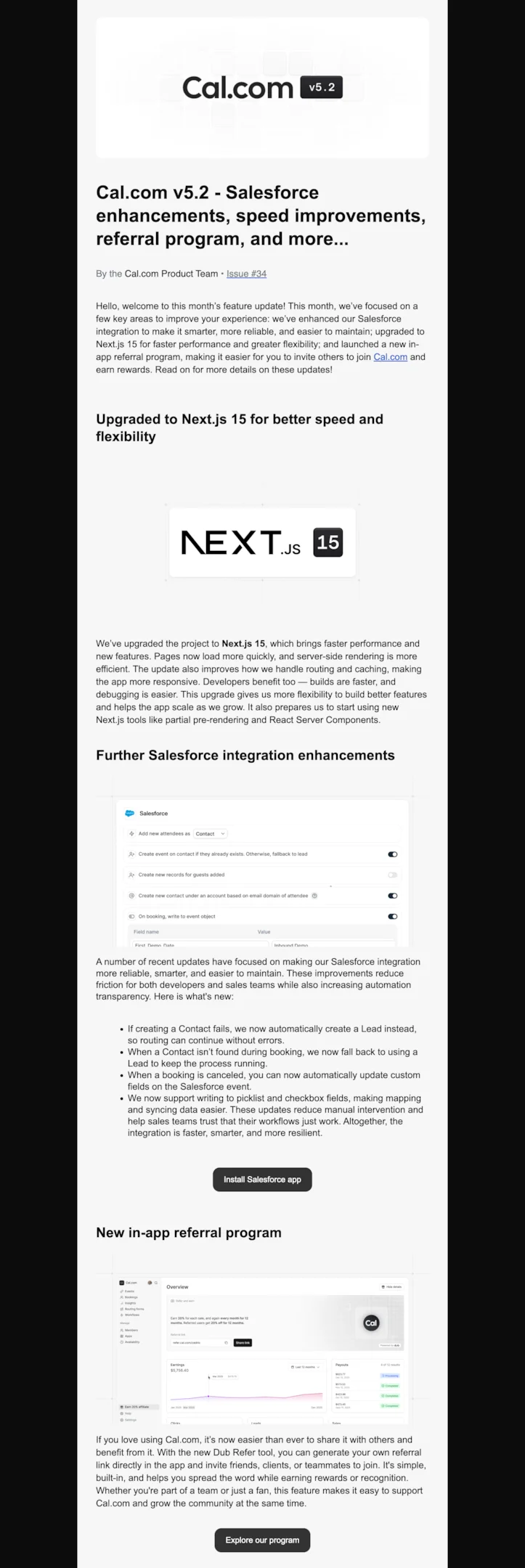
Subject line: Cal.com v5.2 - Salesforce enhancements, speed improvements, referral program, and more…
Cal.com’s v5.2 product launch email delivers a ton of exciting updates—from Salesforce improvements to a shiny new referral program. Totally understandable for an early product to have this much ground to cover, but this one was so long I had to trim it off.
A better approach? Break it into shorter, more frequent product launch emails. That way, every new feature gets its moment, and readers don’t get overwhelmed halfway through the scroll.
Surfer SEO
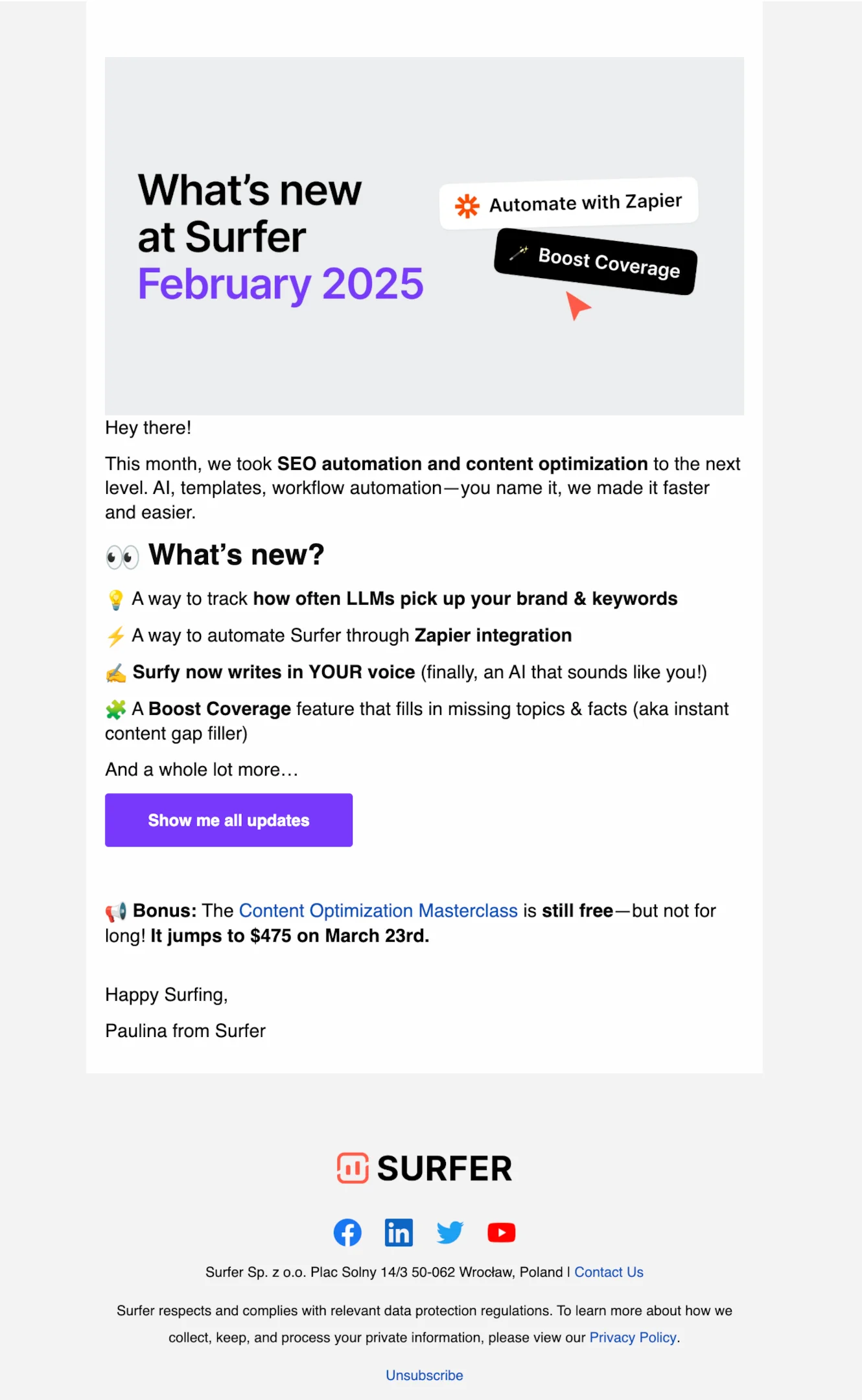
Subject line: February’s Surfer updates are BIG. 🚀 New features, faster workflows & a free masterclass (for now).
Surfer’s February 2025 update email packs in a strong product launch announcement with exciting feature highlights and a solid CTA. The tone is fun and upbeat, and the “Content Optimization Masterclass” bonus is a great add-on.
That said, the layout could use a little breathing room—spacing between sections feels tight, especially around the emojis and bullets. A bit more white space would help each update shine and make the email easier to scan for current and potential customers.
Voiceflow
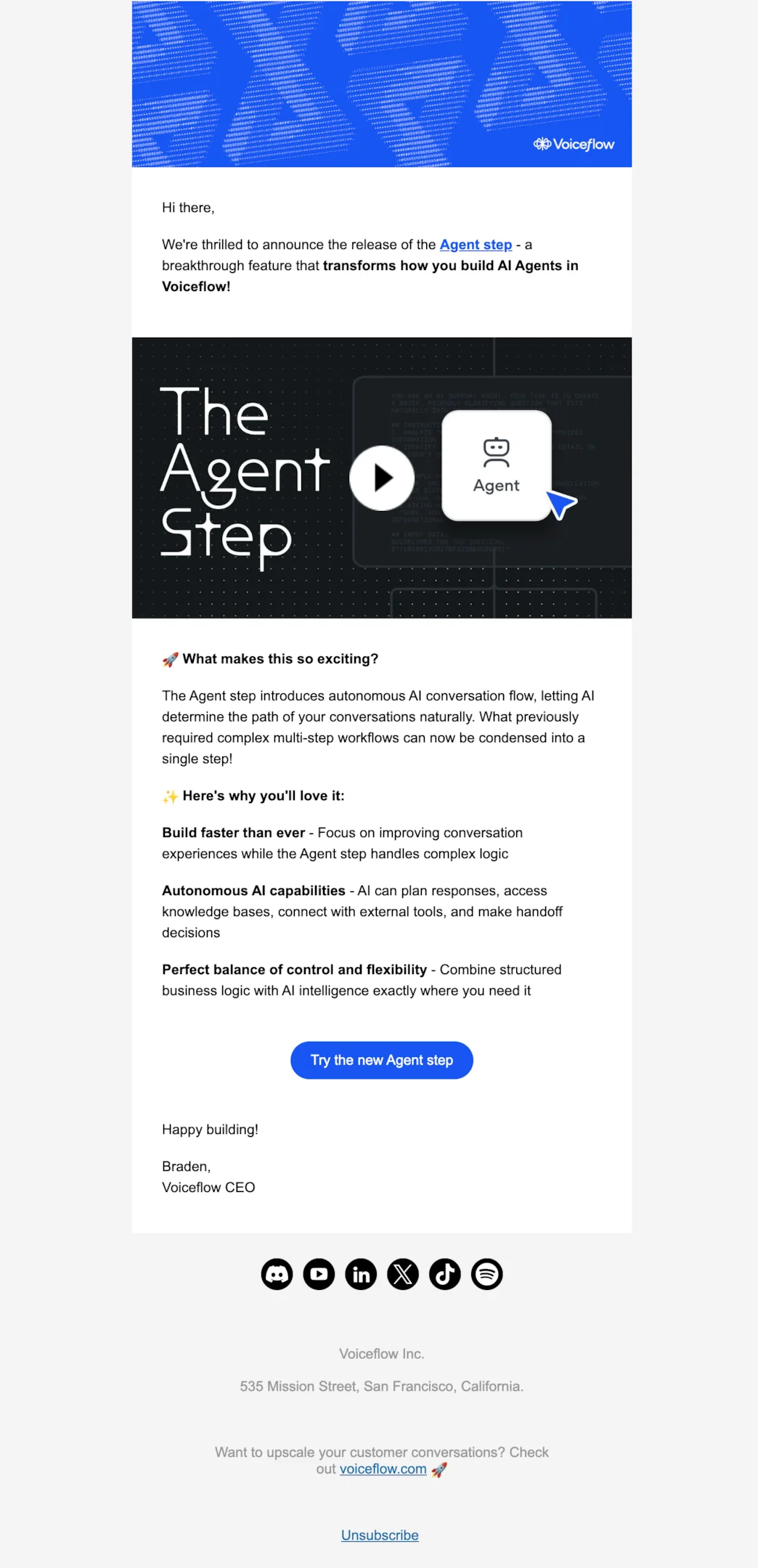
Subject line: Introducing the Agent step: build smarter AI Agents in half the time
Voiceflow’s launch email for the new Agent Step is packed with energy and product clarity—it explains the value prop well and keeps copy concise. That said, the design could use a little polish. The visuals feel a bit stark and disconnected from the brand voice.
Some added hierarchy, contrast, and warmth (especially in fonts, spacing, and iconography) could better guide the reader’s attention and make the feature launch feel more exciting and cohesive.
Easy DMARC
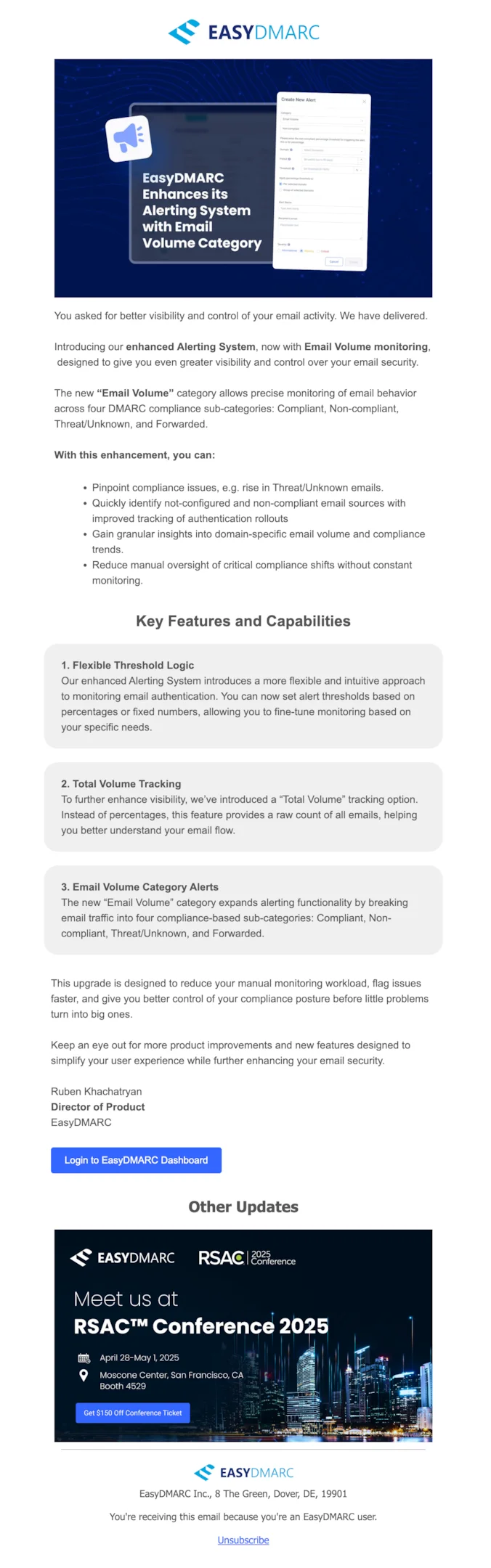
Subject line: Product Update: Email Volume Alerts for Smarter Monitoring and Faster Response.
EasyDMARC’s product launch email is clear, professional, and highly informative. The structure is solid, and the copy communicates the value of the new feature well. That said, visually, it feels more like a technical changelog than a product announcement.
The layout could benefit from better visual hierarchy, a lighter touch on text density, and more breathing room between sections to keep readers engaged. A slightly more polished, marketing-friendly design would make the new feature shine.
Slack
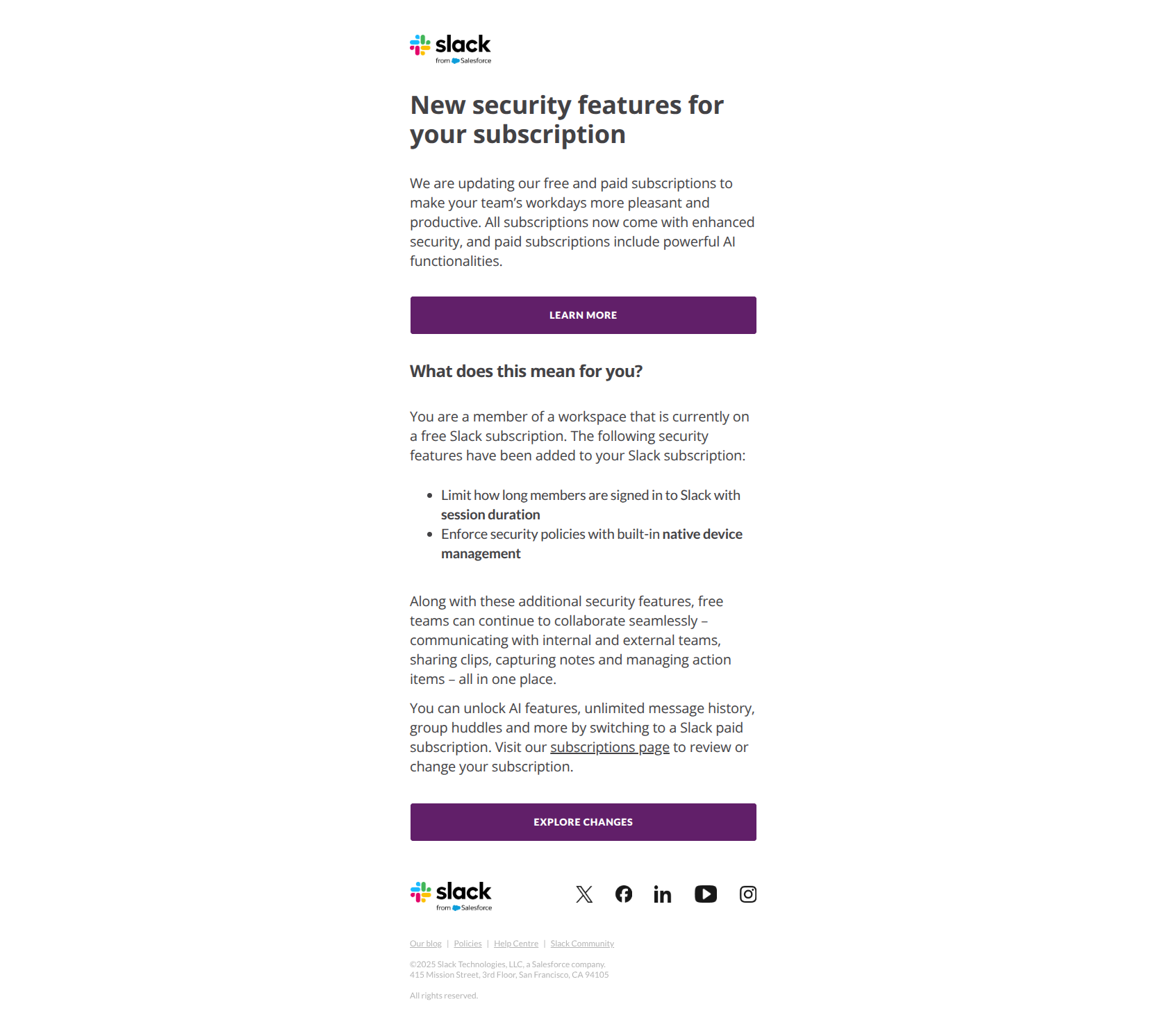
Subject line: Slack’s free subscription will now include additional security features
This is a release email rather than a launch email — and that distinction matters. Slack isn’t introducing a new product; they’re announcing that an existing capability (security features) is being repackaged into a different plan tier. The framing is matter-of-fact and operational, not flashy.
What works: the subject line tells you exactly who this affects (free subscription users) and what changes (additional security features). No mystery, no marketing fluff. For release emails about access changes or plan updates, this directness builds trust faster than excitement-driven copy.
ClickUp
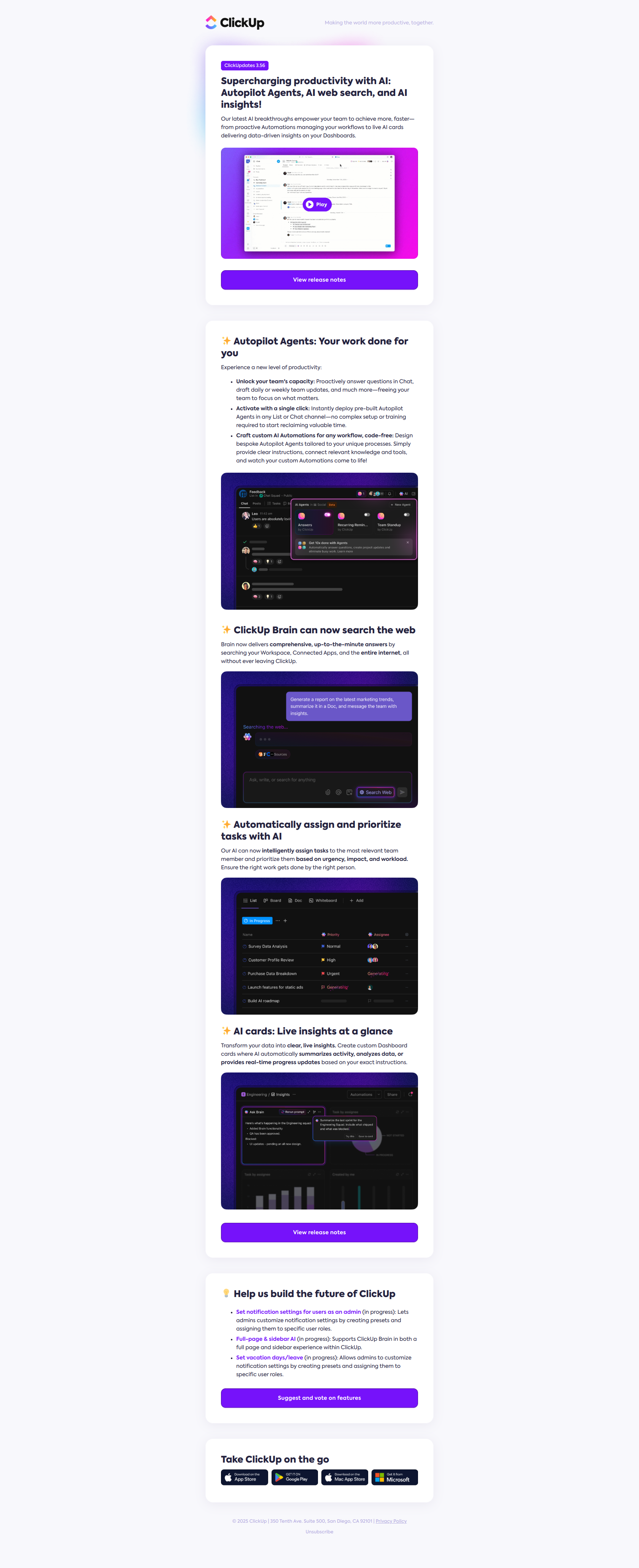
Subject line: What’s new in ClickUp: Autopilot Agents, web search, and more!
ClickUp’s “What’s new in ClickUp” framing is a recurring product release format — same subject line scaffold, different content each time. Existing users learn to expect it. The body packs three or four feature highlights with screenshots and one CTA per feature.
What works: a consistent subject prefix (“What’s new in ClickUp:”) trains your audience to recognize and open these emails. It’s the email equivalent of a magazine masthead — the predictability is the point. Pick a release email template you’ll use every release and stick to it.
Hunter.io
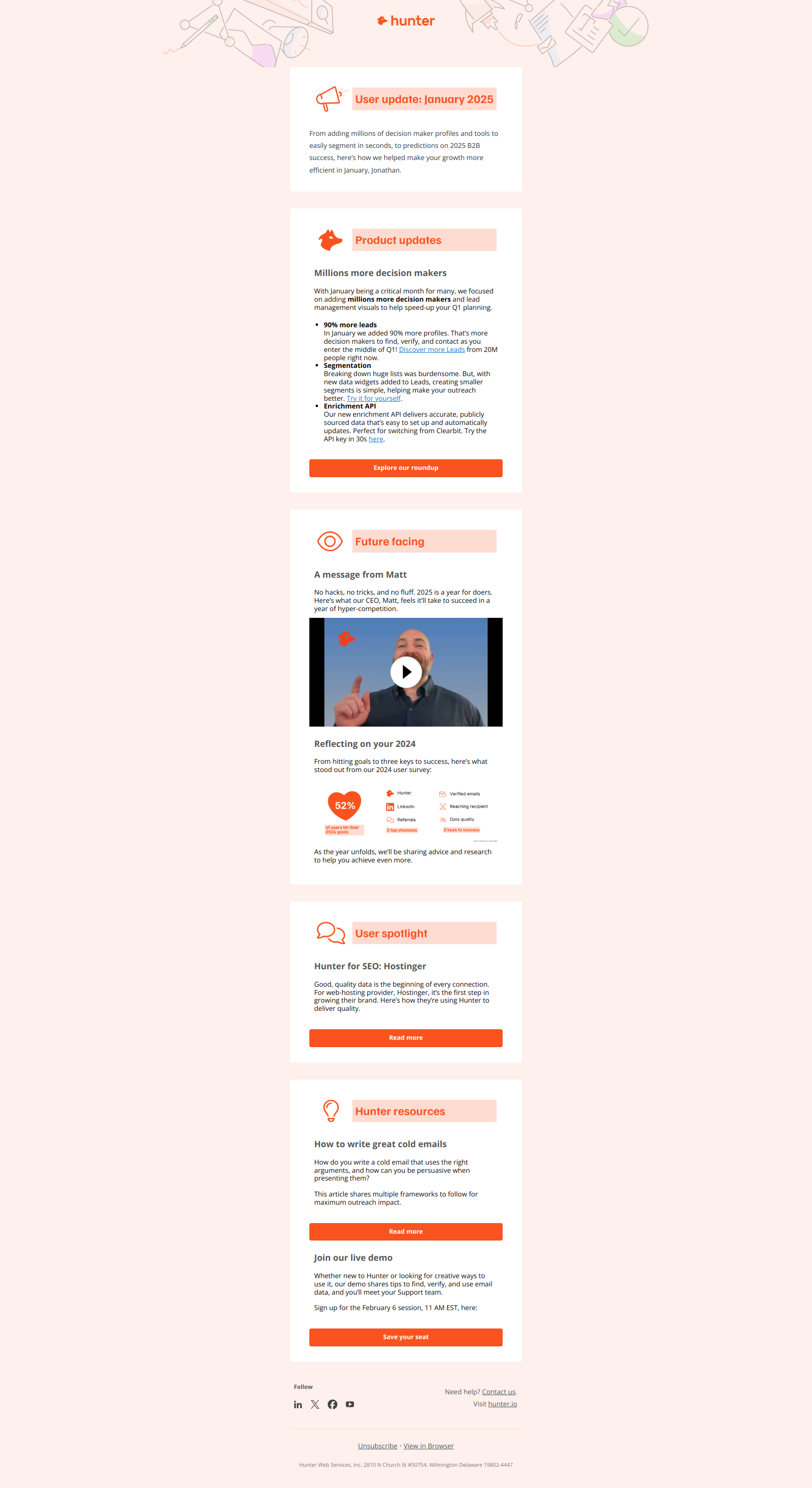
Subject line: 2x more data for your outreach
Hunter.io’s release email leads with a benefit number, not the feature name. The reader knows what they get (“2x more data”) before they know what changed under the hood. This is a textbook outcome-first launch email — the implementation detail comes second.
What works: numbers in subject lines lift open rates and set a clear expectation. “2x more data” beats “We’ve upgraded our database” every time. Whenever you can quantify the user-facing benefit of a release, lead with the number.
Webflow
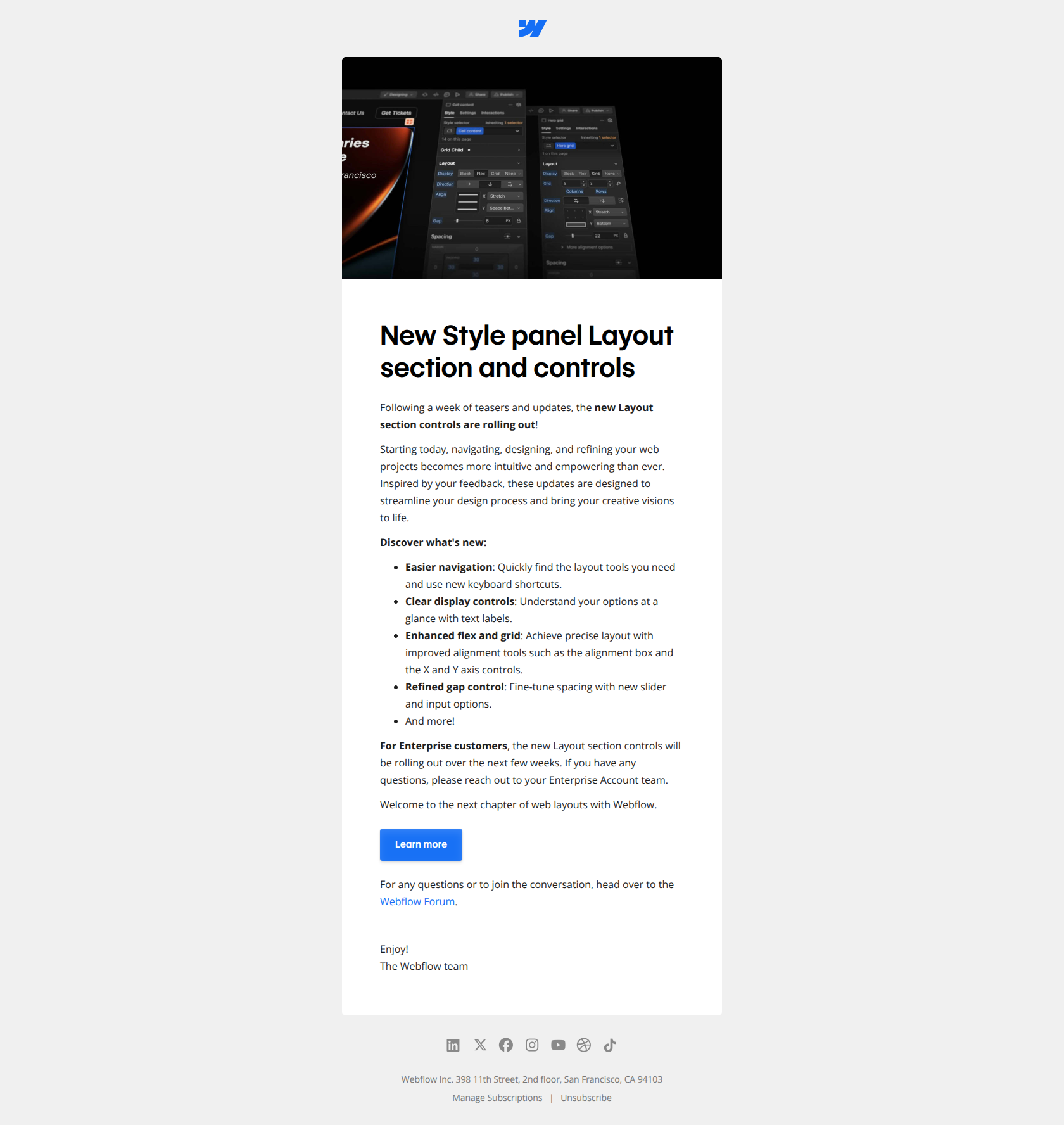
Subject line: Learn more about Webflow’s new Layout section
Webflow’s email is positioned as a teaser for a deeper resource, not a self-contained announcement. The subject says “learn more” — implying there’s a body of content waiting (a tutorial, a blog post, a video). The email is the doorway, not the destination.
What works: when a feature is complex enough to need explanation, don’t try to fit the whole pitch into the email body. Use the email to drive curiosity and pre-qualify clicks toward longer-form content (blog post, video, demo). The reader who clicks is much more invested than the one who scrolled past.
Asana
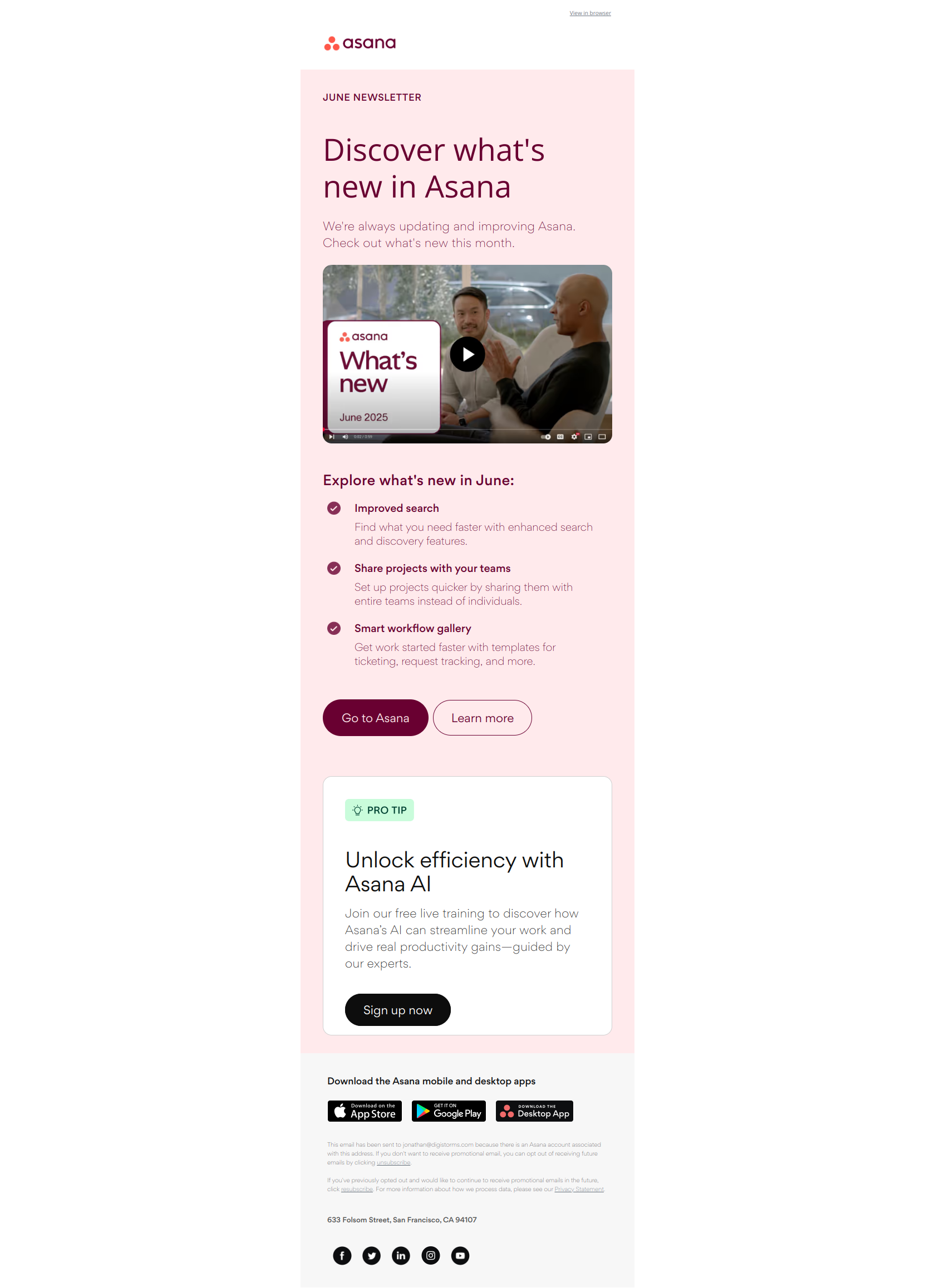
Subject line: What’s new? Visit the smart workflow gallery
Asana frames the release not as a feature drop but as a destination — “the smart workflow gallery.” Users don’t get a list; they get an invitation to browse. The framing creates lower friction (no commitment to read a long email) and higher engagement (browsing feels playful, reading feels like work).
What works: when you’re shipping multiple related features at once, package them as a “gallery,” “library,” or “hub” — give them a destination URL and let users self-direct. This pattern works especially well for templates, integrations, or any release with parallel options the user might want to compare.
Bonus: product launch email sequence with Notion’s Calendar
Notion’s three-part product launch email sequence for its Calendar is a masterclass in progressive storytelling. Instead of cramming everything into one overwhelming email, they space out their communication and let each message focus on a distinct value proposition. This is how to do product launch emails right.
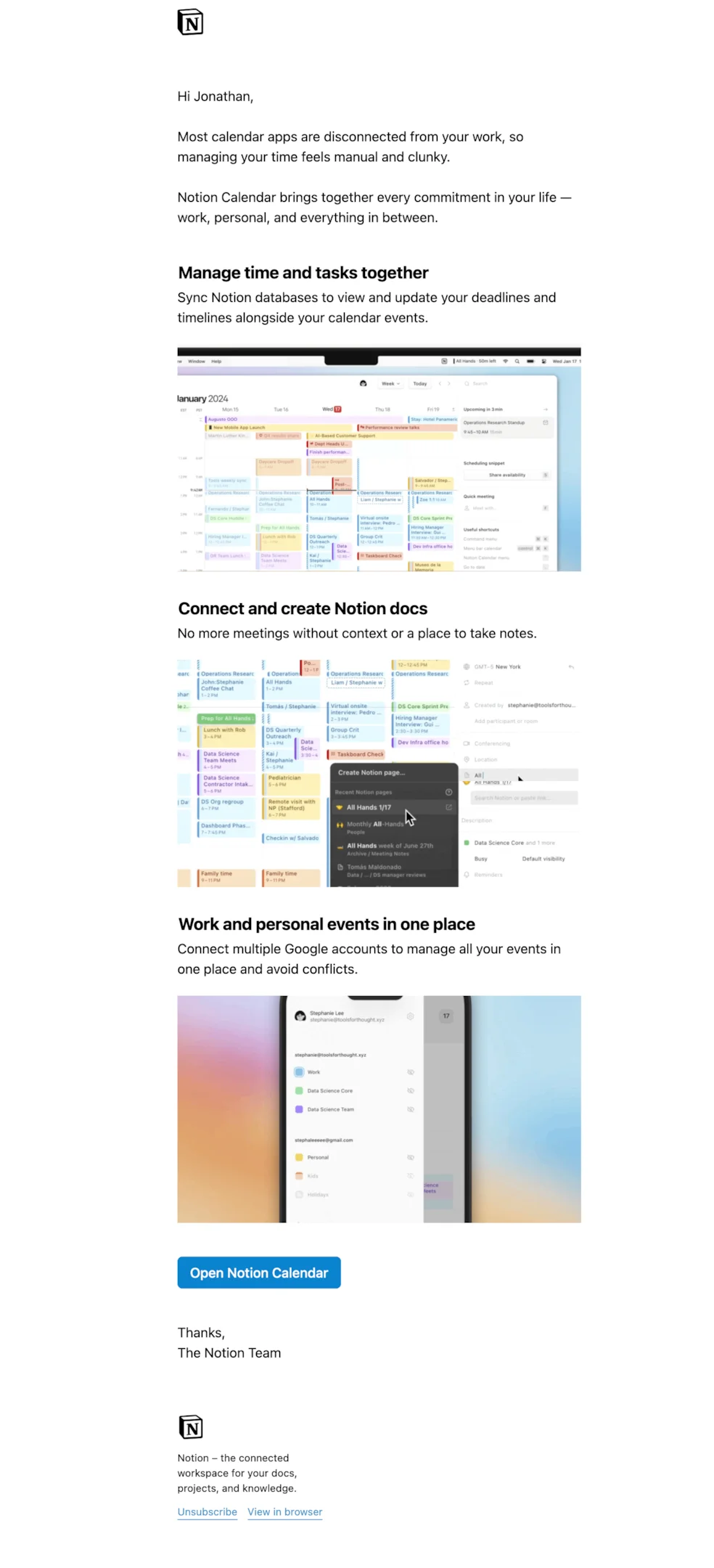
Subject line: Welcome to Notion Calendar
The first email lays the foundation: it introduces the Calendar and shows how it unifies tasks and timelines—great for users who want context with their commitments.
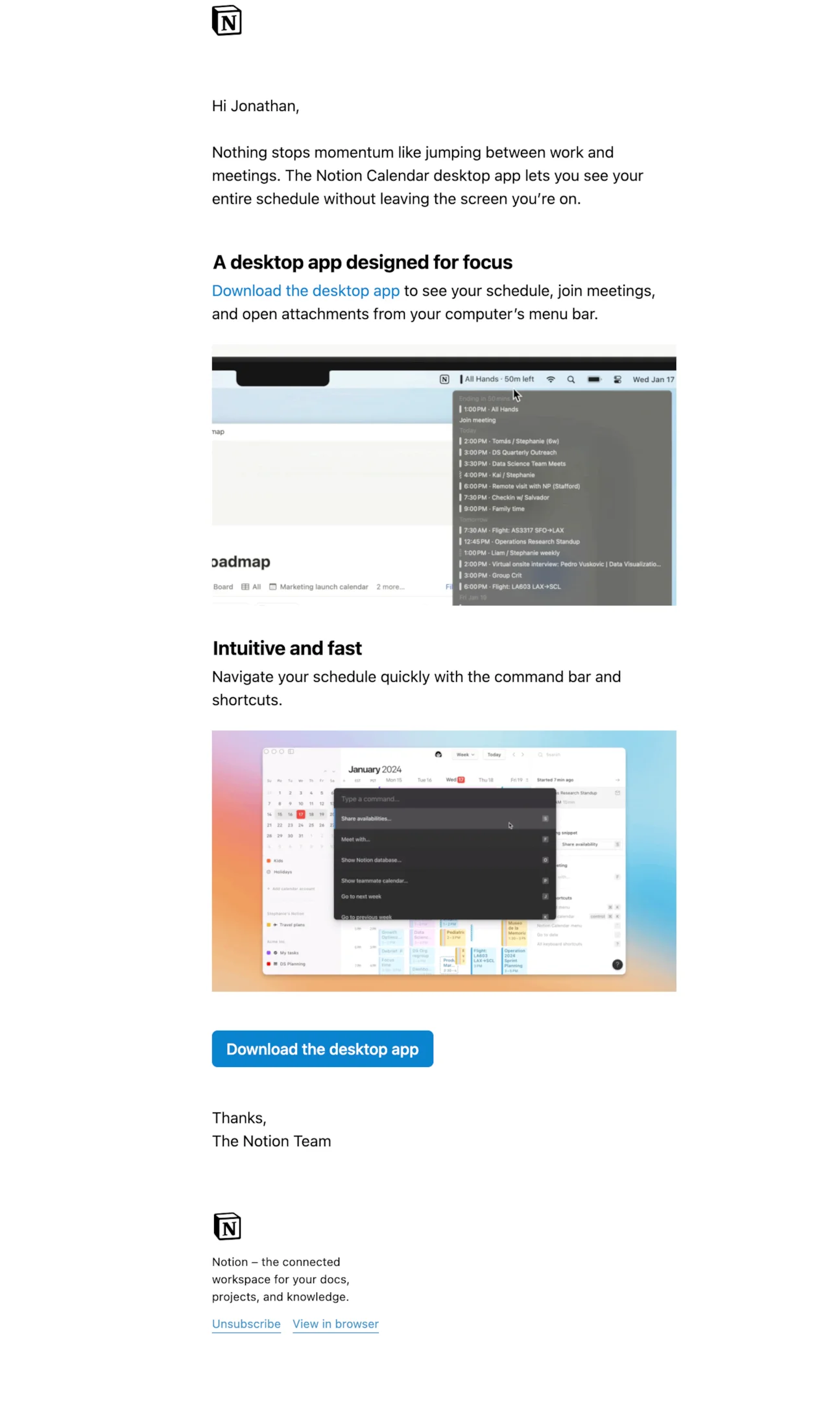
Subject line: Notion Calendar is designed for focus
The second email builds on that by highlighting the desktop app, offering a smoother workflow without switching tabs.
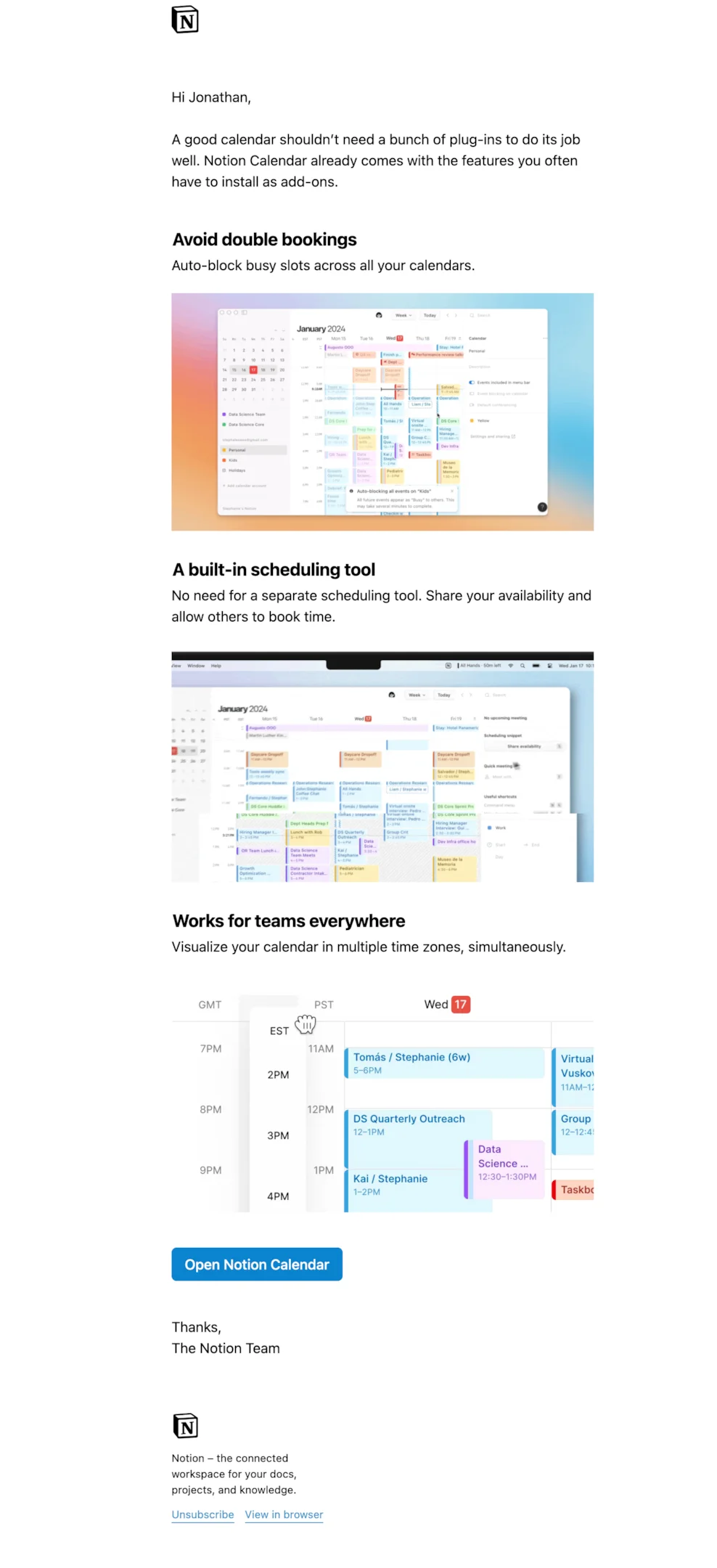
Subject line: All-in-one calendar
And finally, the third email dives into powerful features like built-in scheduling and time zone views—practical details for power users and teams.
Each email is visually clean, easy to skim, and packed with real screenshots to build trust and familiarity. Notion also wisely includes CTAs throughout without sounding salesy, giving users the option to engage further without pressure.
To build a successful product launch email sequence, take this same approach:
- Break up your announcement into themes.
- Lead with benefits, follow up with features.
- Space out emails over several days to maintain interest without fatiguing subscribers.
Notion’s rollout is a great reminder that launch emails aren’t a one-and-done—they’re a thoughtful sequence that builds momentum.
What we can learn from these product launch email examples
Consistency in branding and tone across emails
Your product launch email campaign shouldn’t feel like it was written by three different people on three different days. From the email subject line to the CTA button, tone and visuals should be aligned.
Think of your emails as a conversation—consistent voice builds trust and makes your marketing messages more memorable. Especially in a product launch email sequence, keeping your tone on-brand helps users stay engaged throughout the rollout.
Using visuals and GIFs to boost excitement
💡 Want to grab your reader’s attention fast? Use visuals strategically. Screenshots, animations, and short GIFs can demonstrate key features in action and make your launch emails feel dynamic. They’re especially helpful when introducing a brand new feature—users can see it, not just read about it.
But don’t overload your email body with motion. One or two well-placed visuals can do more to build anticipation than a block of dense text.
Leveraging customer benefit over feature dump
Here’s a common pitfall: listing every key element of your new feature without explaining why it matters. Great product launch emails flip that. They focus on the outcome—what the user gains, not just what’s new.
Instead of a long list of technical changes, frame your updates around real benefits: faster workflow, more control, better results. Your email marketing strategy should always connect features back to the problems they solve for your audience.
Product launch message examples (short-form copy you can lift)
Not every launch message is an email. The same announcement usually has to work as an in-app banner, a push notification, a Slack post to customers, and a social caption — all with a fraction of the room. These are the short-form product launch messages that pair with the emails above, pulled from the same releases.
In-app banner (one line, no CTA text to spare):
New: turn any recording into a shareable clip. Try it →
Push / mobile notification (under 60 characters, benefit-first):
Editing just got easier. See what changed.
Customer Slack or community post (2 sentences + link):
We just shipped Blueprints — reusable board templates your whole team can start from, so nobody opens an empty canvas again. Here’s the 90-second walkthrough: [link]
Social caption (hook, proof, invitation):
You asked for scheduling that doesn’t need a back-and-forth. It’s live today, on every plan, including free. Here’s how it works →
Launch-day announcement to prospects (cold-ish audience, so lead with the problem):
Most teams lose a day a week to status meetings. We built the thing that replaces them — and it went live this morning.
The pattern across all five: the message names the outcome before it names the feature. In an email you can afford one sentence of setup before the payoff. In a 60-character push notification you can’t, which is why the short forms are a useful stress test — if your launch can’t survive being compressed to one line of benefit, the email version is probably hiding behind adjectives too.
Feature announcement and software upgrade emails: when the launch is smaller
Most of what a SaaS team ships isn’t a launch. It’s a feature, an improvement, a version bump — and those need a shorter, lower-drama email that still drives adoption.
New feature announcement emails
A feature announcement email targets a segment, not a list. The Slack, ClickUp and Right Message examples above all do the same three things in under 150 words:
- Name the feature and what it replaces — “you no longer have to export to share a report.”
- Show it once. A single screenshot or GIF beats three paragraphs of description.
- Link straight into the feature, not to the homepage or a blog post. Deep links convert; landing pages leak.
The mistake is sending feature announcements to everyone. If a feature only helps admins on paid plans, sending it to free-tier users generates unsubscribes and no adoption. Segment by who can actually use the thing — see the segmentation section below.
Software upgrade and version notification emails
An upgrade notification is the most administrative message in this family, and the one most often written badly. It goes out when the product changes underneath the user: a new version, a migration, a deprecated feature, a required action.
The rule here is inverted from a launch email — lead with what the user must do, not with what’s exciting. A good upgrade notification answers, in order:
- What changed, in one sentence.
- When it takes effect — a specific date, not “soon.”
- What the user needs to do, if anything. If the answer is “nothing,” say so explicitly in bold; it’s the single most reassuring line in the email.
- What breaks if they ignore it — the honest version, not the softened one.
Google Workspace’s example above is the template: a dated, scoped change, stated plainly, with the action isolated at the bottom. Nobody forwards these emails to a friend, and that’s fine. Their job is to prevent support tickets, not to generate excitement.
Product update emails (the recurring digest)
The third variant is the recurring “what’s new” roundup — Figma and Mailchimp above both run one. It’s the lowest-effort way to get value out of small releases that don’t individually justify an email, and it doubles as a re-engagement message for users who’ve drifted. Keep it to three to five items, lead each with the outcome, and cap it at one CTA per item.
If a digest item starts getting more clicks than everything else combined, that’s your signal it deserved its own launch email.
How to craft the perfect launch email template
Short-form vs long-form: which product launch email template converts better?
It depends on your audience and what you’re launching. Short-form emails are great for brand new features—quick, scannable, and straight to the CTA.
They’re ideal when your audience is already familiar with your product range. Long-form emails work better when you’re educating your readers or pitching a larger product launch campaign. These give you room to explain benefits, include visuals, and build trust.
Want the best of both worlds? Start short, link to a blog post or landing page with all the details, and let readers decide how deep they want to go.
What every product launch email template should include
A strong product launch email template hits a few non-negotiables. Start with an attention grabbing subject line. Your email body should introduce the product or new version, outline key features, and make the benefits obvious.
Use bullet points if it helps with clarity. Add a visual if it makes the message stronger. And always, always include a clear and compelling call to action. For bonus points, segment your email campaigns by user type—existing customers might care about different things than first-time visitors.
Whether it’s a pre launch or post launch email, clarity and value should lead the way.
Subject lines that make your announcement email stand out
Your email subject line is the first (and sometimes only) thing people read—so make it count. Great announcement email subject lines are specific, relevant, and emotionally engaging.
Use urgency sparingly (“Now live!”) or curiosity (“We’ve just made scheduling 10x faster”). Personalization can also boost open rates—especially if paired with a known product or feature name. Avoid vague or overly clever lines that don’t convey real value.
The goal is to stop the scroll and earn the click, so think about what would make you open your own product launch email.
The psychology of excitement in announcement emails
People don’t get excited about features—they get excited about what those features do for them. That’s the psychology you want to tap into in your product launch announcement. Use language that frames updates as opportunities: “Save time,” “Get more done,” “Create with less friction.”
Emojis, GIFs, and bright visuals can help, but it’s the messaging that carries the emotion. Highlight key features with benefit-driven copy and a tone that feels upbeat, confident, and clear. The goal of your email campaigns isn’t just to inform—it’s to energize and activate your target audience.
Segmenting your target audience for smarter email campaigns
Why segmentation matters in SaaS product launch emails
In SaaS, user needs vary widely depending on role, usage patterns, and plan type. That’s why segmentation isn’t optional—it’s essential. A product launch email that excites a power user could overwhelm a new trial user.
Segmenting lets you tailor not just the messaging, but also the launch email template design, timing, and CTA. For example, potential customers might need more context about your existing product, while satisfied customers are ready for deeper feature walkthroughs.
Segmentation helps you highlight key features and benefits based on what matters most to each group, improving engagement across your email campaigns and increasing your chances of a successful launch.
Tailoring messaging based on user behavior or plan
Want to level up your product launch email? Start with behavior-based messaging. Look at how users interact with your app—have they explored the feature you’re updating? Have they logged in recently? Use that data to send smarter, more relevant marketing messages.
For example, highlight a brand new feature differently for users on a free plan vs. those on premium. Or trigger follow up emails for those who haven’t tried the update yet. The more tailored your email body and timing, the more effective your product launch campaign becomes.
Behavior-driven email marketing turns one-size-fits-all launches into thoughtful, high-converting experiences.
Launch email templates for every stage of your rollout
Three emails, sent across roughly ten days, cover the whole rollout. Copy them, swap the brackets, and cut anything that doesn’t survive the swap.
Email template 1 — early access invite (send 5–7 days before launch)
Your early access invite should feel exclusive and specific. It’s also the cheapest research you’ll run all quarter: the people who click are the people who have the problem.
Subject: Want early access to [feature]?
Hi [First name],
We’ve been building [feature] — [one sentence on the problem it solves, in the user’s words].
It goes live on [date], but we’re opening it to a small group first. If you want in, you’ll get access this week, plus a direct line to the team building it.
[Button: Get early access]
Fair warning: it’s early. Some edges are rough, and your feedback genuinely changes what ships.
[Sender name]
Keep the ask small and the honesty high — “some edges are rough” outperforms polish here, because it sets expectations that stop the beta generating angry support tickets.
Email template 2 — launch day (send the morning it goes live)
The launch day email is the big reveal. Bold subject line, one screenshot, one CTA.
Subject: [Feature] is live
Hi [First name],
[Feature] is available today on [which plans].
[One screenshot or 5-second GIF of the thing working]
What it does: [outcome, one line]. What it replaces: [the manual workaround they’re doing today].
[Button: Try [feature]] ← links straight into the feature, not the homepage
If you’d rather watch first, here’s a 90-second walkthrough: [link]
Resist the urge to add a second CTA. Everything else you want to say belongs in email three.
Email template 3 — post-launch follow-up (send 5–7 days later, to non-adopters only)
Don’t ghost your users after launch day. This is the email that actually produces adoption, because it reaches the people who opened the launch email, thought “later,” and forgot.
Subject: Still worth 2 minutes: [feature]
Hi [First name],
Last week we launched [feature]. You haven’t tried it yet, so here’s the 30-second version:
[Outcome, one line] — most teams use it for [most common use case we’ve seen this week].
[Button: Open [feature]]
If it’s not useful to you, tell me why — that’s genuinely more helpful to us than a click.
Segment this one hard: send it only to users who haven’t used the feature. Sending “you haven’t tried it yet” to someone who has is the fastest way to look like you’re not paying attention.
Early access to beta test launch email
What makes a great beta test launch email?
The best beta test launch emails balance clarity, excitement, and transparency. Start with a compelling subject line that makes recipients feel like they’re getting something special.
💡 In the email body, explain what they’re getting access to—what problem the new feature solves, what’s new compared to your existing offerings, and why you’re inviting them. Add any important limitations (e.g., limited spots, feedback requested) and a clear and compelling call to action.
Keep the tone welcoming—this is about collaboration, not perfection.
Building FOMO with early access email exclusivity
FOMO is your friend when it comes to early access invites. A great email marketing strategy for these emails leans into exclusivity—language like “you’re invited,” “limited access,” or “first to try” triggers curiosity and action.
Your email subject line should feel personal and time-sensitive, while the email body should hint at the value and outcomes of using the new version or brand new feature early. Include subtle social proof (e.g., “hundreds already signed up”) to add urgency without being pushy.
These pre launch emails don’t need to spill all the details—just enough to generate buzz, make users feel special, and get them excited for what’s coming.
The pattern behind every launch email that worked
Twenty-eight examples, and the ones that hold up share the same skeleton:
| Element | What the good ones do | What the weak ones do |
|---|---|---|
| Subject line | Name the outcome or the change (“Editing just got easier”) | Name the release (“Announcing v2.4”) |
| First line | State what’s now possible | Thank the reader for being a customer |
| Proof | One screenshot or GIF of the thing working | Three paragraphs describing it |
| CTA | One action, deep-linked into the feature | Two or three competing links |
| Audience | Segmented to who can use it | The entire list |
| Timing | A sequence — tease, launch, follow up | A single email on launch day |
Your launch date isn’t just a day on the calendar — it’s the one moment your whole list is willing to pay attention. From early access invites to post-launch follow-ups, each message should feel intentional, timely, and specific enough that the reader can tell it was written for them.
Every screenshot in this article came from the DigiStorms email library — a searchable collection of real SaaS lifecycle emails, tagged by what they’re trying to do. If you’re writing your next launch email, it’s worth browsing product update emails and new feature nudges side by side before you open a blank draft: seeing twenty versions of the same job makes it obvious which openings are doing real work and which are filler.