Most SaaS teams don’t have a lifecycle email problem. They have a timing problem. The welcome email is fine. The upgrade email is fine. What’s missing is the map — knowing which email fires at which stage, triggered by what the user just did, so the right message lands at the moment it’s actually true.
Lifecycle email marketing is that map. Below are 20 real emails from SaaS companies — Webflow, Stripe, Grammarly, Semrush, Slack and more — organized by the five stages every customer moves through, from the first login to the last-ditch win-back. For each one, the subject line, why it works, and the pattern you can lift.
TL;DR — what lifecycle email marketing is
- Lifecycle email marketing sends messages mapped to a customer’s stage in their journey — onboarding, engagement, conversion, retention, and re-engagement — rather than on a fixed broadcast calendar.
- The five stages each have a distinct job: activate the user, deepen usage, convert to paid, expand and retain, then win back the ones who stall or churn.
- The best lifecycle emails are triggered by behavior (a signup, a milestone, an expiring trial, 30 days of silence) — so every send is relevant the moment it arrives.
What is lifecycle email marketing?
Lifecycle email marketing is the practice of sending emails based on where a customer is in their relationship with your product — not on what day of the week it is. Instead of blasting the whole list, you map the customer journey into stages, define the one job each stage needs to do, and fire an email when a user’s behavior signals they’ve entered that stage.
For SaaS, the journey usually breaks into five stages:
- Onboarding & activation — get a new user to their first real win.
- Engagement & education — build the habit and surface features they haven’t found.
- Conversion — turn a free or trial user into a paying one.
- Expansion & retention — deepen usage, upsell, and keep active users active.
- Feedback & win-back — learn why users leave, and pull the lapsed ones back.
This is the same lifecycle logic behind behavior-based email marketing and a full SaaS onboarding email sequence — applied end to end. Here’s what each stage looks like in the wild.
Stage 1 — Onboarding & activation
The first stage has one job: get a new user to the action that predicts they’ll stick around. Every email here should point at a single next step, not the whole feature set.
Webflow
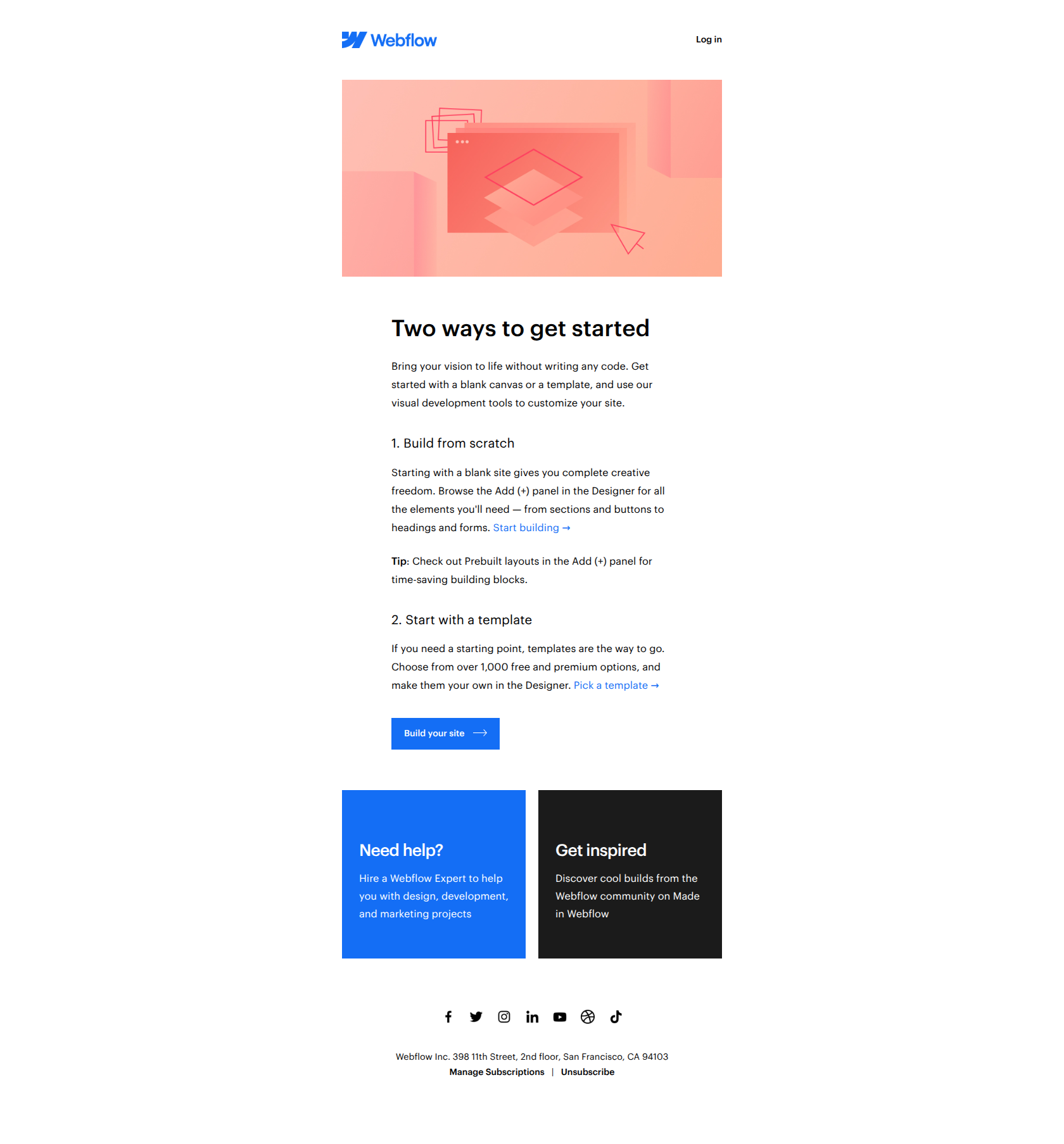
Subject line: Welcome to Webflow!
Webflow’s welcome email splits the first action into two paths — start from a blank canvas or start from a template — instead of forcing every new user down one funnel. Confident users self-select the blank canvas; cautious users grab a template and ship something fast. Either way, the user activates on their terms.
The pattern: bifurcate entry points by user state. When people arrive with different skill levels or intent, giving them two clearly-labeled starting doors beats optimizing for one “ideal” path and losing everyone who doesn’t fit it.
Stripe
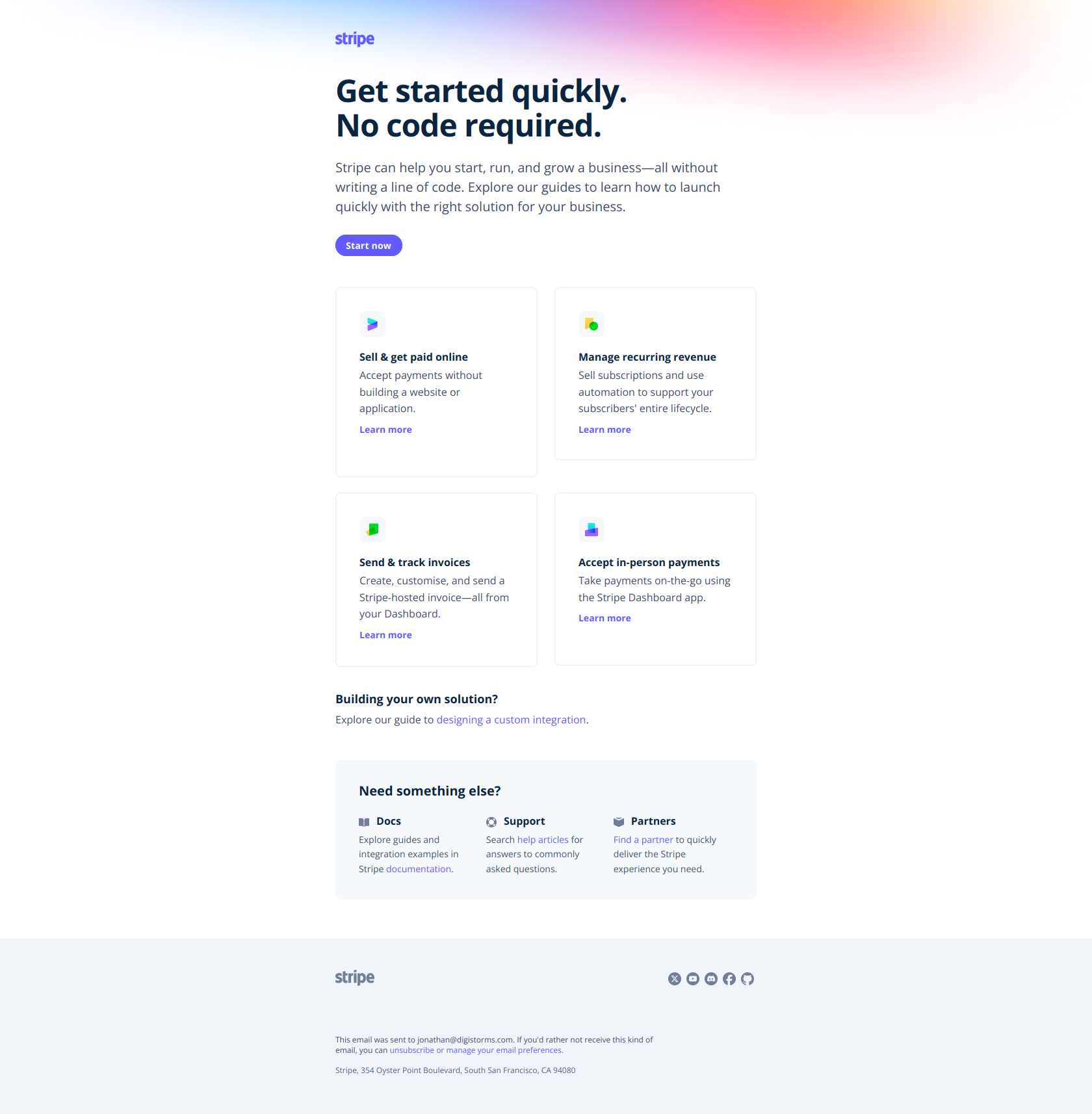
Subject line: Quickstart guides to get you up and running
Stripe organizes its quickstart guides by job-to-be-done — ecommerce, SaaS subscriptions, invoicing — rather than by product feature. A new user immediately finds the path that matches their actual business problem instead of decoding a feature catalog to work out which one applies to them.
The pattern: segment by outcome, not by tool. New users abandon when they’re forced to figure out which feature solves their problem. Lead with the problem they came to solve, and let the relevant feature sit underneath it.
Ahrefs
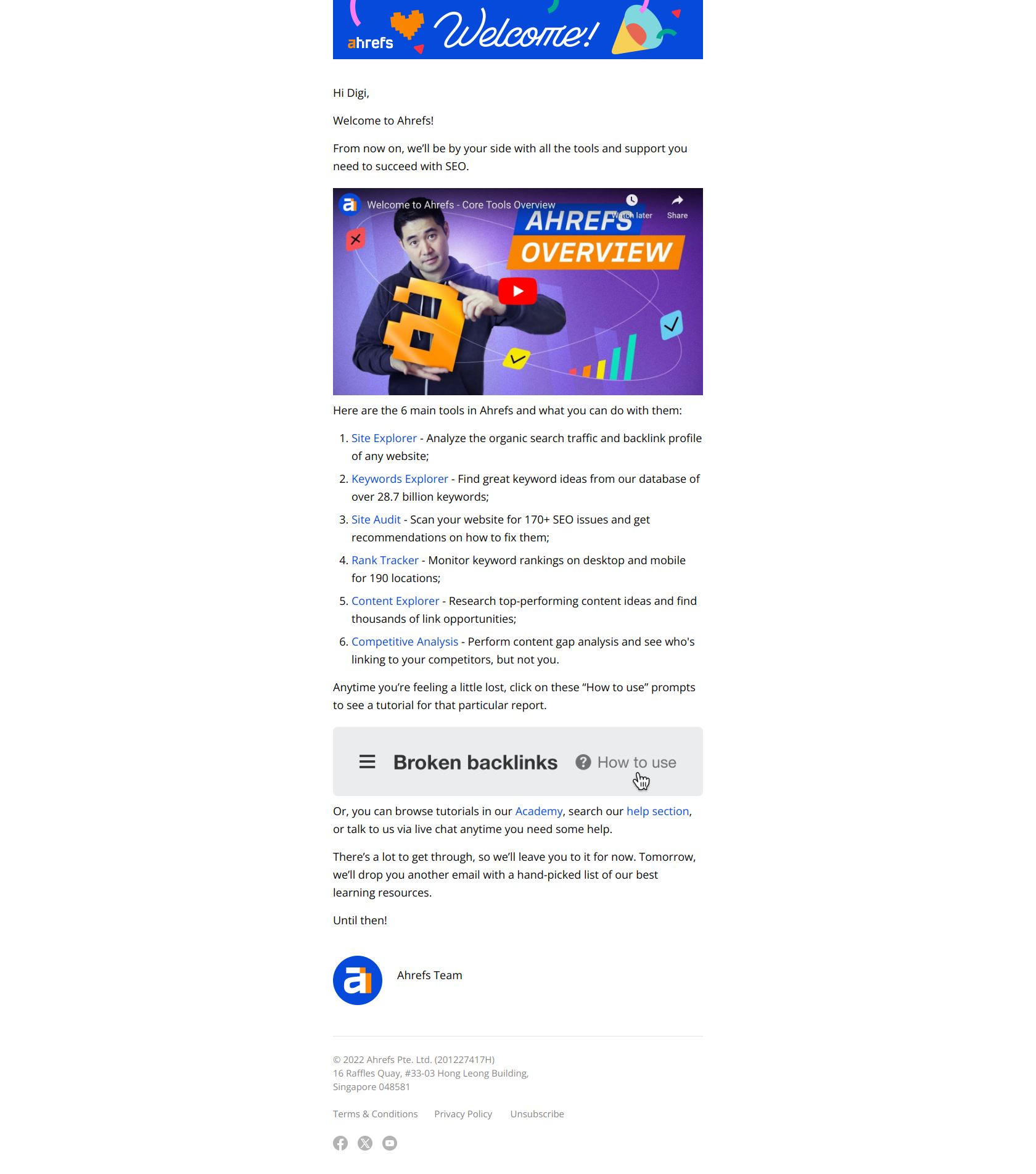
Subject line: Getting started with Ahrefs
Rather than telling users to “explore the dashboard,” Ahrefs names three specific tools — Site Explorer, Keywords Explorer, Site Audit — each with a direct tutorial link. That skips the “where do I even start?” paralysis and moves the user straight into their first real action.
The pattern: tool before exploration. Compress time-to-first-win by naming the exact feature that solves the user’s immediate problem, with a link that drops them into it — don’t make discovery their job.
beehiiv
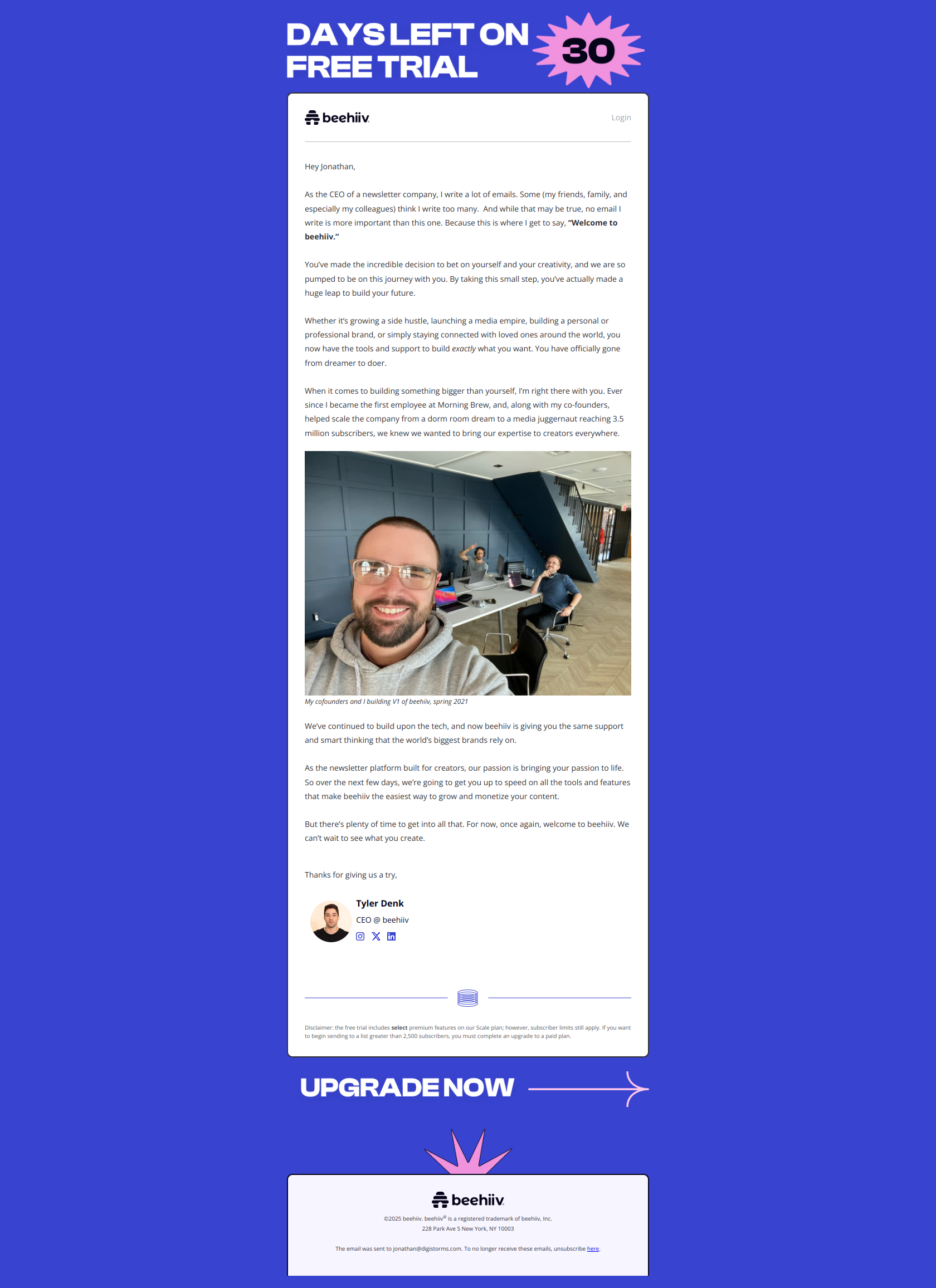
Subject line: A welcome note from our CEO
beehiiv’s welcome comes from the CEO personally, not a generic automation. When your product asks users to buy into a vision — not just comprehend features — a founder’s voice signals the company cares enough to spend real time on new users, and gives them permission to trust the team before they trust the tool.
The pattern: founder voice over product voice. Early in the relationship, when users are deciding whether to commit to your whole ecosystem, a human sender does more than any feature list.
Stage 2 — Engagement & education
Once a user is active, the job shifts to building the habit and surfacing capabilities they haven’t found yet. These emails lead with what the user can do, not what you shipped.
Dropbox
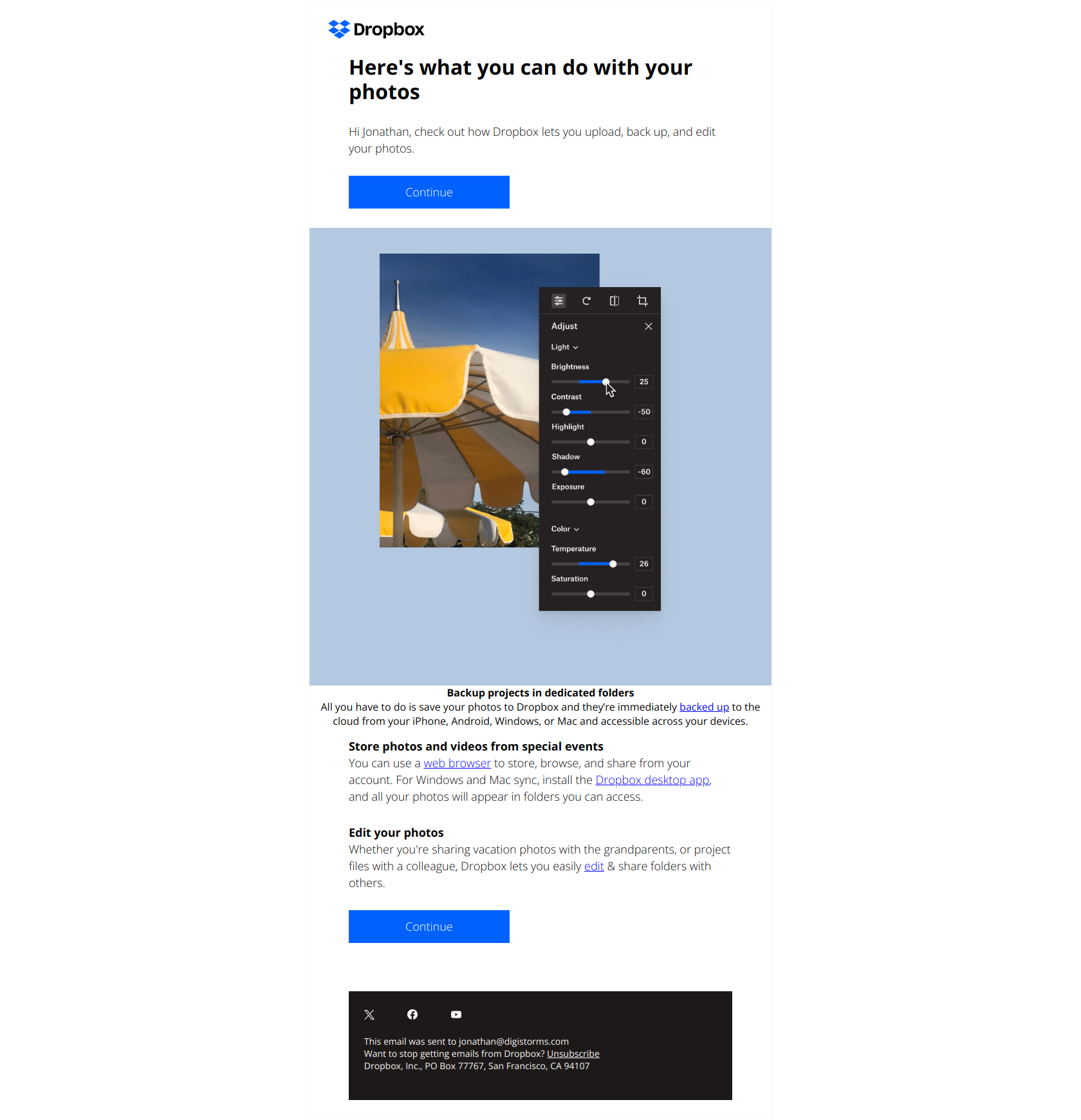
Subject line: 3 things you can do with your photos
Dropbox frames a feature as a set of tasks — “3 things you can do” — rather than announcing functionality. That makes users curious about capabilities they might already own instead of defensive about being sold something new.
The pattern: lead with user outcomes, not product features. “Here’s what you can do” sidesteps the banner-blindness that “Introducing our new feature” triggers, and gets inactive users to rediscover what’s already there.
monday.com
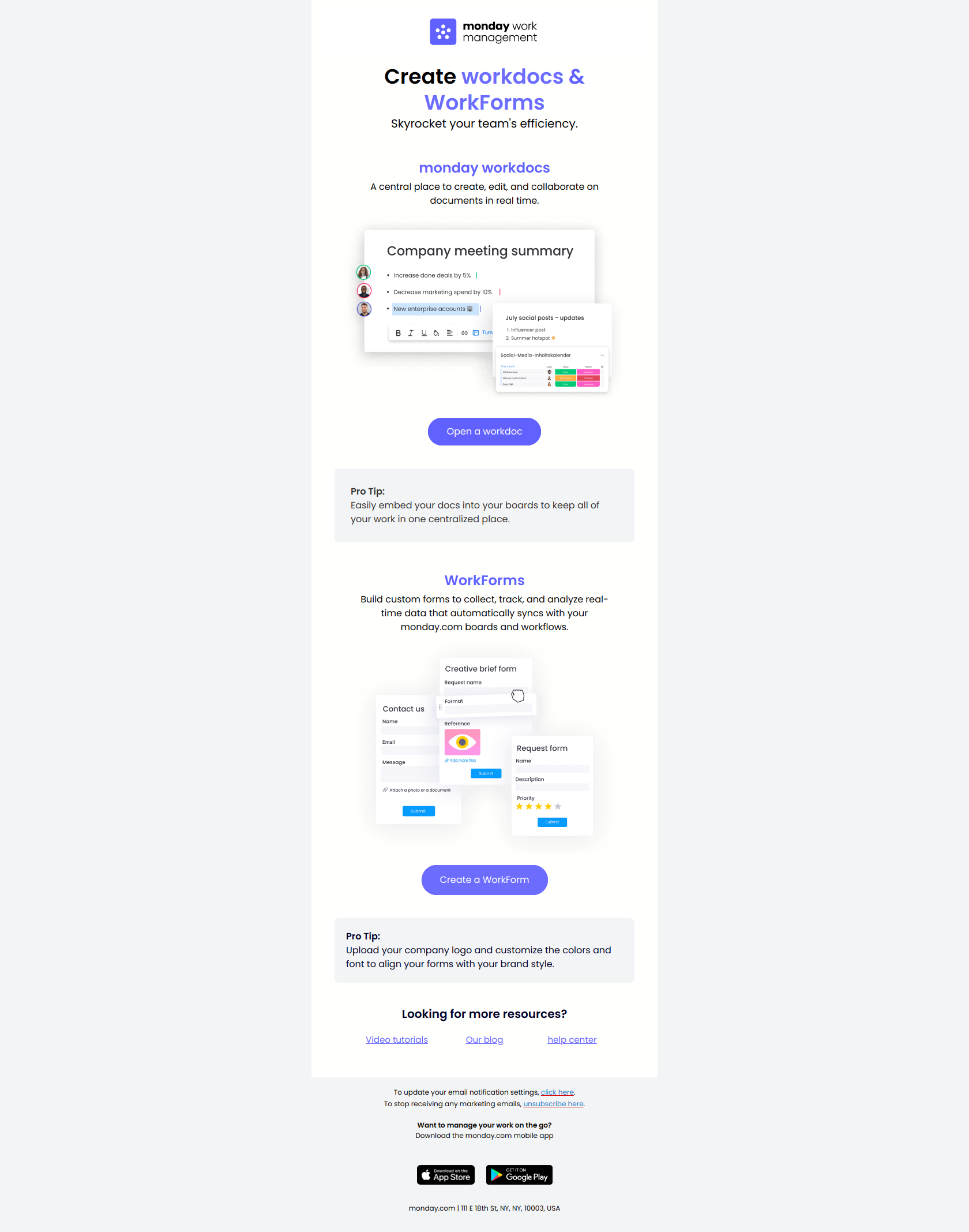
Subject line: 2 key tools to maximize efficiency
monday.com names two specific tools in the subject line — “2 key tools,” not “boost your team’s productivity.” A user still exploring the product sees exactly what to learn rather than being asked to care about an abstract benefit first.
The pattern: name the action, not the outcome. Concrete beats aspirational when you want someone to open and try something, not sit and debate whether they need it.
Pipedrive
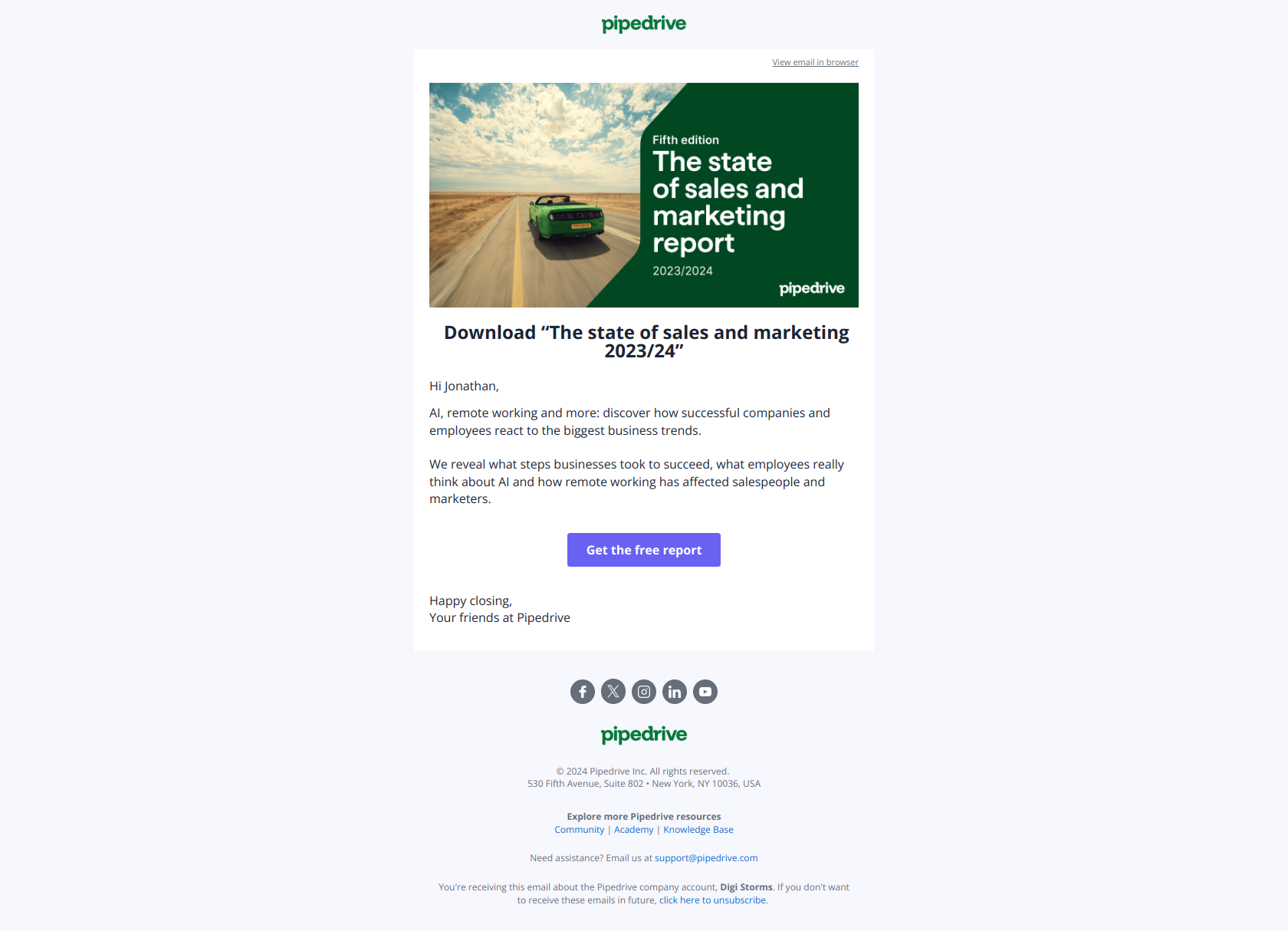
Subject line: Download “The state of sales and marketing 2023/24”
Pipedrive leads with the download action and the exact report title, so readers know precisely what they’re getting before they open. No guessing whether this is promotional noise or a genuinely useful resource — the value is legible from the inbox.
The pattern: action-first subject lines for content. Removing the friction between curiosity and claiming value lifts click-through — vague positioning makes people hesitate, and hesitation is where content emails die.
Notion
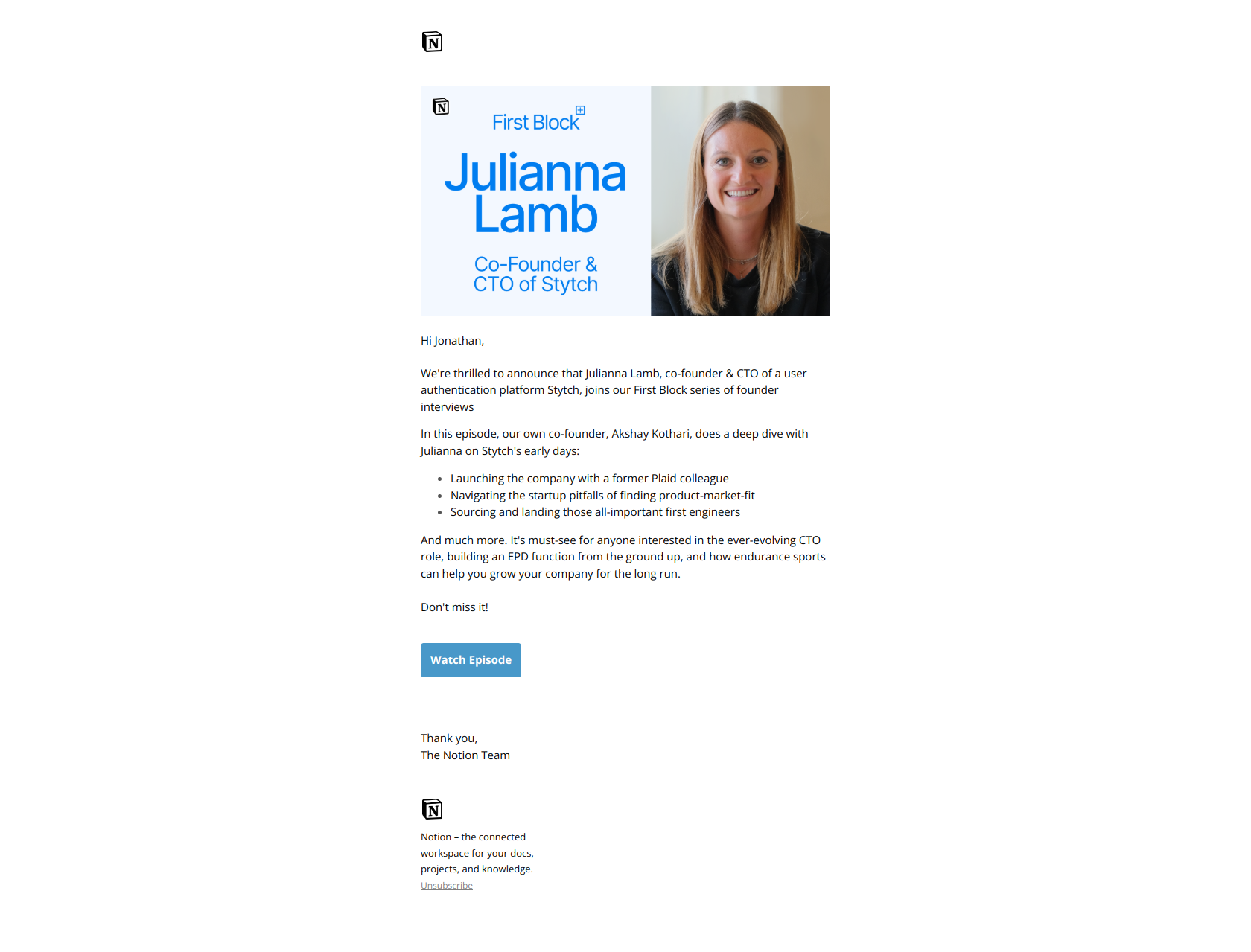
Subject line: A passwordless auth platform worth $1B?
Notion’s video email leads with a valuation figure, not the guest’s name. That positions the episode as answering a business question rather than being a personality interview — pulling in founders who care about what’s possible over who’s talking.
The pattern: outcome-first framing for thought leadership. When your audience cares more about learning than about the speaker, put the payoff in the subject line and let the name come later.
Stage 3 — Conversion (trial to paid)
This is the stage that pays the bills. The strongest conversion emails don’t lead with “upgrade now” — they lead with what the user stands to lose or the momentum they’ll break. This is where a focused free-to-paid conversion sequence earns its keep.
Wispr Flow
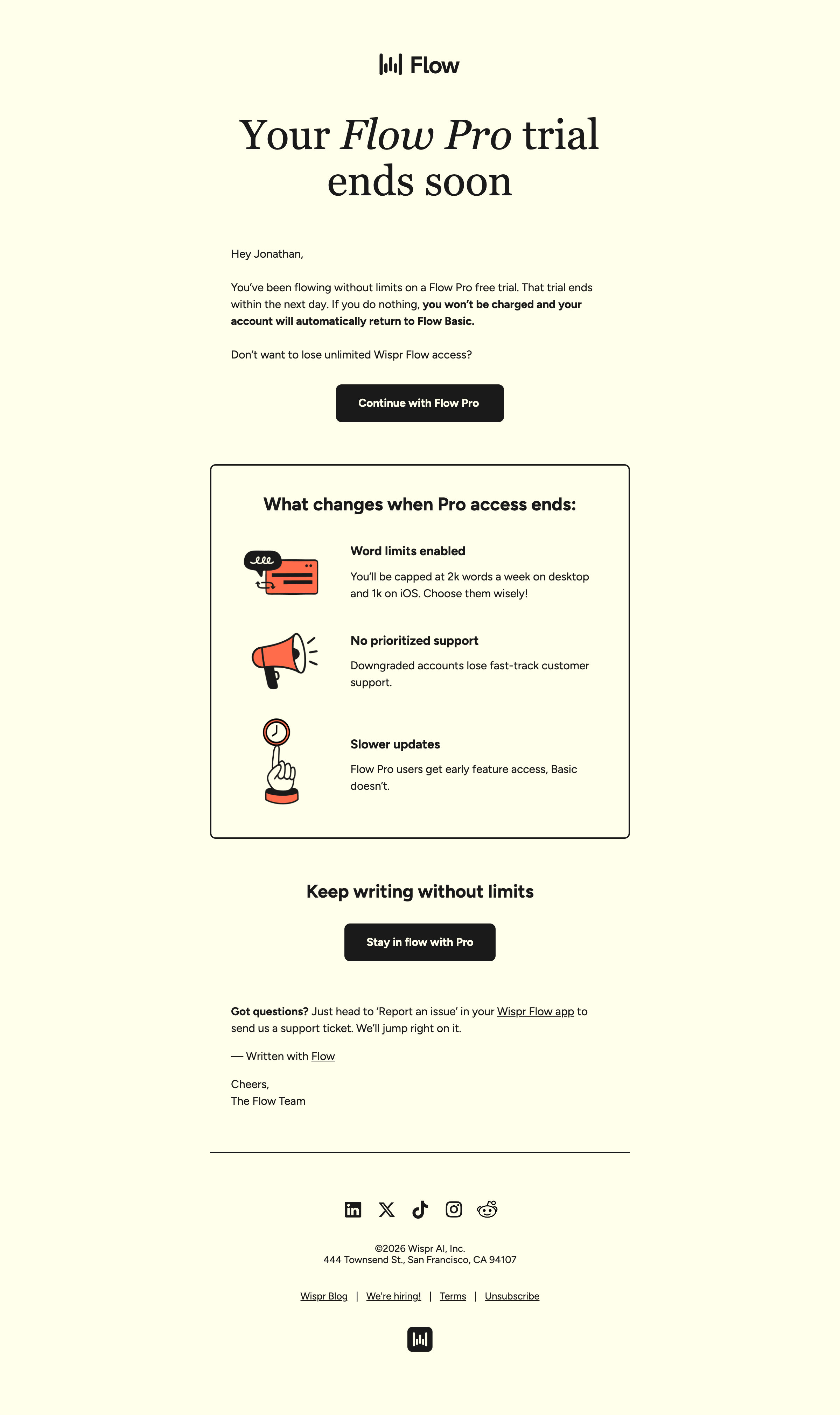
Subject line: Your Flow Pro access ends soon ⏳
Wispr Flow names the consequence — access ends — not the ask. Readers feel informed rather than sold to, and the loss-aversion framing (what you’ll lose) converts harder than gain framing on users who’ve already tasted the premium experience.
The pattern: lead with expiration, follow with specific losses. Once someone has felt the upgraded version, reminding them exactly what disappears is more persuasive than describing what they’d gain.
PhantomBuster
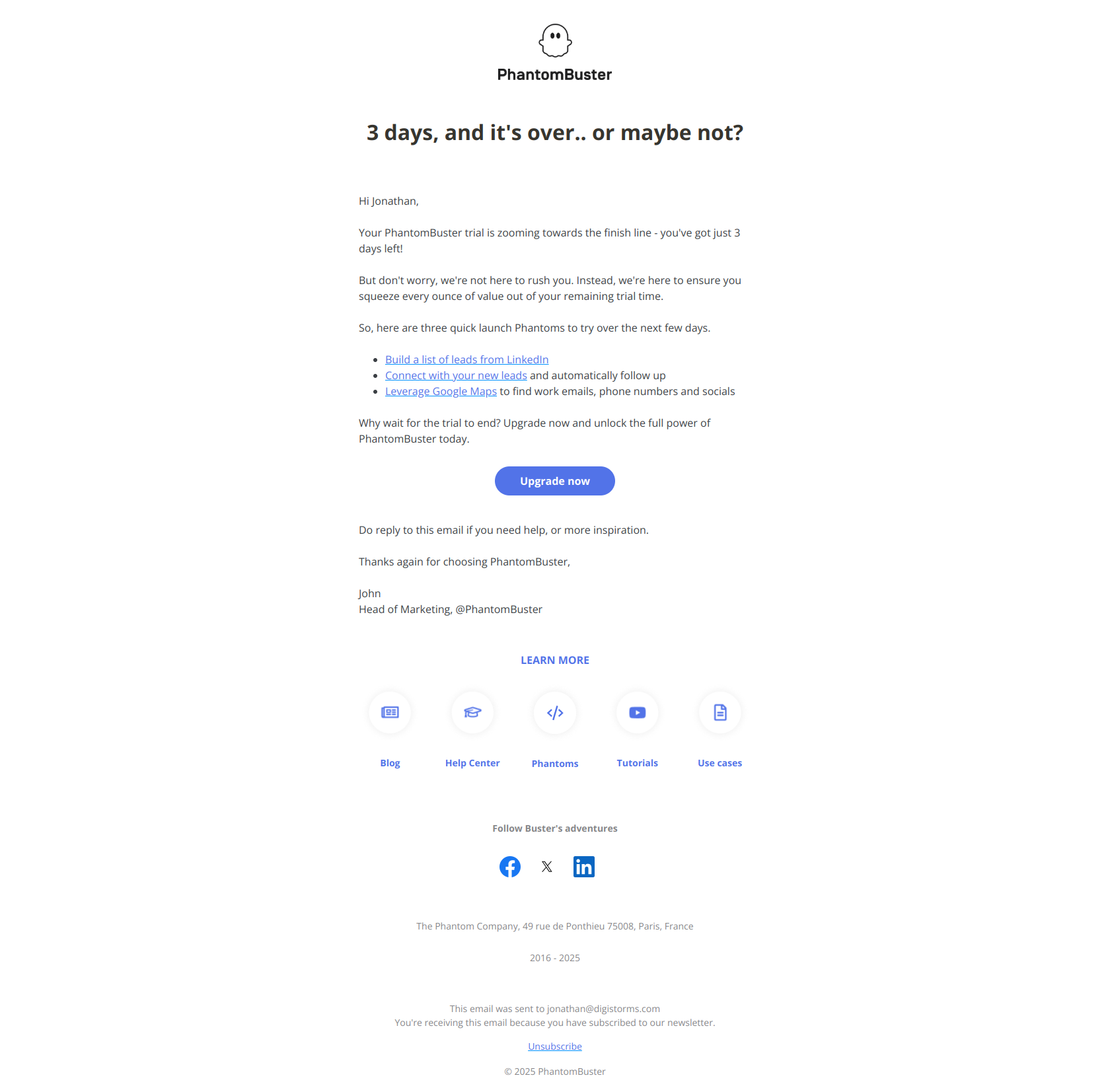
Subject line: You’ve got just 3 days left!
PhantomBuster uses scarcity with possession language — “you’ve got” — instead of loss language like “expires soon.” Psychologically, that frames the remaining time as an asset the reader owns and can spend, not something being taken from them.
The pattern: frame urgency as remaining opportunity, not impending loss. Giving users a sense of agency over their next 72 hours drives action without tipping into panic — a subtle but real conversion lever.
Mailchimp
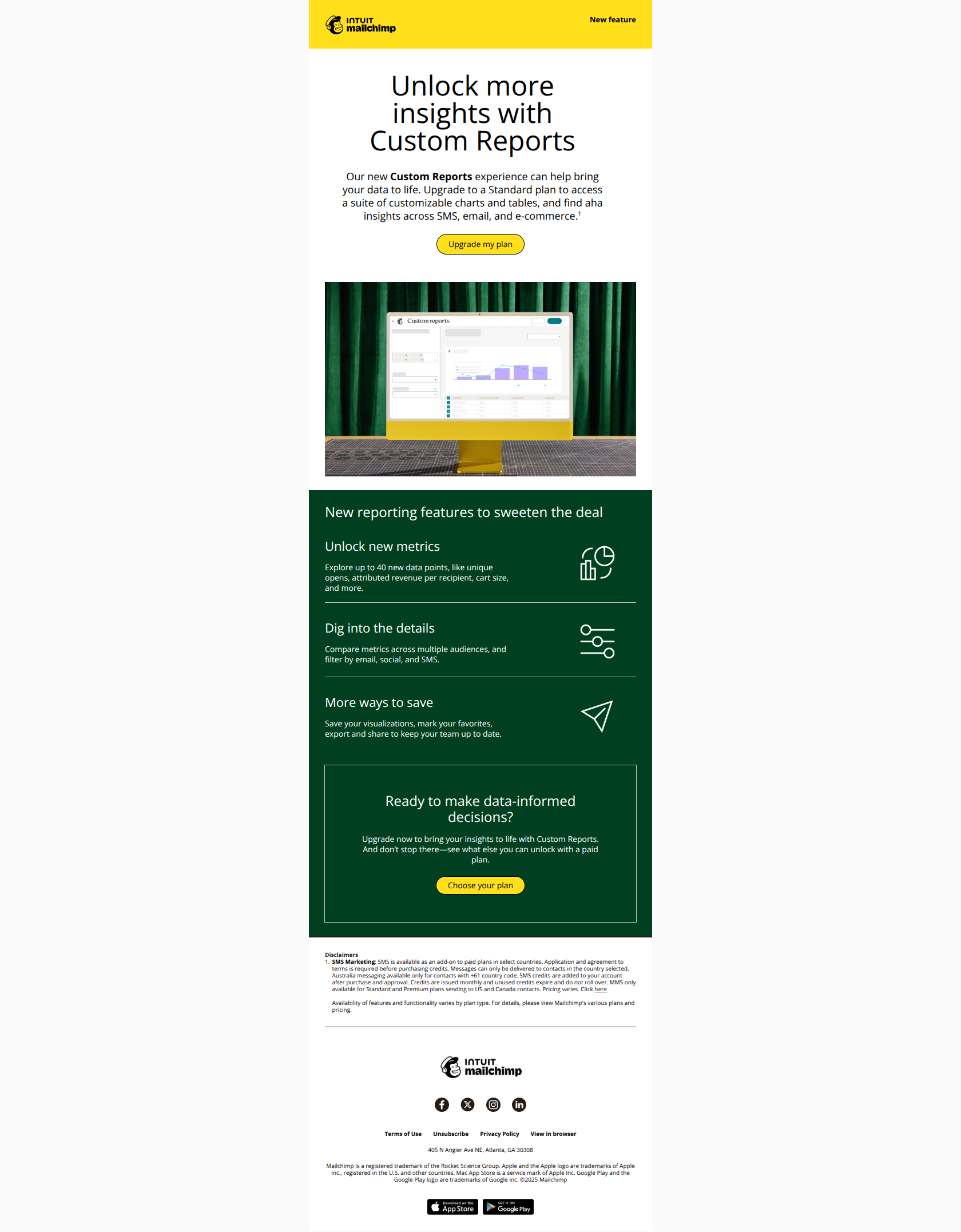
Subject line: Ready to transform your data? 📊
Mailchimp leads with a transformation — “transform your data” — that reframes an upgrade ask as a capability unlock. Users open because they’re imagining what becomes possible, not because they’re being pitched a higher price.
The pattern: outcome before offer. Frame the next tier as removing friction and unlocking new work, not as adding cost, and activated users engage instead of bracing for a sales push.
Semrush
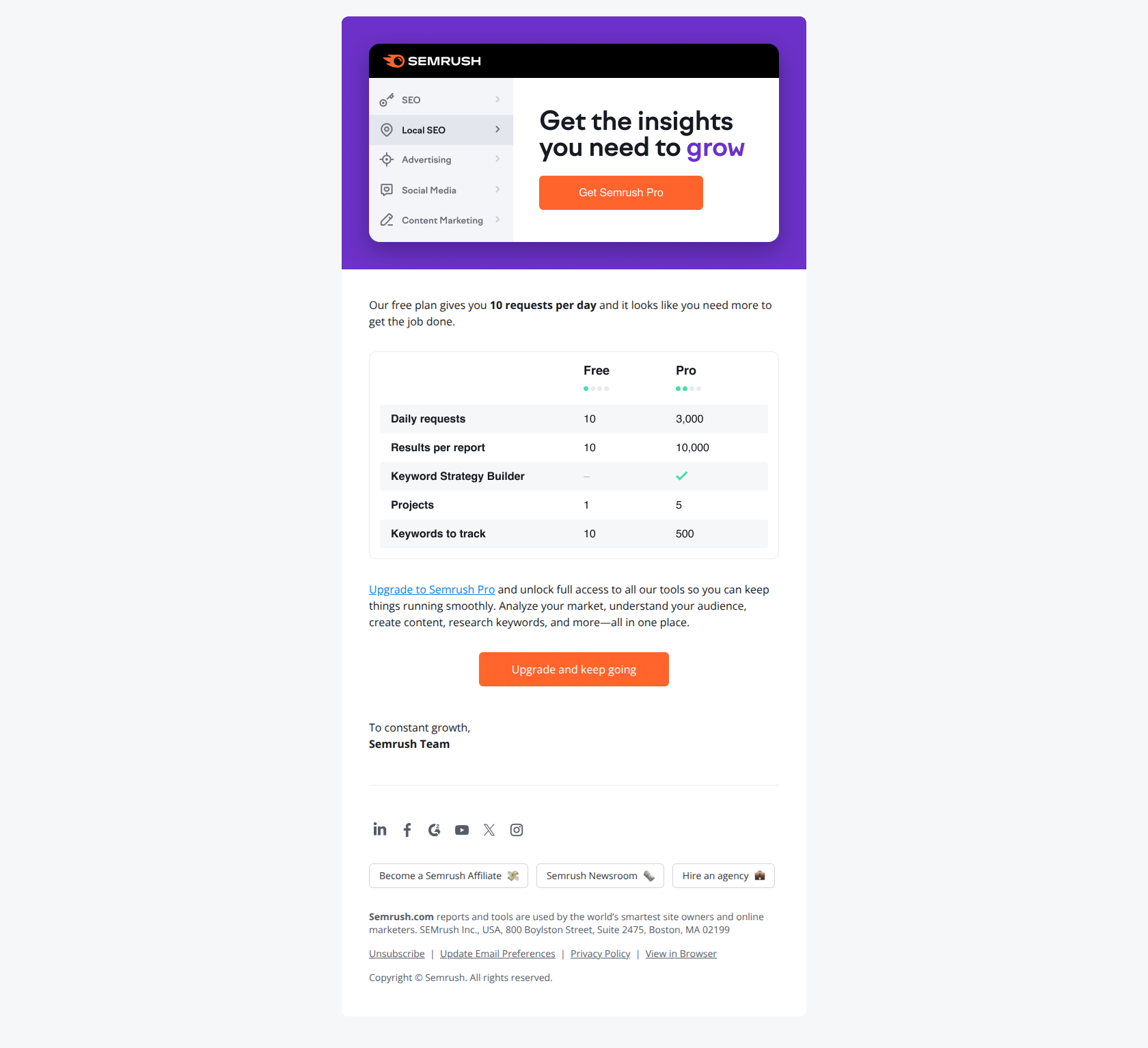
Subject line: Don’t lose your marketing momentum 💪
Semrush frames the upgrade as momentum preservation — the user’s business goal — rather than “more requests,” which is Semrush’s product. That sidesteps the mental resistance that shows up the moment an email starts asking for money.
The pattern: lead with the user’s goal, not your ask. When the free plan is throttling someone’s work, reframe conversion as unblocking progress rather than upselling, and the money conversation gets a lot easier.
Stage 4 — Expansion & retention
Active, paying users are your most valuable segment — and the easiest to take for granted. This stage keeps them engaged, deepens usage, and expands revenue with new features, milestones, and integration nudges.
Buffer
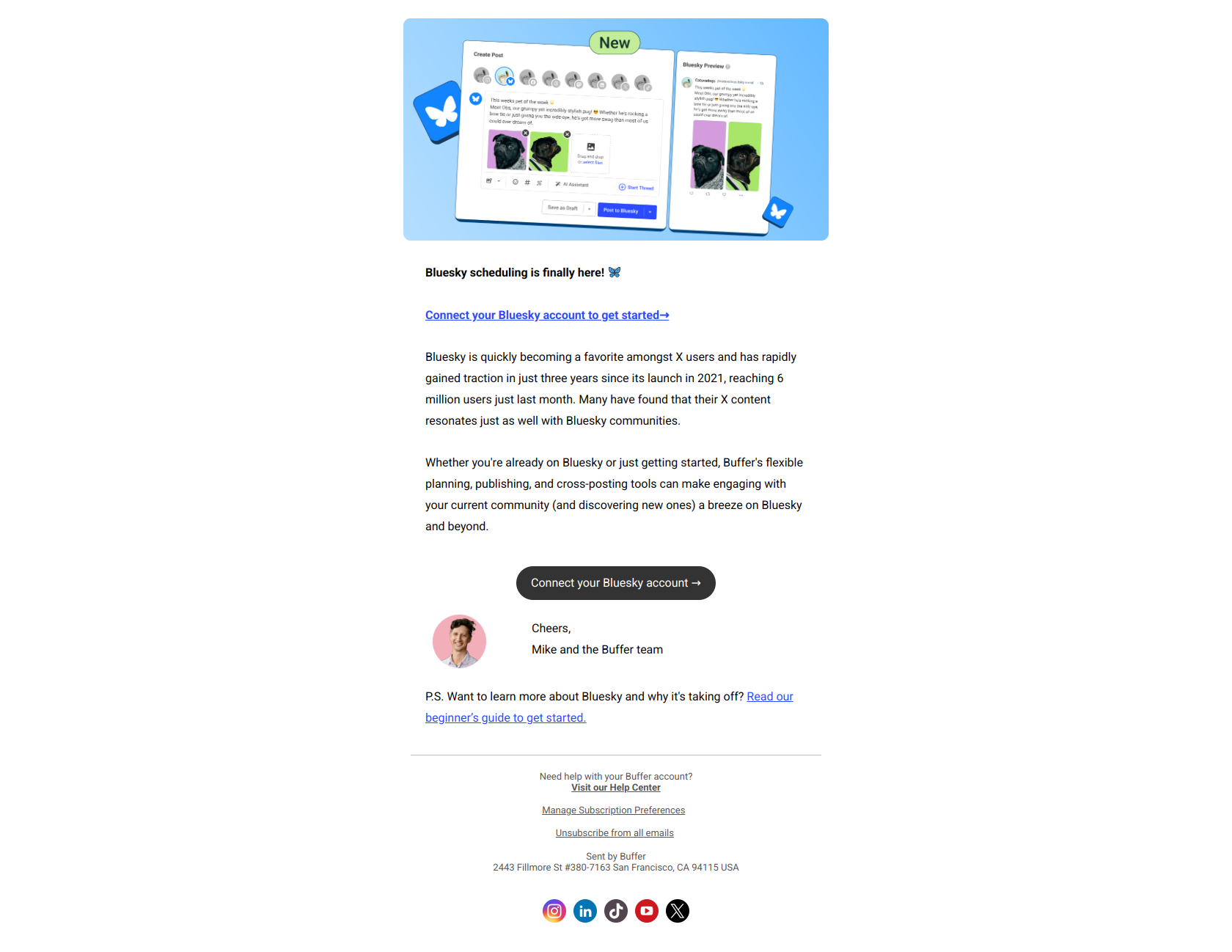
Subject line: Bluesky has landed in Buffer 🦋
Buffer names the exact new capability — Bluesky support — instead of hiding it behind “new integration.” Power users know instantly what they can now do, no click required to decode the value.
The pattern: name the new capability, not the update category. When your users already know which platforms or features matter to them, telling them plainly that you support it is the whole message.
Grammarly
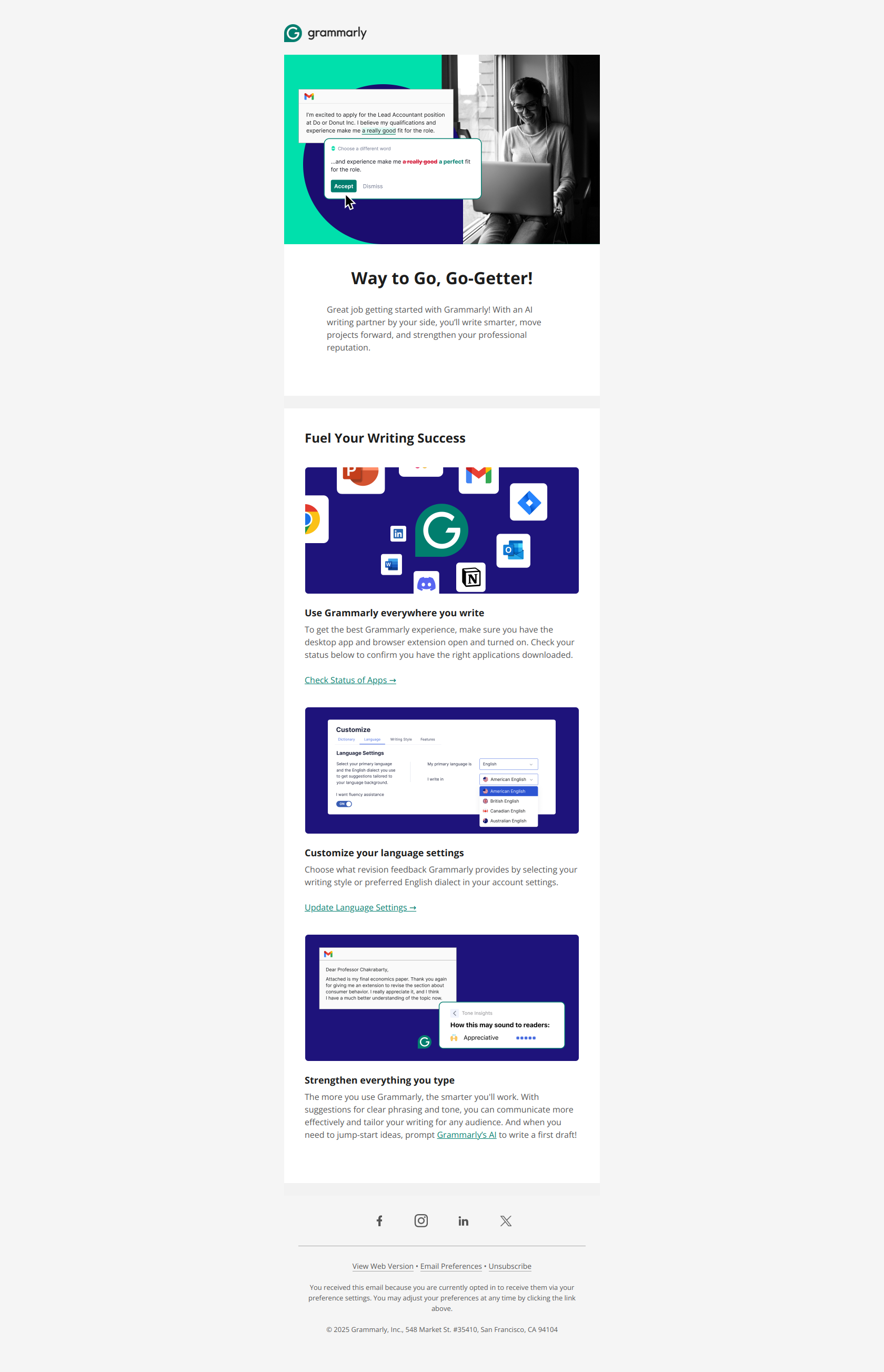
Subject line: Congrats on taking the first step toward effective communication
Grammarly reframes a signup as a milestone worth celebrating — “congrats on taking the first step” — rather than a feature dump. Users who feel they’ve already started something are far more likely to continue it, so the celebration itself becomes a retention mechanism.
The pattern: celebrate the behavior before requesting the next one. Acknowledging progress builds psychological commitment, which makes the next ask — install, customize, integrate — land on someone already invested.
Ahrefs
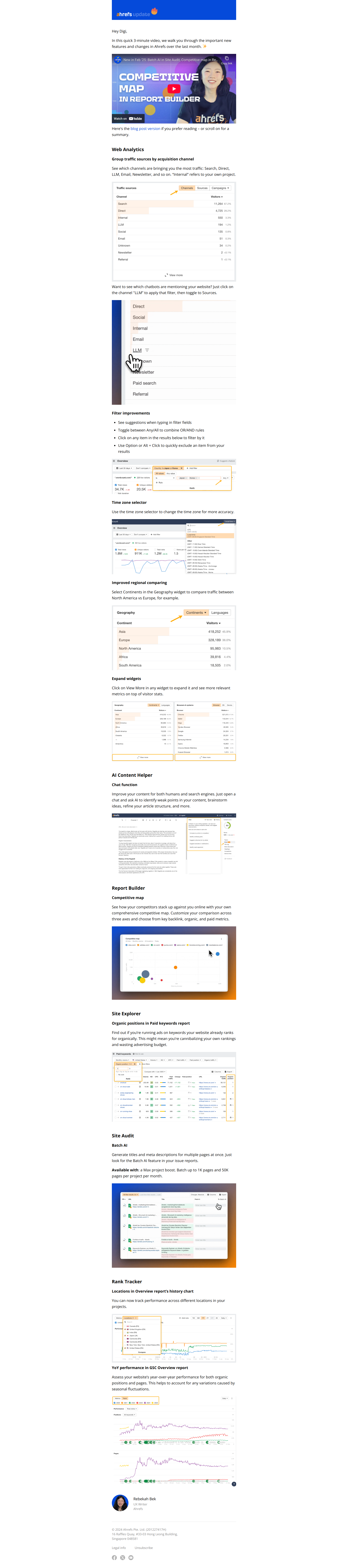
Subject line: Batch AI in Site Audit, Competitive map in Report Builder, and more
Ahrefs stacks three distinct features as an “and more” list. Power users scan for the specific tool they care about; casual users stay curious about what else shipped. One email serves both segments and signals product momentum.
The pattern: itemize the wins, hint at the scope. When you ship across multiple features, naming a few concrete ones plus “and more” captures both the specialists and the browsers without needing separate sends.
Customer.io
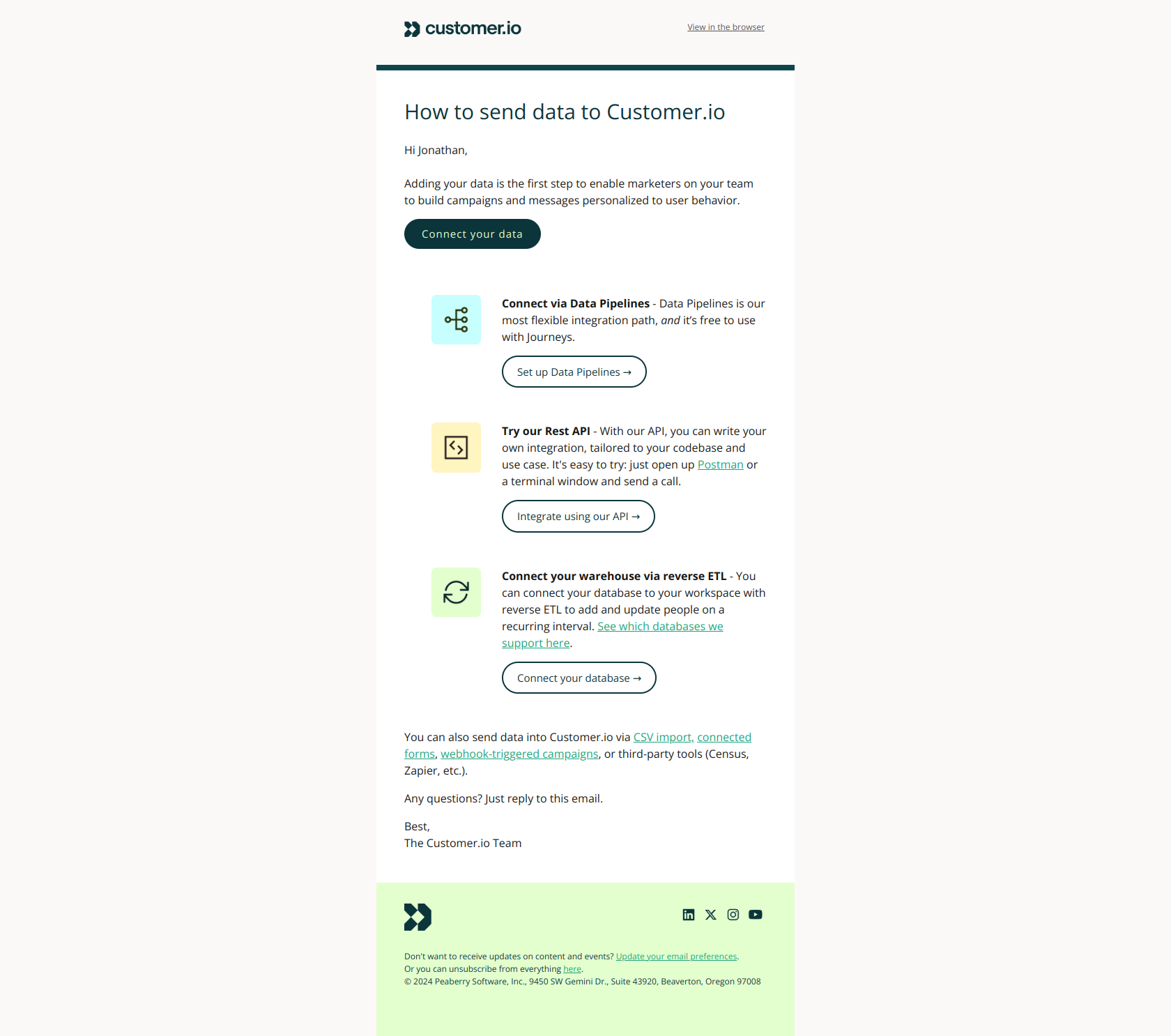
Subject line: Connect your data to Customer.io
Customer.io leads with the action users must take — “connect your data” — not the benefit they’ll receive. That fast-tracks accounts past analysis paralysis and into the activation motion that separates active accounts from churn.
The pattern: name the missing step, not the outcome. When users are stuck deciding, a clear next move that unlocks the core experience does more than another paragraph about the payoff.
Stage 5 — Feedback & win-back
The last stage does double duty: learn why users are drifting, and pull back the ones who’ve stalled or churned. Feedback emails and win-backs share a spine — they both need the user to respond.
Semrush
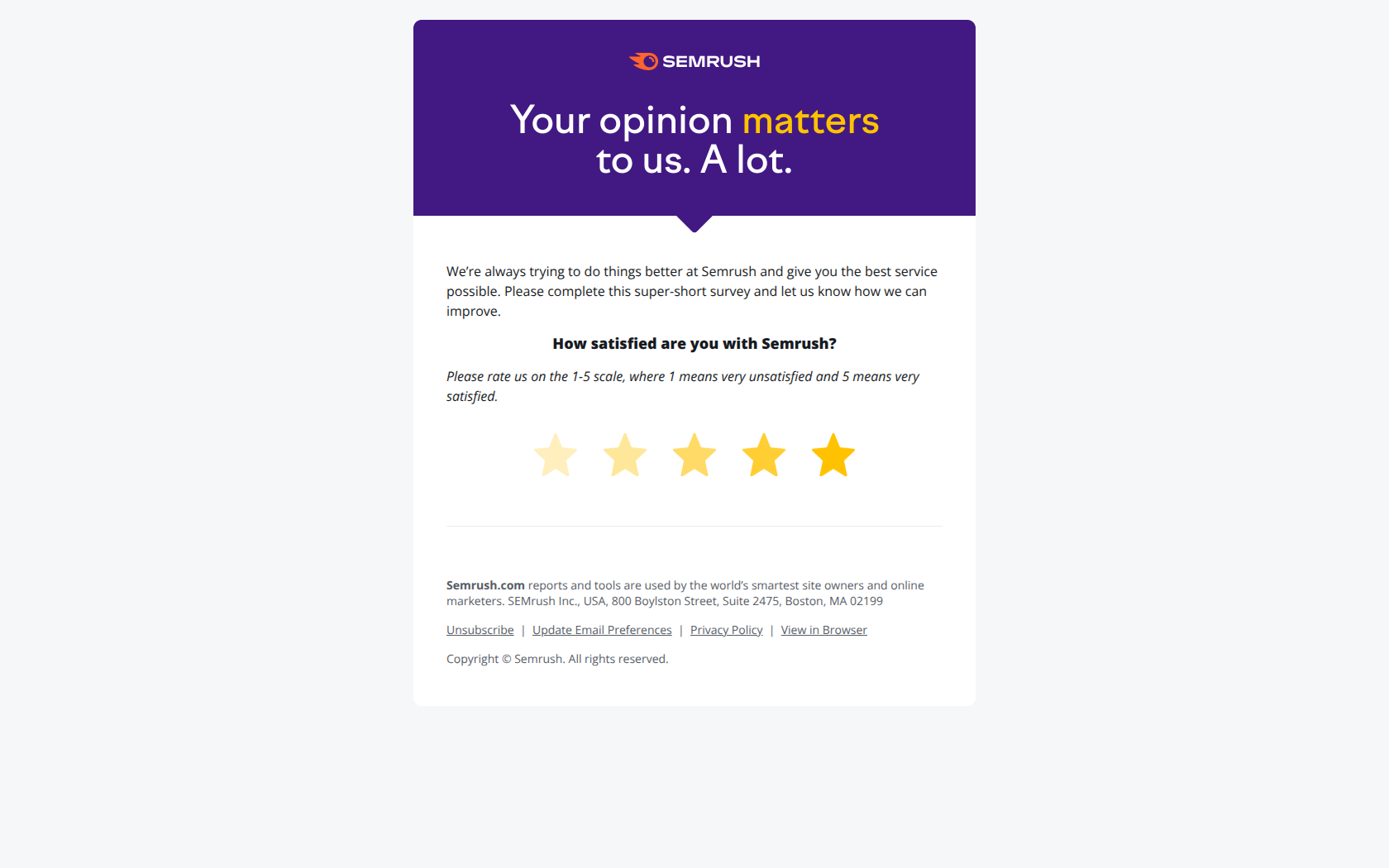
Subject line: Be honest… what do you really think about us!? 🤔
Semrush drops the corporate mask and names the tension users actually feel — that feedback requests are theater. Treating the ask as a genuine conversation instead of a compliance checkbox breaks through survey fatigue and gets the click.
The pattern: name the objection before the ask. When users assume a survey is performative, acknowledging that suspicion up front is what earns you an honest — and completed — response.
Slack
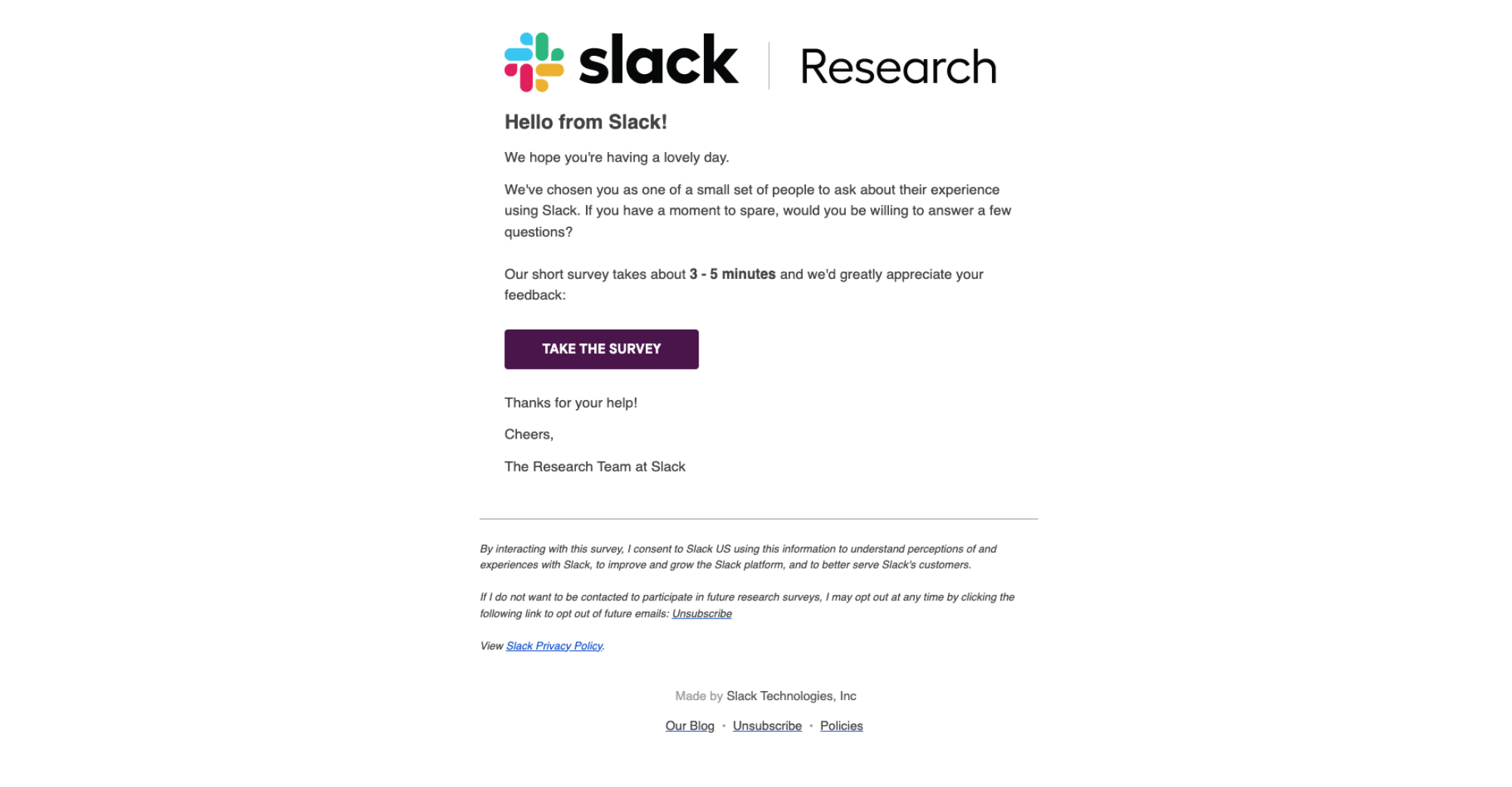
Subject line: Chance to provide feedback and help us improve your experience of Slack!
Slack frames the survey as a collaborative act — “help us improve” — rather than data extraction. That shifts the psychological frame from “another request” to “your input matters,” which lifts response rates on asks that require real time to complete.
The pattern: position the ask as co-creation, not compliance. People invest three-plus minutes in a survey when they believe they’re shaping the product, not just filling a database.
Apollo

Subject line: Did we lose you?
Apollo signals abandonment without blame. A short question forces the inactive user to mentally respond rather than ignore a generic re-engagement pitch — triggering curiosity and a mild social obligation to reply.
The pattern: ask a question that presumes relationship. When a user has already experienced value and simply drifted, a gentle, personal-sounding question reopens the door better than a feature recap.
Lucidchart
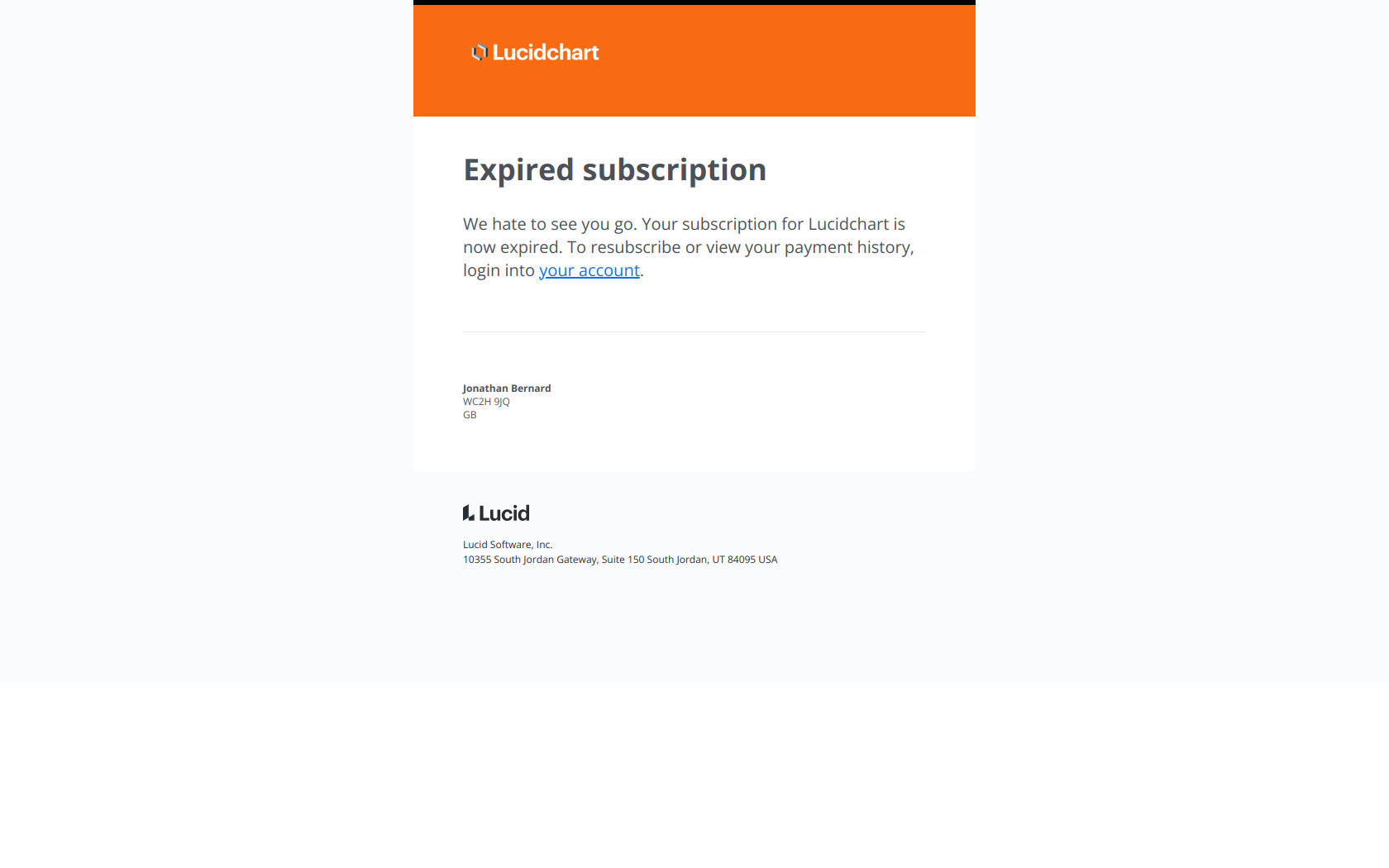
Subject line: Final Notice: Your subscription has expired
Lucidchart pairs a “Final Notice” scarcity trigger with the specific reason — the subscription expired — rather than a generic “we miss you.” That signals real urgency without feeling manipulative, and points the lapsed user at what they’re losing.
The pattern: name the concrete loss, not the desire to reconnect. Win-backs convert when they make the user act on what they’re missing, not on how much you’d like them back.
The pattern across all five stages
Read the 20 together and the same logic repeats: each stage has one job, and the email fires on a behavior — not a date.
| Stage | The one job | Typical trigger | Lead with |
|---|---|---|---|
| Onboarding & activation | Reach the first real win | Signup / first login | A single next step |
| Engagement & education | Build the habit | Feature unused after N days | What they can do |
| Conversion | Turn free into paid | Trial expiring / limit hit | What they’ll lose or unblock |
| Expansion & retention | Deepen usage, expand revenue | Milestone / new feature ships | The new capability |
| Feedback & win-back | Learn and recover | NPS window / 30 days idle | A question or concrete loss |
The brands above use completely different copy, but every strong example ties the send to something the user just did (or stopped doing). That’s the whole difference between lifecycle email and a broadcast calendar: relevance the moment the email lands.
Want to see the raw material? Every email in this article is pulled from the free DigiStorms email library — 1,000+ real SaaS lifecycle emails you can filter by stage, use case, and brand. Browse it to steal subject lines, study the full designs, and map your own lifecycle program stage by stage.