Most email programs are built around the brand’s calendar — the monthly newsletter, the quarterly feature roundup, the “we miss you” blast that goes out whenever someone in marketing notices the open rate dipping. The messages are perfectly fine. They’re just aimed at a date instead of a person.
Behavioral email marketing aims at the person. Every send is keyed to something the user did, didn’t do, or signalled interest in: they uploaded their first file but never tried sharing, they stayed on a single integration when their plan unlocks ten, they clicked three links about analytics last week. The behavior is the segment, and the behavior is the timing. You stop guessing who’s ready for a message and let their actions tell you.
This guide breaks down behavioral email marketing with 10 real emails from Freepik, monday.com, Lovable, Mailchimp, Notion, Buffer, Webflow, Customer.io, Ahrefs, and Semrush — grouped by the three behavioral triggers SaaS teams lean on most, with the pattern you can copy for each.
TL;DR — what behavioral email marketing actually is
- Behavioral email marketing sends messages based on user actions, not the calendar. A feature they haven’t tried, a plan they’ve outgrown, or a topic they keep clicking becomes the trigger — so the email lands when it’s relevant instead of when it’s scheduled.
- The three highest-leverage triggers are feature-usage nudges (an unused capability), usage-expansion prompts (an account ready to grow), and content-engagement sends (an interest signal). The 10 examples below are grouped to match.
- The pattern that repeats across all 10: lead with the outcome or job, not the feature name. Behavioral targeting gets the timing right; outcome-first copy gets the message right. You need both.
What is behavioral email marketing?
Behavioral email marketing is the practice of triggering emails from a user’s behavior inside (or around) your product, rather than from a fixed schedule. The trigger can be:
- Something they did — completed setup, hit a milestone, upgraded.
- Something they haven’t done — never connected an integration, never invited a teammate, never finished registration.
- Something they signalled — clicked a topic, attended a webinar, opened the last three product updates.
The contrast is with broadcast (or “batch-and-blast”) email, where the same message goes to everyone on a list at the same time regardless of what any individual has done. Broadcast is simple and works for genuinely universal news. Behavioral email is harder to set up — it needs event tracking and segmentation — but it consistently out-converts broadcast because each message has a reason to exist for the specific person receiving it.
The three trigger types below are where most SaaS programs get their behavioral wins: feature-usage (an unused capability), usage-expansion (an account that’s ready to grow), and content-engagement (an interest signal you can act on).
Feature-usage nudges — trigger on an unused capability
These fire when a user is eligible for value they haven’t claimed: a feature they’ve never opened, a setup step they abandoned, a capability sitting one click away. The job is to surface it before banner-blindness sets in.
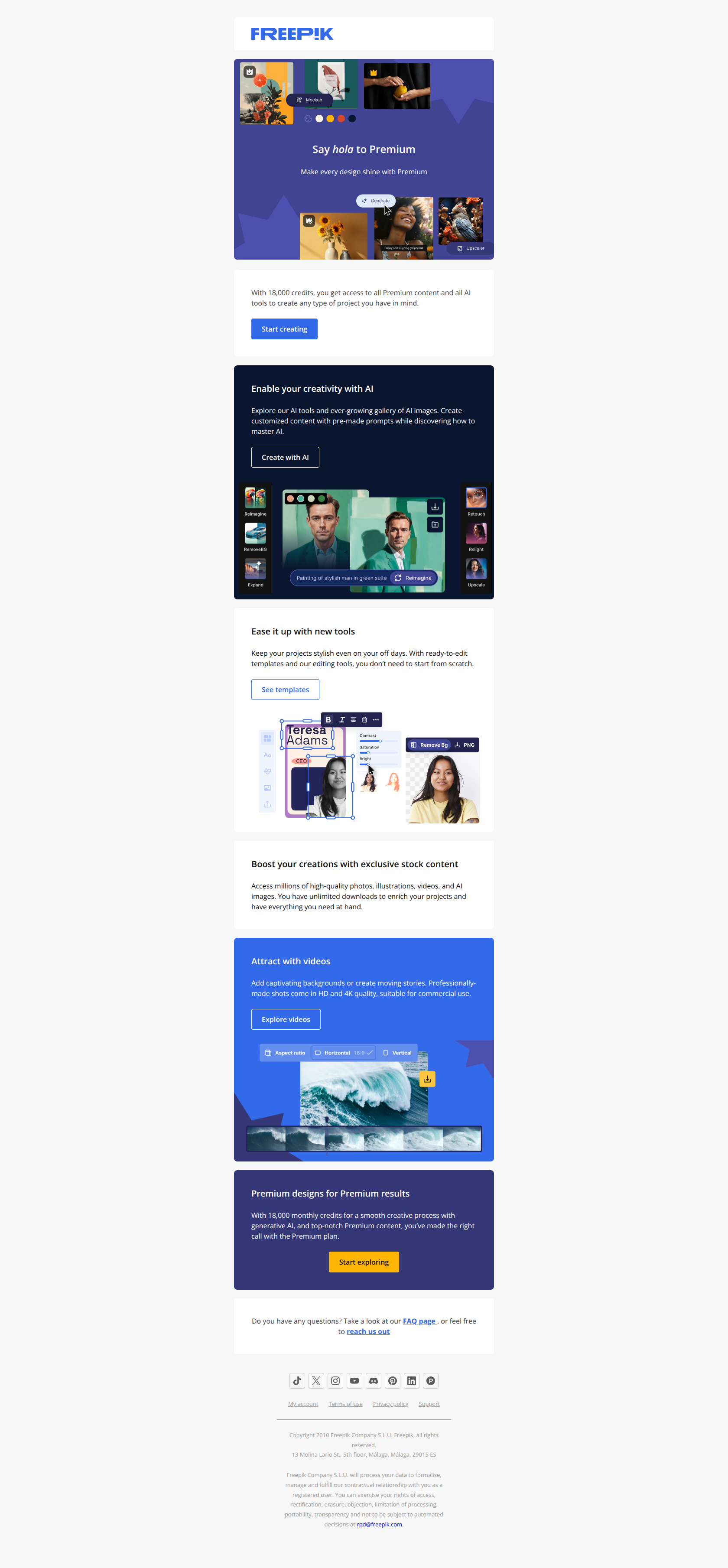
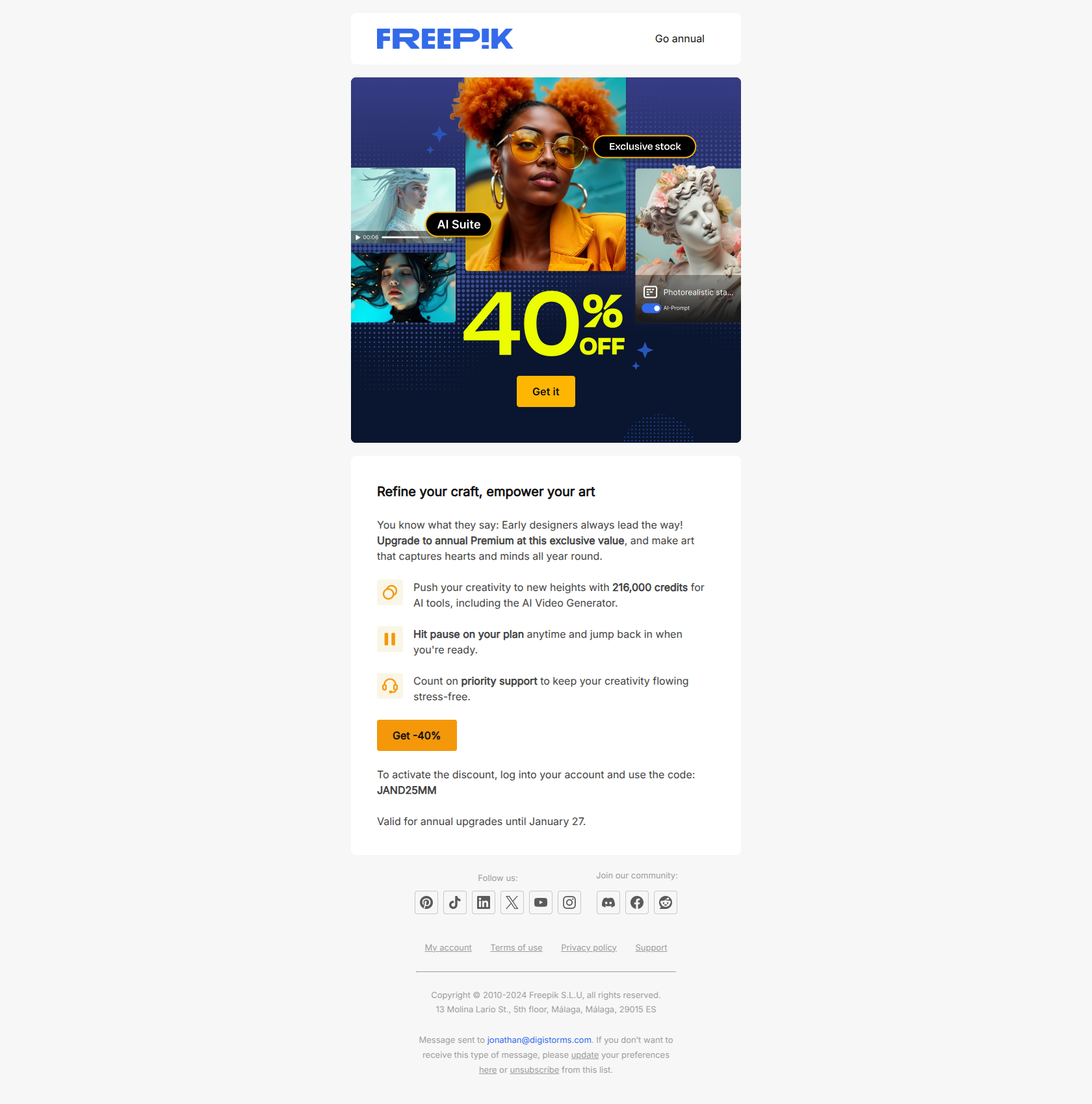
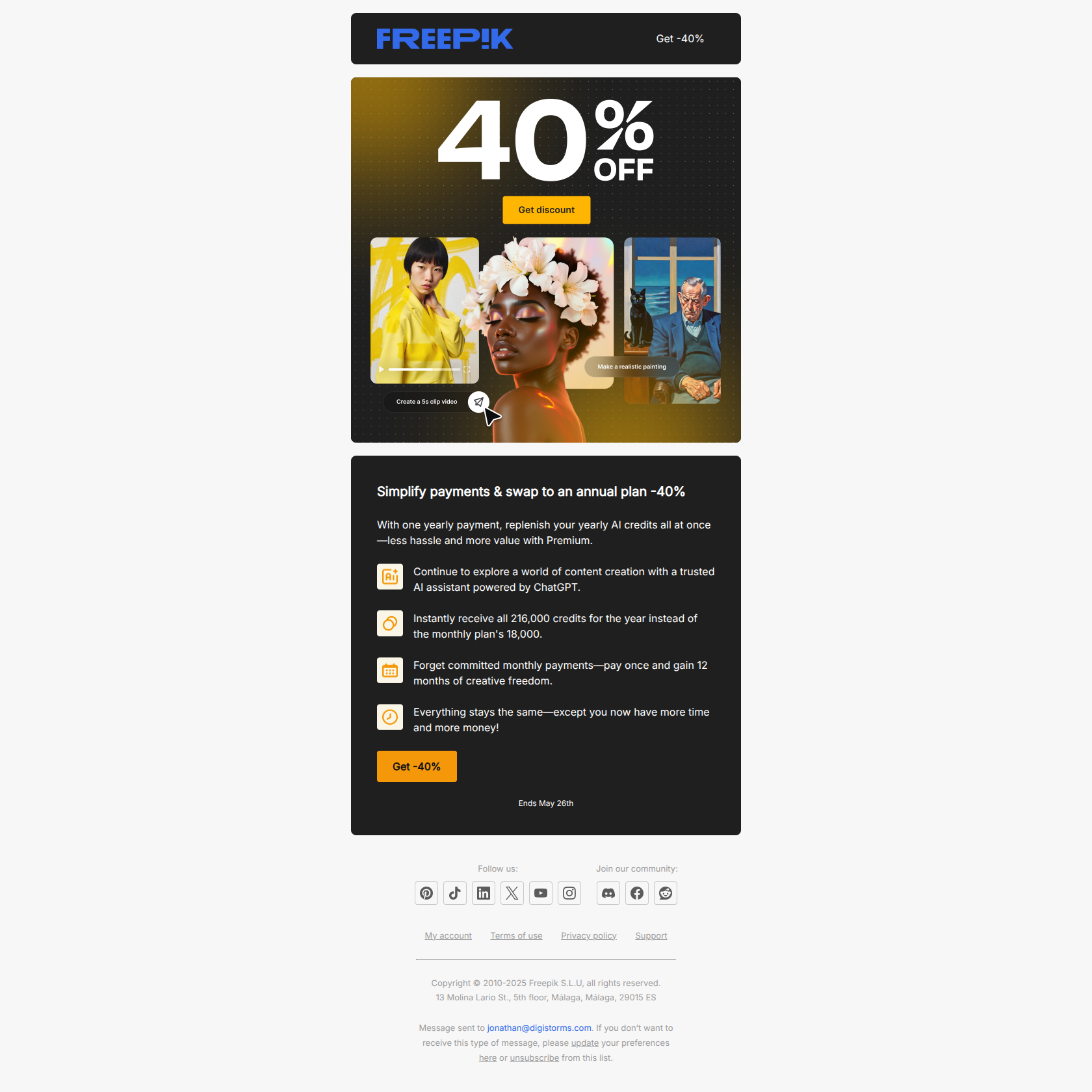
Freepik — sell the speed, not the tool
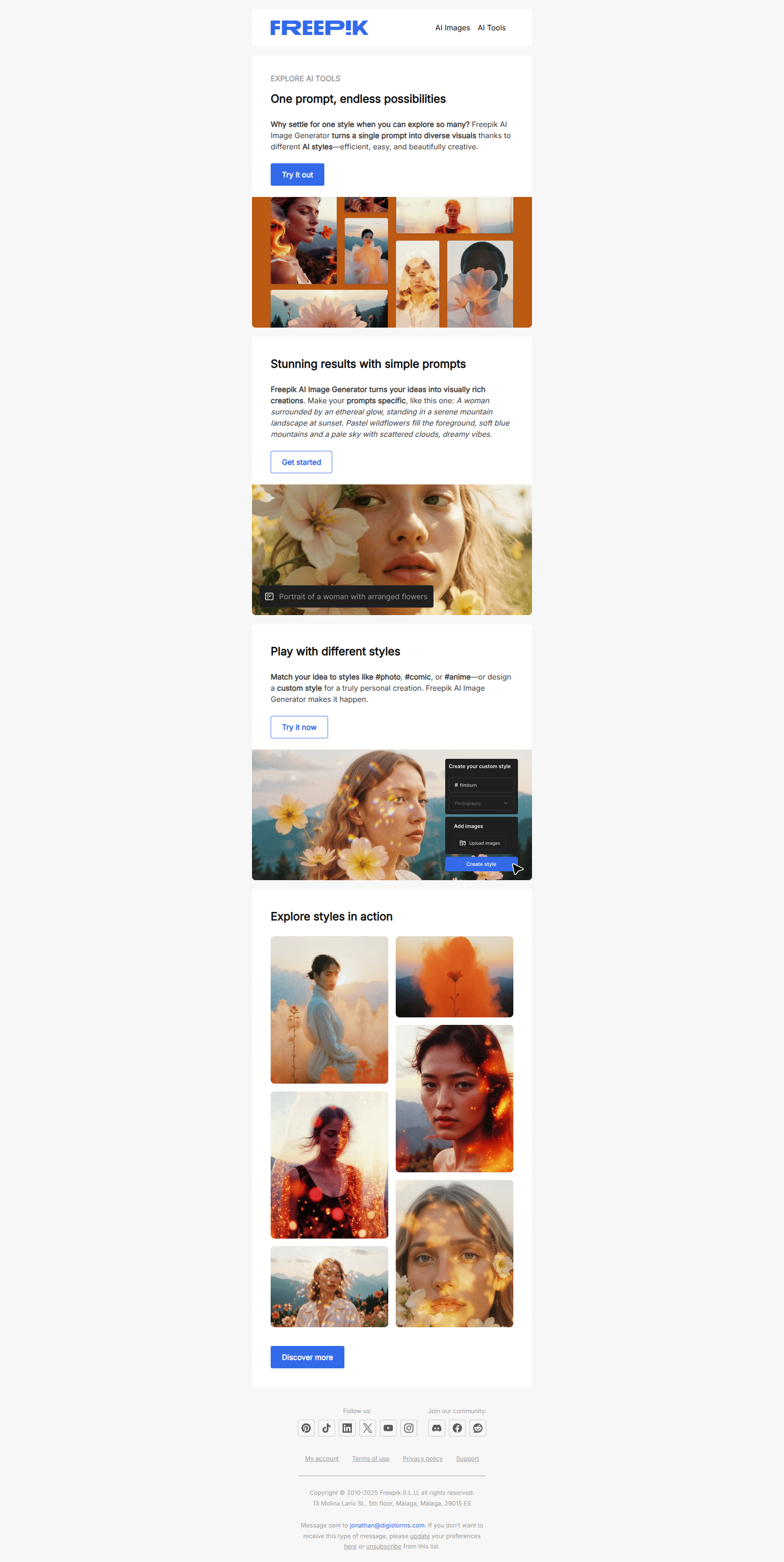
Subject line: Create faster: One idea, many styles ⚡
Freepik leads with the outcome users actually want — create faster — before naming the feature that delivers it (one prompt, many styles). By the time the reader learns this is a pitch for the AI image generator, they’ve already opened because the promise of speed got there first.
The pattern: speed or relief before mechanism. When the user’s pain point is more motivating than the capability itself, name the pain relief in the subject line and let the feature ride in behind it. Lift this for any feature-usage nudge aimed at users who’d skip “try our new tool” but can’t skip “do this faster.”
monday.com — name the tool, not the benefit
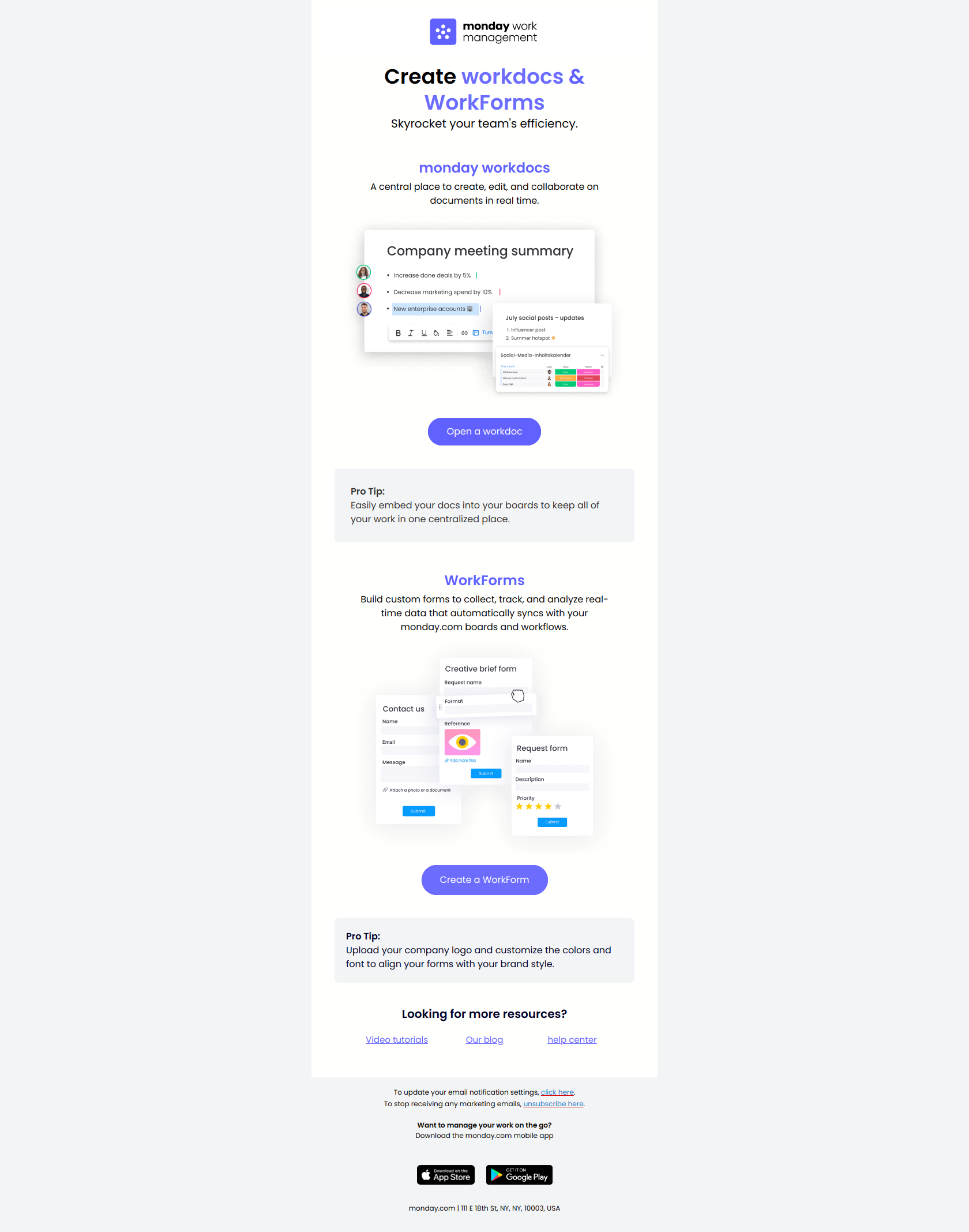
Subject line: 2 key tools to maximize efficiency
monday.com names two concrete tools (forms and workdocs) rather than a fuzzy benefit like “boost your team’s productivity.” For a new user still mapping out what the product does, “2 key tools” tells them exactly what there is to learn — which is far less friction than asking them to first decide whether they care about efficiency.
The pattern: name the action, not the outcome — the inverse of Freepik, and deliberately so. Early in onboarding, users want to know what to try, not why it matters; the “why” is obvious once they’re inside. Use this for feature-education emails where the goal is to get someone to open something concrete rather than debate whether they need it.
Lovable — frame features as “tricks”
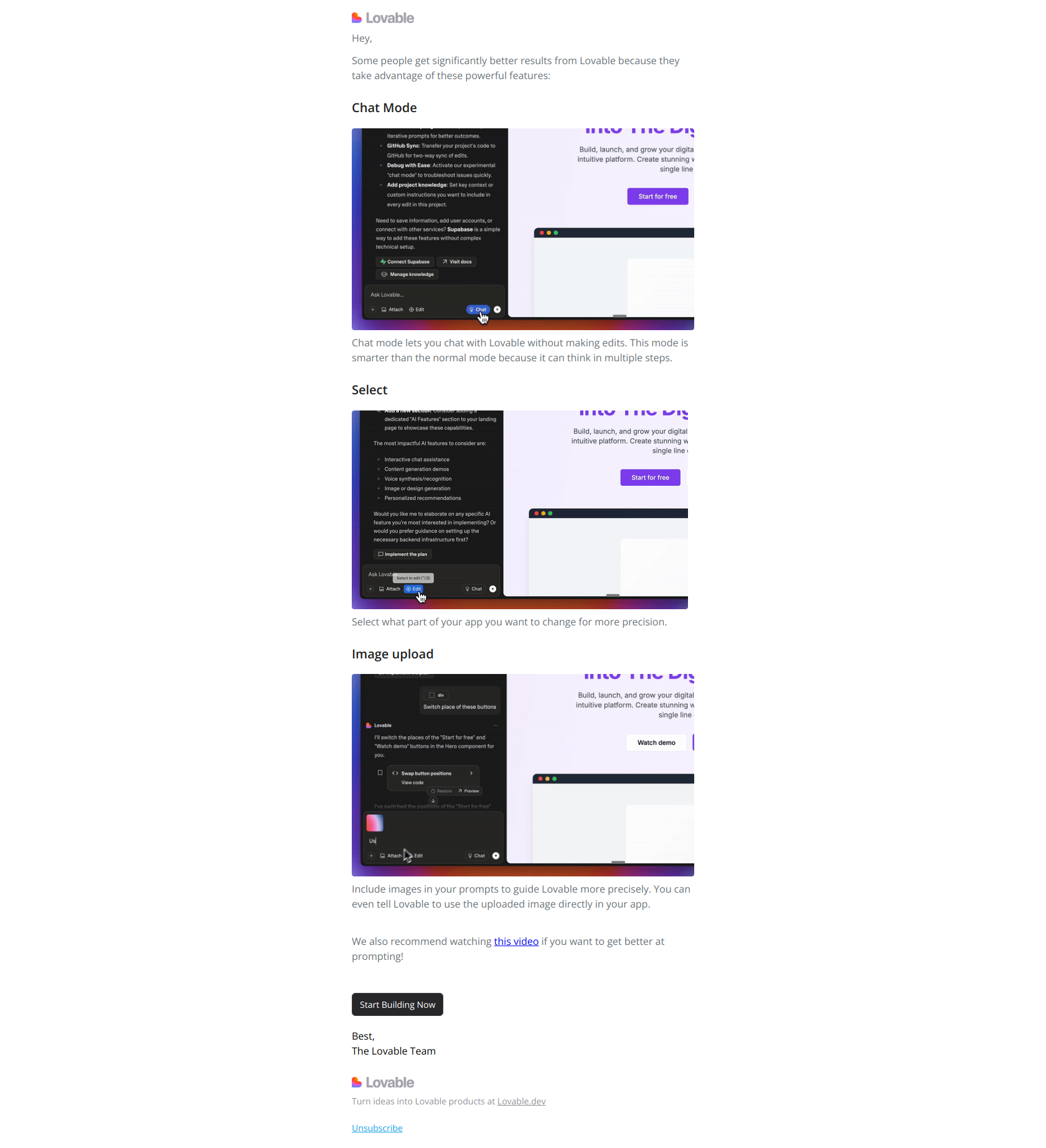
Subject line: 3 tricks to get more value from Lovable
Lovable reframes three advanced features (Chat Mode, Select, Image Upload) as “tricks” — solutions to problems the user hasn’t articulated yet. “Tricks” makes free users feel like insiders being handed shortcuts, not targets being sold an upsell.
The pattern: package underused features as insider tactics. A list of feature names reads like documentation; a list of “tricks” reads like a favor. Lift this for product-education emails where you want free users to experiment with capabilities they’ve been ignoring — the framing turns a feature tour into a curiosity gap.
Mailchimp — name the gap, not the feature
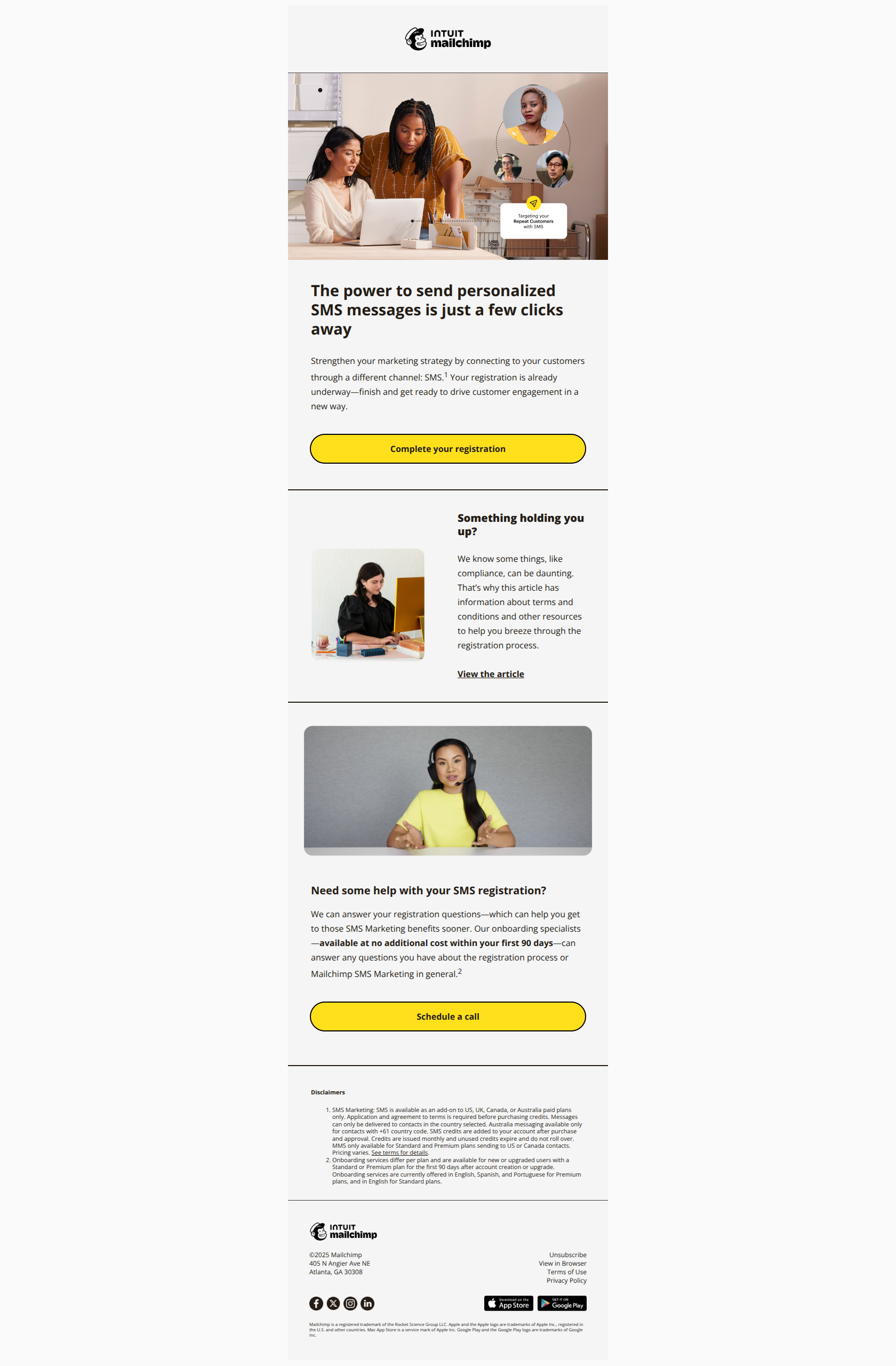
Subject line: Almost there! Complete your SMS registration today
Mailchimp’s “Almost there!” manufactures proximity to a finish line. An incomplete SMS registration stops feeling like an optional feature and starts feeling like an abandoned task — and people hate leaving things unfinished. That completion bias does the persuading.
The pattern: name the gap, not the feature. When a user has started but not finished a setup flow, frame the email around closing the loop (“almost there,” “one step left”) rather than around the feature’s value. The behavioral trigger — started but didn’t finish — is what makes the urgency honest instead of manufactured.
Usage-expansion triggers — trigger on an account ready to grow
These fire when an existing user is positioned to get more out of the product: a power user stuck in a fragmented workflow, an account whose audience has moved to a new channel, a team that’s outgrown a single use case. The job is to make expansion feel like growth, not extra work.
Notion — lead with the job, not the launch
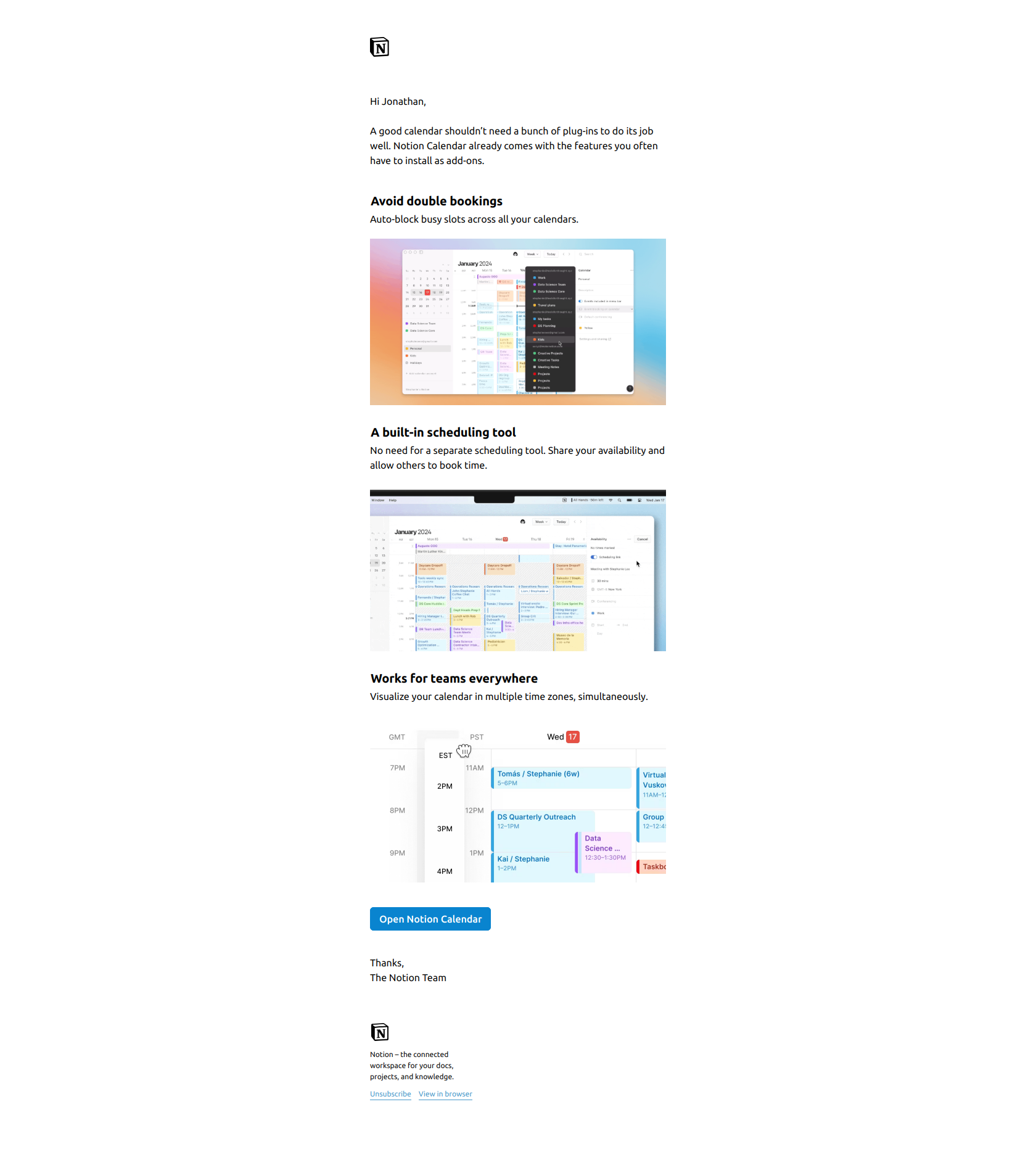
Subject line: All-in-one calendar
Notion names the outcome — an all-in-one calendar — rather than the launch event (“Introducing Notion Calendar”). Existing users who juggle a separate scheduling tool see their own fragmented workflow described in four words, which is far stickier than another “we shipped a thing” announcement they’ve trained themselves to ignore.
The pattern: lead with the job, not the tool. When you’re trying to pull power users out of a stitched-together workflow into a unified one, describe the unified state as the subject line. The behavioral angle: target users who already live in the product daily, because they’re the ones with the fragmentation pain this solves.
Buffer — lead with the outside event
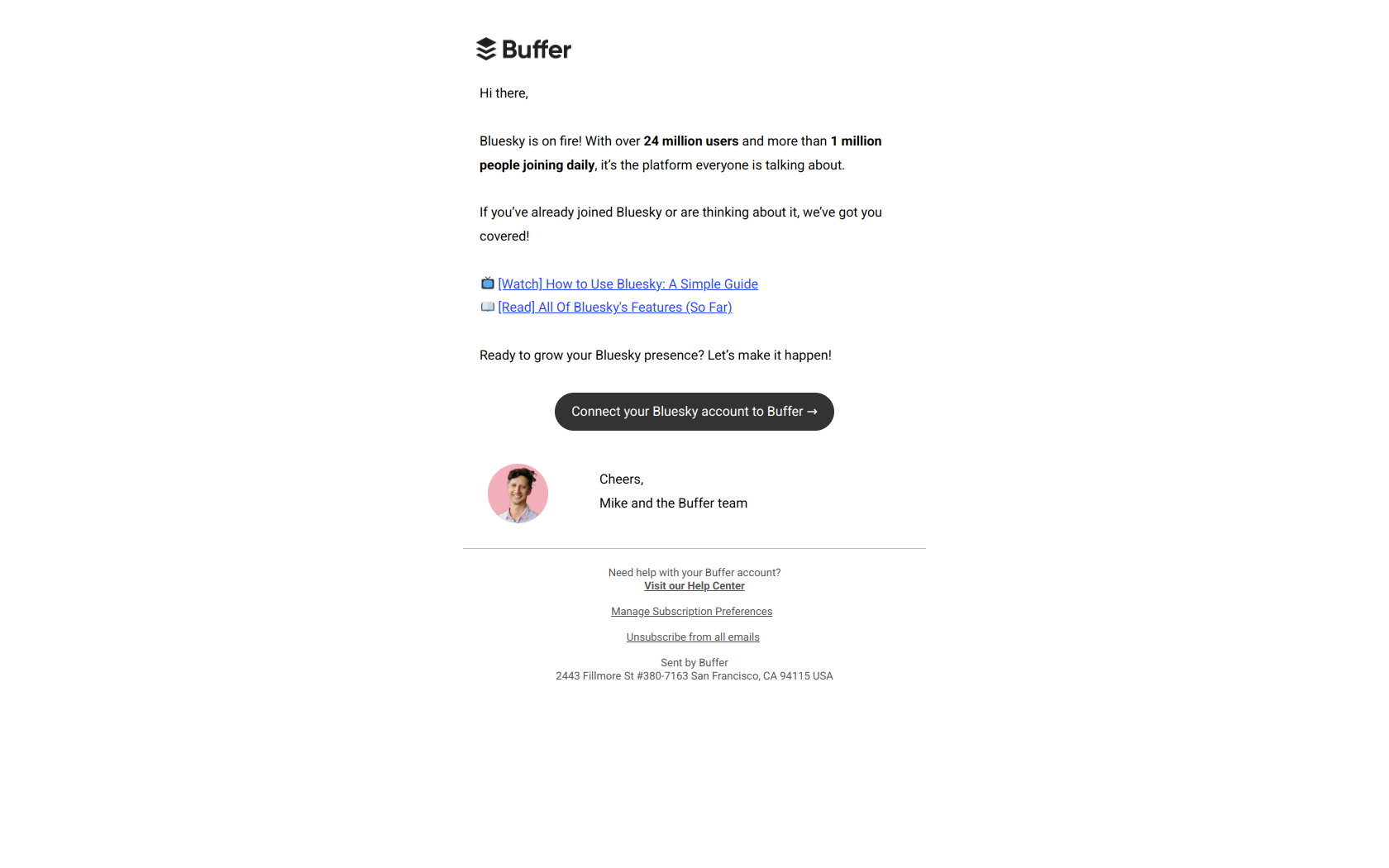
Subject line: Bluesky is taking off! 🚀
Buffer leads with market momentum — Bluesky is taking off — not with its own capability (“connect Bluesky to Buffer”). The reader feels they might be missing a trend their audience has already joined, which is a far stronger pull than a feature update about a new integration.
The pattern: lead with the outside event, not your inside capability. When the reason to expand usage is something happening in the wider market (a platform surging, a regulation changing, a season arriving), make that the headline and position your feature as the way to ride it. Trigger on users active on adjacent channels who haven’t adopted the new one yet.
Webflow — outcomes before features
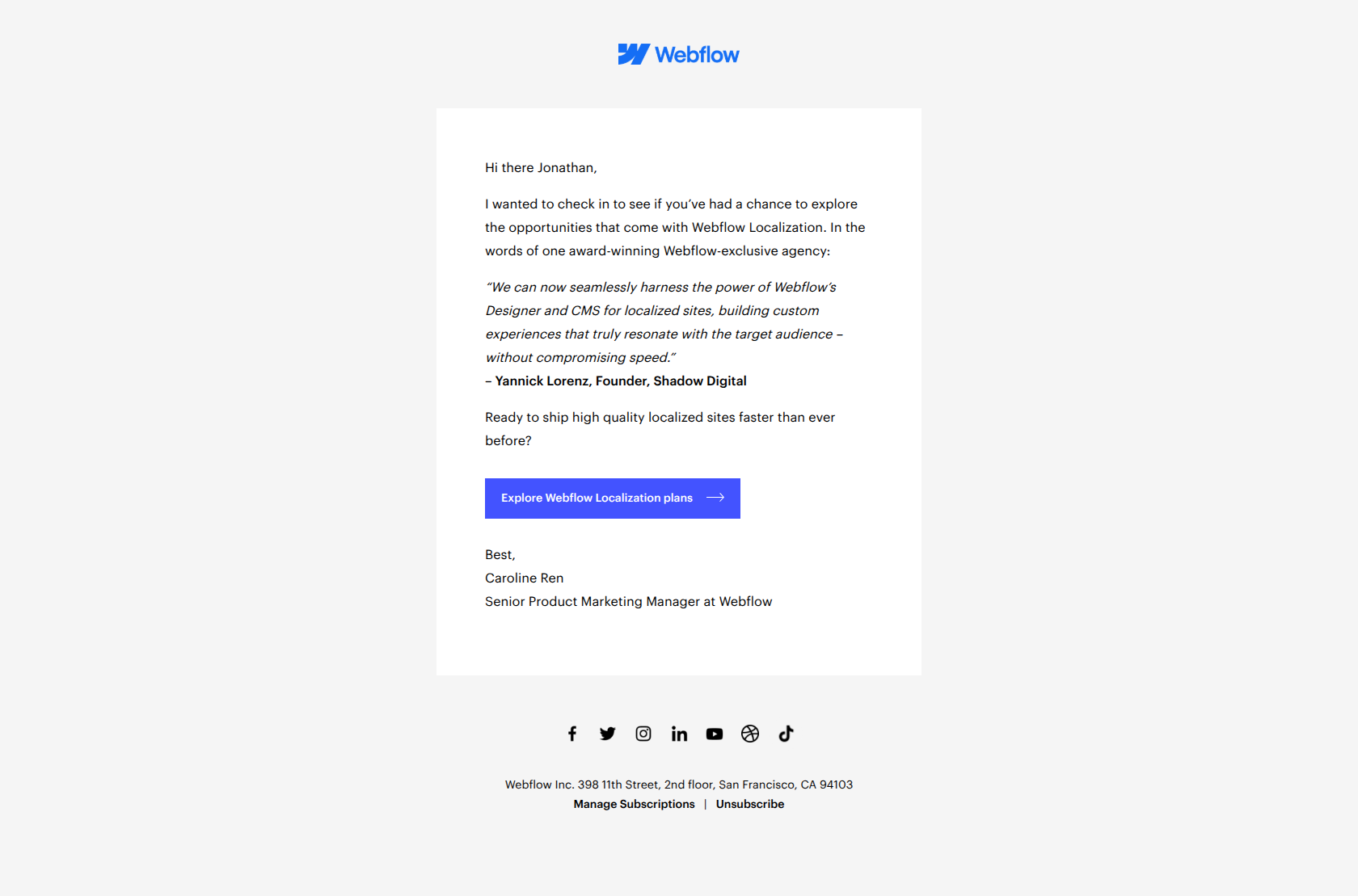
Subject line: Build localized sites that maximize engagement
Webflow names the business outcome (localized sites that maximize engagement) instead of the feature (Localization plans), so existing users read it expecting to solve a growth problem rather than learn about a tier upgrade. A peer testimonial in the body then supplies the proof.
The pattern: outcomes before features in expansion copy. Users opt into more of a product when they see adoption as a path to results, not as additional work to configure. Lift this for any expansion email where the feature unlocks a measurable outcome — put the outcome in the subject line and reserve the feature name for the body.
Content-engagement triggers — trigger on an interest signal
These fire on signals of interest rather than product usage: a topic the user keeps clicking, a webinar that matches their role, a recurring update they reliably open. The job is to feed engaged users more of what they’ve already shown they want.
Customer.io — lead with the job-to-be-done
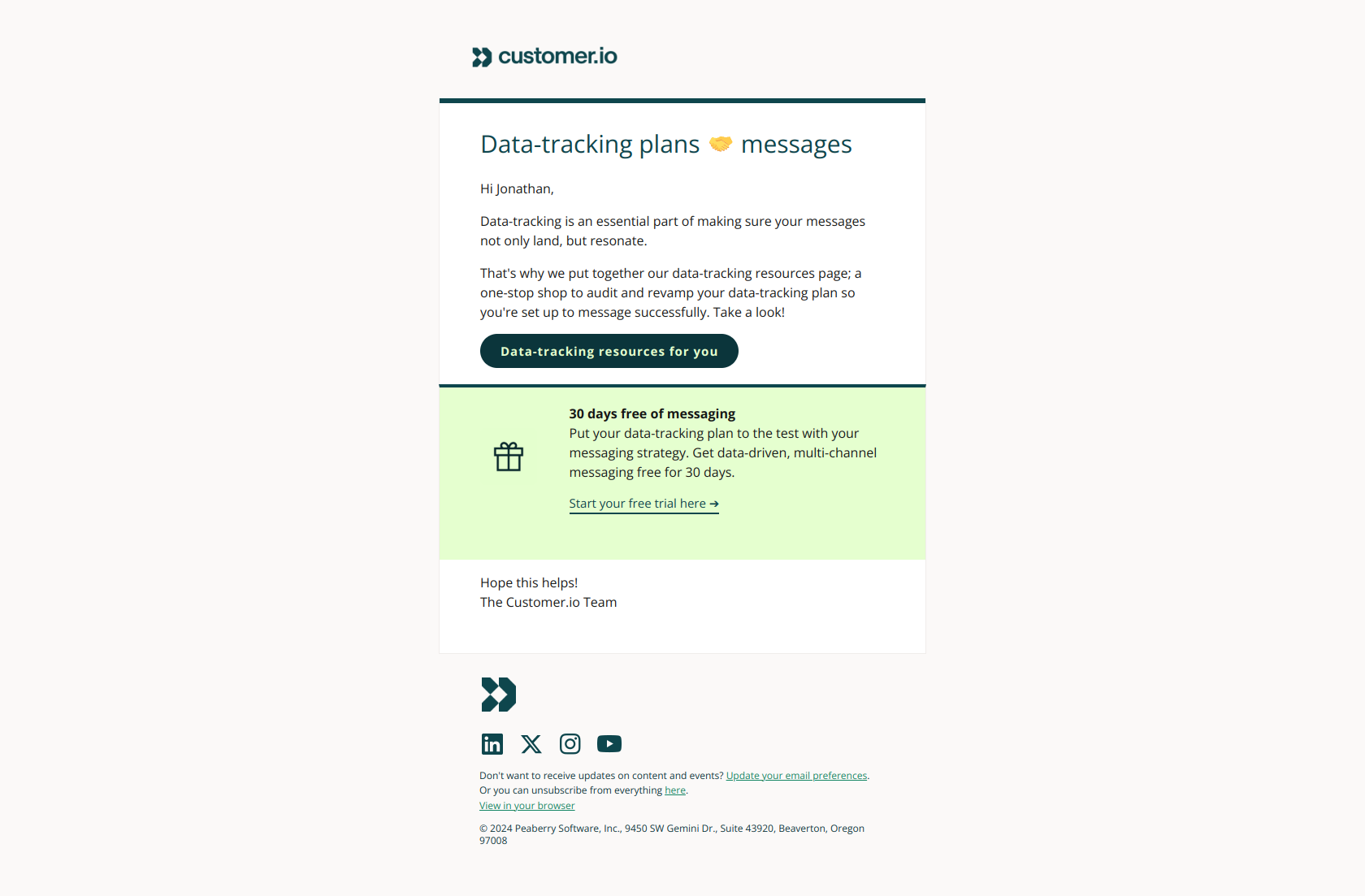
Subject line: Creating impact via your data-tracking plan
Customer.io frames a job-to-be-done (“creating impact”) rather than a product name, so the reader opens because they want the result, not because they’re curious about the tool. The body then routes them to a data-tracking resource and a trial offer — education first, product second.
The pattern: lead with the job-to-be-done, not the solution. For educational content sent to engaged prospects, the subject line should describe the problem the reader is already trying to solve. They see themselves in it and open; the brand recognition is irrelevant. Trigger this off readers who’ve engaged with related content before.
Ahrefs — announce the payoff before the ask
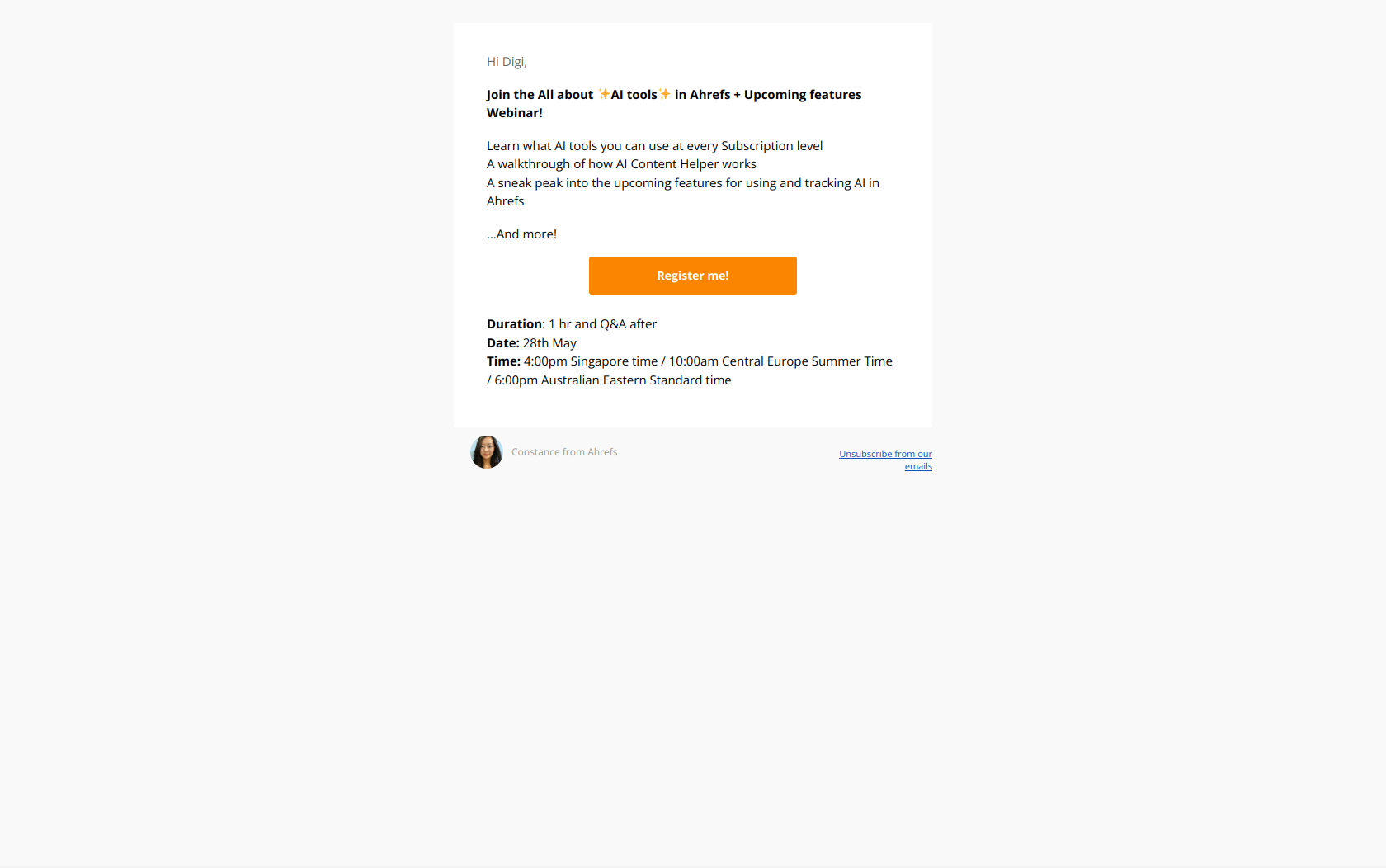
Subject line: All about AI tools in Ahrefs + Upcoming features Webinar
Ahrefs states the dual payoff — AI tools plus a preview of upcoming features — before asking for the reader’s time. A webinar invite is an ask, and the subject line earns it by making clear attendees get both practical education and an exclusive look ahead.
The pattern: announce the payoff before the ask. Any email requesting time (a webinar, a demo, a call) fights registration friction; the subject line beats that friction by leading with exactly what the reader walks away with. Trigger these off users who’ve engaged with the relevant topic so the invite reaches an already-warm audience.
Semrush — calendar-based naming for recurring updates
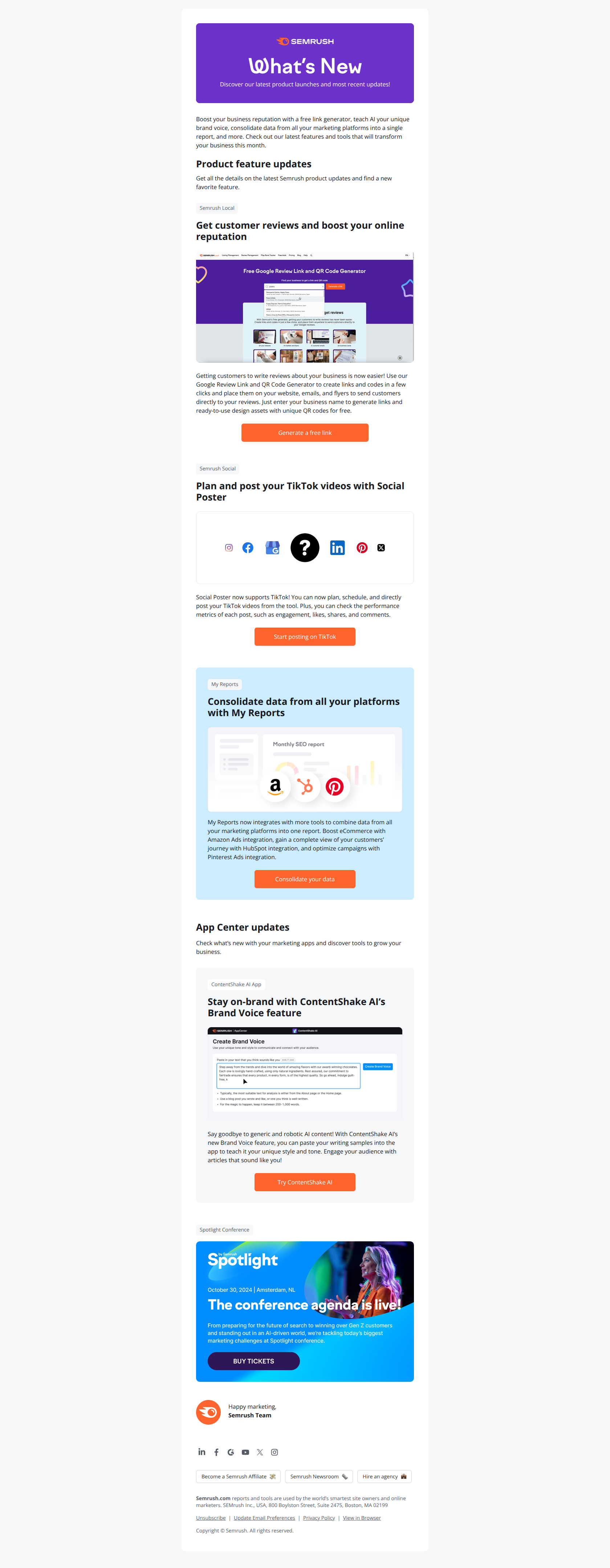
Subject line: August Product Updates
Semrush names the month and the cadence, not the features inside. For a recurring update, that’s the point: engaged users learn to recognize “[Month] Product Updates” as a routine check-in they can scan for relevance, which beats a different clever subject line every month that resets their pattern recognition.
The pattern: calendar-based naming for recurring sends. The behavioral signal here is reliability — users who open your monthly update want to keep finding it, and a consistent, boring subject line is easier to spot in a crowded inbox than a novel one. Lift this for any series where the open is a habit you’re trying to protect, not a hook you’re trying to land.
The pattern behind every behavioral email
Across all three trigger types, the same rule keeps surfacing: the trigger decides the timing, and outcome-first copy decides the message. Here’s how the 10 examples map:
| Trigger type | Fires when | The copy move | Examples |
|---|---|---|---|
| Feature-usage | A capability is eligible but unused | Lead with the outcome, the action, or the unfinished gap | Freepik, monday.com, Lovable, Mailchimp |
| Usage-expansion | An account is ready to grow | Lead with the job or outside event, not the tier | Notion, Buffer, Webflow |
| Content-engagement | An interest signal appears | Lead with the payoff or job-to-be-done | Customer.io, Ahrefs, Semrush |
The thread through all of them: behavioral targeting is what gets the email to the right person at the right moment, but it’s wasted if the subject line still names a feature. Pair the trigger with copy that leads with what the user gets, and you have an email that’s relevant and compelling — which is the whole point of building behavioral programs in the first place.
If you’re moving from broadcast to behavioral, start with the trigger you already have data for. Most SaaS teams know which feature is under-adopted, which plan users outgrow, and which topic drives the most clicks — those three are your feature-usage, usage-expansion, and content-engagement starting points. (For the deeper mechanics of triggering on action versus inaction, see our guide on behavior-based vs time-based emails.)
Want to see these emails in full, plus dozens more behavioral triggers from real SaaS brands? Browse the DigiStorms email library — every example above is there with full thread context, sortable by trigger type, so you can model your next behavioral campaign on what’s already working.