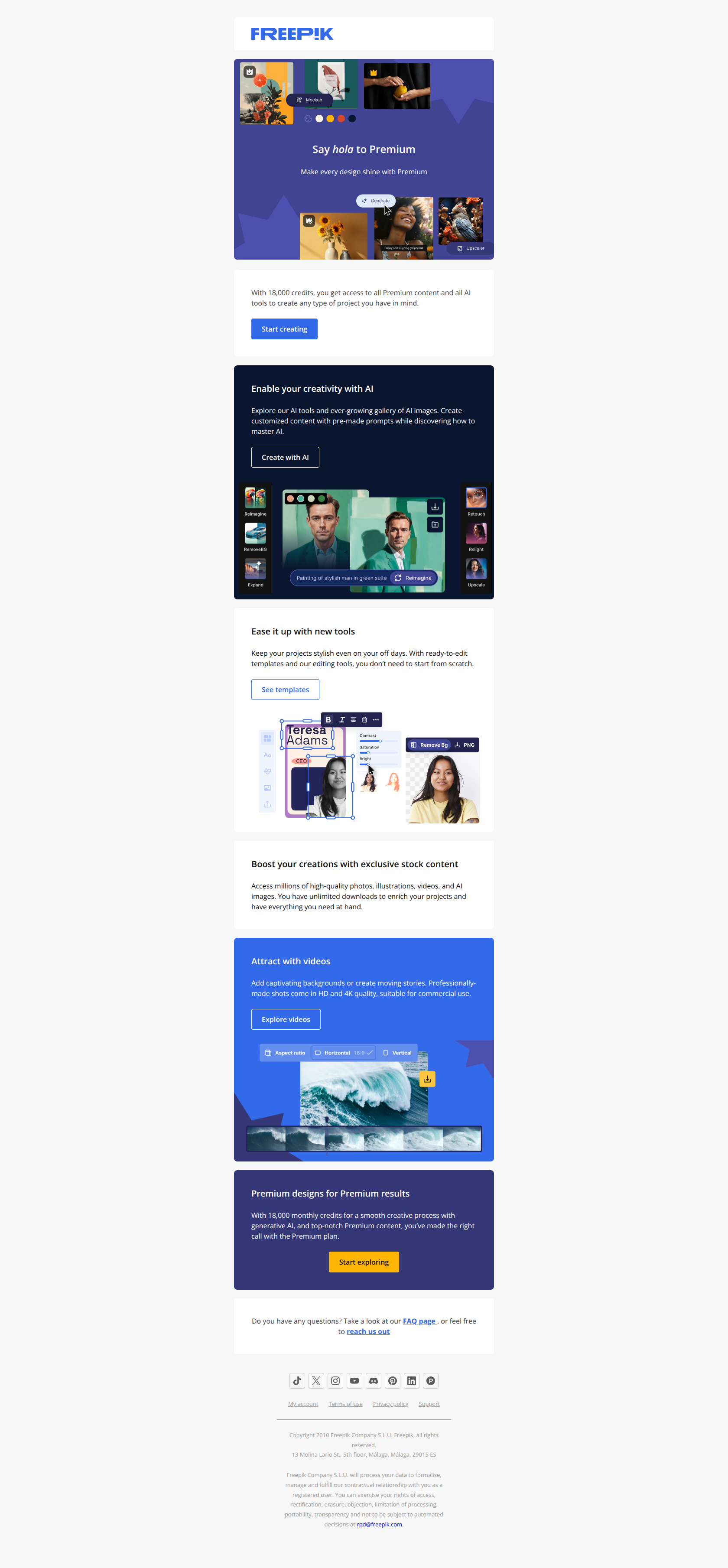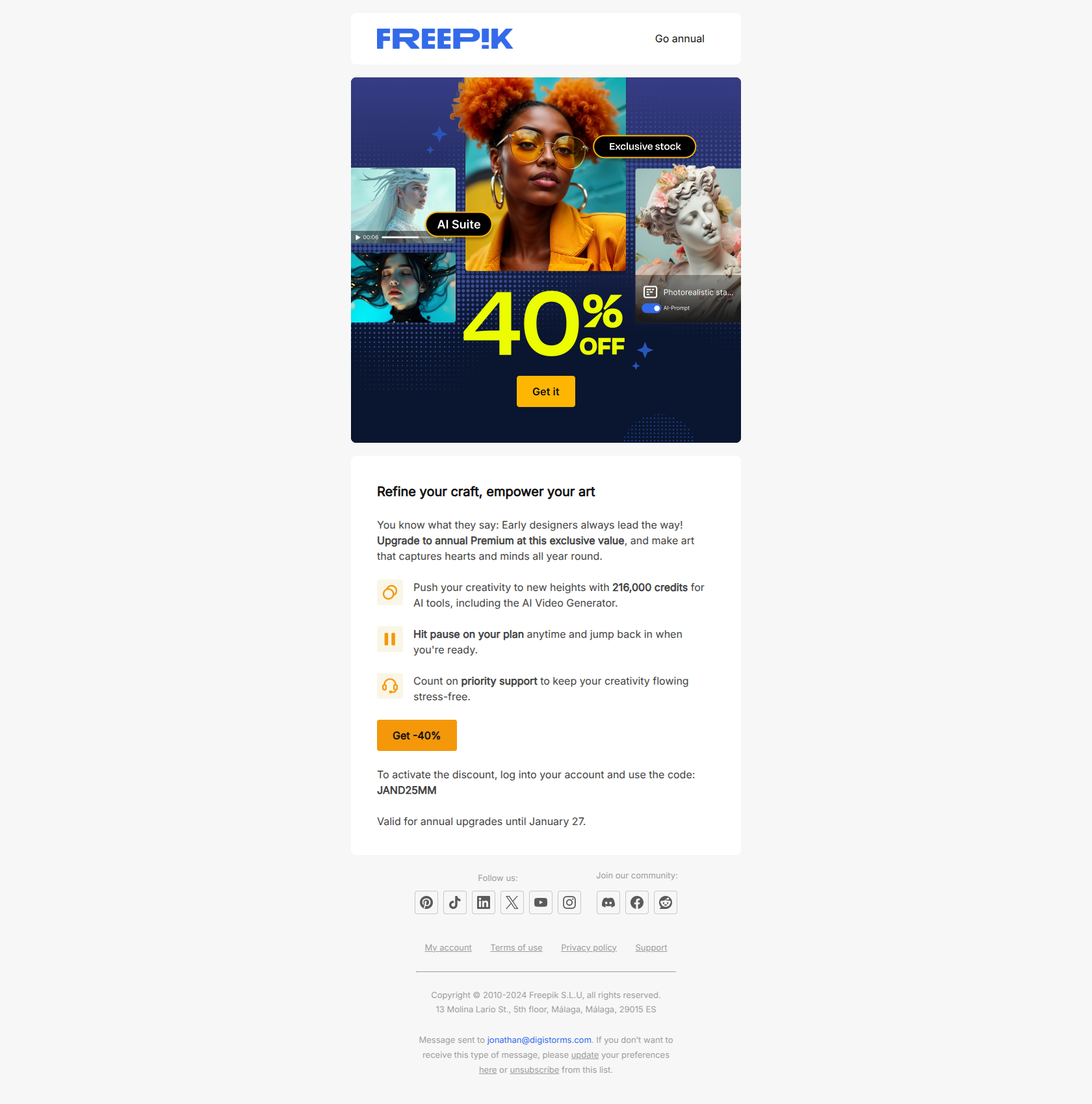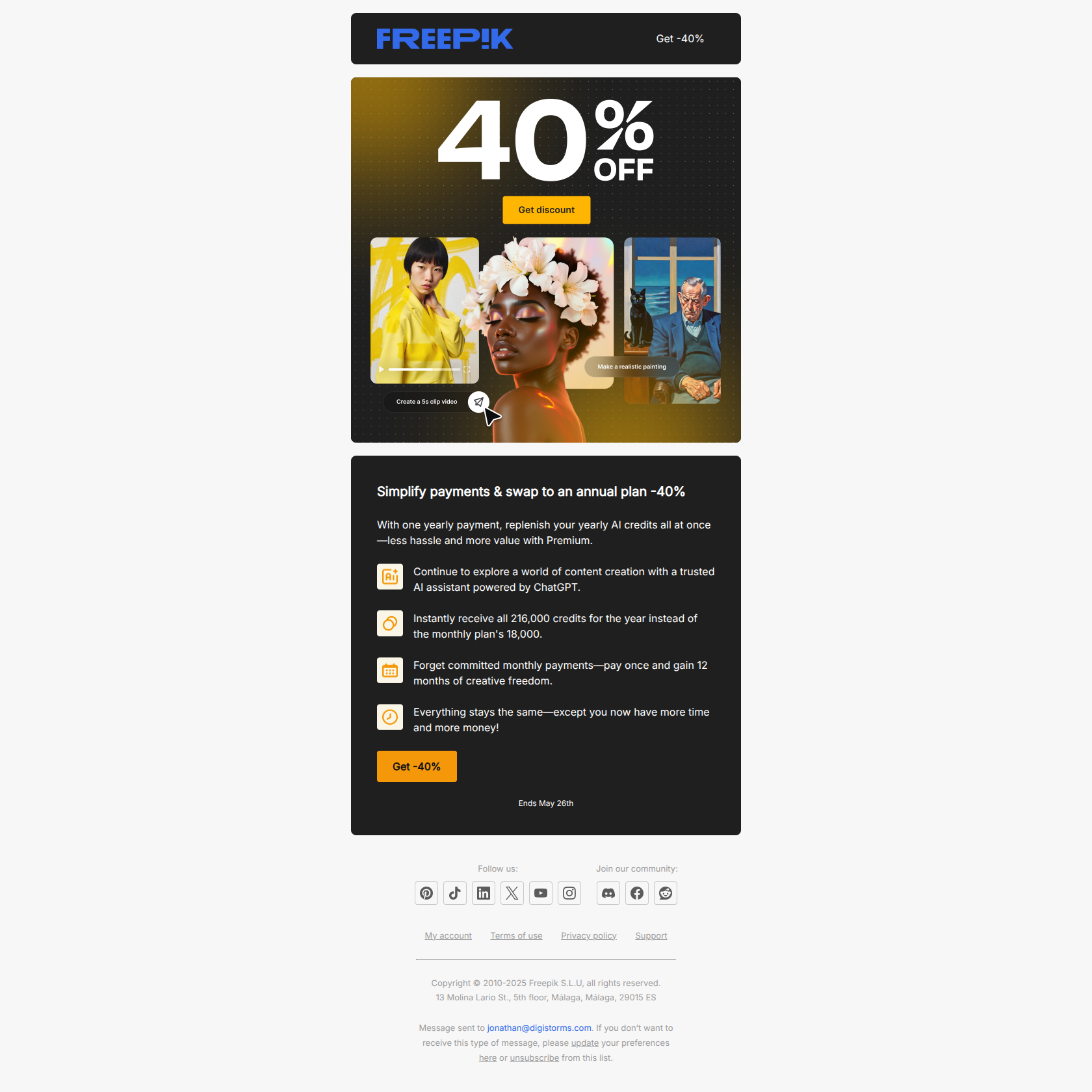
An upsell email asks an existing customer to pay you more. That’s a harder ask than a welcome email or a newsletter, because the reader already knows the price — and the email has to make the next tier feel like progress, not a tax.
The upsell emails that actually convert almost never lead with “upgrade.” They lead with a wall the user just hit, a feature they just tried to use, or an outcome they already want. The word “upgrade” shows up later, as the resolution — not the pitch.
Below are 12 real upsell email examples from Semrush, Hunter, Zapier, Loom, Typeform, Figma and more. Each one is annotated with what it does well and the pattern you can lift for your own expansion sequence.
TL;DR — what makes an upsell email work
A high-converting upsell email almost always does one of three things:
- Names a ceiling the user just hit. A quota, a request limit, a gated feature — a concrete wall, not a vague “you could do more.”
- Reframes the upgrade as the user’s goal, not your ask. “Don’t lose your momentum” beats “Upgrade to Pro” because it speaks to their outcome.
- Anchors the upgrade to behavior that already happened. The strongest upsell connects a paid tier to a habit the user has already formed for free.
The 12 examples below split cleanly across these three jobs. Match the job to why the upgrade makes sense for this user — a limit, a feeling, or a habit.
What is an upsell email?
An upsell email is a lifecycle email sent to an existing user — free, trial, or paying — that encourages them to move to a higher-value plan, add seats, or adopt a paid feature. Its job is revenue expansion: growing the value of an account that’s already in the door.
It’s worth separating three terms that get used interchangeably:
- Upsell — moving the user to a more expensive version of what they already have (free → Pro, Starter → Growth). This article’s focus.
- Cross-sell — getting the user to adopt an adjacent product (Figma user → FigJam, Notion user → Notion Calendar).
- Usage expansion — deepening adoption inside the current plan so the next upsell lands. Often the email before the upsell email.
In practice the best SaaS lifecycle programs blend all three, and several examples below do exactly that. What unites them is timing: an upsell email works when it arrives at the moment the user feels the limit of their current plan — not on a fixed calendar date. For the win-back side of the lifecycle, see our customer retention email examples; for the deeper mechanics of plan-change emails, see our guide to upgrade emails.
12 upsell email examples from real SaaS
Semrush — “Don’t lose your marketing momentum 💪”
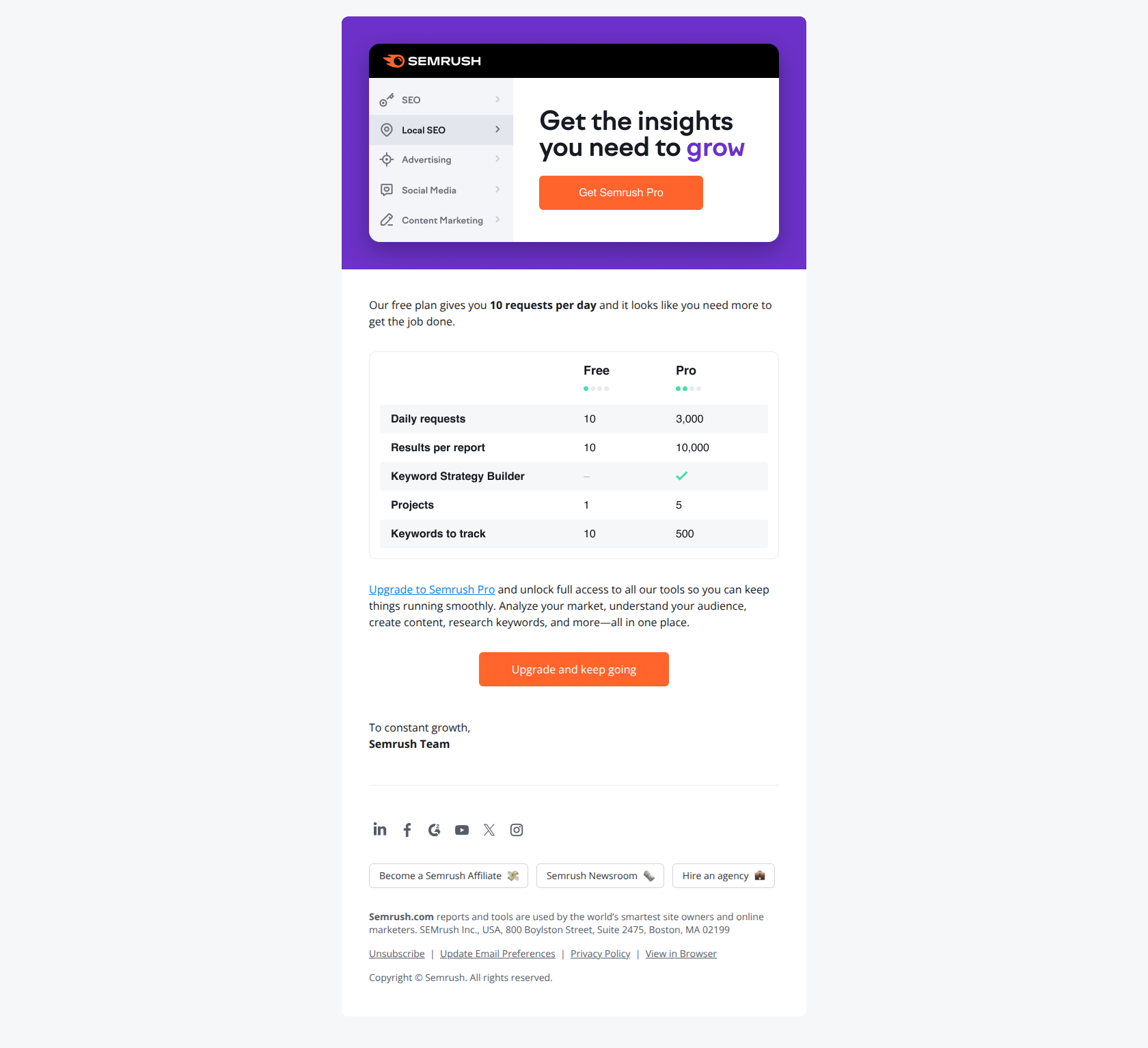
Subject line: Don’t lose your marketing momentum 💪
Semrush sends this to free-plan users who are bumping against the 10-requests-per-day cap. The subject never says “upgrade” — it frames the upgrade as preserving something the user already has: marketing momentum. Inside, a clean free-vs-paid table makes the ceiling concrete and the unlock obvious.
The pattern: lead with the user’s goal, not your ask. When a free plan is actively throttling someone’s work, reframe the conversion as unblocking progress rather than buying more product. “Don’t lose your momentum” sidesteps the price resistance that “Upgrade to Pro” triggers head-on, because it speaks to the business outcome the user cares about instead of the SKU you want them to buy.
Hunter.io — “You reached your Hunter quota”
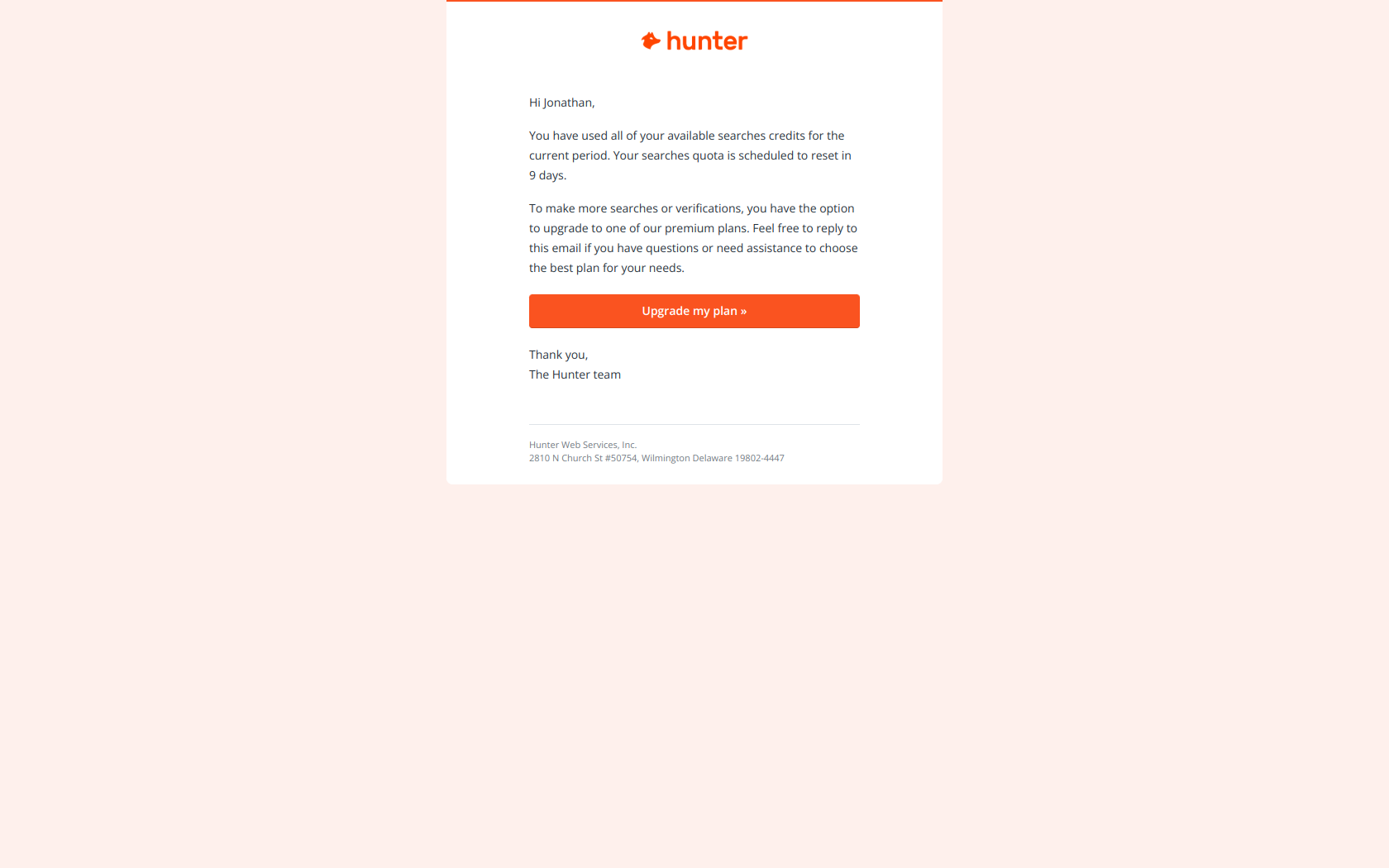
Subject line: You reached your Hunter quota
No pitch, no emoji, no urgency theatre — just a factual statement of a wall the user has hit. Hunter tells you the quota is exhausted, when it resets, and offers the upgrade as the way to keep working now instead of waiting.
The pattern: interrupt with friction, resolve with opportunity. A factual ceiling (“you reached your quota”) stops a user mid-workflow far more reliably than an aspirational pitch (“do more with Pro”). The user opens because the email is about something that just happened to them, not about something you’d like them to want. Quota-triggered upsells convert because the timing is the message: the email arrives the exact moment the upgrade became useful.
Typeform — “Need to use Premium themes? Try this paid plan ✨”
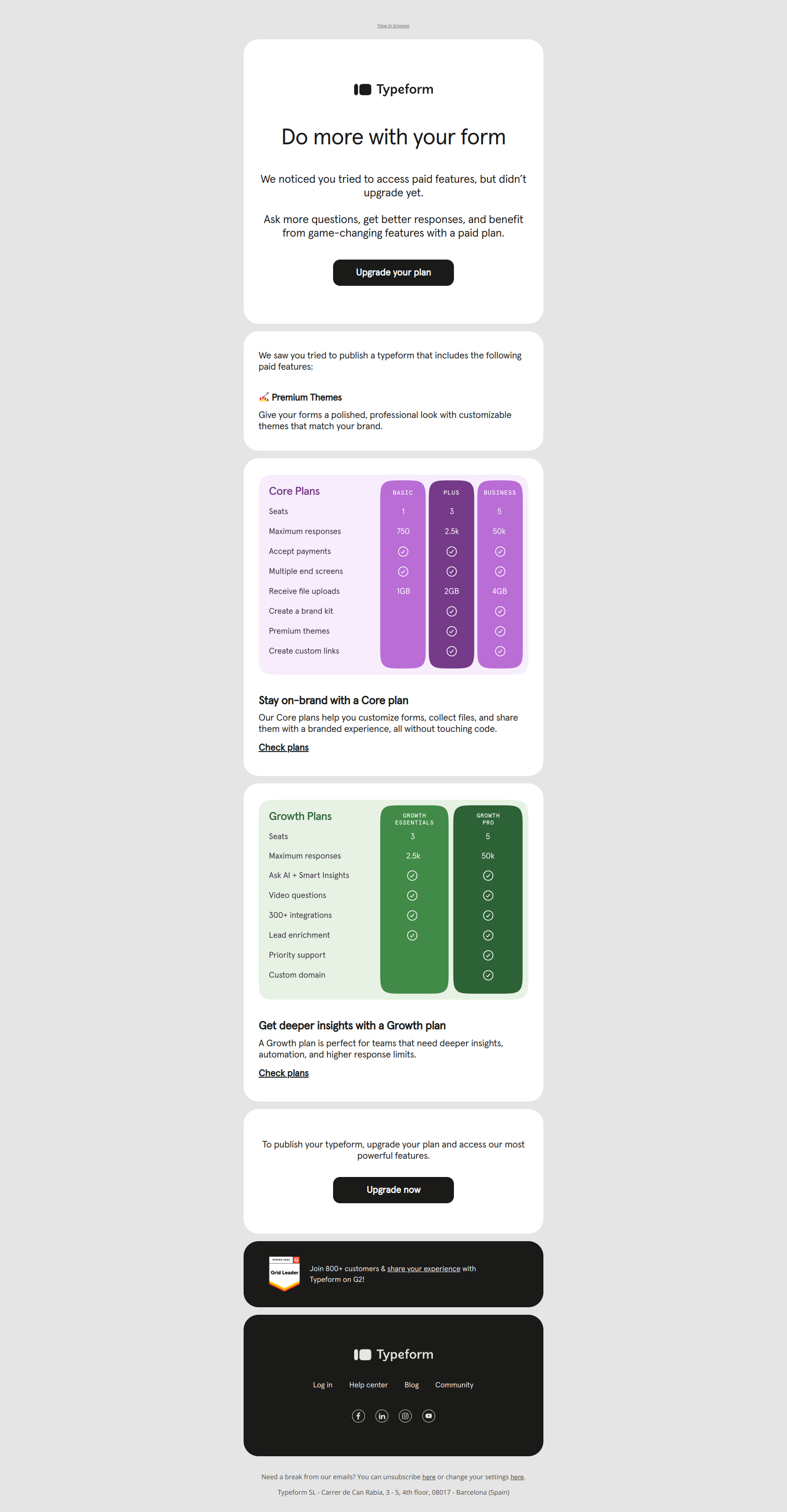
Subject line: Need to use Premium themes? Try this paid plan ✨
Typeform sends this right after a user tries to use a gated feature. The subject names the specific feature they just reached for — Premium themes — so the email reads as a direct answer to an action, not a generic upgrade nag.
The pattern: name the blocked action, not the plan tier. “Need to use Premium themes?” lands as helpful friction because the reader instantly connects it to what they were just doing. “Upgrade to Core” would land as an interruption. When a user hits a feature gate, the upsell email should mirror their intent back to them — the closer the subject line sits to the click they just made, the less it feels like a sales email.
Loom — “Jonathan, did you notice the magic of Loom AI in your last video? ✨”
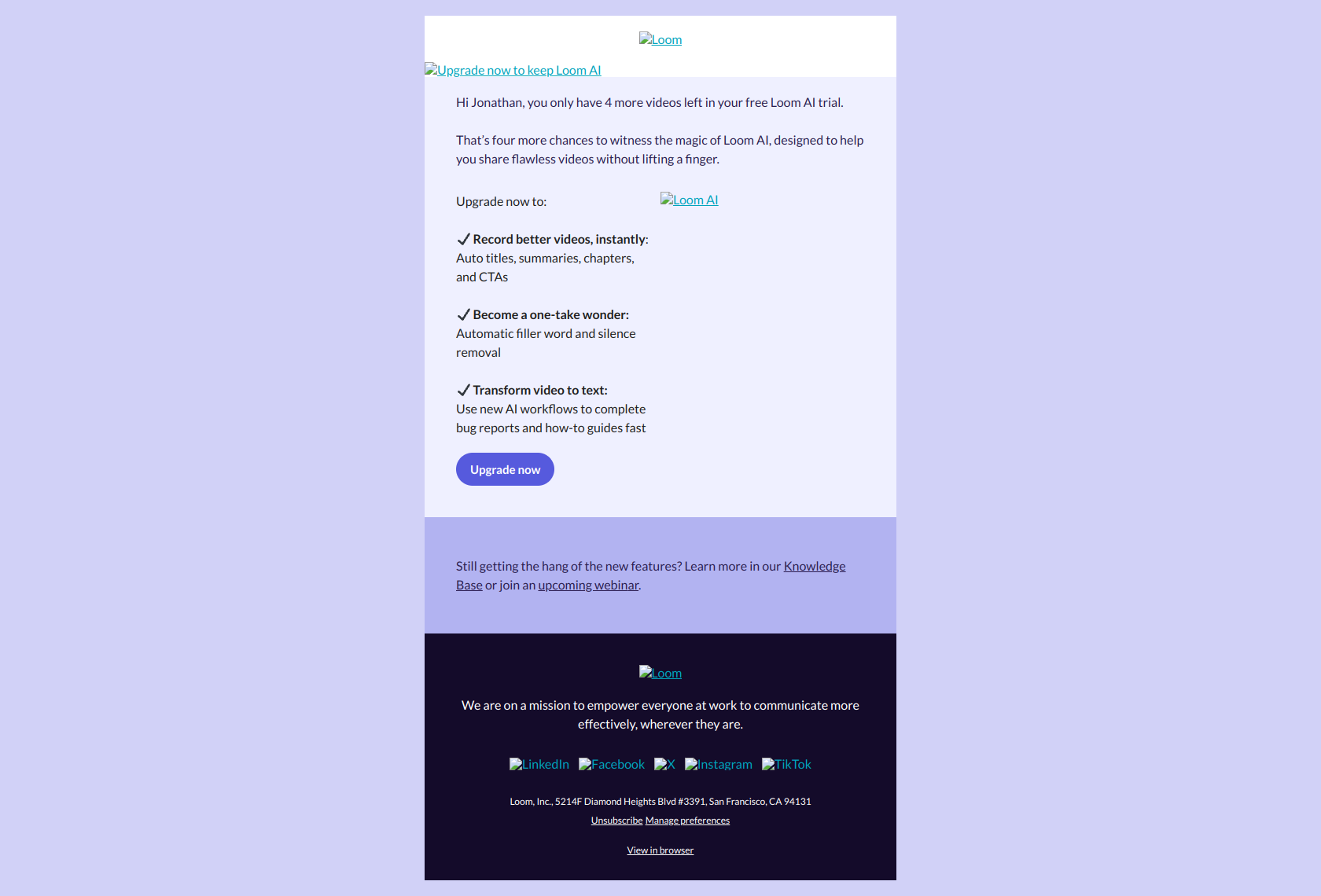
Subject line: Jonathan, did you notice the magic of Loom AI in your last video? ✨
Loom sends this as a trial winds down, and the subject does something subtle: it asks a yes/no question about the user’s own recent action. To answer it, the reader has to recall a concrete moment when the product already worked for them.
The pattern: anchor upgrades to past usage, not future benefits. Most upsell emails promise a feature the user hasn’t tried. Loom does the opposite — it points at a habit the user already formed during the trial and says “keep that.” An upgrade framed as retaining an experienced benefit converts better than one framed as acquiring an unproven one, because the value is already a memory, not a claim.
Zapier — “Which plan is right for you?”
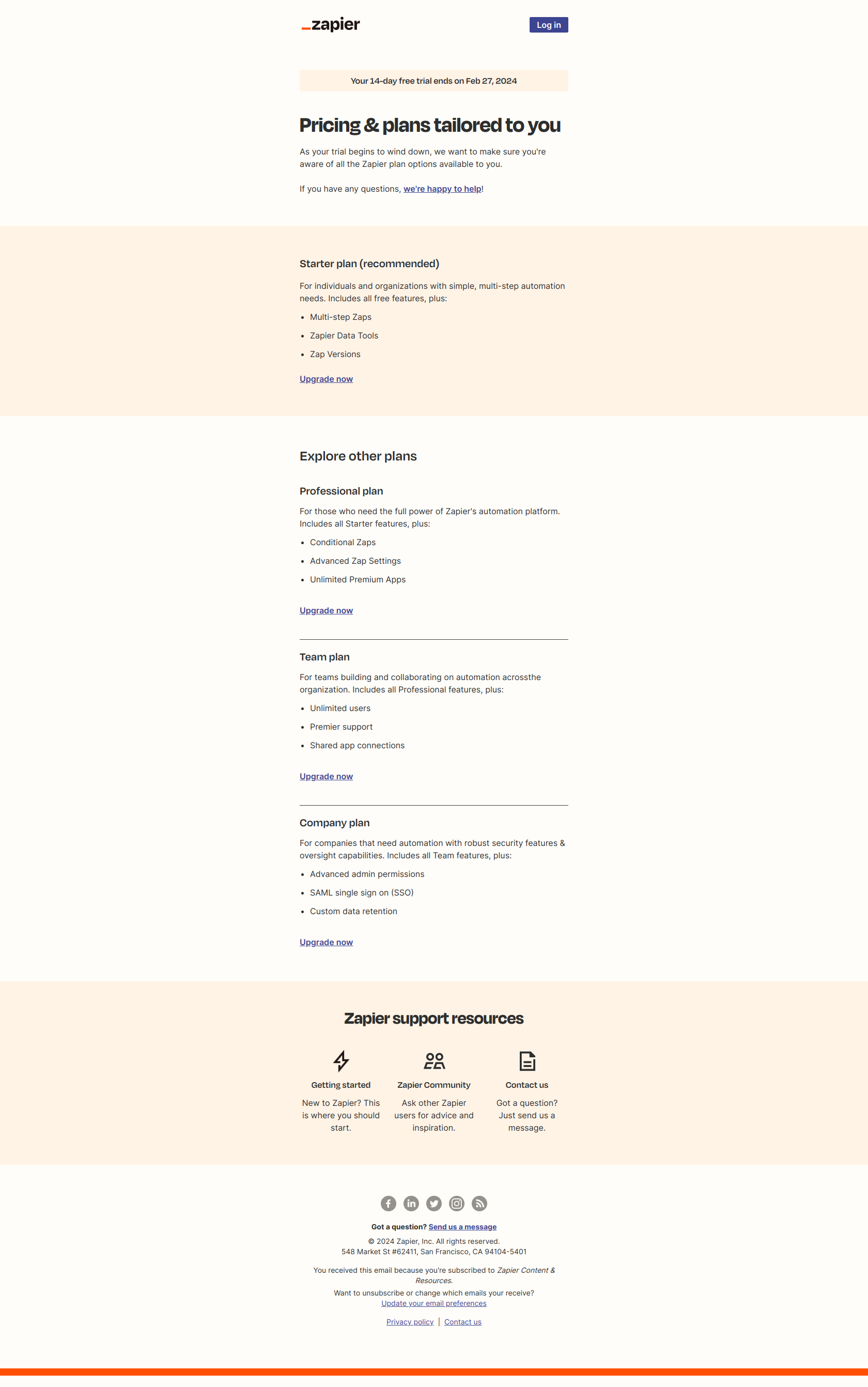
Subject line: Which plan is right for you?
This goes out near the end of Zapier’s 14-day trial. Note what the subject doesn’t say: not “Your trial ends in 2 days.” Instead of a countdown, it offers a question — and questions invite engagement where deadlines invite avoidance.
The pattern: reframe urgency as empowerment. A trial-end email built on loss (“expiring”) gets deleted; one built on agency (“which plan fits you?”) gets opened. The deadline pressure is still there — Zapier still tells you the trial ends — but the frame is the user choosing, not the company taking something away. Give the reader a decision to make and they engage; give them a clock and they look away.
Mailchimp — “Ready to transform your data? 📊”
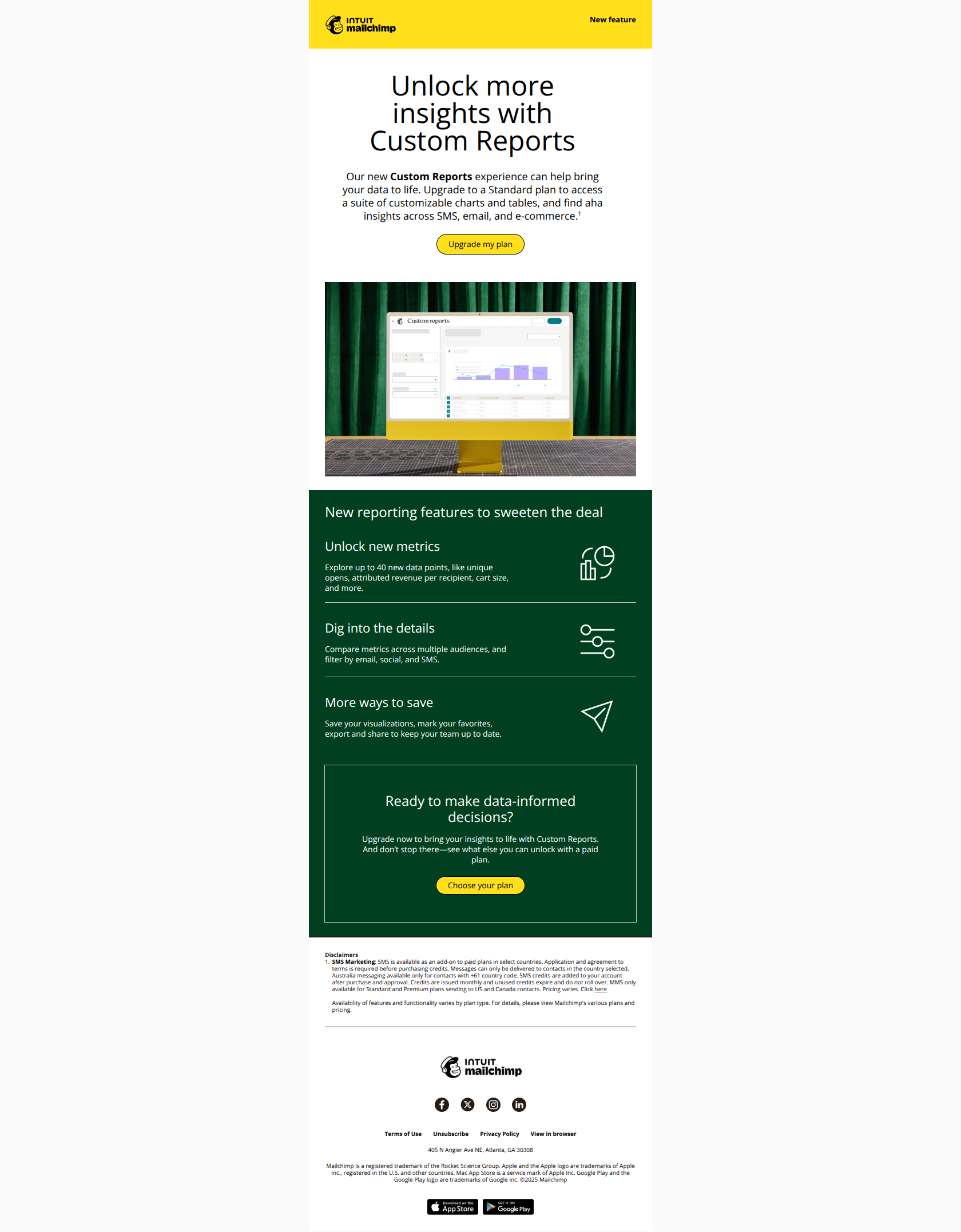
Subject line: Ready to transform your data? 📊
Mailchimp targets active users with this revenue-expansion email. The subject leads with a transformation — “transform your data” — not a transaction. The reader opens imagining a new capability, not bracing for a price.
The pattern: outcome before offer. The fastest way to make a higher tier feel like less friction rather than more cost is to describe what becomes possible on it, before you ever mention the plan. “Transform your data” makes the upgrade a capability unlock; “Upgrade to our analytics tier” makes it a line item. Same plan, same price — the framing decides whether the reader leans in or flinches.
Customer.io — “Connect your data to Customer.io”
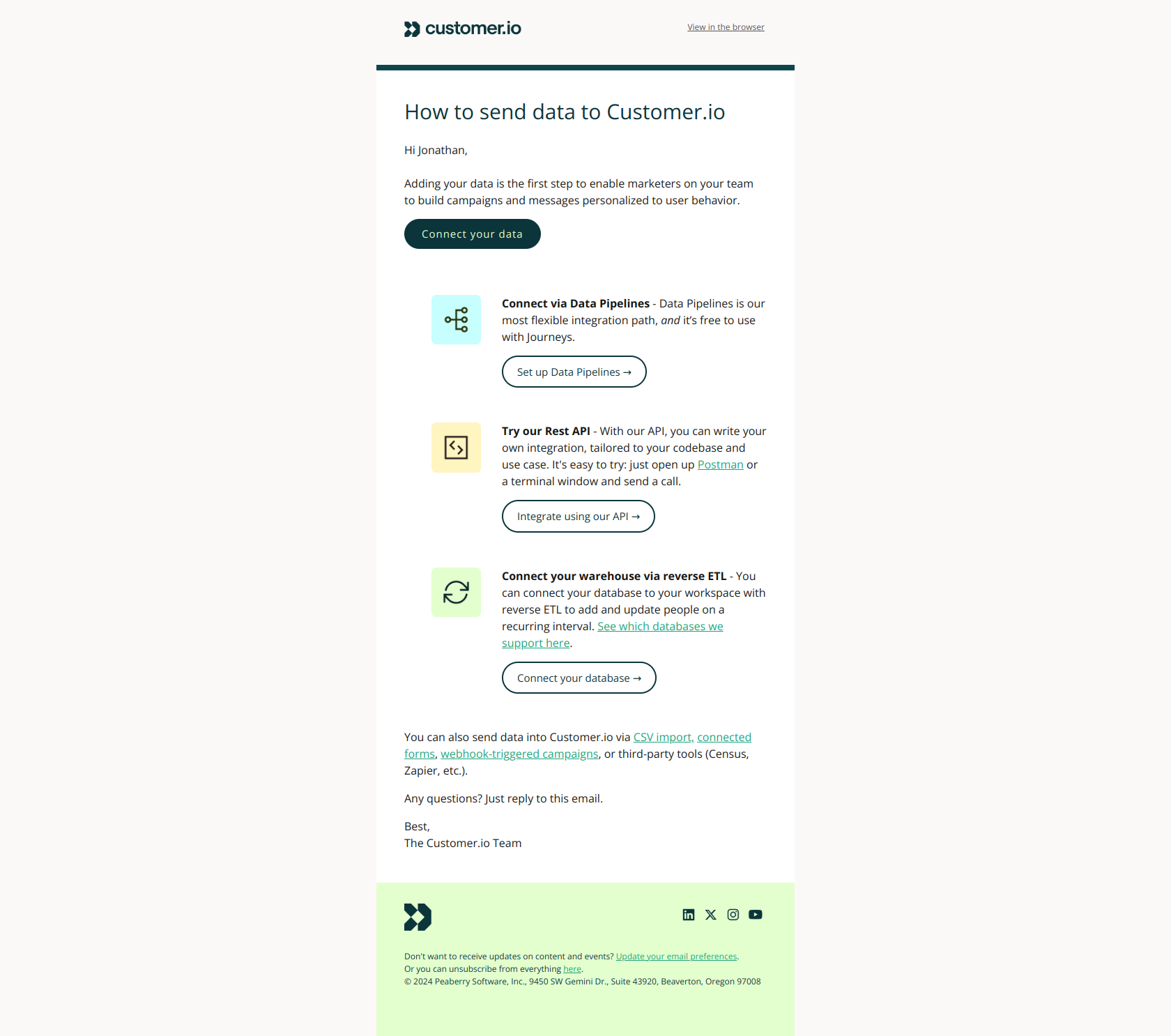
Subject line: Connect your data to Customer.io
Not every expansion email asks for money directly — some set it up. Customer.io’s integration prompt leads with the action the user must take (“Connect your data”) rather than the benefit, fast-tracking them past hesitation into the activation motion that makes every later upsell possible.
The pattern: name the missing step, not the outcome. A user who hasn’t connected their data will never hit a usage ceiling worth upgrading for — so the integration prompt is the upsell before the upsell. When a user is stuck in analysis paralysis, a clear next move (“connect X”) unlocks the core product experience, which is what eventually generates the limit, the habit, and the reason to pay more.
Notion — “Notion for marketing teams (6/7):”
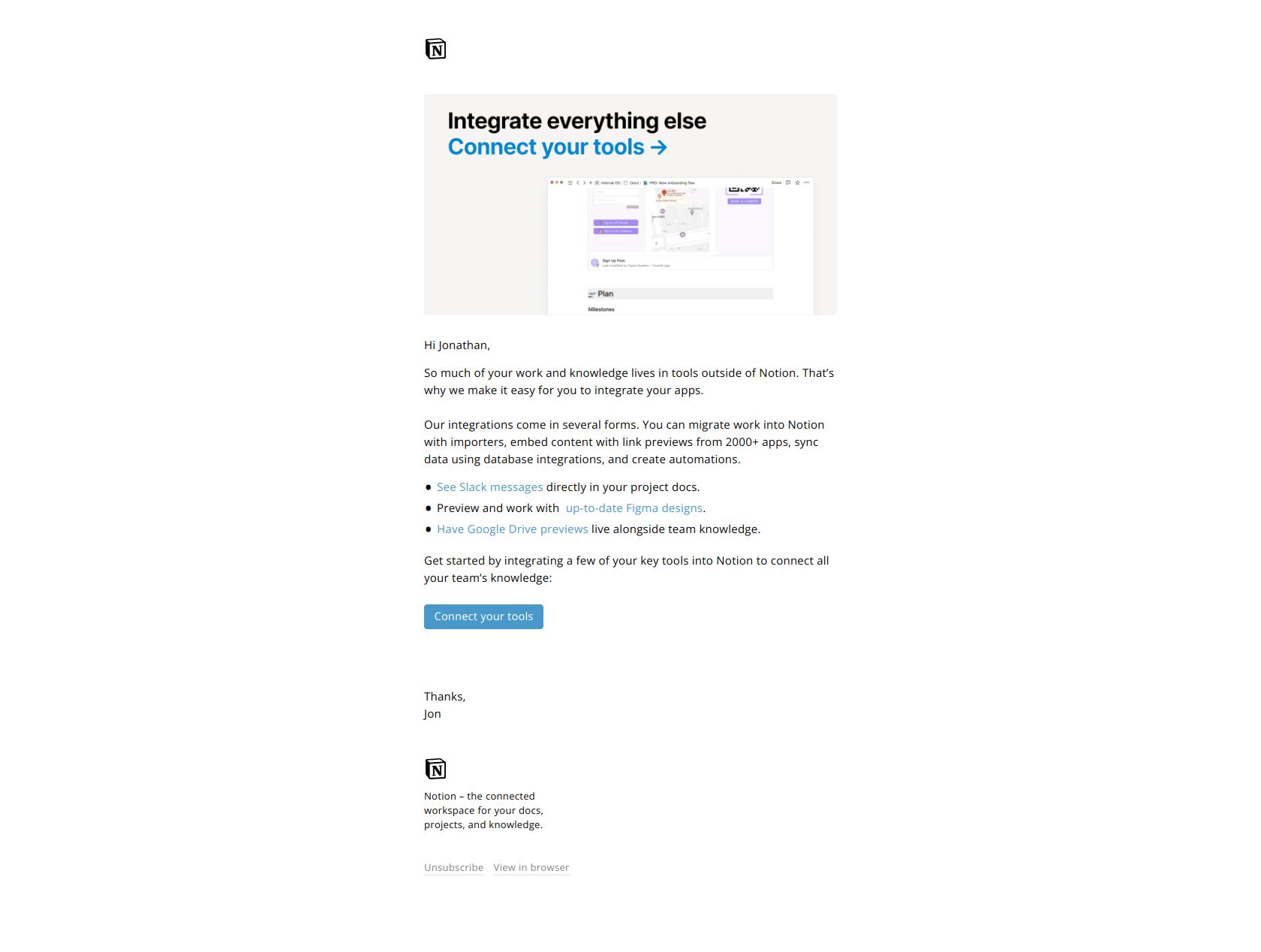
Subject line: Notion for marketing teams (6/7):
Notion’s integration email teaches users to connect external tools — importers, embeds, syncs, automations — and the subject does the heavy lifting with two characters: “6/7.” The user is partway through a deliberate curriculum, and the number creates a pull to finish it.
The pattern: serial positioning as a retention device. Numbering an email in a sequence (“6/7”) signals progress toward a destination, which keeps users engaged across multiple touchpoints instead of dropping off after one. For expansion content specifically, this matters: the deeper a user goes into integrations and automations, the more indispensable the product becomes — and indispensability is what makes the eventual seat or plan upsell a formality.
Figma — “Jumpstart ideas with FigJam”
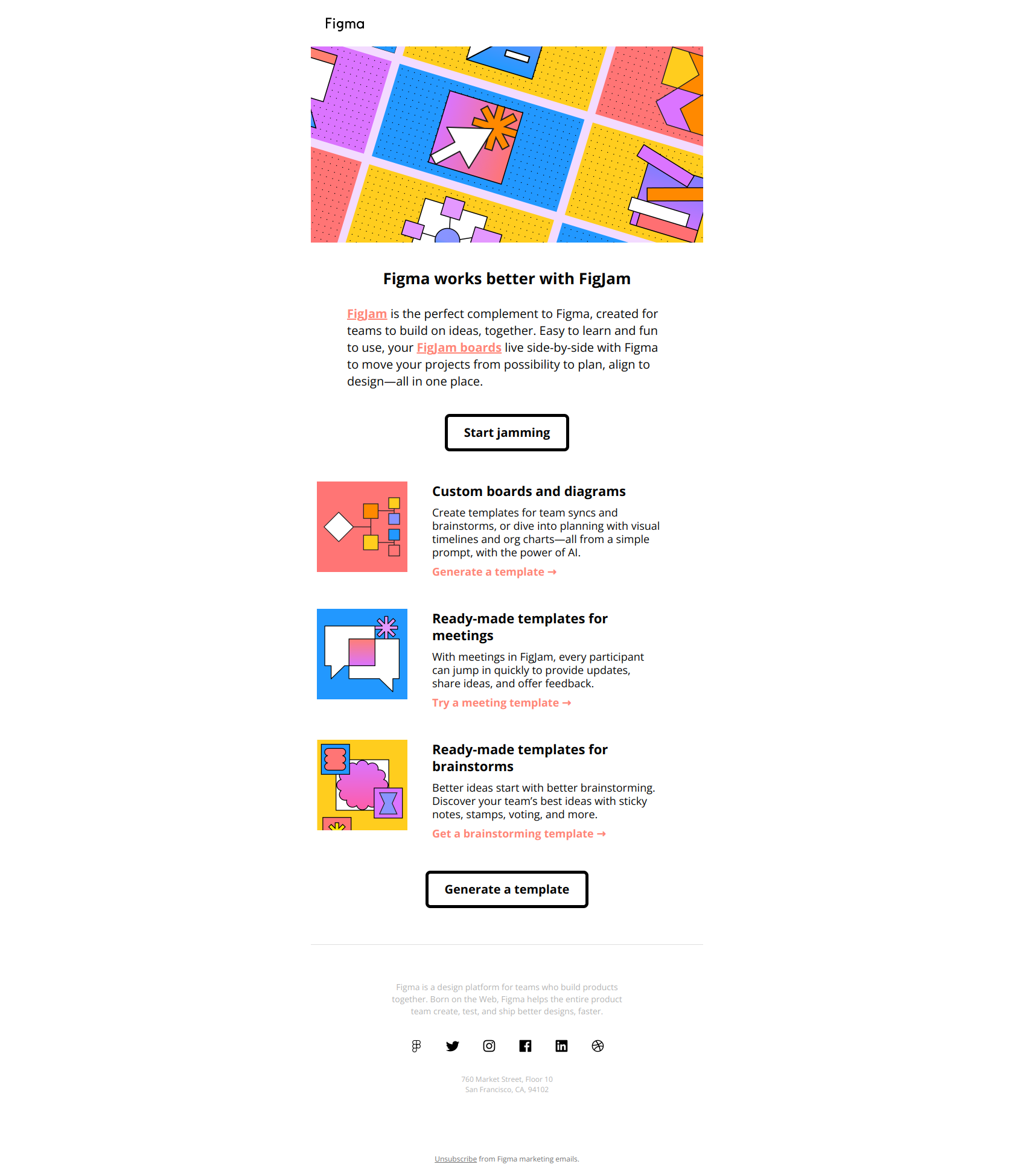
Subject line: Jumpstart ideas with FigJam
This is a cross-sell — Figma nudging users toward FigJam, its adjacent whiteboard product. The subject names the outcome (“Jumpstart ideas”), not the product, so the reader sees a job they want done rather than another tool to learn.
The pattern: outcome-first subject lines for cross-product expansion. When you’re nudging an existing user into a second product, leading with the product name asks them to evaluate something new. Leading with the benefit they’ll feel (“jumpstart ideas”) primes them to click looking for a solution. The product name belongs on the landing page; the email’s only job is to make the outcome feel relevant enough to earn the click.
Buffer — “Introducing: Streaks 🌱”
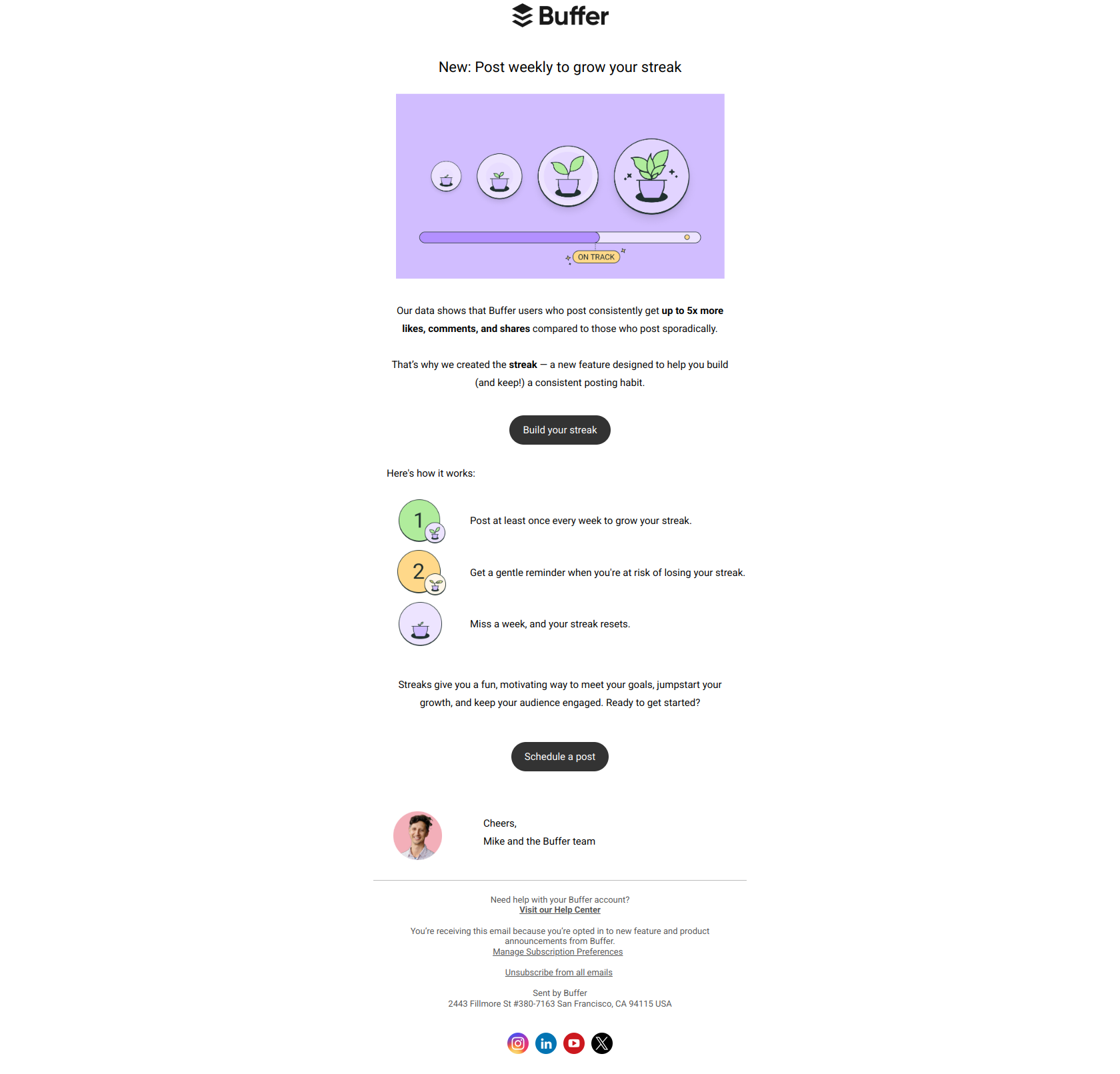
Subject line: Introducing: Streaks 🌱
Buffer announces a new feature — Streaks — to existing users with a subject that’s pure product launch: the feature name, framed as news. No benefit copy, no persuasion. And for an established brand, that’s enough.
The pattern: trust-to-novelty positioning. When your brand equity is high, existing users will open “Introducing: [Feature]” on novelty alone — they already trust you to ship things worth their attention, so you don’t have to sell the open. Use this for feature announcements to engaged users; skip it for cold or dormant ones, who need the benefit spelled out because they haven’t yet decided you’re worth the click.
Miro — “A great idea is just the first step”
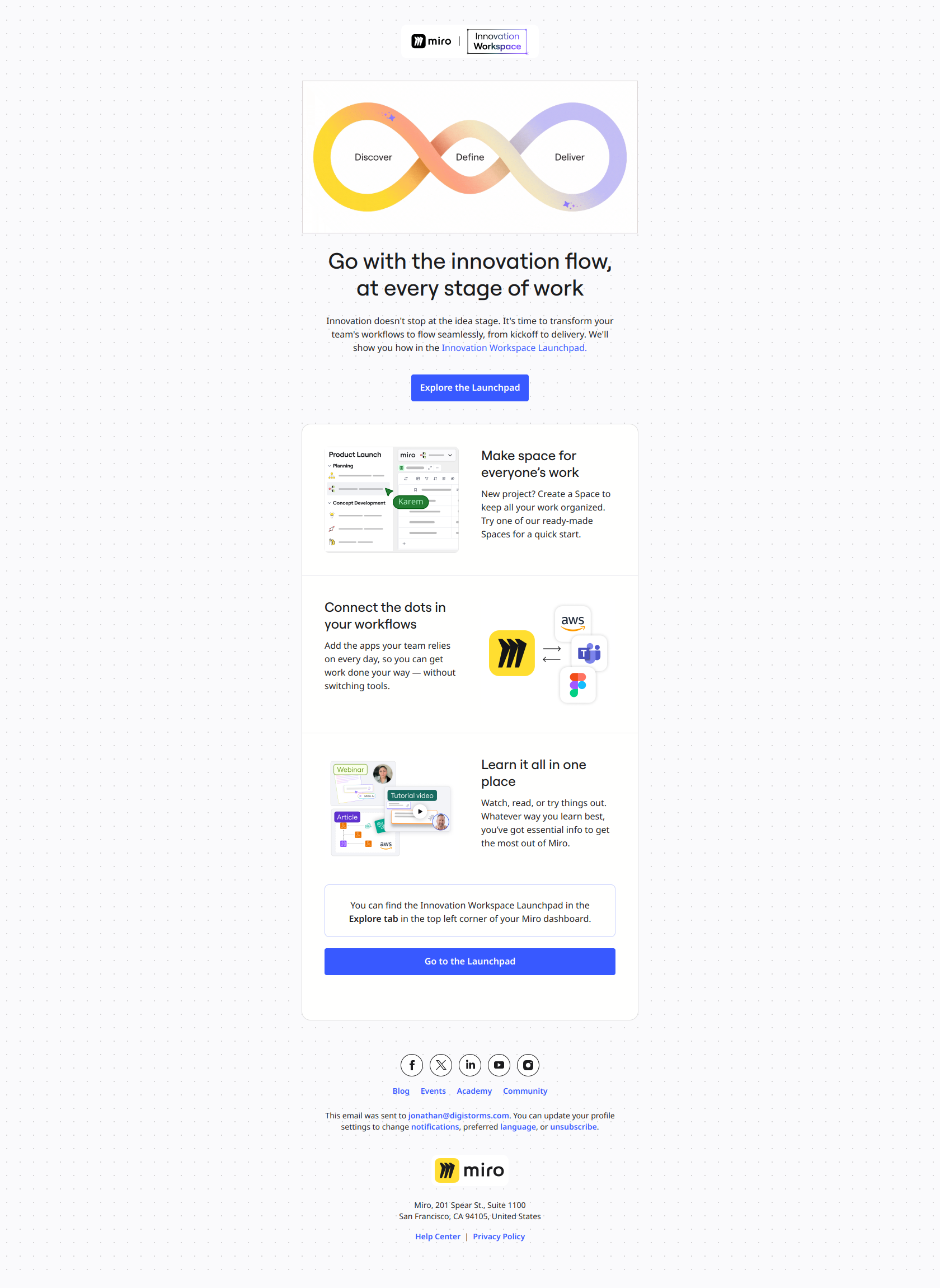
Subject line: A great idea is just the first step
Miro promotes deeper feature adoption — templates, integrations, workflows — with a subject that reframes the whole thing. It doesn’t mention a feature at all. It names a problem every team recognizes: the gap between having an idea and executing it.
The pattern: name the job-to-be-done, not the feature. Users don’t open emails to learn about features; they open emails that name a friction they’re currently living. “A great idea is just the first step” makes the reader recognize themselves in the struggle of execution — and then the email connects Miro’s features to closing that gap. Lift this for any usage-expansion email where you want power-user behavior: lead with the outcome the user already wants, attach the feature second.
Canva — “Make collaboration a breeze”
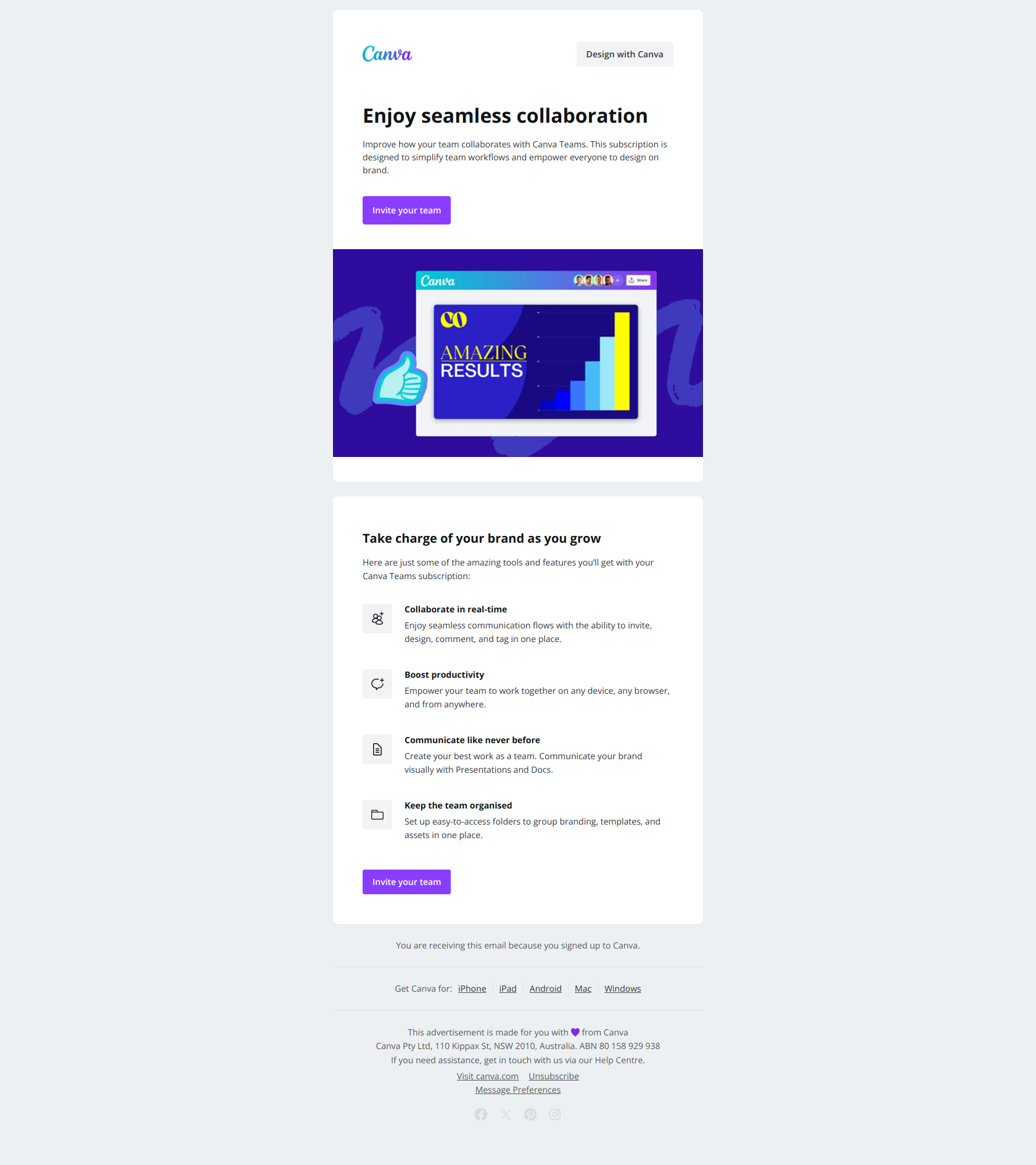
Subject line: Make collaboration a breeze
Canva’s seat-expansion email invites a solo user to bring their team onto Canva Teams. The subject names neither the product (“Teams”) nor the feature (“real-time collaboration”) — it names the outcome a frustrated solo user already wants: collaboration that’s easy.
The pattern: pain-point language before feature naming. Seat expansion is one of the highest-value upsells in SaaS, and it converts when the reader self-identifies the problem first. “Make collaboration a breeze” triggers opens from people who feel friction working solo — exactly the users ready to add seats. Naming “Canva Teams” in the subject would only reach the product-curious; naming the pain reaches the people about to feel it.
The upsell email pattern library
Across the 12 examples, every upsell email is built on one of three triggers. Match the trigger to the moment, and the framing follows:
| Trigger | When it fires | Example | Winning frame |
|---|---|---|---|
| Hard ceiling | User hits a quota or request limit | Hunter, Semrush | ”Keep working” — friction → resolution |
| Feature gate | User tries a paid feature | Typeform | ”Name the blocked action” |
| Trial end | Trial clock running out | Zapier, Loom | ”A choice, not a countdown” |
| Formed habit | User has experienced the value | Loom, Mailchimp | ”Anchor to what already worked” |
| Activation gap | User hasn’t connected/adopted yet | Customer.io, Notion | ”Name the next step” |
| Cross-product fit | User would benefit from an adjacent product | Figma, Buffer | ”Outcome first, product name second” |
| Team friction | Solo user shows collaboration need | Canva, Miro | ”Name the pain before the plan” |
Subject line patterns that work for upsell emails
Across the 12 examples, four subject-line patterns dominate:
- The stated ceiling — “You reached your Hunter quota”
- The blocked action — “Need to use Premium themes?”
- The outcome reframe — “Don’t lose your marketing momentum” / “Make collaboration a breeze”
- The question of agency — “Which plan is right for you?”
Avoid: “Upgrade now,” “Unlock Pro,” “Time to upgrade.” These name your ask instead of the user’s moment — and the reader prices the friction before they price the value.
What every upsell email should include
- A real trigger. The best upsell emails fire on a behavior — a limit hit, a feature tried, a trial ending — not a calendar date. Triggered upsells convert because the timing carries the message.
- One frame, not three. Ceiling, habit, or outcome — pick the one that matches why this user should upgrade. Stacking all three reads as a pitch.
- The price as resolution, not headline. Name the wall, the outcome, or the habit first. The plan and the price come after, as the answer.
- A single CTA. “See plans” or “Upgrade” — repeated, not multiplied. Five competing links dilute the one click that matters.
Final word
The upsell emails that work don’t feel like upsell emails. They feel like the product noticing something true about the user — a wall they hit, a feature they reached for, a habit they built — and offering the obvious next step. Get the trigger and the frame right and the upgrade reads as progress. Get them wrong and even a fair price reads as a tax.
Want to see these emails in their original format — full thread, real formatting, dozens more from real SaaS brands? Browse the DigiStorms email library, where every example above lives alongside hundreds of other lifecycle emails from companies worth copying.