Most SaaS teams pour effort into acquisition and onboarding, then send three weak retention emails when a user goes quiet. Retention email programs that actually move the needle work the other way around: they trigger early (before disengagement turns into churn), celebrate the right moments, and quantify what the user is about to lose.
This article breaks down 12 real customer retention emails — from Adobe, Semrush, Dropbox, Notion, Grammarly, Mailchimp, and more — and the patterns behind why each one works.
TL;DR — what makes a customer retention email work
A customer retention email earns its place when it does one of these four jobs:
- Celebrates a real win — milestone, anniversary, or first success — so the user re-anchors to value they’ve already gotten.
- Quantifies the specific loss — names the file, the deal, the report the user will miss, not “your account.”
- Reframes the upgrade as unblocking work — the next plan removes friction, doesn’t add cost.
- Treats churn as a transition — when users cancel, redirect them to a free tier or adjacent product instead of fighting the exit.
The 12 examples below split cleanly across these four jobs. Pick the job that matches why your user is at risk — disengagement, dormancy, plan limits, or cancellation — and copy the subject-line pattern.
What is a customer retention email?
A customer retention email is any lifecycle message sent to an existing customer with the goal of keeping them paying, active, and expanded. The most useful way to think about retention emails is by trigger:
- Milestone retention — fires when the user hits a meaningful usage threshold (first publish, anniversary, top 15%). Reinforces the habit.
- Inactivity retention — fires when usage drops below the product’s natural cadence. Names what they’re missing.
- Expansion retention — fires when usage approaches a plan limit. Reframes the upgrade.
- Win-back retention — fires after cancellation or downgrade. Offers a softer landing.
The 12 examples below cover all four. Mix and match across the lifecycle — most SaaS teams need 6-10 of these running concurrently, not just one.
Customer retention vs. win-back vs. re-engagement
The terms get used interchangeably, but they target different states:
- Customer retention email — sent to an active, paying user to keep them paying. The user hasn’t churned yet.
- Re-engagement email — sent to a user who has stopped using the product but hasn’t cancelled. Goal: pull them back to active use before the renewal date.
- Win-back email — sent to a user who has cancelled or downgraded. Goal: recover the relationship after the relationship is technically over.
Most teams collapse all three under “retention,” but the copy register is different in each. Retention sounds like reinforcement. Re-engagement sounds like a friend checking in. Win-back sounds like a soft door left open.
12 customer retention email examples from real SaaS
Notion — “Your first Notion Site is live!”
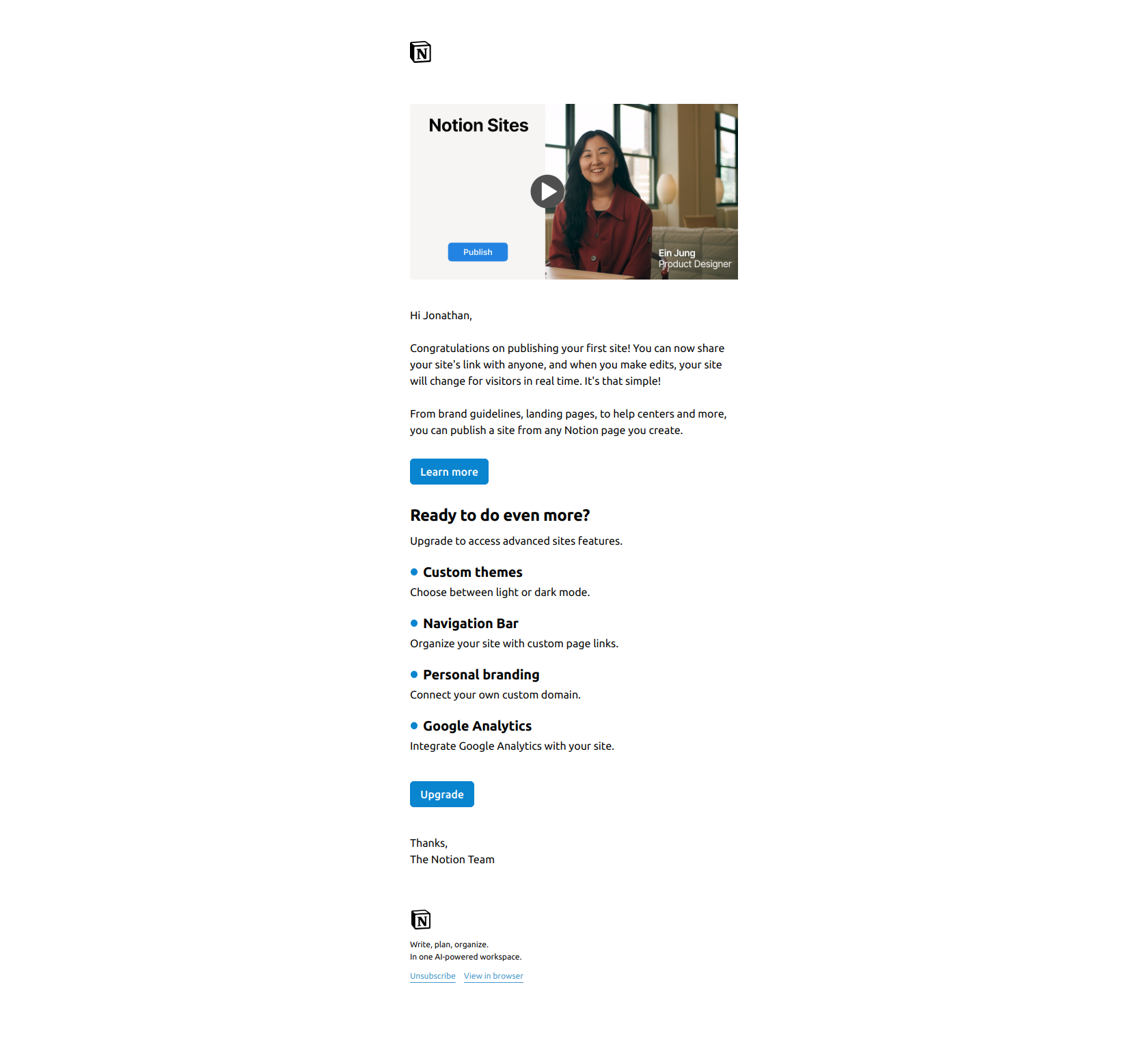
Subject line: Your first Notion Site is live!
Notion’s milestone email leads with the win — the site is live — and only mentions the upgrade after the user has been celebrated. The structure matters: by the time the upgrade CTA appears, the user is already proud of what they shipped, not skeptical of a sales pitch.
The pattern: validate the win before monetizing it. Milestone emails that bury congratulations under a feature dump get deleted. Milestone emails that lead with “you did this” and follow with “here’s how to do more of it” convert because the user feels seen, not sold to.
Grammarly — “Congrats on taking the first step toward effective communication”
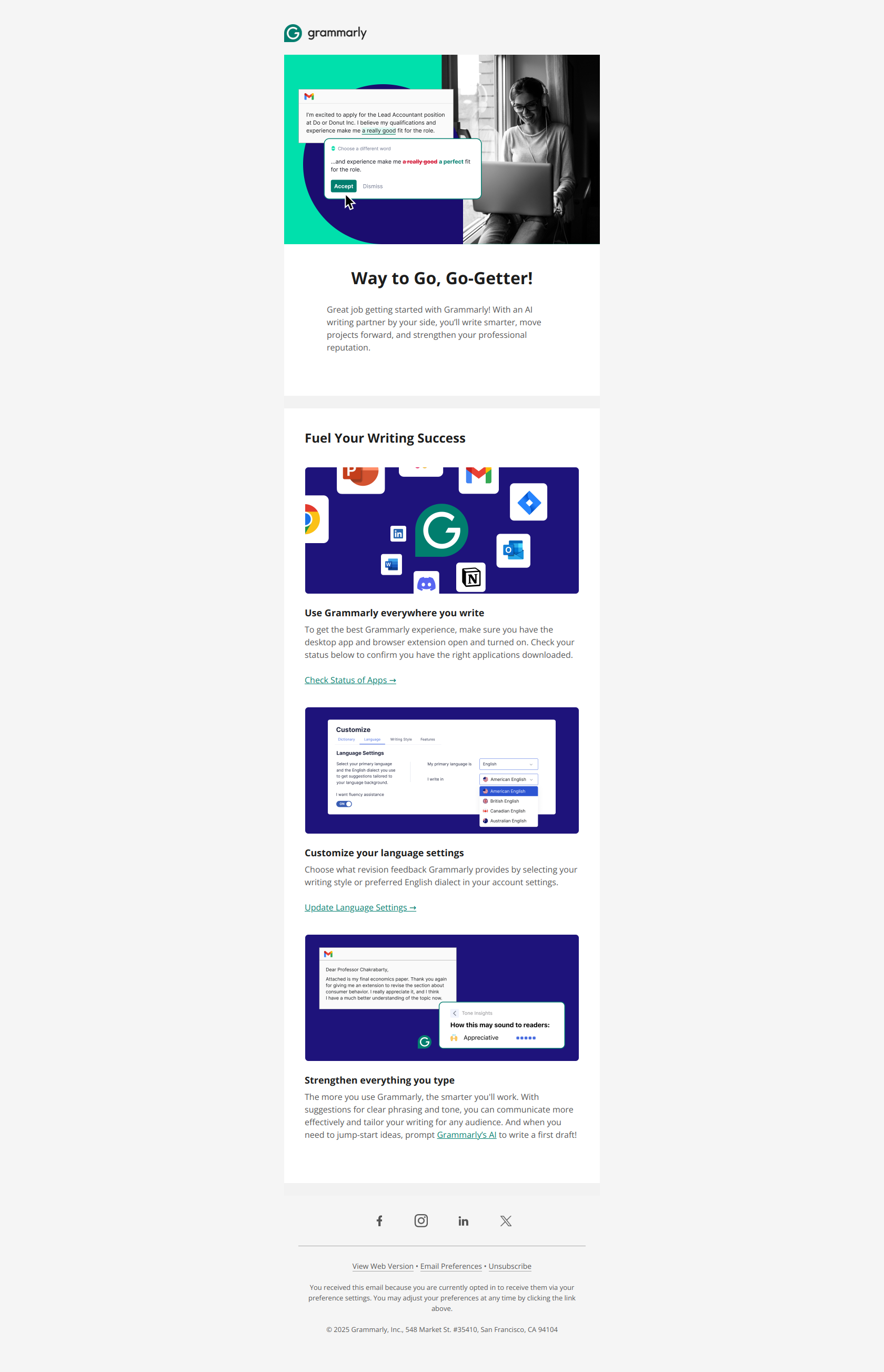
Subject line: Congrats on taking the first step toward effective communication
Grammarly reframes signup itself as a milestone achievement — not “welcome to Grammarly” but “congrats on taking the first step.” This triggers psychological commitment: users who feel they’ve already started something are several times more likely to continue it than users who feel they’ve only signed up.
The pattern: celebrate the behavior before requesting the next one. For onboarding and early-retention emails, lead with what the user has already done (even if it’s just signing up). Then ask for the next action while the momentum is still warm.
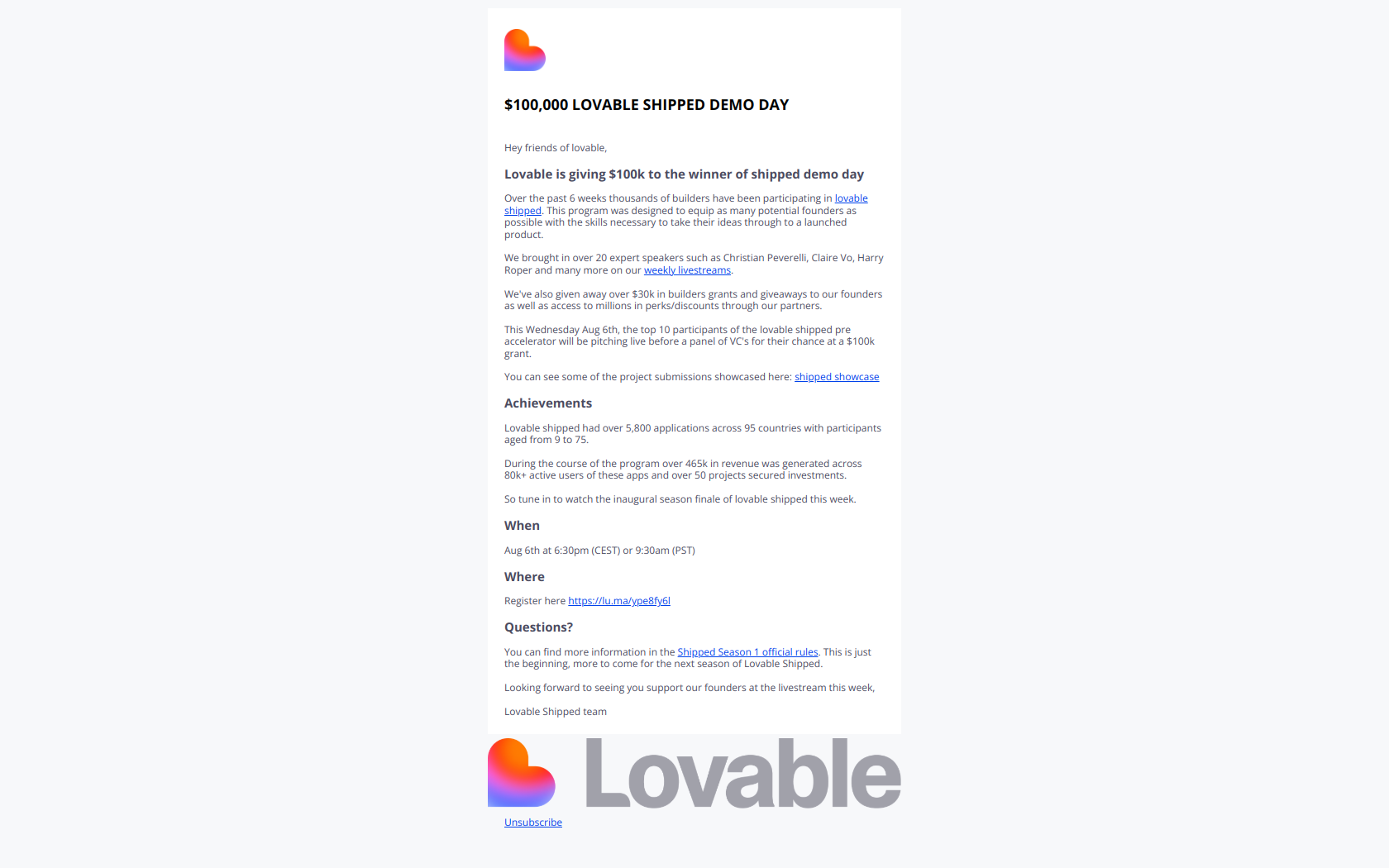
Lovable — “A huge thank you + exciting news”
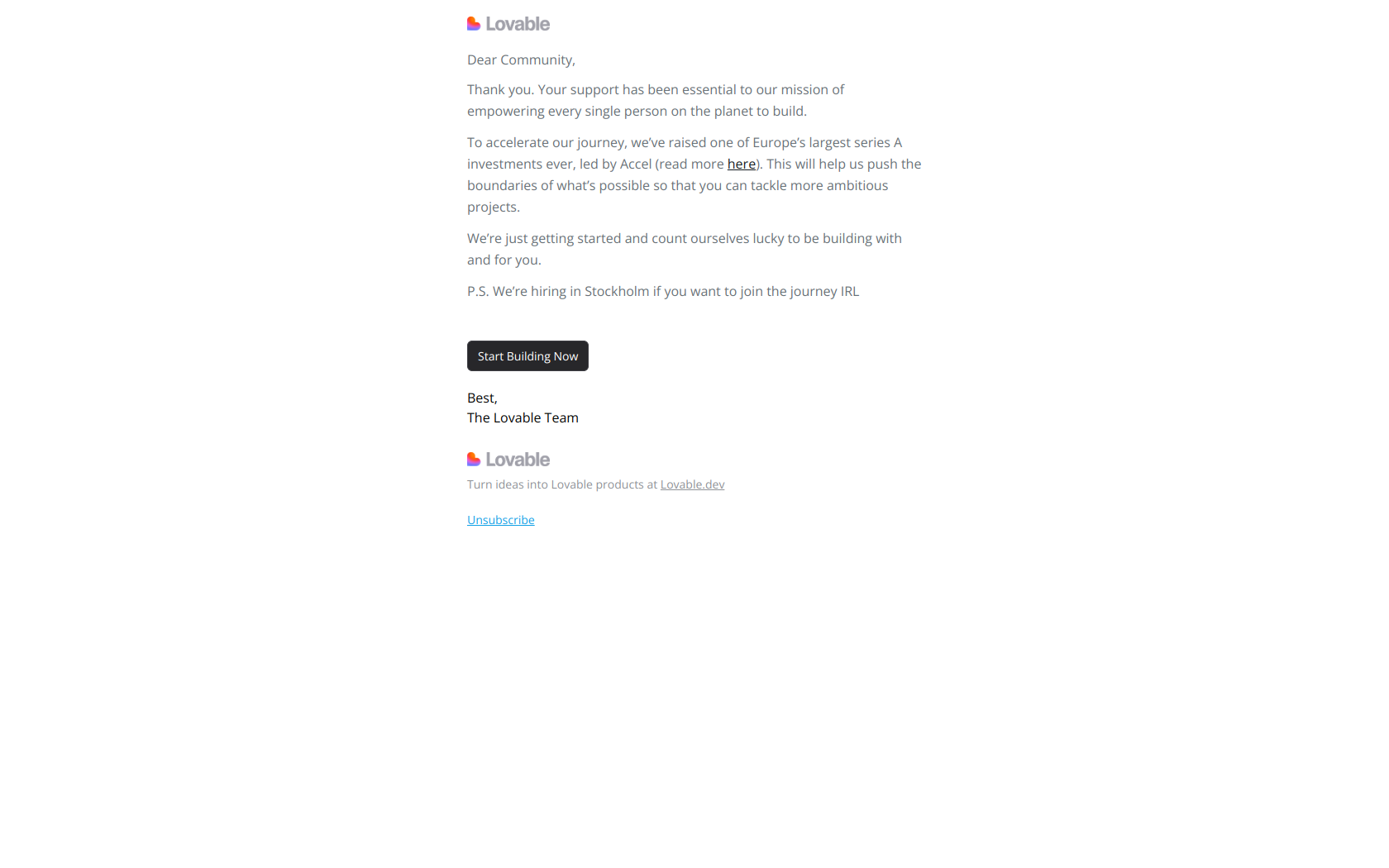
Subject line: A huge thank you + exciting news
Lovable pairs gratitude (“thank you”) with forward momentum (“exciting news”) to reframe a fundraising announcement as a shared win for the community. Existing users feel like protagonists in the company’s growth story, not just witnesses to it.
The pattern: celebrate the backer before the backing. Any milestone announcement — funding round, customer count, anniversary — should make the recipient feel responsible for the milestone, not invited to applaud it. Insider framing beats press-release framing in retention.
Dropbox — “Your Digi Storms files haven’t synced since May 03 2024”
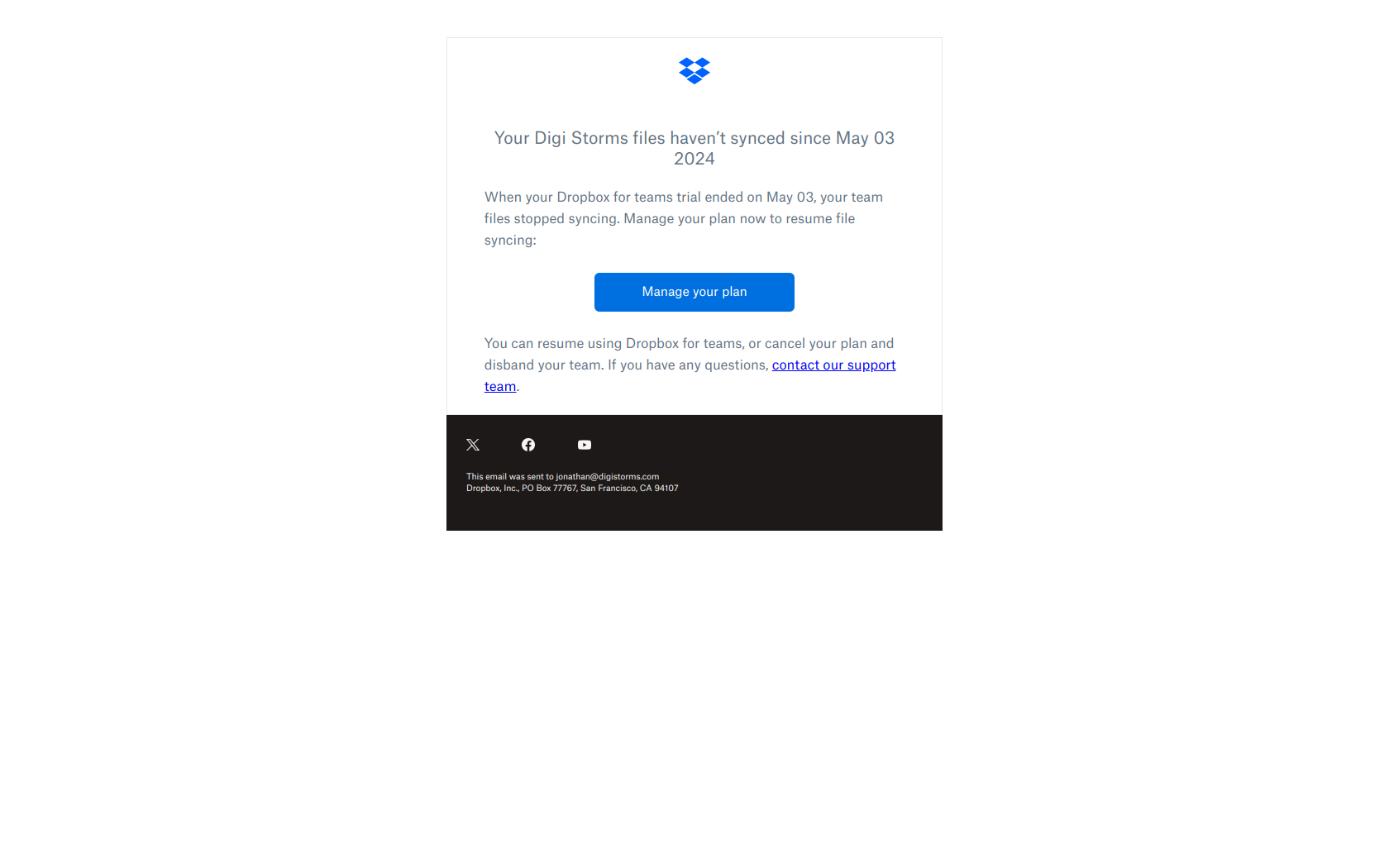
Subject line: Your Digi Storms files haven’t synced since May 03 2024
Dropbox names a specific, dated artifact (the user’s actual workspace) and a concrete loss state (haven’t synced since a precise date). The user can’t dismiss this as a generic nudge because the email references their actual data — their files, their date, their loss.
The pattern: quantify the specific loss, not the generic lapse. “We haven’t seen you in a while” gets archived. “Your 47 files haven’t synced since March 12” forces the reader to confront the real-world cost of inaction. Personalize the dormant state, not just the salutation.
Typeform — “Your form deserves an audience. Ready to share?”
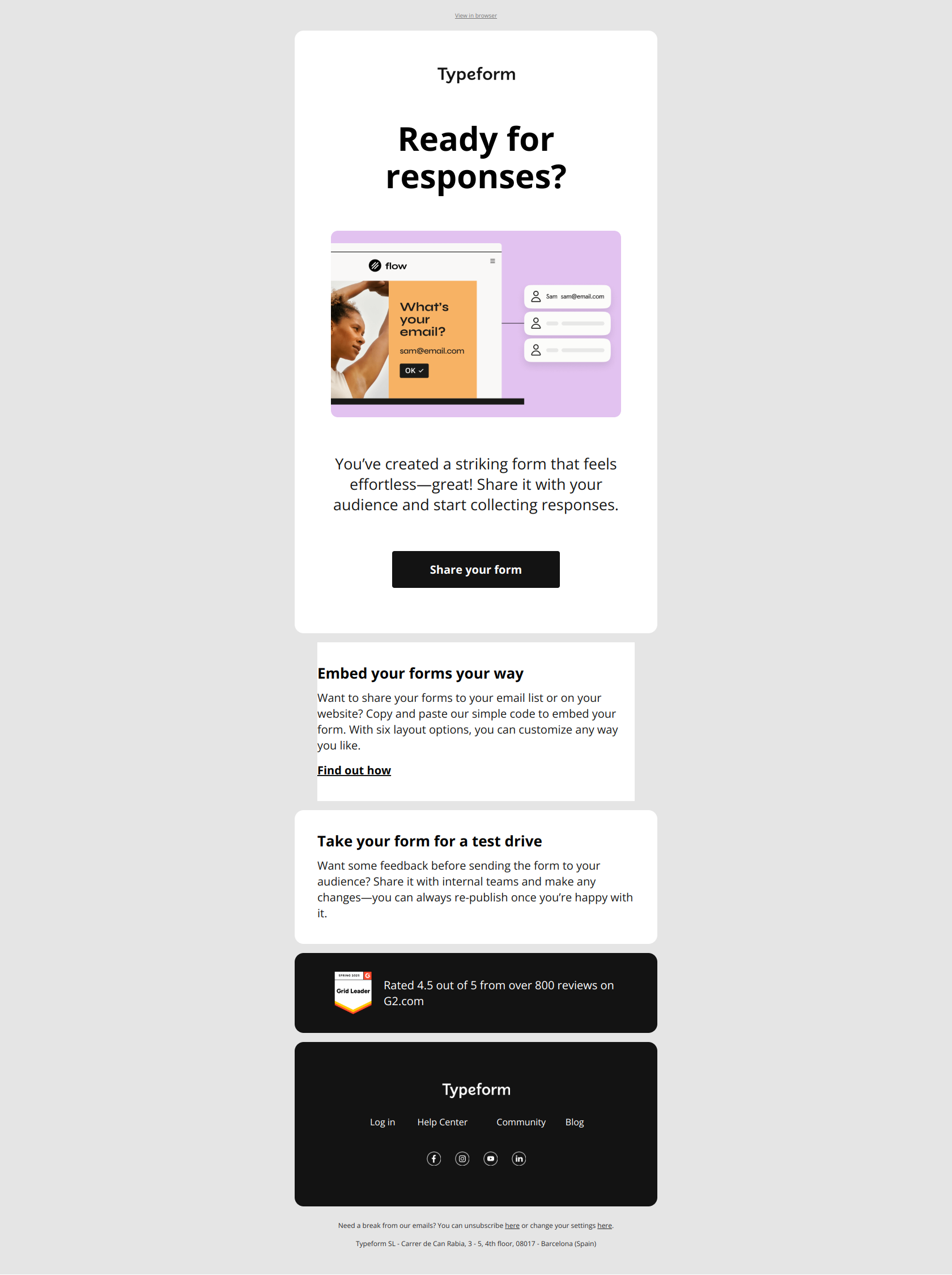
Subject line: Your form deserves an audience. Ready to share?
Typeform’s nudge targets a very specific stuck state: users who built a form but never shipped it. The subject reframes sharing not as a feature to enable but as a completion step the user owes themselves — “your form deserves” puts the user’s earlier effort on a pedestal.
The pattern: completion anxiety beats inactivity guilt. When users have built something but haven’t deployed it, lean on the half-finished artifact. “You started X” outperforms “you haven’t logged in” because the trigger is concrete, behavioral, and tied to value the user already created.
Aircall — “What would you do with 13% more time?”
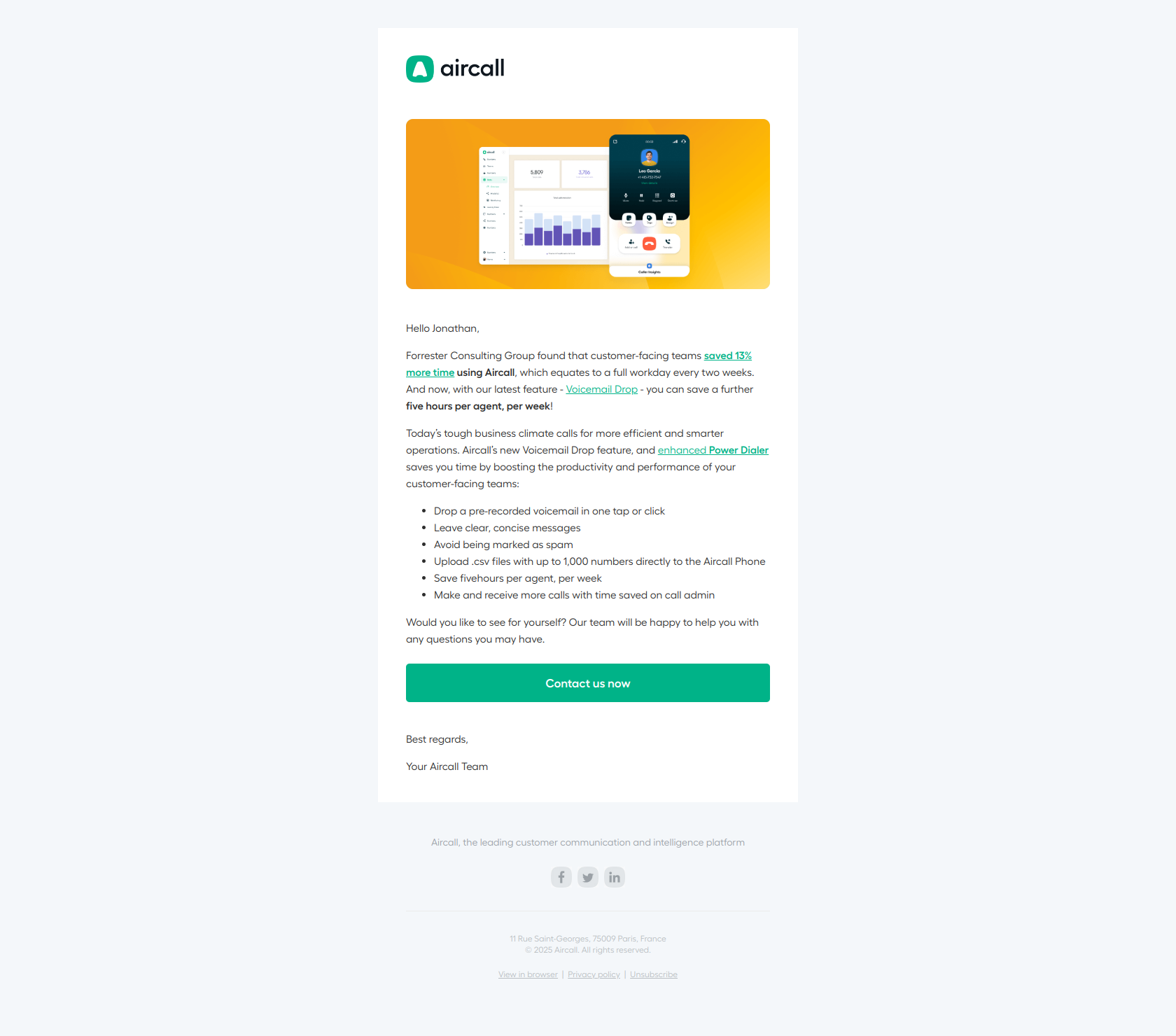
Subject line: What would you do with 13% more time?
Aircall asks a behavioral question instead of naming the feature. Readers have to imagine personal gain before they know what Aircall sells — which primes them to map the solution to their own pain instead of dismissing it as generic product marketing.
The pattern: outcome before feature. For inactivity nudges, the worst possible subject line names the feature (“Try our new Power Dialer”). The best one names the outcome (“13% more time”) and lets the user discover the feature inside. The first feels like an ad. The second feels like a tip.
Semrush — “Don’t lose your marketing momentum 💪”
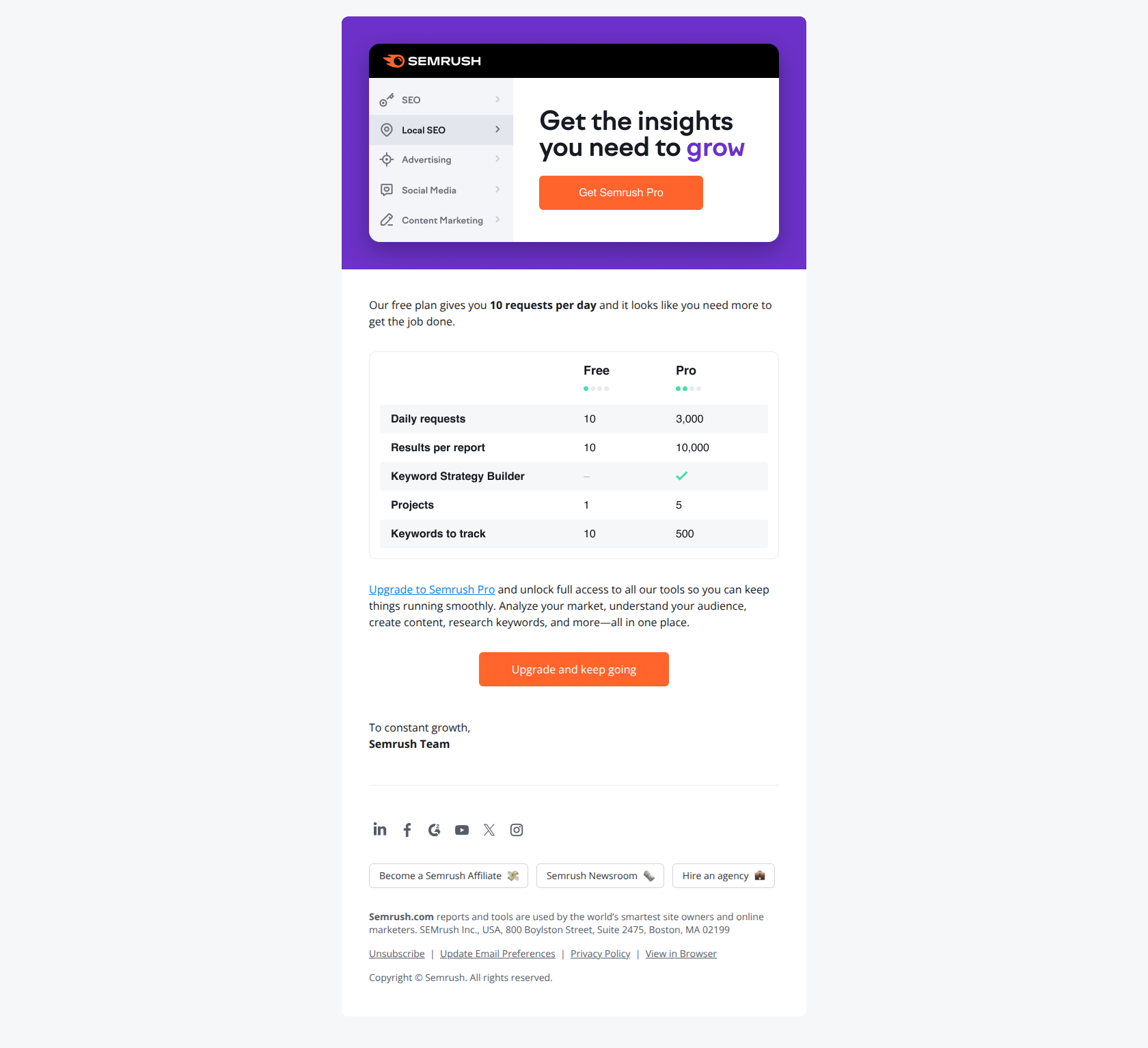
Subject line: Don’t lose your marketing momentum 💪
Semrush frames the upgrade ask as momentum preservation, not feature addition. The subject speaks to the user’s business outcome (maintaining growth) rather than Semrush’s product (more requests), which sidesteps the mental resistance that comes with paying more.
The pattern: lead with the user’s goal, not your ask. For paid plan upgrades, frame the conversion as unblocking progress rather than upselling to a tier. The user already feels constrained by the free plan. The retention email’s job is to make the next tier feel like removing friction, not adding cost.
Mailchimp — “Ready to transform your data? 📊”
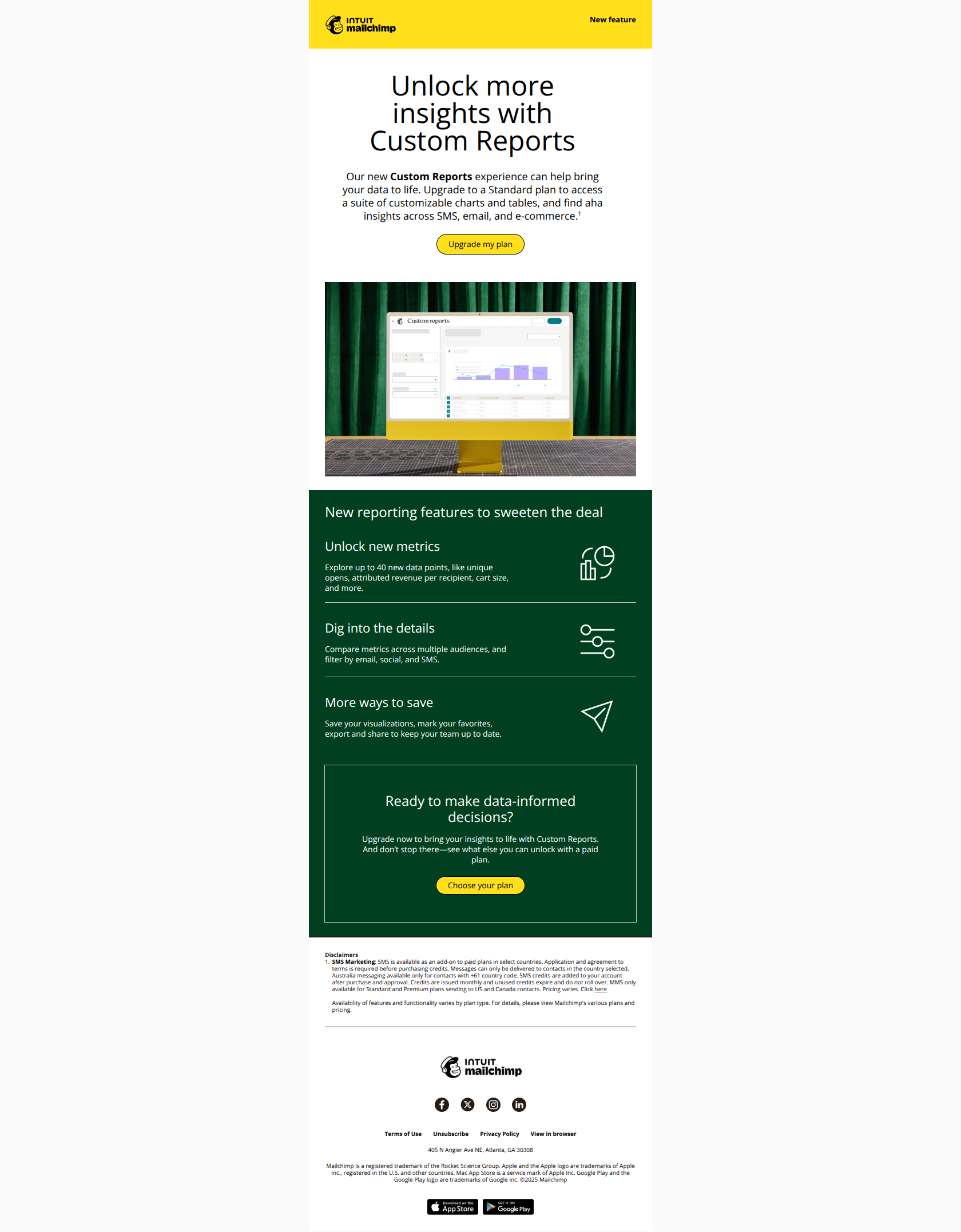
Subject line: Ready to transform your data? 📊
Mailchimp leads with a transformation outcome (“transform your data”) paired with a visual emoji, which reframes the upgrade ask as a capability unlock rather than a sales pitch. Users open because they’re imagining what becomes possible — not because they’re being sold to.
The pattern: outcome before offer. Expansion retention emails that headline a capability the user doesn’t have yet outperform ones that headline a price or plan name. The user converts when they see a future version of themselves doing something new — not when they see a comparison table.
Beehiiv — “Your website is getting a major upgrade”
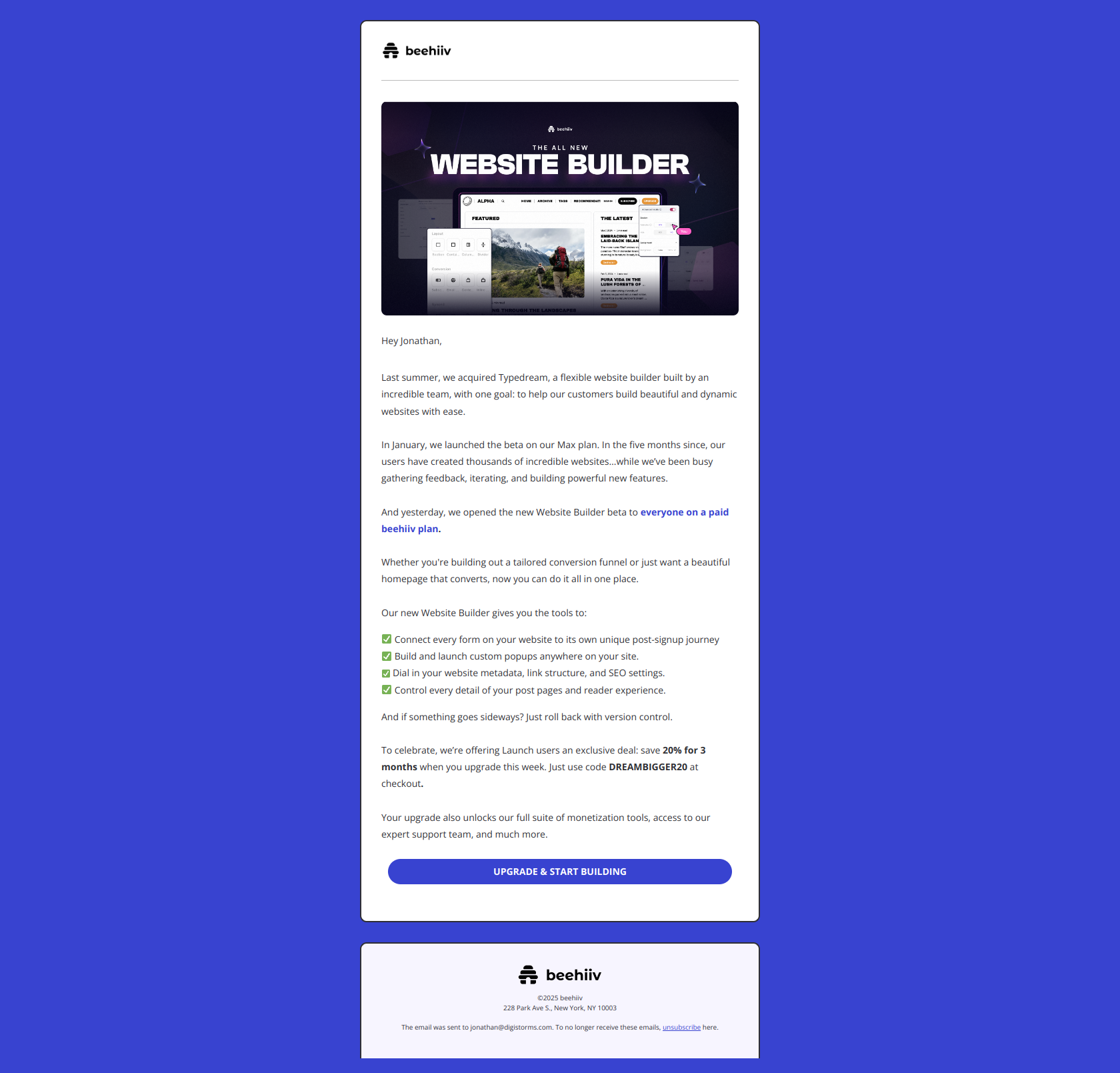
Subject line: Your website is getting a major upgrade
Beehiiv frames the new capability as something already happening to the user’s existing asset (your website) rather than a new feature being released (their website builder). Current users feel the change is already underway — and they’re behind if they don’t act on it.
The pattern: ownership language over feature announcements. “Your X is getting an upgrade” is more activating than “we launched a new Y” because the user perceives a capability gap in their current setup, not a new option in the company’s catalog.
Adobe — “Easily renew Creative Cloud today”
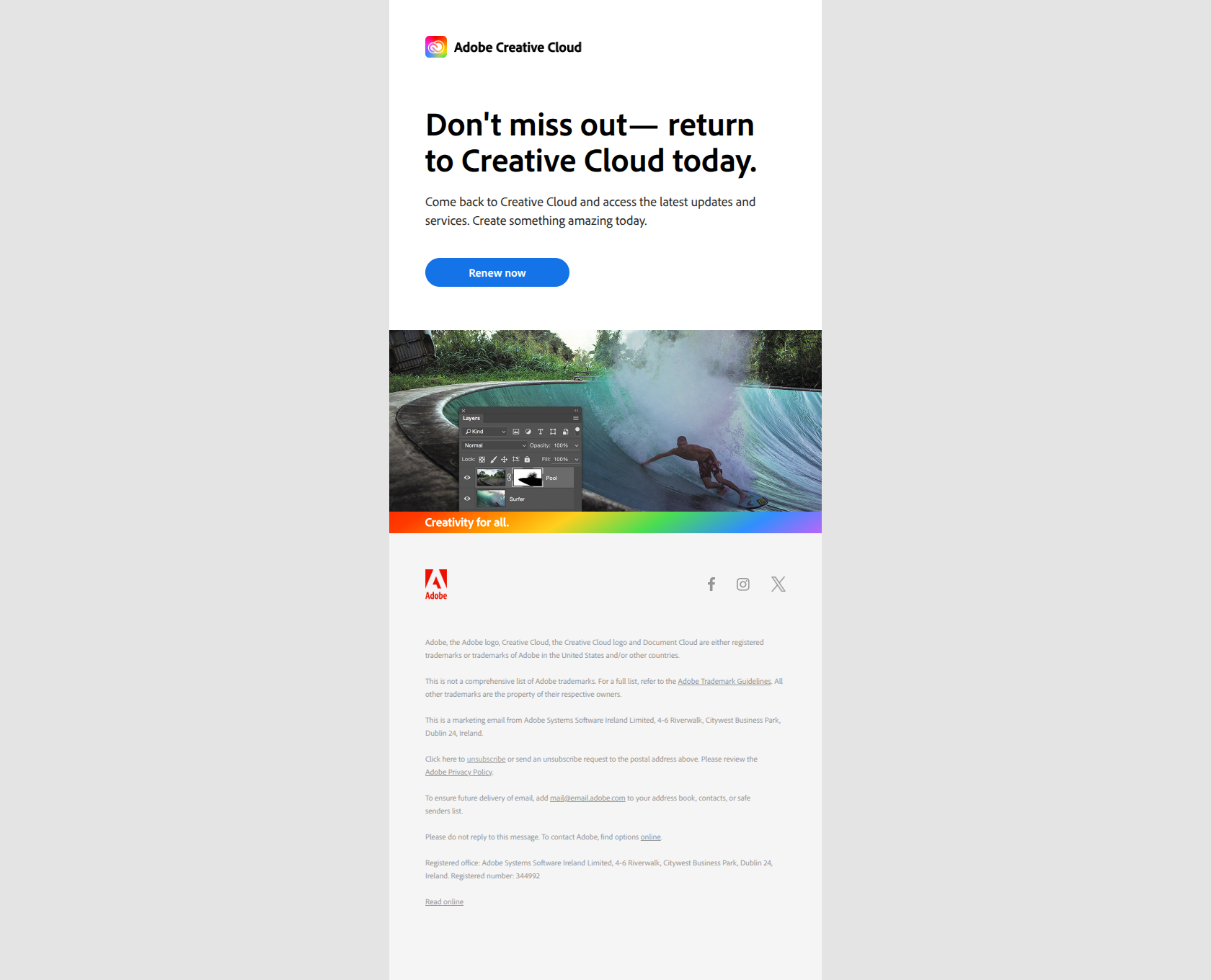
Subject line: Easily renew Creative Cloud today
Adobe removes friction by naming the action (renew) instead of the benefit. The subject signals to lapsed users that reactivation is a single step — not a complex decision — which triggers fast clicks from people who already know they want the product back.
The pattern: action-first subject lines for win-back. When users have already decided they need you and just need permission to come back fast, lead with the verb. “Easily renew” beats “Come back to Creative Cloud” because the first feels like a button, the second feels like a sales pitch.
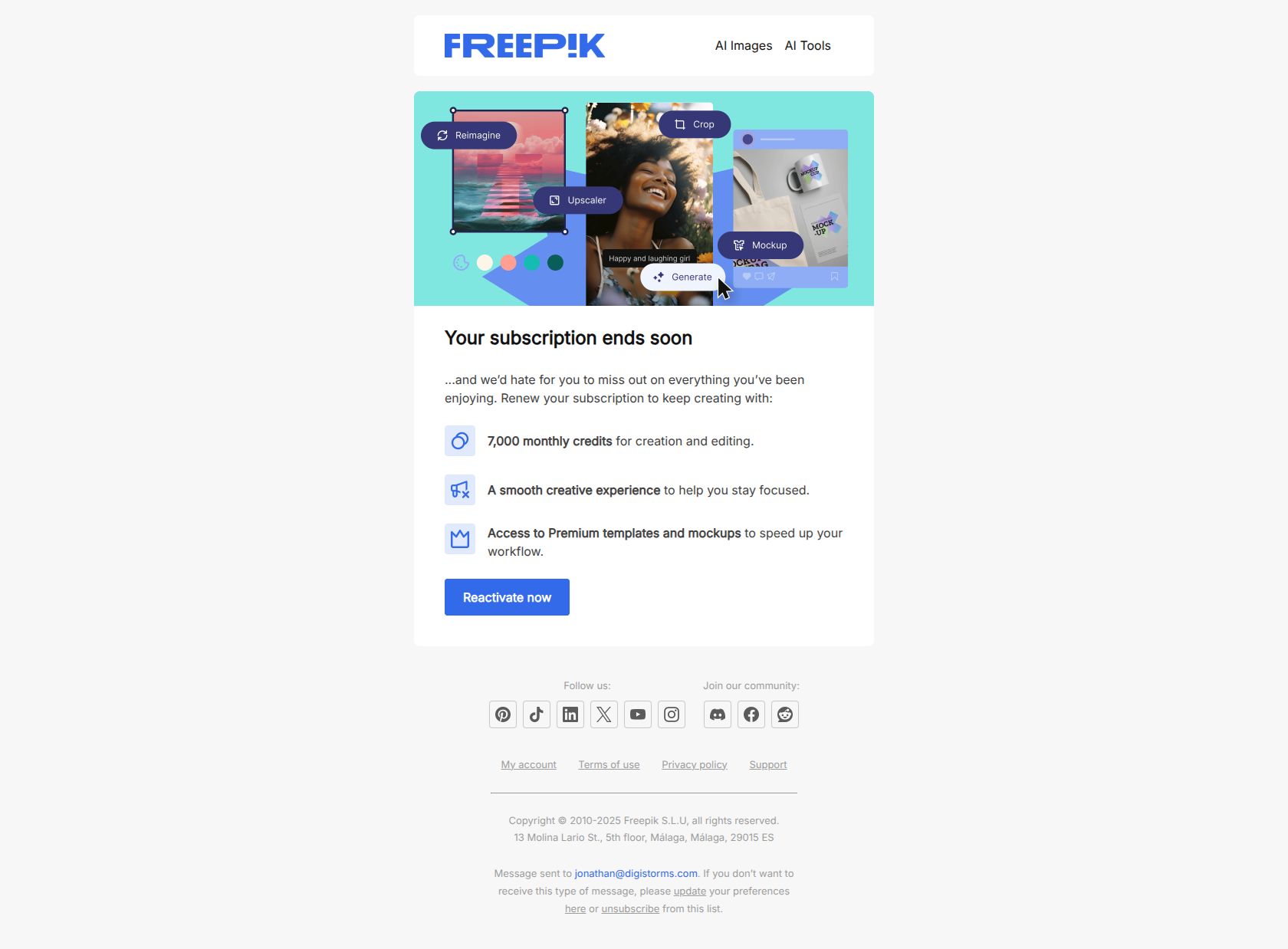
Freepik — “[Important] Your Freepik subscription has ended”
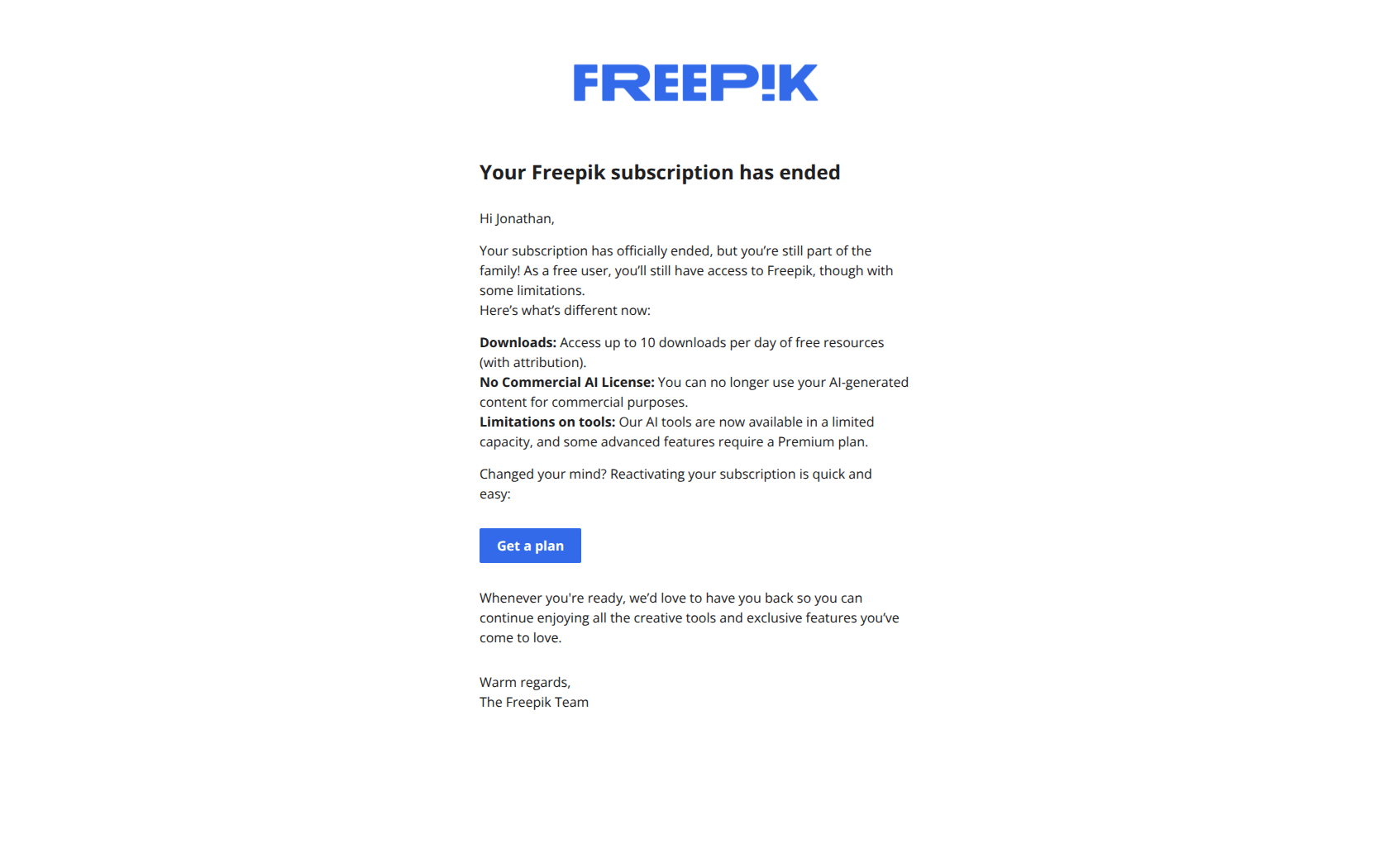
Subject line: [Important] Your Freepik subscription has ended
Freepik uses “[Important]” as a status flag rather than urgency language, which reframes the message as administrative notification instead of a sales pitch. This reduces delete-on-sight behavior from users who’ve tuned out promotional noise from the brand they just cancelled.
The pattern: frame churn as a status change, not a sales moment. Users who actively chose to leave need to feel re-onboarded, not re-sold. Administrative tone with a soft re-subscribe link beats a hard pitch every time when the user’s emotional state is “I left for a reason.”
Semrush — “Your Semrush subscription has been canceled.”
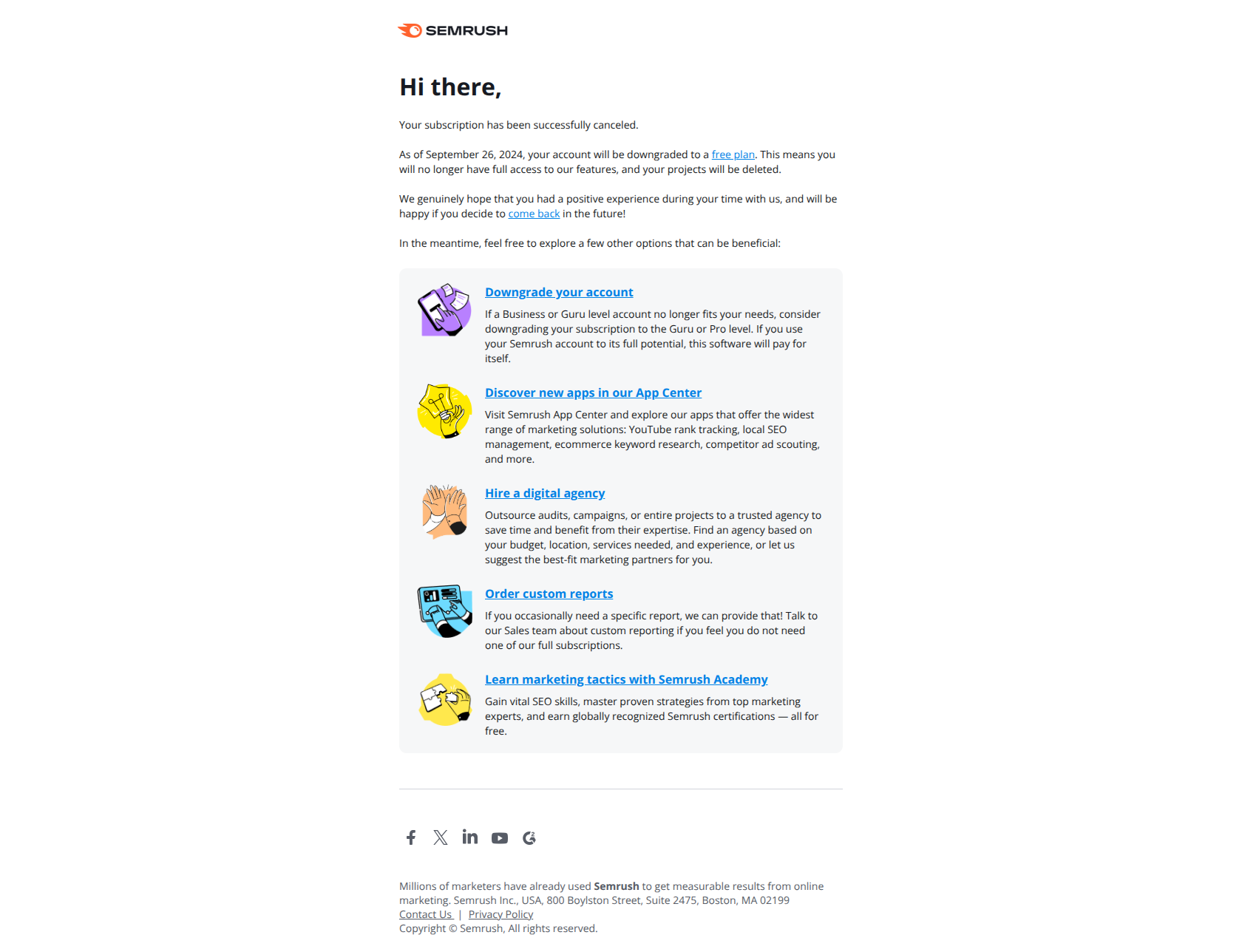
Subject line: Your Semrush subscription has been canceled.
Semrush’s cancellation email doesn’t fight the churn or guilt-trip the user. Instead, it treats the downgrade as a transition point and presents four concrete alternative paths (free tier, App Center, agency, Semrush Academy). Users who left because of price or use-case mismatch can self-select into a lower-friction option without leaving the ecosystem entirely.
The pattern: redirect churn into alternatives rather than resist it. Cancellation confirmation emails are the last branded touch a churned user will see — use them to keep the relationship alive at a lower tier. Recovery rate from a soft-landing cancellation email beats recovery rate from a hard-sell win-back sent 30 days later.
Subject line patterns that work for customer retention
Across the 12 examples, four patterns dominate:
| Pattern | Example | When to use |
|---|---|---|
| The named milestone | ”Your first Notion Site is live!” | Behavior-triggered, after the user hits a usage threshold |
| The specific loss | ”Your Digi Storms files haven’t synced since May 03 2024” | Inactivity-triggered, when you can name the artifact |
| The outcome question | ”What would you do with 13% more time?” | Inactivity-triggered, when you can quantify the value |
| The action verb | ”Easily renew Creative Cloud today” | Win-back, when the user has already decided |
Avoid: “We miss you!” / “Come back!” / “Upgrade now!” — these read as desperate, generic, and pushy in roughly that order. The best retention copy sounds like a status update, a milestone, or a friend, not a marketing team.
How to sequence customer retention emails
A complete retention program covers the full lifecycle. Most SaaS teams need these triggers running concurrently:
| Trigger | Email type | Timing | Goal |
|---|---|---|---|
| First meaningful usage | Milestone retention (Notion, Grammarly) | Real-time | Reinforce the habit |
| Anniversary | Milestone retention (Lovable) | Yearly | Re-anchor to relationship |
| Activity drops below cadence | Inactivity nudge (Dropbox, Typeform, Aircall) | 14-30 days after last action | Name the loss |
| Approaching plan limit | Expansion / upgrade-cta (Semrush, Mailchimp, Beehiiv) | When usage hits 80%+ of cap | Reframe the upgrade |
| Cancellation in flow | Save offer (Semrush “Before you go” style) | Real-time at cancel click | Tiny pause, soft offer |
| Cancellation confirmed | Soft landing (Semrush, Freepik) | Real-time after cancel | Keep ecosystem connection |
| 7-14 days post-cancel | Action-first win-back (Adobe) | Day 7-14 | Single-step reactivation |
Match the trigger to your product’s natural cadence. Daily-use tools (Slack, Notion, Figma) re-engage after 14 days of dormancy. Weekly-use tools (Calendly, Pipedrive) wait 30 days. Monthly-use tools (Adobe, accounting tools) wait 60. Trigger too early and you train users to ignore you. Trigger too late and the relationship has already cooled.
What separates great retention emails from average ones
Three things, consistently:
- They name a specific artifact. “Your form” / “Your files” / “Your first site” beats “your account” every single time. Retention emails win when the recipient cannot mistake the message for a template blast.
- They lead with the user’s behavior, not the company’s catalog. Milestone emails celebrate the user’s action. Inactivity emails reference the user’s last action. Expansion emails frame the upgrade as the user’s next action. The company recedes.
- They accept that not every retention email needs to convert. Cancellation confirmations that redirect to a free tier, or downgrade receipts that keep the relationship at a lower altitude, compound into recovery rates that hard-sell emails never achieve.
If you’re writing retention emails that lead with discounts, urgency, or feature lists, you’re competing with promotional noise. If you’re writing retention emails that lead with the user’s own work, behavior, or moments — you’re competing with email from friends.
Final word
Customer retention is rarely won on the last email before churn. It’s won on the milestone email after first publish, the inactivity nudge that names the specific file, the upgrade prompt that reframes the next tier as unblocking work. The 12 examples above show how the best SaaS brands distribute that work across the full lifecycle, not just the cancellation flow.
Want to see these emails in their full original format, plus hundreds more retention emails from real SaaS brands? Browse the DigiStorms email library — every example above is there with the full thread, subject line, and trigger context. Or jump straight to retention-focused tags: re-engage cancelled users, inactivity nudge, milestone reached, and upgrade CTA.