Every SaaS team eventually needs the same 7 lifecycle emails: welcome, setup, education, milestone, trial-ending, upgrade, re-engagement. You do not need to write them from scratch. The top SaaS brands already figured out the copy patterns that work, and their emails are public.
This guide gives you 14 ready-to-use SaaS lifecycle email templates, each pulled from a real production email in the DigiStorms library. Every template includes the subject line, a screenshot of the email, a note on when to send it, why it works, and a copy-and-paste version you can adapt to your brand.
A quick disambiguation since “SaaS email templates” can mean different things. This guide is about lifecycle emails, the kind that fire on behavior triggers inside your product (signup, setup complete, trial expiring, feature adoption, etc). It is not about cold outreach, newsletters, or marketing broadcast emails. For those, check out our guides on SaaS welcome emails, SaaS newsletters, and product launch emails.
Ready to steal? Jump to the stage you need:
- Welcome templates (3)
- Setup prompt templates (1)
- Education templates (2)
- Milestone templates (2)
- Trial-ending templates (2)
- Upgrade templates (2)
- Re-engagement templates (2)
Welcome templates
The welcome email fires within 5 minutes of signup. It confirms the account works, sets a path for the next 14 days, and gets the user toward their first value moment. Almost never a pitch.
1. Beehiiv: the founder-voice welcome (free users)
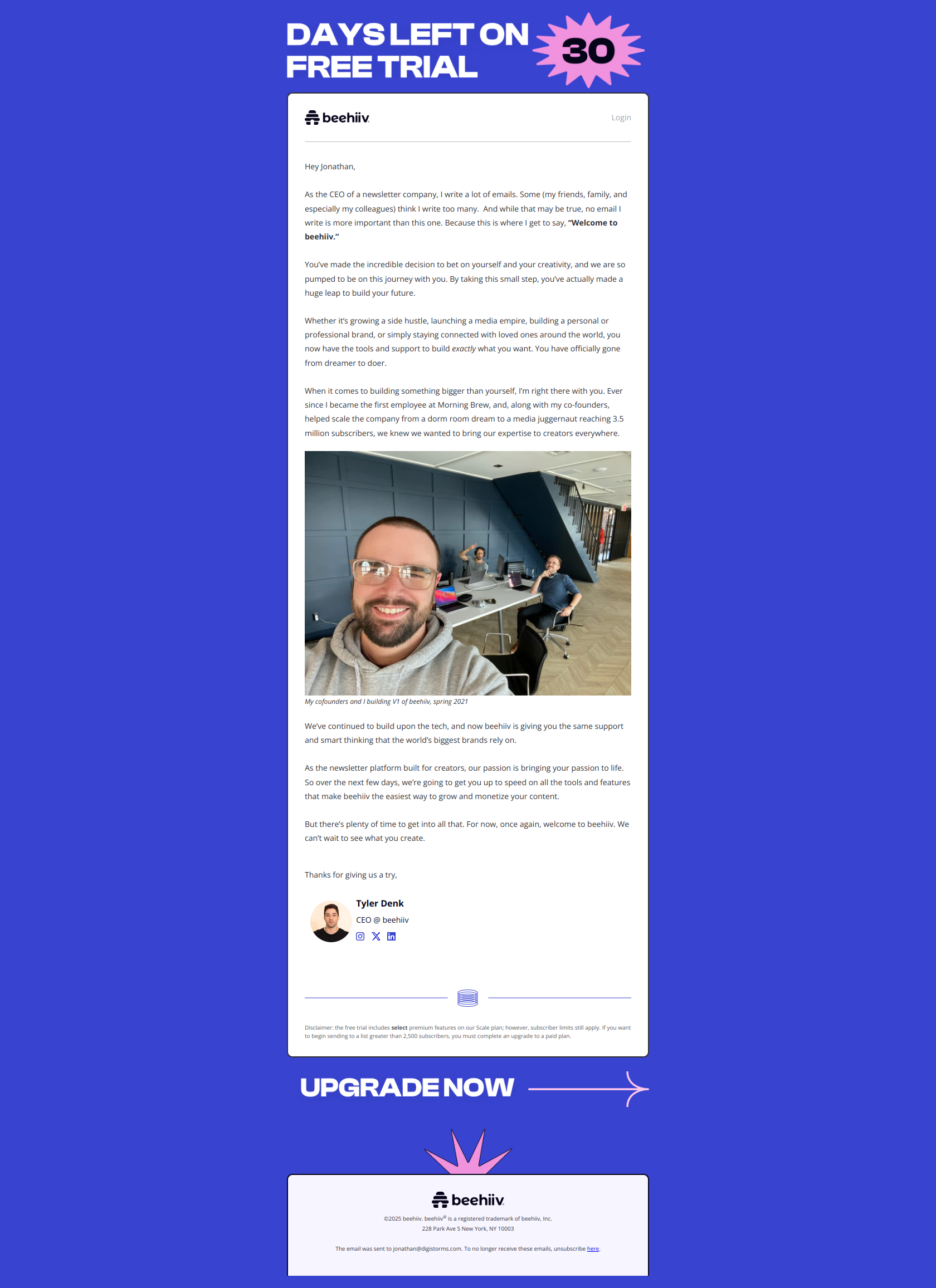
Subject line: “A welcome note from our CEO”
When to send: Within 5 minutes of signup to your free tier.
Why it works: A message from a named human (the CEO) gets 2x the reply rate of a branded welcome. The “note” framing signals personal, not transactional. See the full email.
Steal this template:
Subject: A welcome note from [Founder Name]

Hey {{ first_name }},

[Founder Name] here, CEO of [Product]. Just wanted to say
welcome. A lot of people just sent you an automated email,
but I wanted to say it myself.

Three quick things:

1. The fastest way to get value from [Product] is to
   [specific first action]. Takes about [N] minutes.

2. If you get stuck, hit reply to this email. Goes
   straight to me.

3. We ship new features every week. If you want to see
   what is coming, follow [@handle] on X.

Glad you are here.

[Founder Name]
CEO, [Product]
2. Buffer: the paid-user welcome
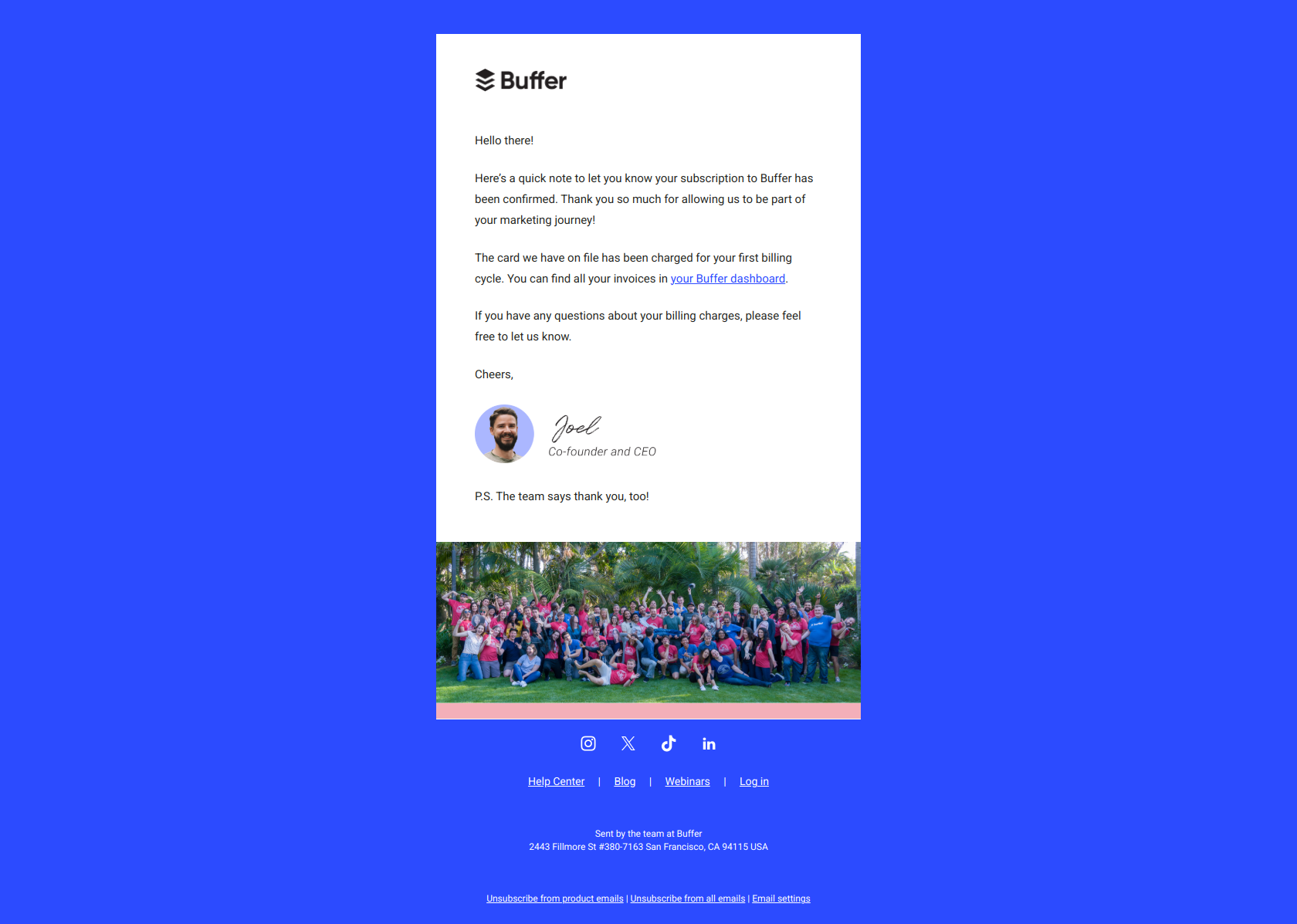
Subject line: “Awesome! You are in.”
When to send: Immediately after a user upgrades to a paid plan. Separate from the free-tier welcome.
Why it works: Short subject, celebratory tone, confirms the upgrade took effect. Buffer does not pitch features here because the user already paid. The email’s job is to make them feel the decision was right. See the full email.
Steal this template:
Subject: Awesome! You are in.

Hi {{ first_name }},

You just upgraded to [Plan Name]. Nice.

Here is what you unlocked today:

✓ [Benefit 1]
✓ [Benefit 2]
✓ [Benefit 3]

The fastest way to put these to work is [specific next action].

If anything feels off in the first 24 hours, just reply to
this email and we will sort it.

Welcome to [Plan Name].

[Team Name]
3. SemRush: the tier-upgrade welcome
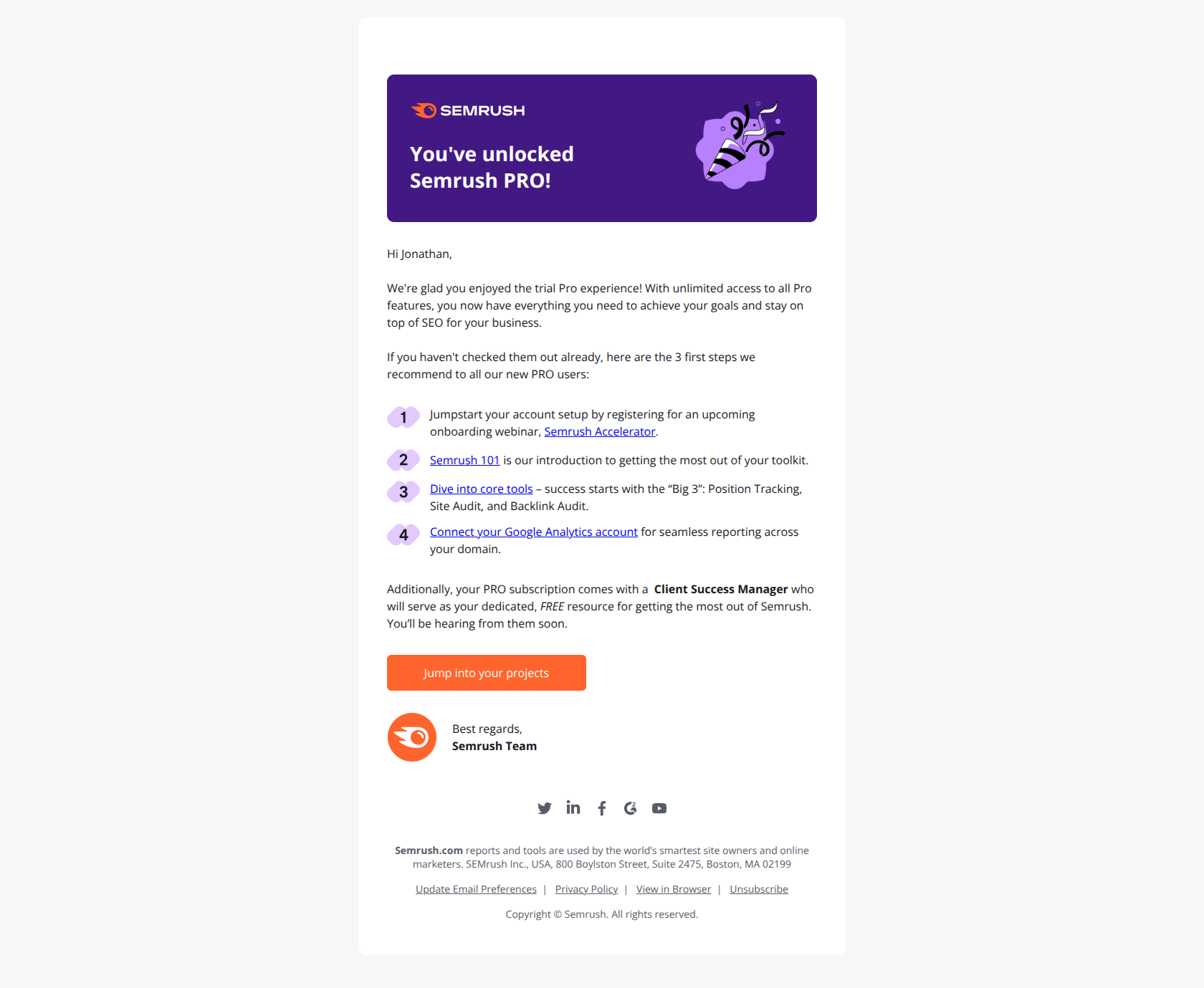
Subject line: “It’s official – you’re a Semrush PRO!”
When to send: Immediately after an existing user upgrades from one paid tier to a higher tier.
Why it works: The tier name in the subject line (“PRO”) creates status identity. The user is not just a customer now, they are a “PRO”. Exclusivity language works best on power-user tiers. See the full email.
Steal this template:
Subject: It's official. You are a [Product] [Tier Name].

Hey {{ first_name }},

Your upgrade to [Tier Name] is live. You now have access to:

→ [Tier-specific feature 1]
→ [Tier-specific feature 2]
→ [Tier-specific feature 3]

The feature we see [Tier Name] users adopt first is
[most-adopted feature]. Here is a 2-minute guide to
turning it on: [link].

Welcome up.

[Team Name]
Setup prompt templates
The setup prompt fires 24 hours after signup if the user has not completed the required setup step. This is the single highest-ROI email in the sequence. Most unactivated signups never return after day 2 without it.
4. Grammarly: the explicit setup-required prompt
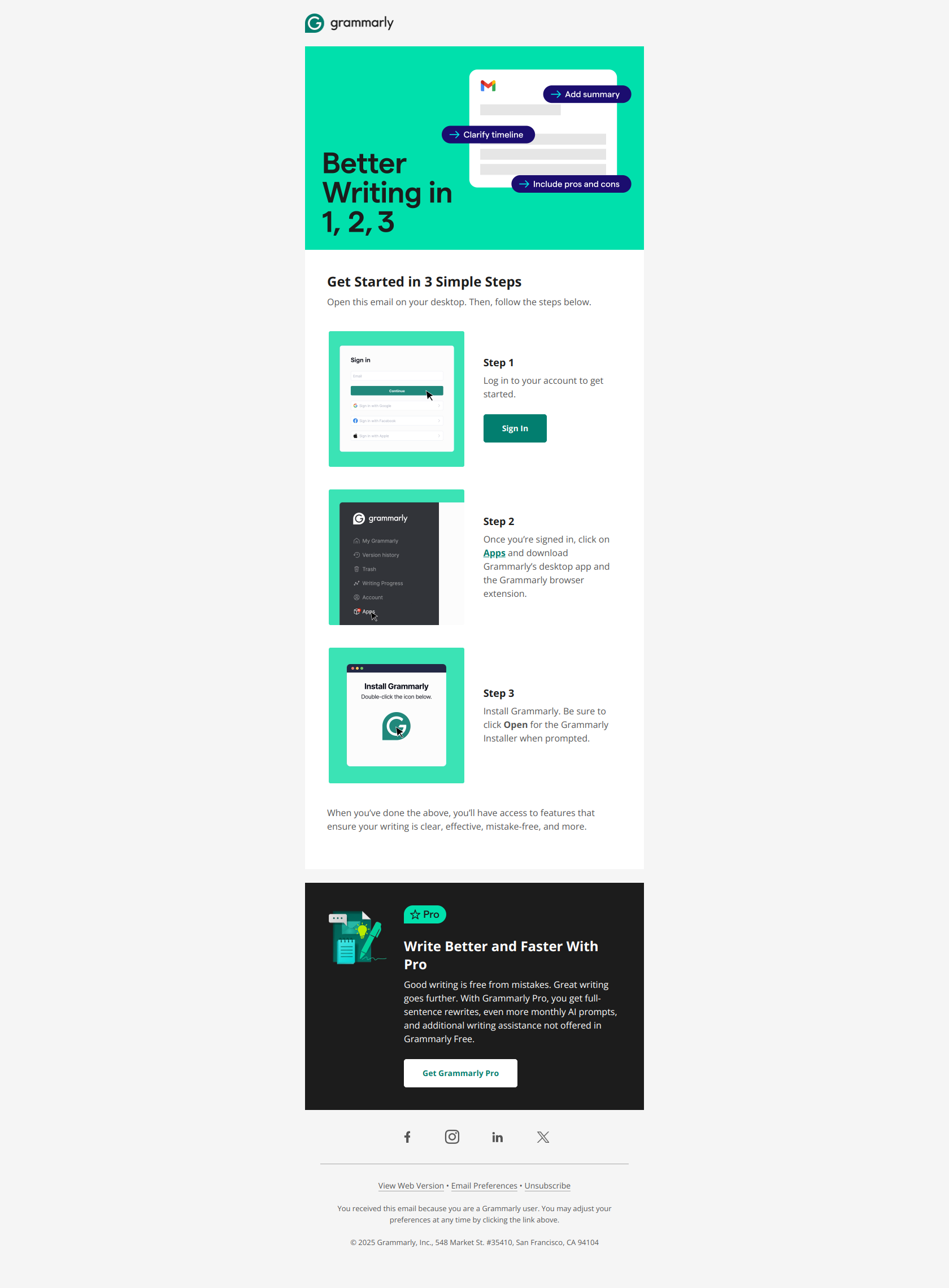
Subject line: “Action required: Finish setting up your account”
When to send: 24 to 36 hours after signup if the user has not installed the Grammarly extension (or whatever your critical setup step is).
Why it works: “Action required” in the subject line creates genuine urgency without overstating it. The user’s account DOES require action to be useful. The body is one sentence and one button, no extras. See the full email.
Steal this template:
Subject: Action required: Finish setting up your [Product]

Hi {{ first_name }},

Your [Product] account is created, but there is one
more step before you can [primary value].

[Setup step]: install the [Product] [extension/app/integration]
to [specific benefit].

[Install {{ Product }} →]

Takes about 30 seconds. Reply here if you run into issues.

[Team Name]
Education templates
The education email introduces one specific feature that solves one specific problem. Never a feature list. Never a generic tour. Pick the single highest-impact capability for the user’s current stage.
5. Monday: the 2-tools education nudge
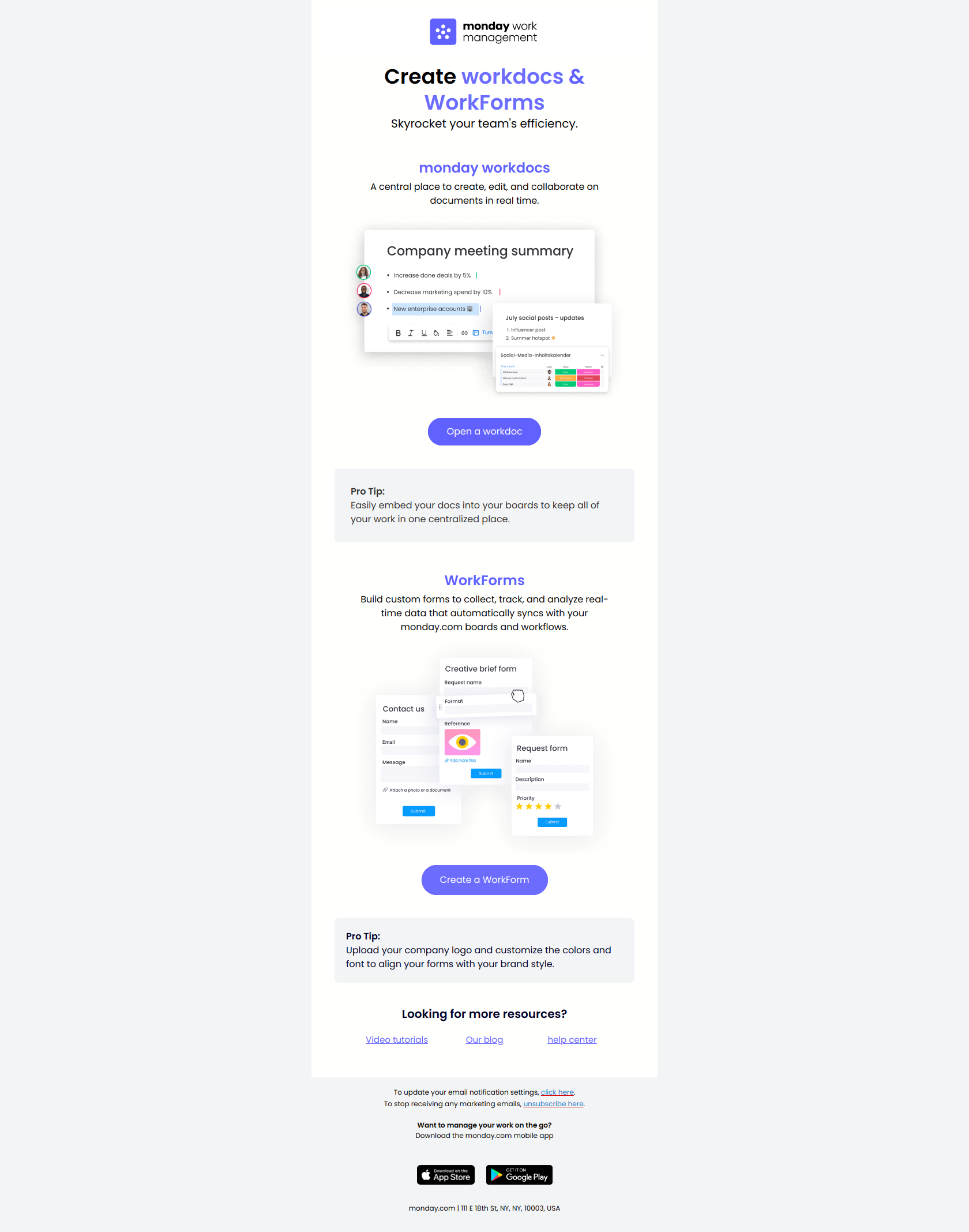
Subject line: “2 key tools to maximize efficiency”
When to send: Day 3 to 5 of the trial. Targets users who have completed basic setup but have not yet adopted the 2 most-predictive-of-retention features.
Why it works: “2 key tools” is specific enough to promise a payoff, small enough not to overwhelm. Monday picked the 2 features their data shows correlate with trial-to-paid conversion. You should too. See the full email.
Steal this template:
Subject: 2 [product-noun] to maximize [user goal]

Hi {{ first_name }},

By now you have gotten the basics of [Product] down.
Ready to unlock the two features that [measurable outcome]?

1. [Feature 1 name]
   [One-sentence explanation of what it does and why it matters.]
   [Try it →]

2. [Feature 2 name]
   [One-sentence explanation of what it does and why it matters.]
   [Try it →]

These take about 5 minutes each to set up and save our
average user about [N hours/week].

[Team Name]
6. Miro: the “just the first step” progression email
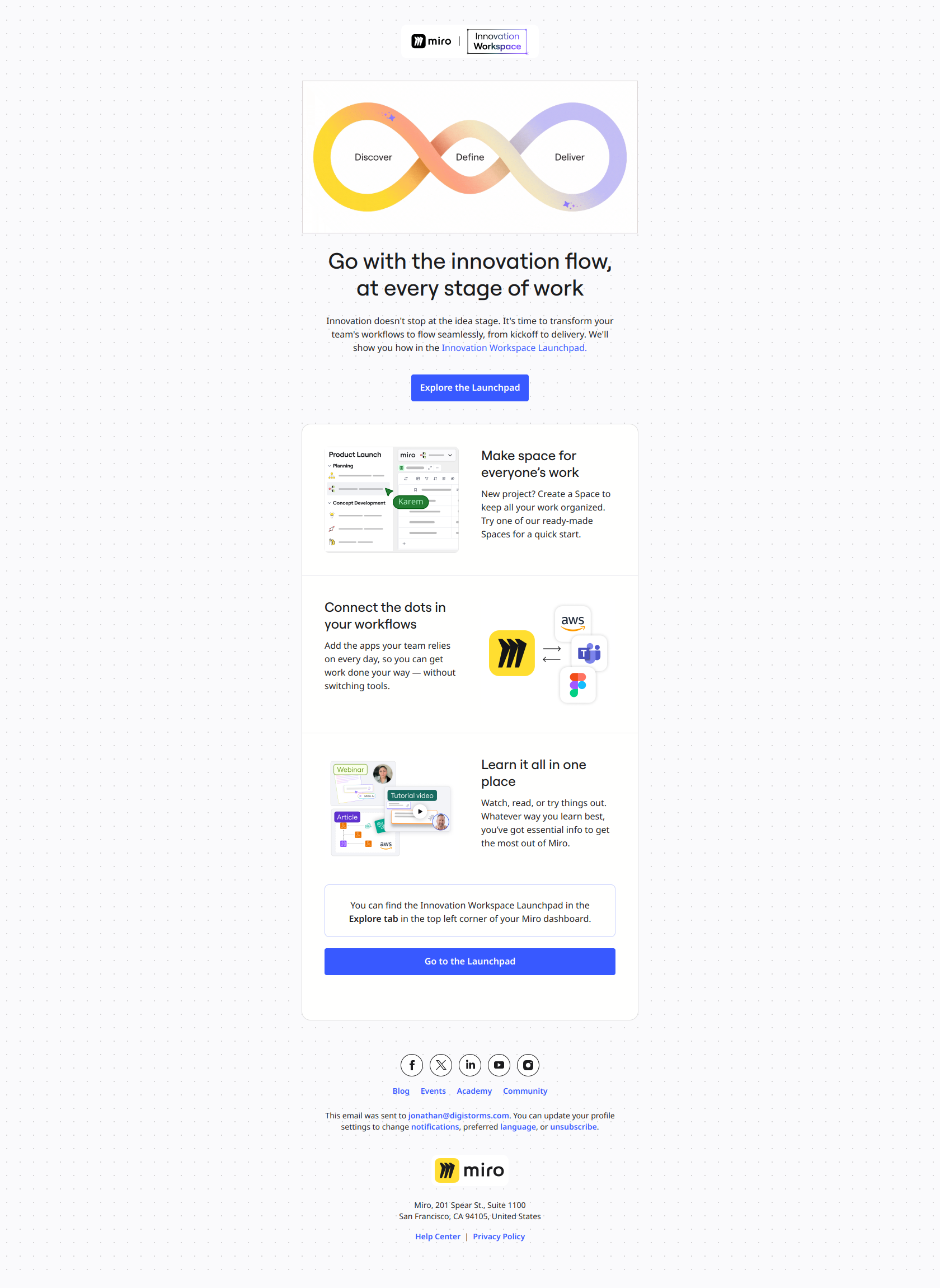
Subject line: “A great idea is just the first step”
When to send: Day 5 to 7 of a trial, after the user has completed their first creative action (created a board, sketched an idea, etc).
Why it works: Frames the user’s progress as incomplete in a positive way. “Just the first step” implies they are on a path, and the rest of the email shows them where that path leads. Loss aversion without being salesy. See the full email.
Steal this template:
Subject: A great [thing they made] is just the first step

Hi {{ first_name }},

You just [specific action they completed].

Here is what comes next:

→ [Next capability]: turn that [thing] into [outcome].
→ [Next capability]: share it with [collaborator type].
→ [Next capability]: automate [related workflow].

The users who do these three things in the first week
are the ones who stick around. Worth 10 minutes.

[Get started →]

[Team Name]
Milestone templates
The milestone email fires when the user completes a meaningful product event. It reads like a coworker noticing. Behavior-triggered, never time-based.
7. Grammarly: the “first step” milestone
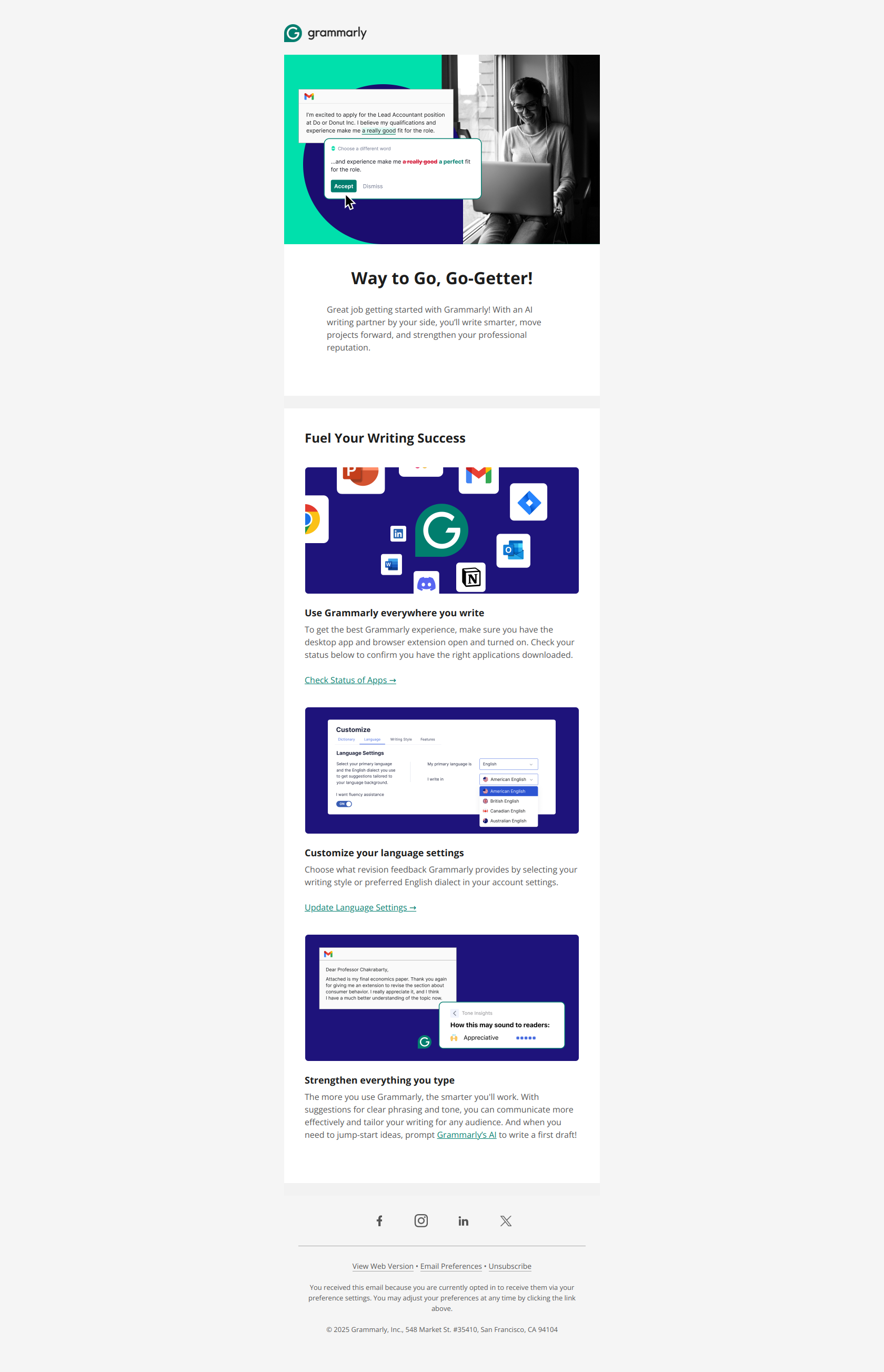
Subject line: “Congrats on taking the first step toward effective communication”
When to send: The moment the user first uses Grammarly to check a piece of text.
Why it works: Congratulates on the behavior, not the signup. Ties the small action (“checked one document”) to the bigger identity (“effective communication”). Emotional framing without being cheesy. See the full email.
Steal this template:
Subject: Congrats on [specific action they took]

Hi {{ first_name }},

You just [action, described specifically]. That is step one
toward [identity / aspiration the user bought into].

Here is what most users do next:

→ [Immediate next action with clear benefit]
→ [Second-order action with clear benefit]

Nice work.

[Team Name]
8. Zapier: the “first Zap” milestone
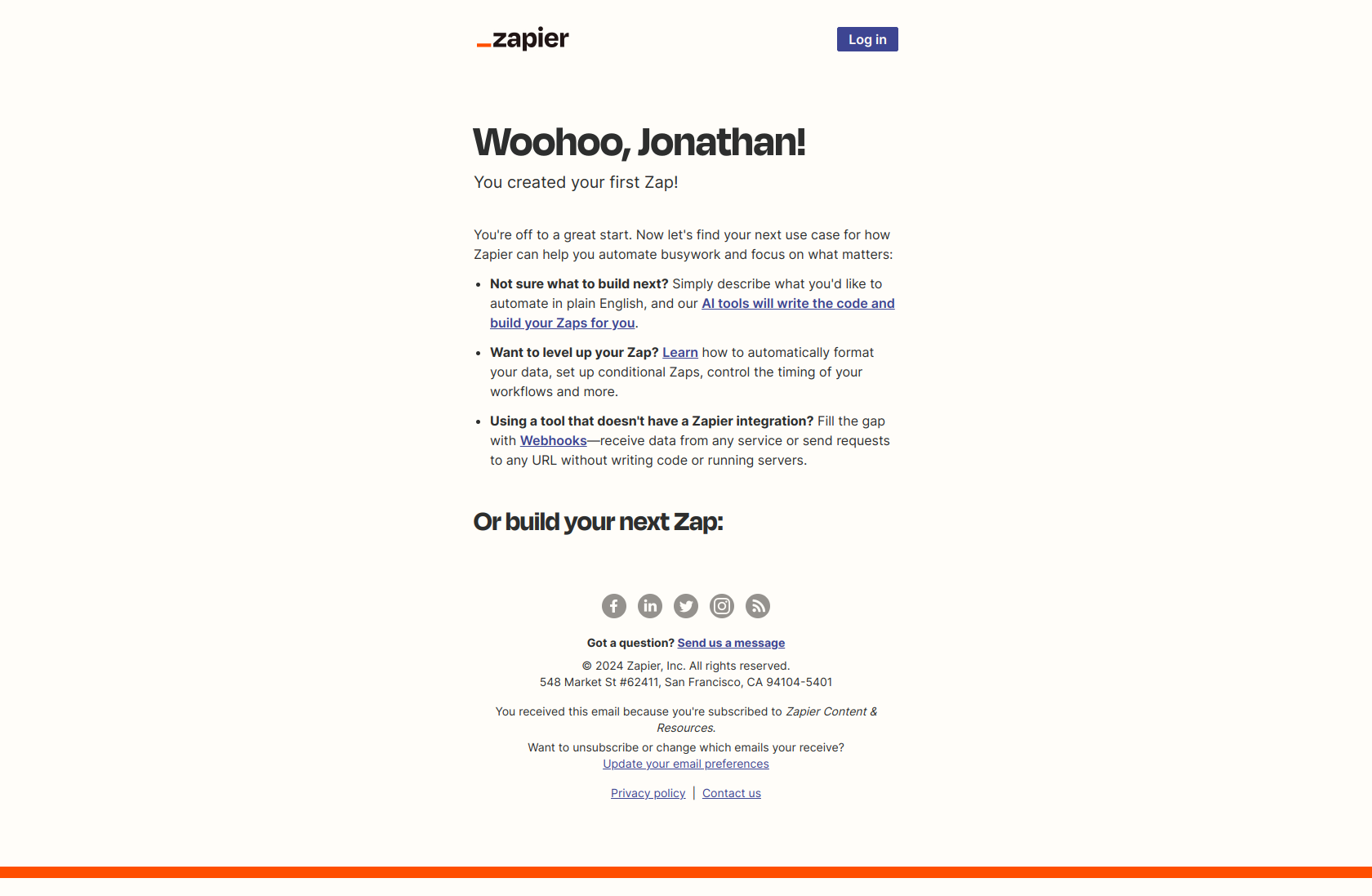
Subject line: “Congrats, you’ve created your first Zap!”
When to send: The moment the user creates their first automation.
Why it works: The subject line is 6 words and names the exact product event (“your first Zap”). The product has its own language (“Zap”), and using it in the subject reinforces identity and insider-ness. See the full email.
Steal this template:
Subject: Congrats, you've created your first [product noun]!

Hi {{ first_name }},

You just created your first {{ product_noun }}.

Here's what to try next:

→ [Closest adjacent action that expands usage]
→ [Integration with a tool they already use]
→ [Template for a common use case]

Most users who create 3 [product nouns] in the first
week end up [desired retention outcome].

[Create another →]

[Team Name]
Trial-ending templates
Two sub-variants. The 7-day heads-up when there is still time to activate, and the 3-day urgency push when the decision is imminent. Both should preview what the user is about to lose, not what they can buy.
9. Monday: the 7-day friendly heads-up
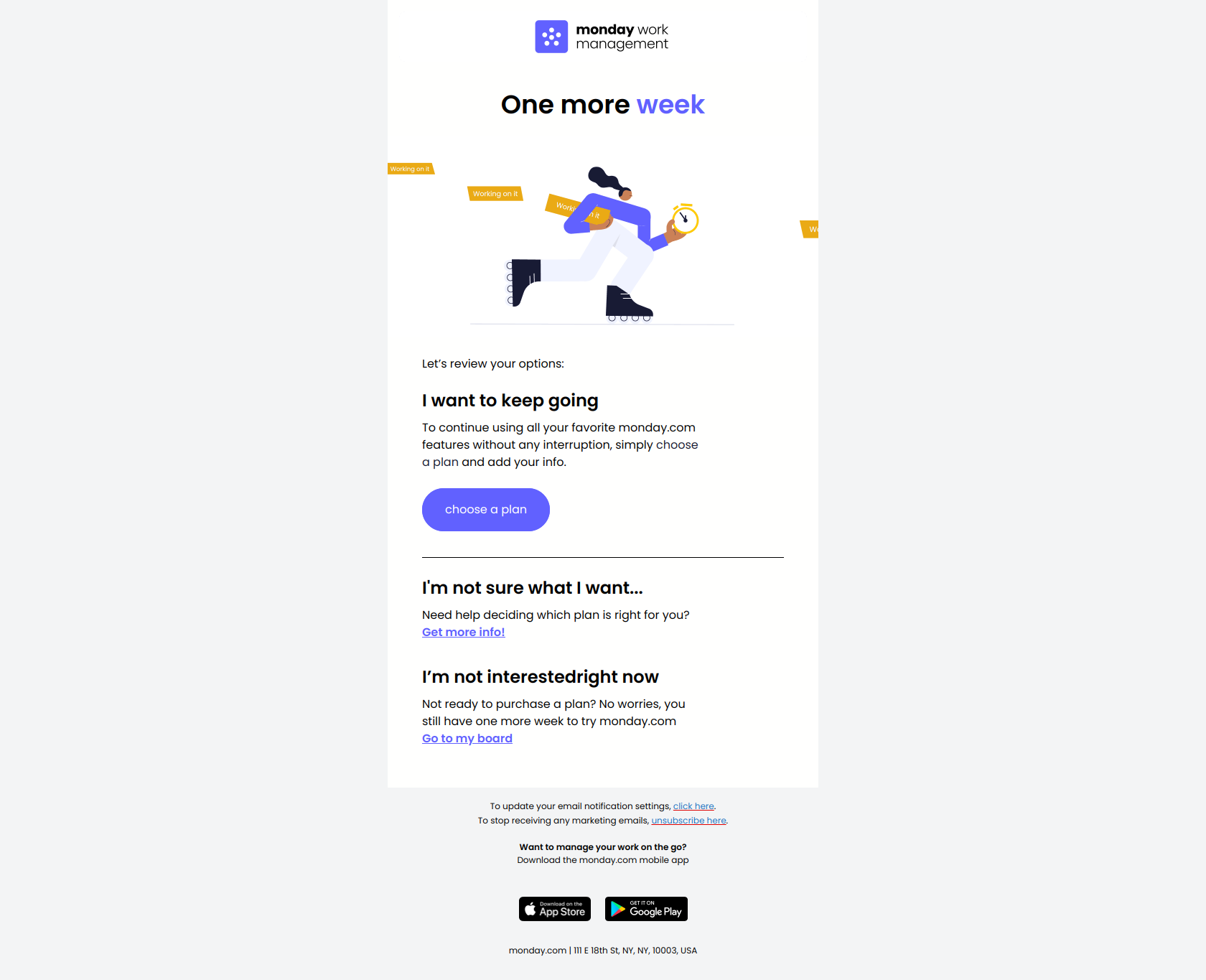
Subject line: “One more week to go! ⌛”
When to send: 7 days before trial expires.
Why it works: Light tone, zero urgency, emoji-led. The user has a week, so there is no reason to apply pressure yet. This email’s real job is to surface features the user has not tried, so that the 3-day email has more to anchor on. See the full email.
Steal this template:
Subject: One more week to go! ⌛

Hey {{ first_name }},

Your trial has 7 days left. Plenty of time, but we
wanted to make sure you have tried the features that
most [company type] teams adopt:

✓ [Feature the user has tried]
☐ [Feature they have not tried yet]
☐ [Feature they have not tried yet]

[Try the next feature →]

Any questions on the last week of your trial? Reply
and let us know.

[Team Name]
10. Buffer: the 3-day urgency push
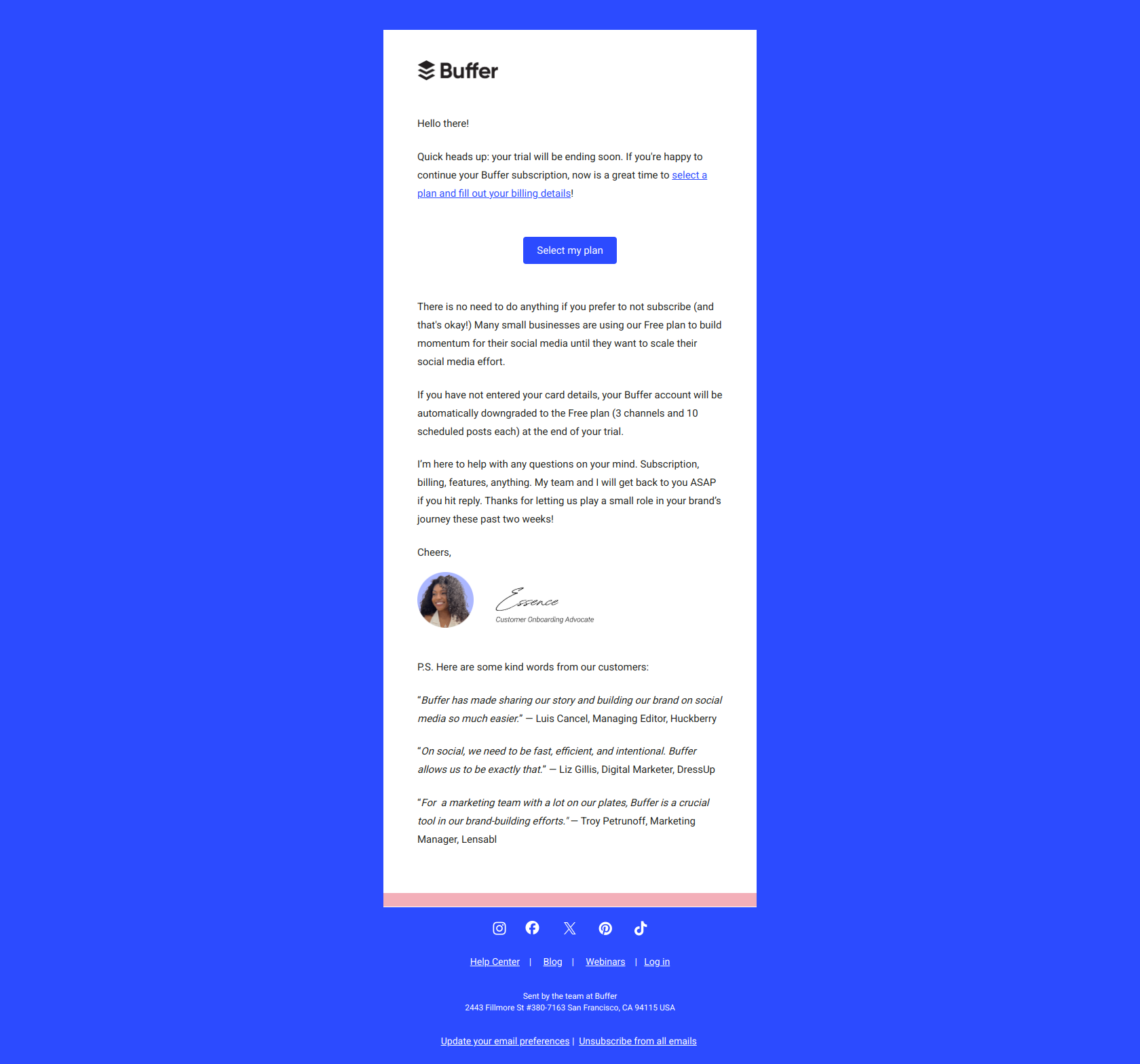
Subject line: “Last 3 days of your trial”
When to send: 3 days before trial expires.
Why it works: Direct subject, specific number of days, clear stakes. Buffer does not add an exclamation mark or emoji here because the message has earned urgency on its own. The body leads with what disappears at the end of the trial. See the full email.
Steal this template:
Subject: Last 3 days of your trial

Hi {{ first_name }},

Your [Product] [Plan] trial ends on {{ expiration_date }}.

Here is what you will lose access to:

× [Paid feature the user has used]
× [Paid feature the user has used]
× [Paid feature the user has used]

If you want to keep them, upgrade now. Takes about
60 seconds. No credit card hassle.

[Upgrade to {{ Plan }} →]

Not ready yet? That is fine. You can always come back.

[Team Name]
Upgrade templates
The upgrade email works best when it references the user’s actual behavior inside the product. Generic “upgrade to Pro” emails convert at a fraction of the rate.
11. Notion: the feature-led upgrade
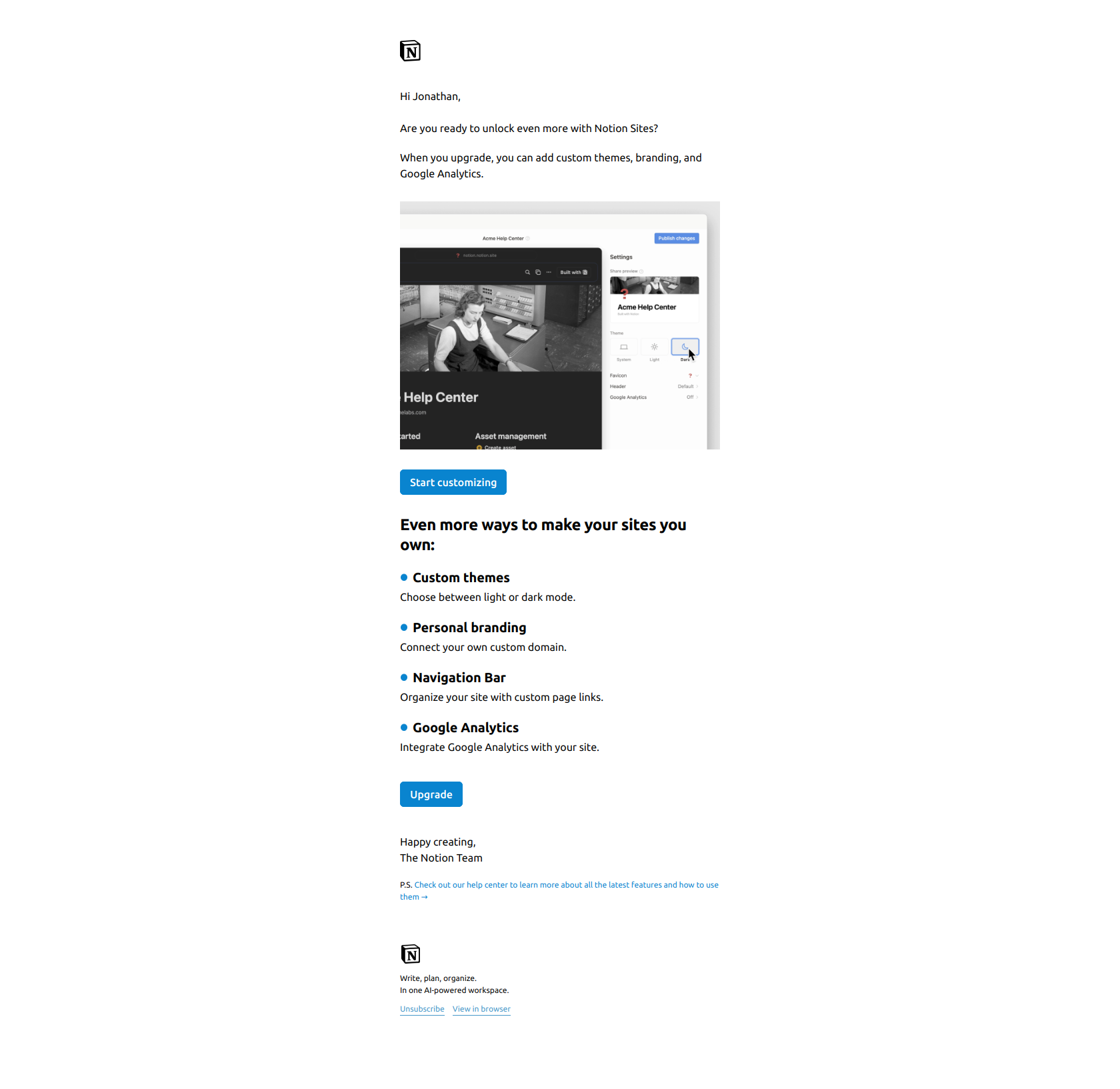
Subject line: “Custom domains and branding for your Notion Sites”
When to send: When the user has created a Notion Site (product usage signal) but has not upgraded to the plan that unlocks custom domains.
Why it works: The subject line names the exact paid feature AND the product area the user is already active in (“your Notion Sites”). It assumes the user wants to level up, not that they need convincing. See the full email.
Steal this template:
Subject: [Paid feature name] for your [user's active product area]

Hi {{ first_name }},

We noticed you have been using [active area] a lot.

Teams at your stage usually want to [specific outcome],
which is what [paid feature name] is for.

With [paid feature name] you can:

→ [Specific capability]
→ [Specific capability]
→ [Specific capability]

[Unlock it →]

Quick note: this is a [Plan Name] feature. Your current
plan does not include it.

[Team Name]
12. SemRush: the loss-aversion upgrade
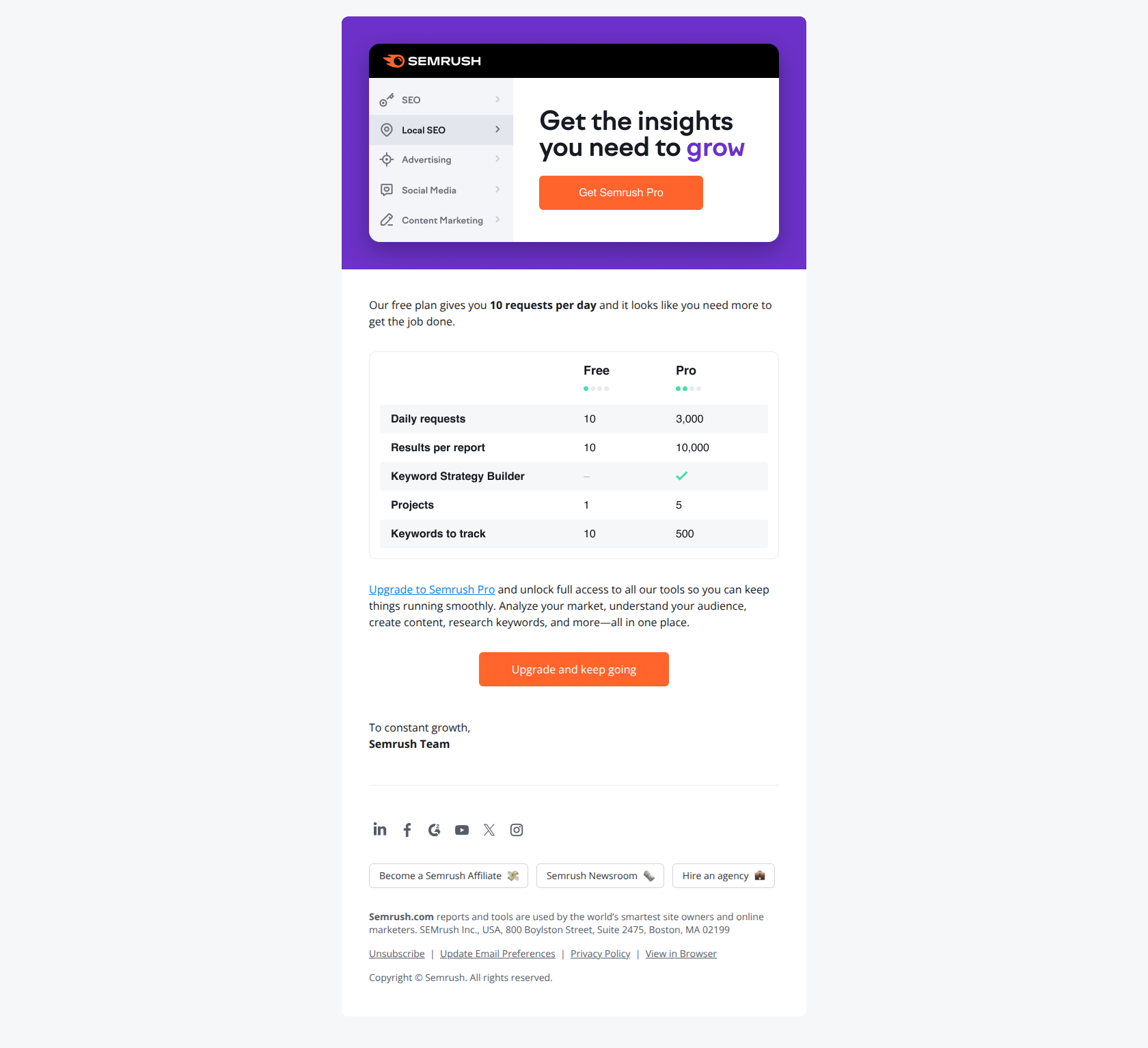
Subject line: “Don’t lose your marketing momentum 💪”
When to send: Trial has expired or is about to expire for a user who has built up meaningful progress in the product (saved reports, tracked keywords, etc).
Why it works: Leads with what the user stands to lose (“marketing momentum”), not what they gain. Specific and personal. The emoji at the end softens the pressure. See the full email.
Steal this template:
Subject: Don't lose your [user's in-product progress] 💪

Hi {{ first_name }},

Over the past [duration] you have [specific things they built
in the product]: [number 1], [number 2], [number 3].

That is real progress. Losing it would set you back weeks.

Upgrade to [Plan] to keep it all live and keep adding to it.

[Keep it going →]

[Team Name]
Re-engagement templates
Re-engagement fires when a user has gone silent (cancelled, stopped opening emails, stopped using the product). The goal is one more touch before you stop spending on them.
13. SemRush: the “before you go” cancellation catch
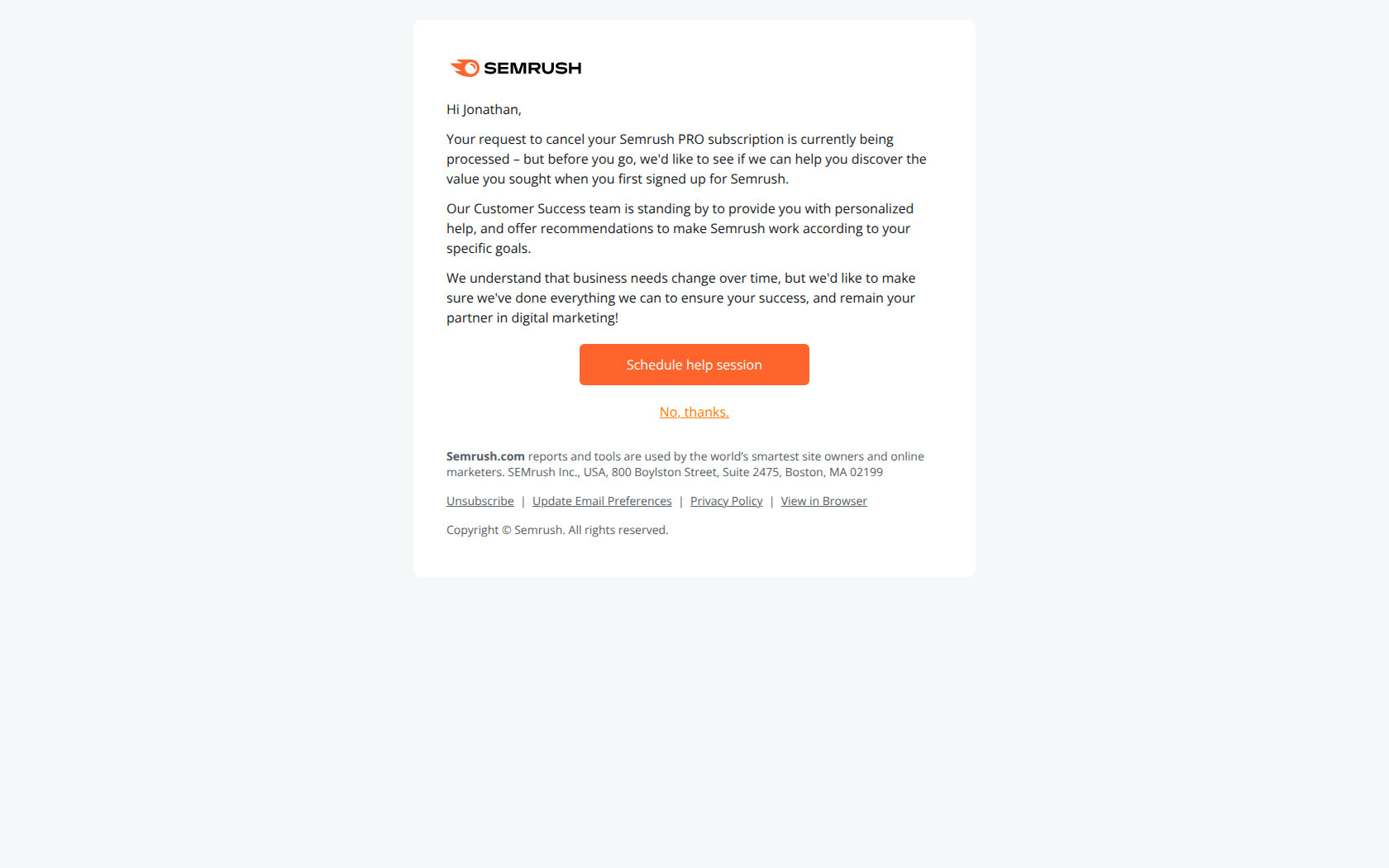
Subject line: “Before you go”
When to send: Within 24 hours of the user hitting cancel, before the cancellation takes full effect.
Why it works: The subject line is 3 words and does not ask for anything. It is a soft touchpoint, not a sales pitch. The body usually offers a pause, a discount, or a single-question exit survey. See the full email.
Steal this template:
Subject: Before you go

Hi {{ first_name }},

You just cancelled your [Product] subscription. Totally
fair, but we wanted to make one offer first.

Option 1: Pause your account for [N] months. Keep your
data, no charges. Reactivate whenever.

Option 2: Switch to [cheaper plan] for [benefit].

Option 3: Tell us why you're leaving, in 1 click:
[ ] Too expensive
[ ] Missing a feature
[ ] Not what I needed
[ ] Going to a competitor
[ ] Other

Whatever you pick, no hard feelings.

[Team Name]
14. Monday: the social-proof re-activation
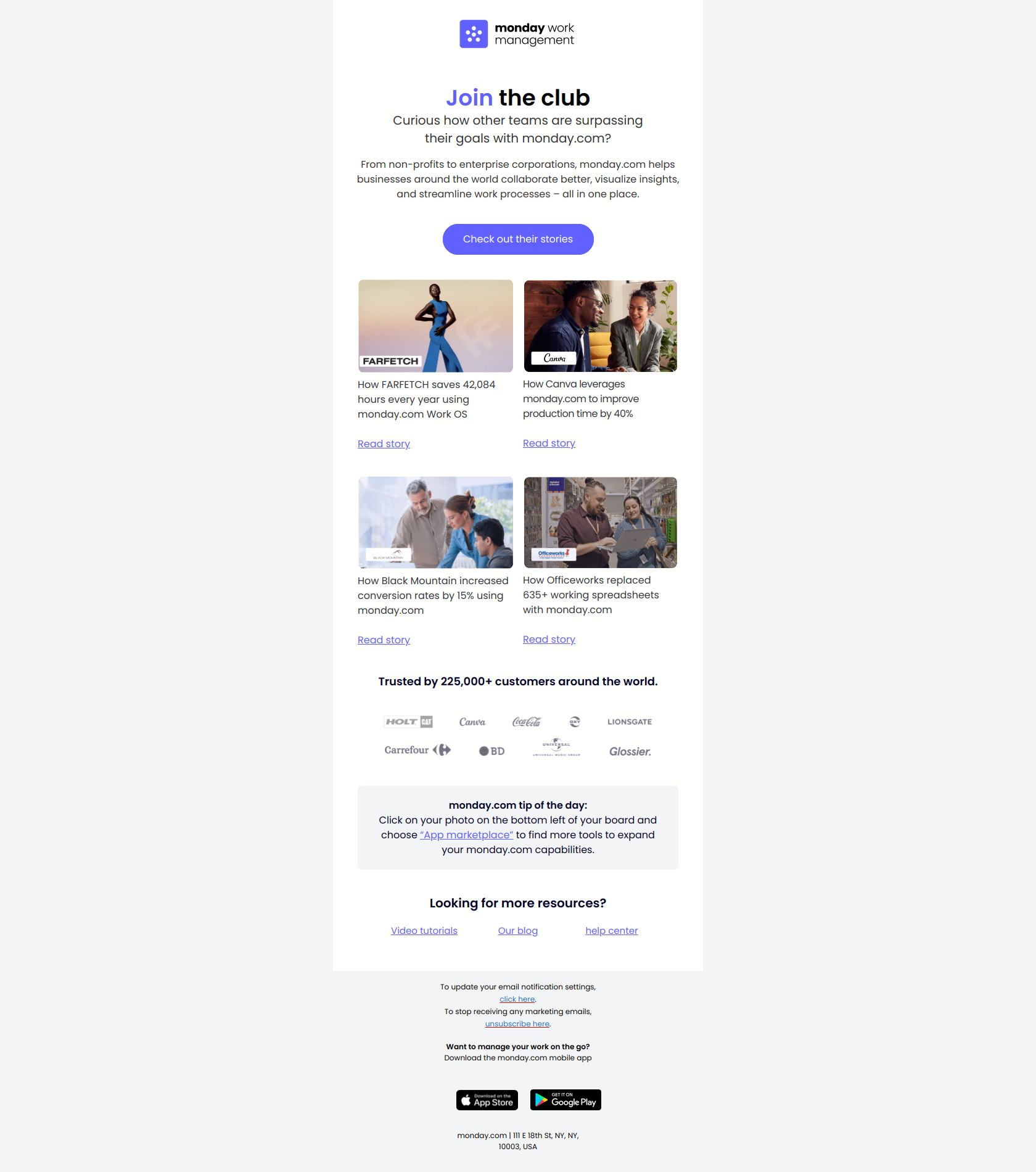
Subject line: “Don’t just take our word for it.”
When to send: Trial user who has opened earlier emails but has not taken the next activation action in 7+ days.
Why it works: When a user is on the fence, stop talking about the product and start letting other customers talk about it. Monday links to a full case study from a company that looks like the reader. See the full email.
Steal this template:
Subject: Don't just take our word for it.

Hi {{ first_name }},

[Company similar to reader]'s team used [Product] to
[specific outcome, with numbers]. Here is their story
in their own words:

[3-sentence customer quote]

[Read the full case study →]

If you are wondering whether [Product] works for
[user's industry/role], this one is worth 4 minutes.

[Team Name]
The patterns that run through all 14 templates
After reading the 14 templates above, four things show up in every single one:
1. Named, specific actions. “Install the extension” beats “get started.” “Create your first Zap” beats “try our automation features.” Every CTA names the concrete next thing.
2. Personalization beyond the first name. The best lifecycle emails reference what the user did inside the product, not just their name. “You have been using Notion Sites a lot” works. “Hi {{ first_name }}” alone does not.
3. One CTA per email, one job per email. None of the 14 templates above have 3 competing CTAs. Each email does ONE thing: setup, celebrate, warn, upgrade, win back. If your email has 4 buttons, it will convert worse than any of the 4 individually.
4. Loss framing on trial-ending and upgrade emails. “Here is what you will lose” outperforms “Here is what you can buy” consistently. The brain is wired for loss aversion, so lean into it.
How to adapt these templates to your voice
Templates are a starting point, not a finish line. Three quick rules for making them sound like you and not like every other SaaS:
1. Shorten by 30%. The templates above are a bit padded because they have to make sense to every reader. Your version should be shorter. Cut every sentence that does not move the reader toward the CTA.
2. Use words from your product UI. If your users know what a “workspace”, “board”, “project”, or “campaign” is in your product, use those words. Generic “your account” or “your content” reads as boilerplate.
3. Keep your own weird voice. If your product voice is deadpan, your emails should be deadpan. If it is warm and emoji-heavy, your emails should be too. The mistake most SaaS teams make is writing emails in a different voice than the rest of their product.
Skip the templates: let DigiStorms build them
If you want the full 7-email lifecycle sequence wired up in your product, DigiStorms generates it from your URL in about 5 minutes. Paste your product, the AI agent picks your activation milestones, writes the sequence in your brand voice, and fires emails on real product events. Free for your first 100 onboarded users.
Browse more source material
All 14 templates above come from the DigiStorms email library, where you can see the full email bodies, not just thumbnails. Good starting points:
- Welcome emails for free users (77 examples)
- Setup prompts (35 examples)
- Feature usage nudges (261 examples, the biggest tag in the library)
- Milestone celebrations (16 examples)
- Trial expiration warnings (21 examples)
- Upgrade CTAs (64 examples)
- Browse by brand · Browse by tag · Browse by use case
And for the full tactical playbooks that sit behind each of these templates:
- The SaaS onboarding email sequence (7 emails, real examples): the full 7-email framework these templates fit into
- 28 SaaS welcome email examples that activate users: the day-0 email in depth
- 12 SaaS milestone email examples that drive retention: the day-5/10 email in depth
- 13 upgrade email examples that convert free users: the day-14 email in depth
- Dunning emails: best practices + 8 SaaS examples (2026): for failed-payment recovery emails (the lifecycle stage this post does not cover)