TL;DR
- An onboarding email template is a reusable, fill-in-the-blank email for one stage of the signup-to-activation journey — welcome, setup prompt, activation nudge, feature education, or trial-status update. The strongest templates carry one job, one CTA, and behavior-triggered timing.
- The copy-paste sequence below is 7 templates over 14 days: welcome → setup prompt → first-feature activation → stalled-setup nudge → feature education → “use it to the fullest” → trial-status update. Swap the brackets for your product and ship it.
- Every template is backed by a real production email from the DigiStorms library — Calendly, Slack, Figma, Loom, Stripe, Grammarly, Dropbox, ClickUp, Webflow, Miro, Asana, and Lucid — so you can see the pattern working in the wild before you copy it.
You signed someone up. You have roughly 14 days before they activate, convert, or quietly vanish. The onboarding email sequence is the single biggest lever between “signup” and “paying customer” — and you don’t need to invent it from scratch.
This guide gives you a free onboarding email template for every stage of the sequence: the copy you can paste into your ESP today, plus a real example from a top SaaS brand showing the same pattern in production. Steal the structure, swap the brackets, keep the trigger logic.
If you’d rather study finished emails than templates, see our companion teardown: 12 onboarding email examples from real SaaS brands.
What is an onboarding email template?
An onboarding email template is a reusable email skeleton for a single stage of the new-user journey, written so you can swap a few bracketed variables — product name, first action, trial length — and send it. It is not a one-off welcome note. It is one part of a sequence that moves a signup from “account created” to “first value realized.”
A good onboarding email template has four properties, no matter the stage:
- One job per email. Welcome confirms the account works. The setup prompt drives one configuration step. The activation email pushes one feature. Never combine them.
- One primary CTA. Every additional link halves the odds the reader clicks the one that matters.
- Behavior-triggered timing where it counts. The setup nudge fires when setup isn’t done at 24 hours — not on a fixed drip schedule.
- Outcome language, not feature language. “Personalize your workspace” beats “Custom Fields.” Lead with the job-to-be-done.
How long should an onboarding email sequence be?
5 to 8 emails over 10–21 days, front-loaded (denser in week one, sparser after). Two hard rules from analyzing 200+ onboarding emails across 38 SaaS brands in the DigiStorms library:
- Never send more than 2 onboarding emails in the first 48 hours (1 welcome + 1 setup prompt). More than that trains users to mute you.
- The last emails are tied to product events, not dates — trial-ending, “we haven’t seen you,” upgrade. This is where behavior-based beats time-based email.
The 7-template onboarding email sequence
Paste these into your ESP, replace every [bracket], and wire the triggers noted under each. Each template links to a real example of the pattern further down.
Template 1 — Welcome (day 0, within 5 minutes)
Subject: Welcome to [Product]

Hi [First name],

You're in. [Product] is ready whenever you are.

Most people get their first win by [one specific first action,
e.g. "connecting your calendar"]. It takes about [2 minutes].

→ [Primary CTA button: Do the first action]

Reply to this email if you get stuck — a real human reads these.

[Sender name]
Trigger: immediately on signup. Job: confirm the account works, set expectations, reduce friction to the single first action. See it live in Calendly’s welcome email.
Template 2 — Setup prompt (day 1–2)
Subject: [Outcome they want], in [N] steps

Hi [First name],

To get the most out of [Product], finish these quick steps:

1. [Setup step that unlocks value]
2. [Second dependent step]
3. [Third step]

You're [X]% set up. Knock out the rest in [3 minutes]:

→ [Primary CTA: Finish setup]
Trigger: 24h after signup if setup is incomplete. Job: drive the configuration step that unlocks first-use value. This is the highest-ROI email in the sequence. See Stripe’s job-organized quickstart.
Template 3 — First-feature activation (day 2–4)
Subject: [Job-to-be-done], not [feature name]

Hi [First name],

Now that you're set up, here's the one thing worth doing next:
[specific high-value action and the outcome it produces].

→ [CTA: Try it now]

Takes [60 seconds] and it's the moment most people "get" [Product].
Trigger: behavior-based — fires when setup is done but the core action isn’t. Job: push one feature tied to first value. See ClickUp’s outcome-led activation email.
Template 4 — Stalled-setup nudge (day 4–5)
Subject: Please don't ignore: your setup isn't complete

Hi [First name],

You started setting up [Product] but didn't finish — and you're
missing [the specific value the unfinished step unlocks].

It's a [2-minute] fix:

→ [CTA: Pick up where you left off]
Trigger: behavior-based — only to users who stalled mid-setup. Job: name the gap and give permission to re-engage. See Dropbox’s “don’t ignore” nudge.
Template 5 — Feature education / depth (day 6–8)
Subject: Use [Product] to the fullest

Hi [First name],

You've got the basics. Here's the feature most people don't
discover until week two — and why it matters:

[One feature, one concrete use case, one demo link.]

→ [CTA: See how it works]
Trigger: day 6–8, segmented by what the user has already done. Job: teach ONE capability, reframed as leveling up (not catching up). See Lucid’s “to the fullest” framing.
Template 6 — Activation reminder (“action required”)
Subject: Action required: finish setting up your account

Hi [First name],

One step is blocking [the value]: [the incomplete action].

Finish it and [Product] starts working for you immediately:

→ [CTA: Complete this step]
Trigger: behavior-based, for accounts blocked on a single required action. Job: use obligation language to convert a stalled signup. See Grammarly’s obligation-framed setup email.
Template 7 — Trial-status update (day 10–14)
Subject: Your [Product] trial — [N] days left

Hi [First name],

Quick heads-up: your trial ends in [N] days. After that you'll
lose access to [specific features they've been using].

Keep everything you've set up:

→ [CTA: Upgrade now]
Trigger: N days before trial expiry. Job: preview what they’ll lose, not what they’ll buy — loss aversion converts. For deeper upgrade copy, see 13 upgrade email examples.
12 real onboarding email examples (the templates in the wild)
Templates show the skeleton. These show the muscle — 12 production onboarding emails from the DigiStorms library, each demonstrating one of the patterns above.
Calendly: action-sequenced welcome
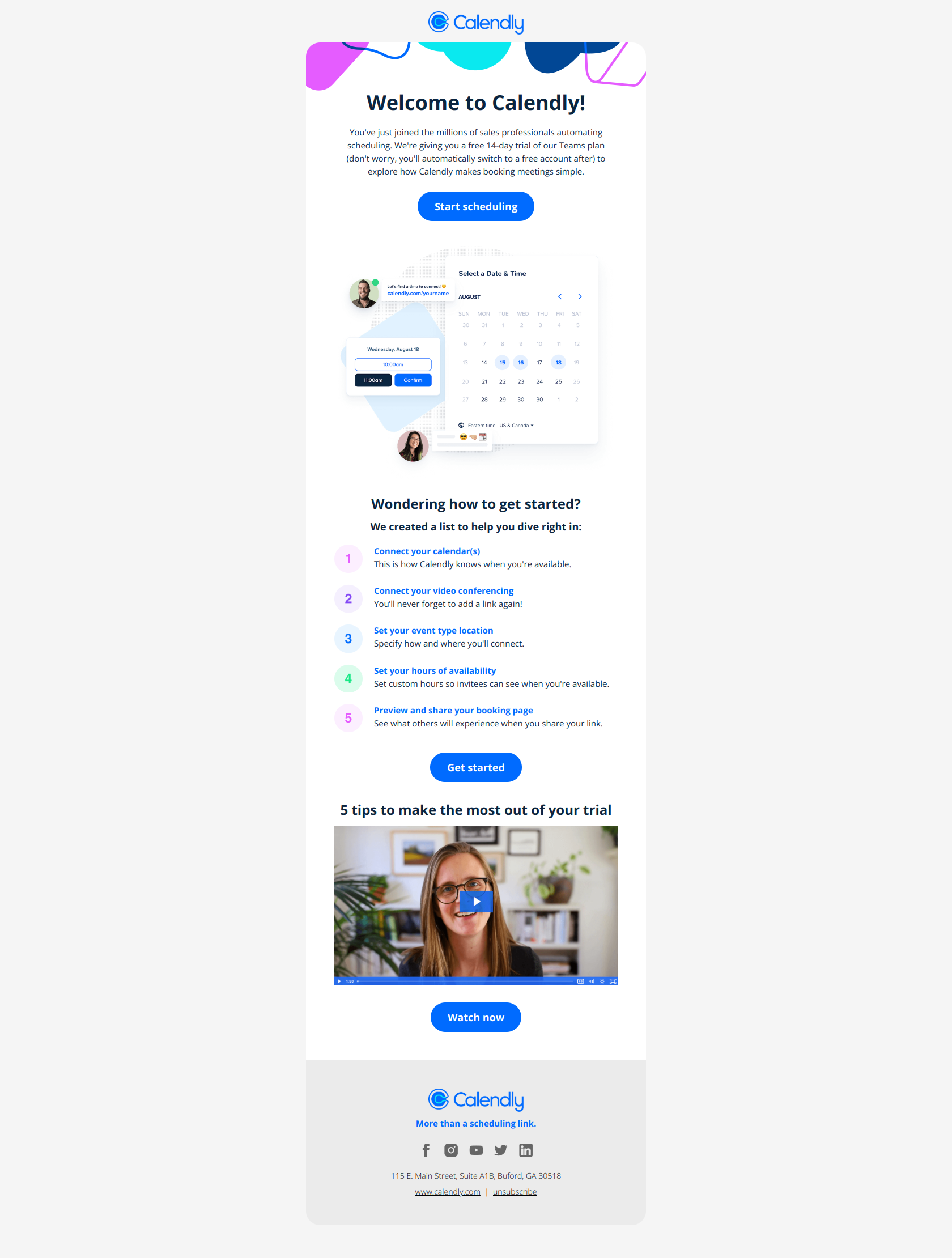
Subject line: Welcome to Calendly
Calendly front-loads the specific setup actions — connect calendar, add video conferencing, create event types — as discrete clickable steps rather than burying them in prose. A new user knows exactly what to do in the first 30 seconds and can finish one task without deciding what comes next. The pattern: remove decision friction by sequencing actions. Lift it for any welcome email where activation requires multiple dependent steps and time-to-first-value beats feature storytelling. This is Template 1 done at production quality. See it: Welcome to Calendly.
Figma: action-first structure
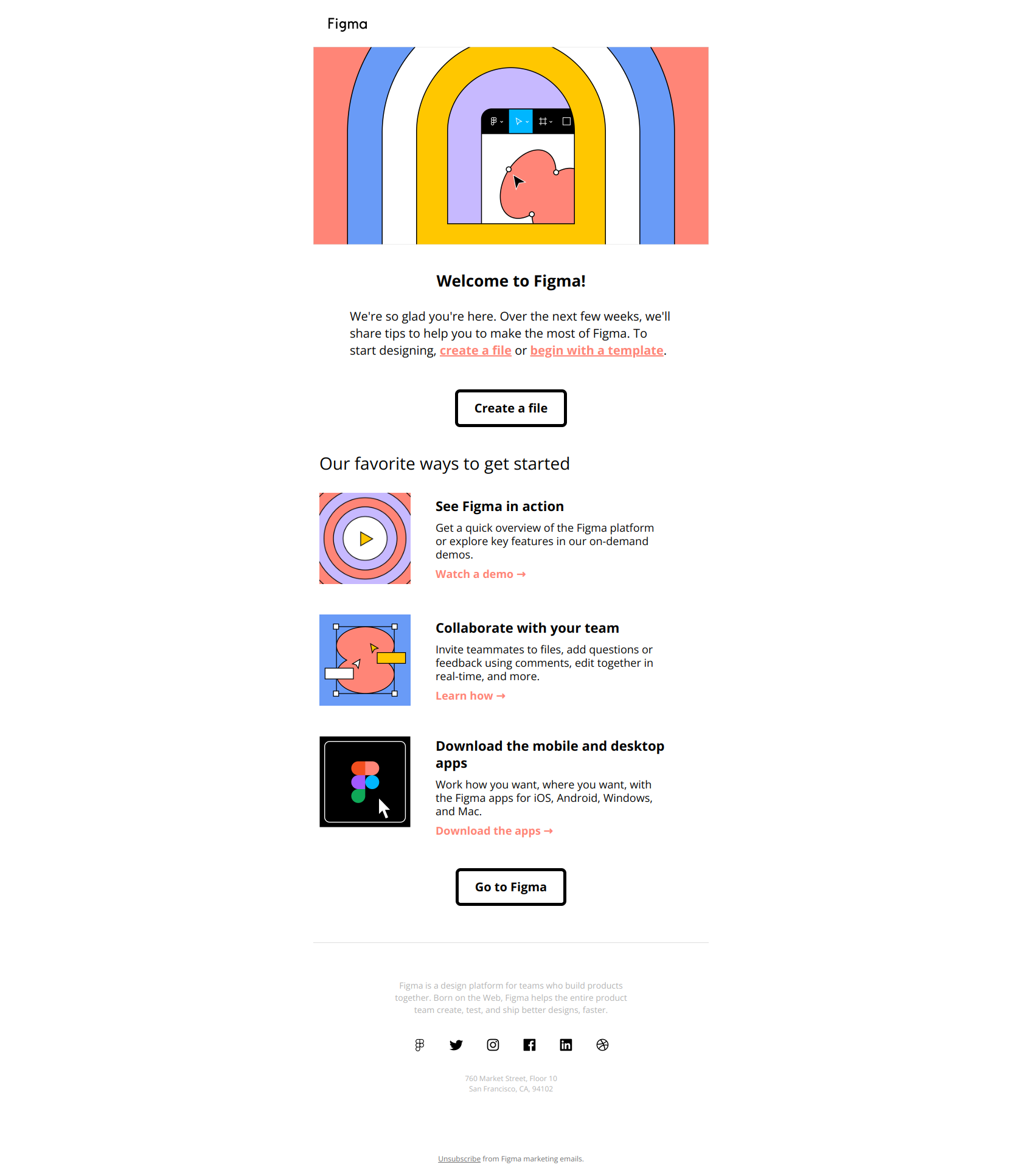
Subject line: Welcome to Figma! Let’s get you set up.
Figma organizes the whole email around user actions — create a file, join a demo, invite a team — instead of a feature list the user doesn’t need yet. The result is a clear path forward rather than a catalog to decode. The pattern: action-first structure in onboarding emails. Lift it for any signup flow where you want users to complete their first meaningful task within 24 hours instead of abandoning. Note how the subject line itself (“Let’s get you set up”) sets the job before the body even loads. Full email: Welcome to Figma.
Slack: borrow credibility from a named peer
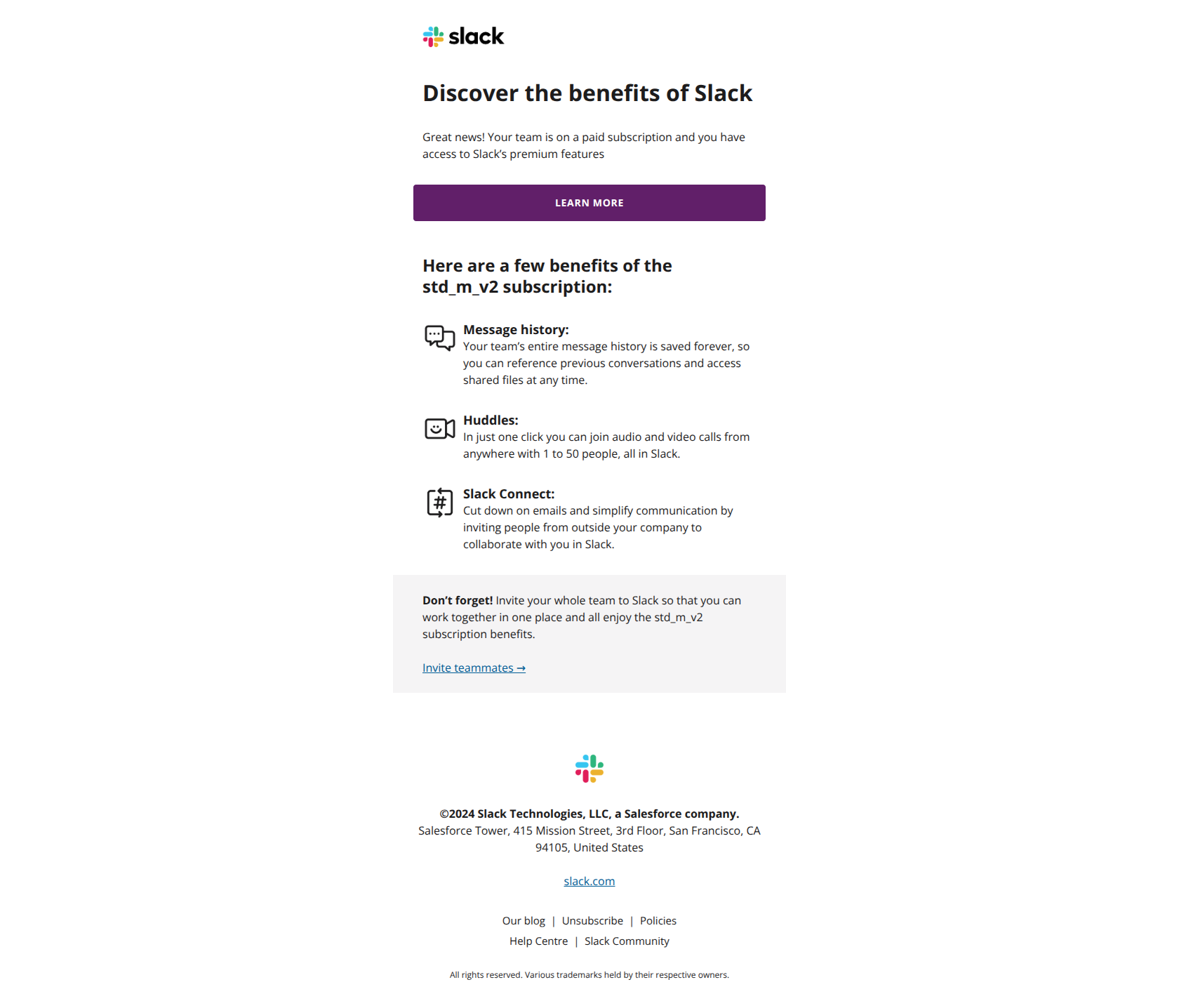
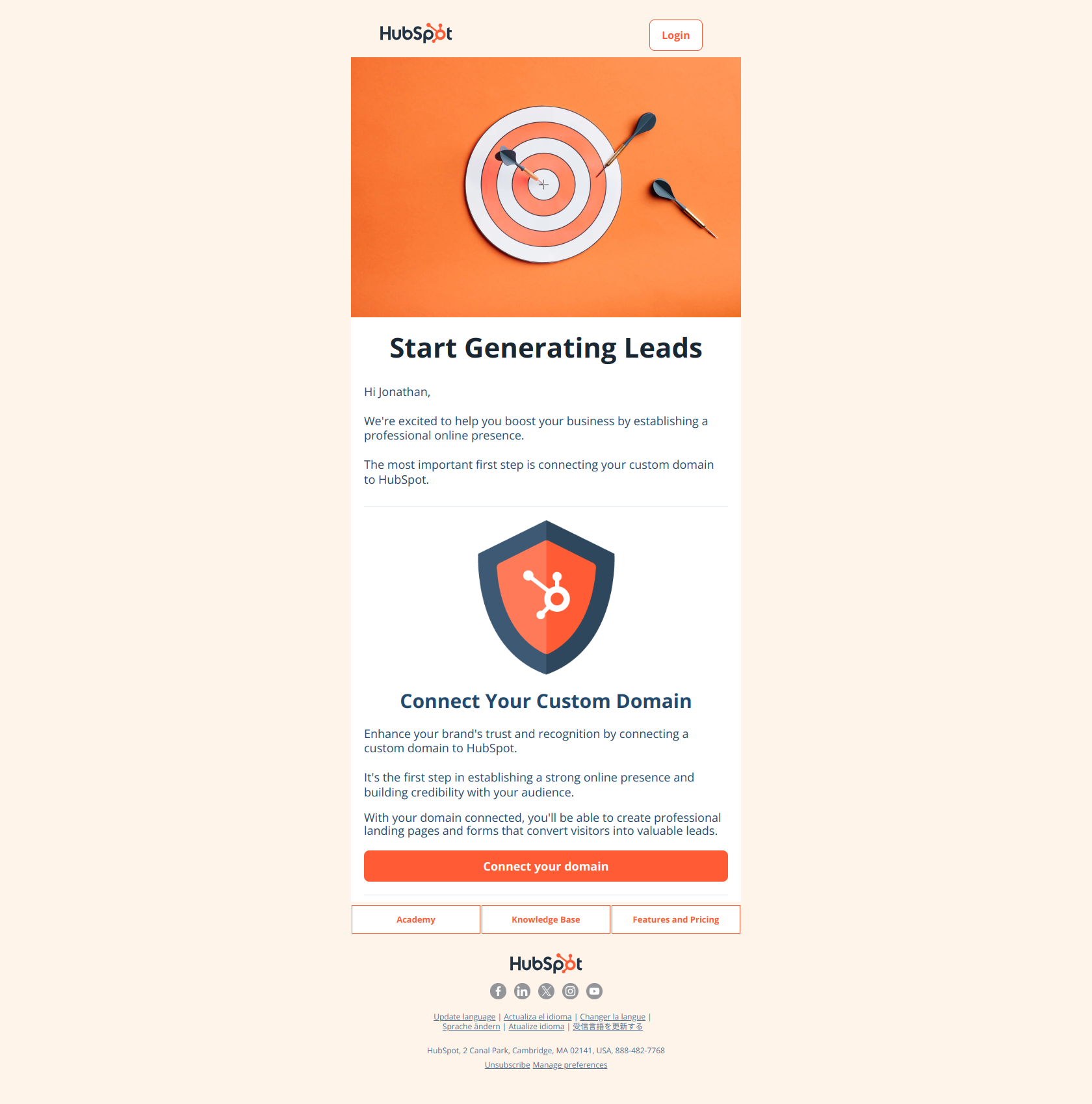
Subject line: Jonathan started with Slack
The subject names a specific person rather than the product or a generic benefit, so the email reads like social proof of a real peer rather than a marketing blast — and nudges the recipient to picture themselves in the same successful position. The pattern: borrow credibility from a named peer, not the product. Lift it for any paid-user welcome where you want to reinforce that the purchase decision was correct by showing that others like them are already winning. A strong variant on Template 1 for the paid tier. See it: Jonathan started with Slack.
Loom: status elevation before the feature list
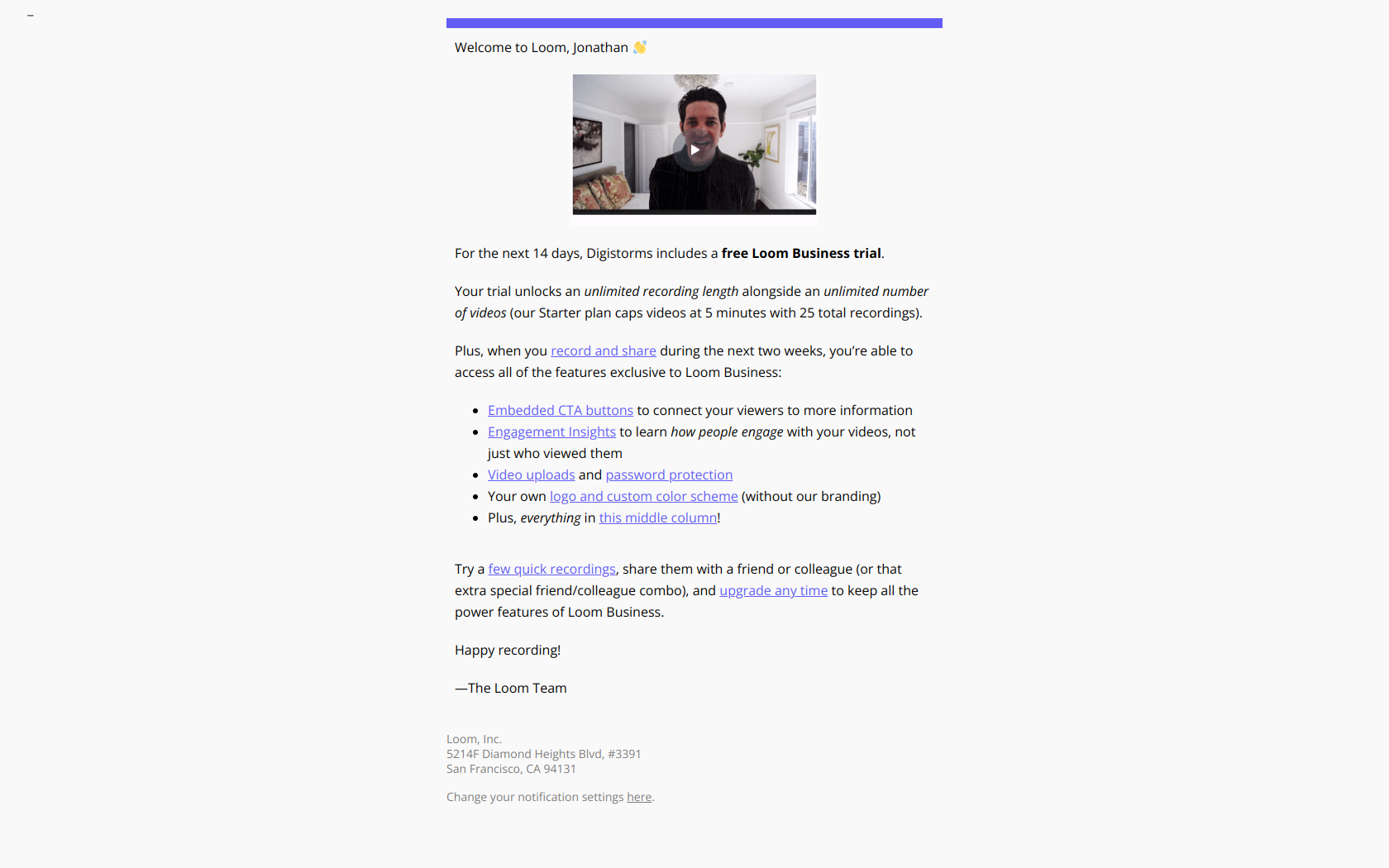
Subject line: Loom Business! Welcome to your trial 🔮
The subject leads with the product tier (Business) followed by the emotional signal of activation (Welcome), so the user immediately knows they’ve unlocked premium access rather than receiving another routine onboarding email. The pattern: status elevation before feature list. Lift it for any free-trial welcome where you want users to feel they’ve crossed into a higher tier and should test premium capabilities first. The body then keeps a single CTA — “Start recording” — exactly as Template 1 prescribes. Full email: Welcome to your Loom trial.
Webflow: bifurcate entry points by user state
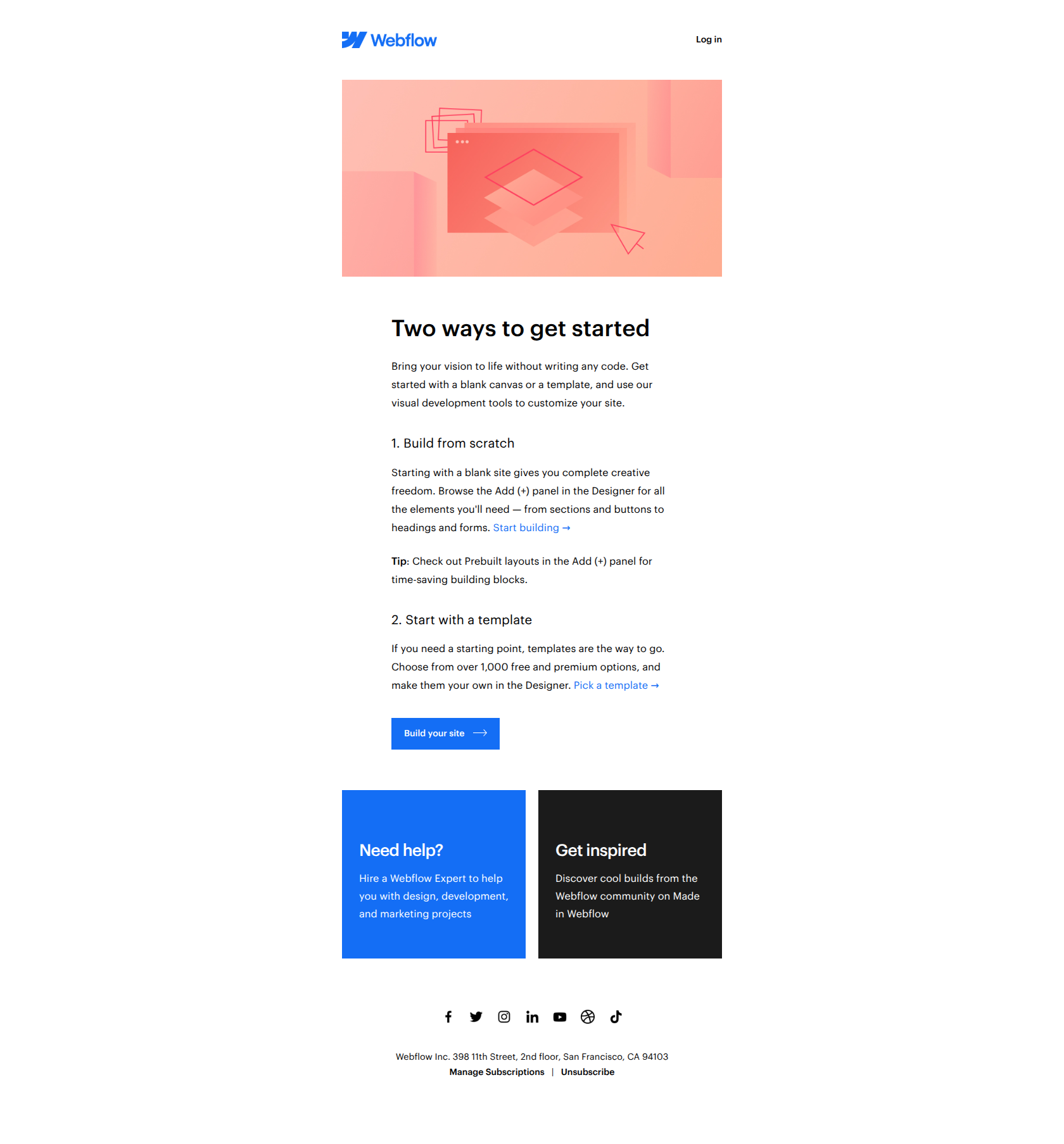
Subject line: Welcome to Webflow!
Webflow splits the first action into two paths — blank canvas vs. template — instead of forcing every user down one funnel, so people self-select into the method that matches their confidence level and ship faster. The pattern: bifurcate entry points by user state. Lift it for any onboarding email where users arrive with different skill levels or intent and you want to maximize activation rate over conversion to one specific flow. It’s a deliberate exception to the one-CTA rule — justified only when the two paths are genuinely different user states. See it: Welcome to Webflow.
Miro: multiple micro-actions over one macro-ask
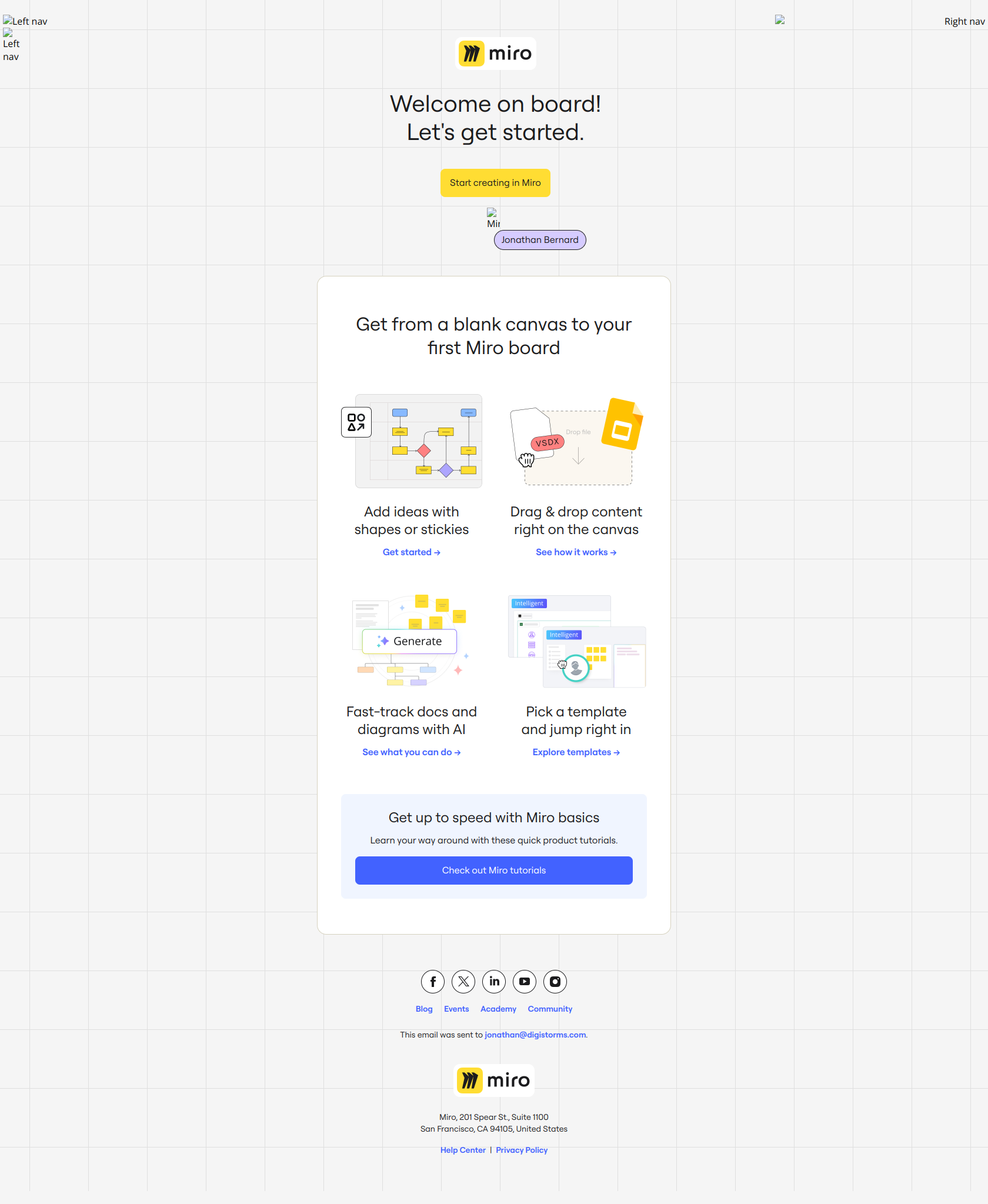
Subject line: 👋 Welcome to Miro!
Miro offers five distinct entry points to value — shapes, sticky notes, templates, AI, tutorials — instead of a single “complete your profile” path, letting users self-select the action that matches their immediate intent rather than abandoning at a bottleneck. The pattern: multiple micro-actions over one macro-ask. Lift it for a canvas-style product where the “first win” varies wildly by user. The trade-off: this works for breadth-first tools but dilutes focus for products with one obvious activation moment — know which you are. Full email: Welcome to Miro.
Asana: state change over request
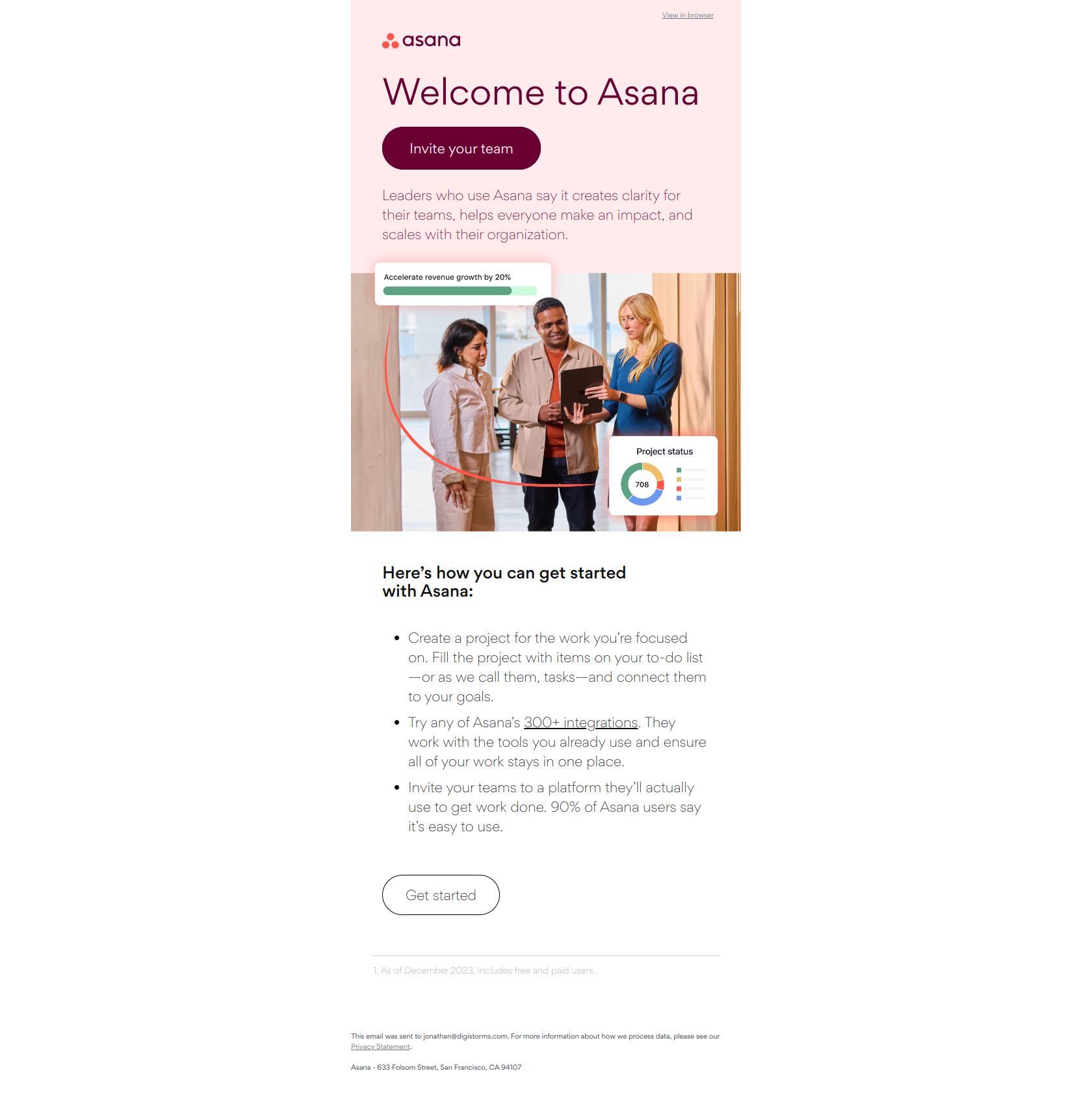
Subject line: Your Asana trial starts today
The subject announces a state change (trial activation) rather than asking the user to do something, which eliminates friction and makes opening feel like confirmation of progress already made instead of a demand. The pattern: state change over request. Lift it for any onboarding email where the user has already committed and you want to shift from persuasion to enablement by marking a clear moment of entry. A clean way to open Template 1 when the reader is already past the decision and just needs the door held open. See it: Your Asana trial starts today.
Stripe: setup by job, not feature
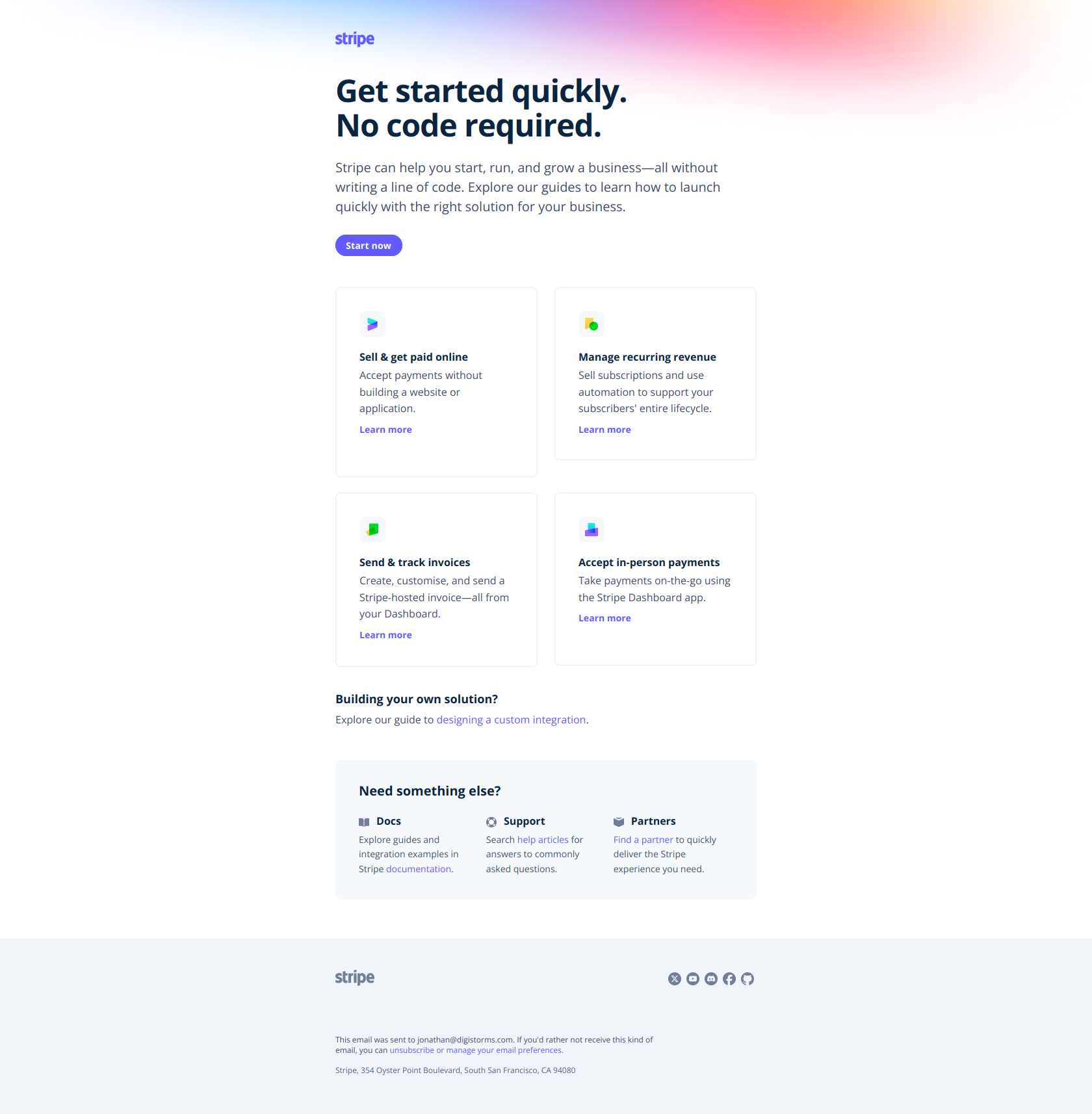
Subject line: Quickstart guides to get you up and running
Stripe organizes its quickstart guides by job-to-be-done — ecommerce, SaaS subscriptions, invoicing — instead of by product feature, so users immediately find the path matching their actual business problem rather than getting lost in a feature catalog. The pattern: segment by outcome, not by tool. Lift it for any setup prompt where new users have different use cases and will abandon if forced to decode which feature solves their problem first. This is Template 2 for a product with a wide surface area. Full email: Stripe quickstart guides.
ClickUp: lead with the outcome
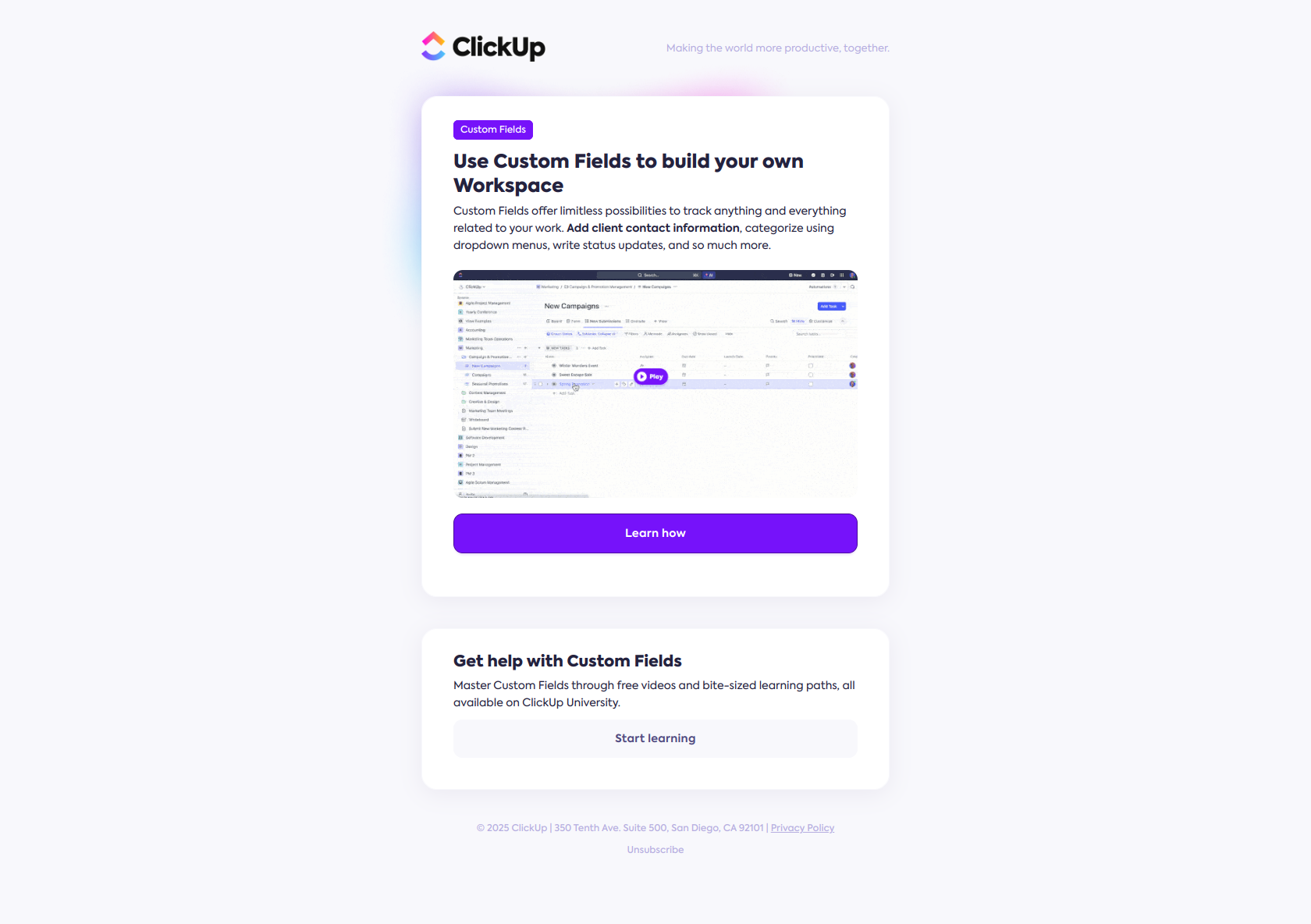
Subject line: Personalize your workspace with Custom Fields
The subject names the user outcome (personalize your workspace) and only then the feature, so a free user sees relevance to their own setup instead of dismissing it as a product tour. The pattern: lead with the job-to-be-done, not the tool. Lift it for any activation email where users need to understand why they should care before learning how. This is Template 3 — the first-feature nudge — done right: one feature, one outcome, one CTA. See it: Personalize your workspace.
Dropbox: name the gap, not the solution
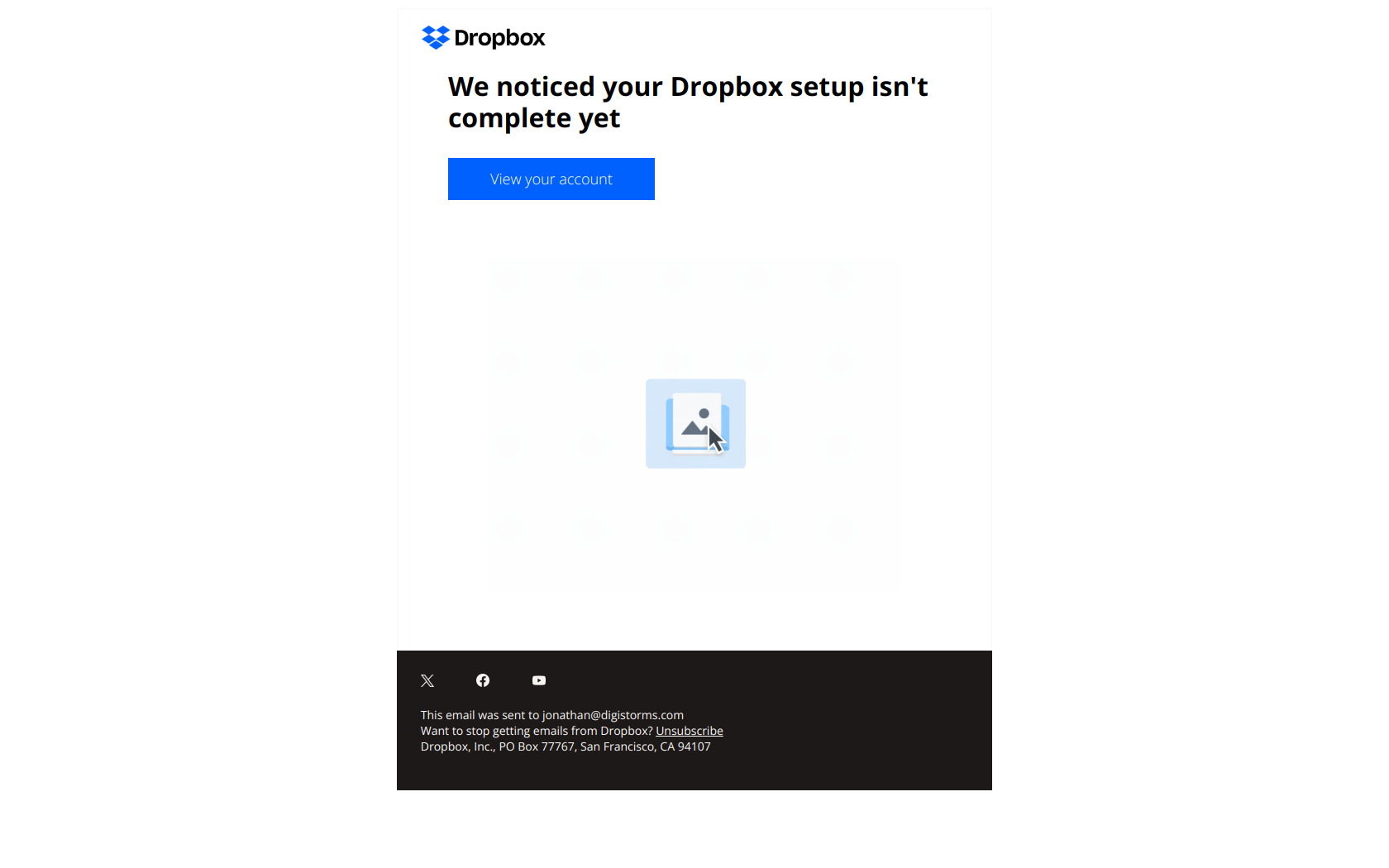
Subject line: Please don’t ignore: Your setup isn’t complete
The subject names the user’s actual behavior — abandonment — rather than the feature, creating psychological friction that converts better than a neutral “Complete your Dropbox setup.” The pattern: name the gap, not the solution. Lift it for any onboarding reminder where users have stalled and need permission to re-engage without feeling lectured. This is Template 4 verbatim, and the reason it’s behavior-triggered: it only lands if the recipient actually stalled. Full email: Please don’t ignore.
Grammarly: obligation language that converts
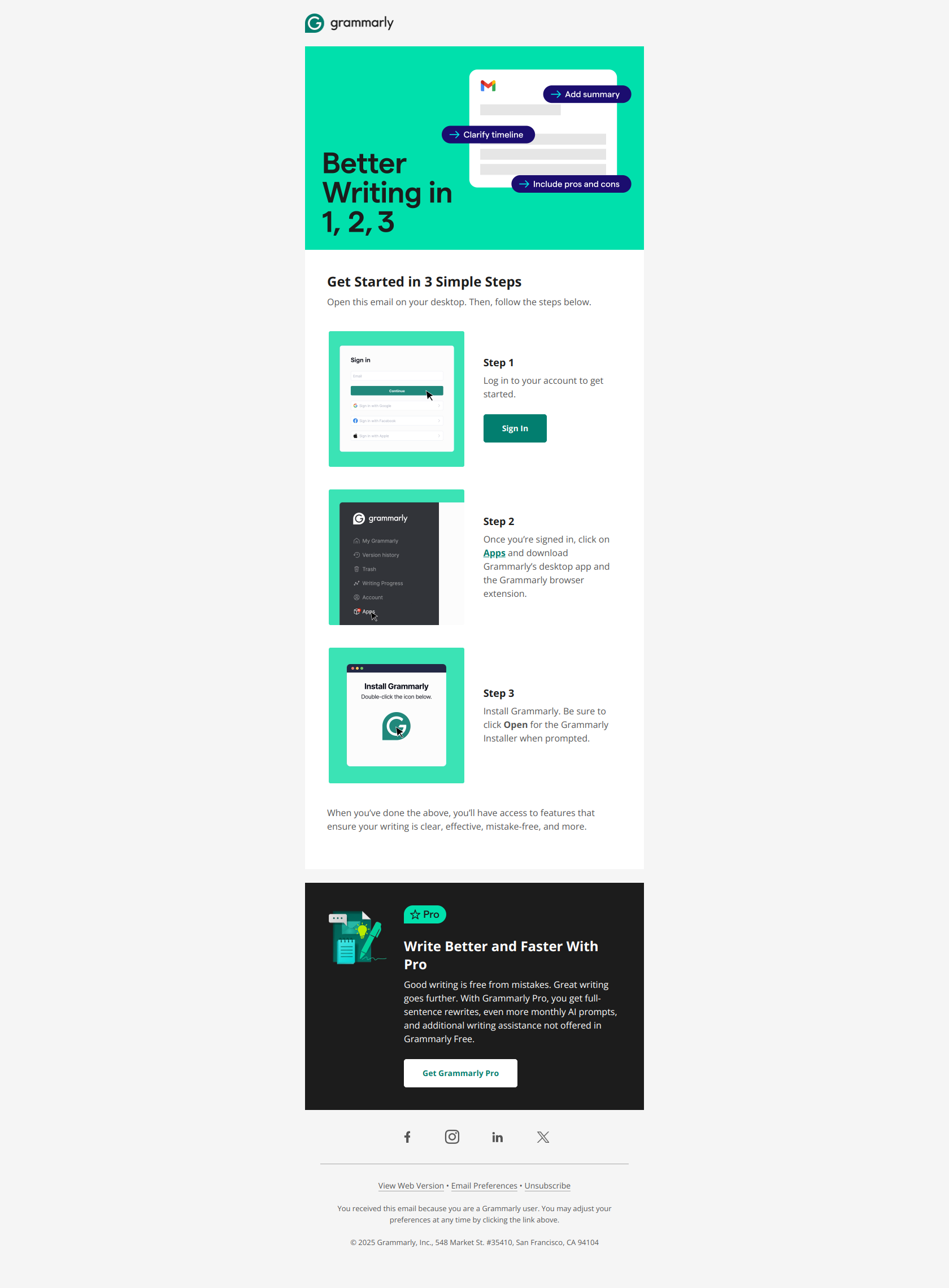
Subject line: Action required: Finish setting up your account
The subject frames onboarding as an incomplete task (“Action required: Finish setting up”) rather than optional education, triggering urgency and positioning the email as necessary follow-through instead of another marketing message. The pattern: obligation language in subject lines. Lift it for any activation email where you need free users to complete a setup sequence that unlocks feature value. This is Template 6 — use it sparingly, because “action required” loses power if every email claims it. Full email: Finish setting up your account.
Lucid: leveling up, not catching up
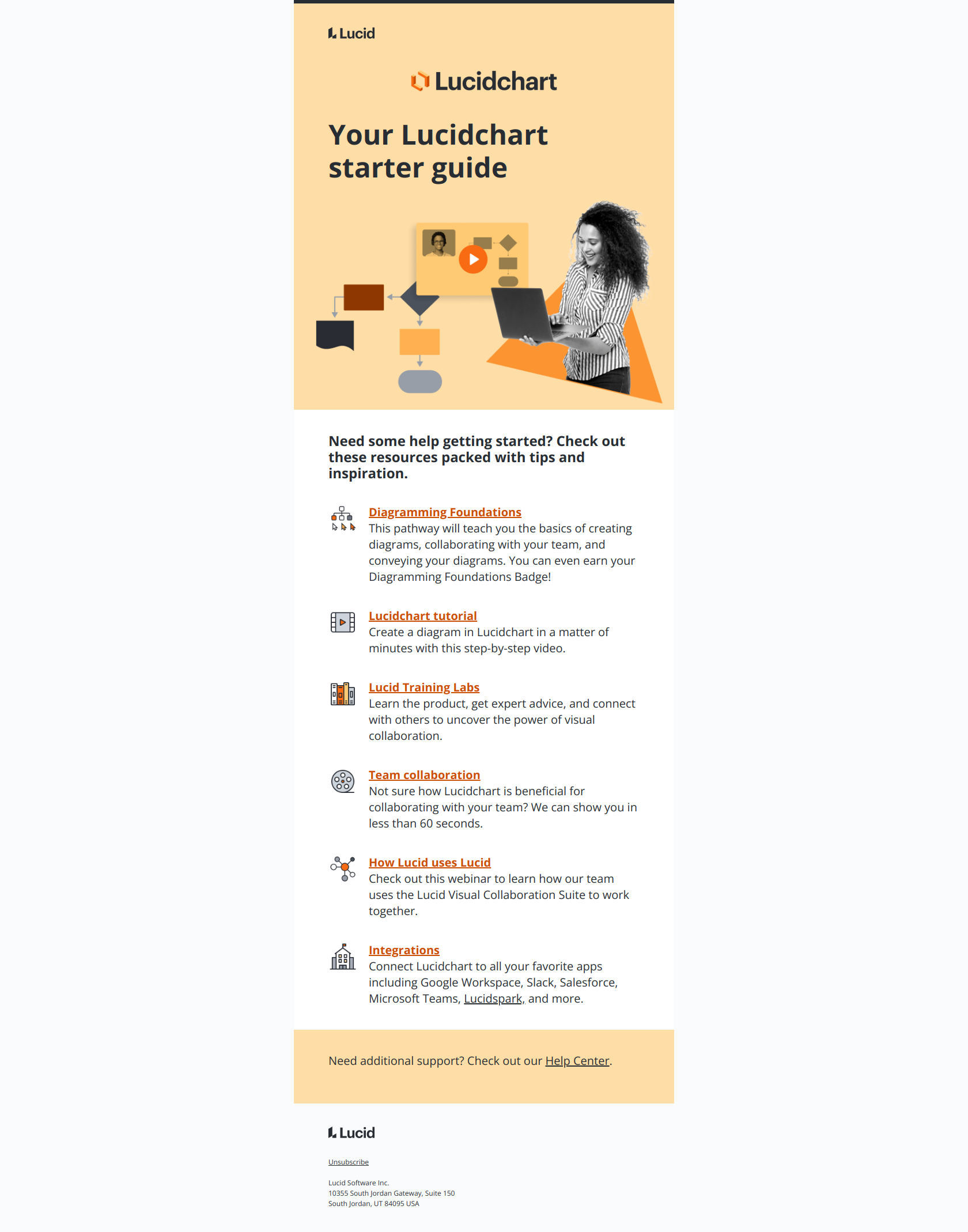
Subject line: Use Lucidchart to the fullest
The subject frames learning as unlocking capability (“use to the fullest”) rather than admitting the user is lost, which removes shame and positions education as a power-up instead of remedial work. The pattern: reframe onboarding as leveling-up, not catching-up. Lift it for any feature-education email where the friction lives in the gap between what users think they can do and what the product actually enables. This is the tone Template 5 is built around. See it: Use Lucidchart to the fullest.
Onboarding email template patterns at a glance
| Stage | Template | When it fires | Subject-line pattern | Real example |
|---|---|---|---|---|
| Welcome | T1 | On signup | ”Welcome to [Product]” / state change | Calendly, Figma, Slack, Loom |
| Setup prompt | T2 | 24h, if setup incomplete | ”[Outcome], in N steps” | Stripe |
| First-feature activation | T3 | Setup done, core action not | ”[Job-to-be-done], not [feature]“ | ClickUp |
| Stalled-setup nudge | T4 | Mid-setup abandonment | ”Don’t ignore — setup isn’t complete” | Dropbox |
| Feature education | T5 | Day 6–8, segmented | ”Use [Product] to the fullest” | Lucid |
| Activation reminder | T6 | Blocked on one action | ”Action required: …” | Grammarly |
| Trial-status update | T7 | N days before expiry | ”Your trial — N days left” | (see upgrade emails) |
Three rules thread through every row: one job per email, one primary CTA, behavior-triggered timing for anything past the welcome. Get those right and the exact wording matters far less than founders assume.
Steal the whole sequence
These templates are a starting skeleton — the real edge comes from seeing how 38 top SaaS brands actually execute each stage, then borrowing the subject lines, structure, and trigger logic that fit your product. Browse the full DigiStorms email library: 1,000+ real lifecycle emails, filterable by stage, brand, and use case, every one a screenshot from a live inbox.
Want the sequence built for you? DigiStorms generates a complete, behavior-triggered onboarding email sequence tailored to your product in minutes — welcome to trial-status update, wired to your activation events. Start from a template, ship something better.