A free trial is a countdown, and email is the only channel that runs the whole length of it. The product waits for the user to come back; the email goes out and pulls them in. Get the sequence right and a signup becomes a paying customer. Get it wrong — or send nothing — and the trial expires in silence.
A free trial email sequence is the set of automated emails you send from the moment someone starts a trial to the moment it ends (and just after). It’s not one email — it’s an arc: welcome, activation, education, momentum, urgency, and a final safety net. This article walks that arc with 10 real emails from Calendly, Notion, Miro, Semrush, Loom, Aircall, Pipedrive, Buffer, Jira and Monday.
If your problem is specifically stalled trials going quiet, read the trial drop-off playbook. If it’s the broader money question, see free-to-paid conversion emails. This piece is the full-sequence view that ties them together.
TL;DR — how to build a free trial email sequence
- Map emails to the trial arc, not the calendar. Five moments matter: kick off the trial, drive first value, deepen usage mid-trial, create urgency before expiry, then offer an extension as a safety net.
- Every email should name one next action. The best trial emails prescribe a single move (“connect your calendar,” “start with a template,” “add payment details”) instead of listing features and hoping the user picks one.
- Reframe the ask as the user’s gain. “Your setup isn’t complete,” “the first thing to do,” “one more week on us” all beat generic “check out our features” because they point at the user’s outcome, not your product.
What is a free trial email?
A free trial email is any automated message sent to a user during (or immediately after) a free-trial period, designed to move them toward activation and eventually a paid subscription. Individually the emails look different — a welcome, a tip, an expiration warning — but together they form a free trial email sequence: a lifecycle flow triggered by the trial start date and paced against the expiration date.
A well-built sequence covers five jobs in order:
- Kick off the trial — welcome the user and make the first action obvious.
- Drive first value — get them to the “aha” moment fast, before motivation fades.
- Deepen usage mid-trial — surface features and ROI so the tool earns its place.
- Convert before expiry — create urgency in the final days with a clear upgrade path.
- Deploy a safety net — offer an extension so an inactive-but-interested user isn’t lost.
The 10 examples below are sequenced across exactly those five stages.
10 free trial emails from real SaaS
Stage 1 — Kick off the trial (day 0–1)
The first email sets the tone. Its only job is to make the very next action unmistakable, before the user closes the tab and forgets they signed up.
Calendly — “Welcome to Calendly”
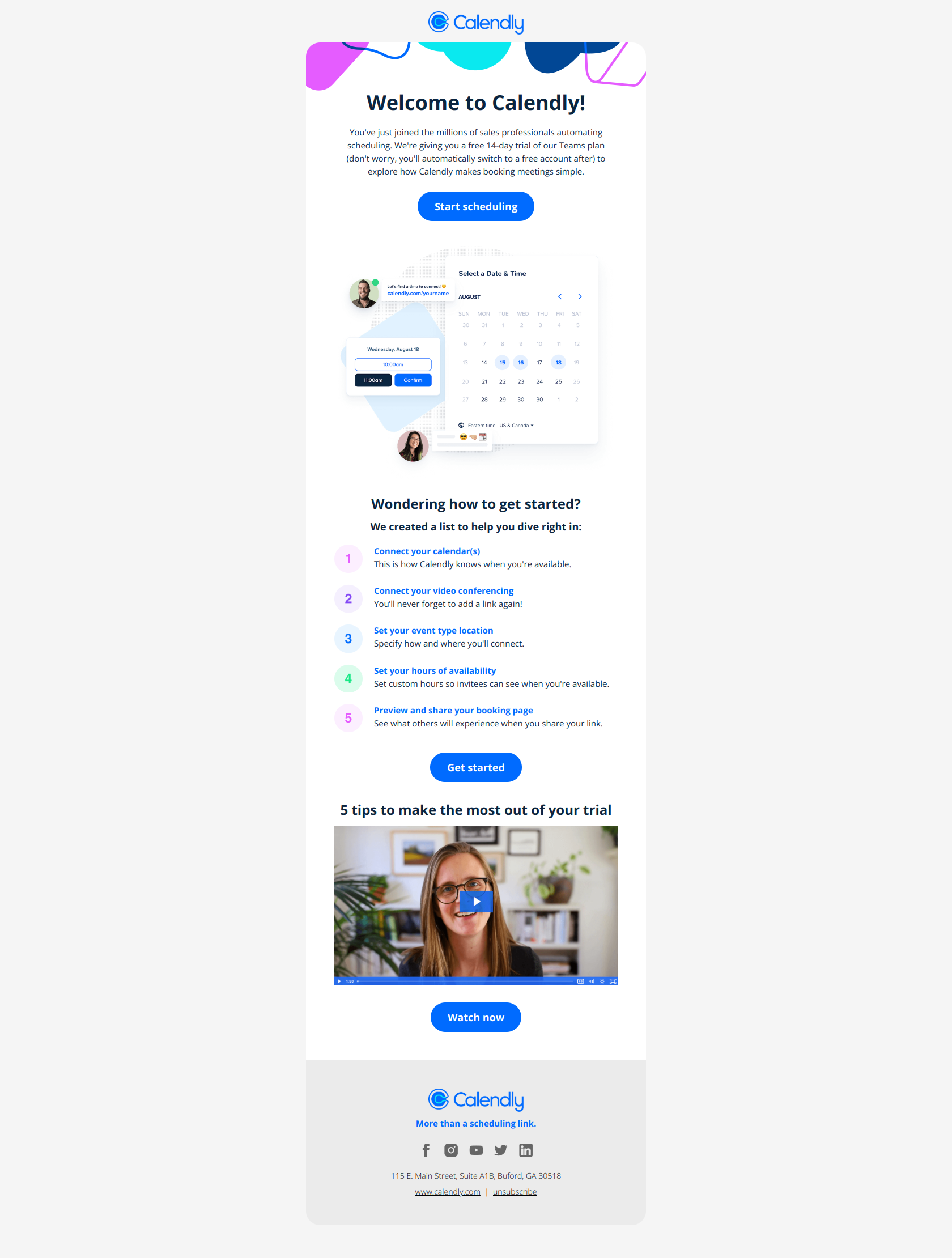
Subject line: Welcome to Calendly
Calendly front-loads the setup itself. Instead of a paragraph of prose about how great the product is, the email lays out the specific first actions — connect your calendar, add video conferencing, create event types — as discrete, clickable steps. A new user knows exactly what to do in the first 30 seconds, and can finish one task without stopping to decide what comes next. During a 14-day trial, time-to-first-value is everything, and Calendly treats the welcome email as an activation checklist rather than a brand introduction.
The pattern: remove decision friction by sequencing actions. When activation takes several dependent steps, list them as an ordered path so the user always knows the single next click — don’t bury the setup in feature storytelling.
Notion — “Notion for marketing teams (1/7):”
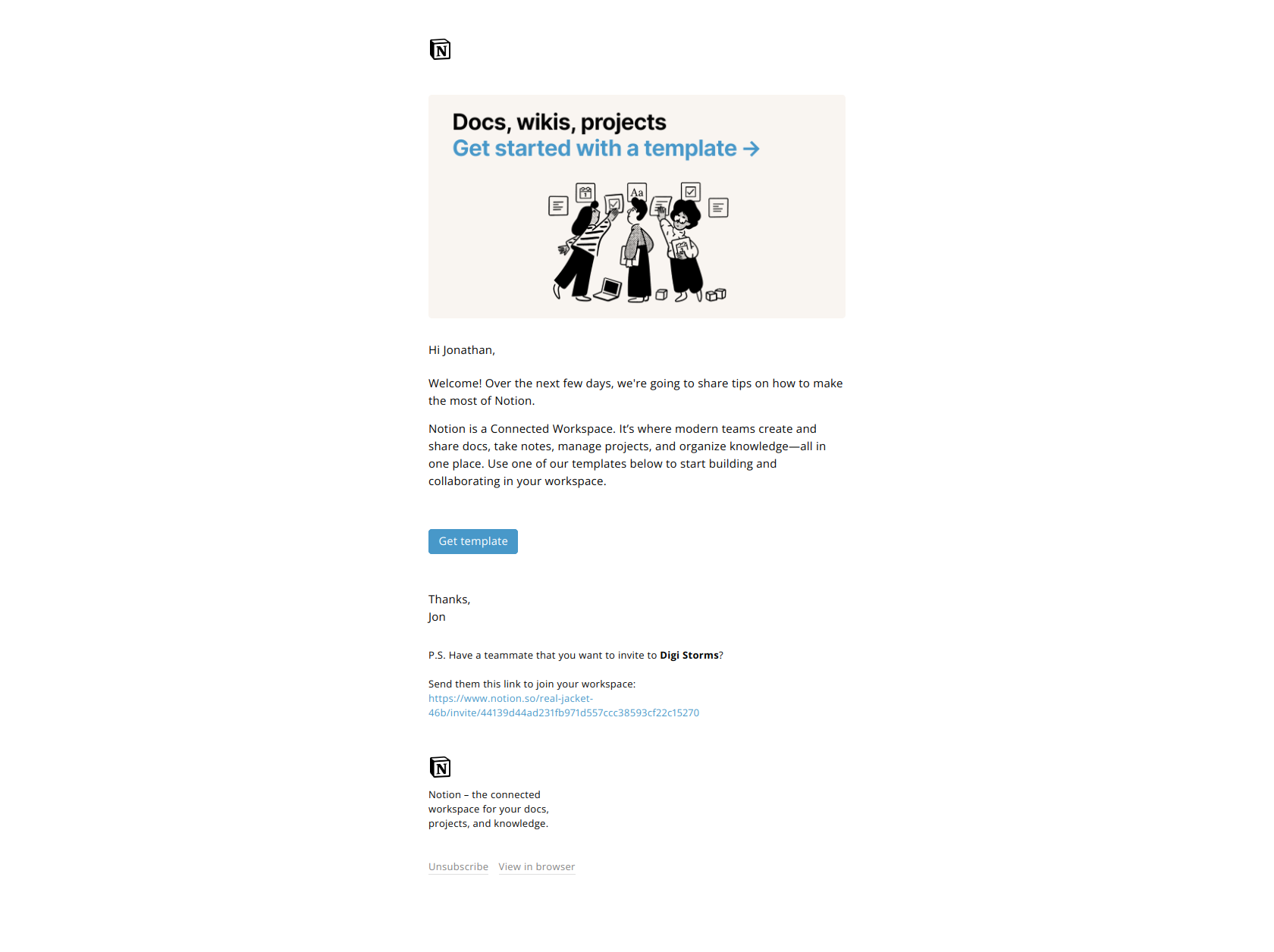
Subject line: Notion for marketing teams (1/7):
Notion names the audience in the subject line, not the feature — and the “(1/7)” signals a numbered series, telling the user more useful emails are coming. A marketing-team user immediately sees themselves in the email instead of generic onboarding noise, and the sequence numbering builds a small open loop that lifts opens on emails 2 through 7. It’s a template you can copy for any trial: segment by role, then run a short numbered drip that speaks to that role’s job.
The pattern: audience before feature. Anchor the trial to the user’s job by naming their role, and number the series so each email primes the next.
Stage 2 — Drive first value (day 2–4)
Now the user needs to do something. These emails fight the blank-canvas paralysis that kills trials before the value ever lands.
Miro — “Start with a template, not a blank canvas”
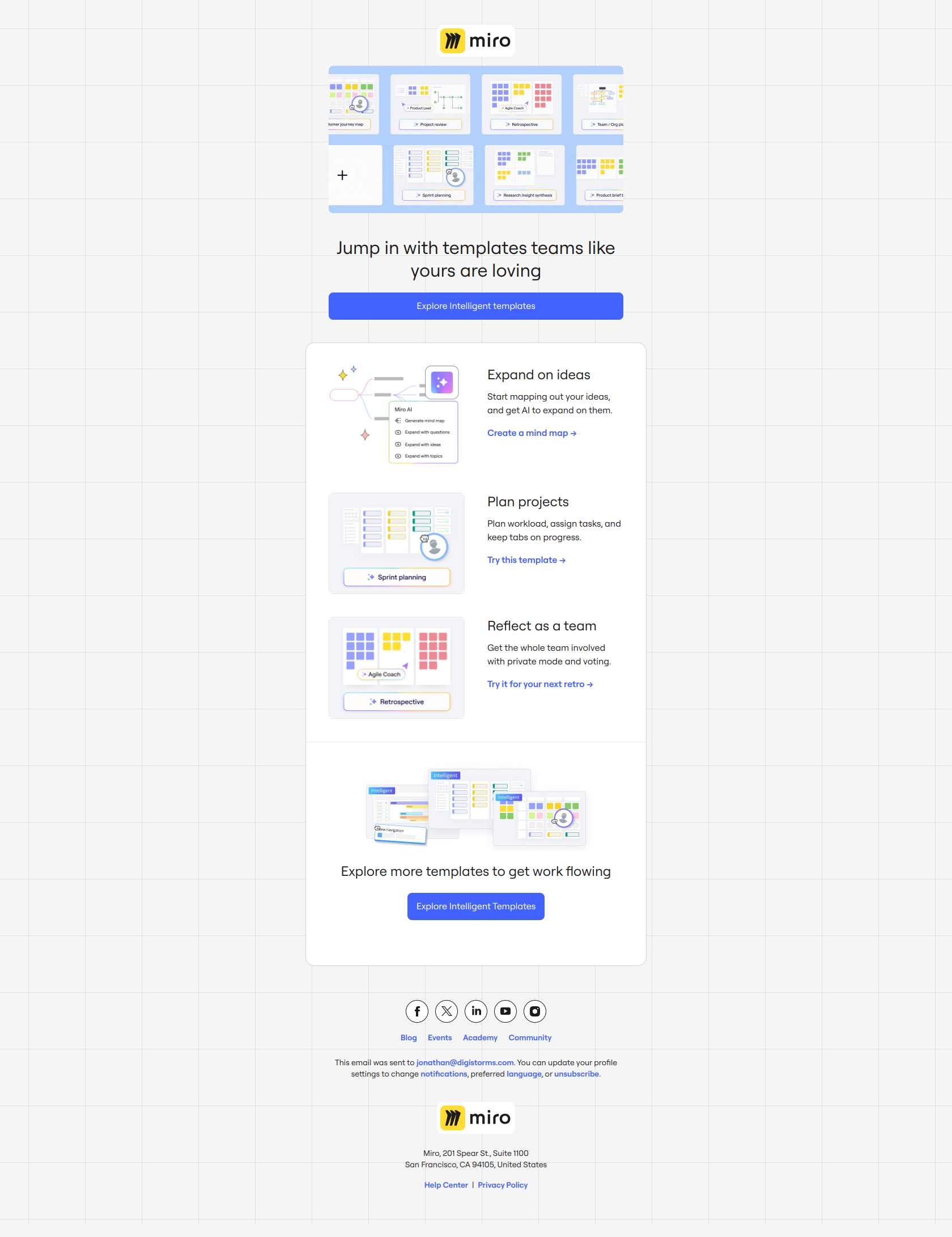
Subject line: Start with a template, not a blank canvas
The subject line diagnoses the exact reason new users freeze: an empty product with no obvious starting point. By positioning templates as the on-ramp rather than an optional feature, Miro converts a hesitant free user into an active builder on day one. The email doesn’t sell the AI or the collaboration — it removes the one bottleneck (where do I even start?) standing between signup and first value.
The pattern: solve the activation bottleneck, not the feature set. Find the moment new users stall — the blank page, the empty dashboard — and send an email that hands them a running start.
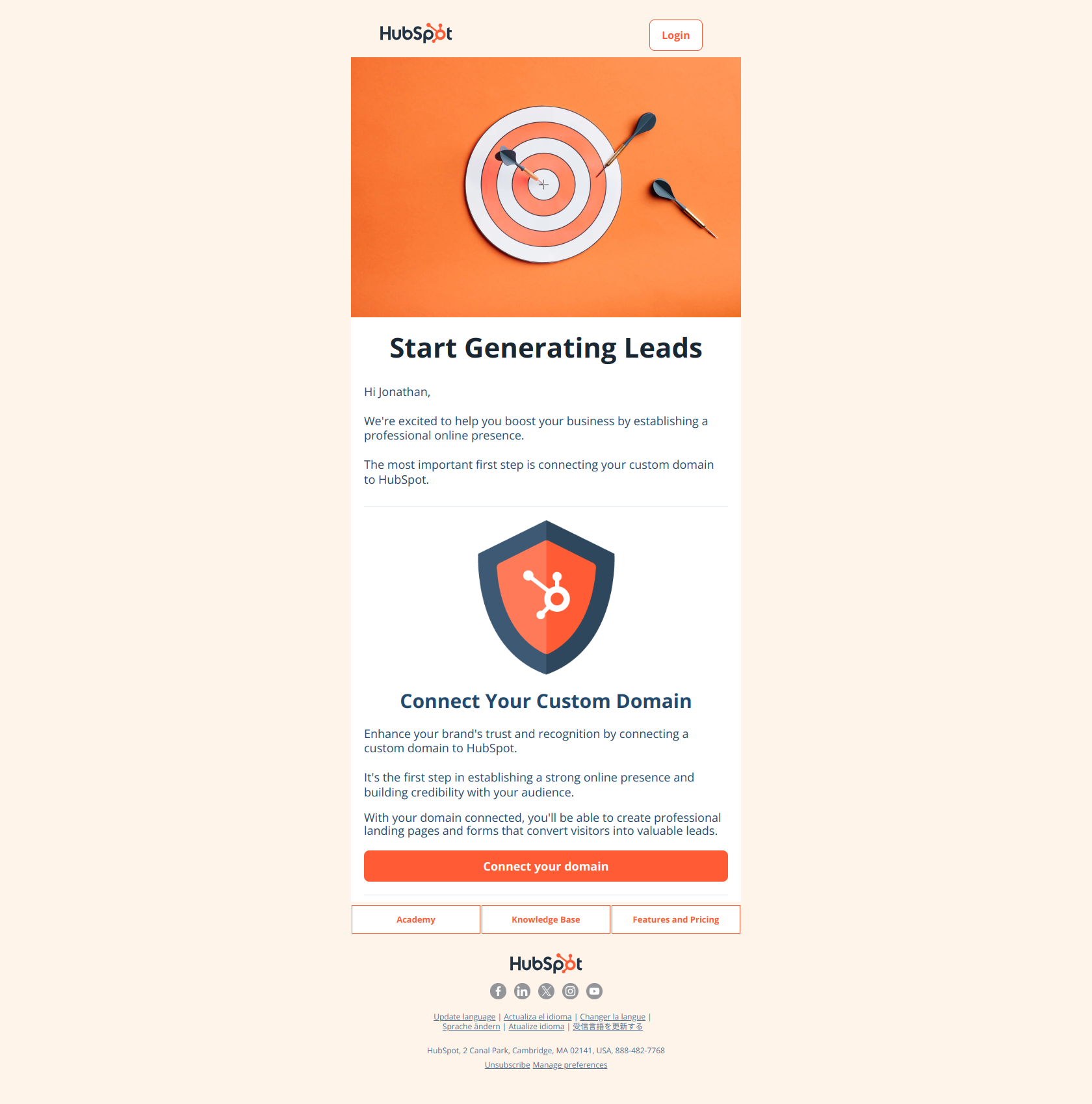
Semrush — “The first thing to do with your trial”
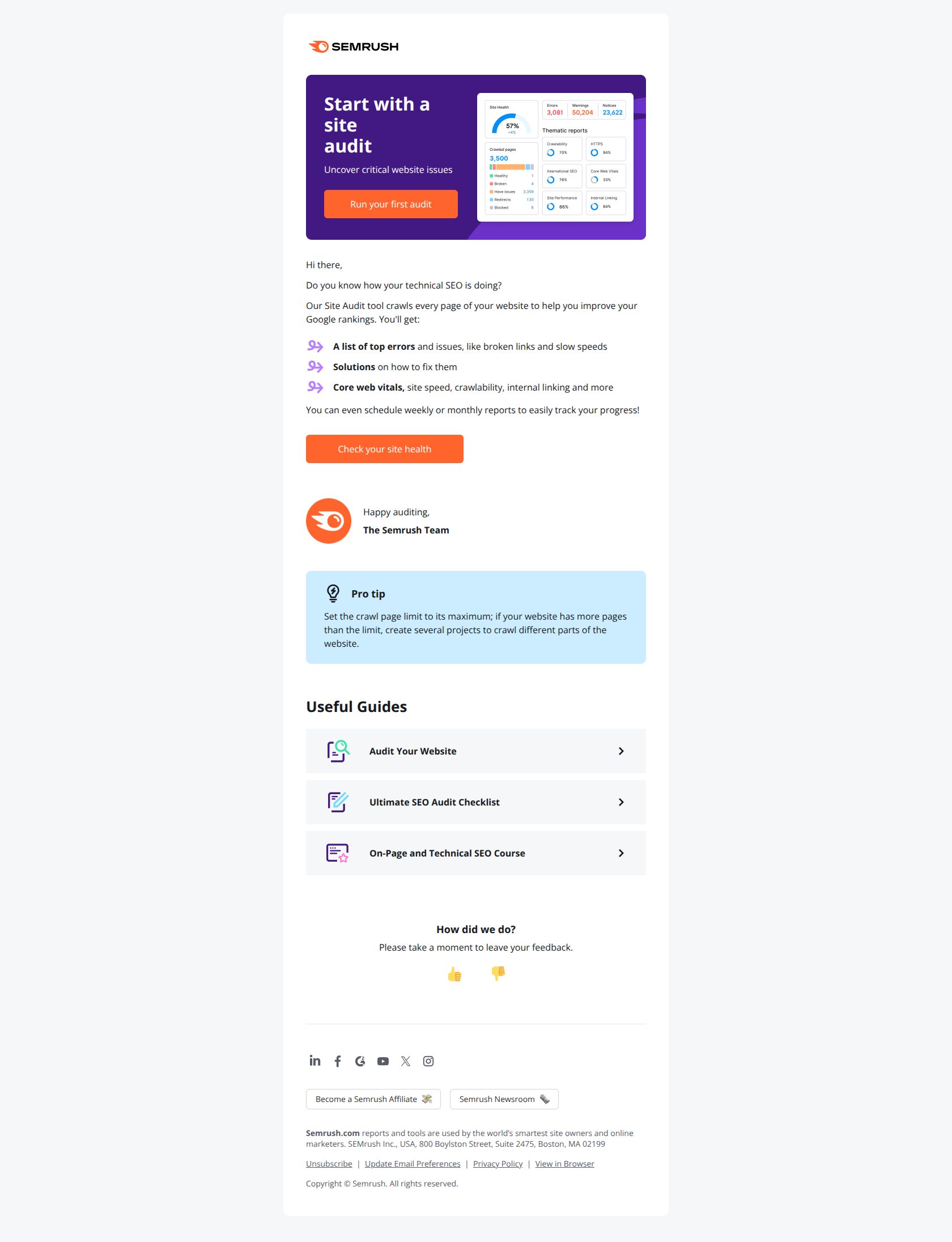
Subject line: The first thing to do with your trial
Semrush names the missing action outright. Rather than promoting a feature, the subject tells the trial user exactly which behavior unlocks value — run a Site Audit — so they don’t have to guess where to start among dozens of tools. The body follows through with a single, concrete first move and the resources to complete it. For a product broad enough to overwhelm, prescribing the first action is worth more than showcasing the full toolset.
The pattern: prescribe the first move, not the tool. When your product does many things, pick the one action that reliably produces an “aha” and make the whole email about doing it.
Stage 3 — Deepen usage mid-trial (day 5–9)
The user has done something. Mid-trial emails keep momentum going — showing more capability, proving ROI, and rescuing anyone who’s already drifting.
Loom — “Highlight new product features with Loom”
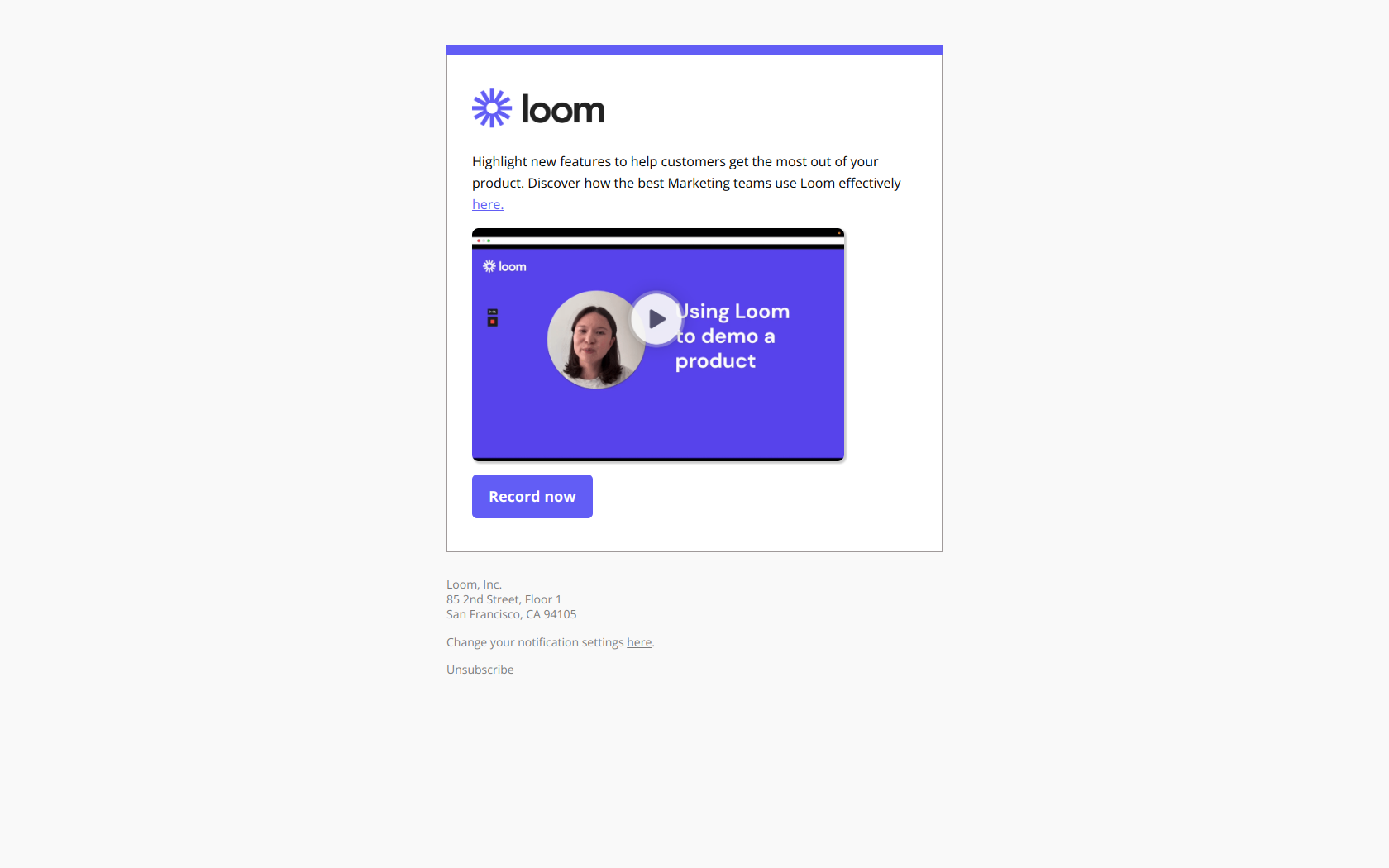
Subject line: Highlight new product features with Loom
Loom frames a feature as a job the user already wants to do — highlight, share, educate — instead of announcing that the feature exists. That framing triggers opens from users who see immediate relevance to their own workflow, not passive “here’s what’s new” fatigue. Mid-trial is exactly when to broaden usage beyond the first action, and outcome-led feature emails do that without feeling like a product changelog.
The pattern: outcome before feature announcement. When you want trial users to discover a capability, lead with the result it delivers, so the feature reads as a solution to something they’re already trying to do.
Aircall — “Jonathan, here’s the ROI you can expect with Aircall”
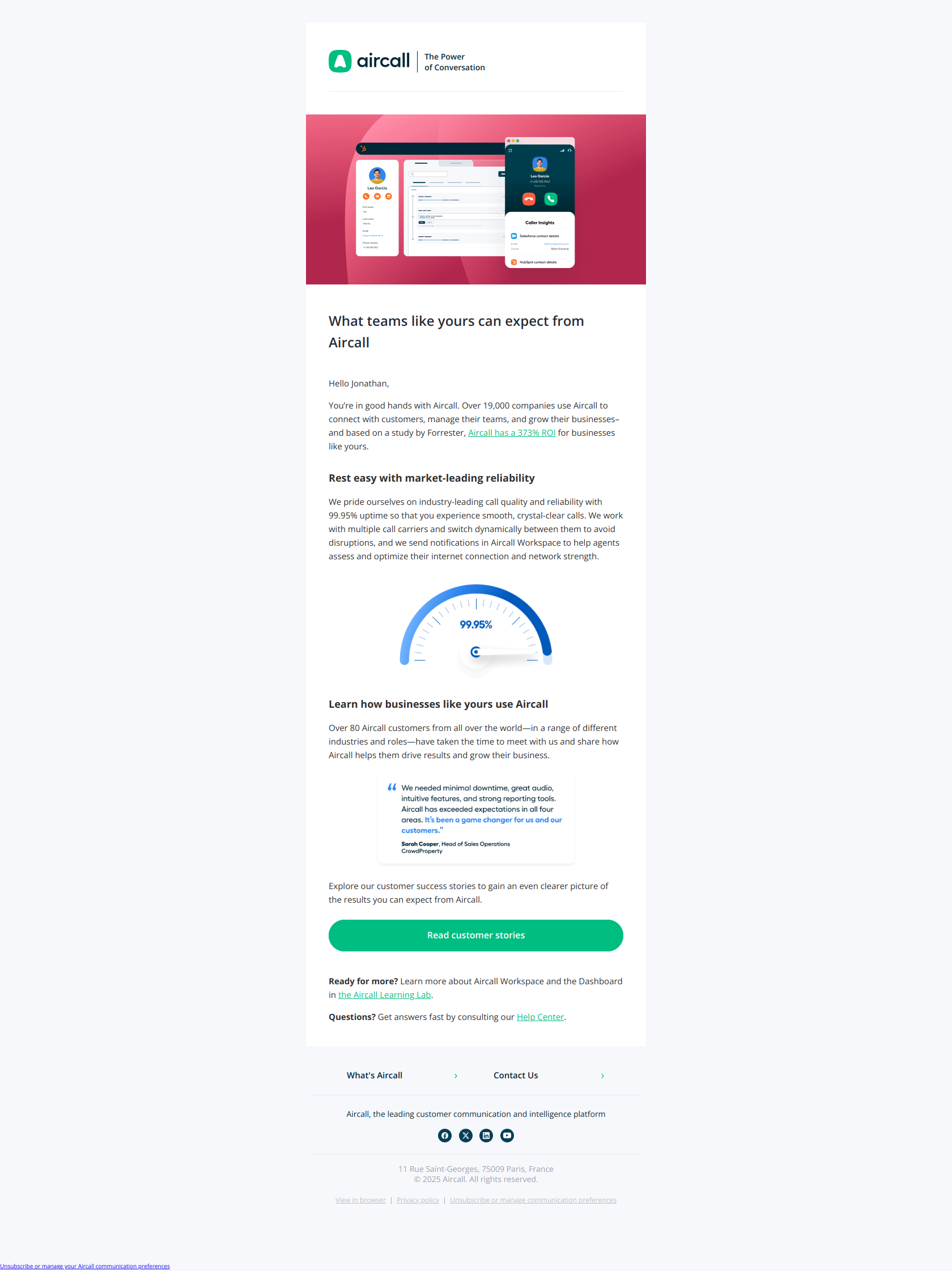
Subject line: Jonathan, here’s the ROI you can expect with Aircall
Aircall leads with “the ROI you can expect” instead of features or trial urgency, flipping the reader’s mental model from “what does this do?” to “what will this earn me?” The body backs it with proof — 99.95% uptime, 19,000+ companies, a Forrester ROI study — giving a mid-trial user permission to believe the tool will pay for itself before the credit-card decision arrives. It’s the email that turns interest into justification.
The pattern: outcome before offer. When a trial user needs to justify converting, lead with the quantified return and back it with proof, so upgrading feels like a business case rather than a leap of faith.
Pipedrive — “Important: Your setup is not complete”
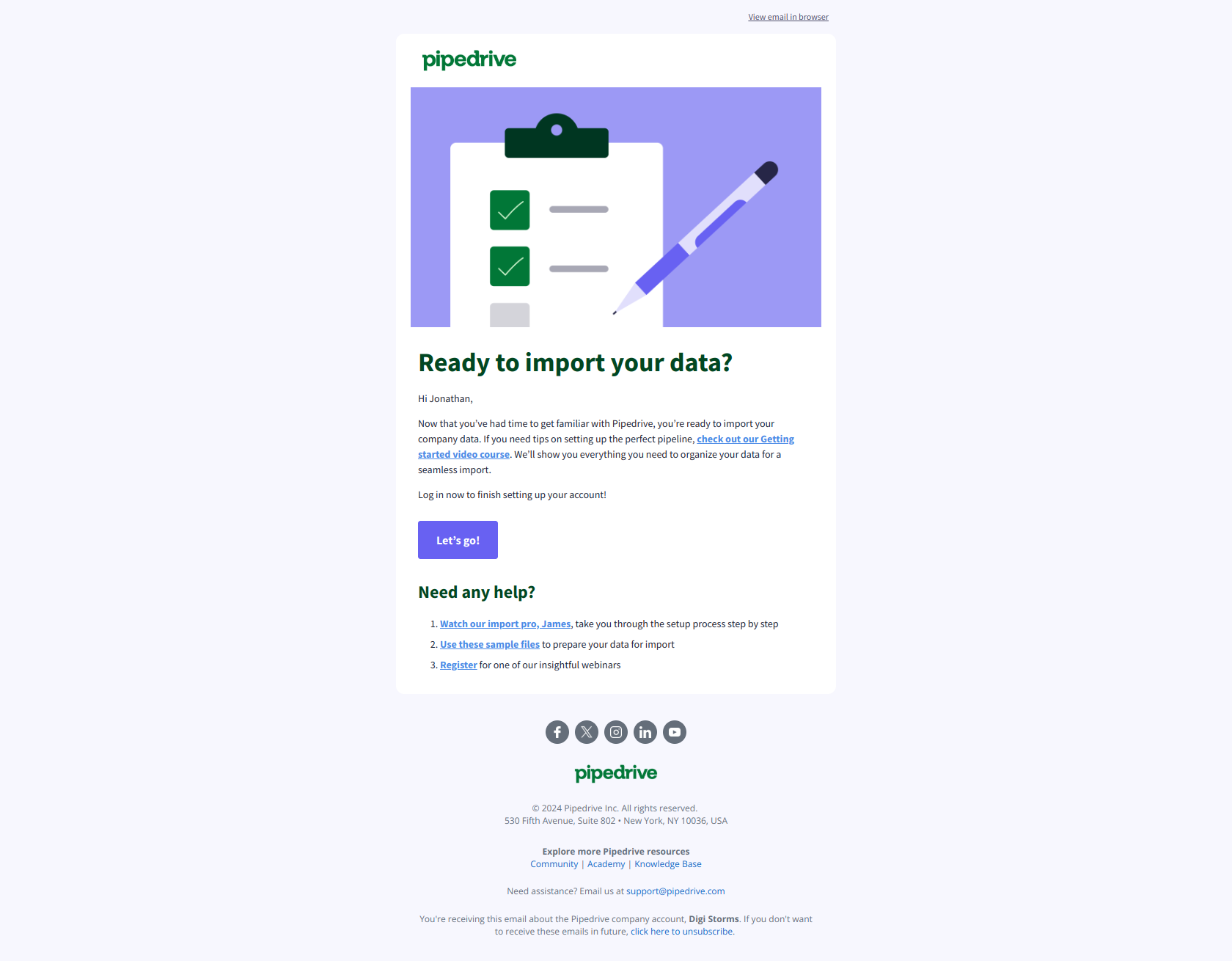
Subject line: Important: Your setup is not complete
Not every trial user keeps moving. Pipedrive catches the ones who stalled by naming the friction point — incompleteness — rather than dangling a feature. Labeling the gap “Important” reframes inaction from “an optional step I skipped” into “an open loop I should close.” The email then hands over exactly what’s needed to finish: a getting-started course, import tutorials, sample files. For a trial user who started but stalled, that’s the right pressure — just the next unfinished step, not the whole product.
The pattern: frame the gap, not the tool. When a user has started but stalled, point at the specific incomplete step and make finishing it feel like resolving a problem, not learning a feature.
Stage 4 — Convert before expiry (day 10–14)
The clock is now the message. These emails trade education for urgency and a single, unambiguous upgrade path.
Buffer — “Last 3 days of your trial”
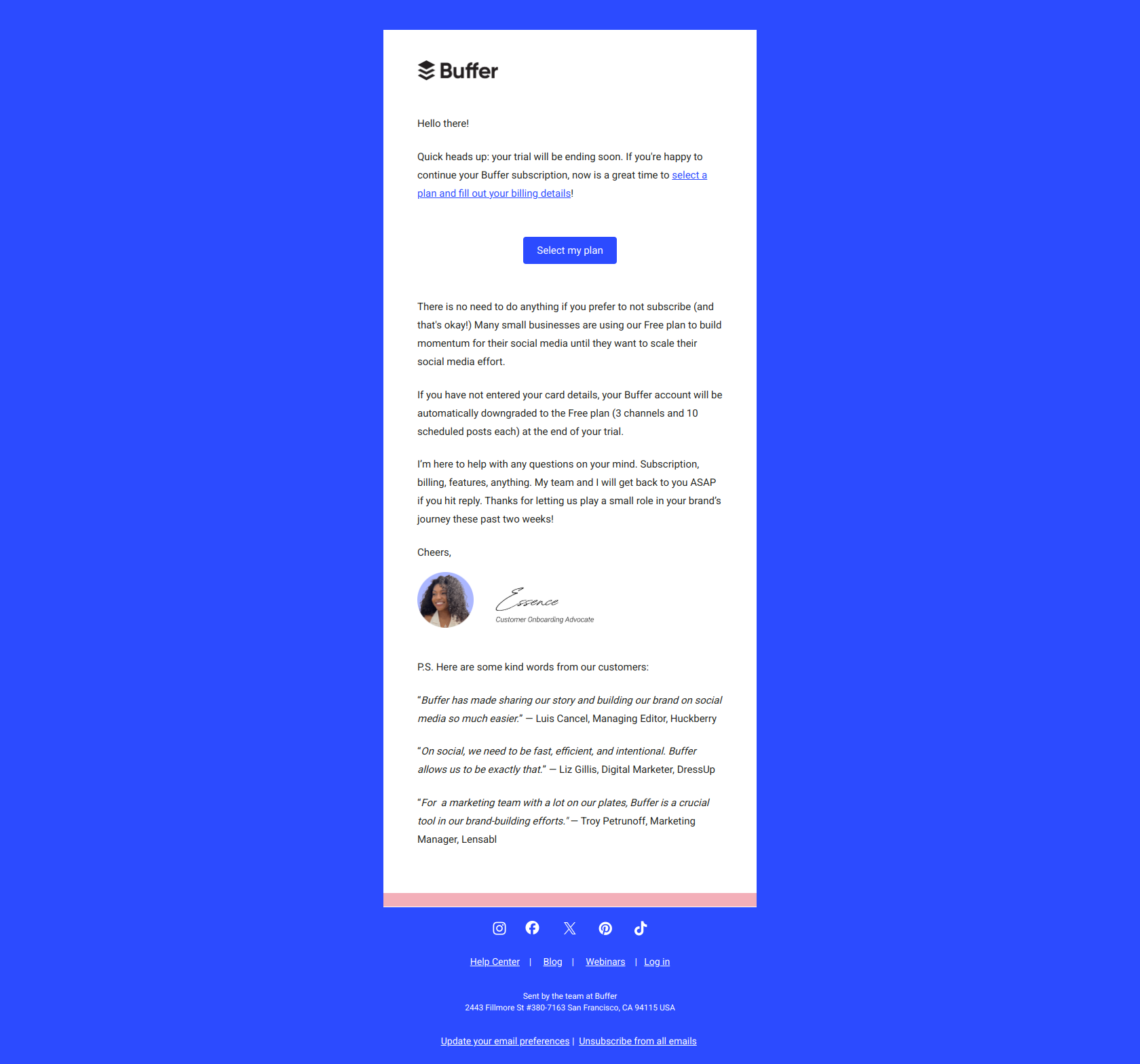
Subject line: Last 3 days of your trial
Buffer leads with a countdown, not a benefit. The reader feels the time-scarcity before they even open, which primes them to act inside the email instead of deferring the decision. The body stays warm and short — one clear “select a plan” button, plus reassurance that they’ll simply downgrade to free if they do nothing. That safety valve removes the fear of a surprise charge while still making the deadline feel real.
The pattern: lead with scarcity, not value. In the final days, a countdown subject line beats another feature pitch — the user already knows what the product does; they need a reason to decide now.
Jira — “Your trial ends today! Keep your Jira plan”
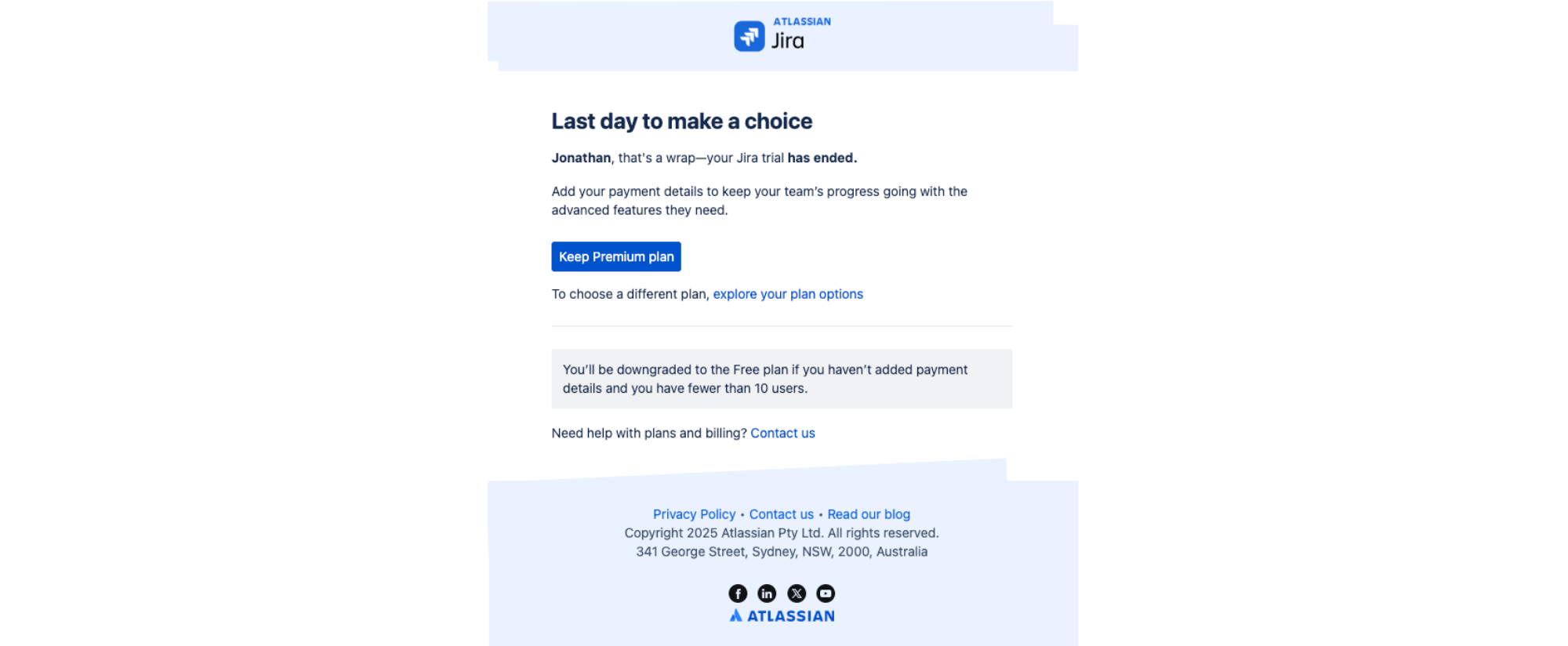
Subject line: Your trial ends today! Keep your Jira plan
Jira names the consequence of inaction — the trial ends today — and forces an immediate binary choice: keep the plan or lose it. The email doesn’t re-sell the product; by the final day the user has already experienced the value, so it offers a push, not a pitch. Clear calls to action (add payment to keep Premium, explore other plans, contact support) leave no ambiguity about how to avoid the downgrade.
The pattern: frame expiration as loss, not opportunity. On the last day, name what the user stands to lose and reduce the decision to a single keep-or-lose choice — loss aversion does the rest.
Stage 5 — The safety net (post-expiry)
Some interested users simply run out of time. An extension offer recovers them without the desperation of a hard win-back.
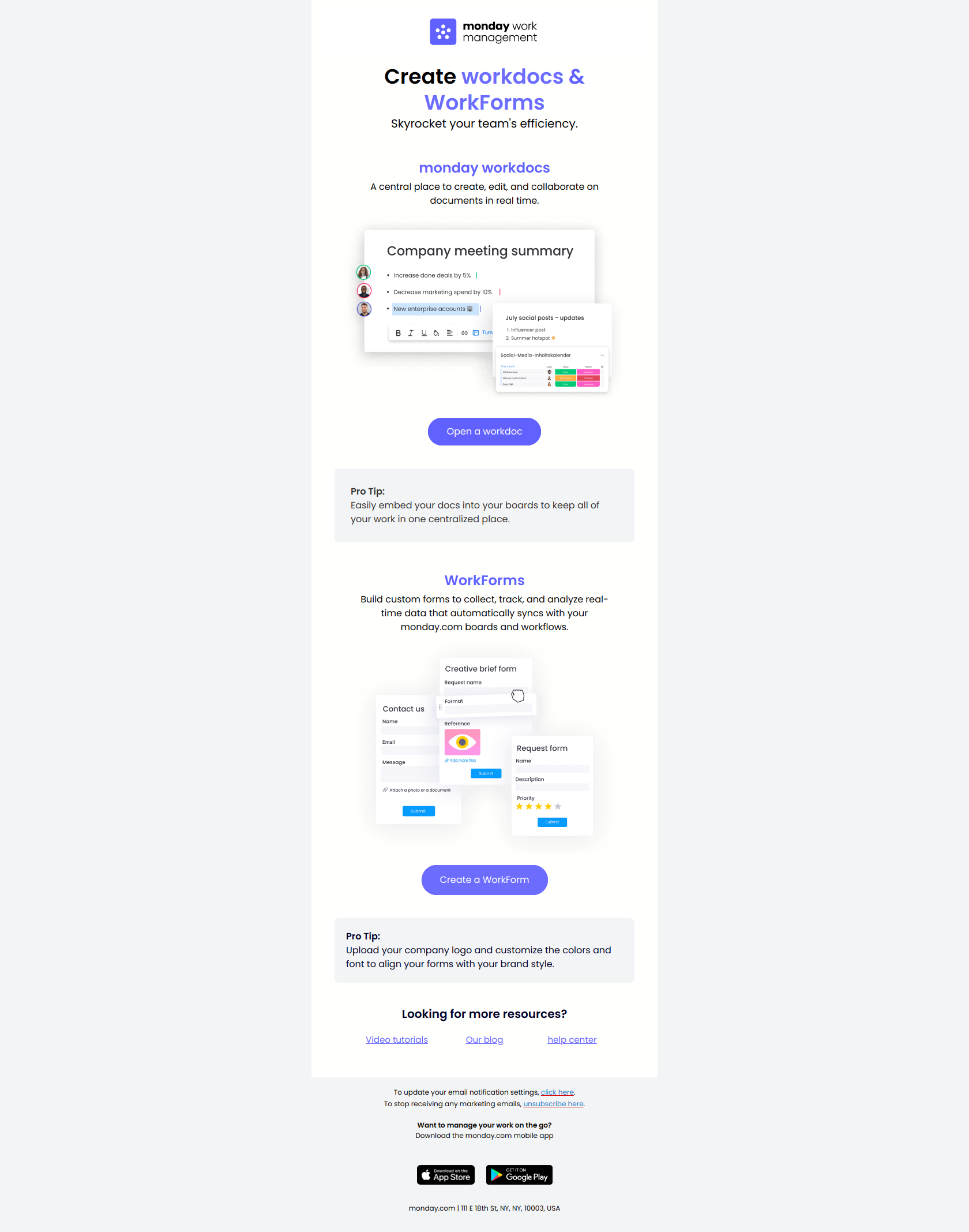
Monday — “One more week of monday.com, on us”
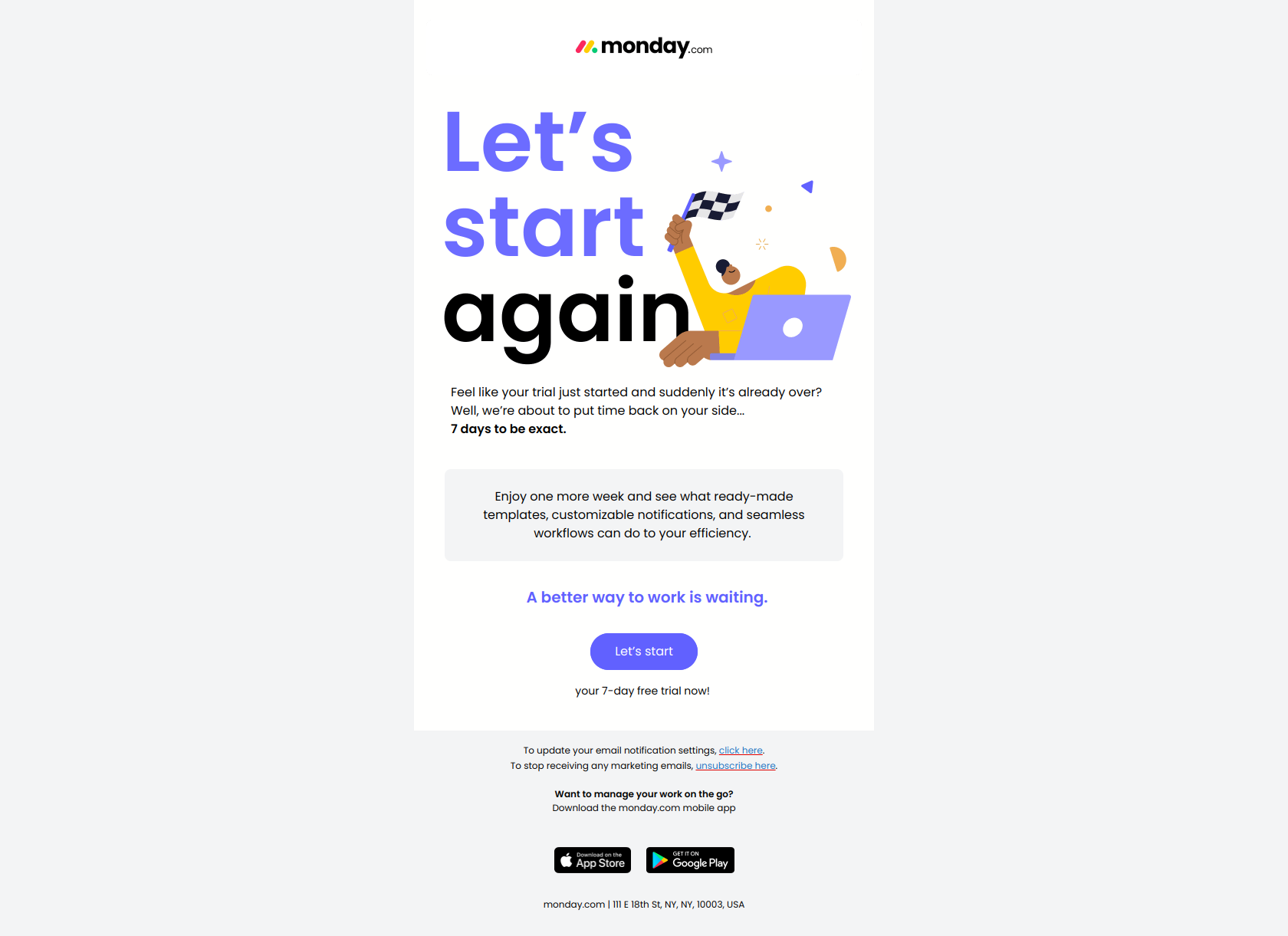
Subject line: One more week of monday.com, on us
Monday frames the offer as a gift (“on us”) rather than a desperate re-engagement plea. That subtle inversion resets the psychology from “we’re losing you” to “we’re giving you more time,” so a lapsed user feels valued instead of pressured. The extension buys a second window for the value to land — ideal for users who were genuinely interested but never got enough runway inside the original trial.
The pattern: reframe churn as generosity. When you extend a trial, present the extra time as a gift, not an ultimatum — the user is far more likely to come back for a benefit than for a last-chance warning.
The free trial email sequence, at a glance
Every example above maps to one of five jobs. Use this as the skeleton for your own sequence:
| Stage | Timing | Job | Subject-line formula | Example |
|---|---|---|---|---|
| 1. Kick off | Day 0–1 | Make the first action obvious | Sequence the setup steps / name the audience | Calendly, Notion |
| 2. Drive first value | Day 2–4 | Beat blank-canvas paralysis | Prescribe the first move | Miro, Semrush |
| 3. Deepen usage | Day 5–9 | Broaden usage + prove ROI, rescue stalls | Outcome before feature; name the gap | Loom, Aircall, Pipedrive |
| 4. Convert before expiry | Day 10–14 | Create urgency, one upgrade path | Lead with the countdown / the loss | Buffer, Jira |
| 5. Safety net | Post-expiry | Recover interested-but-out-of-time users | Frame the extension as a gift | Monday |
Two threads run through all five stages. First, every email names one next action — the sequences that convert never make the user choose among five features. Second, the ask is always framed as the user’s gain, whether that’s a finished setup, a proven ROI, or one more week on the house.
Want to see the raw material behind these patterns? Every screenshot above links to its full entry in the DigiStorms email library — a free, searchable collection of real SaaS lifecycle emails you can study subject line by subject line, then adapt for your own trial sequence.