A re-engagement email is the last conversation you’ll have with a user before they’re lost for good. Get it right and you reactivate a paying customer. Get it wrong and you reinforce the reason they drifted away in the first place.
This article focuses on the dormant-user subset of the broader customer retention email program — the moment a still-active user goes quiet, before they cancel.
This article breaks down 12 real re-engagement emails — from brands like Adobe, Canva, Apollo, Semrush, and Pipedrive — and the exact patterns that move dormant users back to active.
TL;DR — what makes a re-engagement email work
A re-engagement email earns the click when it does one of three things, not all three:
- Reminds them what they’re missing — a specific feature, integration, or workflow they haven’t yet used.
- Lowers the cost of returning — a trial extension, a discount, a “we saved your data” reassurance.
- Asks a question they want to answer — “Did we lose you?” / “What changed?” Empathy, not pressure.
The 12 examples below split cleanly across these three jobs. Pick the job that matches why your user went quiet — feature gap, friction, or feeling.
What’s a re-engagement email vs. a win-back email?
Often confused, they target different lifecycle stages:
- Re-engagement email — sent to users who are still subscribed but inactive (haven’t logged in, haven’t used core features, haven’t opened recent emails). Goal: bring them back to active use before they cancel.
- Win-back email — sent to users who have already cancelled or downgraded. Goal: recover the relationship.
Several of the examples below cover both — Adobe’s “Come back and do more with Illustrator” is a win-back; Canva’s “Hey Jonathan, we miss you” is a re-engagement. The patterns overlap, but the timing changes everything.
12 re-engagement email examples from real SaaS
Apollo — “Did we lose you?”

Subject line: Did we lose you?
Three words. No emojis. No urgency. Apollo’s re-engagement email opens with the most disarming question in the playbook: a sincere admission that the user has gone quiet, framed as the company’s concern rather than the user’s fault.
The pattern: the lowest-friction re-engagement subject line is the one that sounds like a friend asking, not a brand demanding. “Did we lose you?” outperforms “Come back to Apollo!” because it removes the sales register entirely.
Canva — “Hey Jonathan, we miss you…”
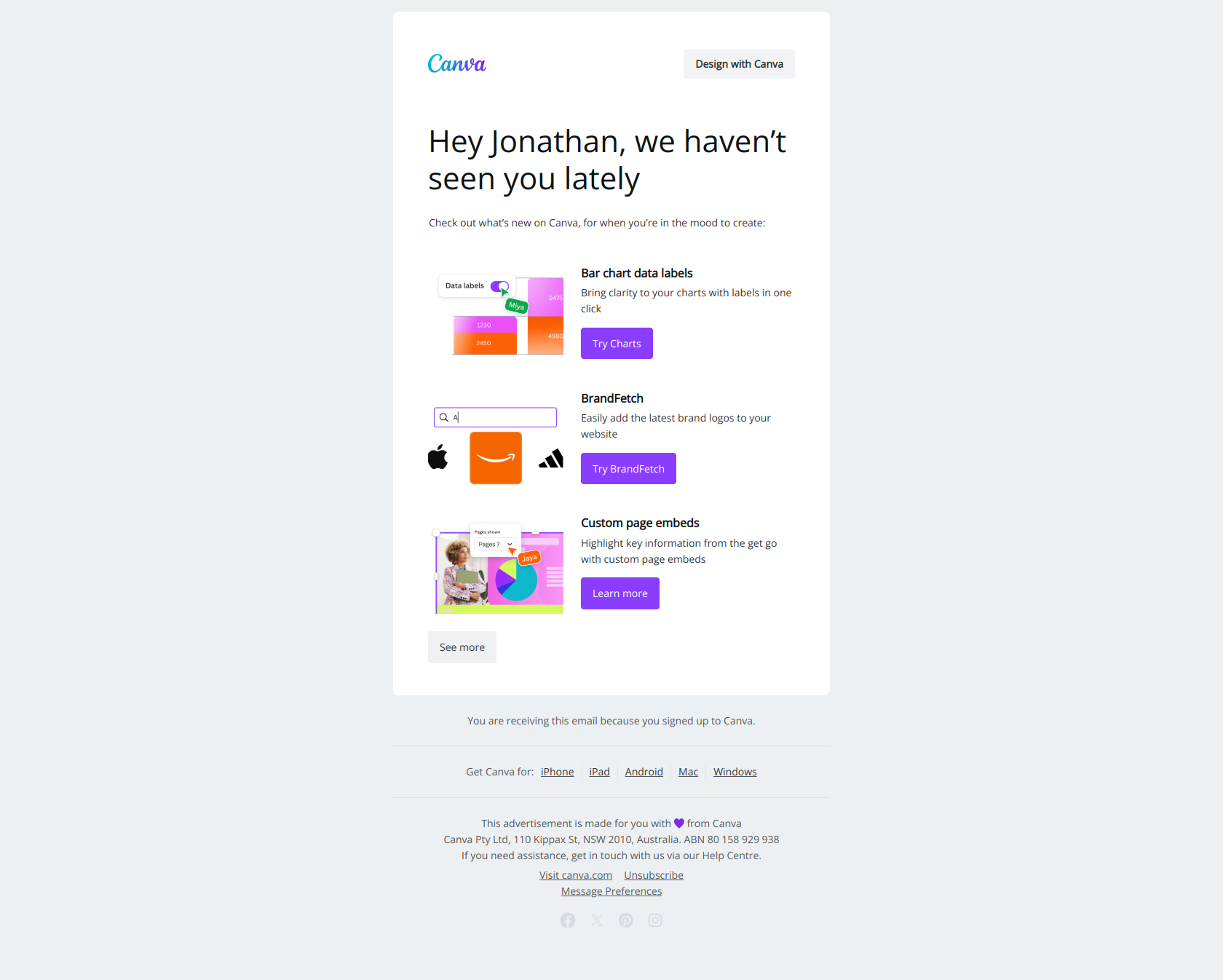
Subject line: Hey Jonathan, we miss you…
Canva uses a personal first name + ellipsis to mimic the cadence of a human checking in. The body usually pairs this opening with a quick visual reminder of designs the user previously created — a “your work is here, waiting” prompt.
The pattern: when your product has a creative or output-driven artifact (a design, a doc, a deal), reference the user’s own work in the re-engagement email. Returning to a half-finished thing has more pull than starting fresh.
Adobe — “Come back and do more with Illustrator”
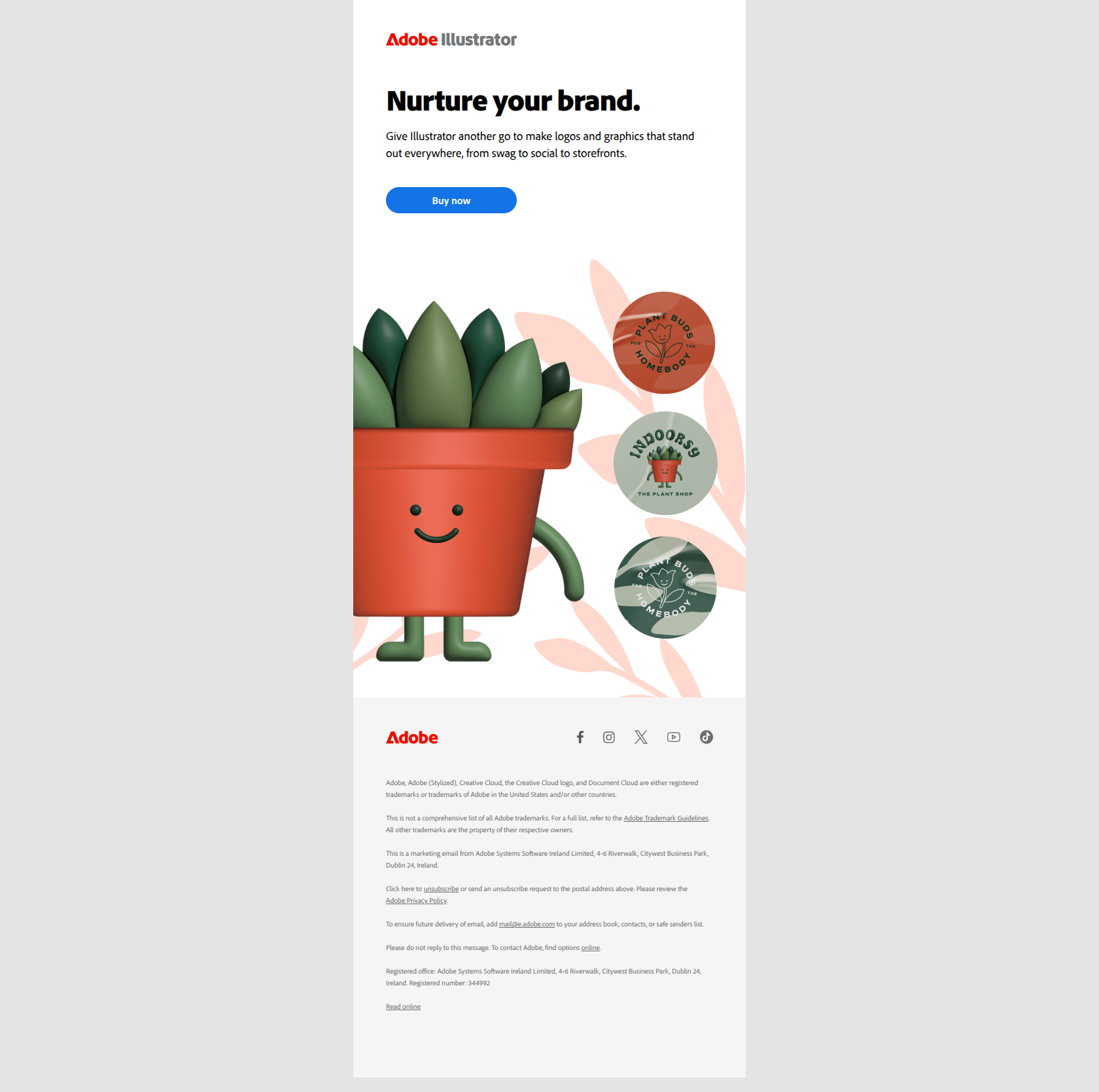
Subject line: Come back and do more with Illustrator
Adobe specifies the exact tool in the subject — not “come back to Creative Cloud” but “come back to Illustrator.” That specificity matters because cancelled users rarely cancel the entire suite — they cancel because one specific tool didn’t pay off for them. Naming it forces the email to address the real reason for the churn.
The pattern: if your product has multiple modules or features, win-back emails should target the specific feature the user actually used, not the umbrella product. “Come back to [feature]” beats “Come back to [company]” every time.
Pipedrive — “Don’t miss out on winning more deals”
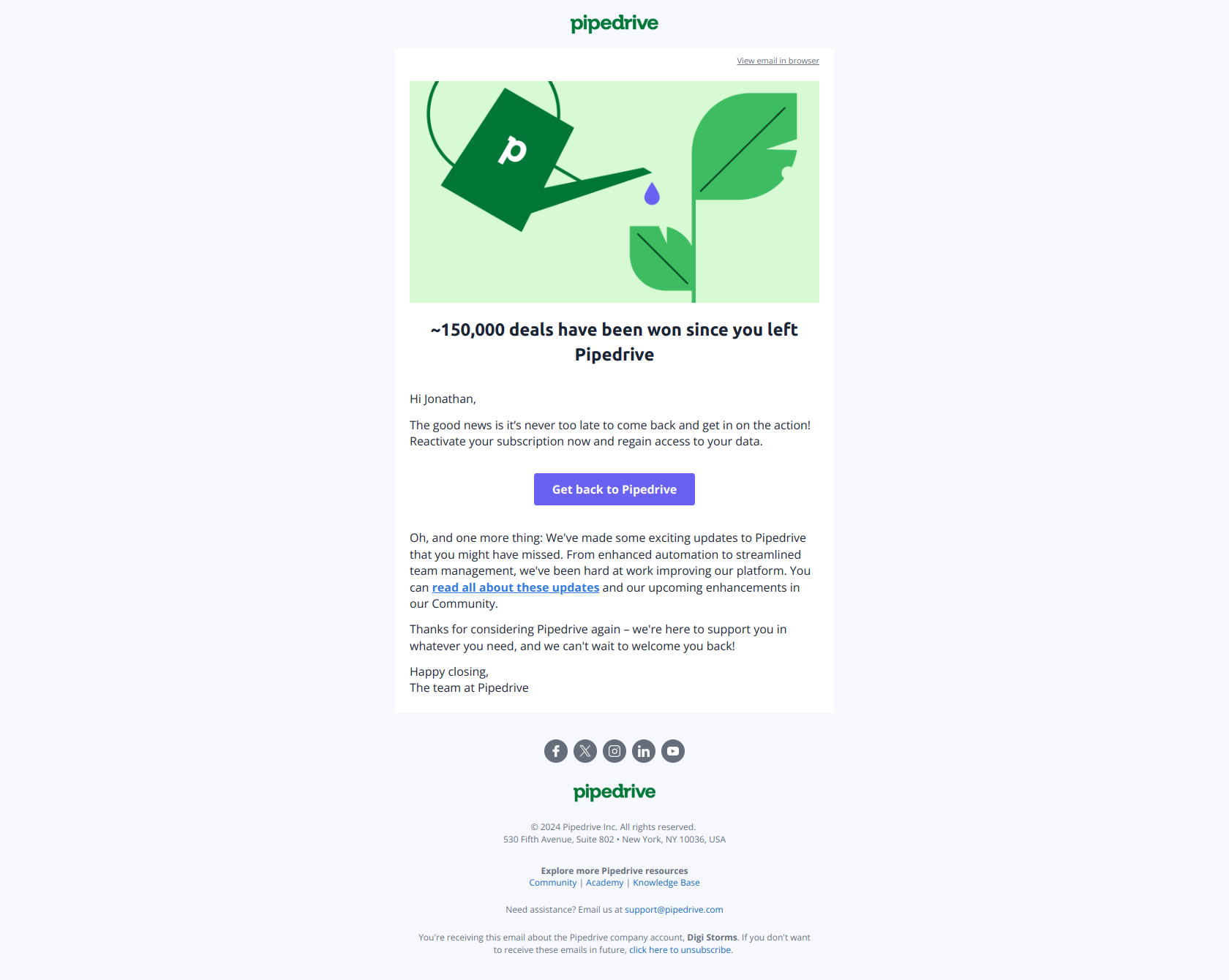
Subject line: Don’t miss out on winning more deals
Pipedrive ties the re-engagement directly to the user’s outcome — winning deals — rather than the product feature. The framing is loss-aversion (you’re losing deals by not using us), which is more powerful than gain-framing for users who’ve already disengaged once.
The pattern: for sales tools, productivity tools, or any product tied to revenue/output, re-engagement emails should foreground the missed result, not the missed feature. The user already knows they have a feature gap. They need to be reminded what that gap is costing them.
Semrush — “Before you go”
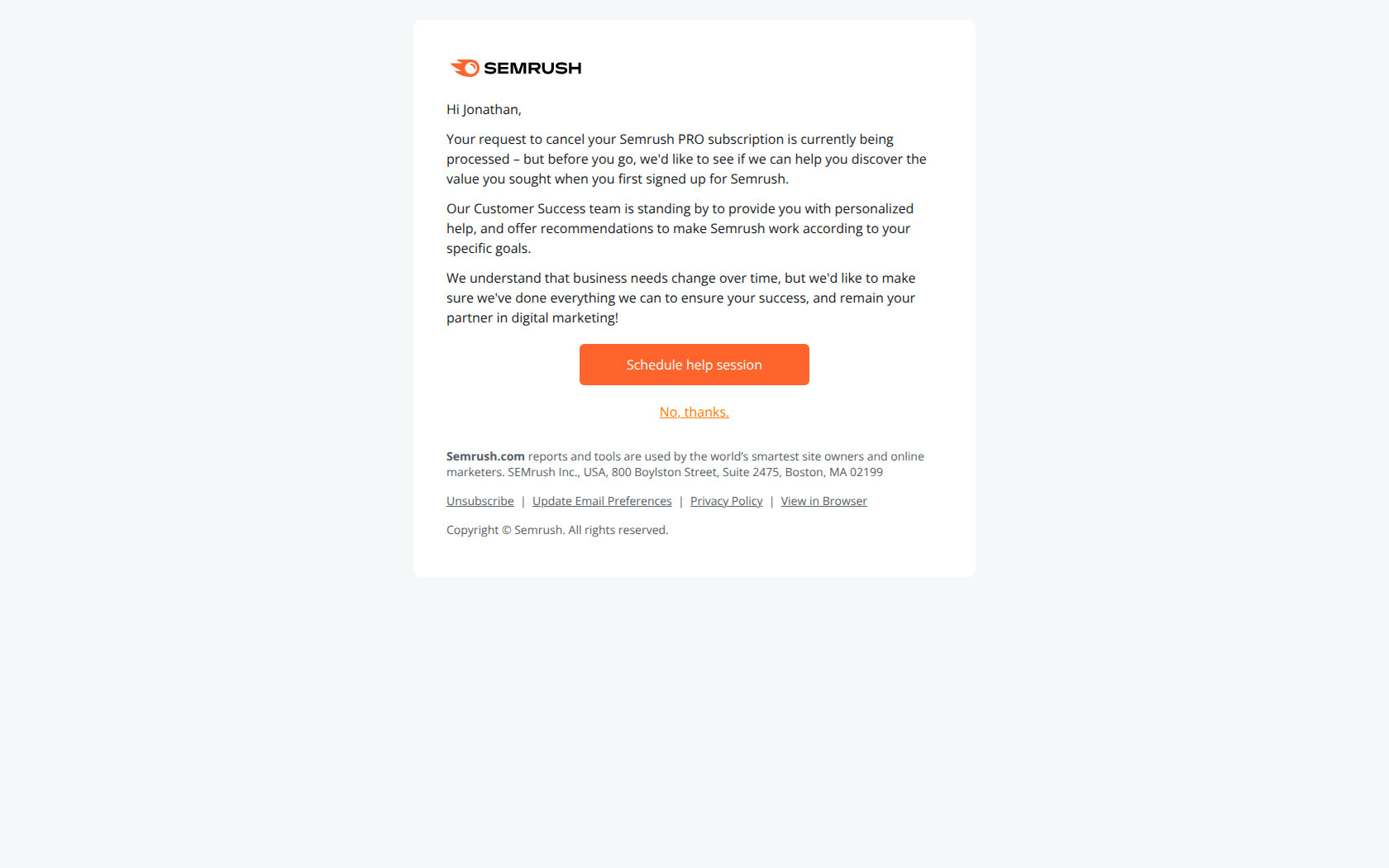
Subject line: Before you go
Semrush’s cancellation-save email triggers right at the moment of intent — when the user has clicked “cancel” but hasn’t confirmed. The subject creates a tiny pause: one more thing before you commit. The body typically pairs this with a discount, a feature reminder, or a “what almost worked” survey.
The pattern: the “before you go” pattern is non-negotiable for any subscription product with a cancellation flow. Even a 1% save rate on cancellation pays for the campaign 10x over. If you’re not running this email, you’re leaking revenue.
Lucid — “Final Notice: Your subscription has expired”
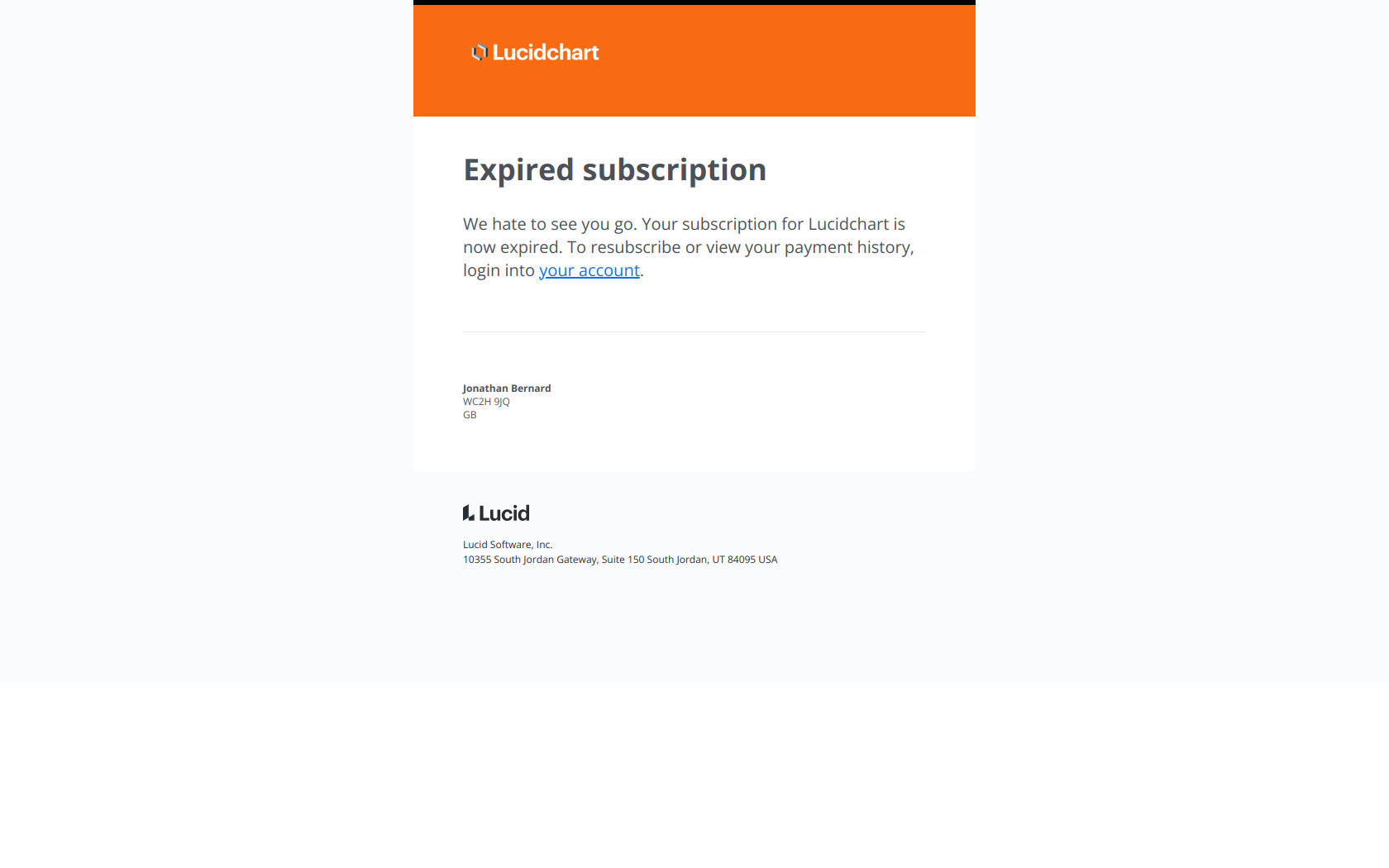
Subject line: Final Notice: Your subscription has expired, Jonathan Bernard
Lucid’s “Final Notice” subject does two things: it creates a deadline (last chance) and it signals consequence (something has expired, action is needed). The email is most effective when sent 3-7 days after expiration — long enough that the user has felt the loss but short enough that data and history are still recoverable.
The pattern: “Final notice” only works when there is a real consequence. Don’t fake a deadline. Trust, once burned with a fake “final,” is hard to rebuild.
Calendly — “Are you already using a scheduling tool, Jonathan?”
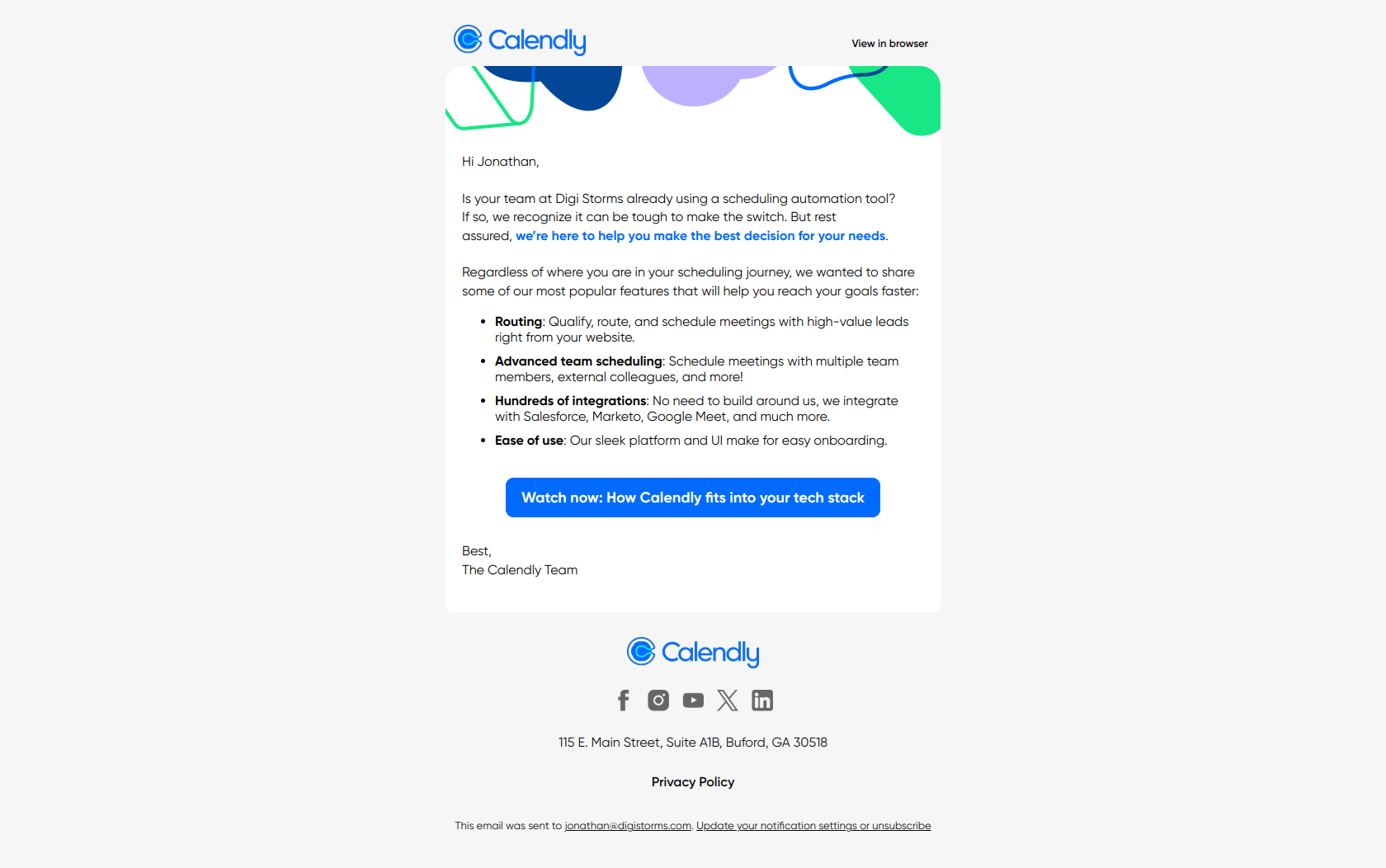
Subject line: Are you already using a scheduling tool, Jonathan?
Calendly opens with a survey-style question that’s actually a competitive disqualifier. If the answer is yes (using Calendly), the email re-anchors the value. If the answer is no (using a competitor), it opens a comparison conversation. Either way, the email earns a reply.
The pattern: re-engagement emails that ask a binary question about the user’s current state (using a competitor? using nothing?) beat one-size-fits-all “we miss you” emails because they segment the response automatically.
Dropbox — “It’s been a while Jonathan. Look what just arrived!”
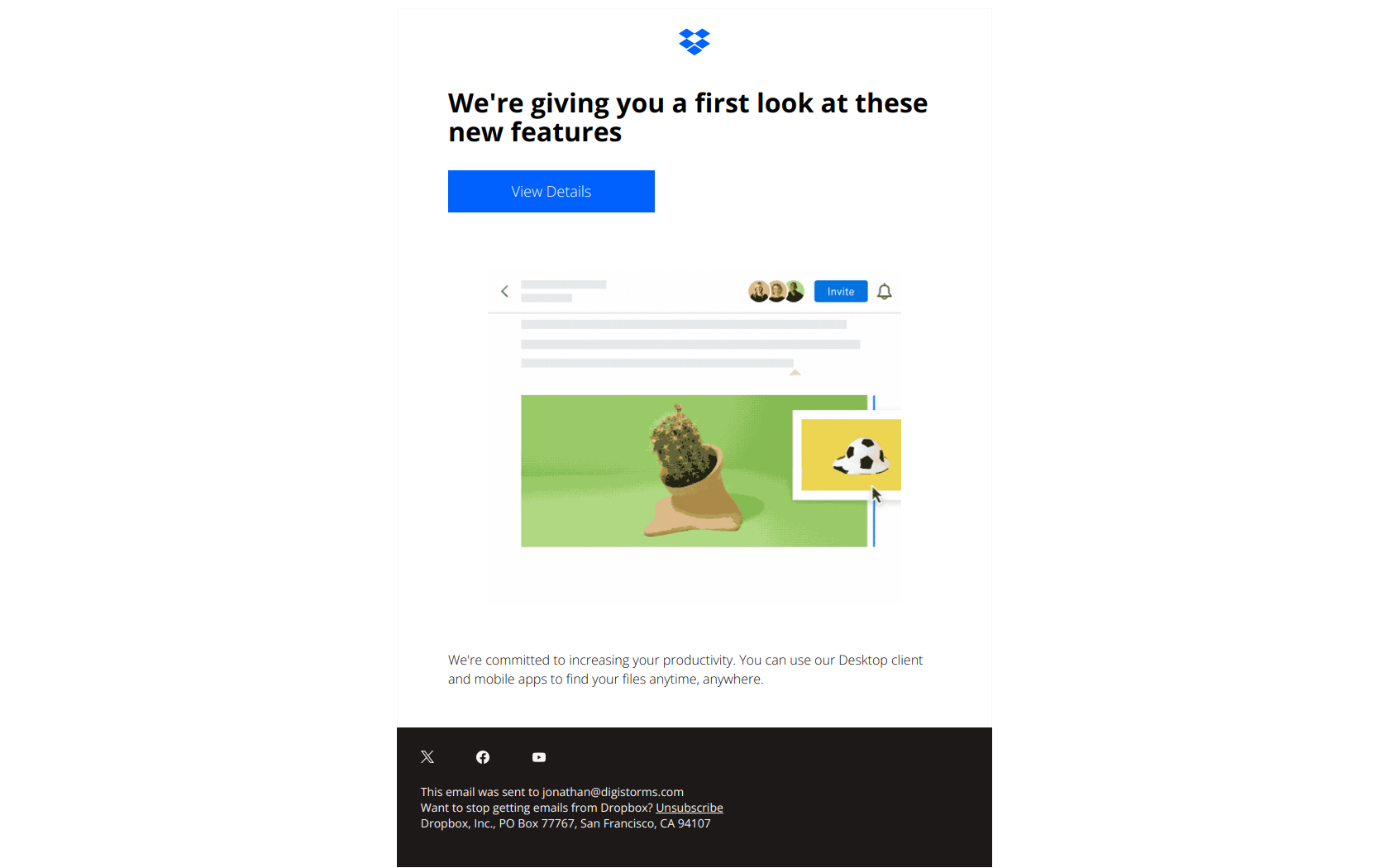
Subject line: It’s been a while Jonathan. look what just arrived!
Dropbox combines two motivators: explicit acknowledgment of dormancy (“it’s been a while”) with a curiosity hook about a new feature (“look what just arrived”). The pairing matters — “look what just arrived” alone could be a routine product update; combined with “it’s been a while” it becomes personal.
The pattern: when you ship a new feature, re-engagement emails should reference both the user’s absence and the new thing. The new feature is the reason to come back. The “we noticed you were gone” is the reason the email feels like it’s for them.
SurveyMonkey — “Don’t leave your survey hanging”
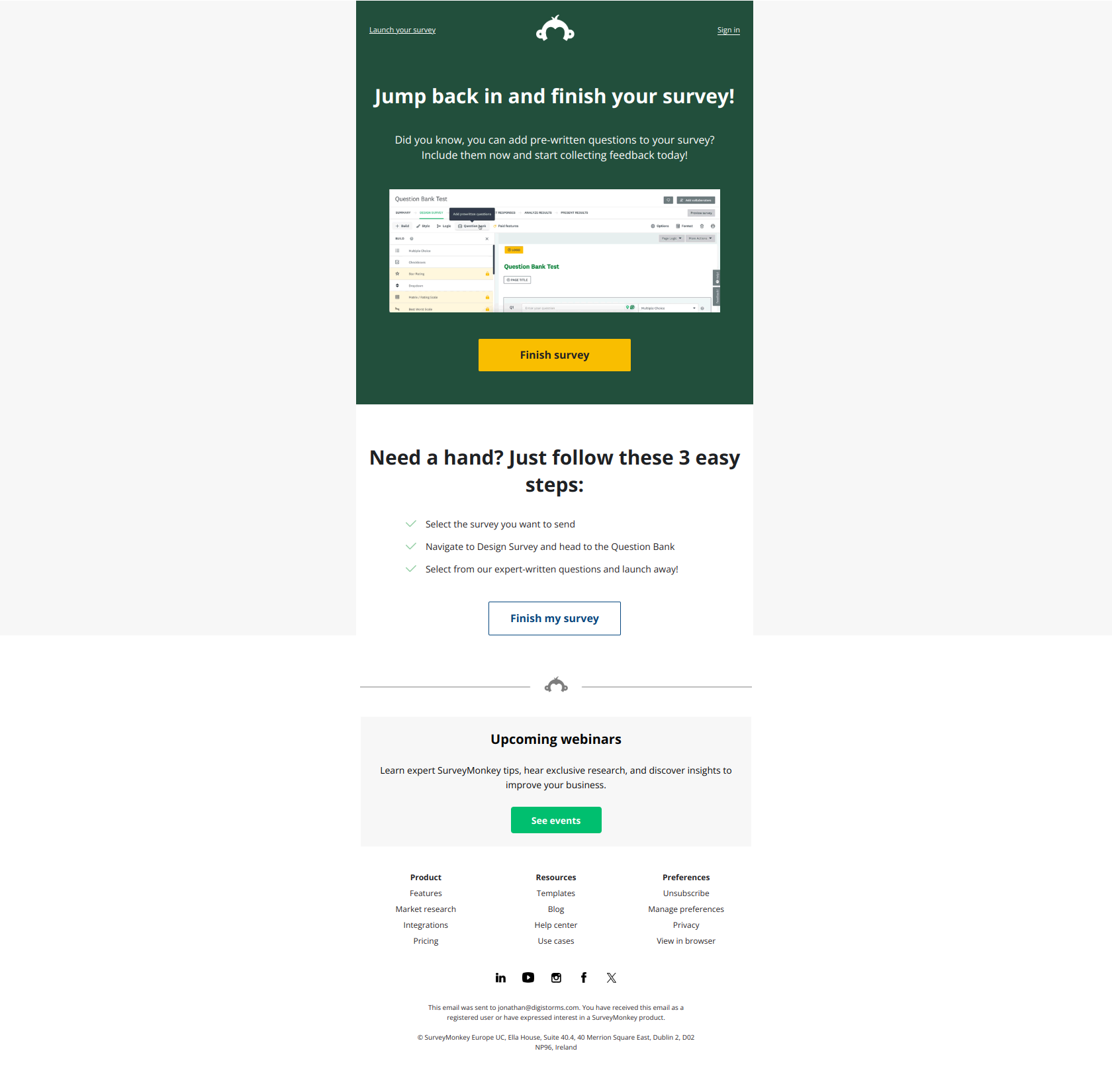
Subject line: Don’t leave your survey hanging
SurveyMonkey targets a specific behavior — an unfinished survey draft — rather than general inactivity. The email has tighter targeting than most re-engagement messages, which means higher open and click rates because the trigger is concrete.
The pattern: behavioral re-engagement (you started X, finish X) outperforms generic re-engagement (you haven’t logged in). If your product has multi-step workflows where users abandon midway, build re-engagement triggered by abandonment, not by inactivity.
PhantomBuster — “Are you truly leveraging your PhantomBuster account?”
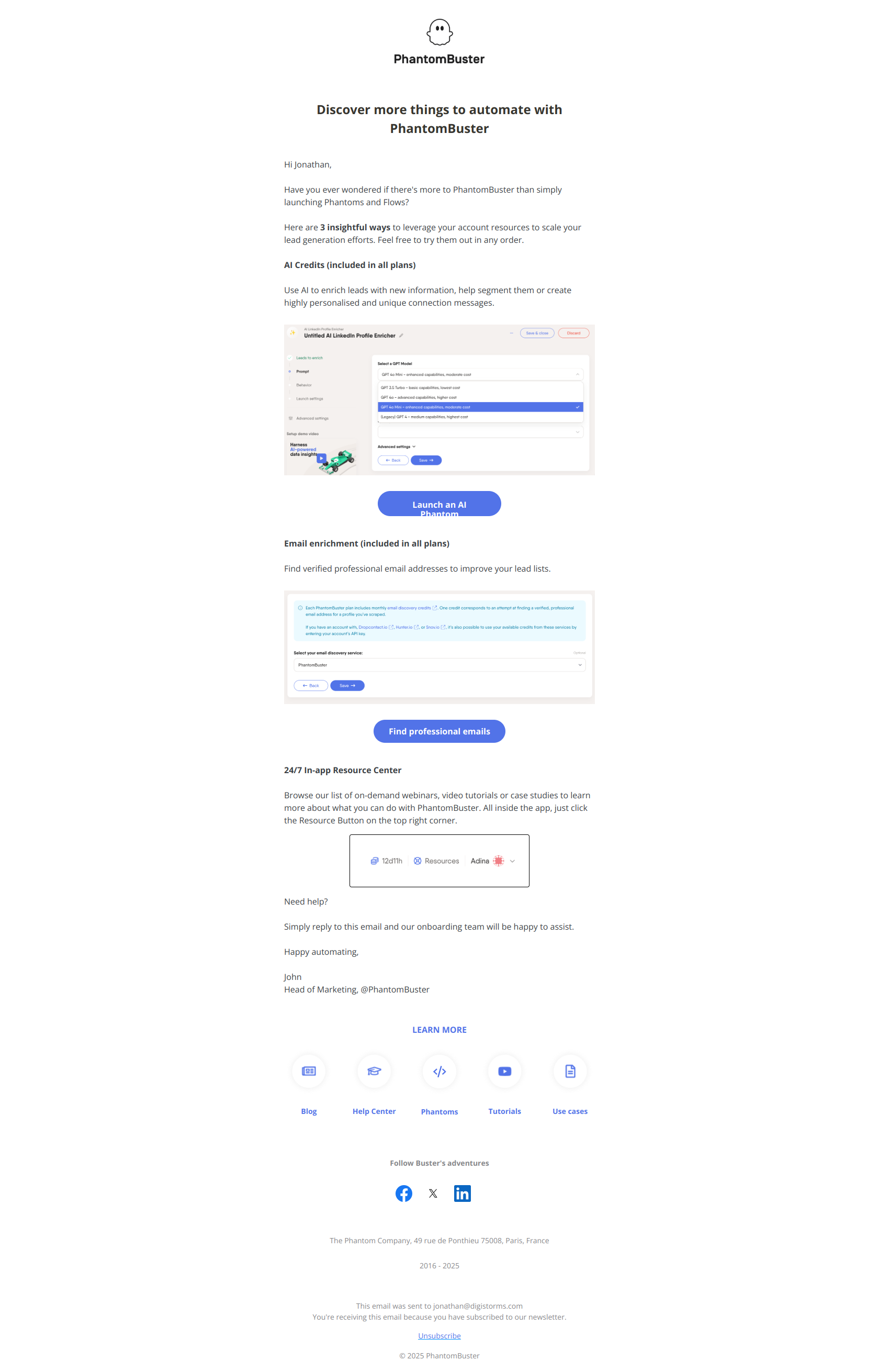
Subject line: Are you truly leveraging your PhantomBuster account?
PhantomBuster reframes inactivity as underutilization. The implication: you have something valuable; you’re not getting your money’s worth. The body usually showcases unused features the user is paying for but not using.
The pattern: for paid users who’ve gone quiet, the “are you getting full value” framing is more persuasive than “we miss you.” The first is a financial argument. The second is emotional. For B2B buyers, financial wins.
Monday — “Hear from our customers why they love their Work OS”
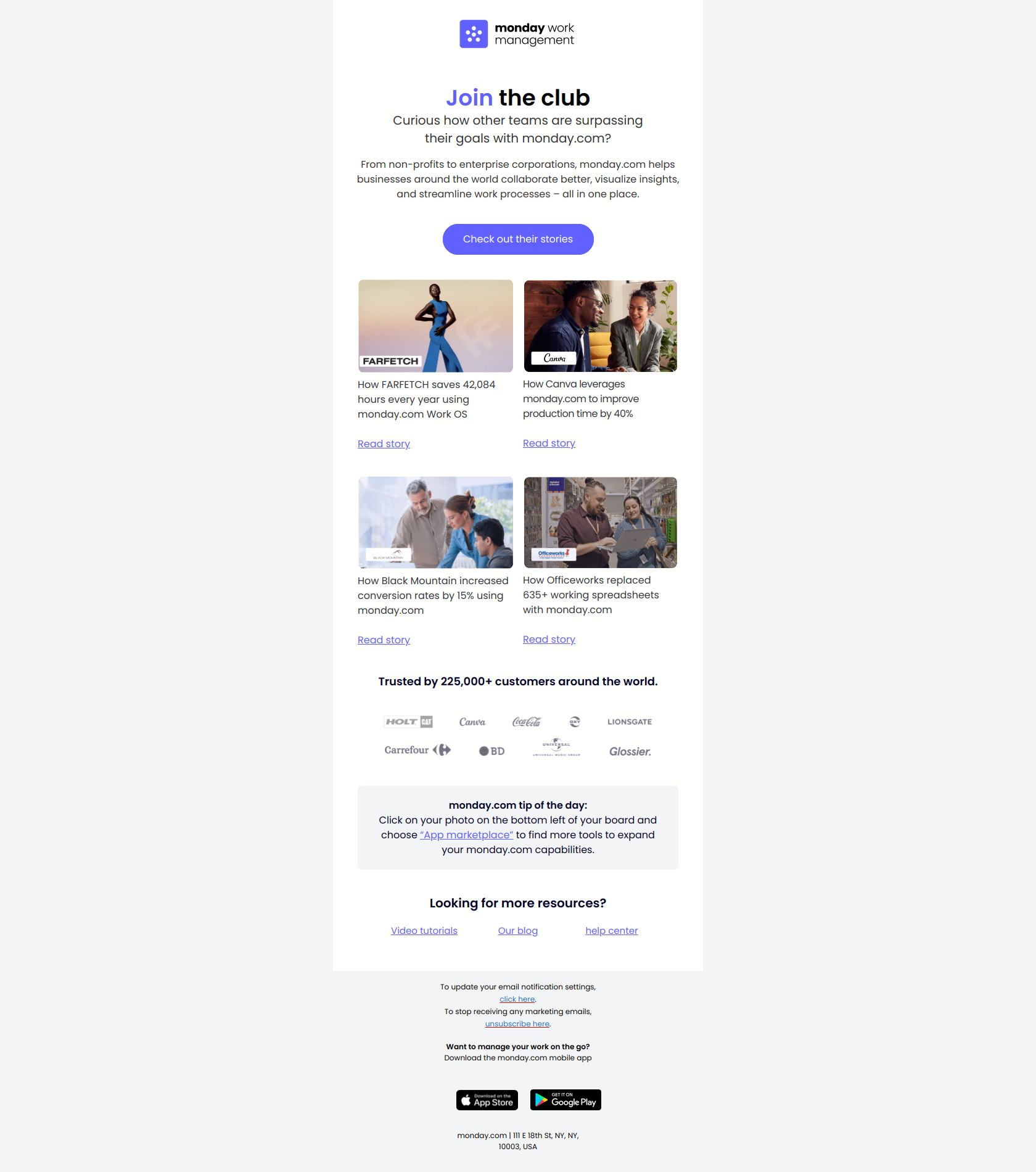
Subject line: Don’t just take our word for it.
Monday uses social proof as a re-engagement vector. The dormant user has presumably tried the product and not been convinced — so the brand pulls in third-party validation rather than re-pitching the same value prop.
The pattern: when your direct value pitch has already been heard (and ignored), pivot to peer voice. Customer stories from users in similar roles or industries often unlock dormant accounts that company-voice emails won’t.
Pipedrive — “Have another week on us!”
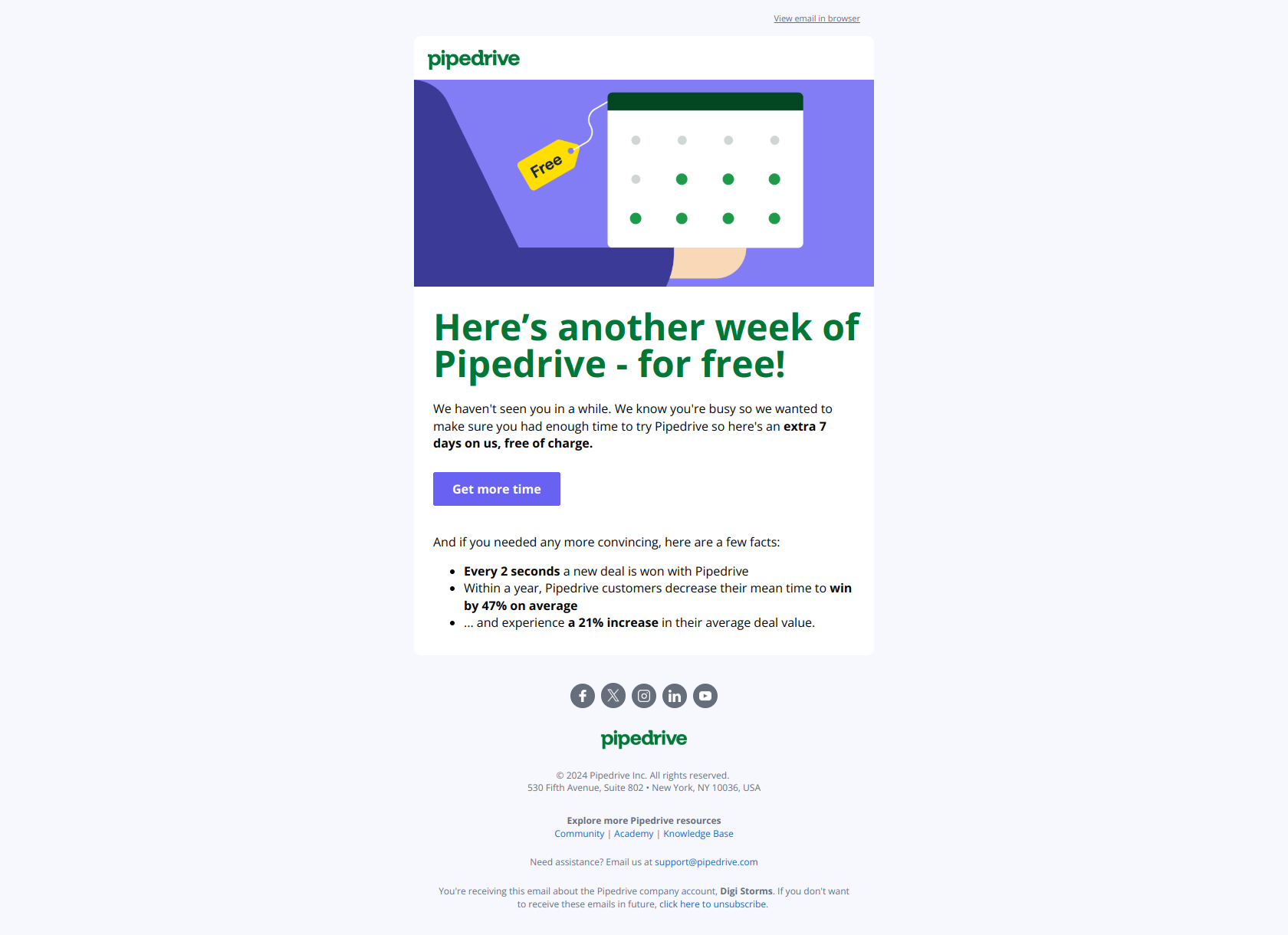
Subject line: Have another week on us!
Pipedrive’s trial-extension email targets a very specific re-engagement window: the user whose trial just expired without converting. The reframe — “another week” — turns what could feel like a beg into a generous offer. The body typically pairs the time extension with a “we saved your data” reassurance.
The pattern: trial extension emails work hardest when sent within 24-72 hours of trial expiry, not weeks later. The user still remembers what they were trying to evaluate. Wait too long and the urgency is gone.
Subject line patterns that work for re-engagement
Across the 12 examples, three patterns dominate:
- The empathic question — “Did we lose you?” / “Are you truly leveraging your account?”
- The personal acknowledgment — “Hey Jonathan, we miss you…” / “It’s been a while Jonathan.”
- The outcome-loss frame — “Don’t miss out on winning more deals” / “Don’t leave your survey hanging”
Avoid: “We want you back!” / “Come back to [Brand]!” These read as desperate, not earnest. The best re-engagement copy sounds like a friend, not a marketing team.
How to sequence re-engagement emails
A typical re-engagement sequence has 3-4 emails over 14-21 days:
| # | Day | Type | Goal |
|---|---|---|---|
| 1 | Day 0 | Empathic check-in (Apollo, Canva) | Acknowledge absence, no pressure |
| 2 | Day 7 | Specific feature/outcome (Adobe, Pipedrive) | Remind them of concrete value |
| 3 | Day 14 | Save offer (Pipedrive trial extension, Semrush discount) | Lower the cost of return |
| 4 | Day 21 | Final notice (Lucid) | Real consequence, real deadline |
If the user doesn’t respond after 4 emails, stop sending. Keep emailing dormant users past 30 days and you damage deliverability for the whole list.
When to send a re-engagement email (timing matters)
The trigger window depends on your product’s natural cadence:
- Daily-use products (Slack, Notion, Figma): re-engage after 14 days of no logins
- Weekly-use products (Calendly, Pipedrive, HubSpot): re-engage after 30 days
- Monthly-use products (Adobe, accounting tools): re-engage after 60 days
Triggering too early annoys users who have a slow week. Triggering too late means the relationship is already cold. Match the trigger to your product’s typical engagement rhythm, not a generic 30-day window.
Final word
The best re-engagement emails admit something honest: this user has gone quiet, and it might be the company’s fault as much as the user’s. Emails that lead with empathy (“Did we lose you?”) earn better open rates than emails that lead with urgency (“Final notice!”). Pair the empathy with one specific reason to come back — a feature, an outcome, a save offer — and you have a campaign that earns its existence.
Want to see these emails in their original format, plus dozens more from real SaaS brands? Browse the DigiStorms email library — every example above is there with full thread context.