Most SaaS teams measure activation in a dashboard but try to drive it with one generic welcome email. The brands that actually move their activation rate do the opposite: they map the specific actions a user must take to reach first value, then send a separate, behavior-aware email for each one — verify the domain, connect the calendar, create the first channel, run the first report.
This article breaks down 10 real customer activation emails — from Calendly, Asana, Hunter, Customer.io, Ahrefs, Slack, HubSpot, Monday, Loom, and Jira — and the patterns behind why each one pushes a new signup toward their first real win.
TL;DR — what makes a customer activation email work
A customer activation email earns its place when it does one of these three jobs:
- Names the single next action — “verify your domain,” “create channels,” “connect your calendar” — not a feature tour. One step, one click, one outcome.
- Removes decision friction — sequences dependent steps so the user never has to figure out what to do next, only whether to do it now.
- Marks progress, not effort — frames each email as a state change (“your trial starts today,” “you’re halfway through”) so opening feels like momentum, not another chore.
The 10 examples below move in activation order: entry → setup → first key action → feature adoption → trial-midpoint nudge. Match the email to where the user is stuck, copy the subject-line pattern, and send one per blocker instead of one for everything.
What is a customer activation email?
A customer activation email is a lifecycle message sent to a new user with one goal: get them to complete the specific action that delivers first value — the “aha moment” that predicts whether they’ll stick. Activation sits between signup and retention. A user has registered; activation is the work of getting them to actually use the thing before the initial motivation fades.
The most useful way to think about activation emails is by the blocker they clear:
- Entry / trial-start — confirms the user is in and sets up the path. Converts a signup into a session.
- Setup-prompt — clears a technical prerequisite (verify domain, connect calendar, install tracking) that gates core value.
- First-action nudge — points at the single behavior that defines activation for your product (create a channel, run a report, record a video).
- Feature-adoption nudge — surfaces the second and third key features once the first is done, deepening the habit.
Most SaaS teams need four to six of these running as a triggered sequence, each firing on what the user has (or hasn’t) done — not on a fixed calendar.
Customer activation vs. onboarding vs. engagement
The terms overlap, but they target different stretches of the lifecycle:
- Onboarding email — the broad welcome-and-orient sequence that introduces the product to a new user. Onboarding is the container.
- Activation email — the subset of onboarding aimed squarely at getting the user to the value moment. Activation is the goal inside the container.
- Engagement email — sent to an already-active user to deepen usage or surface new features. Engagement assumes activation already happened.
In practice: onboarding is “welcome, here’s the tour.” Activation is “do this one thing now.” Engagement is “now that you’re using it, here’s more.” If your onboarding emails describe the product but never push a single concrete action, you have onboarding without activation — and your funnel will leak right where it’s most expensive.
10 customer activation email examples from real SaaS
Asana — “Your Asana trial starts today”
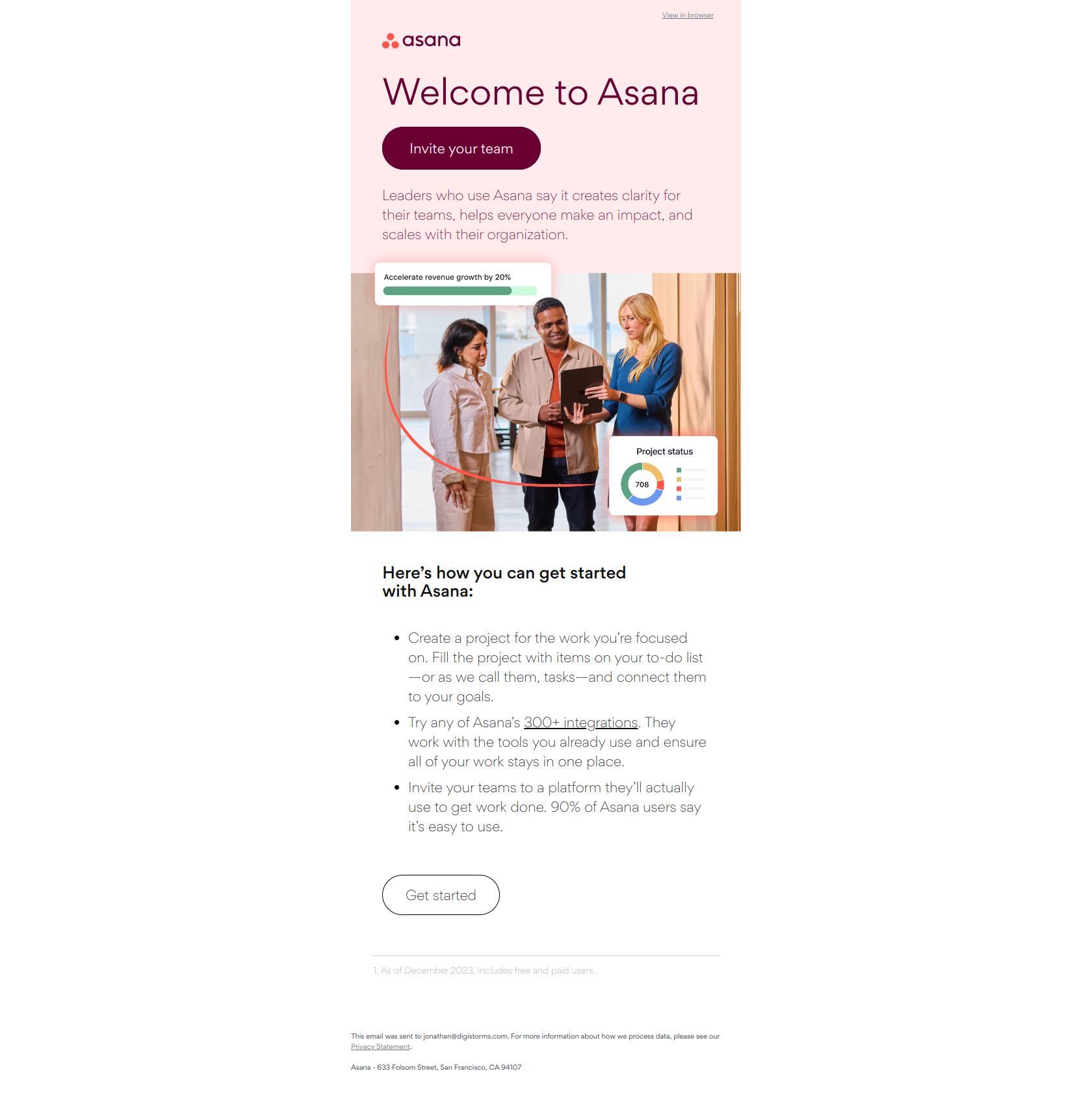
Subject line: Your Asana trial starts today
Asana opens by announcing a state change rather than issuing a demand. “Your trial starts today” tells the user something has already happened to them, so opening the email feels like confirmation of progress instead of a request for work. Inside, the body hands over a short list of starting actions — set up a project, invite teammates, explore integrations — but the subject does the emotional work first.
The pattern: state change over request. For the first email after signup, mark a clear moment of entry (“your trial starts,” “you’re in”) rather than leading with a task. The user has already committed by signing up; the activation email’s job is to shift from persuasion to enablement, not to re-sell the decision they just made.
Calendly — “Welcome to Calendly”
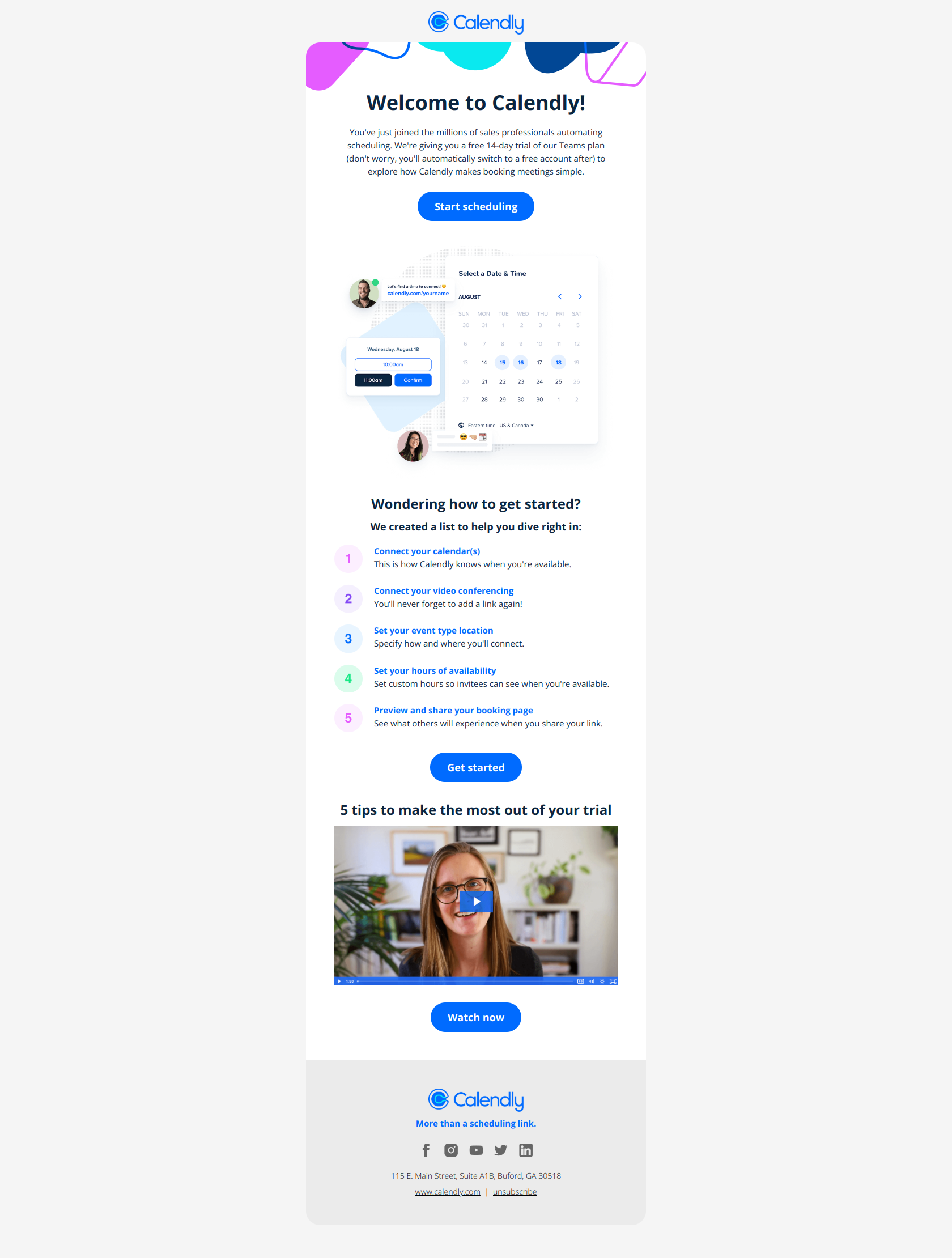
Subject line: Welcome to Calendly
Calendly’s welcome front-loads the exact setup actions — connect your calendar, add video conferencing, create event types — as discrete, clickable steps instead of burying them in prose. A new user knows what to do in the first 30 seconds and can finish one task without deciding what comes next. Because Calendly’s value depends on several dependent steps, sequencing them visually is the whole activation strategy.
The pattern: remove decision friction by sequencing actions. When activation requires multiple dependent steps and time-to-first-value matters more than feature storytelling, lay the steps out as a checklist the user can work top to bottom. Every choice you remove (“which thing first?”) is a drop-off point you close.
Hunter — “Hey Jonathan, let’s get started with Hunter”
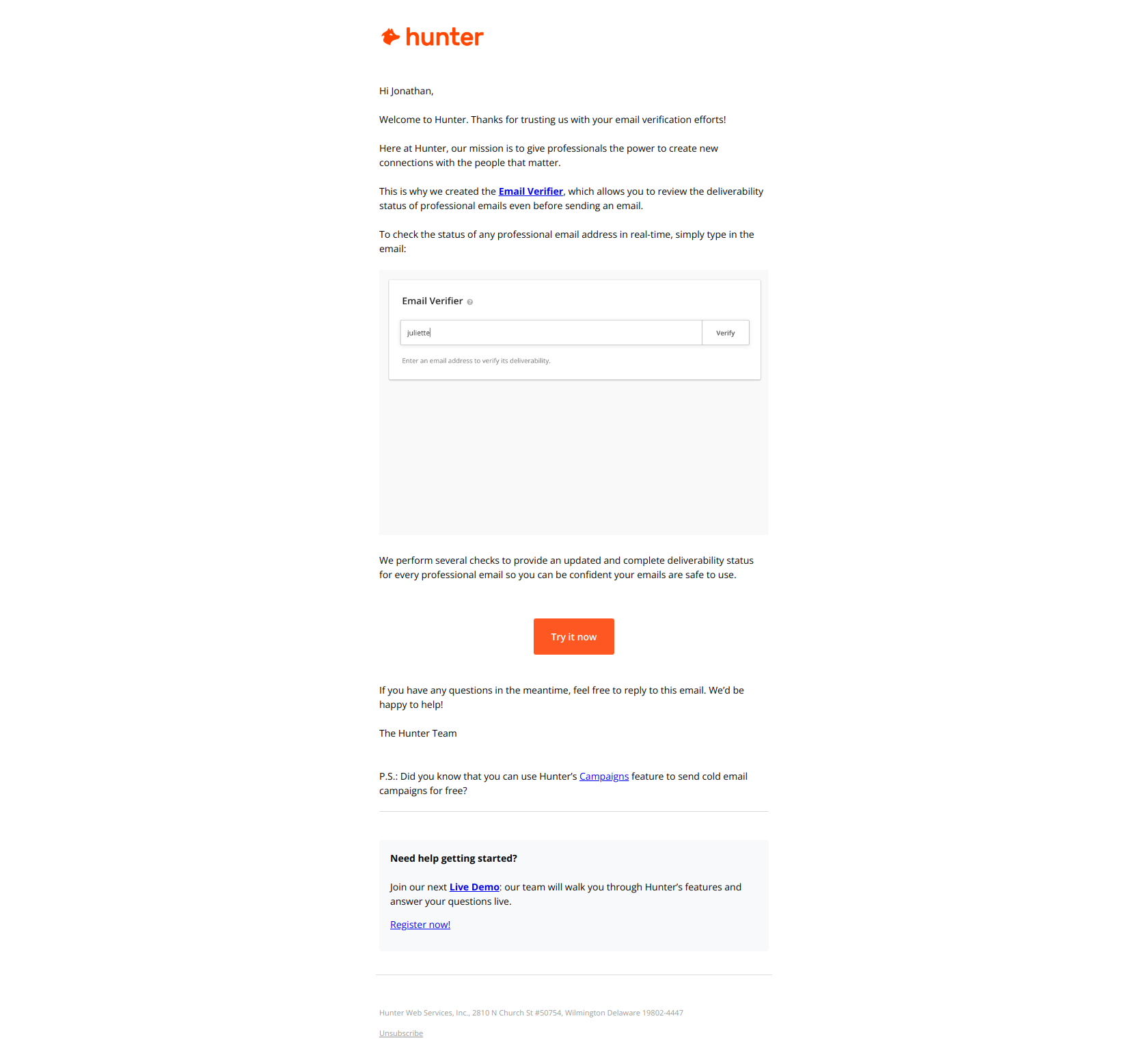
Subject line: Hey Jonathan, let’s get started with Hunter
Hunter pairs the recipient’s first name with a deliberately vague “let’s get started” — no feature, no benefit named. The effect is that the email reads like the continuation of a conversation already underway rather than a broadcast, which earns the open before the user has decided whether they care. The body then narrows to a single feature (the Email Verifier) and one CTA, so curiosity converts into a first action.
The pattern: personalization plus ambiguity earns the open, then a single CTA spends it. A first-name, low-specificity subject line gets free users to open before they’ve committed; the body must immediately cash that attention in on one concrete action, not a menu. Curiosity without a clear next step just trains users to ignore you.
Customer.io — “Verify your domain to start sending emails”
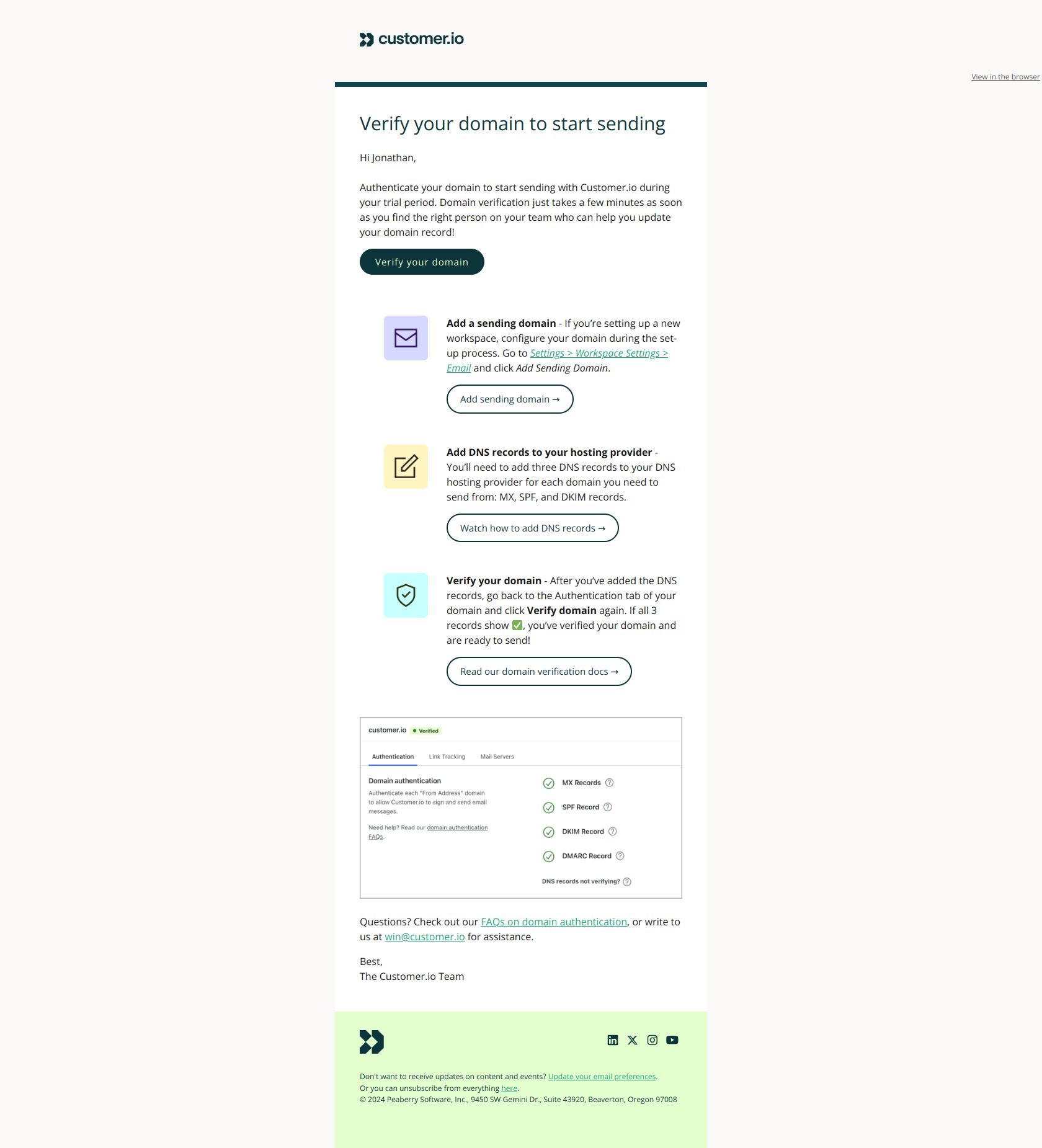
Subject line: Verify your domain to start sending emails
Customer.io names the missing prerequisite, not the benefit. “Verify your domain” frames the setup step as the blocker standing between the user and their first send — a gate, not a nice-to-have setting. The body then walks the technical work (DNS, SPF, DKIM) with step-by-step links and support, so the email both creates the urgency and removes the friction it surfaced.
The pattern: name the prerequisite, not the outcome. When users must clear a technical step before they can feel core value, lead with the unfinished action (“verify,” “connect,” “install”) so it reads as a blocker, then make completing it as frictionless as possible inside the email. A prerequisite framed as a blocker gets done; the same step framed as an option gets postponed forever.
Ahrefs — “Getting started with Ahrefs”
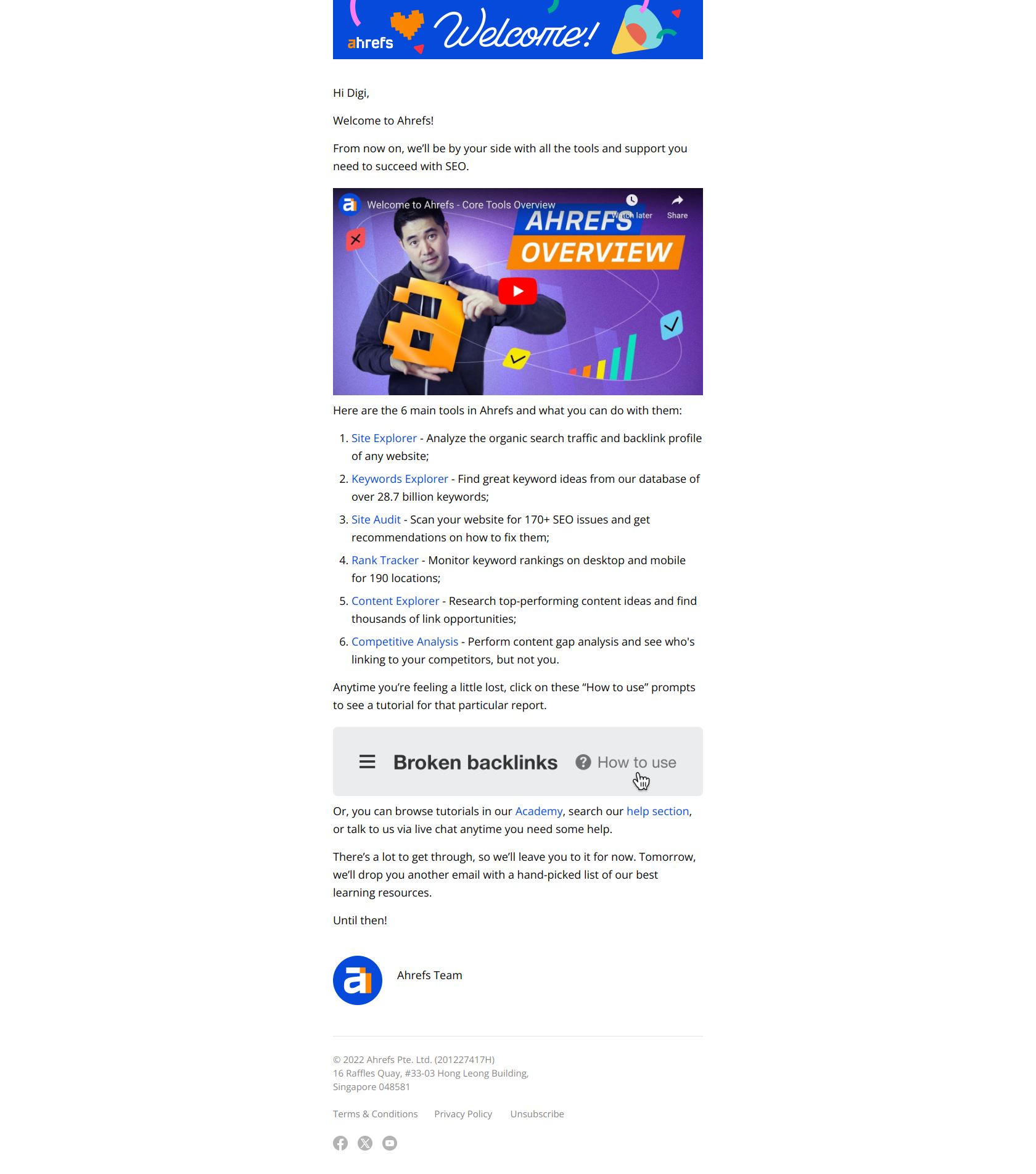
Subject line: Getting started with Ahrefs
Ahrefs skips the “explore the dashboard” hand-wave and instead names three specific tools — Site Explorer, Keywords Explorer, Site Audit — each with a direct tutorial link. A new user avoids the “where do I even start?” paralysis that kills activation in feature-dense products and executes a first action immediately. The email compresses time-to-first-win by pointing at the exact feature that solves the user’s reason for signing up.
The pattern: tool before exploration. In products with deep feature sets, don’t invite users to wander the UI — name the two or three features that map to their job and link straight into each. The faster a new user lands on the one tool that matters to them, the higher the odds they reach value before motivation decays.
Slack — “Jonathan, start creating channels today…”
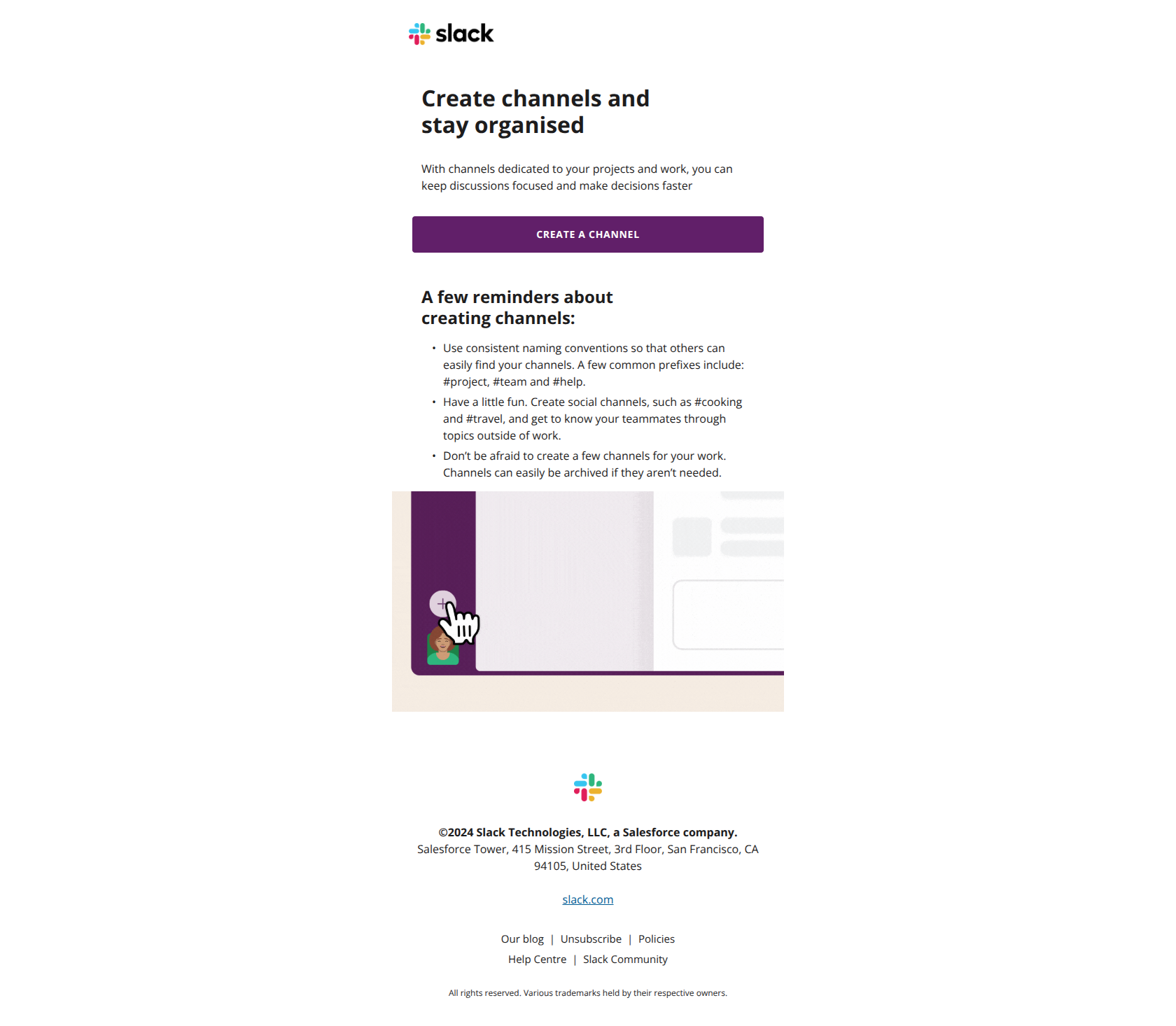
Subject line: Jonathan, start creating channels today…
Slack opens with the first name, then plants a specific action verb — “start creating” — rather than naming the feature in the abstract. The subject reads as a personal nudge toward a behavior the user should care about, not a tutorial about a thing called Channels. For Slack, channel creation is the activation event, so the email points squarely at it instead of at the broader product.
The pattern: name the action, not the feature. Identify the single behavior that defines activation for your product, then write the subject as a verb pointed at that behavior (“start creating,” “send your first,” “build a”). Naming the action gets dormant signups to attempt the behavior; naming the feature only gets them to read about it.
HubSpot — “(Step 3) Gain insights and improve results with website tracking”
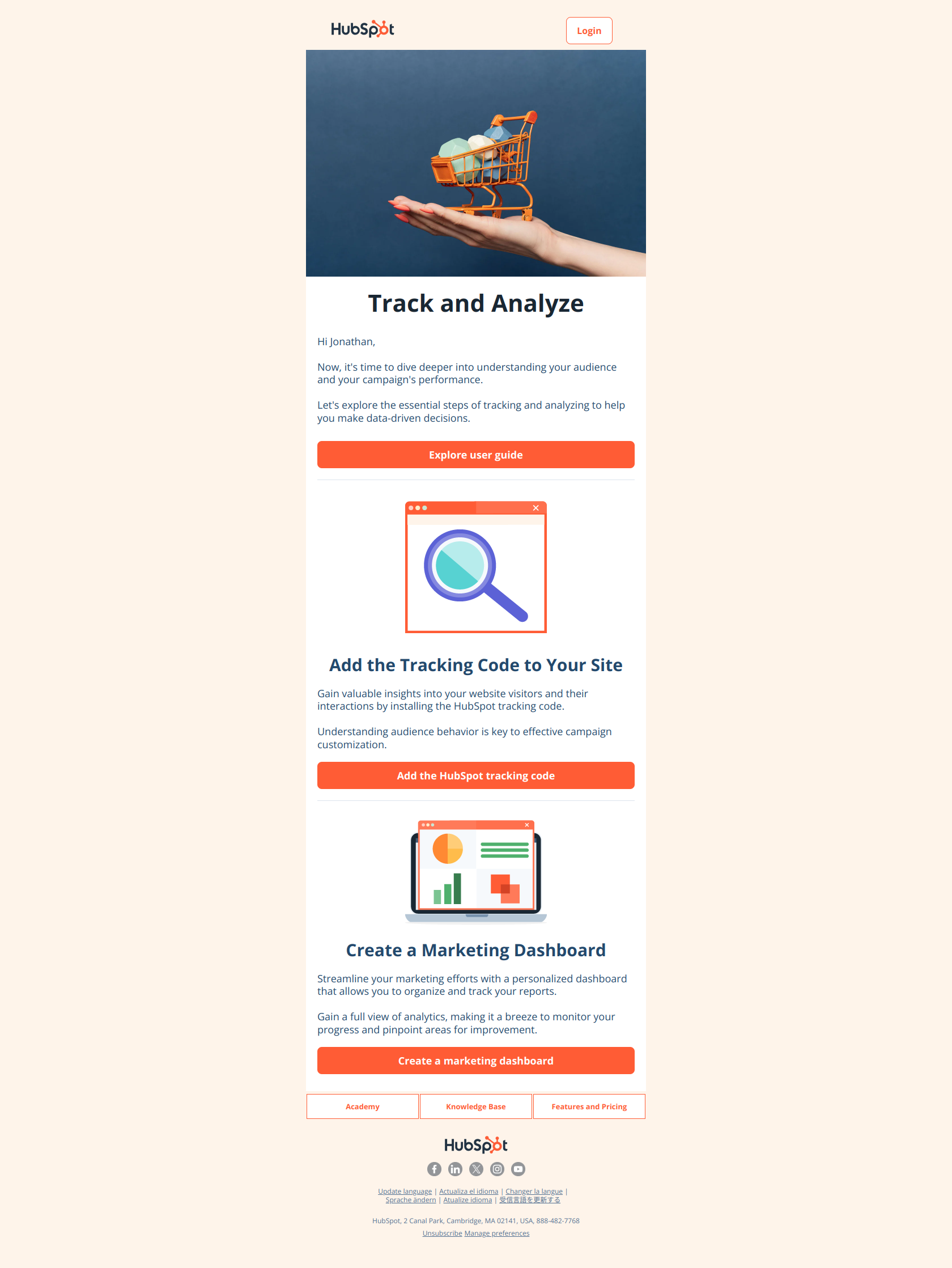
Subject line: (Step 3) Gain insights and improve results with website tracking and marketing reports
HubSpot leads the subject with “(Step 3)” to signal progress in a sequence. The user feels already committed to a multi-step journey rather than starting cold, which anchors them to finish the remaining steps — a clean application of the sunk-cost and completion instincts. The body then delivers the actual setup task (install the tracking code) inside that momentum.
The pattern: sequence signaling creates forward momentum. When activation spans several setup tasks, number them in the subject line so each email reminds the user they’re partway through, not at zero. “(Step 3)” turns an isolated ask into the next beat of a journey the user has already invested in — and people finish journeys they believe they’ve started.
Monday — “2 key tools to maximize efficiency”
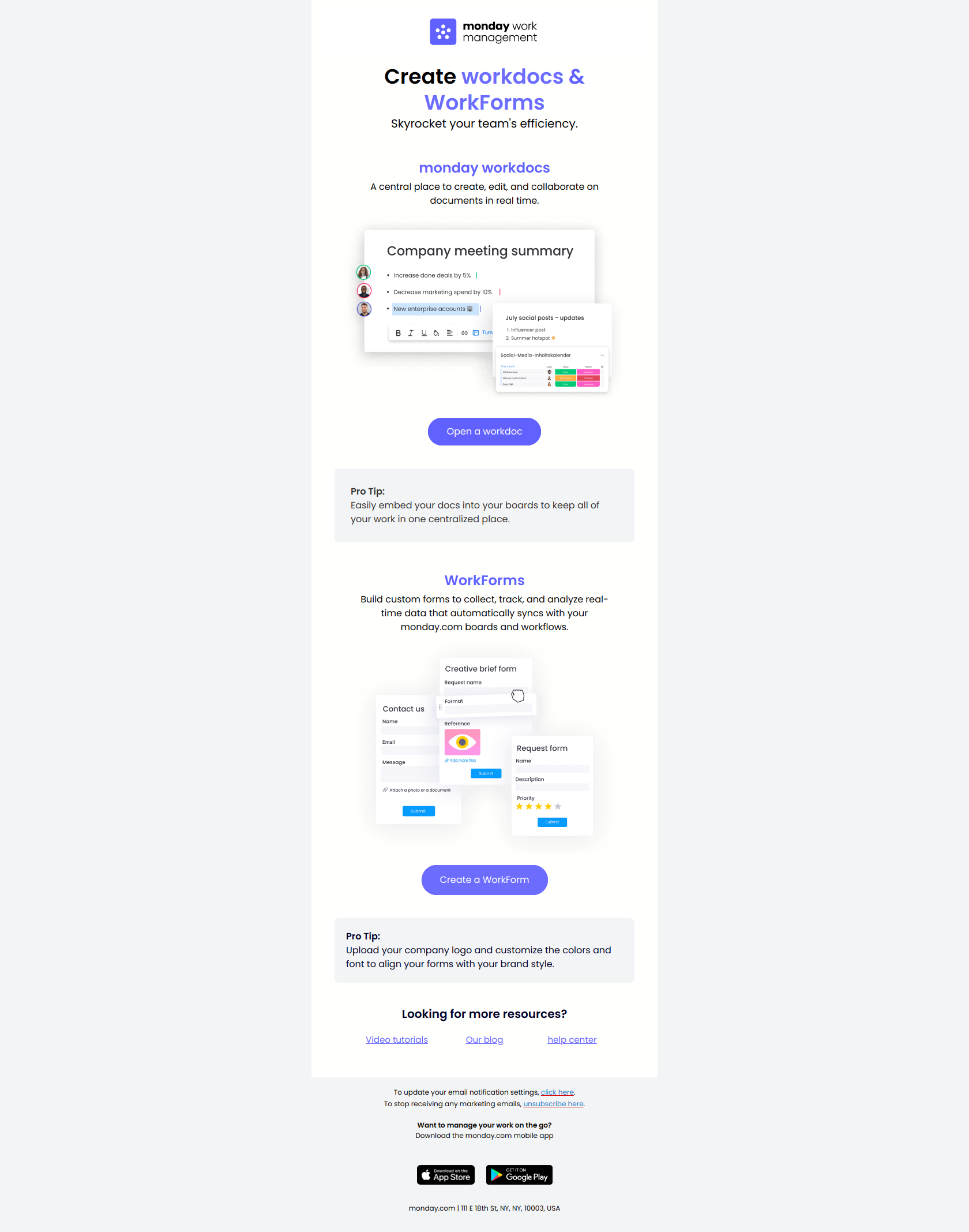
Subject line: 2 key tools to maximize efficiency
Monday names a specific quantity of concrete things to try — “2 key tools” (Forms and WorkDocs) — instead of a fuzzy benefit like “boost your team’s productivity.” A user still in exploration mode immediately sees what to learn rather than having to decide why they should care. Bounding the ask to exactly two tools also caps the cognitive load, which keeps the email from feeling like a feature dump.
The pattern: name the count and the tools, not the outcome. For feature-adoption emails after initial setup, a bounded, specific subject (“2 tools,” “3 templates”) reduces decision friction better than an aspirational benefit. Users who are still exploring respond to “here are two concrete things to try” far better than to “here’s why you’ll be more productive.”
Loom — “Loom Business! Welcome to your trial 🔮”
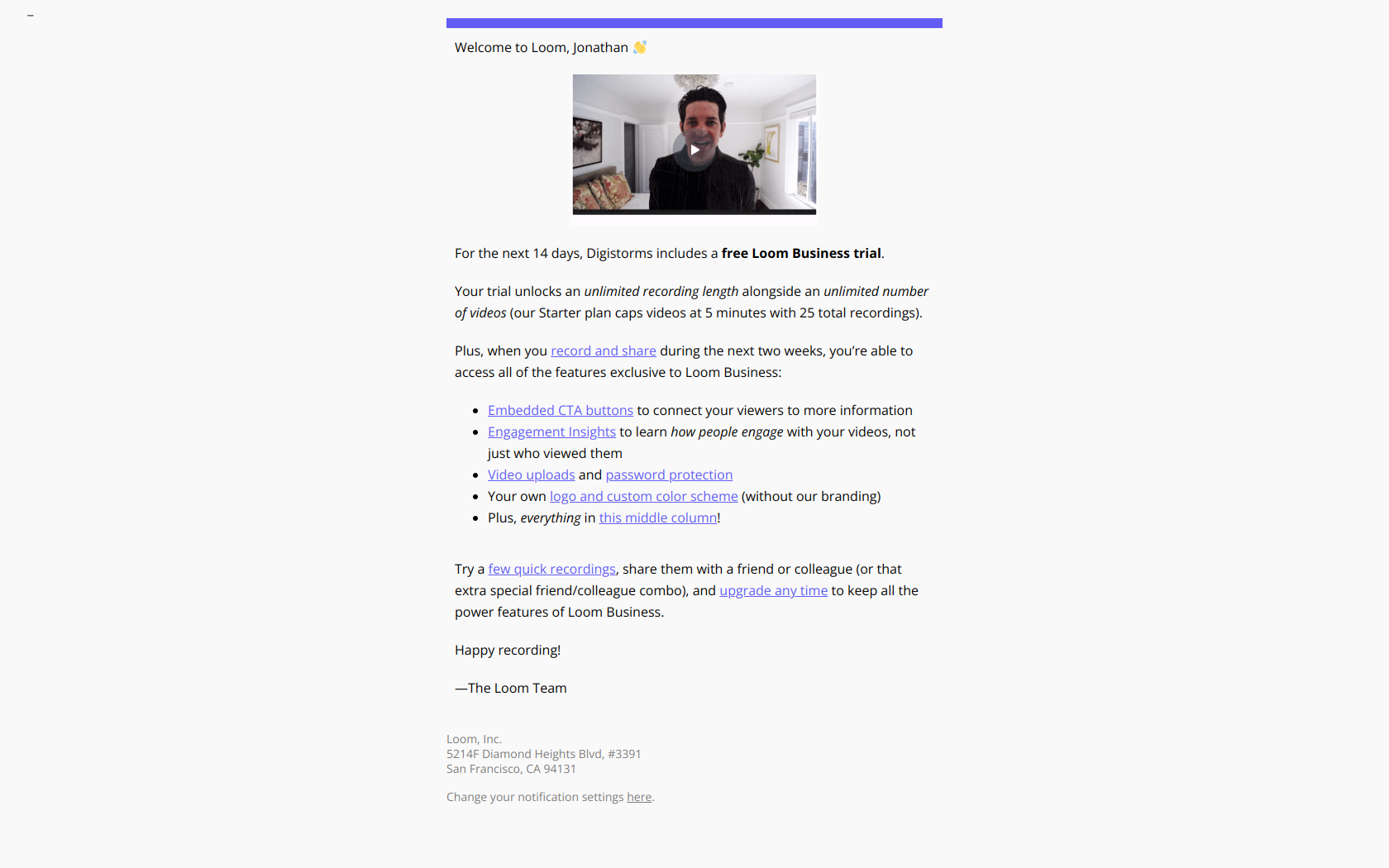
Subject line: Loom Business! Welcome to your trial 🔮
Loom leads with the tier name (Business) before the emotional signal (Welcome), so the user immediately registers that they’ve unlocked premium access — not just received another onboarding note. The body then lists the premium capabilities now available (unlimited recording, engagement insights, CTAs), nudging the user to test the high-value features first while the sense of elevated status is fresh.
The pattern: status elevation before the feature list. For trial-start emails, make the user feel they’ve crossed into a higher tier (“Welcome to Business,” “you’ve unlocked Pro”) before enumerating what they can do. Users who feel elevated test premium features; users who feel like they got a generic welcome poke at the basics and never see what they’re paying for.
Jira — ”⏳ You’re halfway through your Premium trial”
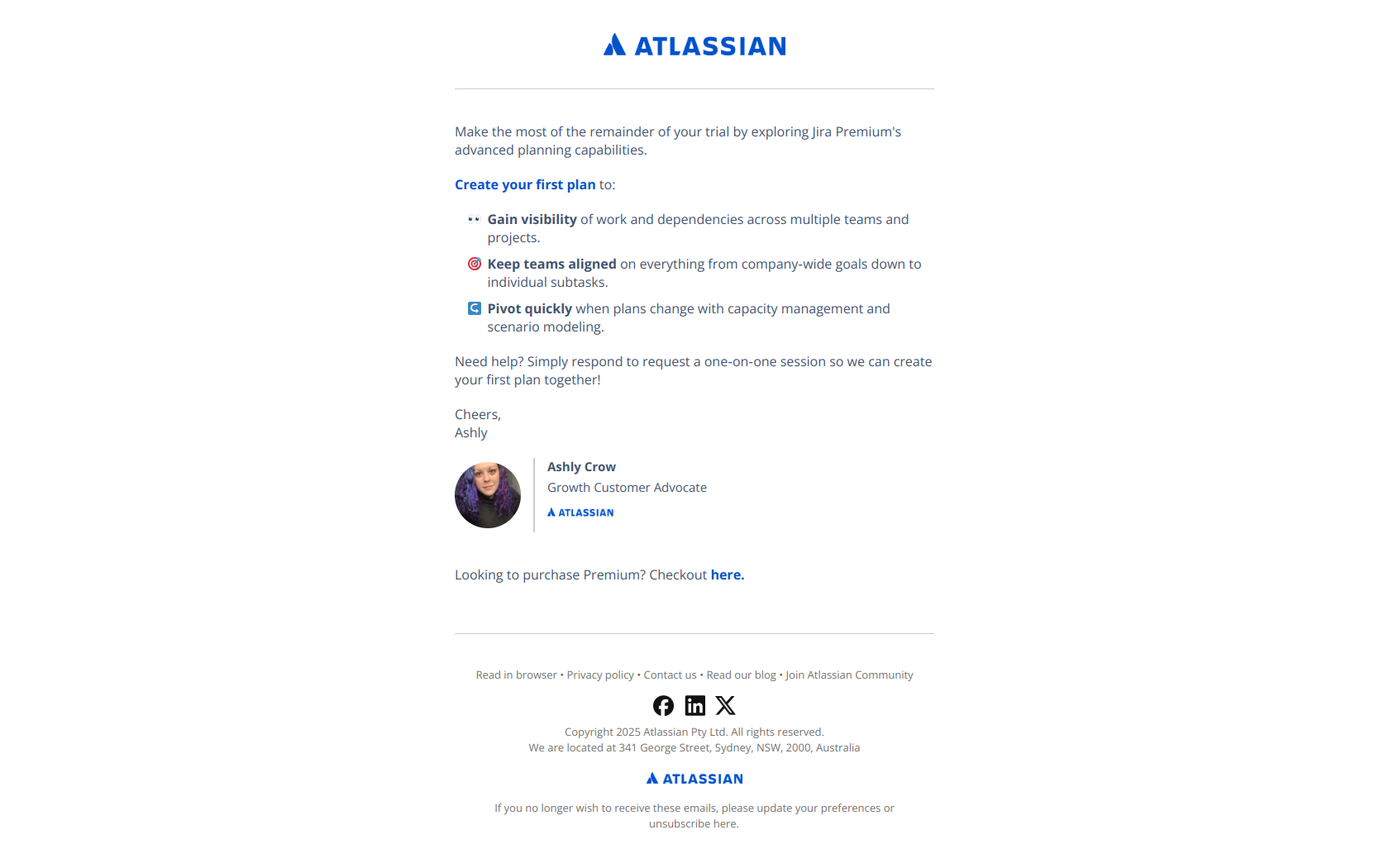
Subject line: ⏳ You’re halfway through your Premium trial
Jira uses time scarcity — “halfway through” — to create urgency without naming the product or feature at all, forcing the reader to open and discover which window is closing. The body then channels that urgency into a single guided action: create your first plan with the advanced planning features, with a one-on-one session offered as a backstop. Scarcity opens the email; a prepared next action keeps it from being empty pressure.
The pattern: scarcity before features, then one guided action. Mid-trial, the clock is your strongest activation lever — lead the subject with the shrinking window (“halfway through,” “3 days left”) rather than a feature, then point the body at the single highest-value action you want the user to take before the trial ends. Urgency earns the open; the prepared action earns the activation.
Subject line patterns that work for customer activation
Across the 10 examples, five patterns dominate:
| Pattern | Example | When to use |
|---|---|---|
| The state change | ”Your Asana trial starts today” | First email after signup — mark entry, don’t demand work |
| The named prerequisite | ”Verify your domain to start sending emails” | A technical step gates core value |
| The action verb | ”Jonathan, start creating channels today…” | Pointing at the one behavior that defines activation |
| The sequence signal | ”(Step 3) Gain insights…” | Multi-step setup — show the user they’re partway through |
| The shrinking window | ”You’re halfway through your Premium trial” | Mid-trial, when the clock is the strongest lever |
Avoid: “Welcome aboard!” / “Explore everything you can do” / “Check out our features” — these name no action, clear no blocker, and mark no progress. The best activation copy reads like a single, specific, doable next step — never a tour.
How to sequence customer activation emails
A complete activation program fires on behavior, not a fixed calendar. Most SaaS teams need these triggers running concurrently:
| Trigger | Email type | Timing | Goal |
|---|---|---|---|
| Signup complete | Trial-start / entry (Asana, Loom) | Real-time | Mark entry, set the path |
| Account created, setup incomplete | Setup-prompt (Calendly, Customer.io) | Real-time, then +1 day if not done | Clear the prerequisite |
| Setup done, no core action yet | First-action nudge (Slack, Hunter, Ahrefs) | Day 1–3 after setup | Drive the activation behavior |
| First action done | Feature-adoption nudge (Monday, HubSpot) | Day 3–7 | Deepen the habit, add features 2–3 |
| Trial midpoint, under-activated | Scarcity nudge (Jira) | Halfway through trial | Convert the clock into one guided action |
Match each trigger to what the user has actually done, not to a day number. An activation sequence that sends “create your first channel” to someone who already created five trains them to ignore you. Behavior-triggered activation emails — fired on the gap between where the user is and where value lives — beat a fixed drip every time. (See our guide on behavior-based vs. time-based emails for how to wire the triggers.)
What separates great activation emails from average ones
Three things, consistently:
- They isolate one blocker per email. Verify the domain. Create a channel. Connect the calendar. Great activation emails never ask for two unrelated actions — they clear a single gate so the user always knows exactly what “done” means.
- They lead with the action or the state, not the feature. “Start creating channels” beats “Introducing Channels.” “Your trial starts today” beats “Welcome to our platform.” The verb and the moment do the work; the feature name is incidental.
- They fire on behavior, not the calendar. The best activation programs read what the user has and hasn’t done, then send the email that clears their next blocker. A user who’s stuck on setup and a user who’s stuck on first-action need different emails on the same day-since-signup.
If you’re writing activation emails that describe features and hope users wander into value, you’re running onboarding without activation. If you’re writing emails that name one action, clear one blocker, and mark one moment of progress — you’re building an activation engine.
Final word
Activation is rarely won by the welcome email alone. It’s won by the setup-prompt that names the exact prerequisite, the first-action nudge that points at the one behavior that matters, and the mid-trial email that turns a shrinking clock into a single guided step. The 10 examples above show how the best SaaS brands distribute that work across the gap between signup and first value — one blocker, one email, at a time.
Want to see these emails in their full original format, plus hundreds more activation and onboarding emails from real SaaS brands? Browse the DigiStorms email library — every example above is there with the full thread, subject line, and trigger context. Or jump straight to activation-focused tags: trial just started, setup prompt, feature usage nudge, and product education.