A webinar email sequence is the set of emails that surrounds a live session — the invite that gets people to register, the confirmation that saves their spot, the reminders that get them to actually show up, and the follow-ups that turn attendance into a next step. Seven emails, sent across roughly two weeks, doing four different jobs.
Most teams write the invite and stop. That’s why the average webinar loses half its registrants between “yes, I’ll be there” and the moment the session starts: the reminders are where attendance is won, and the follow-up is where the pipeline is.
This article covers what each email in the sequence does and when to send it, 25 real examples from Customer.io, Slack, HubSpot, Zapier, Grammarly, Litmus, Gong, Webflow and Ahrefs, copy-paste webinar email templates for every stage, and the no-show sequence most teams skip.
TL;DR — the webinar email sequence in three lines
- Seven emails, four jobs: invite (10–14 days out), confirmation (instant), three reminders (1 week / 1 day / 1 hour), then thank-you and recording within 24 hours.
- Reminders drive attendance, not the invite. Registration is a decision; showing up is a memory problem. The 1-hour reminder is the single highest-leverage email in the sequence.
- Split your follow-up by behaviour. Attendees get next steps and a demo ask; no-shows get “sorry we missed you” plus the recording — the same email to both wastes your warmest segment.
What is a webinar email sequence?
A webinar email sequence is an automated series of emails triggered by a webinar’s timeline rather than by a user’s lifecycle stage. It runs on a fixed schedule anchored to one date — the session — and every email in it is timed relative to that date.
That makes it different from the rest of your lifecycle email program. A welcome series is triggered by a signup and runs at the user’s pace. A webinar sequence is triggered by a calendar and runs at the event’s pace, which is why the same person can receive both at once without conflict.
The sequence has four distinct phases:
| Phase | Emails | Timing | The job |
|---|---|---|---|
| Promote | Invite (often 2–3 sends) | 10–14 days before | Get the registration |
| Confirm | Registration confirmation | Instant | Save the spot, deliver the calendar link |
| Remind | 3 reminders | 1 week / 1 day / 1 hour before | Get attendance |
| Follow up | Thank-you, recording, no-show | 0–48 hours after | Convert attention into action |
Registration and attendance are two separate conversion problems. Treating them as one — a great invite and nothing else — is the most common reason a well-promoted webinar plays to a quiet room.
Webinar emails sit alongside the rest of your lifecycle program — the welcome series onboards new signups, the milestone emails celebrate progress, and the webinar sequence below brings those same users back into your funnel for live education.
Why a good webinar email sequence is crucial
Running a successful webinar doesn’t start when you go live—it starts in the inbox. A well-structured webinar email sequence is what turns casual browsers into webinar registrants, gets people to show up on time, and nudges them toward your desired action afterward.
Think of each email as part of a guided experience. The webinar invitation email sets the tone, sharing the webinar topic and teasing the valuable insights to come. The registration confirmation email reassures them their spot is saved, while the reminder email lineup keeps your upcoming webinar top of mind. Miss any of these, and you’re likely to lose a chunk of your target audience.
💡 But this sequence isn’t just about attendance—it’s about momentum. Your emails should warm people up before the webinar starts, help them absorb the webinar content during the event, and encourage follow-through with smart post webinar touches. Whether that’s a recording link, additional resources, or a follow up email that invites further action, each message builds on the last.
The beauty is that once you’ve got a dialed-in sequence, you can easily replicate it for future webinars, online events, and upcoming events—scaling your webinar marketing without reinventing the wheel each time.
In short? If you’re not giving your emails the same attention you give your webinar landing page or slides, you’re leaving results on the table.
The perfect webinar email sequence
From the first webinar invite email to the final follow up, each message in your sequence has a job to do. Here’s a walkthrough of the essential emails that move people from curious clickers to engaged webinar attendees.
1. Webinar invite email
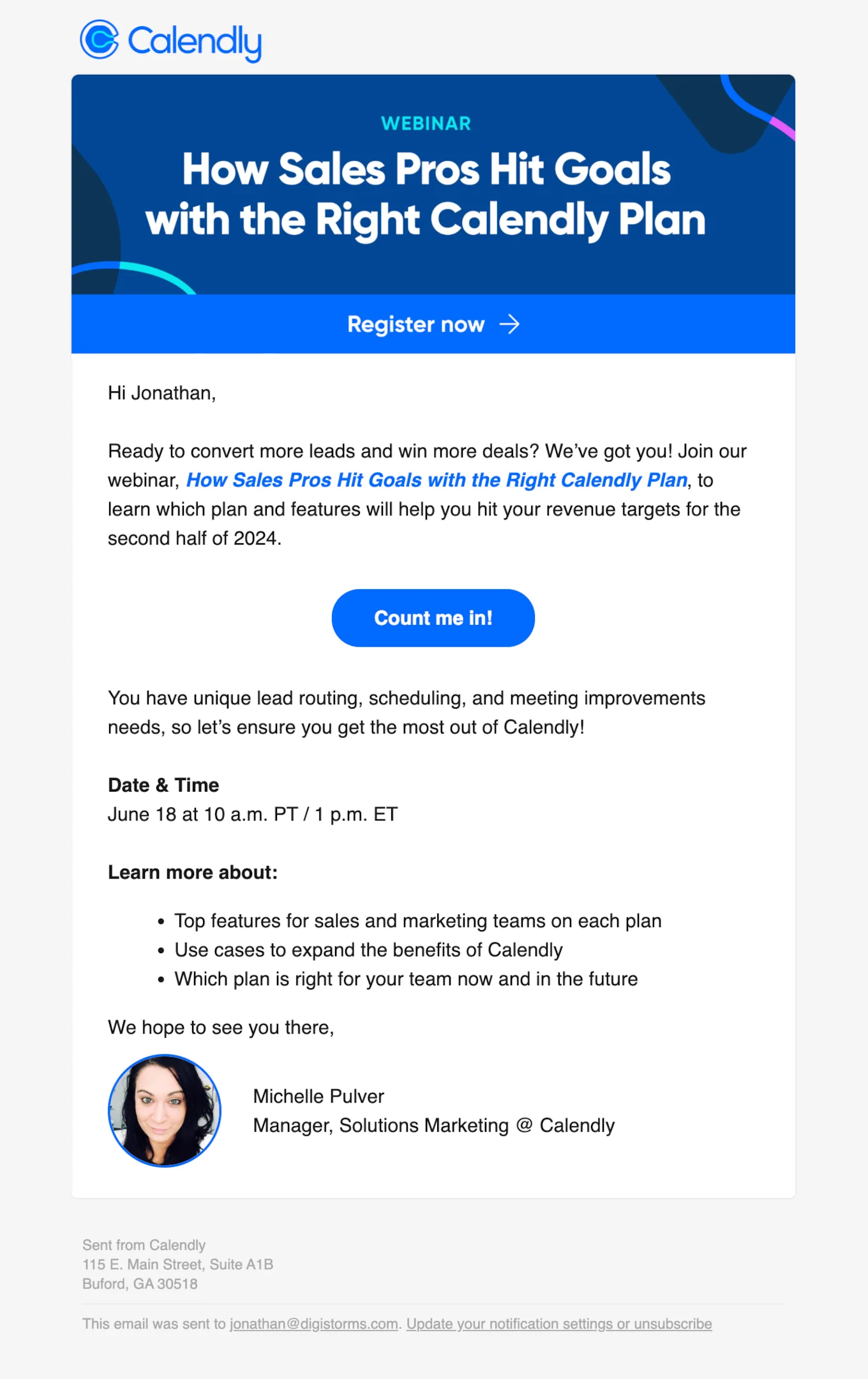
Subject line: You’re invited: The best Calendly plan for your sales goals
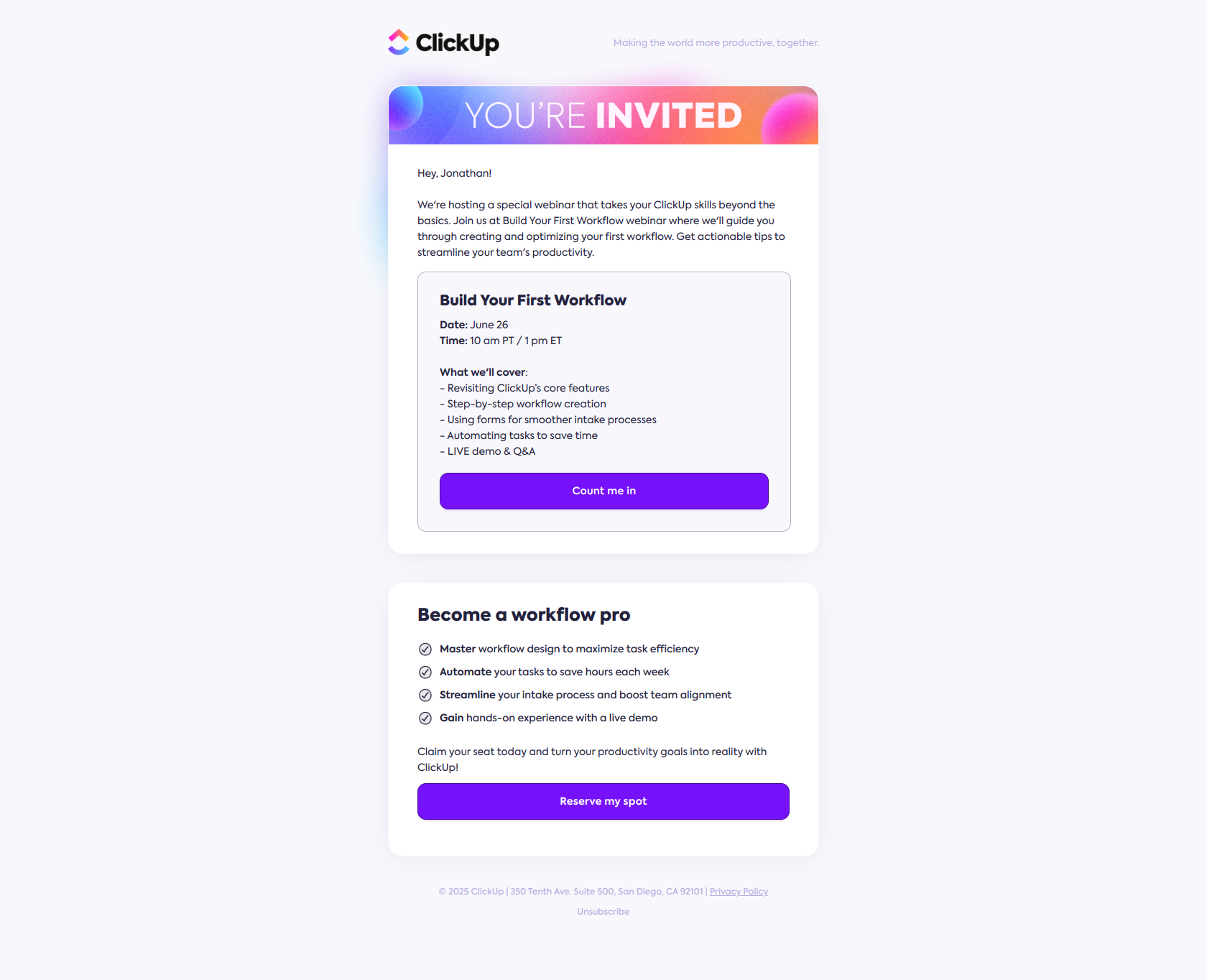
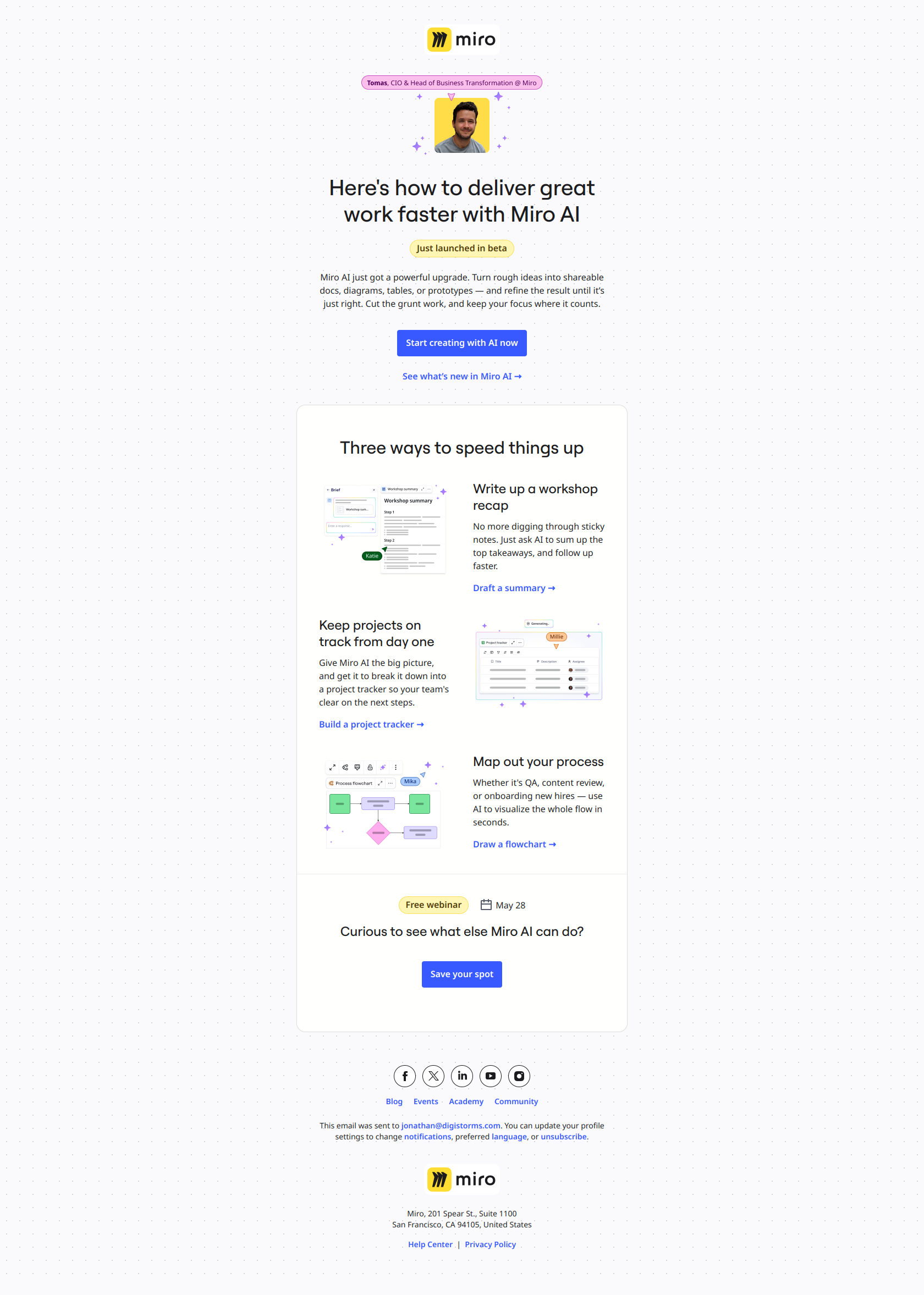
Your webinar invitation email is the spark that gets the fire going. This is where you introduce the webinar topic, give a compelling brief description, and link to the webinar landing page with a strong call to action to register.
How to nail your invitation email
Lead with value—what will they walk away with? Make the subject line attention-grabbing but clear, keep the body scannable, and feature a prominent registration link. Mention the webinar date, include the calendar link, and make sure the design looks clean across devices.
2. Registration confirmation email
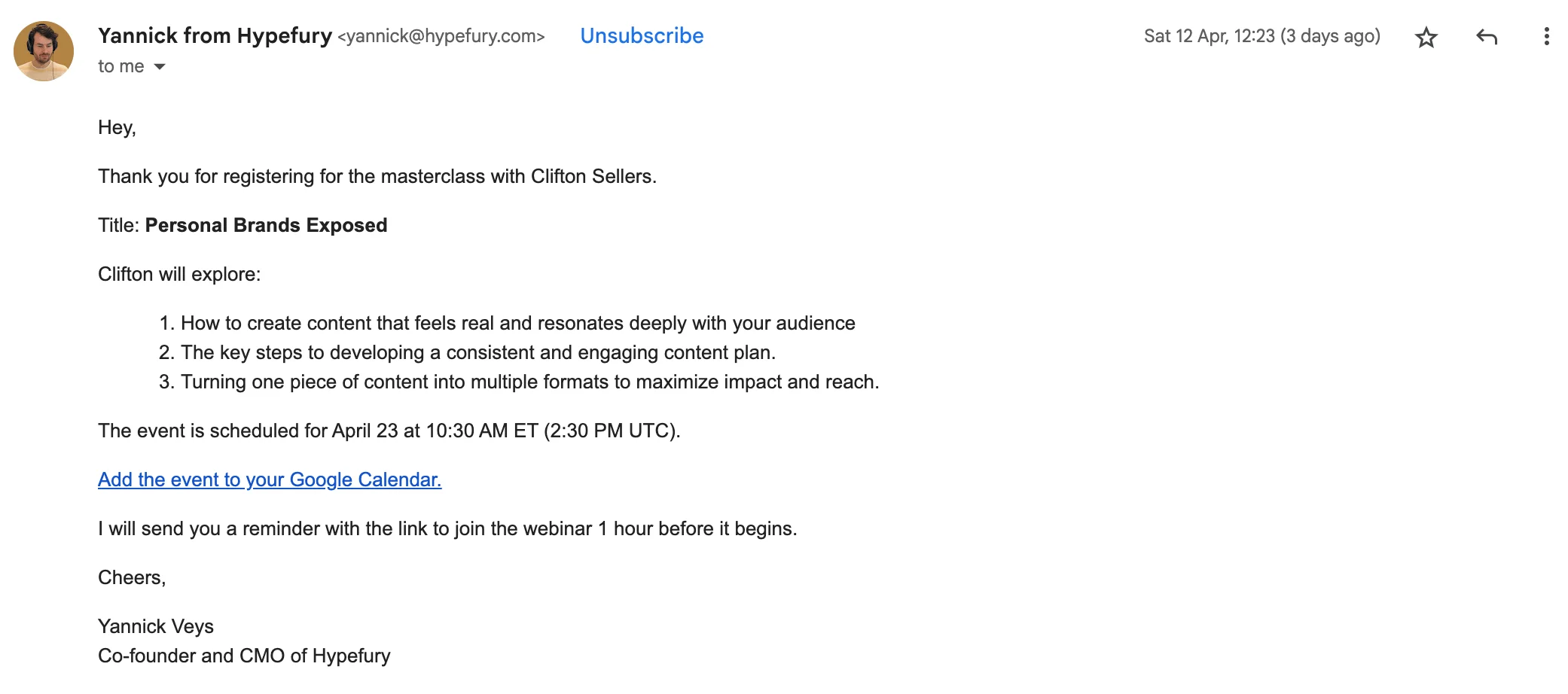
Subject line: Masterclass with Clifton Sellers
Once someone registers, hit them with a confirmation email right away. This builds trust, reduces uncertainty, and sets the tone for a smooth attendee experience.
How to nail your confirmation email
Thank them for registering and clearly repeat the event details: webinar title, date, time, and webinar link. Include a calendar event download or calendar link so they can save it instantly. If you’re feeling fancy, add a short intro to the speaker or tease the agenda.
3. First reminder
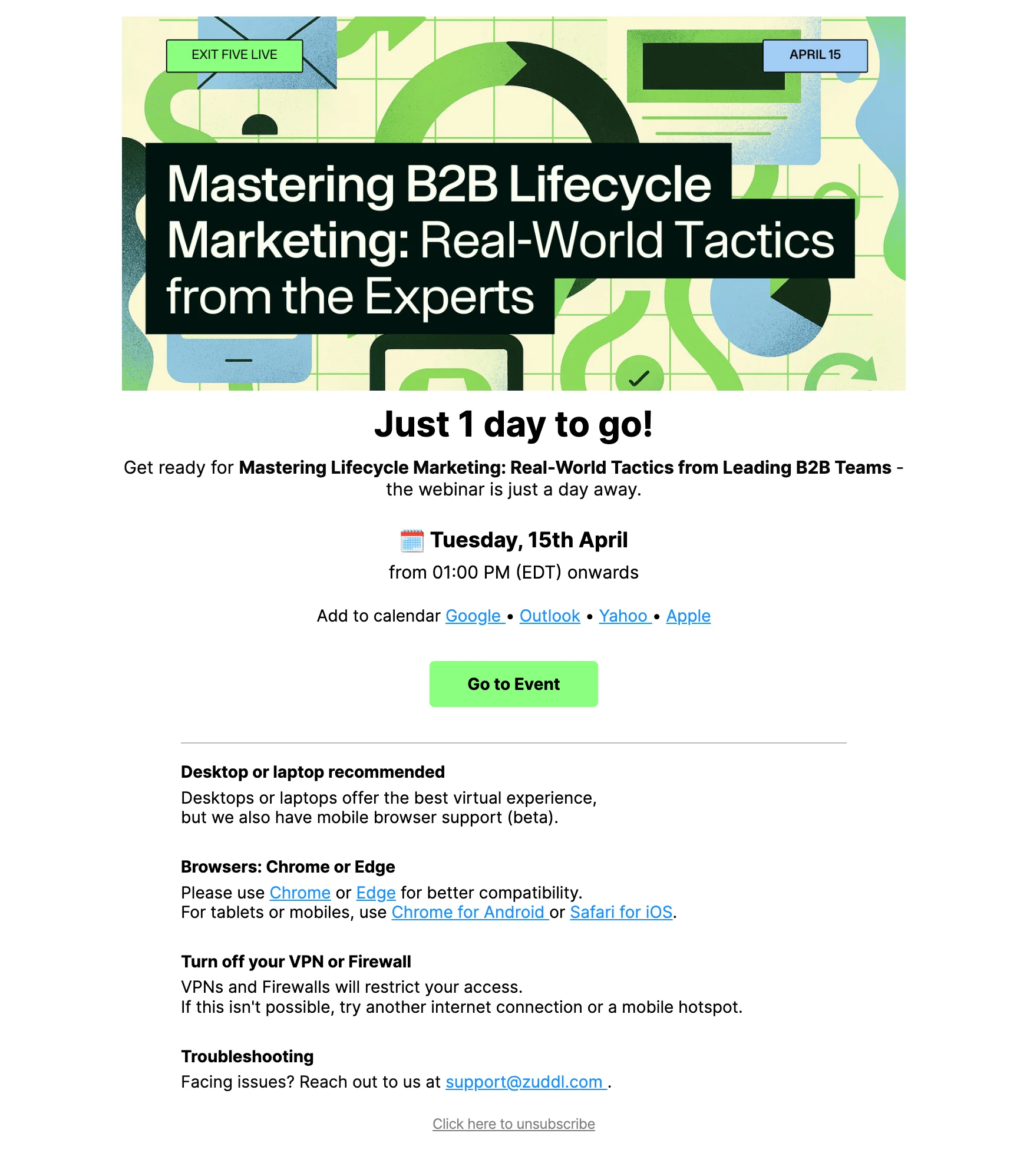
Subject line: See you tomorrow • Mastering B2B Lifecycle Marketing
The first webinar reminder email is your “just a heads up” email, ideally sent one day before the webinar date. It’s a friendly, timely way to rekindle interest and make sure your upcoming webinar doesn’t get lost in the shuffle.
How to nail your first reminder email
Remind them what they signed up for, when it’s happening, and why it’s worth showing up. Reiterate the webinar topic, tease 1–2 valuable insights, and drop the webinar link again. You can also mention what kind of webinar content they can expect—Q&A, demo, or bonus perks.
4. Second reminder
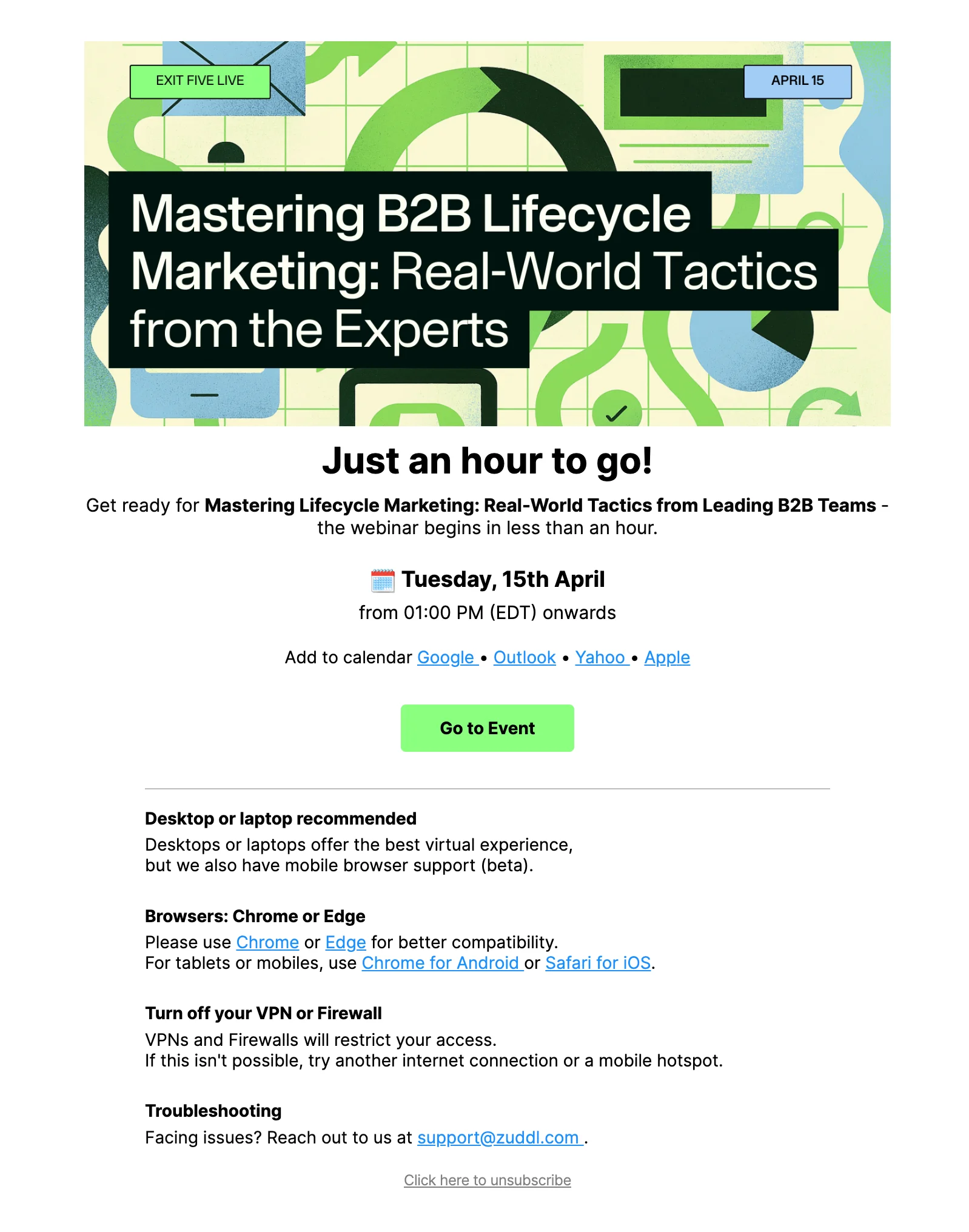
Subject line: STARTING SOON • Mastering B2B Lifecycle Marketing
This is your quick reminder to make sure they’re still on board and ready. Sent one hour before the webinar, it gives attendees time to wrap up what they’re doing and prep for your session.
How to nail your second reminder email
Keep the message clear and confident: “Your webinar starts in 1 hour.” Reinforce the event details, drop the calendar event one more time, and make the call to action obvious with a bold “Join Event” or “Access Link” button.
5. Third and final reminder
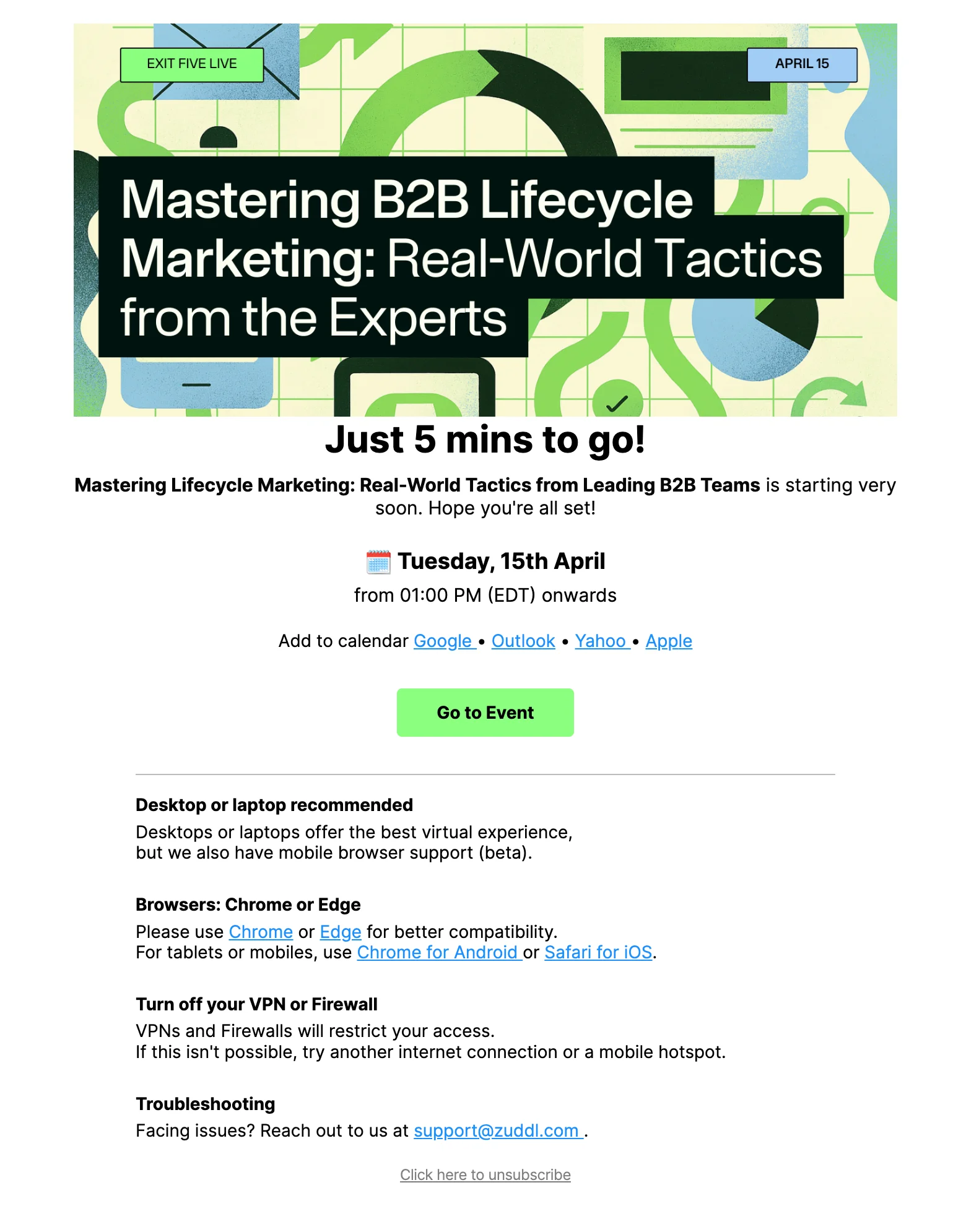
Subject line: Starting NOW • Mastering B2B Lifecycle Marketing
Sent just minutes before showtime, this final webinar reminder email is the digital equivalent of opening the doors. It helps get people in the room—especially those who forgot or are running late.
How to nail your third reminder email
Short, sharp, and high-energy. “We’re live—grab your coffee and click below to join!” Make sure the webinar link is front and center. Emojis or playful copy can help it stand out in busy inboxes and increase attendance during those last few moments.
6. Thank you email
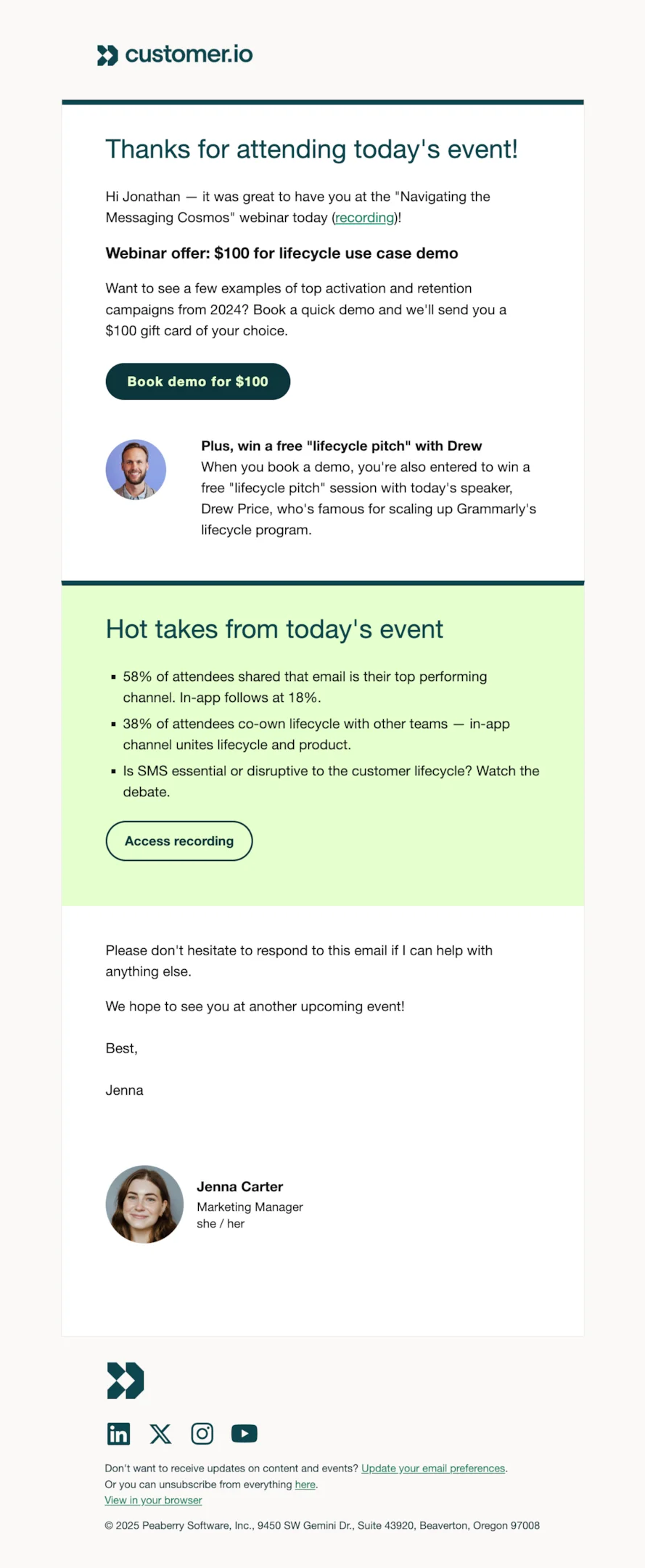
Subject line: Email is still “top dog”
Your thank you email keeps the conversation going post-event. It’s also your chance to make a great second impression—especially if the attendee didn’t get everything they hoped for live.
How to nail your thank you email
Send it within an hour of the event wrapping up. Thank them for attending, briefly recap the webinar topic, and let them know when to expect the webinar recording. If applicable, link to a brief survey to collect feedback and improve future online events.
Personalize this email depending on whether they actually attended—acknowledge their presence or gently say, “Sorry we missed you!“
7. Webinar recording email
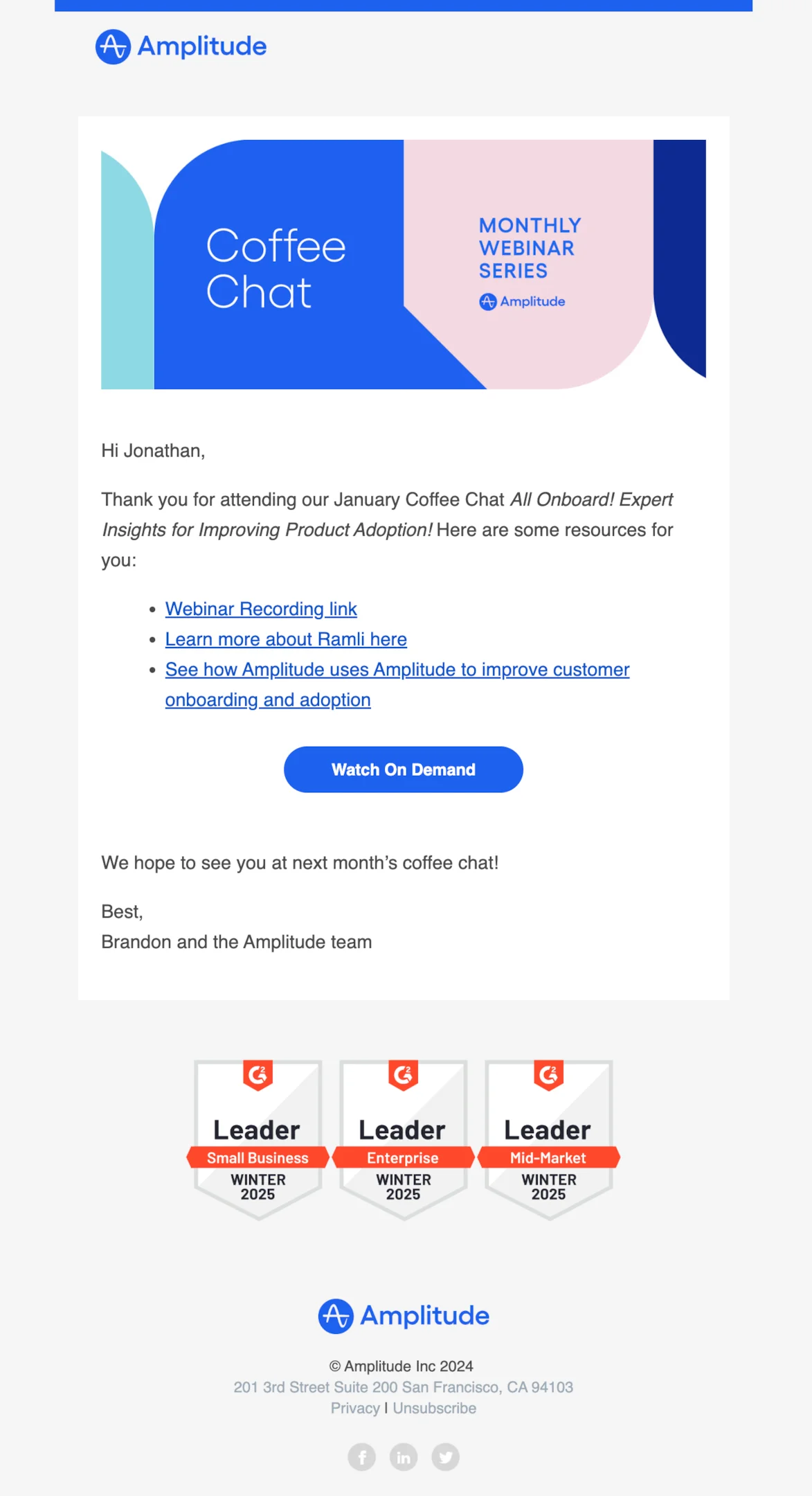
Subject line: Thank you for joining us for our January Coffee Chat
This one’s crucial—many people register and never attend. Don’t let the relationship end there. Your webinar recording email helps keep late registrants and no-shows engaged.
How to nail your webinar recording email
Start with a “Here’s your recording link” email subject line, then include a short summary of the session’s best moments. Add links to relevant resources like blog posts, templates, or guides mentioned during the event.
💡 Personalize the message based on attendance—if they were there live, acknowledge it and frame the email as a recap; if they missed it, frame it as a second chance to catch up. Keep your call to action simple and aligned to your next funnel step.
8. Webinar follow up and marketing emails
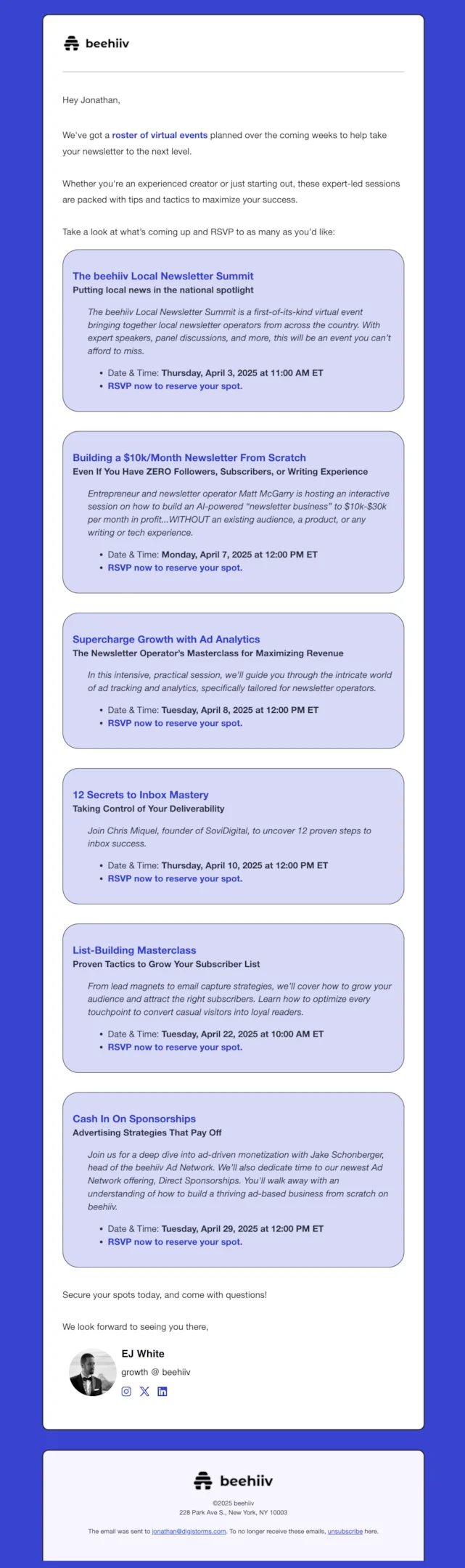
Subject line: Check out this month’s roster of value-packed events
These emails help you capitalize on all the interest you’ve built. Whether it’s pointing folks to future events, a next webinar, or product content, your follow up email sequence closes the loop.
How to nail your marketing emails
Send your first webinar follow up email a few days after the event. Use it to segment users by behavior—who attended, who clicked, who converted—and send tailored messages.
Promote future webinars, link to a landing page for more events, or highlight new features that relate to the webinar topic. Keep things conversational and action-focused.
Complete webinar email sequence: Customer.io
Below is a breakdown of a complete webinar email sequence from Customer.io. It’s a great example of a thoughtful, well-paced campaign that includes every key message from the initial webinar invite email to the post webinar follow-up.
Webinar invite email
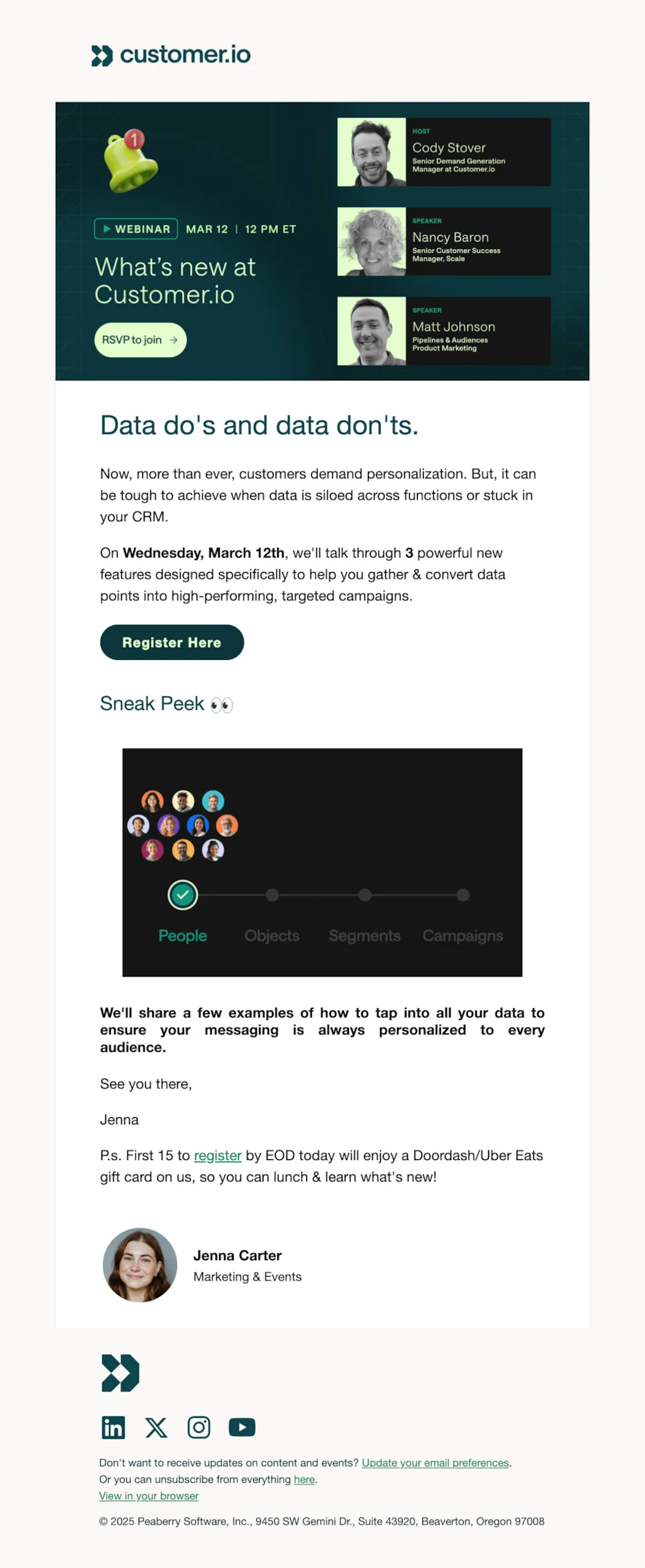
Subject line: Dive into the data.
This email sets the tone with a clear webinar title, sharp visuals, and strong emphasis on personalization. It includes essential info like the webinar date, brief description, and speaker lineup, along with a playful incentive (a gift card for early signups).
The CTA to register here is hard to miss, and there’s a clear focus on what attendees will learn—great for attracting a wide target audience.
Registration confirmation email
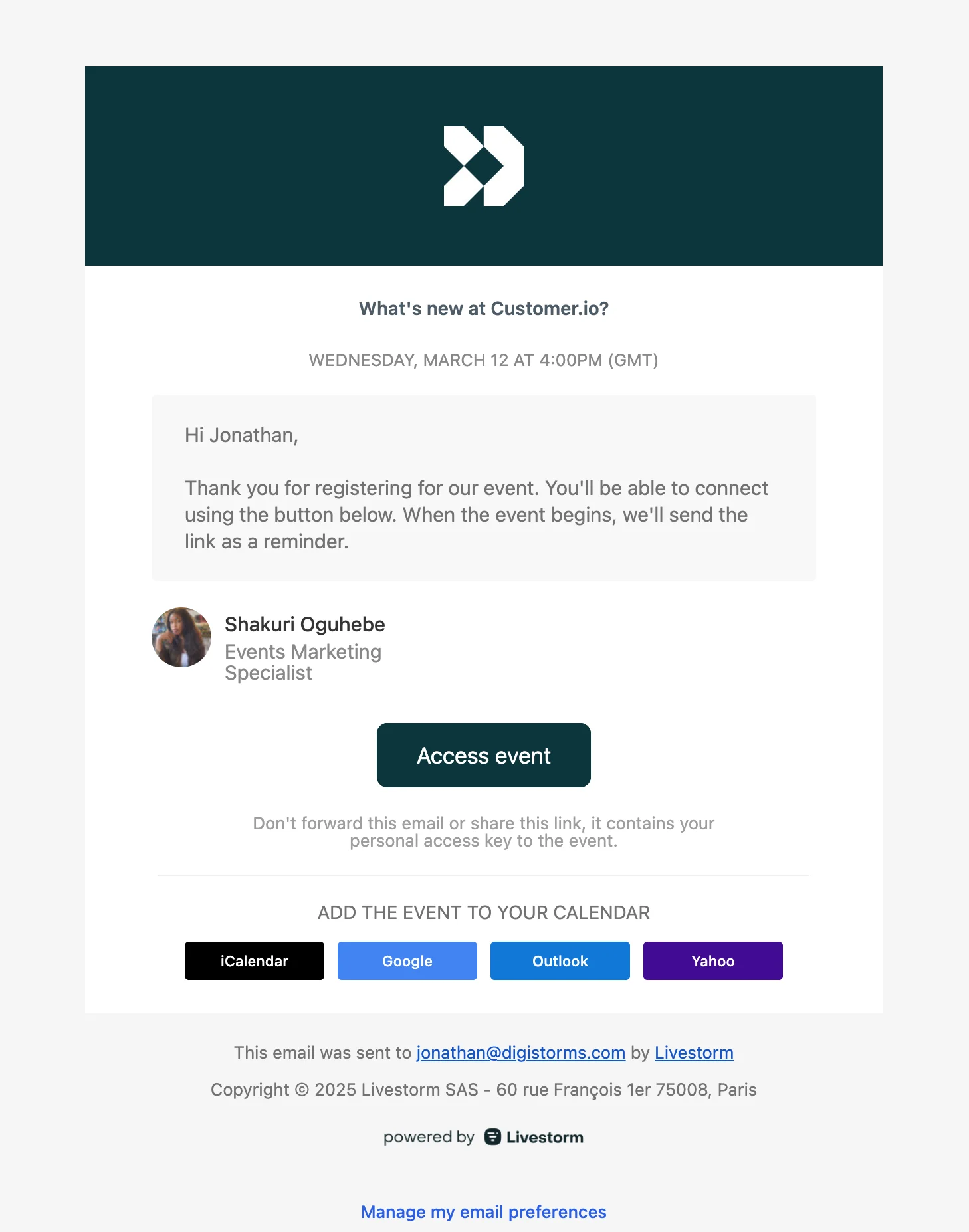
Subject line: You’re Registered
This is a textbook registration confirmation email: simple, direct, and reassuring. It confirms the webinar details, repeats the event date, and provides an access link.
Bonus points for including calendar integrations—Google, Outlook, Yahoo, and iCal—so attendees can easily add the calendar event and reduce no-shows.
First reminder
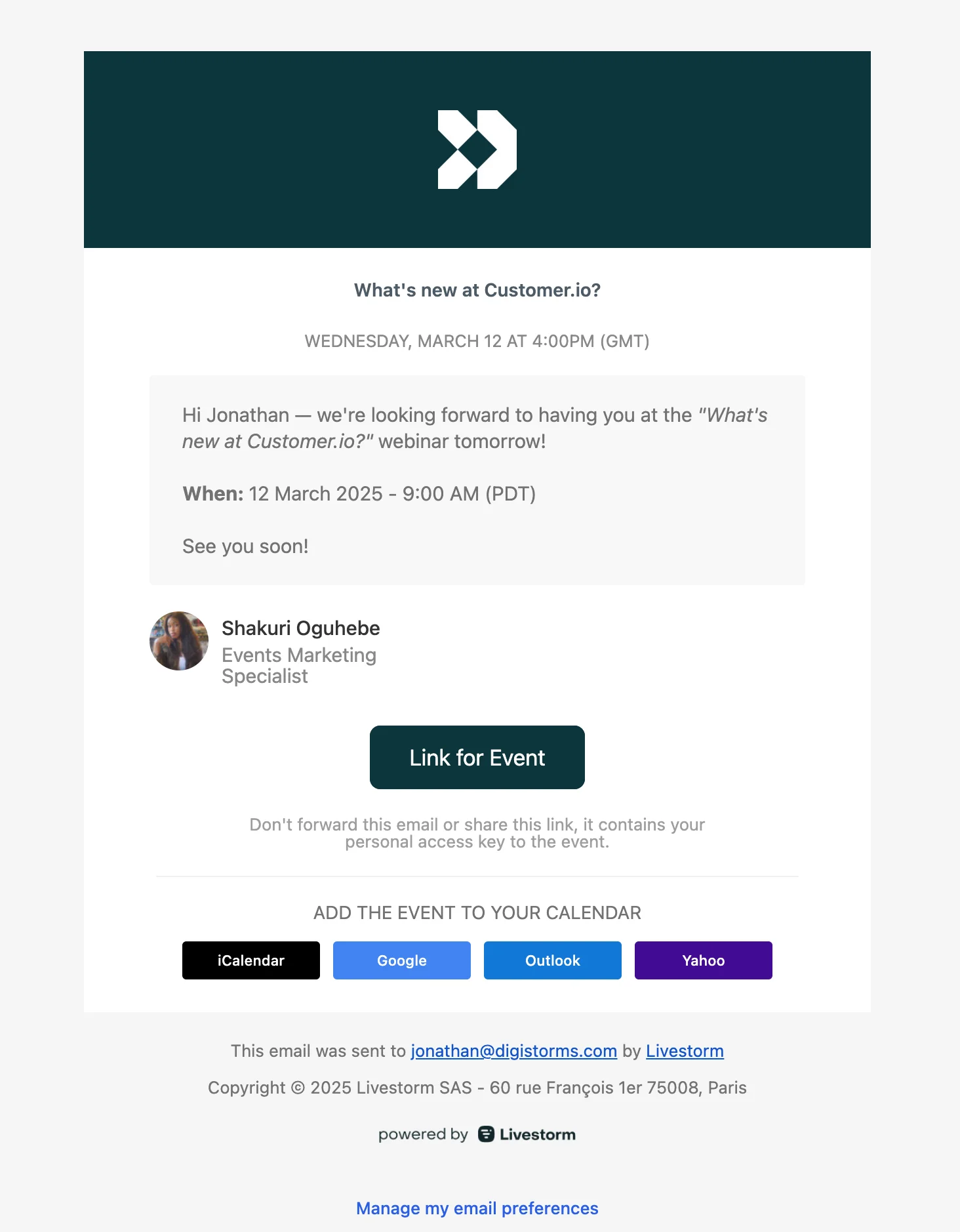
Subject line: Jonathan, see you tomorrow
A friendly message that confirms the upcoming webinar starts tomorrow. It restates the webinar title and includes the exact webinar time across time zones. The tone is casual, and the CTA (“Link for Event”) is concise and perfectly placed.
Second reminder
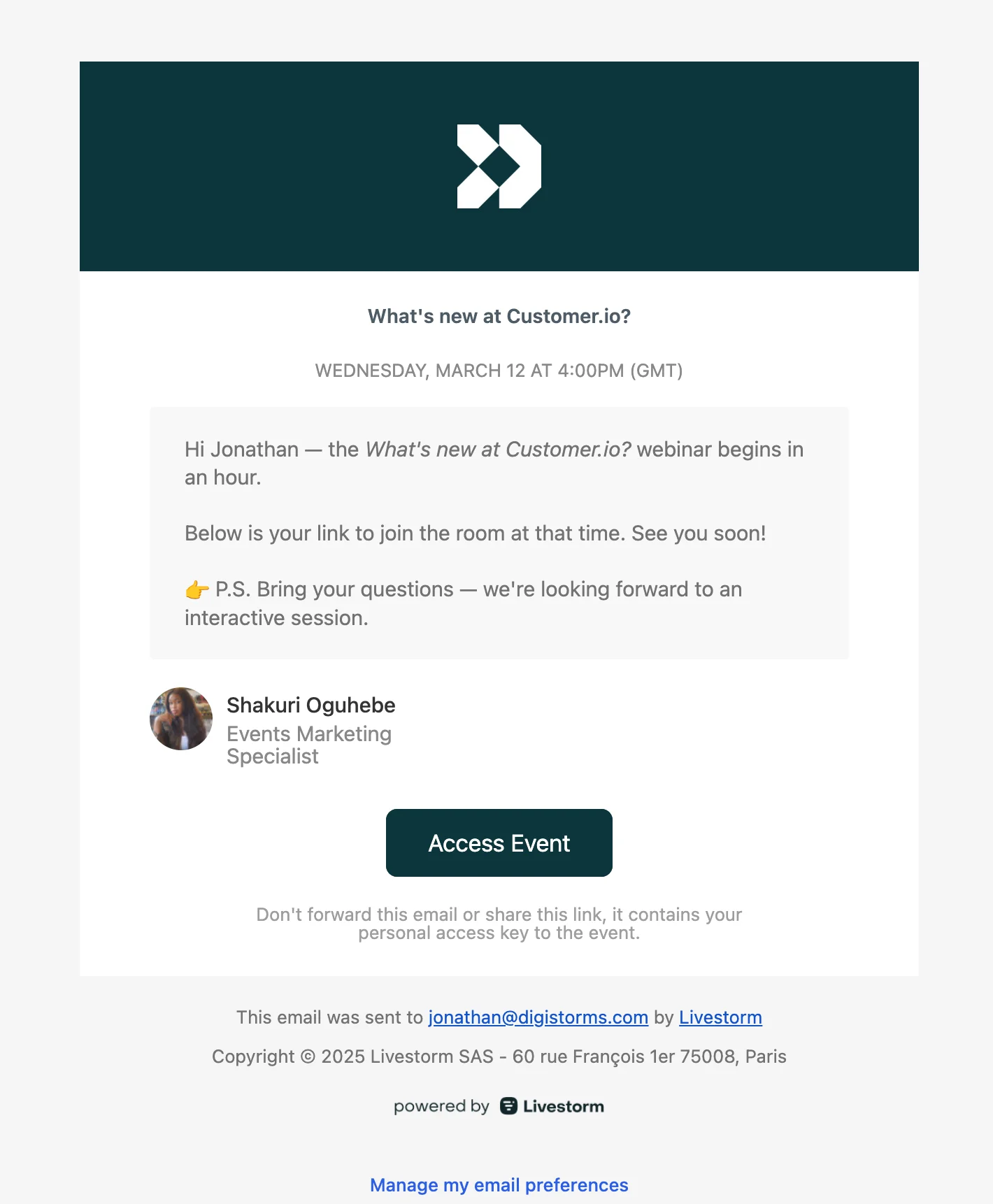
Subject line: Your event starts in an hour - What’s new at Customer.io?
This second reminder hits the sweet spot for timing—sent one hour before the webinar starts. It keeps things warm and casual, includes the webinar link, and reminds attendees to bring questions for the Q&A. A perfect nudge for last-minute joiners.
Final reminder
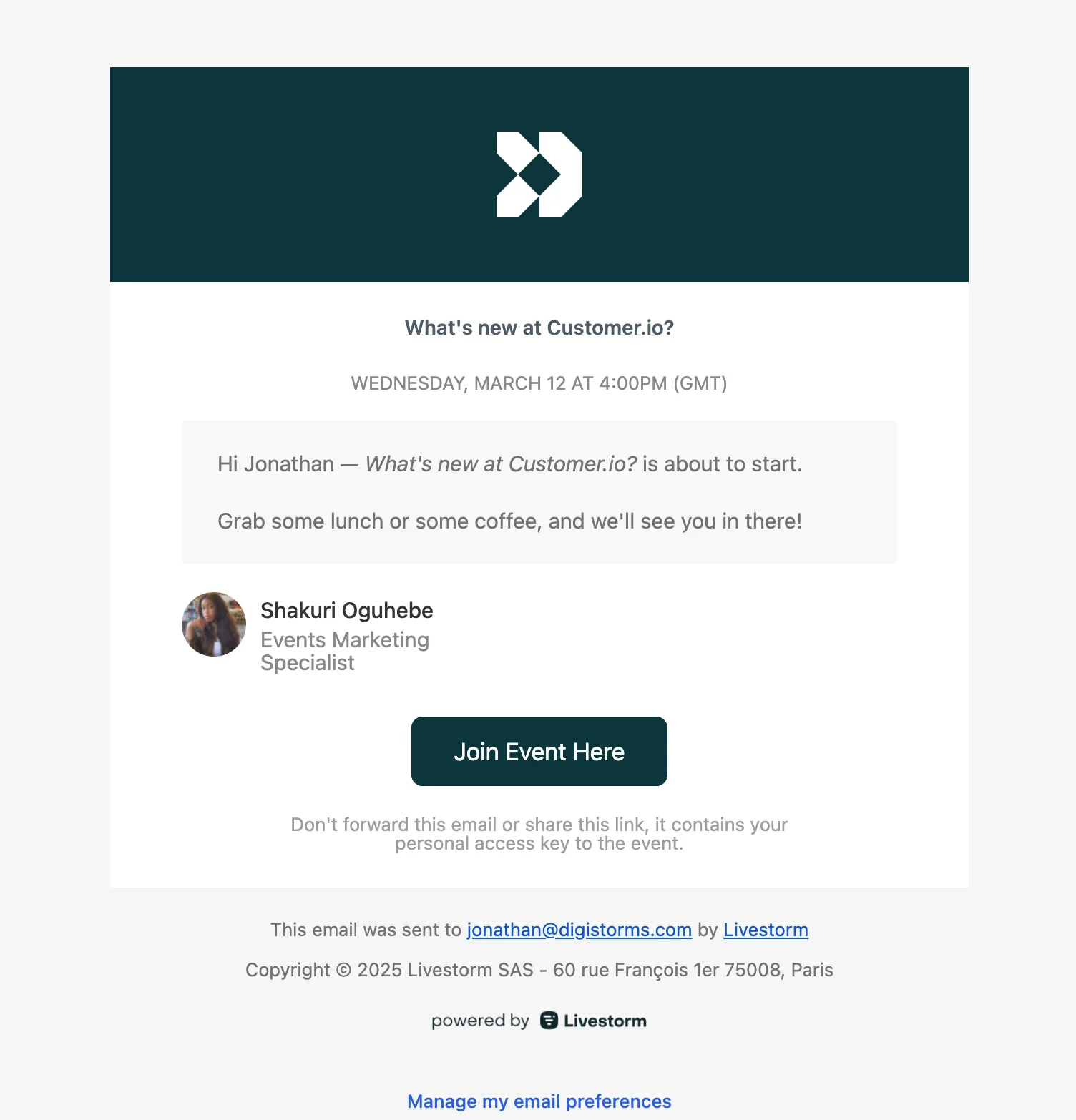
Subject line: Event starting…
This final reminder email goes out minutes before showtime. It’s short, friendly, and sets the vibe—“grab some coffee, see you in there.” With a clear Join Event CTA, it removes friction and gives attendees everything they need to click in confidently.
”Sorry we missed you” email
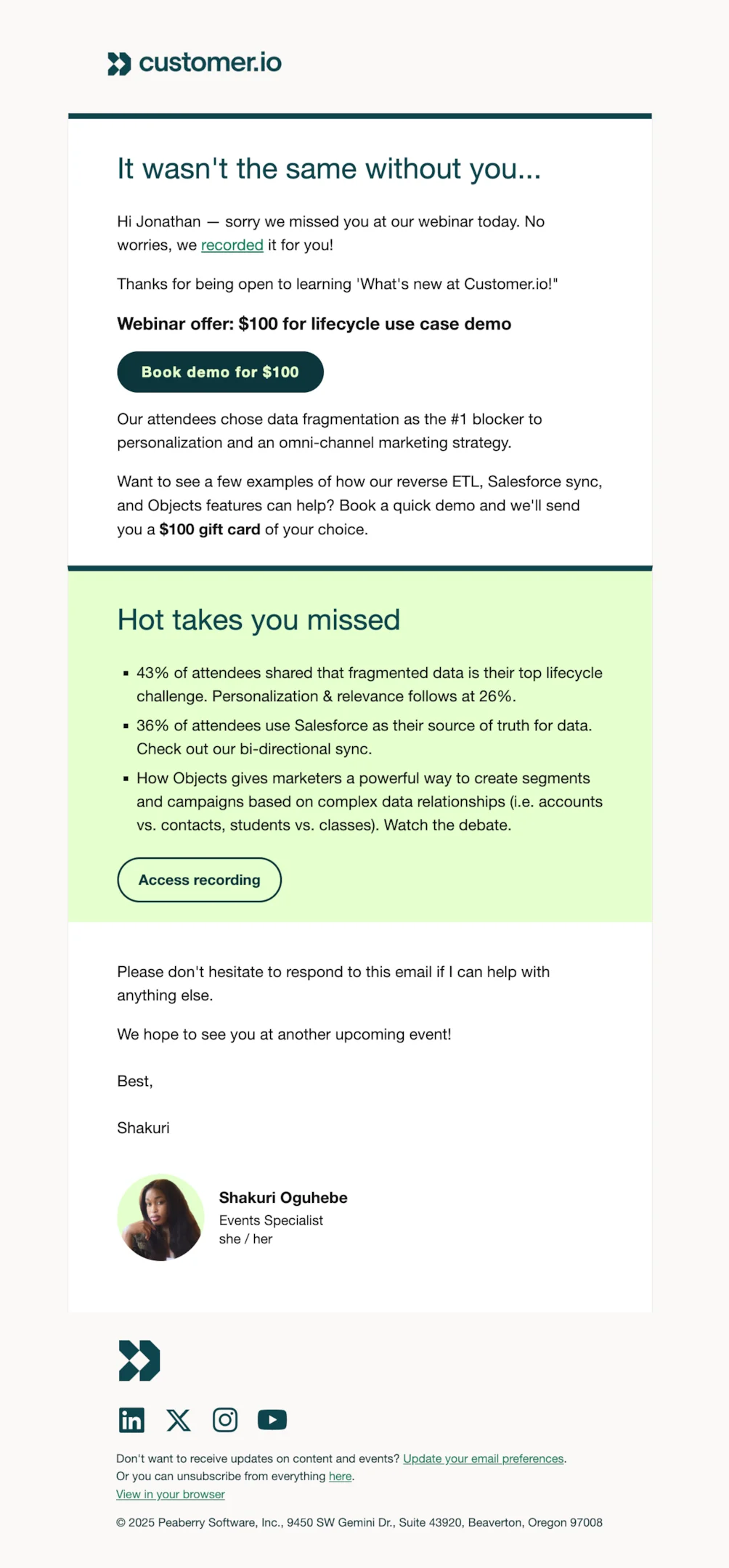
Subject line: What you missed yesterday
Sent to no-shows, this email bridges the gap between live and replay. It acknowledges the miss without making them feel bad, and immediately pivots to the recording link so they can still get value from the session.
Thank you email
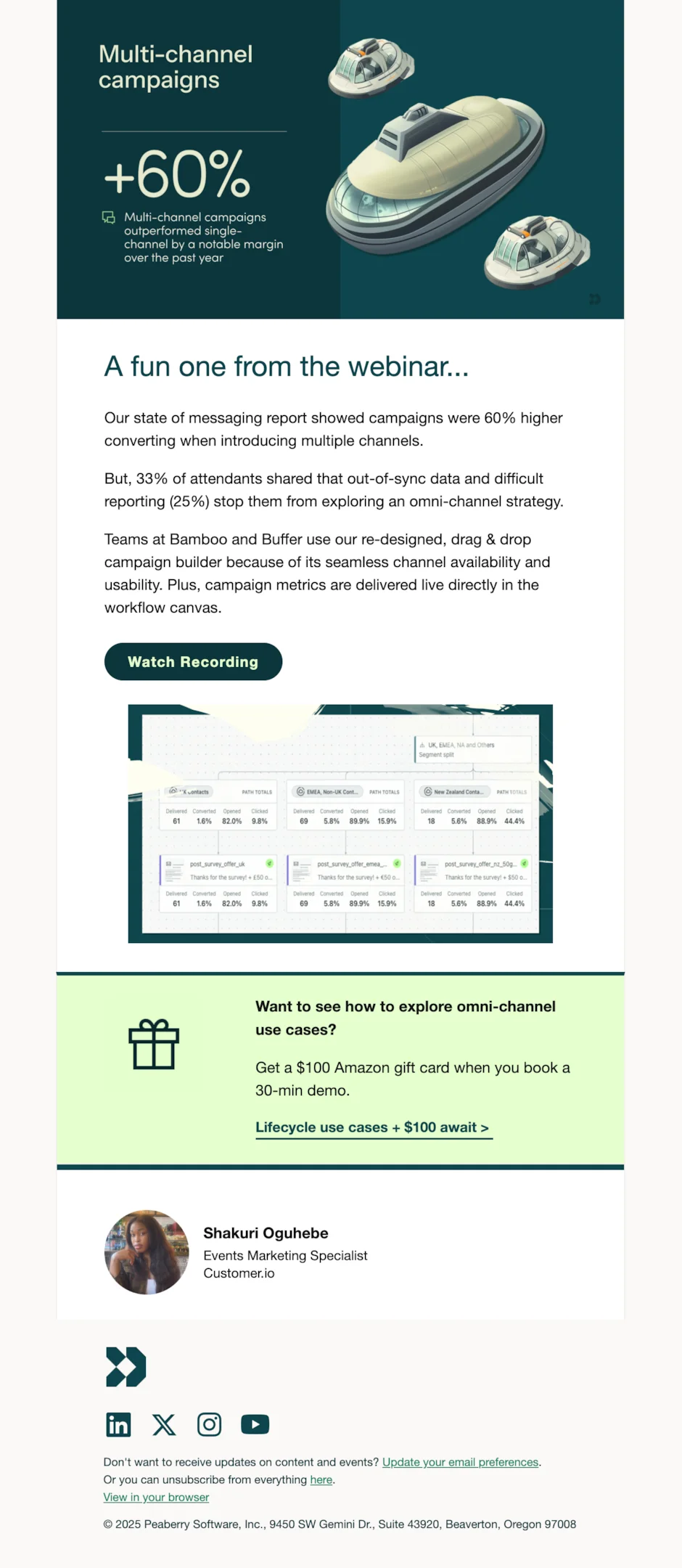
Subject line: Thank you + recording inside
Sent to live attendees, this warm follow-up reinforces the connection and keeps the momentum going. It thanks them for showing up, shares the recording, and points to the next step in the journey.
Webinar recording email
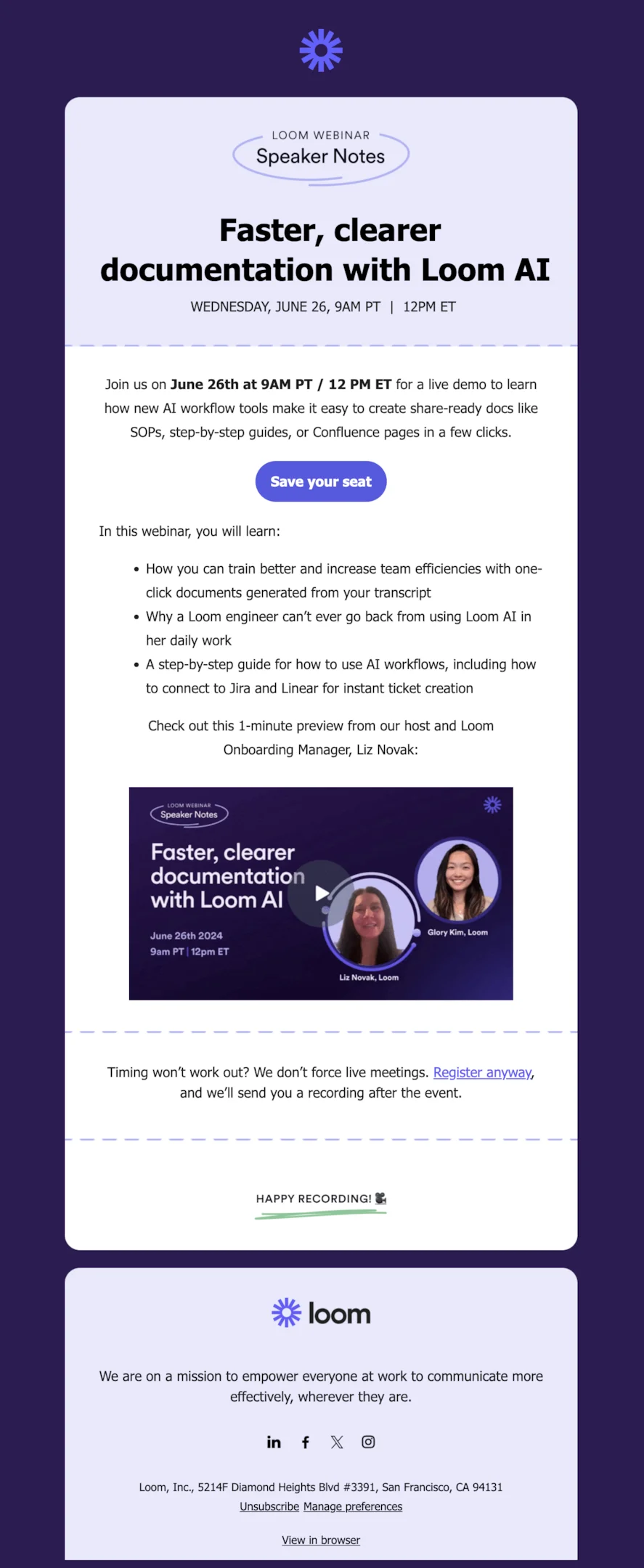
Subject line: Your webinar recording is here
A clean, focused email that delivers the recording and nothing else. It’s frictionless and easy to act on—exactly what post-event emails should be.
25 webinar email examples from top brands
Litmus
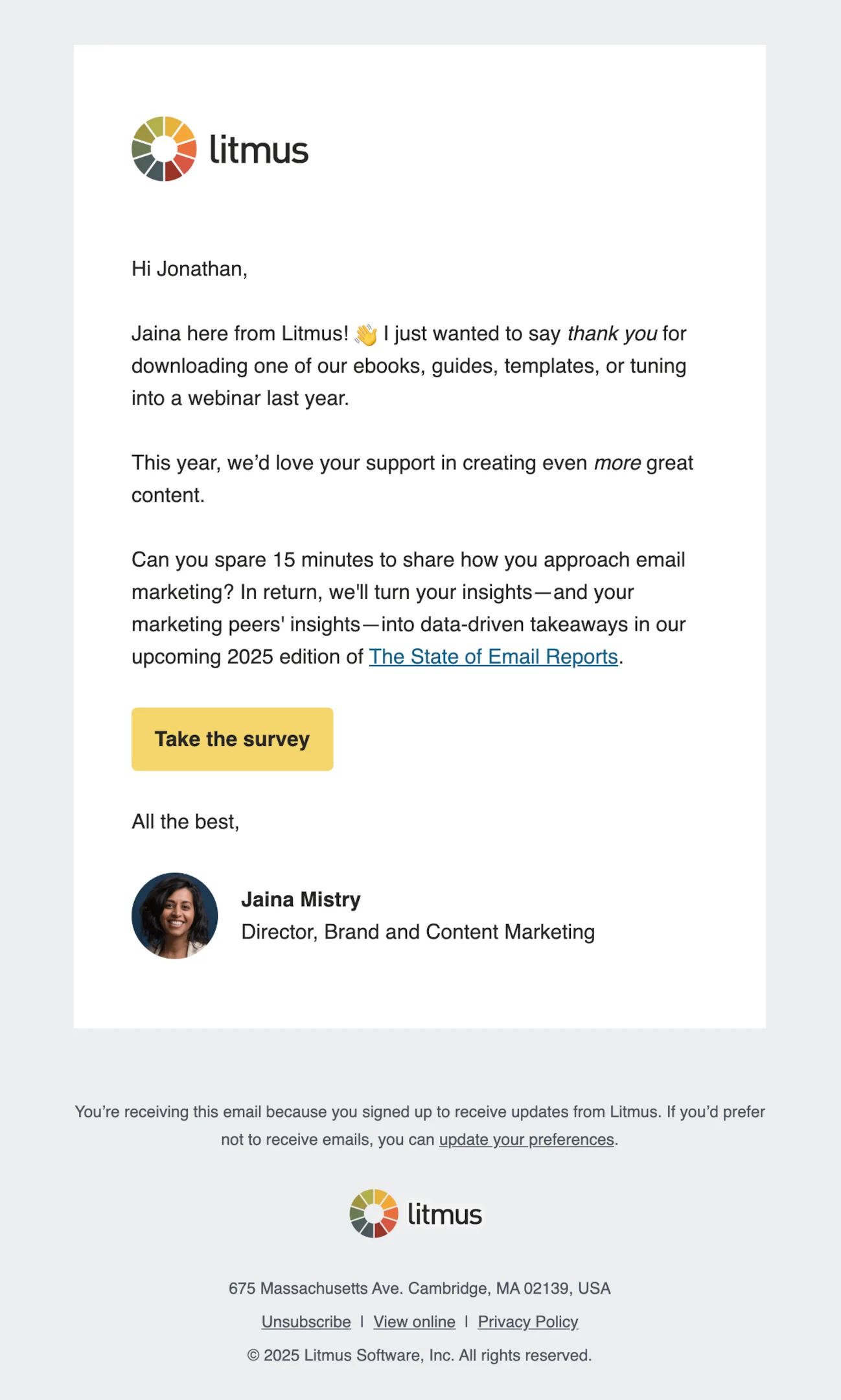
Subject line: State of Email is in the works. 🎉 But first…
Litmus takes a thoughtful, human approach with this follow-up, thanking the reader and inviting them to contribute to a survey for future content.
While not a direct webinar follow up email, it effectively nurtures past webinar participants. Adding a recap or recording link could have reinforced context and boosted engagement.
Slack
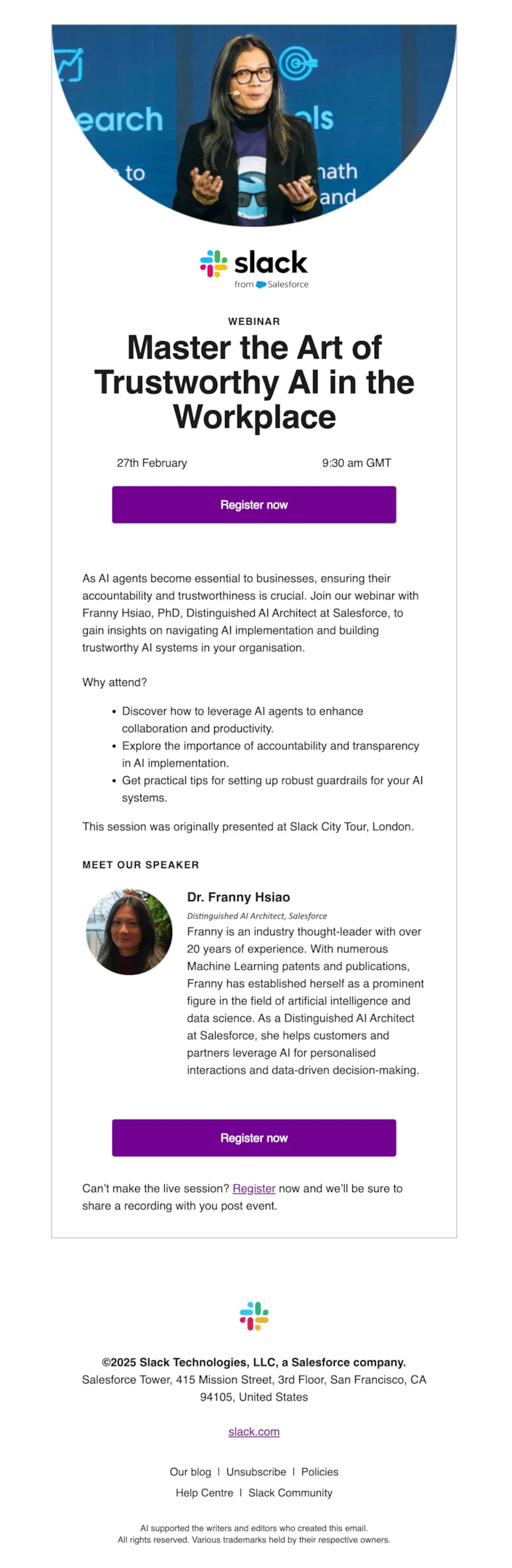
Subject line: Save your spot: Find out why accountability and transparency are crucial for AI deployment
Slack’s webinar invitation email shines with a strong speaker spotlight, clear webinar topic, and a compelling why-attend section.
The design feels premium and the duplicate CTAs reinforce action. Including the note about the recording link is a smart touch, though a calendar link could make it even more attendee-friendly.
Beehiiv
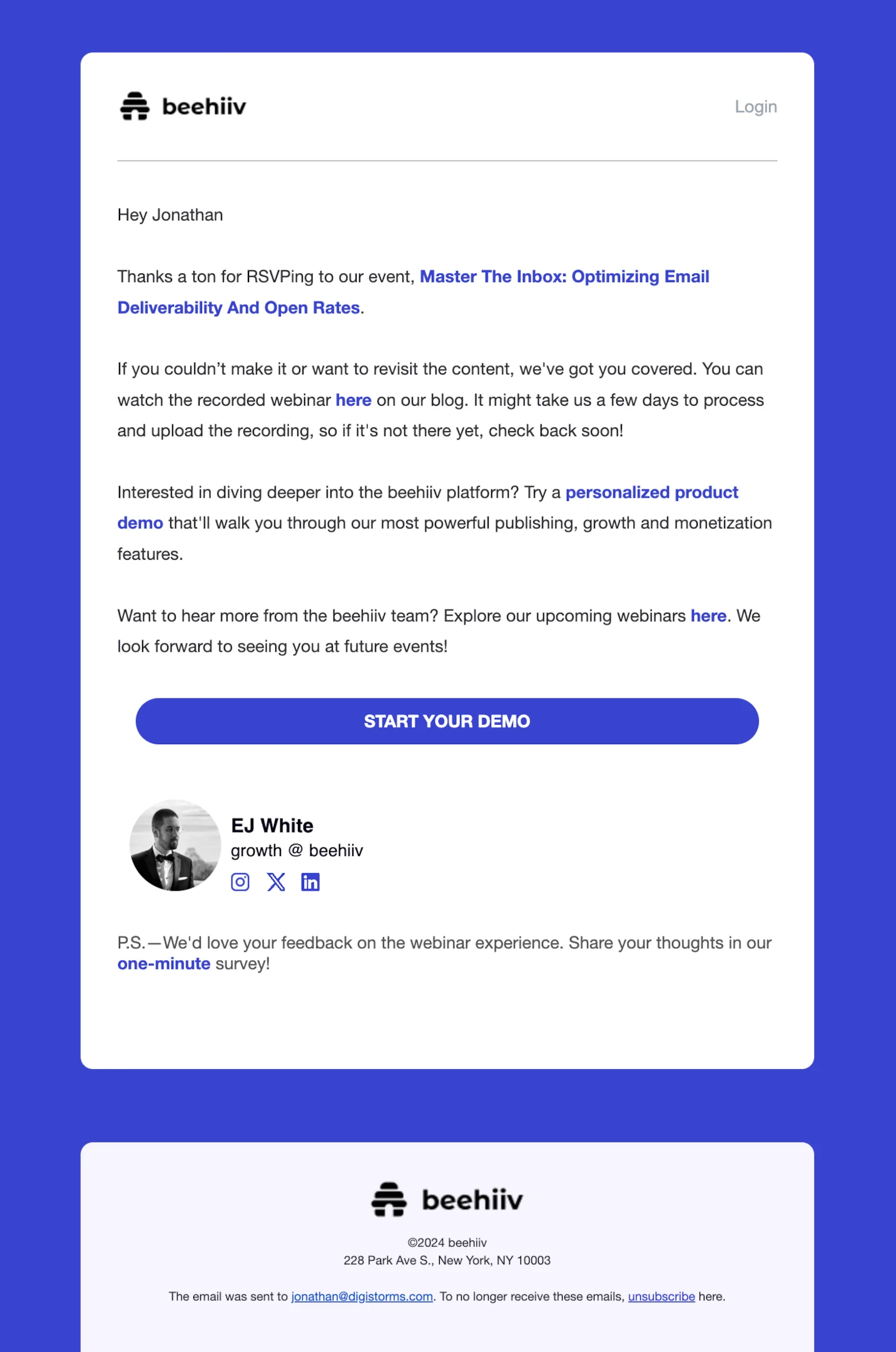
Subject line: Catch the Full Recording: Master The Inbox
Beehiiv’s post-webinar email keeps things casual and helpful, offering the recording, a product demo link, and a quick survey.
It covers all the essentials but could benefit from clearer segmentation for attendees vs. no-shows and stronger visual hierarchy to make the CTAs—especially the recording—more prominent and easier to act on.
Grammarly
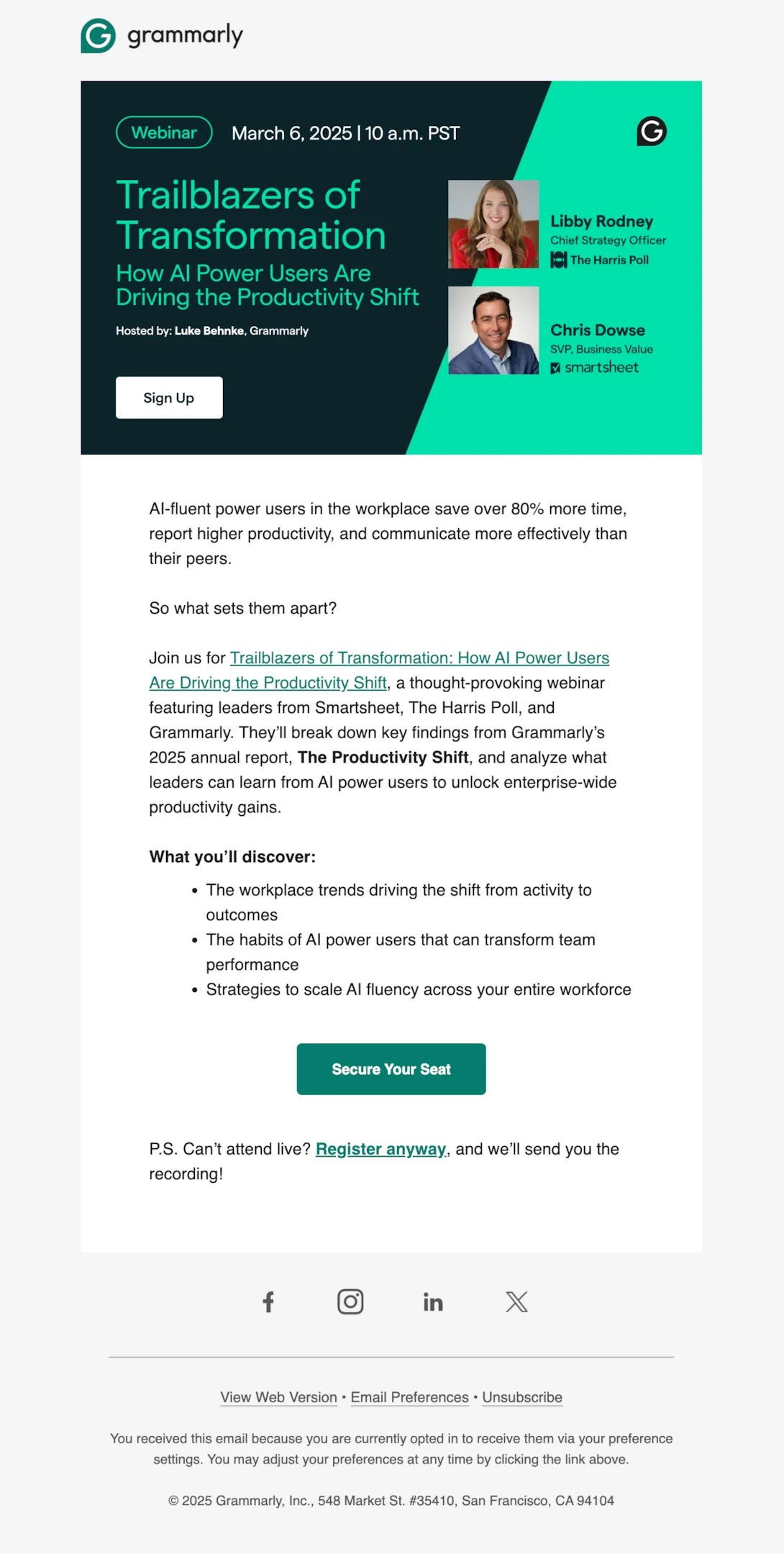
Subject line: [Webinar] How AI Power Users Are Driving the Productivity Shift
Grammarly’s webinar invite email is sleek and informative, with a sharp design, clear event details, and bold emphasis on speaker credibility.
The content promises actionable takeaways and includes a handy note about receiving the webinar recording. A bit more visual hierarchy and a calendar link would make it even more complete.
HubSpot
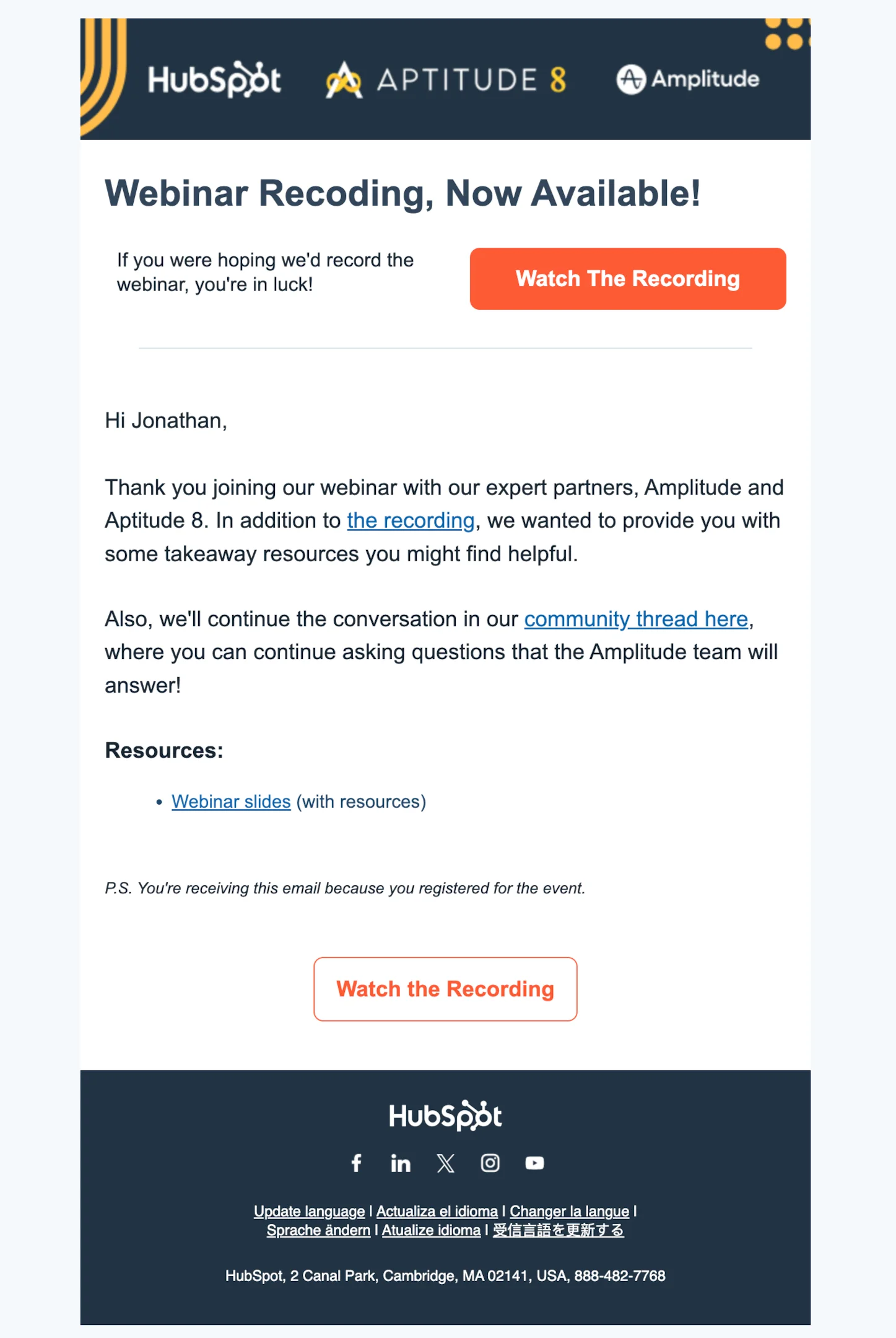
Subject line: Here’s the recording to the From Insights to Growth webinar
HubSpot’s follow-up email nails clarity and structure, with a bold Watch the Recording CTA and helpful links to webinar slides and a community thread.
It’s resource-rich and action-driven but could be stronger with light personalization based on attendance and a warmer closing to keep the conversation going.
Zapier
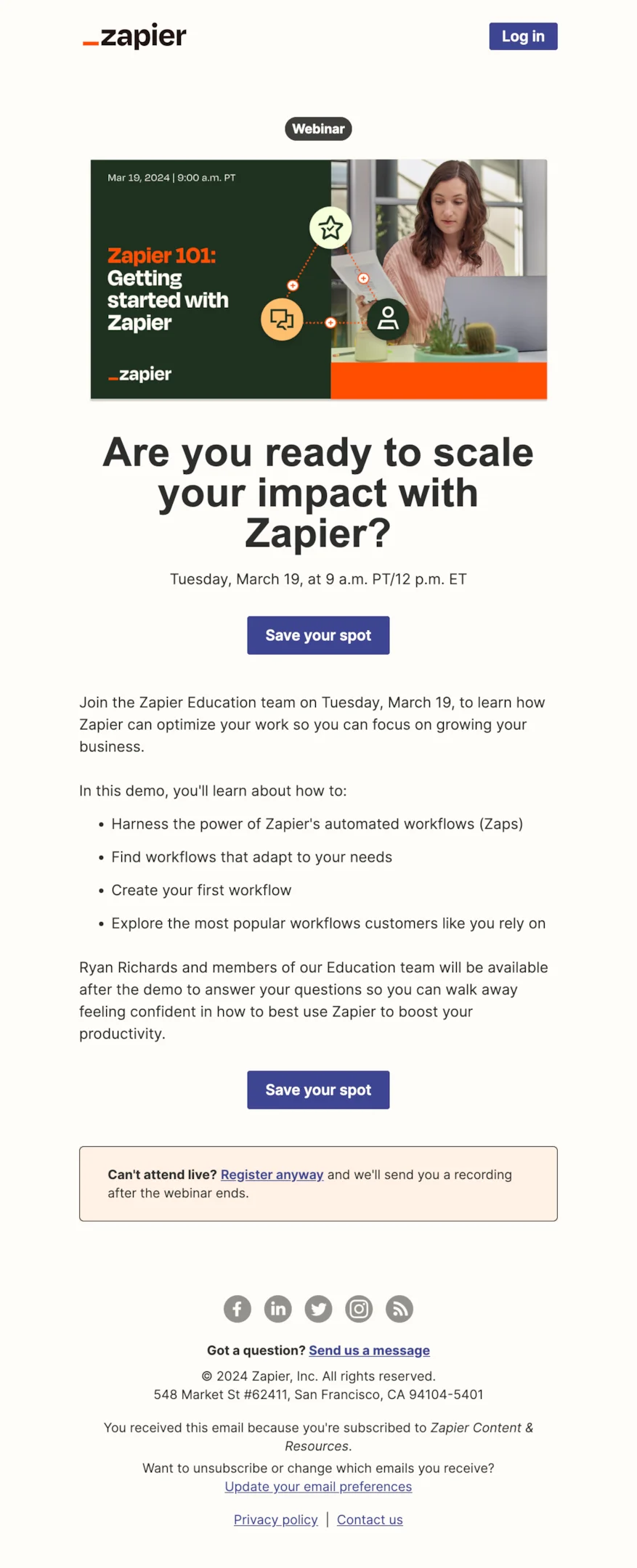
Subject line: [Webinar] Zapier 101: Learn how to use automated workflows
Zapier’s webinar invite email is clear, benefit-focused, and packed with helpful info. It outlines the agenda, includes a friendly opt-in for the recording, and repeats the CTA smartly.
The design is approachable and the messaging removes barriers—ideal for encouraging both live attendance and post-event engagement.
Gong
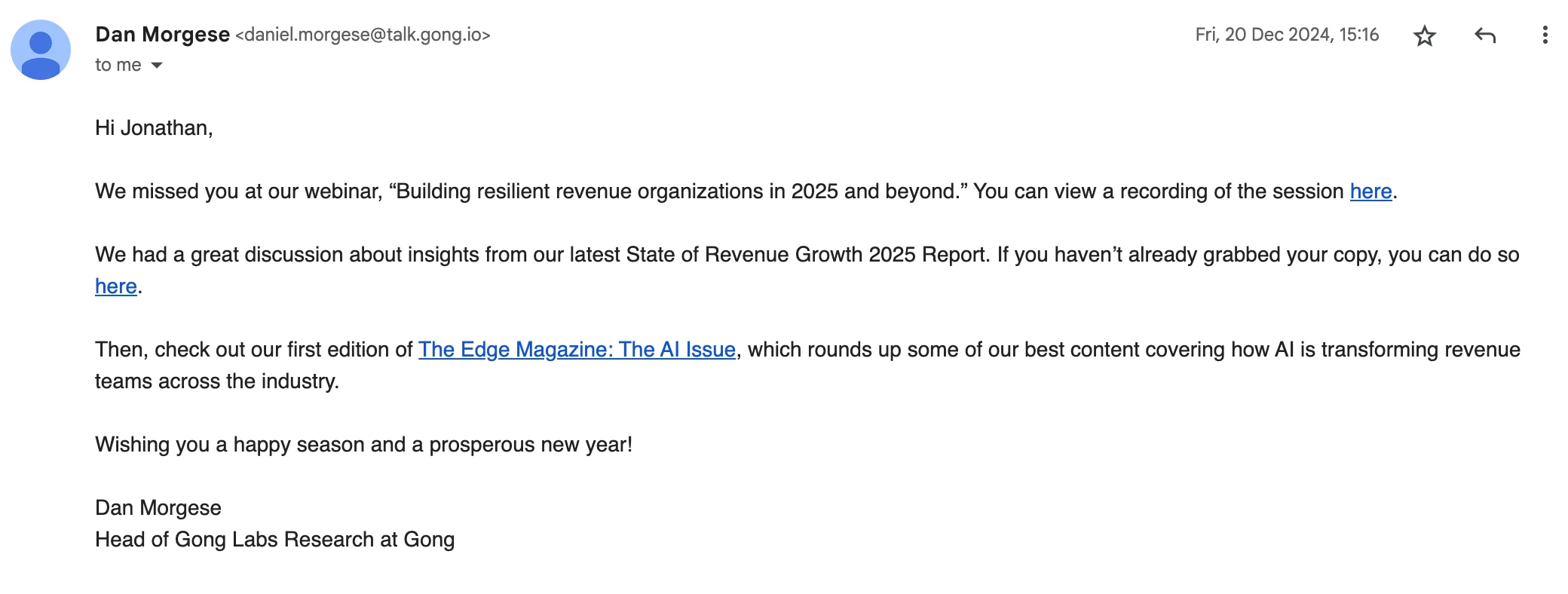
Subject line: We missed you!
Gong’s follow-up feels personal and straightforward, with a kind “we missed you” opener and a clear recording link.
It smartly bundles in extra content like their report and AI magazine, though a more visual layout and stronger CTA could make it more engaging and easier to navigate.
Webflow
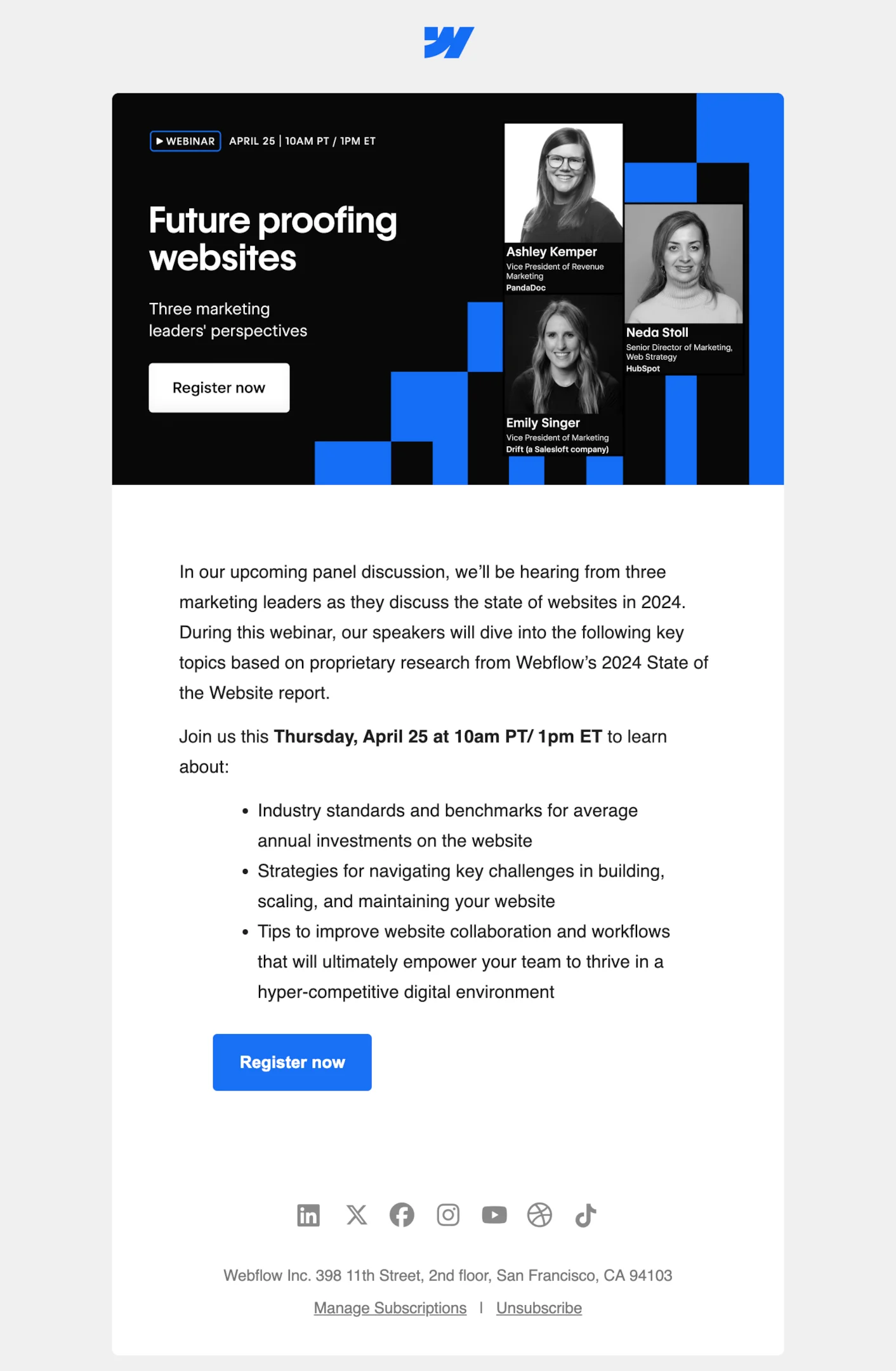
Subject line: [This week] Insights from three marketing leaders on the state of websites
Webflow’s webinar invite email is clean, polished, and packed with value. The speaker lineup and bullet-pointed takeaways make it easy to scan, while the design reinforces credibility.
Adding a calendar link or hint at what happens post-registration would make it even more complete for driving webinar attendance.
Ahrefs
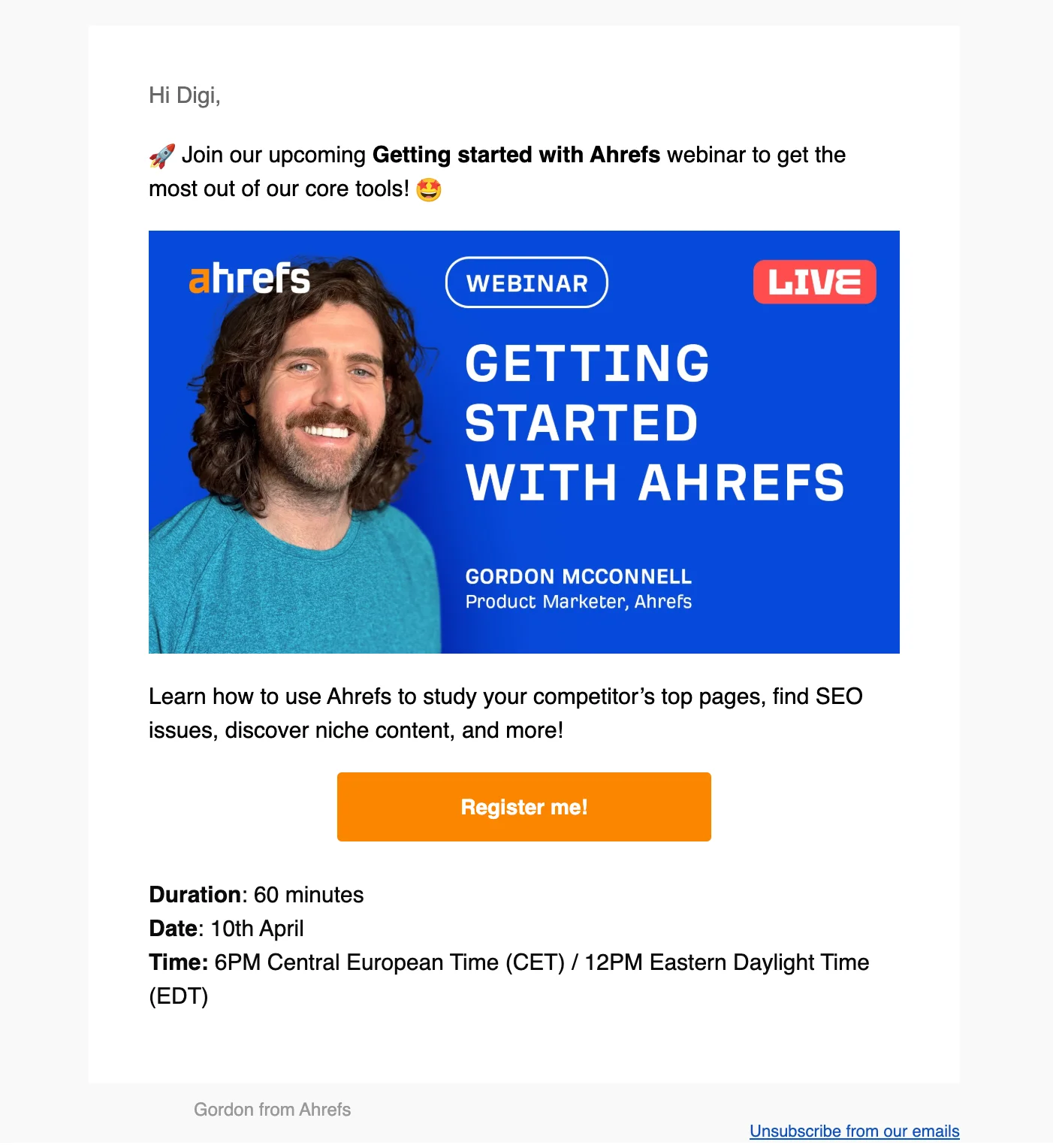
Subject line: Join our Getting started with Ahrefs webinar!
Ahrefs delivers a high-energy webinar invitation email with clear visuals, concise event details, and a bold CTA. It’s super skimmable and makes the webinar topic immediately appealing.
A quick mention of the calendar link or what to expect after registering would round it out nicely for first-time webinar registrants.
Webinar email templates (copy-paste)
Below is a webinar email template for every stage of the sequence. Swap the bracketed fields, keep the structure — the structure is what does the work.
Webinar invite email template
Subject: [Webinar] How [audience] are solving [problem]
Hi [First name],
On [day], [date] at [time + timezone], [speaker name] is running a live session on [topic].
You’ll leave with:
- [Concrete takeaway 1]
- [Concrete takeaway 2]
- [Concrete takeaway 3]
It’s [duration] minutes, including live Q&A. Can’t make it live? Register anyway and we’ll send you the recording.
[Save my seat →]
Send 10–14 days out. Lead with the takeaway, not the speaker’s job title. The “register anyway for the recording” line is not a throwaway — it’s what converts the half of your list that can’t attend live.
Registration confirmation email template
Subject: You’re registered: [Webinar title]
You’re in, [First name].
[Webinar title] [Day, date] at [time + timezone] [Duration] minutes, live with Q&A
[Add to calendar →] [Join link →]
Bring a question — we’re saving the last 15 minutes for them.
Send instantly. The calendar link is the entire point of this email; everything else is confirmation theatre. If someone doesn’t add it to their calendar here, you’re relying on the reminders alone.
Webinar reminder email template
Subject: Tomorrow: [Webinar title]
[First name] — [webinar title] is tomorrow at [time + timezone].
[One sentence on what they’ll get out of it.]
[Join link →]
Can’t make it? We’ll email you the recording afterwards.
Send this three times, shortening each one: a week out (re-sell the value), the day before (confirm the time), one hour before (link only, nothing else). The one-hour reminder should be the shortest email you send all month.
Post-webinar thank-you and recording template
Subject: Thanks for joining — recording inside
Thanks for spending [duration] minutes with us, [First name].
[Watch the recording →]
The three things people asked about most:
- [Question 1] → [one-line answer or resource link]
- [Question 2] → [one-line answer or resource link]
- [Question 3] → [one-line answer or resource link]
If you want to talk through how this applies to [their use case], [book 20 minutes here].
Send within 24 hours while the session is still fresh. The Q&A recap is what makes this email get opened by people who already attended — it’s new information, not a repeat.
Webinar no-show emails: the sequence most teams skip
Between 40% and 60% of webinar registrants don’t attend. They are not a failure — they raised their hand, gave you their email, and told you exactly what topic they care about. They’re the warmest segment you’ll generate all quarter, and most teams send them the same recap as the attendees.
Split the list the moment the session ends:
- Attendees get the thank-you, the recording, the Q&A recap, and a specific next step — a demo, a trial, a related resource.
- No-shows get a “sorry we missed you” email with the recording front and centre, and no assumption that they saw anything.
Customer.io’s “What you missed yesterday” and Gong’s “We missed you!” (both further up this page) are the pattern: acknowledge the absence in one line, hand over the recording immediately, and give one reason to watch it now rather than “sometime.”
💡 Send the no-show email the morning after, not the same evening. A registrant who missed a 2pm session has usually had a bad day; the recording lands better on a fresh one.
Then treat non-openers of that email as a normal re-engagement audience rather than continuing to email them about an event that has already happened.
Adapting the sequence for event invitations and demo invitations
The same seven-email skeleton works for anything with a fixed date and a live host — you’re only changing what the reminders protect.
Event invitation emails (conferences, meetups, user groups, virtual summits) need more lead time and one extra email: send the invite 3–4 weeks out rather than 10–14 days, add a logistics email (venue, agenda, what to bring) about a week before, and keep the day-of reminder purely practical — location, start time, and where to go on arrival. Attendance is a travel decision, not a calendar decision, so the reminders exist to remove friction rather than to re-sell.
Demo invitation emails compress the sequence instead of stretching it. A demo is one-to-one, so the “invite” is a booking link, the confirmation is the calendar hold, and one reminder 24 hours out is enough — a second feels like chasing. What matters is the pre-demo email: ask one question about their setup so the call opens with their context instead of your feature tour. The follow-up is where a demo sequence earns its keep — recap what you showed, answer the objection they actually raised, and propose the next step within the same day.
Both variants reuse your webinar automation wholesale. Build the sequence once, clone it, and adjust the offsets.
Key ingredients of a high-performing webinar email strategy
A good email strategy isn’t just about what you say—it’s how, when, and to whom you say it. Let’s break down the mechanics of crafting a sequence that feels personal, timely, and purposeful.
Timing and frequency: building anticipation without burning out your list
Timing can make or break your webinar email game. Send too many and you risk getting ignored—or worse, unsubscribed. Send too few and folks simply forget.
Start with your webinar invitation email 10 to 14 days before your webinar date. This gives people time to decide, register, and add the calendar event. Include a brief description, the registration link, and a solid call to action.
Once they sign up, fire off a registration confirmation email immediately. Include the webinar link, webinar title, event details, and a calendar link so they can save it with a click.
Then it’s time for your reminder emails. A first reminder about a week out keeps it on their radar. A second reminder the day before adds urgency.
And if your audience needs an extra nudge, a third reminder a few hours before the webinar starts can seriously boost attendance—just keep it light and useful. Think quick reminder with the webinar link front and center.
Finally, use smart spacing post-event too. A thank you email followed by a post webinar email with the recording link and relevant resources will keep them engaged long after the live session ends.
Message mapping by funnel stage and user intent
Not all webinar attendees are created equal—which is why your emails shouldn’t treat them the same.
💡 Mapping your messages by funnel stage means aligning content with where each person is in their journey. If you’re inviting cold leads, your webinar invitation email should focus on problems they care about and position your webinar content as the solution.
For engaged trial users, highlight how the session helps them succeed faster. For paying customers, talk about future webinars, advanced features, or upcoming product use cases.
This structure applies to your follow up emails too.
Did the person attend and engage? Send a tailored follow up email sequence pointing to additional resources or next steps. Didn’t show? Trigger a webinar follow up email with the recording link and a new call to action—like booking a demo or checking out related content.
Even the email subject line and reminder email template can vary. A casual tone might work for top-of-funnel leads, while a no-fluff version suits active users.
By sending the right message to the right person at the right time, you’ll boost conversion, nurture loyalty, and make your webinar emails feel more like a conversation than a campaign.
How to test and optimize your webinar email sequence
Even the best emails can perform better. With smart segmentation and goal-driven metrics, you can continuously improve how your webinar emails convert across your audience.
Segment-level analysis: did your emails actually drive action?
Tracking opens and clicks is a start—but if you stop there, you’re missing the real picture. What you really want to know is: did your webinar email sequence move people closer to action?
That’s where segment-level analysis comes in. Break down results by persona or funnel stage.
Did new leads actually attend the upcoming webinar after receiving three reminder emails? Did trial users who got the recording end up converting? How many webinar attendees went on to request a demo or engage with your product?
This type of insight is gold for refining your messaging. You might find that early-stage leads need a more educational invite email, while customers engage more with pre webinar reminder emails that highlight use cases. Or maybe the follow up email sequence worked better for one segment than another.
Track metrics like attendance rate, post-event actions, and the percentage of webinar registrants who took a desired action—like clicking a call to action, signing up for a trial, or joining future events.
Measuring impact by webinar goal (lead gen vs. product adoption)
Not every webinar has the same endgame. Some are meant to fill the top of your funnel, while others are crafted to deepen product engagement. Your email strategy—and how you measure success—should reflect that.
If the goal is lead generation, focus on how many new contacts registered, attended, and converted into pipeline. Track how your webinar invitation email performs with cold leads and whether they took the next step after the post webinar email.
For product adoption webinars, look for different signals. Did your thank you email or webinar follow up email drive existing customers to activate a new feature? Are trial users who received the recording link more likely to upgrade? Was the webinar content aligned with their current usage?
Tie these metrics back to goals. If people aren’t progressing, it may not be the webinar date or event details—it could be the framing in your email subject line or the timing of your final reminder. Refining based on real outcomes helps turn your email sequences into a repeatable growth lever.
The pattern behind every webinar sequence that worked
Across all 25 examples on this page, the sequences that filled the room shared four habits:
| Habit | What it looks like |
|---|---|
| One takeaway per email | The invite sells the outcome; the reminder sells the time; the follow-up sells the next step. Never all three at once. |
| Reminders get shorter, not louder | A week out reads like an invite. An hour out is a subject line and a link. |
| The recording is promised upfront | ”Register anyway and we’ll send the recording” converts the people who already know they can’t attend. |
| Attendees and no-shows are split | Two follow-up paths, written differently, sent the morning after. |
The emails themselves are not hard to write. What separates a sequence that fills a room from one that doesn’t is that every message has exactly one job and is timed to the session rather than to a content calendar.
If you want more examples to work from, the webinar follow-up email guide goes deeper on the post-event half of the sequence, and the webinar follow-up subject lines collection is the fastest place to steal a line. For everything else — invites, confirmations, reminders and recaps from hundreds of SaaS brands — browse the free email library and filter by webinar invitation to see how other teams handle the same seven emails.